Skip to content
EN
Log inBook a demoOpen your account

Intelligence Layer

One account, one ledger, one agent layer. The modules are what you switch on.

Platform overview
The AI Intelligence Layer

One intelligence layer under every module: the same data, the same agents, the same ledger, whichever function you switch on.

  • One layer, every module
  • Shared data and agents
  • Every run on one ledger
Go to The AI Intelligence Layer
Isometric stack of pale grey slabs wired together on white, with one layer filled deep cyanStart hereThe architecture is the argumentWhy adding the sixth module costs a fraction of buying the first.Read the architecture
The Architecture

One account carries every brand you run. Modules are switched on per brand, and every run lands in the same ledger.

  • One account, many brands
  • Modules toggle per brand
  • A single billing ledger
Go to The Architecture
Isometric stack of pale grey slabs wired together on white, with one layer filled deep cyanStart hereThe architecture is the argumentWhy adding the sixth module costs a fraction of buying the first.Read the architecture
The agent layer

Three kinds of agent. Watchers notice, drafters produce, and Ask Intelligence answers from your own numbers.

  • Watchers run on a schedule
  • Drafters wait for sign-off
  • Answers carry their source
Go to The agent layer
Isometric stack of pale grey slabs wired together on white, with one layer filled deep cyanStart hereThe architecture is the argumentWhy adding the sixth module costs a fraction of buying the first.Read the architecture
Security

Isolated tenancy, roles that mean something, and a plain answer about what leaves your account.

  • Per-tenant isolation
  • Roles down to the module
  • Stated data boundaries
Go to Security
Isometric stack of pale grey slabs wired together on white, with one layer filled deep cyanStart hereThe architecture is the argumentWhy adding the sixth module costs a fraction of buying the first.Read the architecture

Seats are free — you pay for what the AI runs

Book a demoOpen your account

By role

The same product, read by job. For the person who holds the job, and for the company where the platform is the hire.

All roles
CEO / Director

Five dashboards, the ones you describe in a sentence, a weekly review that explains what moved, and a question box that quotes the real figure.

  • A weekly review with causes
  • Dashboards from a sentence
  • Caps on every dollar spent
Go to CEO / Director
Marketing

Brand Content, Social, Search, and Ads on one account, with seven watchers that report what moved and a voice you teach once.

  • 37 text formats, priced runs
  • Six networks, real limits
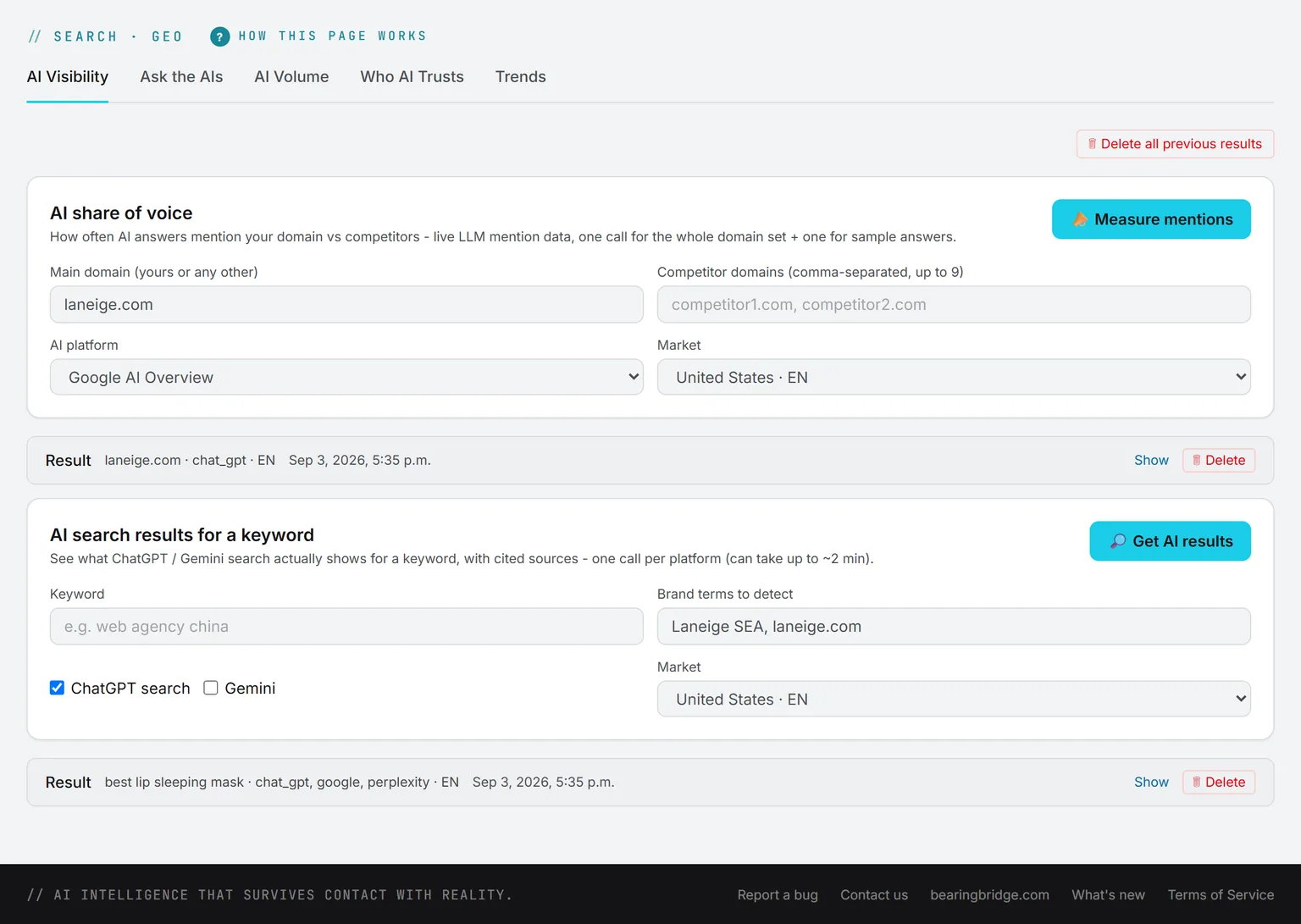
  • Google ranks and AI answers
Go to Marketing
Sales

A pipeline that won’t let a deal sit without a next step and a date, red dots on the quiet ones, and follow-up mails drafted in your own Gmail.

  • Overdue and quiet deals flagged
  • Drafts wait for your Send
  • Two currencies on every amount
Go to Sales
Project Manager

Kanban and Gantt over the same cards, projects only their team can see, and work that arrives from findings, deals, posts, and validation requests.

  • Five ways a card arrives
  • A team and a planned cost
  • The Friday report as a PDF
Go to Project Manager
Customer Service

An assistant on your website that answers from what you gave it, says so when it doesn’t know, and logs every question it couldn’t answer.

  • On any site, one pasted line
  • Refuses to guess
  • A daily budget per desk
Go to Customer Service
Finance

The pipeline as numbers, every amount in two currencies, and a ledger and caps on every AI run.

  • The pipeline, weighted by stage
  • Two currencies, one rate table
  • Every run on the ledger
Go to Finance
Web

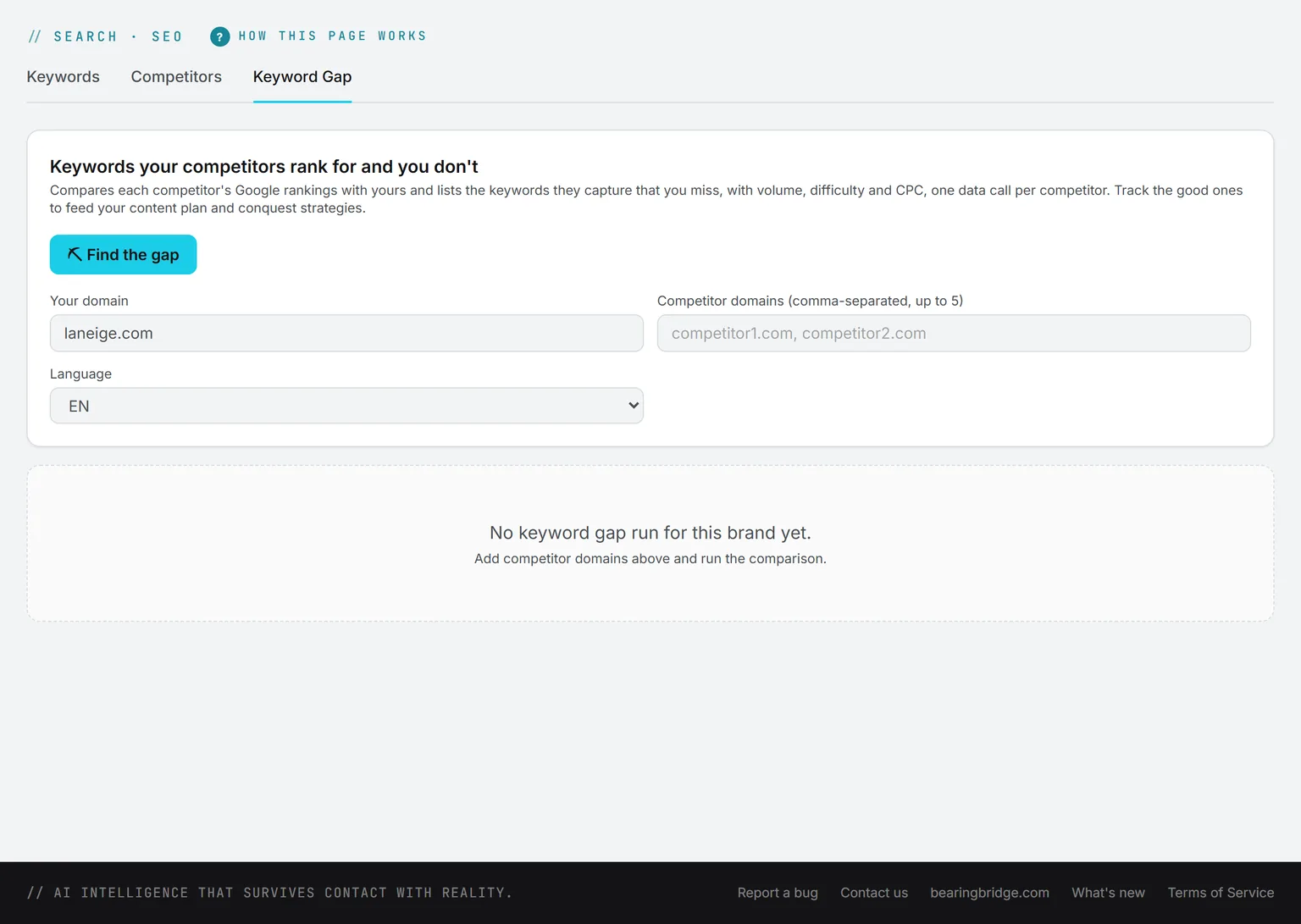
Rank tracking and the keyword gap, page formats that read the page they replace, and a desk on the site that sets no cookie.

  • Ranks in 232 markets
  • Pages written to a format
  • A desk on the site, one line
Go to Web
Human Resources

No HR module, said first. Drafting in the Playground, a handbook employees can question, and onboarding as tasks with owners and dates.

  • A handbook that answers
  • Onboarding as dated tasks
  • Free accounts for every hire
Go to Human Resources

Seats are free — you pay for what the AI runs

Book a demoOpen your account

Services

The people around the product, from the first connection to a named operator on your account.

All services
Onboarding

At least four hours, live: your account set up with you, your team trained, then three months of support.

  • 1,000 USD, 300 back in your wallet
  • At least four hours, live
  • Three months of support
Go to Onboarding
A fanned stack of white ruled sheets with the top one edged in deep cyanLarger organizationsRoll out by brand, by team, by functionOne account, one ledger, roles down to the function. Staged so procurement never has to open a file.See the group rollout
Data integration

We connect the systems you already run and prepare the data behind them, so every answer has a source.

  • Connectors built and tested
  • Metrics defined once
  • Sources reconciled
Go to Data integration
A fanned stack of white ruled sheets with the top one edged in deep cyanLarger organizationsRoll out by brand, by team, by functionOne account, one ledger, roles down to the function. Staged so procurement never has to open a file.See the group rollout
Custom features

An agent or a function built for your process, on the same ledger and under the same approval gates.

  • Scoped before it is priced
  • Same gates, same ledger
  • Yours to keep
Go to Custom features
A fanned stack of white ruled sheets with the top one edged in deep cyanLarger organizationsRoll out by brand, by team, by functionOne account, one ledger, roles down to the function. Staged so procurement never has to open a file.See the group rollout
Dedicated hosting

A single-tenant deployment in the region you choose, with the data boundary written down and an uptime commitment.

  • Single tenant
  • Region of your choice
  • Uptime in writing
Go to Dedicated hosting
A fanned stack of white ruled sheets with the top one edged in deep cyanLarger organizationsRoll out by brand, by team, by functionOne account, one ledger, roles down to the function. Staged so procurement never has to open a file.See the group rollout
Premium Support

A named contact, committed response times, and a quarterly review of what ran, what it cost and what to change.

  • Named contact
  • Committed response times
  • Quarterly review
Go to Premium Support
A fanned stack of white ruled sheets with the top one edged in deep cyanLarger organizationsRoll out by brand, by team, by functionOne account, one ledger, roles down to the function. Staged so procurement never has to open a file.See the group rollout
Training

Sessions for the people who will approve, review and ask, so the workforce is used rather than watched.

  • By role, not by feature
  • Live on your account
  • Recorded for the next hire
Go to Training
A fanned stack of white ruled sheets with the top one edged in deep cyanLarger organizationsRoll out by brand, by team, by functionOne account, one ledger, roles down to the function. Staged so procurement never has to open a file.See the group rollout
Managed operations

Someone reviews what the watchers found, approves the drafts within your caps, and runs the weekly review.

  • Drafts approved in your name
  • Caps respected
  • Weekly review delivered
Go to Managed operations
A fanned stack of white ruled sheets with the top one edged in deep cyanLarger organizationsRoll out by brand, by team, by functionOne account, one ledger, roles down to the function. Staged so procurement never has to open a file.See the group rollout

Seats are free — you pay for what the AI runs

Book a demoOpen your account

About

Why this was built, who is behind it, what it has done for the companies running it, and how to run it well.

About BearingBridge
Why we built it?

What a company can do has been capped by who it could afford to hire. That cap is the thing that moved.

  • Capability, not headcount
  • Written, not benchmarked
  • No lock-in claim
Go to Why we built it?
A row of pale grey blocks climbing steeply to a single tall deep cyan block, a hairline curve tracing the riseThe short versionPunch above your headcountThe AI workforce for companies that need more capability than they can staff.Read the argument
Who is behind BearingBridge?

Who built this, what it is independent of, and why that independence is worth stating out loud.

  • Model-independent
  • No data resale
  • Named people behind it
Go to Who is behind BearingBridge?
A row of pale grey blocks climbing steeply to a single tall deep cyan block, a hairline curve tracing the riseThe short versionPunch above your headcountThe AI workforce for companies that need more capability than they can staff.Read the argument
How we run the work

The six-phase method every account is built on: a written bearing, a dated baseline, a pilot on real data, and a fix that reconciles the money.

  • A kill criterion, in writing
  • Costs watched as they run
  • An ending without us
Go to How we run the work
A row of pale grey blocks climbing steeply to a single tall deep cyan block, a hairline curve tracing the riseThe short versionPunch above your headcountThe AI workforce for companies that need more capability than they can staff.Read the argument
Case studies

Ten builds told the way they ran: the situation, what was built, what changed months later, and what got switched off.

  • Sector and function stated
  • Client-verified figures
  • The stopped work left in
Go to Case studies
A row of pale grey blocks climbing steeply to a single tall deep cyan block, a hairline curve tracing the riseThe short versionPunch above your headcountThe AI workforce for companies that need more capability than they can staff.Read the argument
FAQ

The questions that come up before every demo, answered here so the demo can be about your business.

  • Product and billing
  • Security and data
  • Answered in plain words
Go to FAQ
A row of pale grey blocks climbing steeply to a single tall deep cyan block, a hairline curve tracing the riseThe short versionPunch above your headcountThe AI workforce for companies that need more capability than they can staff.Read the argument
Testimonials

Customers on the module they actually run, quoted directly, with the module named.

  • Module named each time
  • Quoted, not paraphrased
  • Role and size given
Go to Testimonials
A row of pale grey blocks climbing steeply to a single tall deep cyan block, a hairline curve tracing the riseThe short versionPunch above your headcountThe AI workforce for companies that need more capability than they can staff.Read the argument
Changelog

What shipped, dated, newest first. The place to check whether the thing you were promised exists yet.

  • Dated entries
  • Shipped only
  • Linked to the module
Go to Changelog
A row of pale grey blocks climbing steeply to a single tall deep cyan block, a hairline curve tracing the riseThe short versionPunch above your headcountThe AI workforce for companies that need more capability than they can staff.Read the argument
Partner program

Run the platform for the companies you advise. Every client is a brand on your account, billed on its own ledger.

  • Clients as brands
  • Separate ledgers
  • Margin on every run
Go to Partner program
A row of pale grey blocks climbing steeply to a single tall deep cyan block, a hairline curve tracing the riseThe short versionPunch above your headcountThe AI workforce for companies that need more capability than they can staff.Read the argument

Seats are free — you pay for what the AI runs

Book a demoOpen your account

Pricing

Seats are free. You pay for what the AI actually runs, and you see the price first.

Full pricing
How it works

Three sentences, and that is the whole model. No tiers to decode, no per-seat arithmetic to do.

  • No seat licence
  • No annual lock-in
  • Three sentences long
Go to How it works
Ten pale meter tracks filled to different levels in deep cyan, cut by one horizontal cyan limit lineNo surprisesYou see the price before you run itThe price, the caps and the gates, all visible before anything spends.Open pricing
Seats

Give an account to everyone who needs one. The number on the invoice does not move when you do.

  • Unlimited accounts
  • Zero per-seat cost
  • Roles still enforced
Go to Seats
Ten pale meter tracks filled to different levels in deep cyan, cut by one horizontal cyan limit lineNo surprisesYou see the price before you run itThe price, the caps and the gates, all visible before anything spends.Open pricing
What things cost

Image and video show their price before you run them, everything else its cost the moment it ends, and the machine’s own mistakes are not billed to you.

  • A price on every run
  • Retries are on us
  • Itemized in the ledger
Go to What things cost
Ten pale meter tracks filled to different levels in deep cyan, cut by one horizontal cyan limit lineNo surprisesYou see the price before you run itThe price, the caps and the gates, all visible before anything spends.Open pricing
Caps and gates

A daily allowance per person, a monthly cap for the organization and a budget per agent, and an approval gate in front of anything that publishes or spends.

  • Caps per person and agent
  • Approval before publish
  • A zero balance stops the AI
Go to Caps and gates
Ten pale meter tracks filled to different levels in deep cyan, cut by one horizontal cyan limit lineNo surprisesYou see the price before you run itThe price, the caps and the gates, all visible before anything spends.Open pricing
Questions

The questions people actually ask about the bill, answered on the page rather than in a call.

  • Overage answered
  • Cancellation answered
  • Migration answered
Go to Questions
Ten pale meter tracks filled to different levels in deep cyan, cut by one horizontal cyan limit lineNo surprisesYou see the price before you run itThe price, the caps and the gates, all visible before anything spends.Open pricing

Seats are free — you pay for what the AI runs

Book a demoOpen your account

Insights

Three collections, one standard: long-form, sourced, dated, and never behind a form.

All insights
AI Trends

What is moving under the industry: model economics, the Chinese price tier, and how buyers now ask assistants instead of searching.
  • The model market, read closely
  • AI search and citations
  • Every claim sourced and dated
Go to AI Trends
A white leaderboard sheet of six rows on a pale grid, its top row edged and filled in deep cyan, the others in greyModel benchmarksEvery model, scored in publicSourced scores for the text, image and video models in the app, refreshed twice a month. Each figure links to the page it was read on.Compare the models
Best Practices — AI Guide

The working guide: when to buy and when to build, when an agent is the wrong tool, and what survives contact with production.

  • Build-or-buy, decided
  • Architectures that ship
  • Prompts that do real work
Go to Best Practices — AI Guide
A white leaderboard sheet of six rows on a pale grid, its top row edged and filled in deep cyan, the others in greyModel benchmarksEvery model, scored in publicSourced scores for the text, image and video models in the app, refreshed twice a month. Each figure links to the page it was read on.Compare the models
CEO's Opinion

Signed columns from the person running the company: what building agents across six functions actually shows, ahead of the industry line.

  • Signed, never ghostwritten
  • From live builds, not decks
  • Positions, not press releases
Go to CEO's Opinion
A white leaderboard sheet of six rows on a pale grid, its top row edged and filled in deep cyan, the others in greyModel benchmarksEvery model, scored in publicSourced scores for the text, image and video models in the app, refreshed twice a month. Each figure links to the page it was read on.Compare the models
AI model benchmarks

Every model you can pick in the app, for text, image and video, scored on public benchmarks, with the model behind Quick, Balanced and Best.

  • Sortable scores, each one sourced
  • A price level, never an amount
  • No figure ever estimated
Go to AI model benchmarks
A white leaderboard sheet of six rows on a pale grid, its top row edged and filled in deep cyan, the others in greyModel benchmarksEvery model, scored in publicSourced scores for the text, image and video models in the app, refreshed twice a month. Each figure links to the page it was read on.Compare the models

Seats are free — you pay for what the AI runs

Book a demoOpen your account
A person alone at a desk in a dark office, the city lit behind the glass.

The AI platform for small and medium enterprises

Every team you cannot afford to hire, running inside one app

Marketing, sales, business intelligence, project management, and a service desk, delivered as software. Agents that already know the trade, live from day one. No recruiters, no agencies, nobody new on payroll.

Free to open. Free to keep. Money in a wallet, spent on what you consume: tokens, storage and data. Your balance never expires, and no card is needed to open an account.
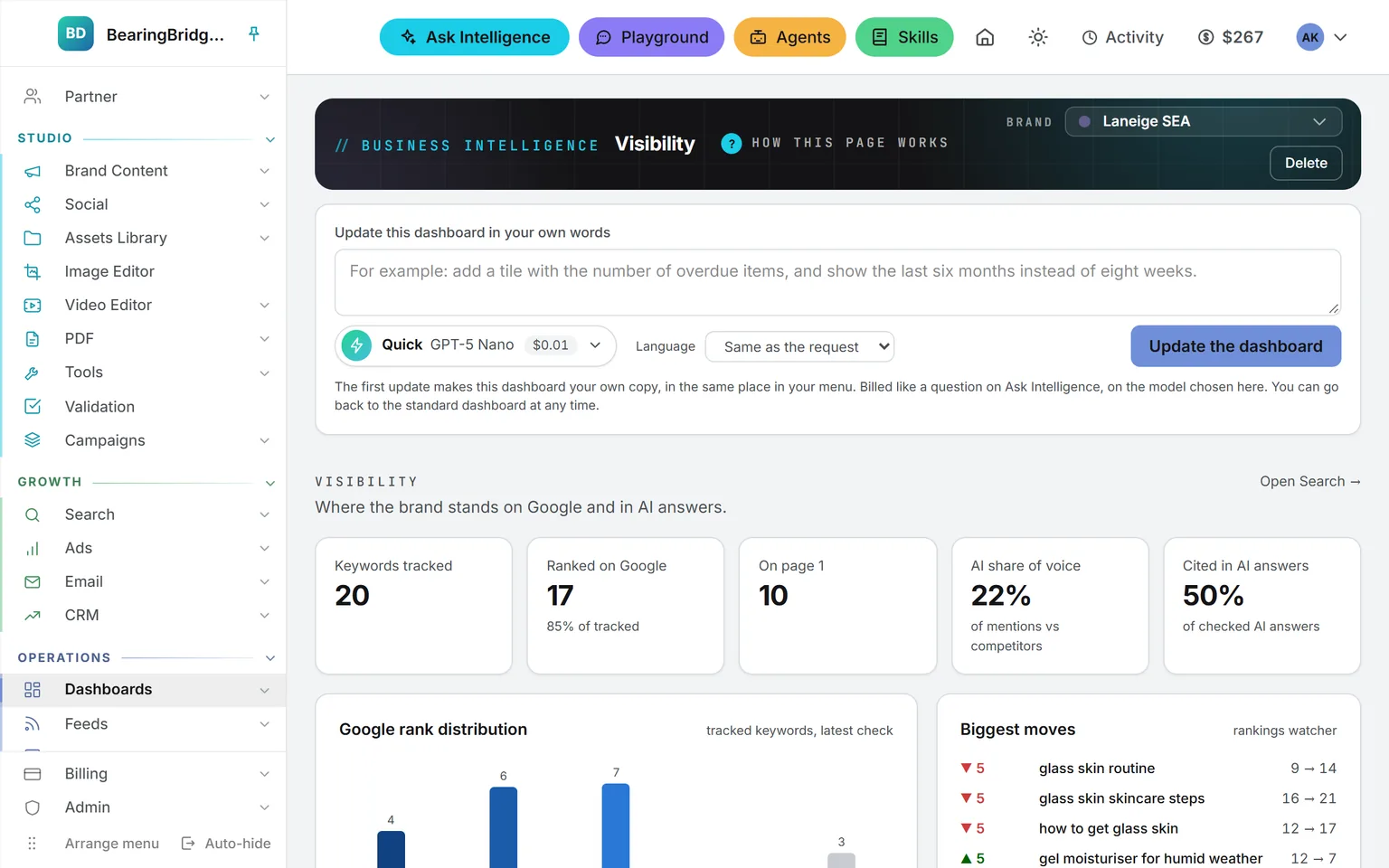
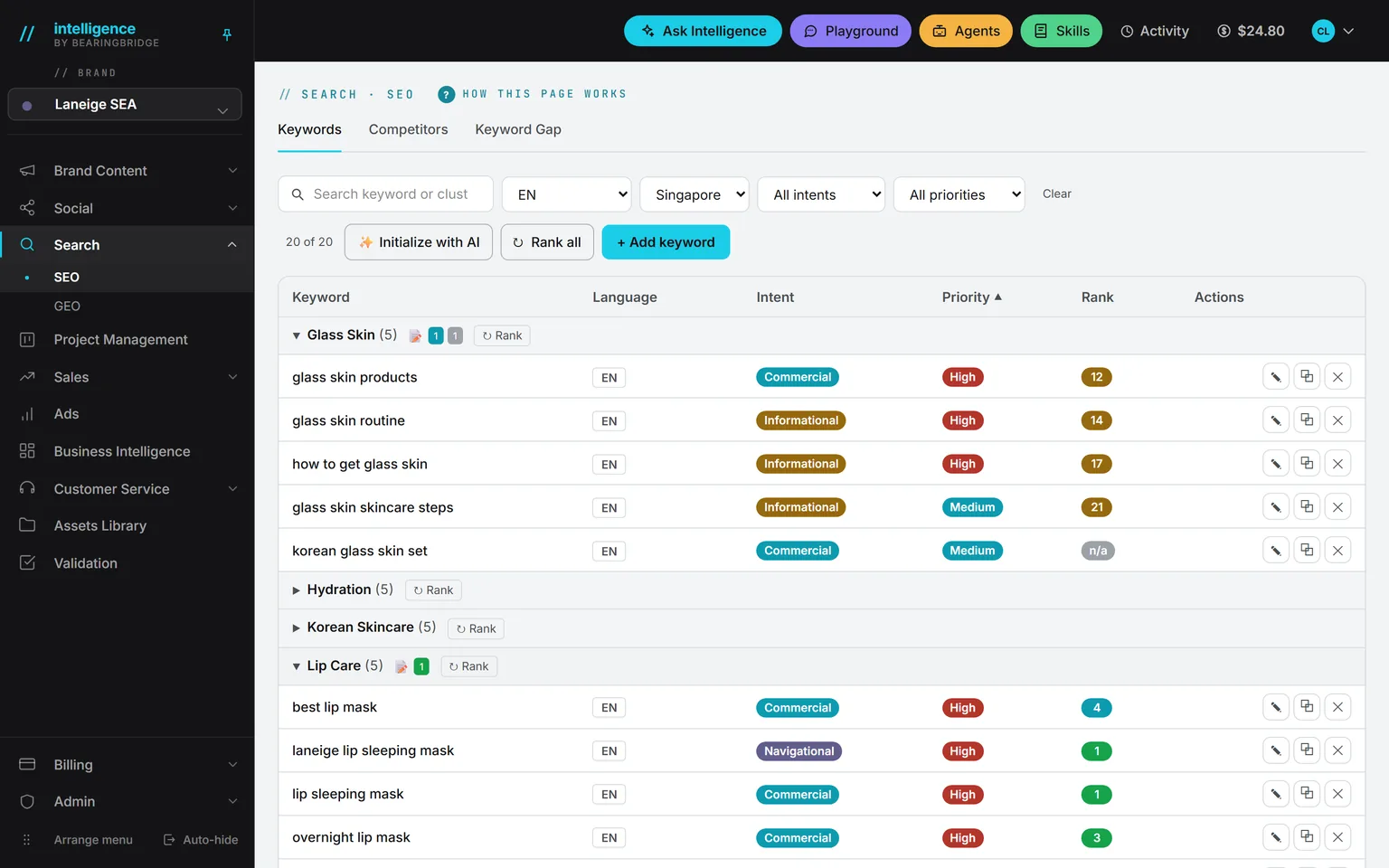
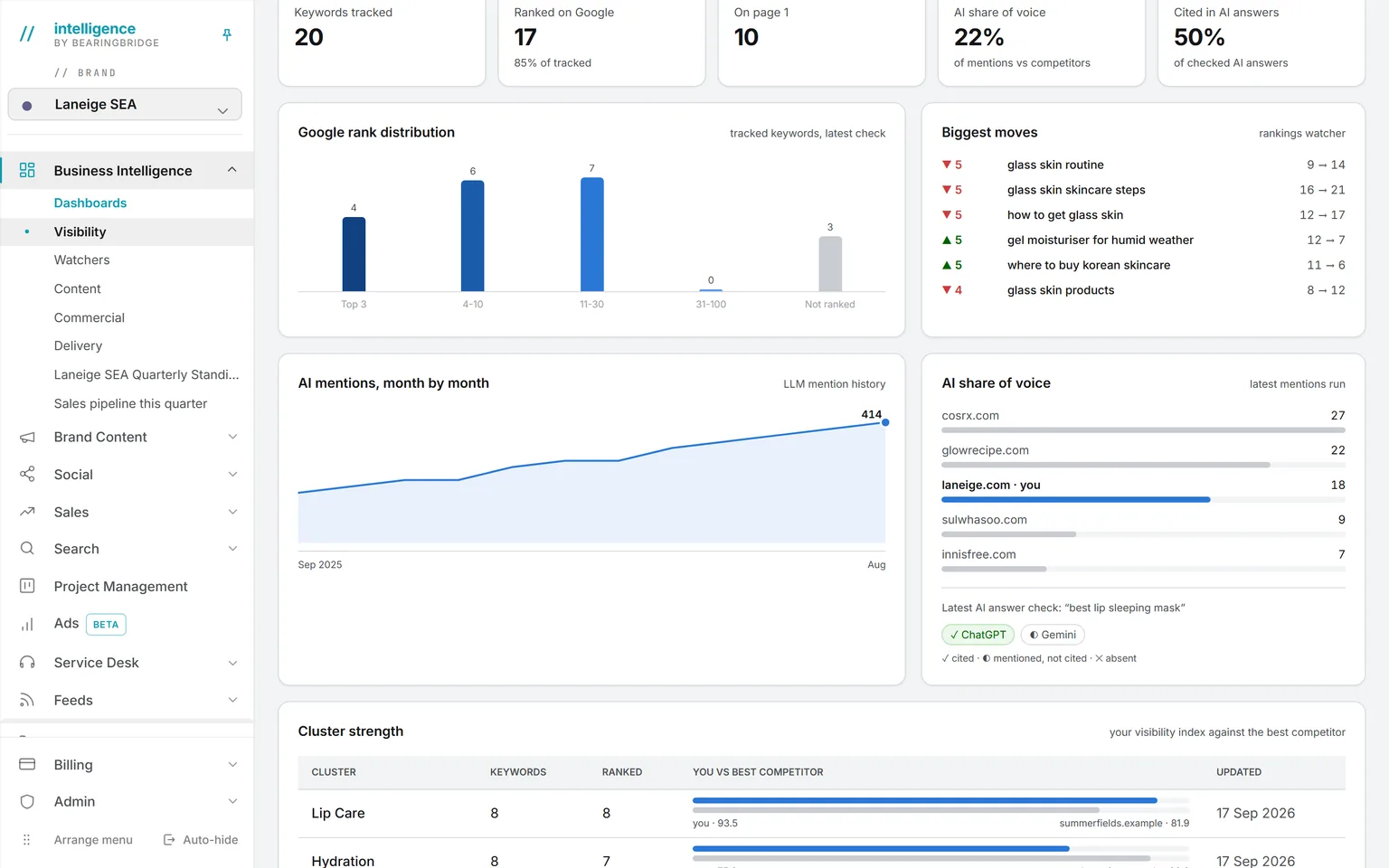
One account with every function in the rail on the left, from Business Intelligence and Brand Content to Social, Sales, Search, Project Management, Ads, Service Desk, Partner, Feeds, Email, Assets Library, and Validation, open on the Business Intelligence Visibility page for Laneige SEA: 20 keywords tracked, 17 ranked on Google, 10 on page 1, a 22 percent AI share of voice, the Google rank distribution, and the biggest moves of the week.

Visibility

One suite, three pillars

Make the content. Win the customers. Run the business.

One suite for companies, in three pillars: Studio makes the content, Growth finds, reaches and closes the customers, Operations runs the business and serves them. The same AI runs across all three, on the same data.

The AI layer

Across all three pillars

The same AI runs under every pillar: it answers from your own numbers, watches and drafts on a schedule, writes to your house rules, and lets you talk to any model the administrator allows.

See it at work

How the three work as one

  1. 01Studio

    Studio makes the content

    Brand Content writes it, Validation clears it, and the Assets Library keeps it where the AI can read it again.

  2. 02Growth

    Ads and Email carry it to buyers

    The approved texts and visuals go into your ads and your email sequences, run from your own accounts.

  3. 03Growth

    The leads land in the CRM

    Each lead becomes a deal with a next step and a date, and the deals gone quiet are flagged.

  4. 04Operations

    The results show up in the dashboards

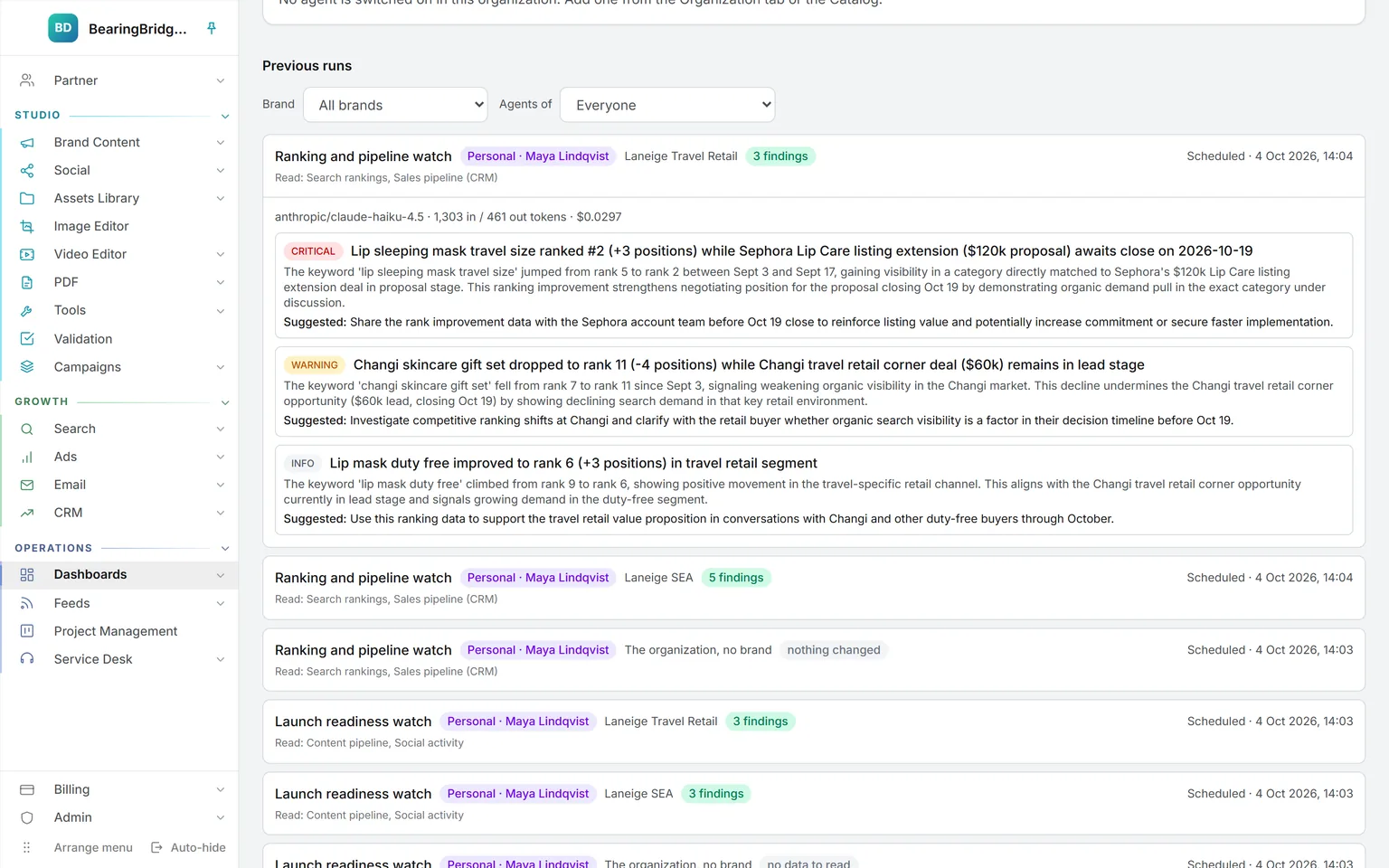
    The dashboards read what the other two produced, and the weekly review says what moved and why.

The AI layer

Four ways to put it to work. Every account gets all four.

It runs across Studio, Growth and Operations: two parts you talk to, and two that decide how everything else behaves.

/ask-intelligence

Ask Intelligence

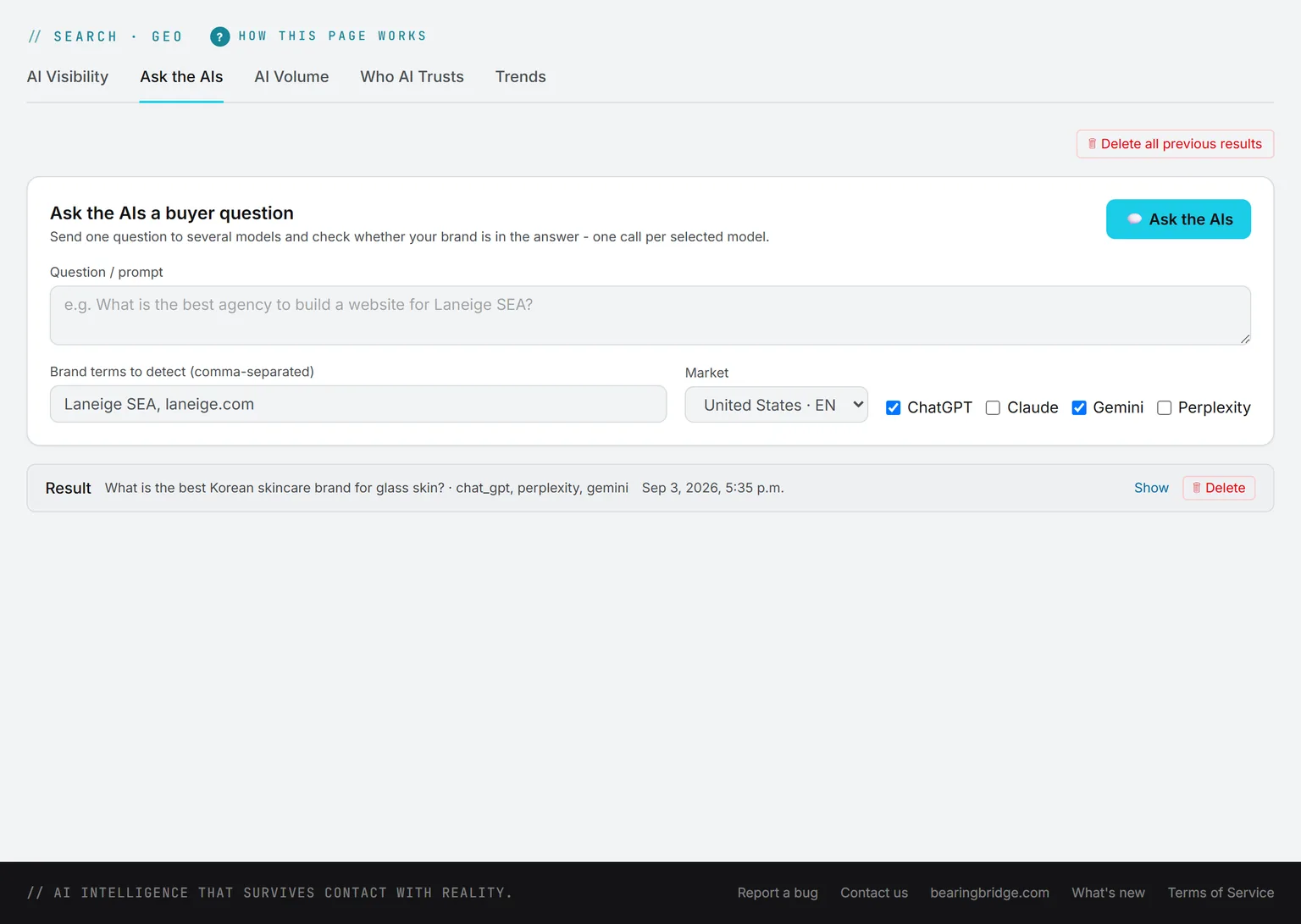
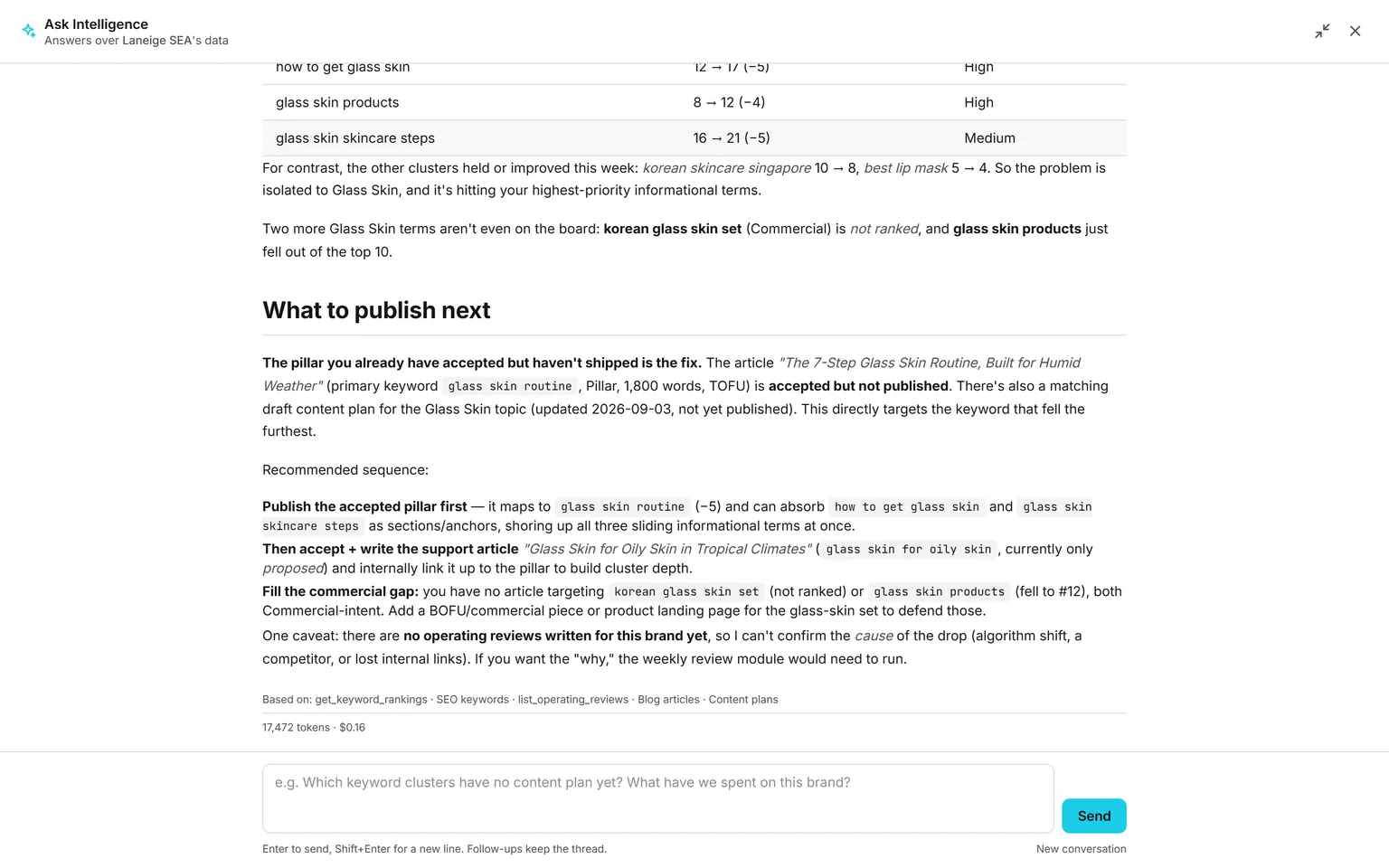
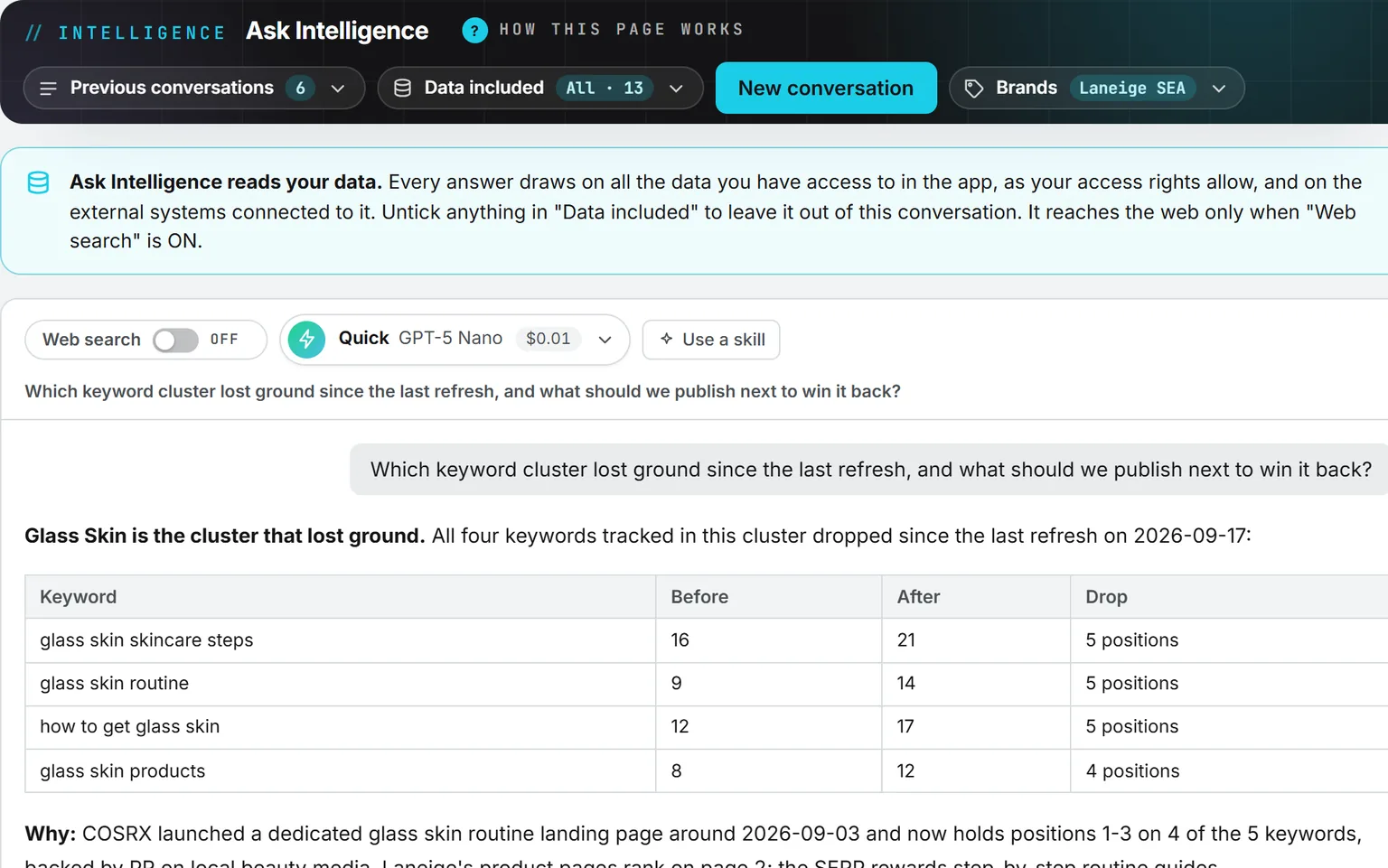
Ask a business question in plain words. It answers from your own data, quotes the real figure with its source, or says the data is not there. Conversations are kept, and the web is read only when you switch it on.
Open Ask Intelligence

The Ask Intelligence page for the brand Laneige SEA, web search off and all 12 data sources included: the question asks which keyword cluster lost ground, and the answer names Glass Skin and lists each keyword with its position before, its position after, and the drop.

/playground

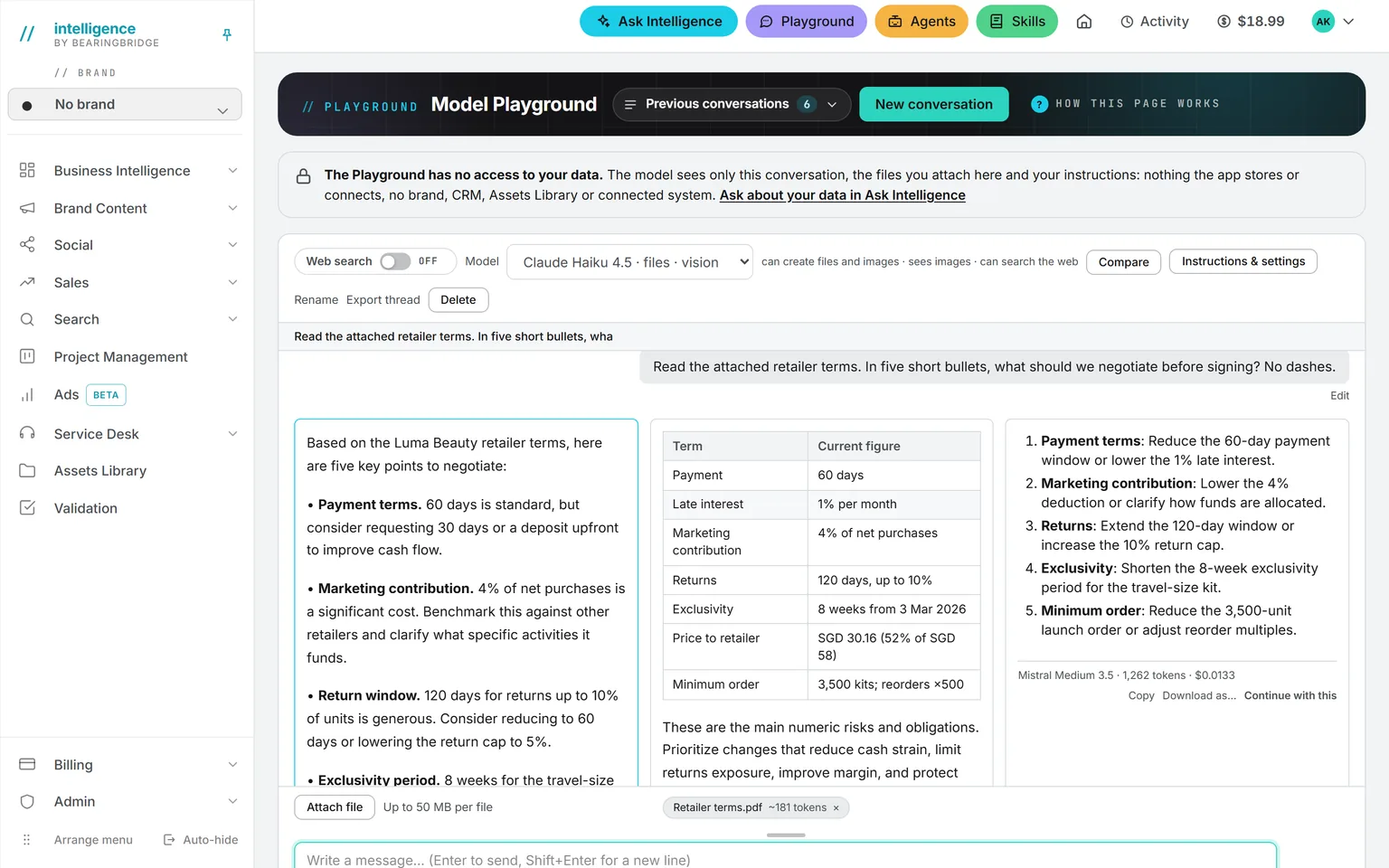
Playground

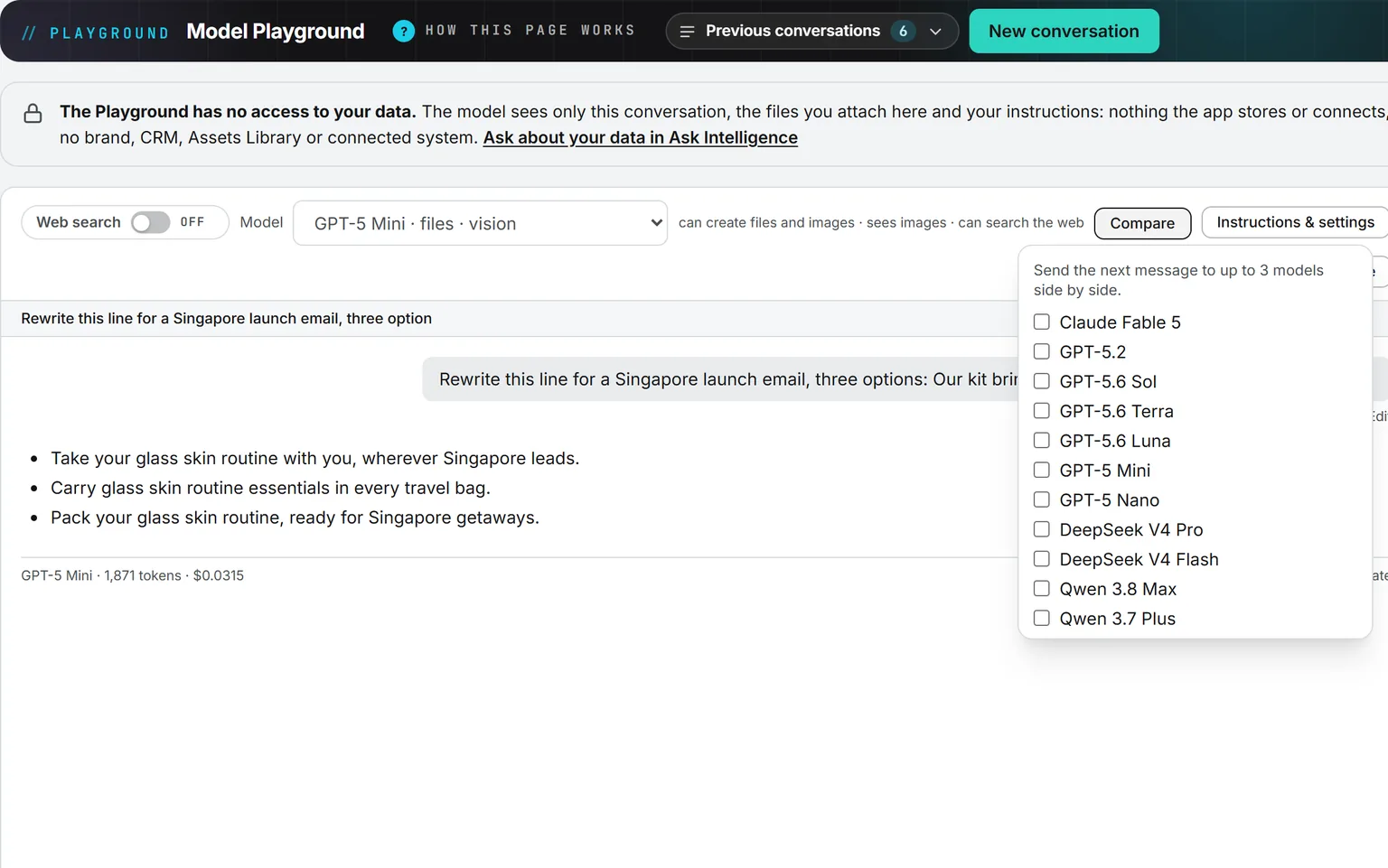
Chat with the models your administrator allows, three side by side, with the price under every answer.
Open Playground

The Model Playground answering a rewrite with three options, its token count and its price printed under the answer, and the Compare menu open on the 11 models an administrator allows here, ready to send the next message to up to three of them side by side.

/agents

Agents

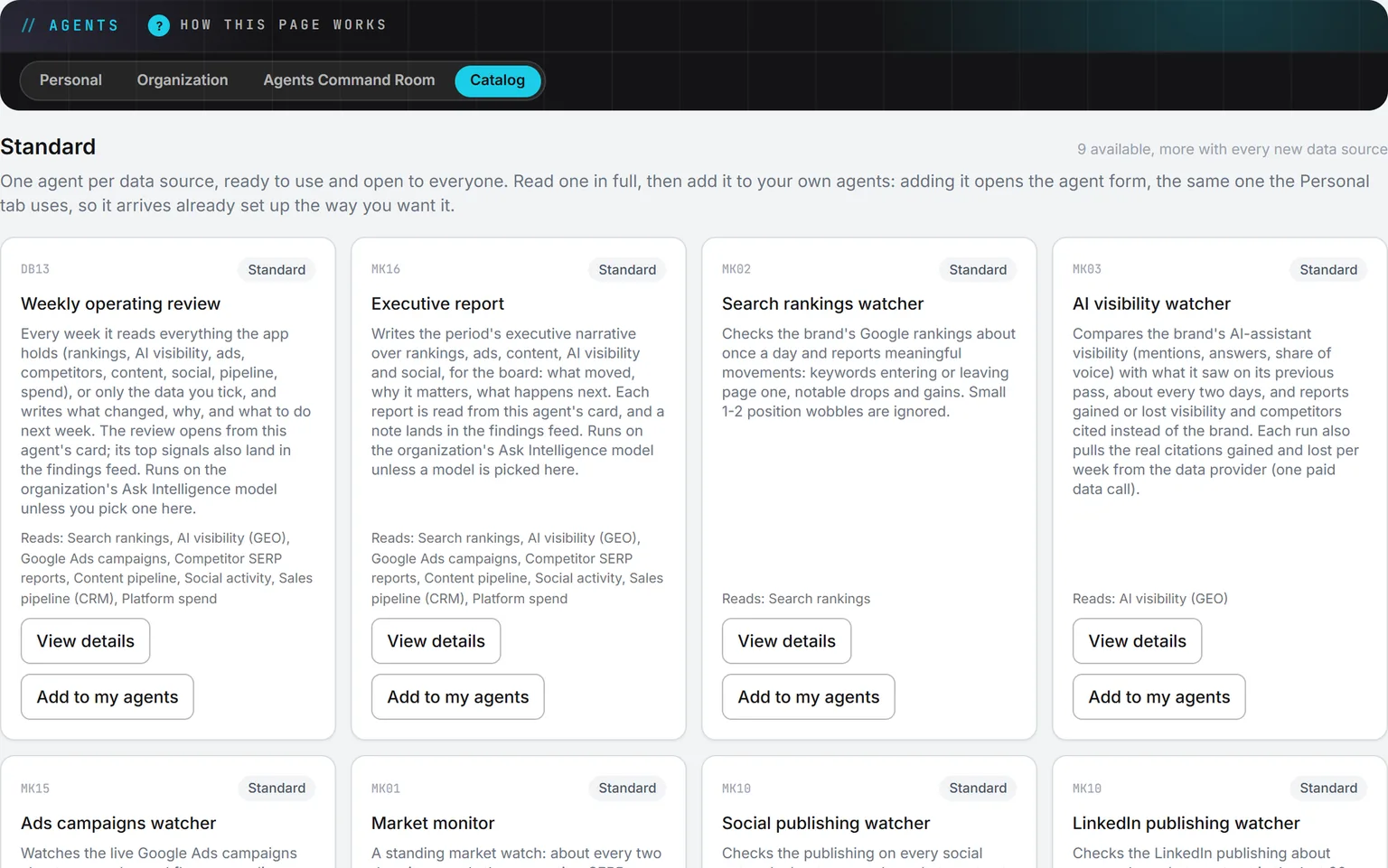
Watchers notice, drafters produce, and nothing ships until someone signs. Every agent carries a job, a schedule, a budget, and a scope of data it may read.
Open Agents

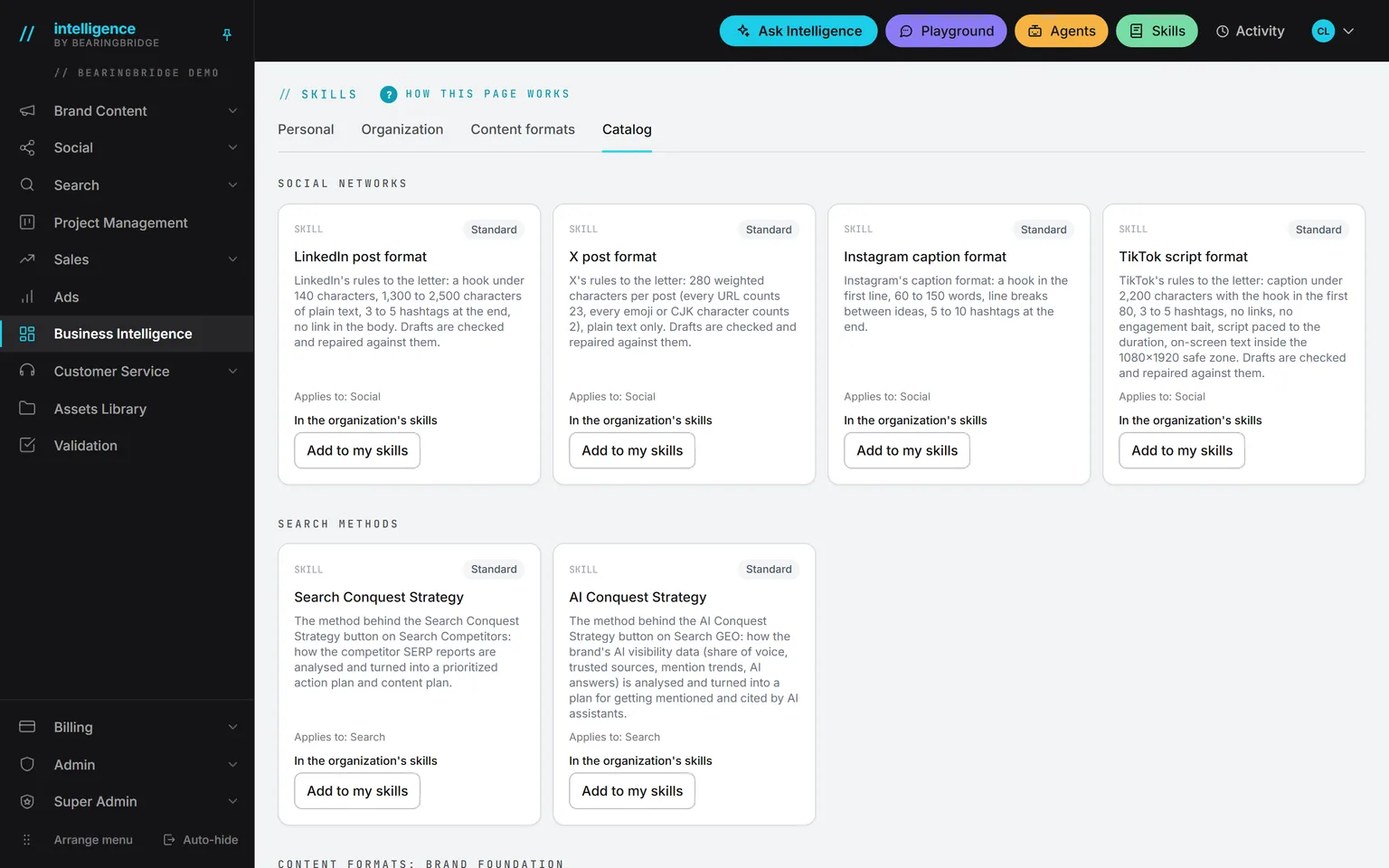
The Catalog tab of Agents: the standard weekly operating review, executive report, search rankings watcher, and AI visibility watcher, each naming the data it reads, with View details and Add to my agents.

/skills

Skills

How a brief is built, how a campaign is structured, what a decent article looks like. The craft of the people who built this, shipped as the default. You adjust it.

Open Skills

SkillsThe default setting

Switch one off and the agents stop doing it. Nothing else changes.

Every feature

15 modules. 88 features. Nobody new on payroll.

Studio, Growth and Operations, module by module. Pick a module, then a feature: each one opens on the screen that does it.

Studio 4 features

Brand Content

37 text formats, an article workspace from brief to branded PDF, and image and video studios with the price on the form before you press run.

Open Brand Content
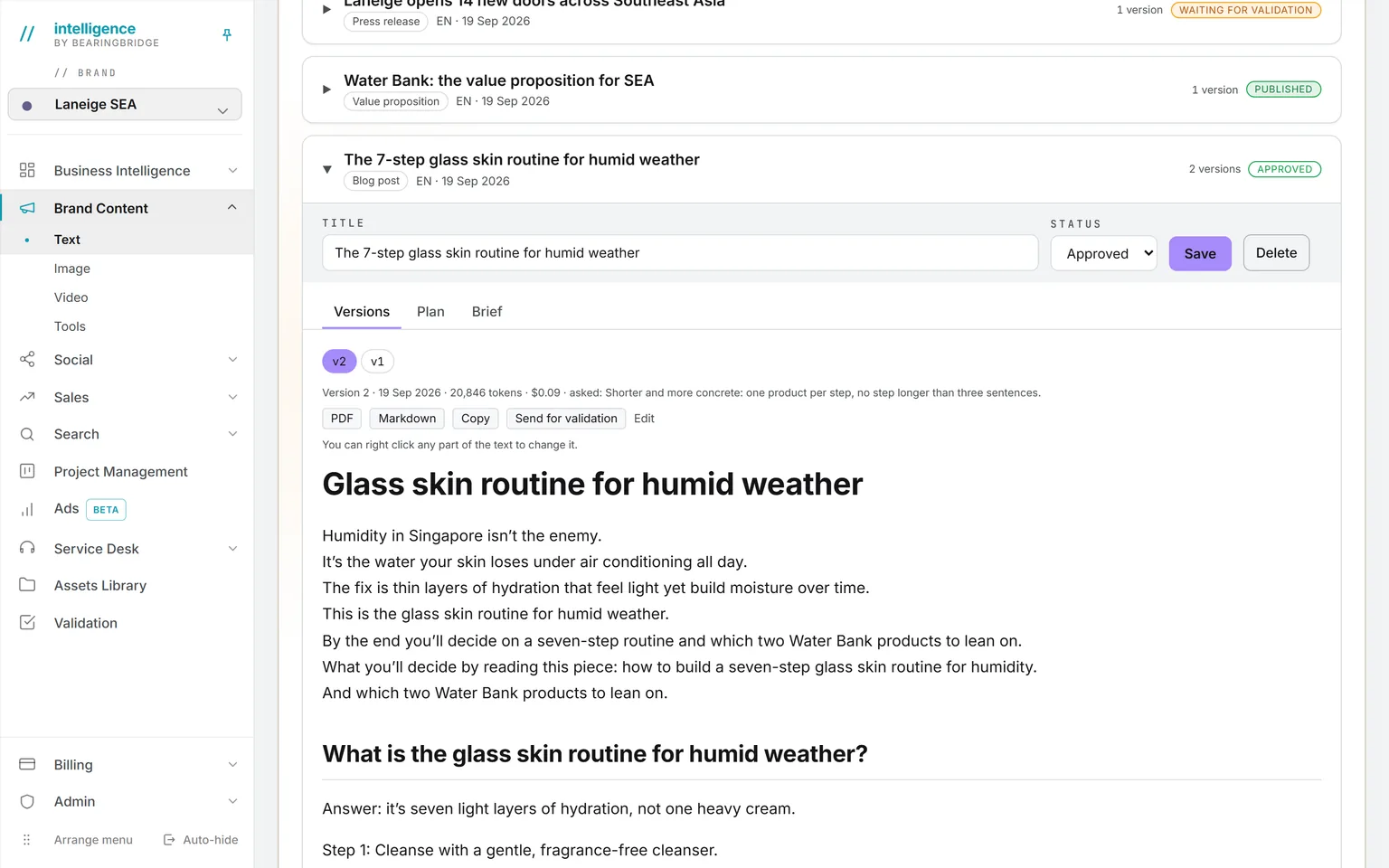
A blog post in its second version, approved, with its token count and price, PDF and Markdown export and Send for validation, above the list of every piece written for the brand
Text formatsEach format is a method, not a blank page. A piece keeps its versions, its token count and its price, exports to PDF or Markdown, and goes to validation in one click.
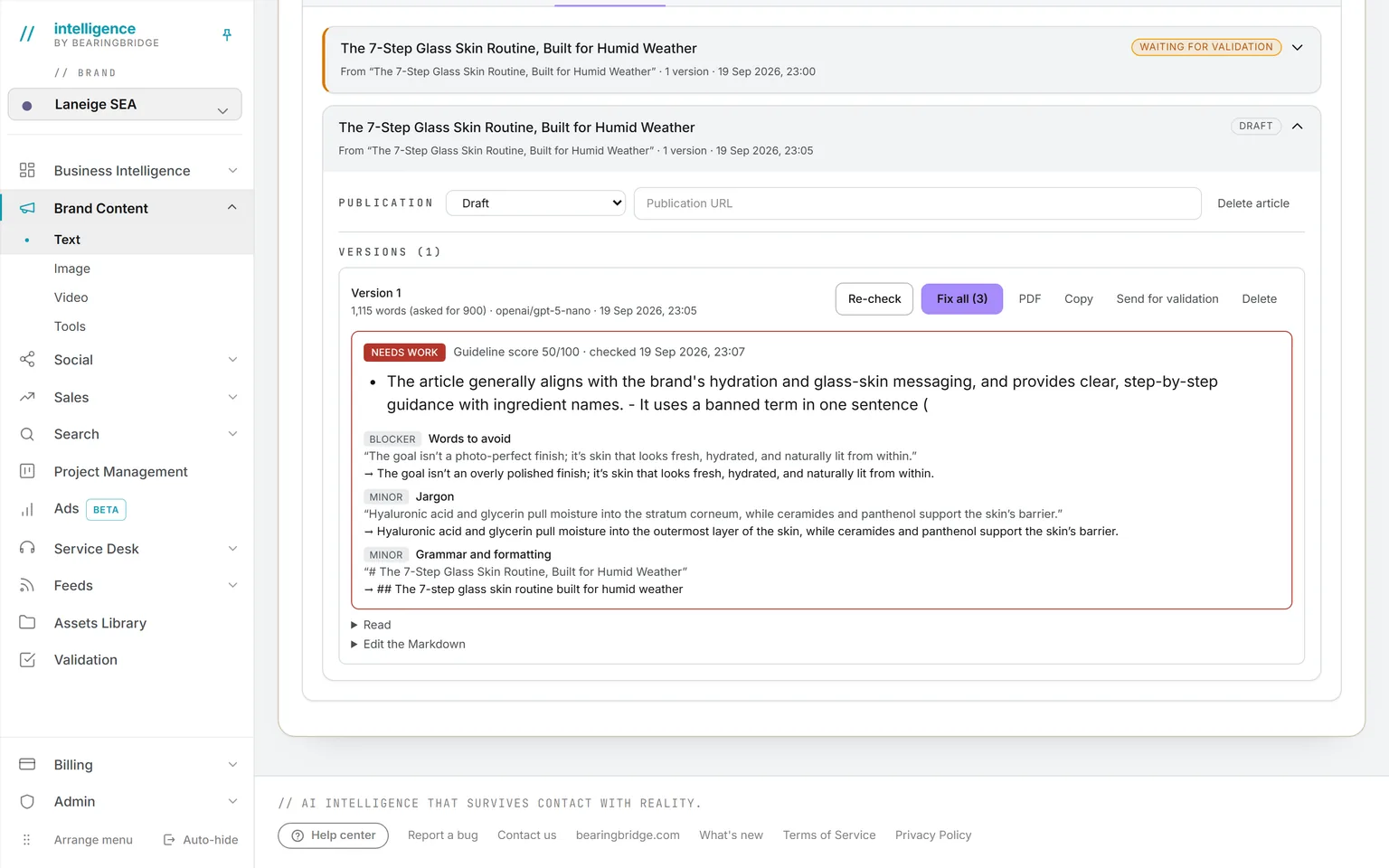
An article drafted from a validated outline, with a guideline score of 50 out of 100, the blocker and minor issues it found, and Fix all next to Re-check, PDF, Copy and Send for validation
Article workspaceBrief, outlines, versions and PDF in one place. The draft is scored against the guidelines, every issue named, with Fix all beside Re-check.
The image studio: text to image on Muse Image, its price shown before the run, three renders each in its own tab, one still generating
Image studioRender from words, edit a picture you already have, or upscale one. The form opens on the cheapest engine for the job, and one run can bring back up to ten pictures.
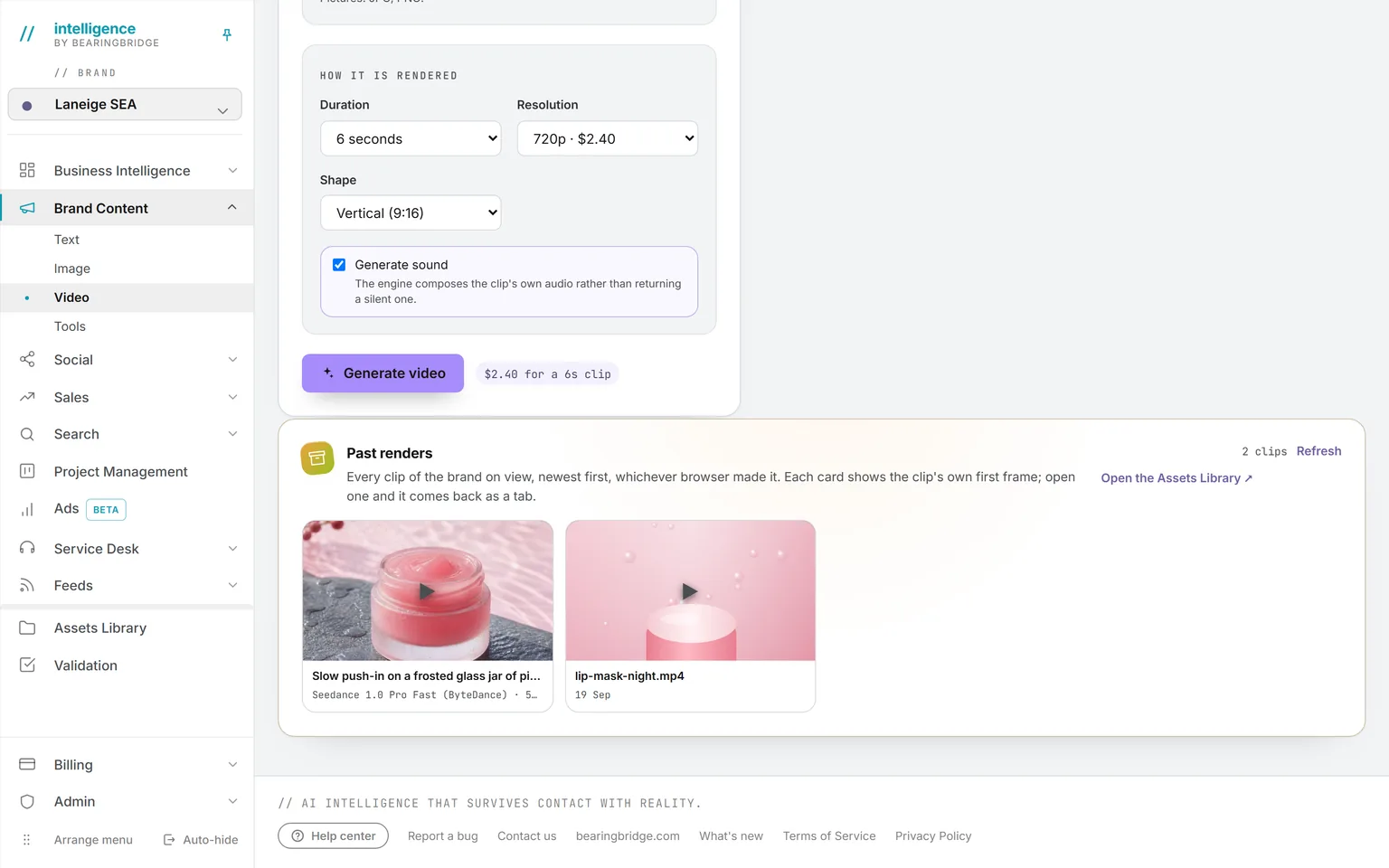
The video studio’s render settings: six seconds at 720p in vertical shape with sound generated, priced at $1.35 before the render, above the six past renders of the brand, lip mask jars among them
Video studioOpen a clip on a picture of yours and end it on another, or hand it references to imitate. The price prints before you press render, on every engine but one.

Studio 8 features

Social

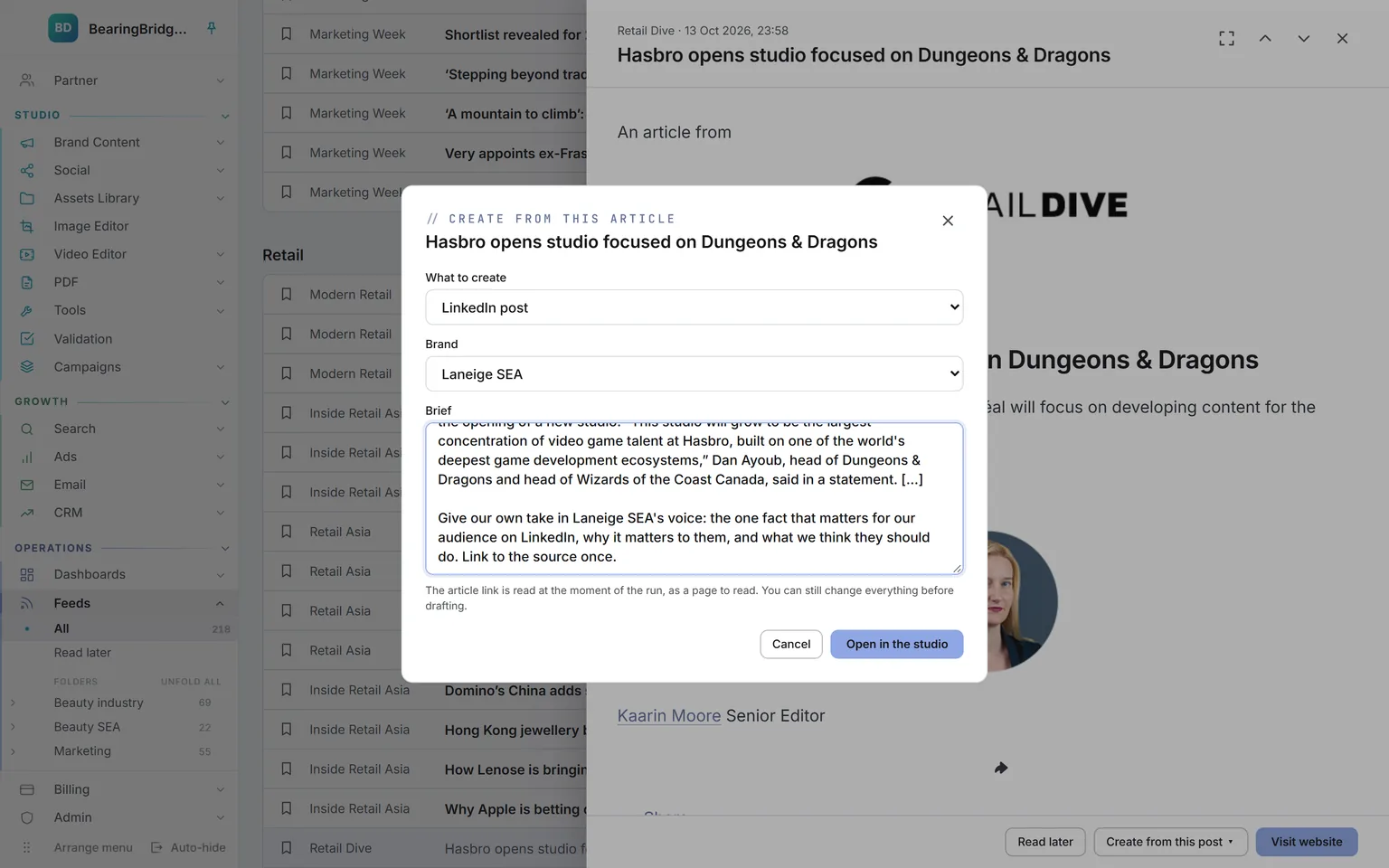
Posts for LinkedIn, X, Facebook, Instagram, TikTok and YouTube, checked against each network’s real limits, then sent from your own accounts at the hour you set, or handed to you to post.

Open Social
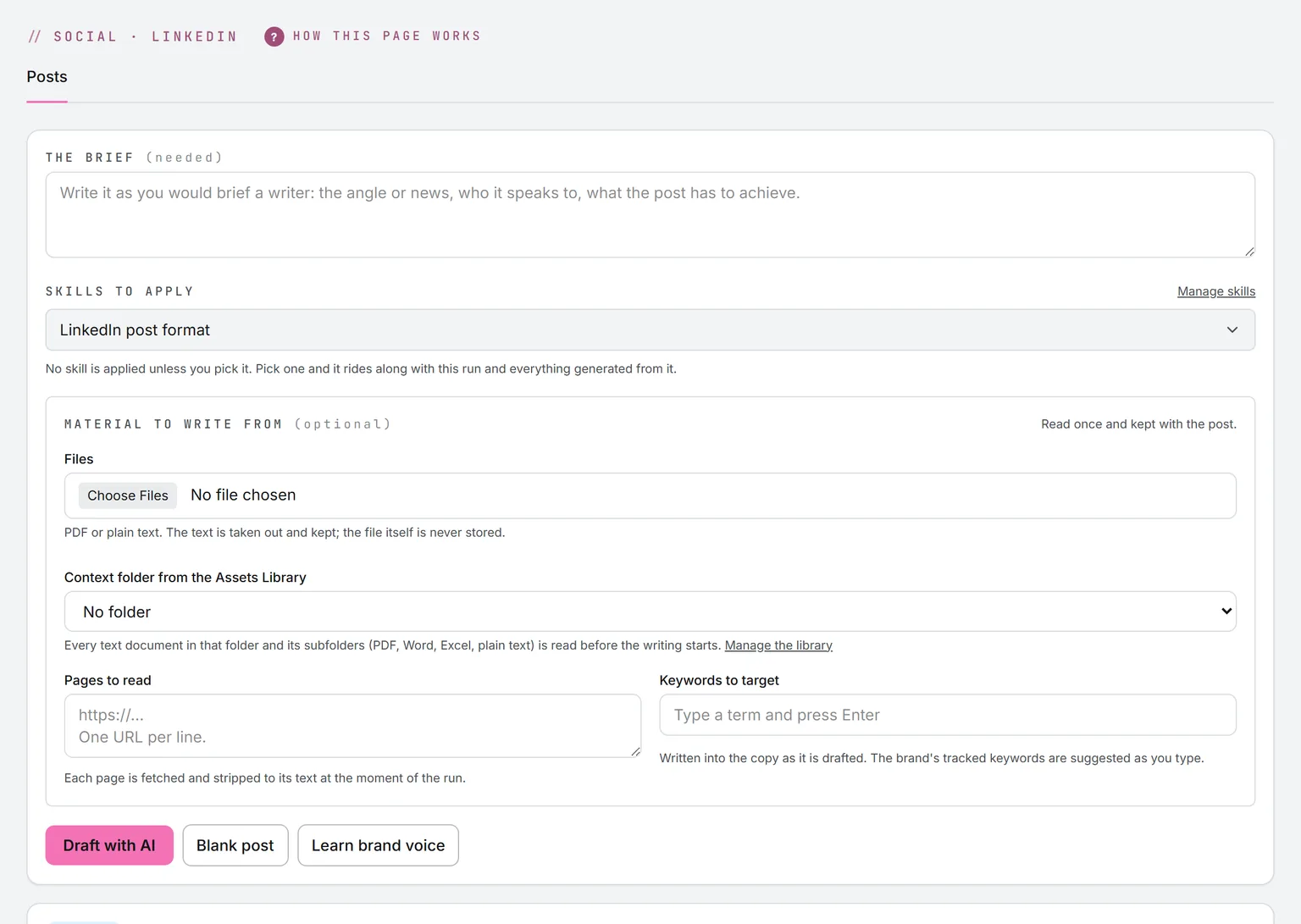
A new LinkedIn post: the shape set to text and image, language and model above the brief, the brief with an Import a file link and a 425 of 20,000 character count, beside the skills and the material to write from
LinkedIn, X and Facebook postsShape, language and model first, then the brief, typed or imported from a file. Add the files, pages and keywords to write from, then Draft with AI or write it yourself.
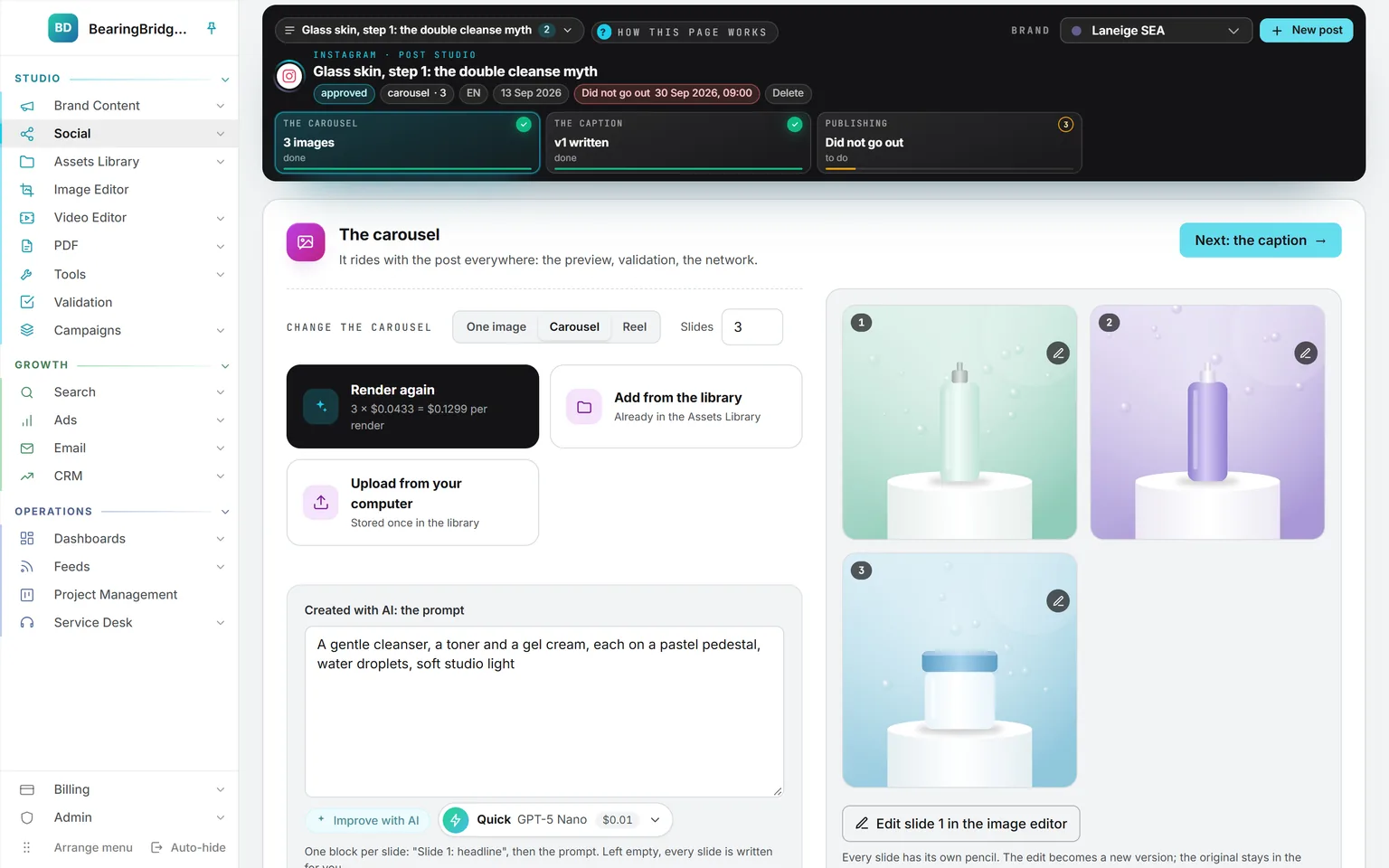
An Instagram carousel at step 01 with three product pictures, the choice of one image, carousel or reel, and three ways in: render again, add from the library, upload from your computer
Instagram, picture firstStep one is the picture, the carousel or the reel: render it, pick it from the Assets Library, or upload it. The caption comes second and is written from it.
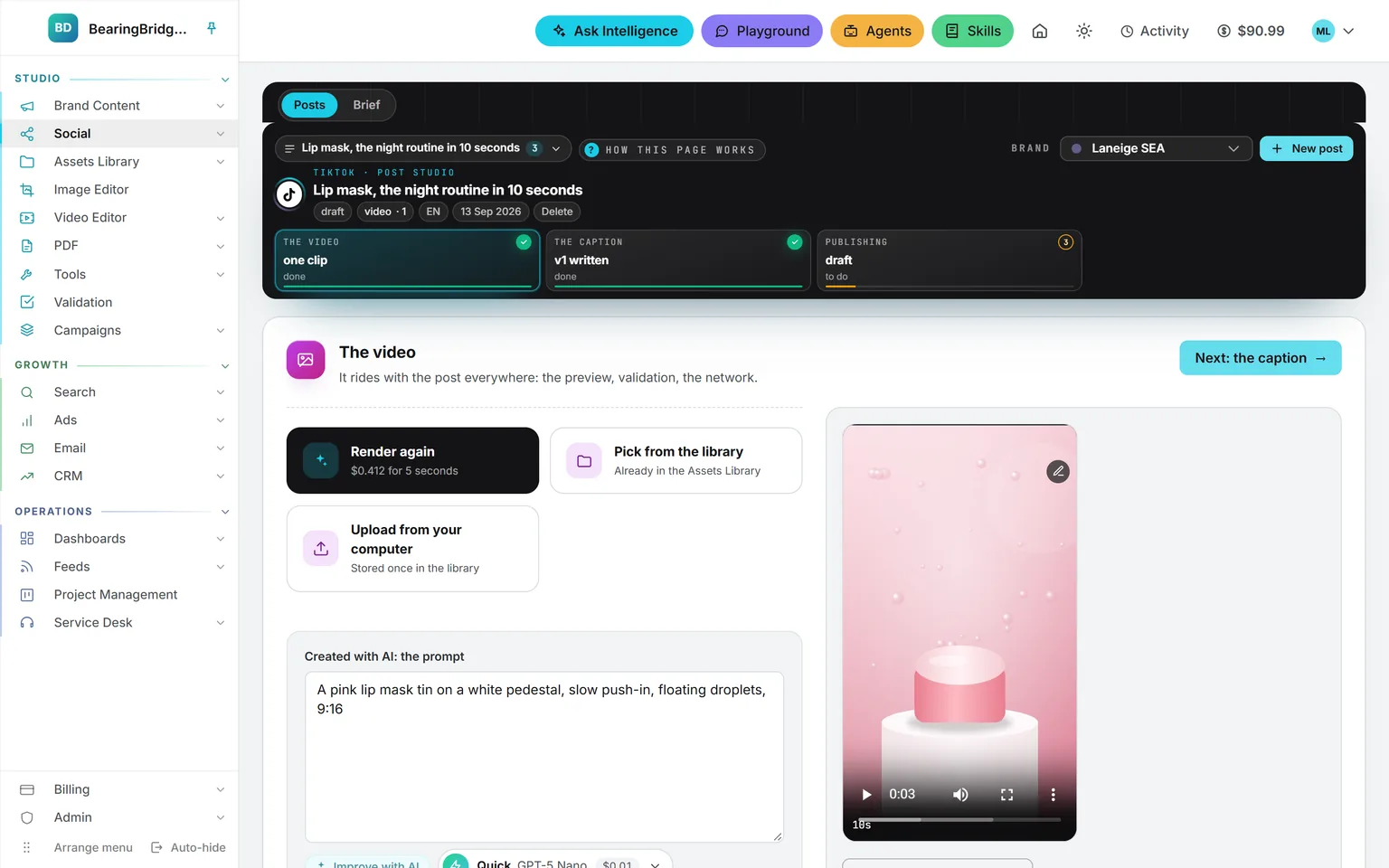
A TikTok post at step 01 with a 10-second vertical clip in the player, the caption and publishing shown as the next steps
TikTok, clip firstRender the clip, pick it or upload it, then write the caption that goes under it. The Brief tab still writes a script timed to the length you pick.
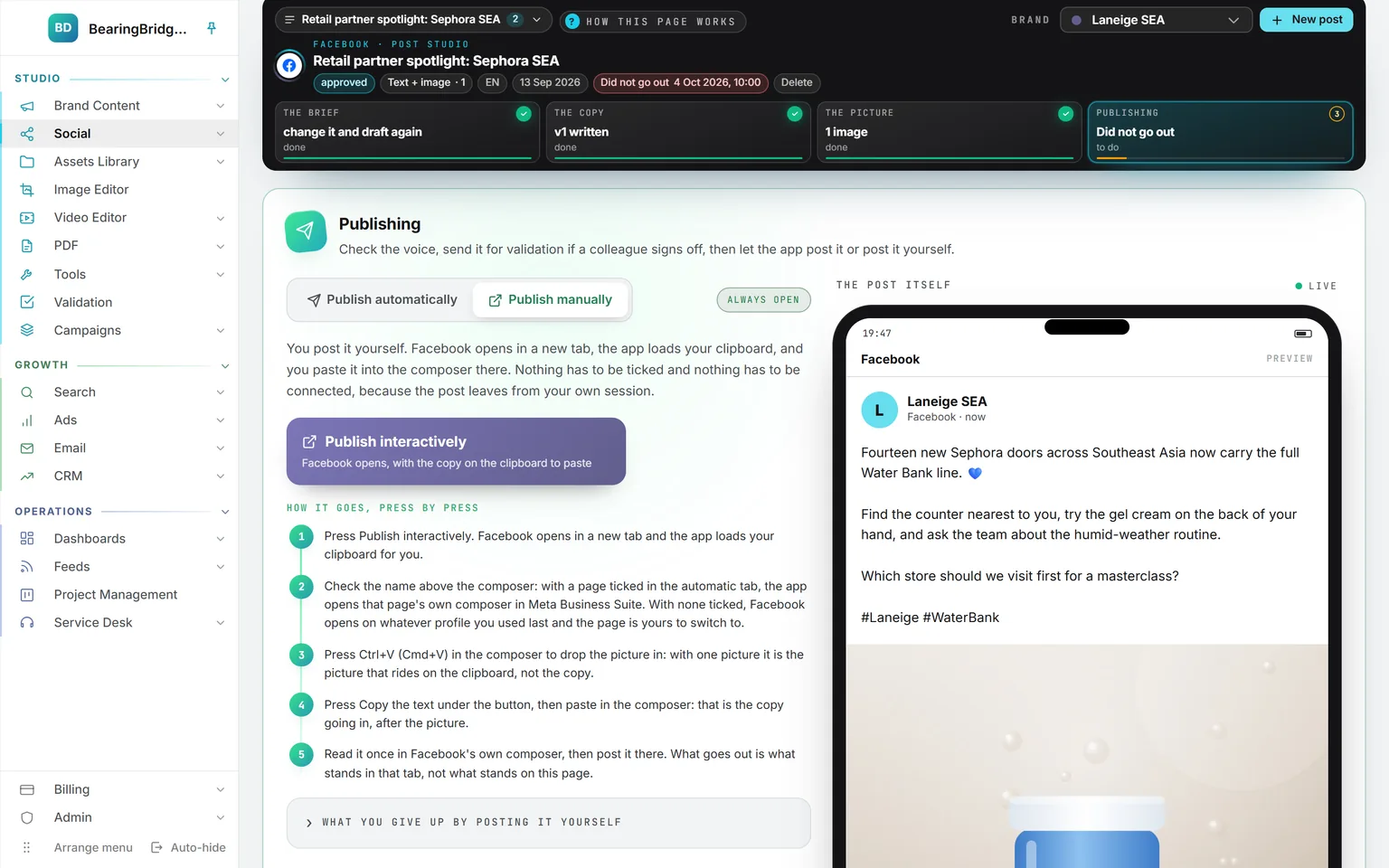
The publishing step of a Facebook post with Publish manually selected: a Publish interactively button, five numbered steps to post it yourself in the page’s composer, and the post previewed with its picture
Publish, or post it yourselfLet the app post it at the hour you set, or switch to Publish manually and follow the numbered steps in the network’s own composer.
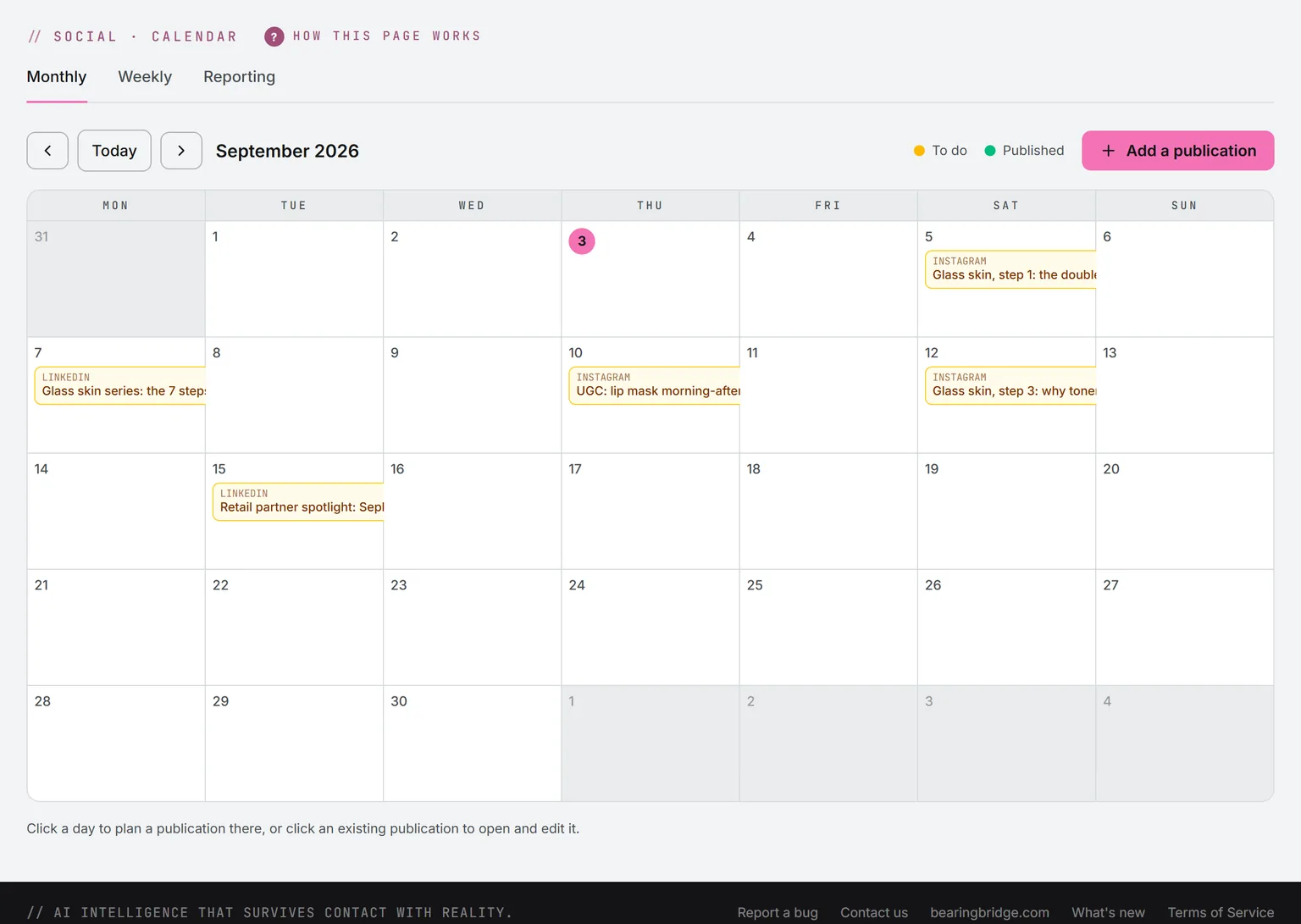
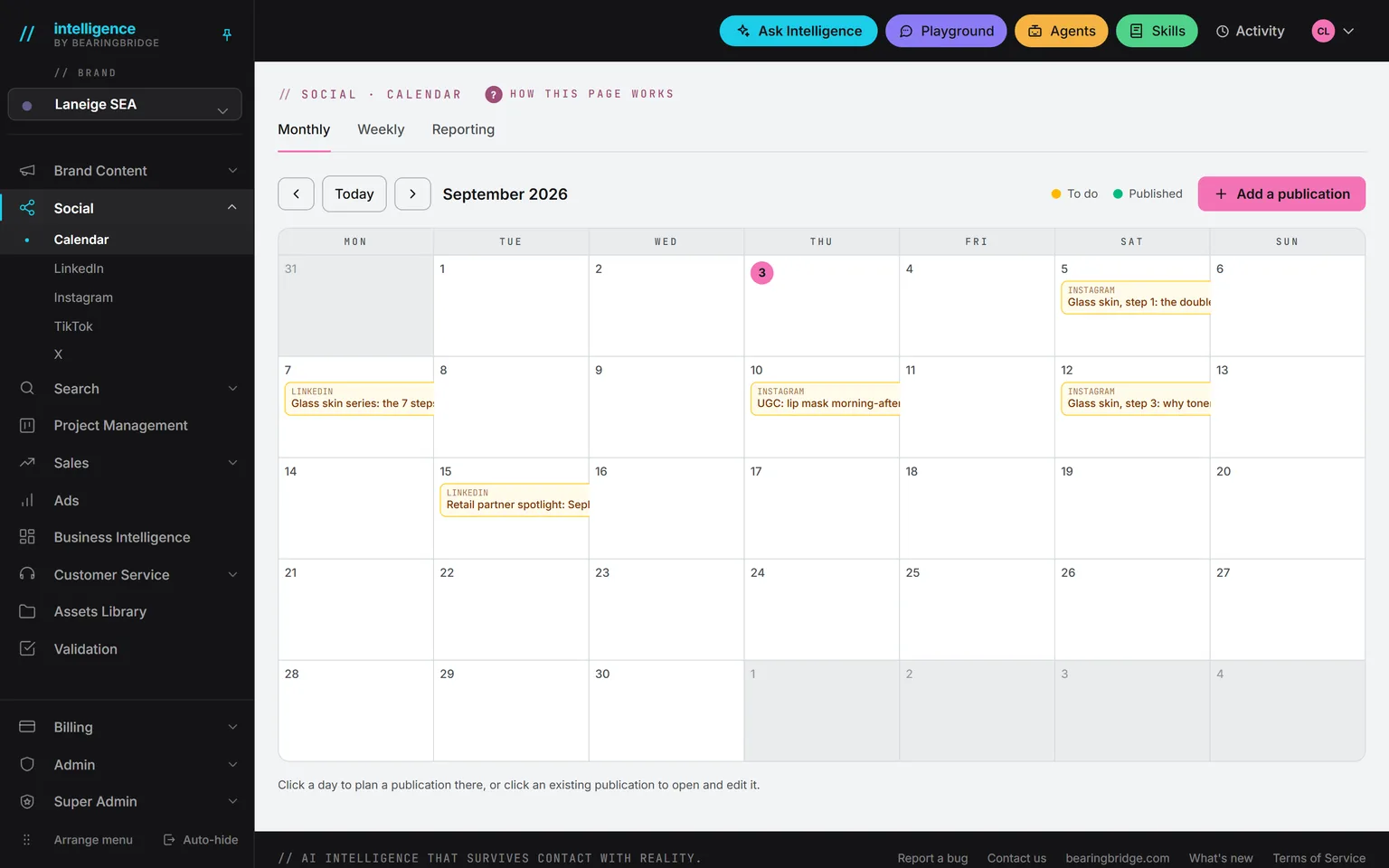
The September calendar for Laneige SEA: 4 to do, 0 planned, 9 published and 2 refused in the band, posts to do in amber, published posts in green with their hour and the person in charge, a TikTok and an Instagram post a network refused in red, and WeChat and Xiaohongshu items
Monthly calendarAmber is still to write, green is live, red means a network said no, and the card says why. A booked post shows in blue at its hour.
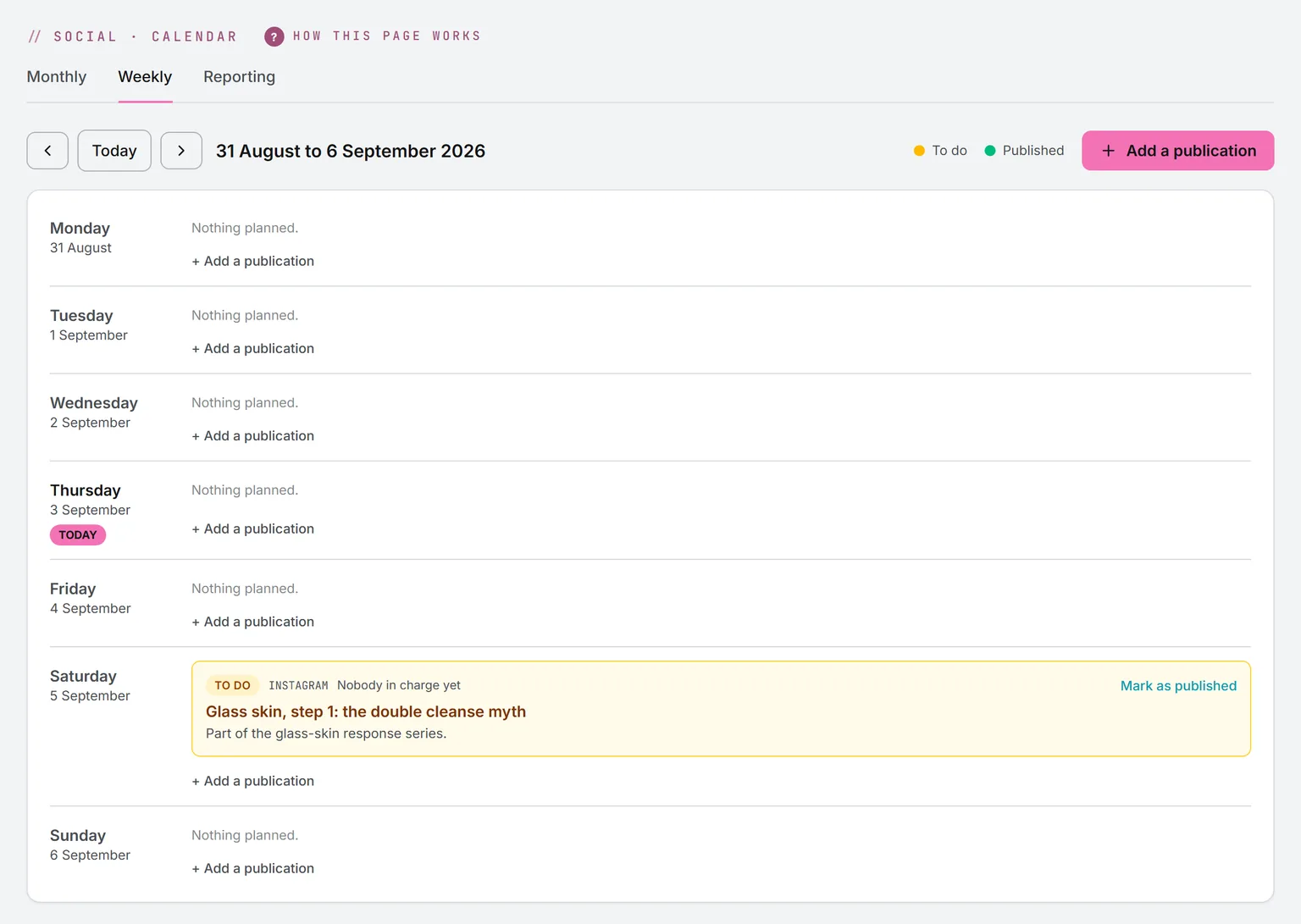
The weekly calendar from September 14 to 20: published posts with the hour they went out, the account and the person in charge, and a TikTok post that did not go out
Weekly planEvery post of the day with its hour, its account and the person in charge. Drag a booked post to another day and it keeps its hour.
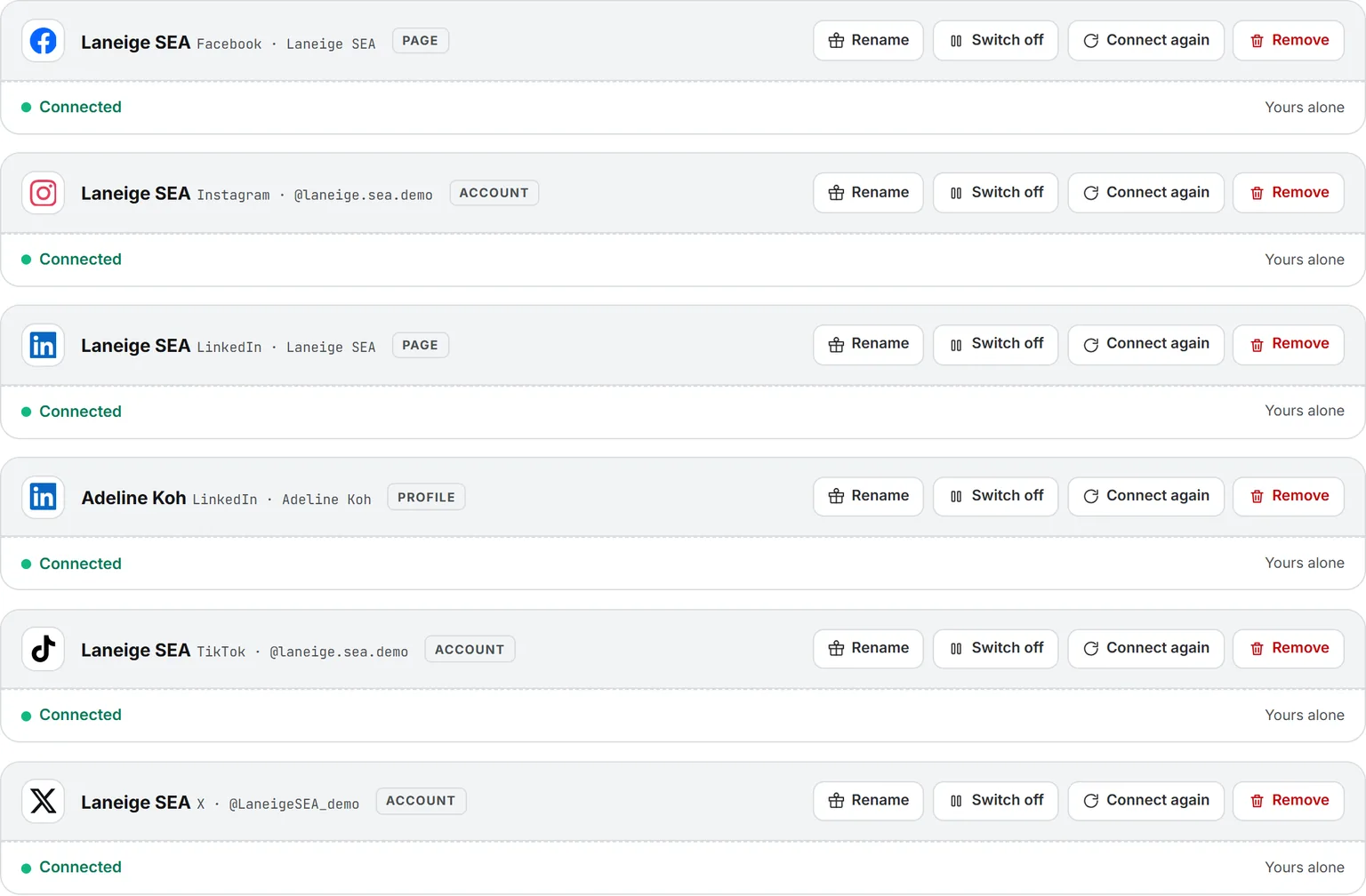
Six connected accounts on My Connections: Facebook, Instagram, a LinkedIn page and a LinkedIn profile, TikTok, and X, each marked connected and yours alone
Your own accountsEach person connects their own profiles and pages on My Connections, signing in on each network’s own screen, and only they publish with them.
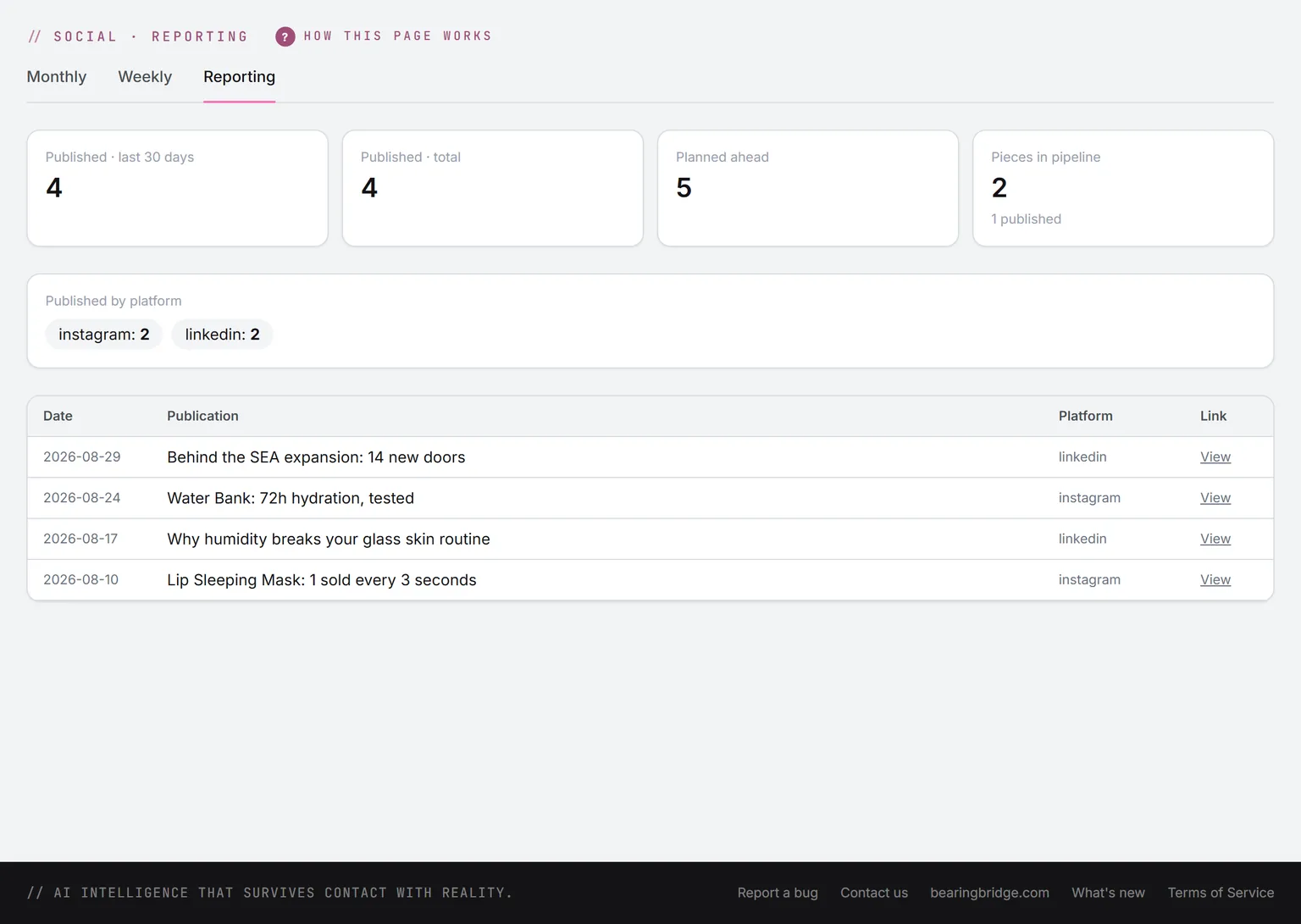
The social reporting page: 7 published in the last 30 days, 10 in total, 1 planned ahead, 9 pieces in the pipeline with 6 published, the publishing queue with none scheduled, 4 sent by the engine in the last 30 days and 4 that did not go out, the split by platform, and the latest publications with their links
ReportingPublished in the last 30 days, planned ahead, the publishing queue, the split by network, and every publication with its link.

Studio 4 features

Assets Library

Every text, image and video the product makes lands here with its prompt and its price, in folders the AI can write from.

Open Assets Library
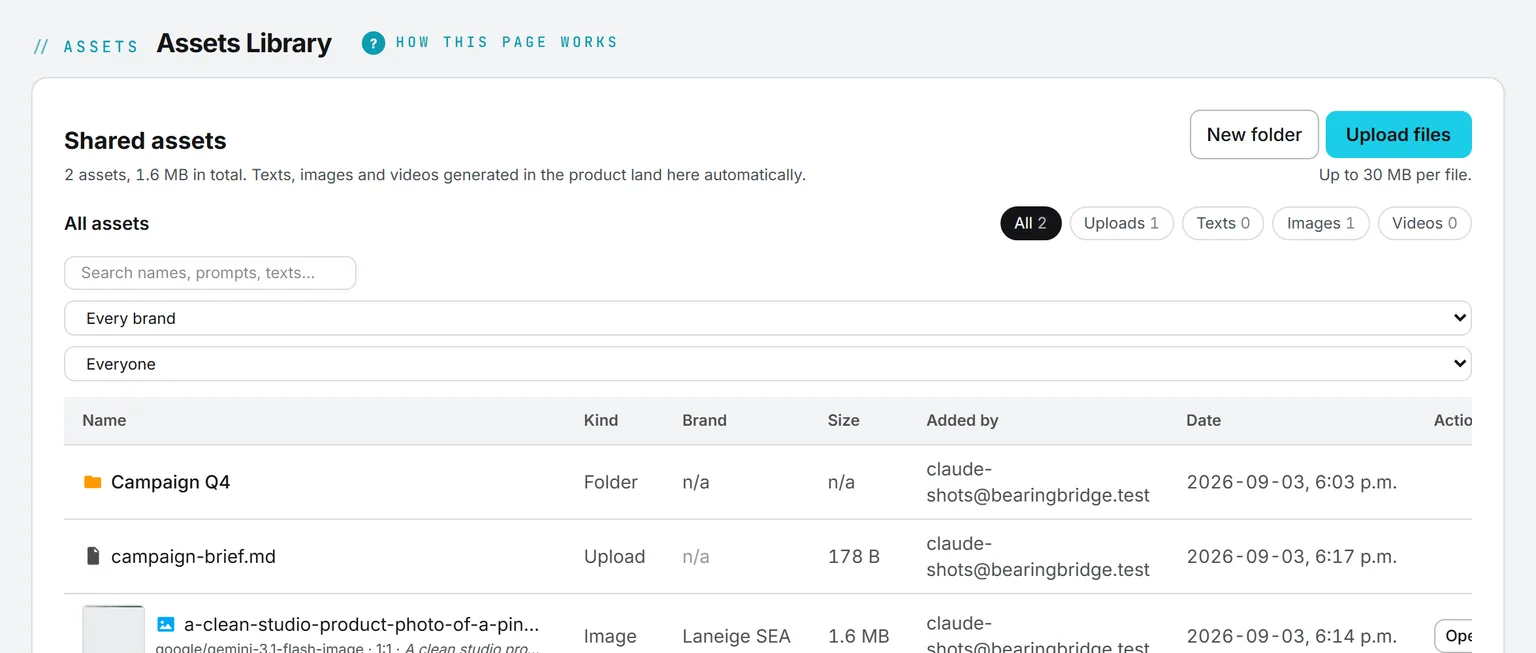
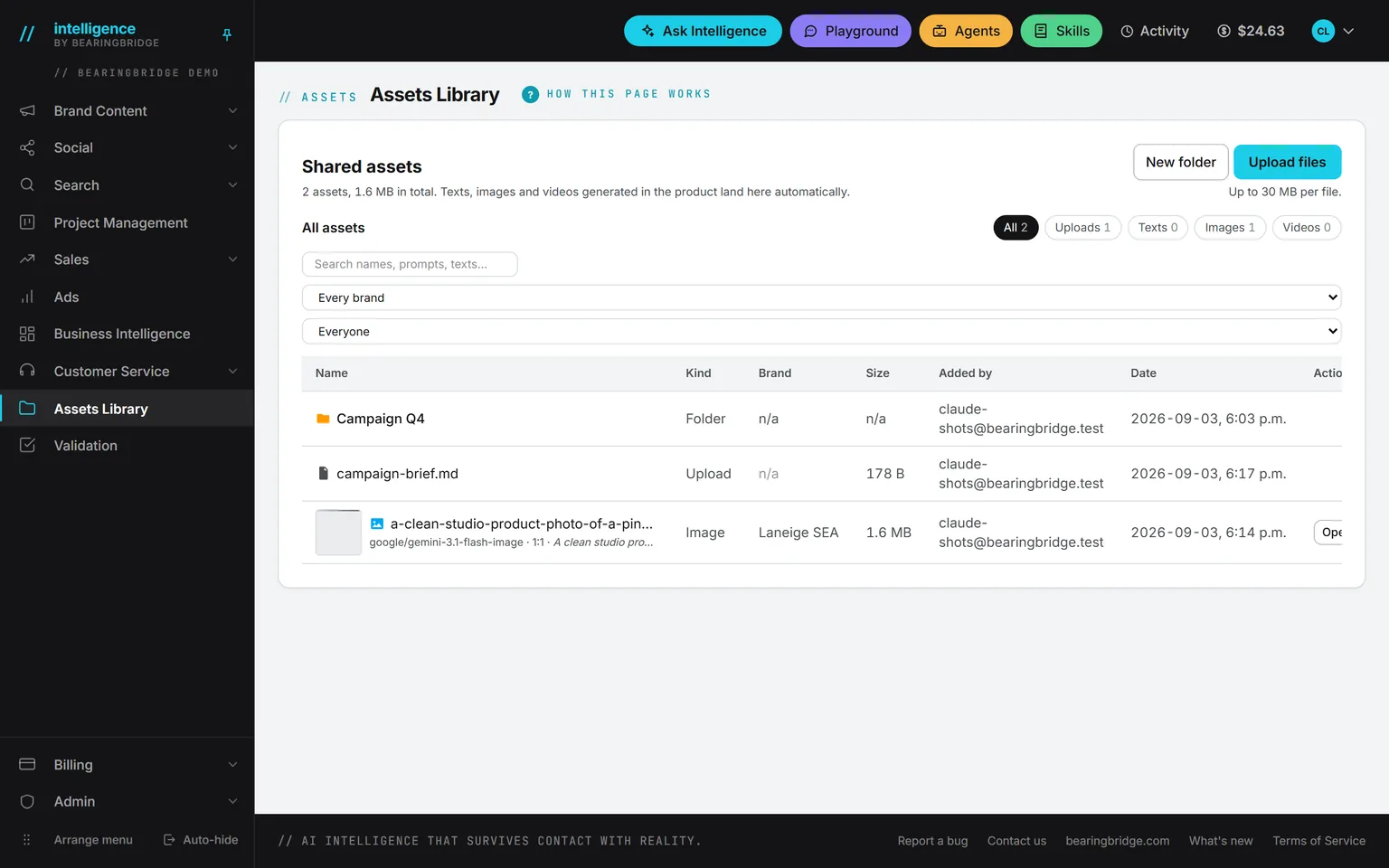
Assets in the Glass Skin launch folder: a subfolder, then a generated clip and images, each showing its engine, shape, prompt, and tags, with an Actions menu open: open in its module, view, download, edit image, tags, rename, move, brand, delete
Saved on its ownEvery generated asset lands here with its engine, shape, prompt and cost, and its menu opens it in its module, tags it, moves it or downloads it.
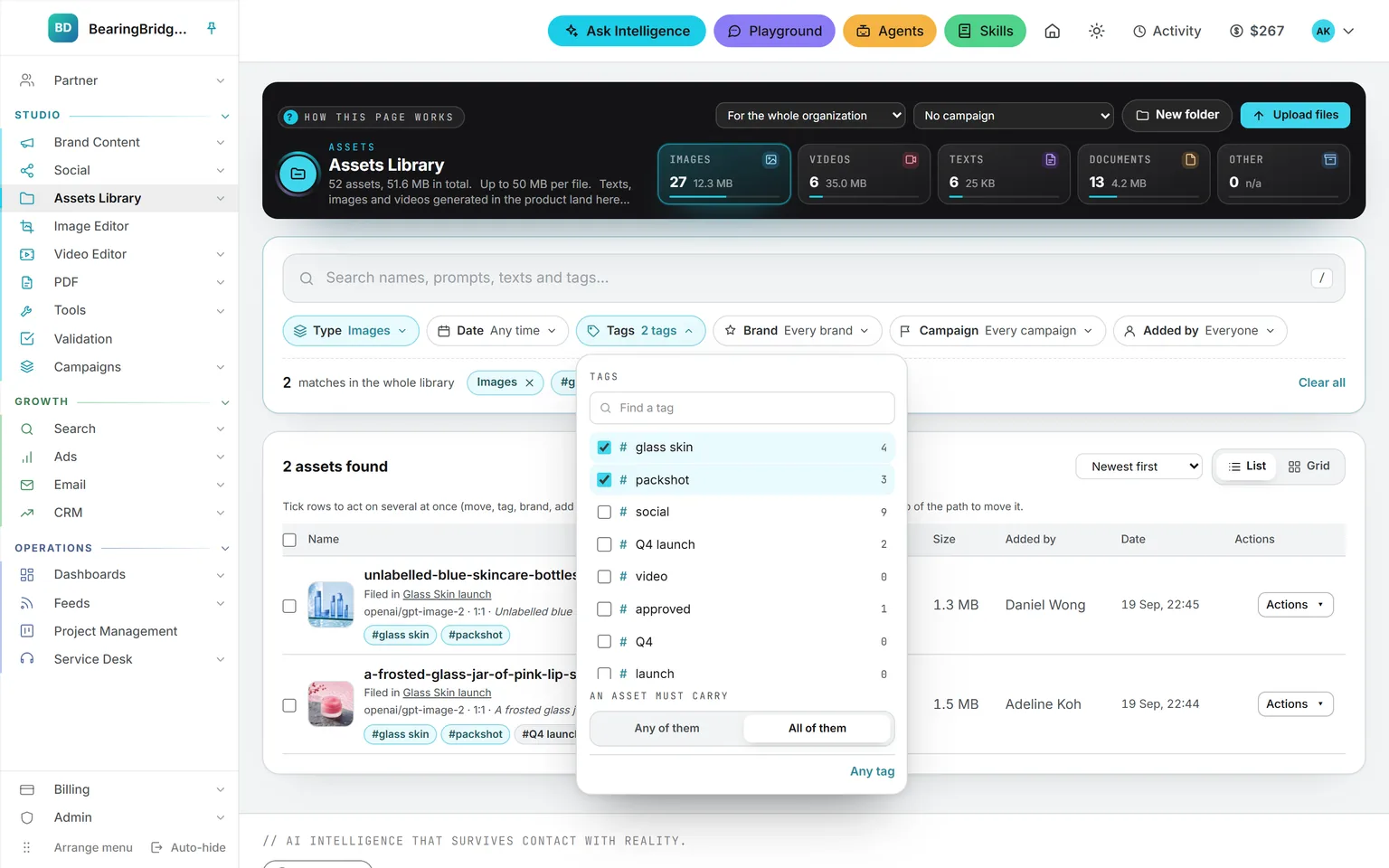
The finder with images selected and the tags glass skin and packshot both required, the tag list open with how many assets carry each one, and the two matching assets below
One search, every filterType, date, tags, brand, campaign and who added it. Require two tags and only the assets that carry both stay.
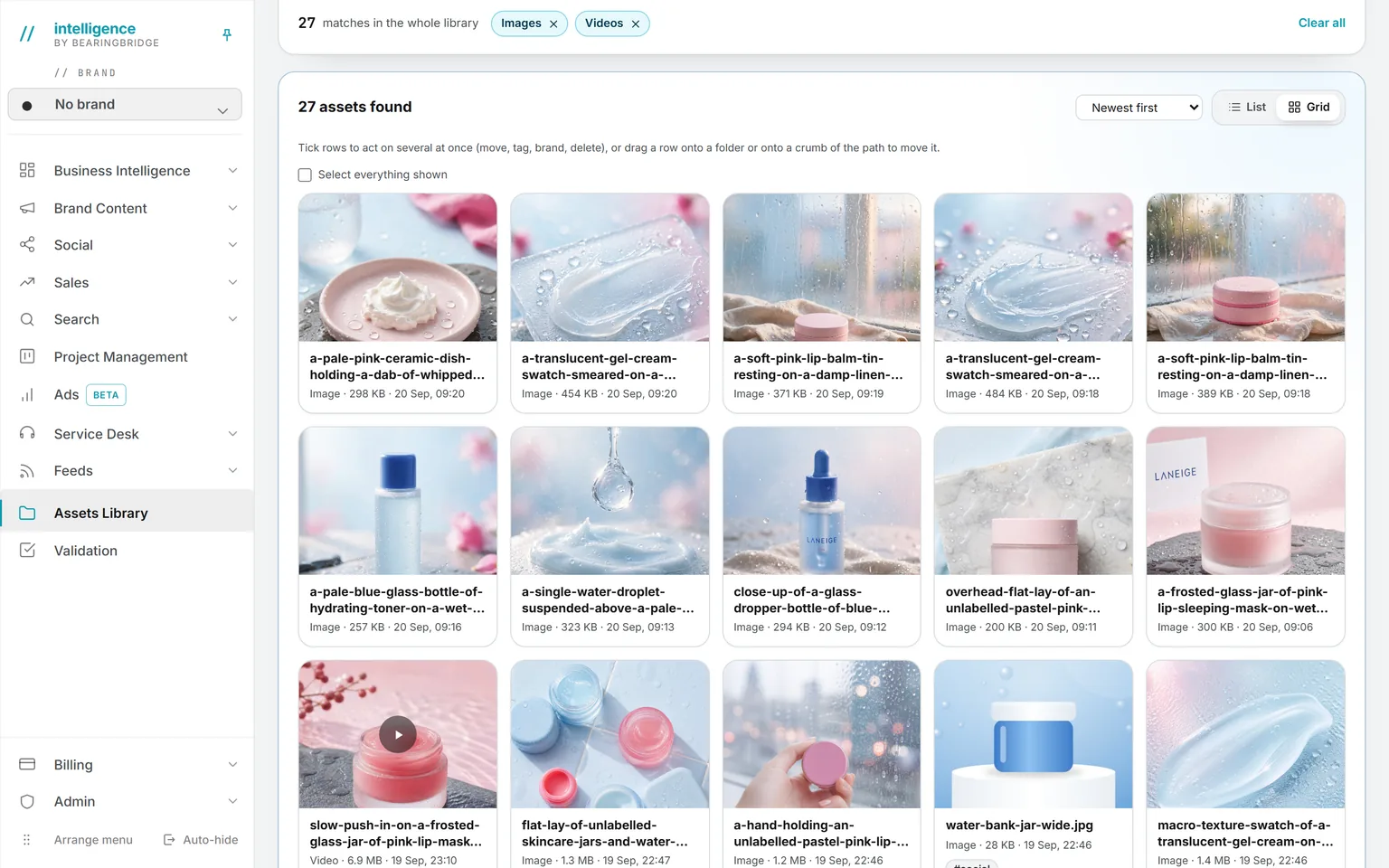
The whole library filtered to images and videos, 31 of them, as a grid of generated product pictures and one clip, each card showing its name, size, and date
Grid viewThe same library as a wall of images and clips, each card with its name, size and date.
A blog post brief with the Glass Skin launch Sources folder chosen as material, and the hint that every document in it is read before the writing starts
Folders as contextName a folder in a brief and every document inside it is read before the writing starts.

Studio 7 features

Image tools

The Image editor frames a picture to the pixels each network wants, then crops, adjusts, writes and draws on it. The anonymizer strips what a file carries. Free, in your browser.

Open Image tools
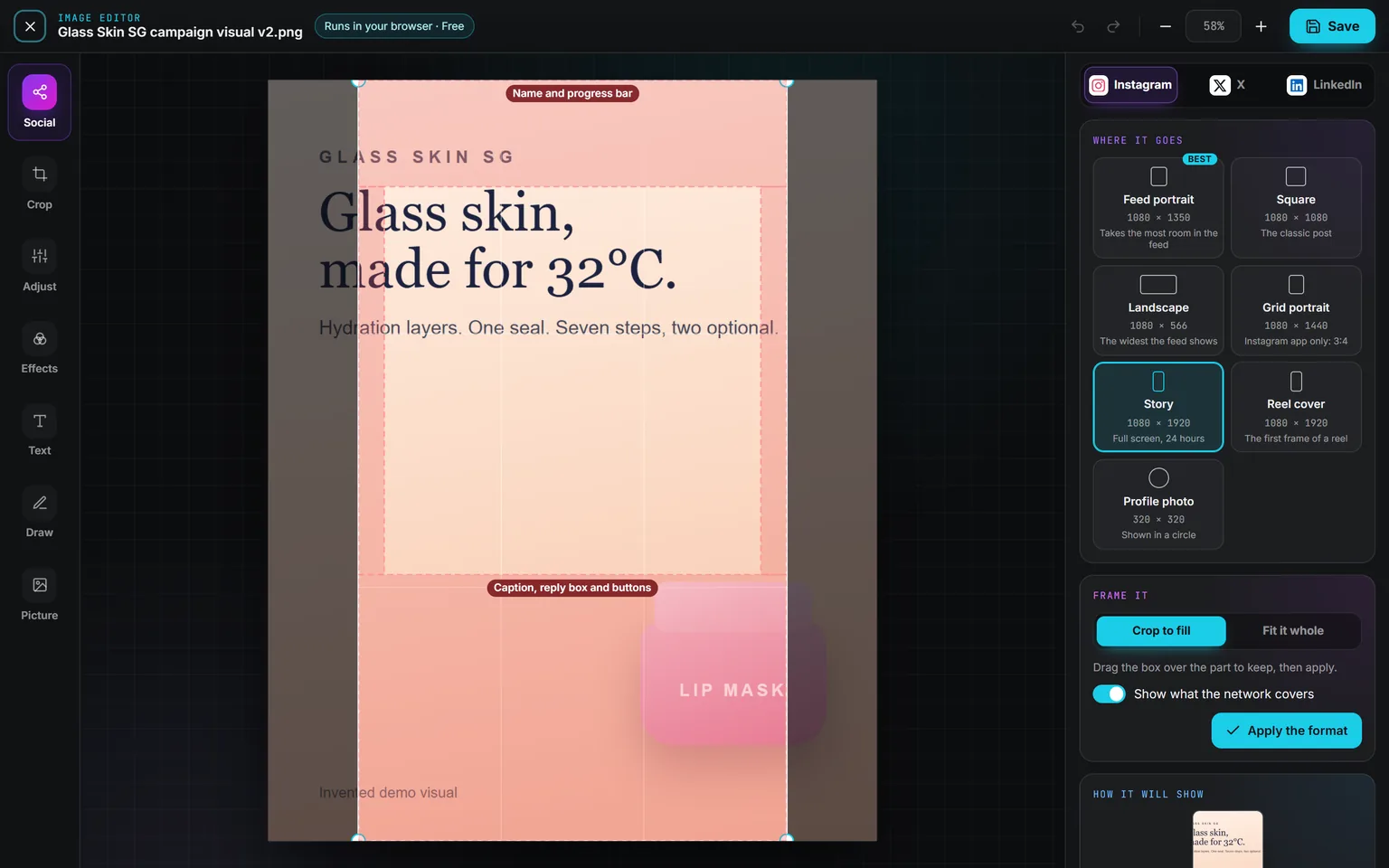
The Social panel set to Instagram, Story picked, the crop box over the campaign visual with the Name and progress bar zone at the top and the Caption, reply box and buttons zone at the bottom
Framed for a networkPick the placement and the frame takes its exact pixels, with the zones the network covers drawn in red over the picture.
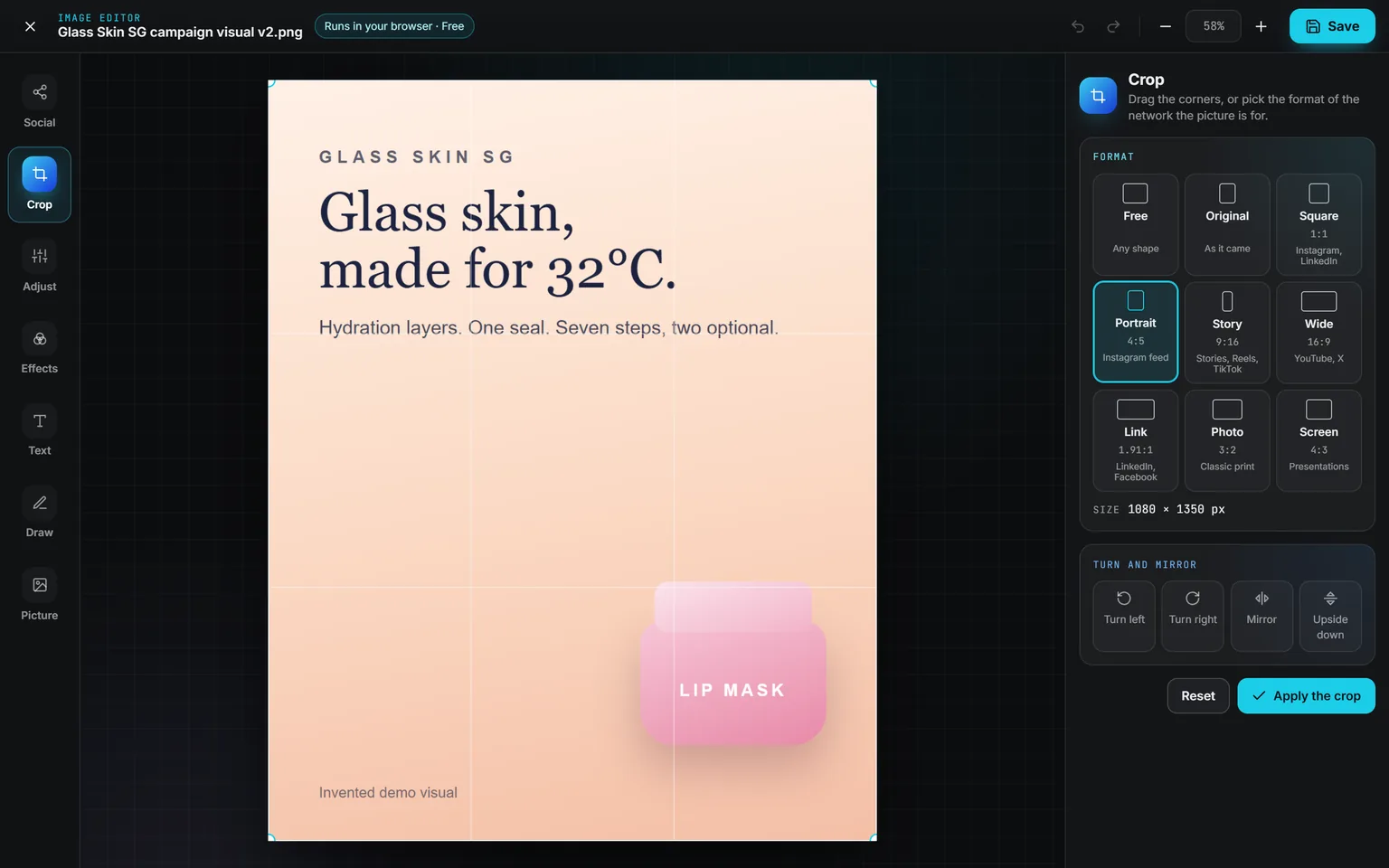
The Crop panel of the Image editor on a Glass Skin campaign visual, Portrait 4:5 picked for the Instagram feed, the frame over the picture and the turn and mirror buttons
CropDrag the corners or pick one of nine formats, each naming the networks it suits. Turn, mirror or flip, then apply.
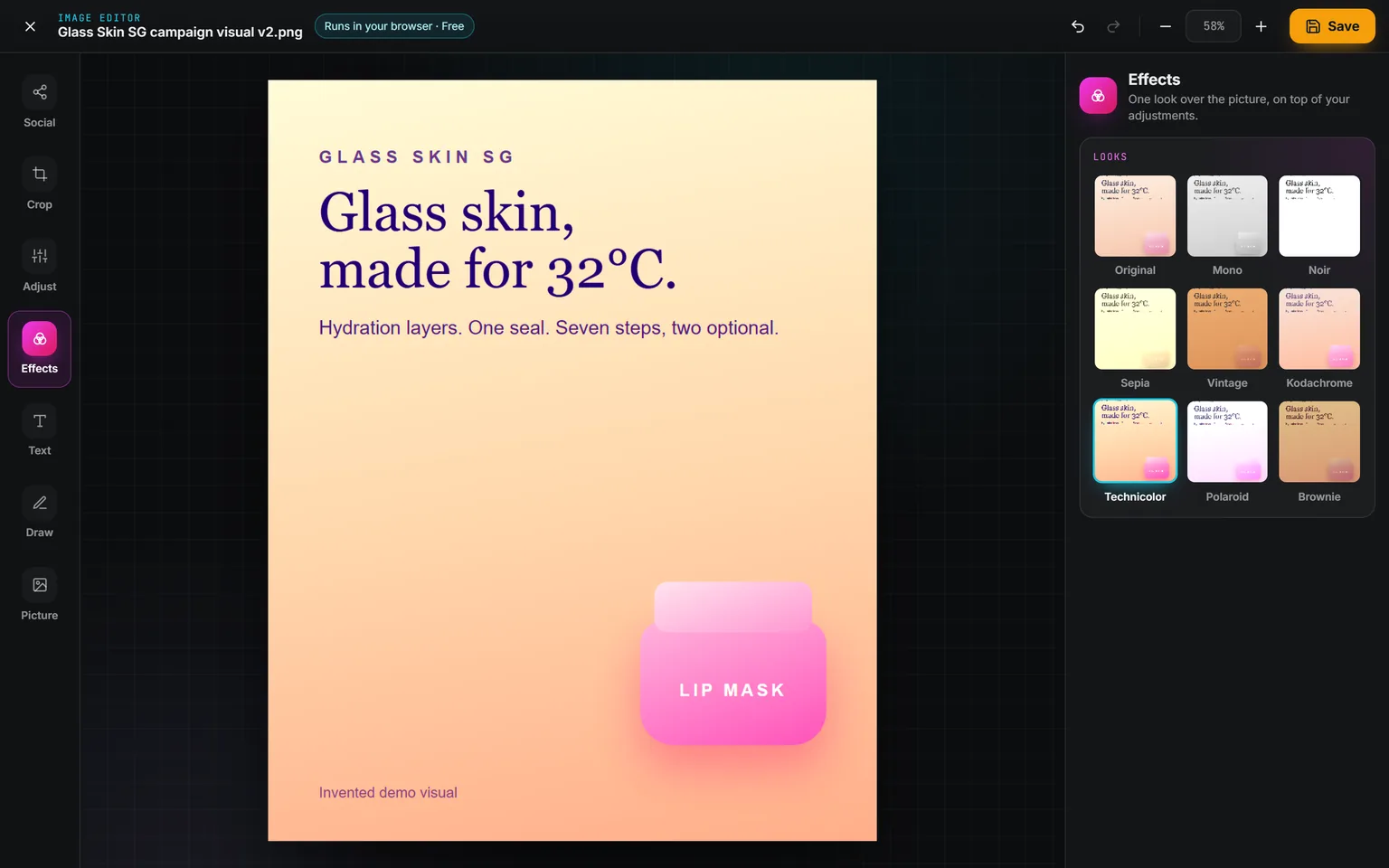
The Effects panel with nine looks shown as small previews of the campaign visual, Technicolor picked
Adjust and effectsEight sliders for light and color, then one look on top: Mono, Noir, Sepia, Vintage, Kodachrome, Technicolor, Polaroid or Brownie.
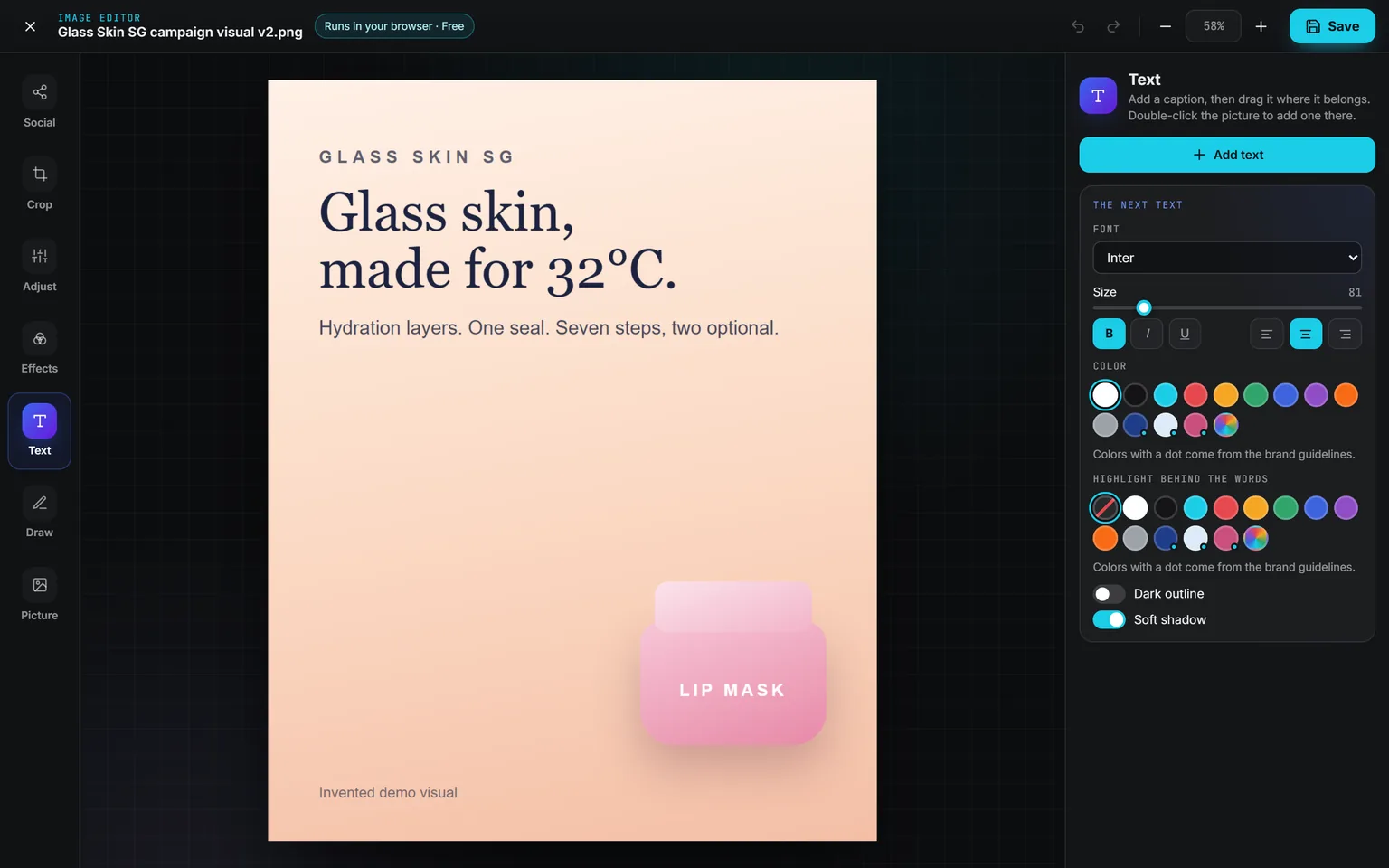
The Text panel: Add text, the font, size, bold, italic, underline and alignment, the colors with the brand’s own marked by a dot, a highlight behind the words, a dark outline and a soft shadow
TextFont, size, color, alignment, a highlight, an outline or a shadow. Your brand guideline colors join the swatches.
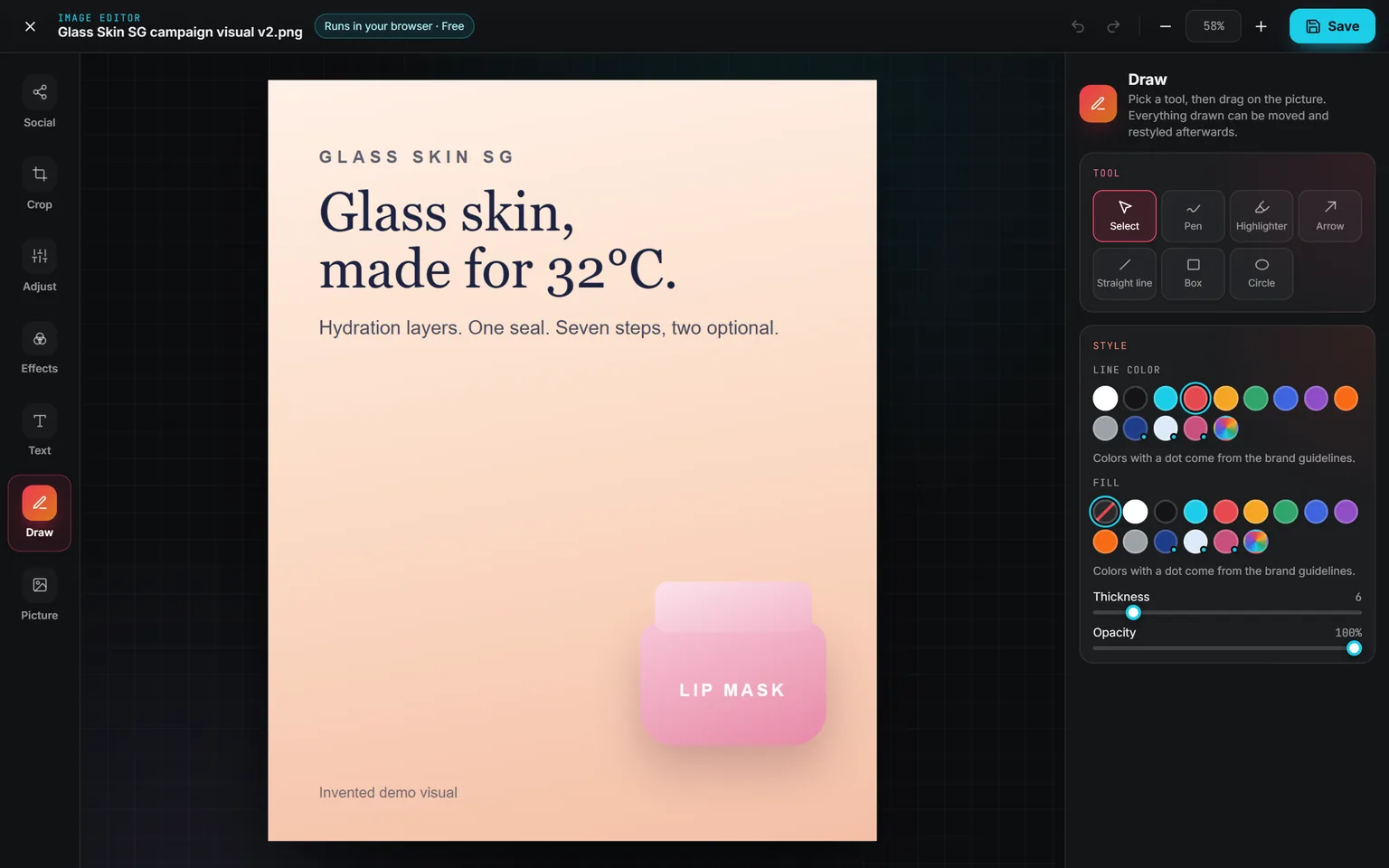
The Draw panel: Select, Pen, Highlighter, Arrow, Straight line, Box and Circle, the line color and fill swatches, thickness and opacity
DrawPen, highlighter, arrow, line, box and circle, each a separate piece until you save. Undo goes back 60 steps.
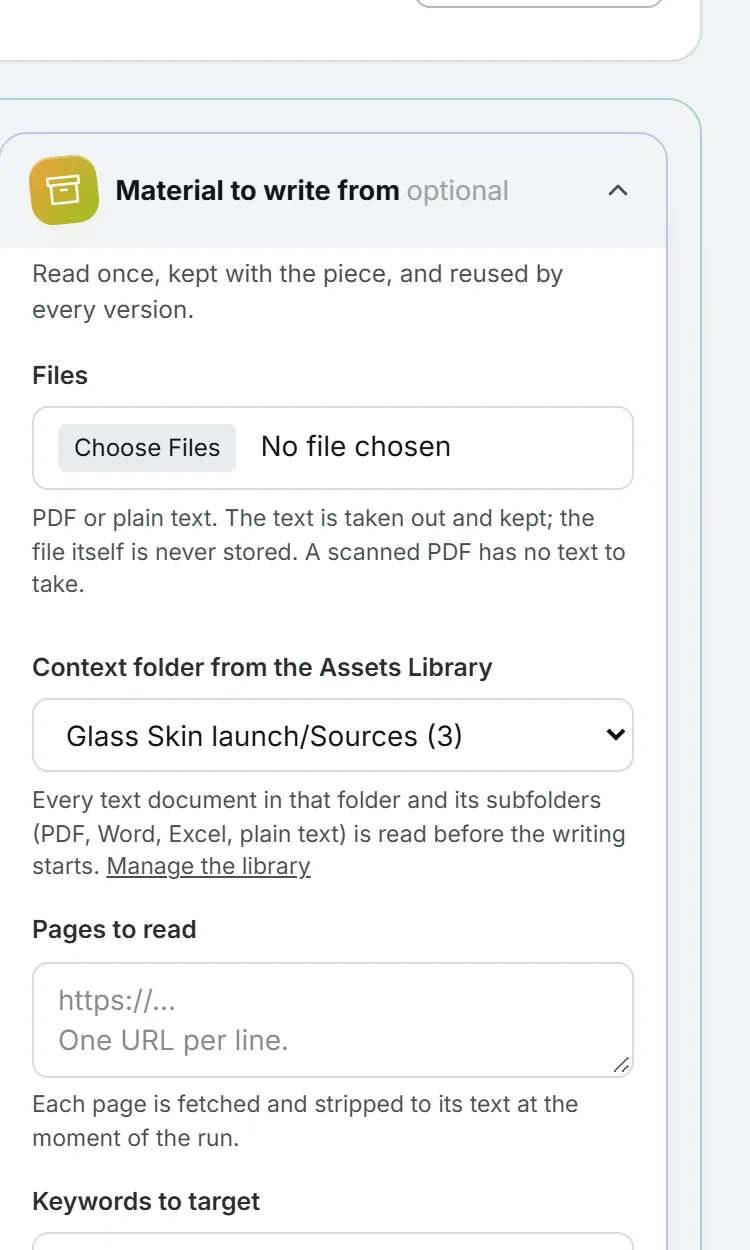
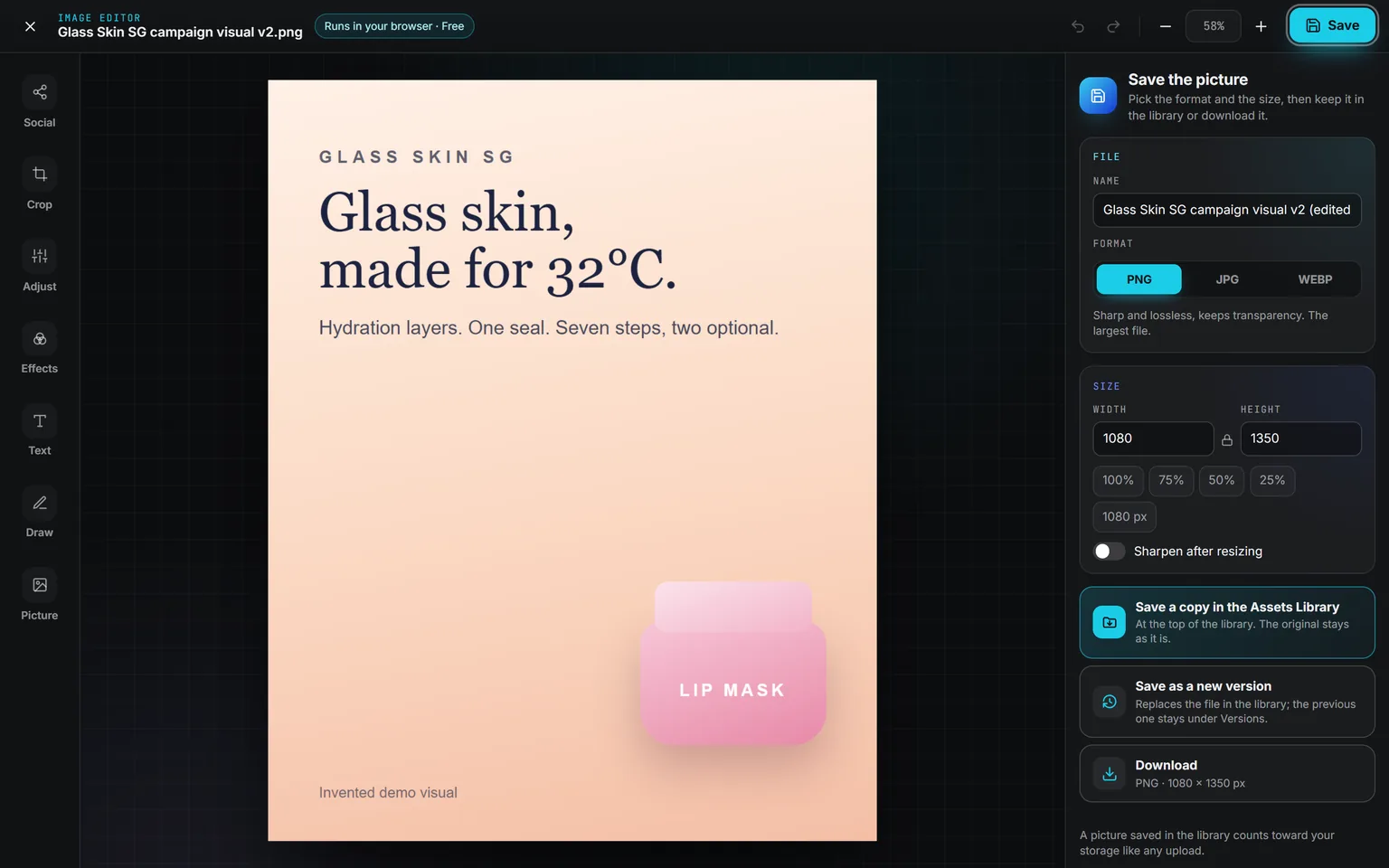
The Save the picture panel: the name ending in (edited), PNG, JPG or WEBP, the width and height locked together with 100, 75, 50 and 25 percent, and Save a copy in the Assets Library, Save as a new version or Download
SavePNG, JPG or WEBP at the size you set, saved as a copy in the library, as a new version, or downloaded.
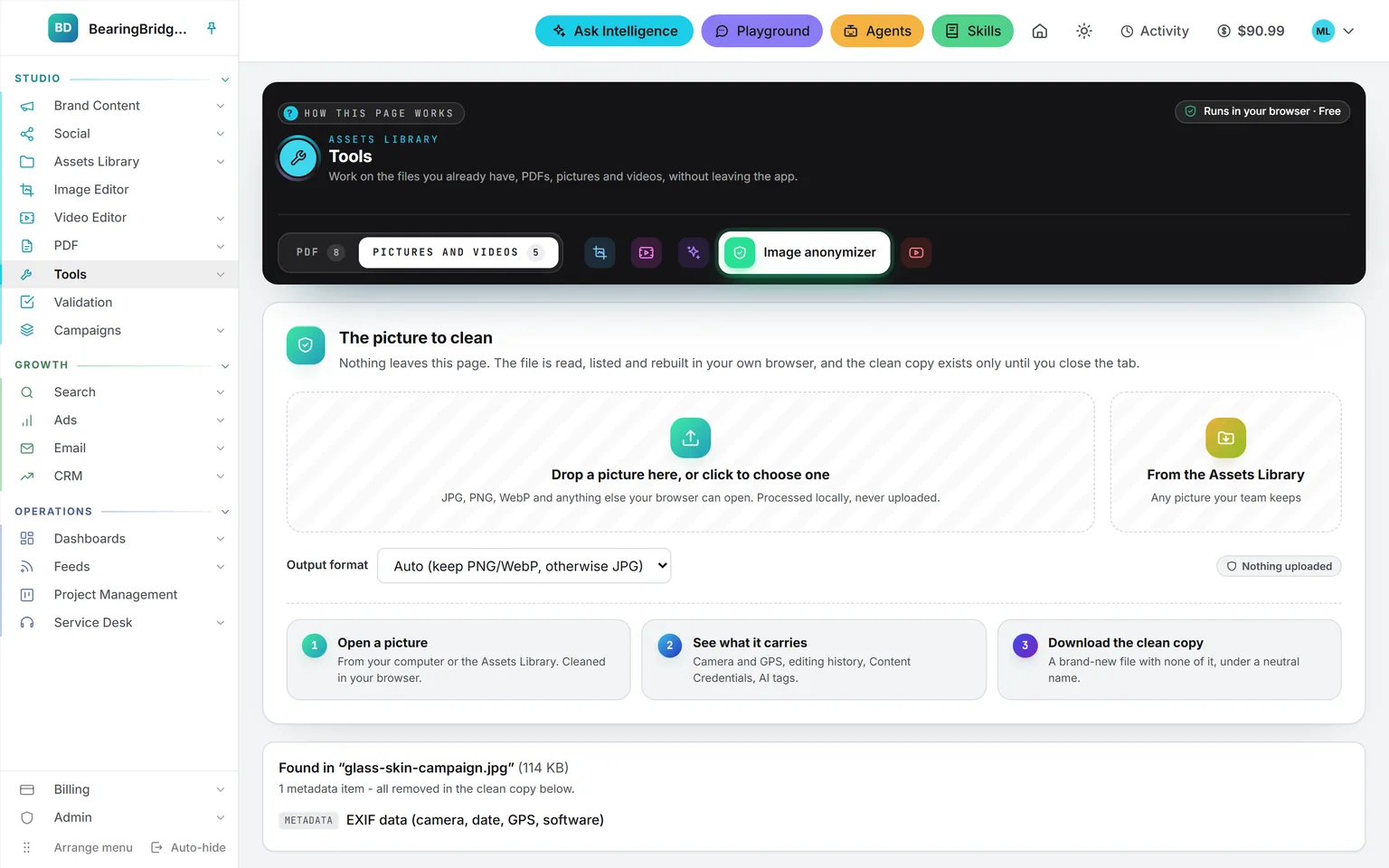
The Image anonymizer of the Assets Library after a campaign visual was dropped in: the output format, the three steps, and what it found in the file, EXIF data with the camera, date, GPS and software, all removed in the clean copy
Image anonymizerDrop a file to see the camera, date, GPS and software it carries, and get back a clean copy without any of it.

Studio 7 features

Video tools

The Video editor cuts a clip for Instagram, TikTok or Facebook, free in your browser. Shorts autopilot turns a long video into vertical shorts on its own.

Open Video tools
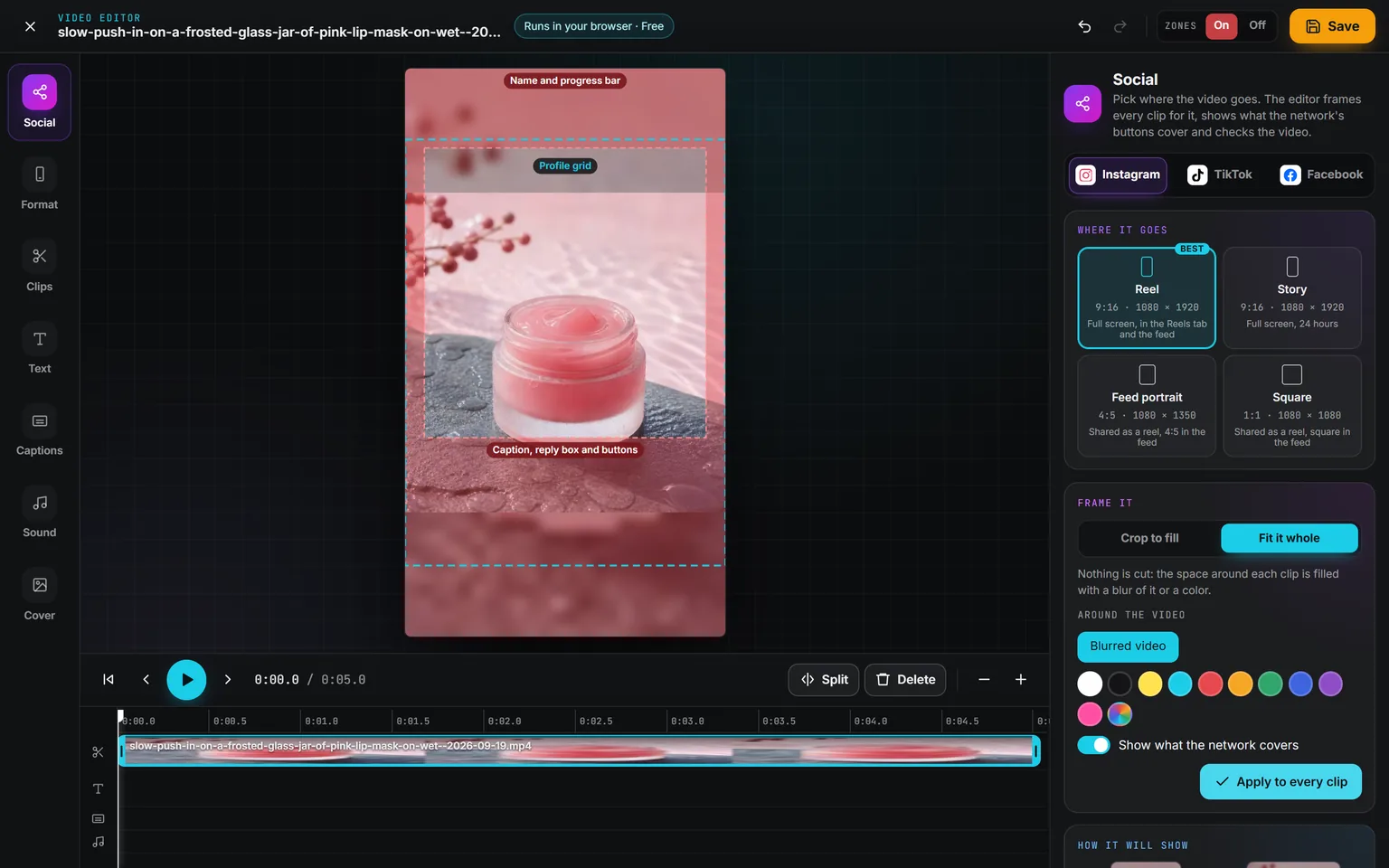
The Social panel set to Instagram, Reel picked and fitted whole over a blurred copy, the red zones for the name and progress bar and for the caption, reply box and buttons, and the dashed profile grid
Framed for a placementPick Reel, Story, Feed or Square and the zones the network covers show in red over the preview.
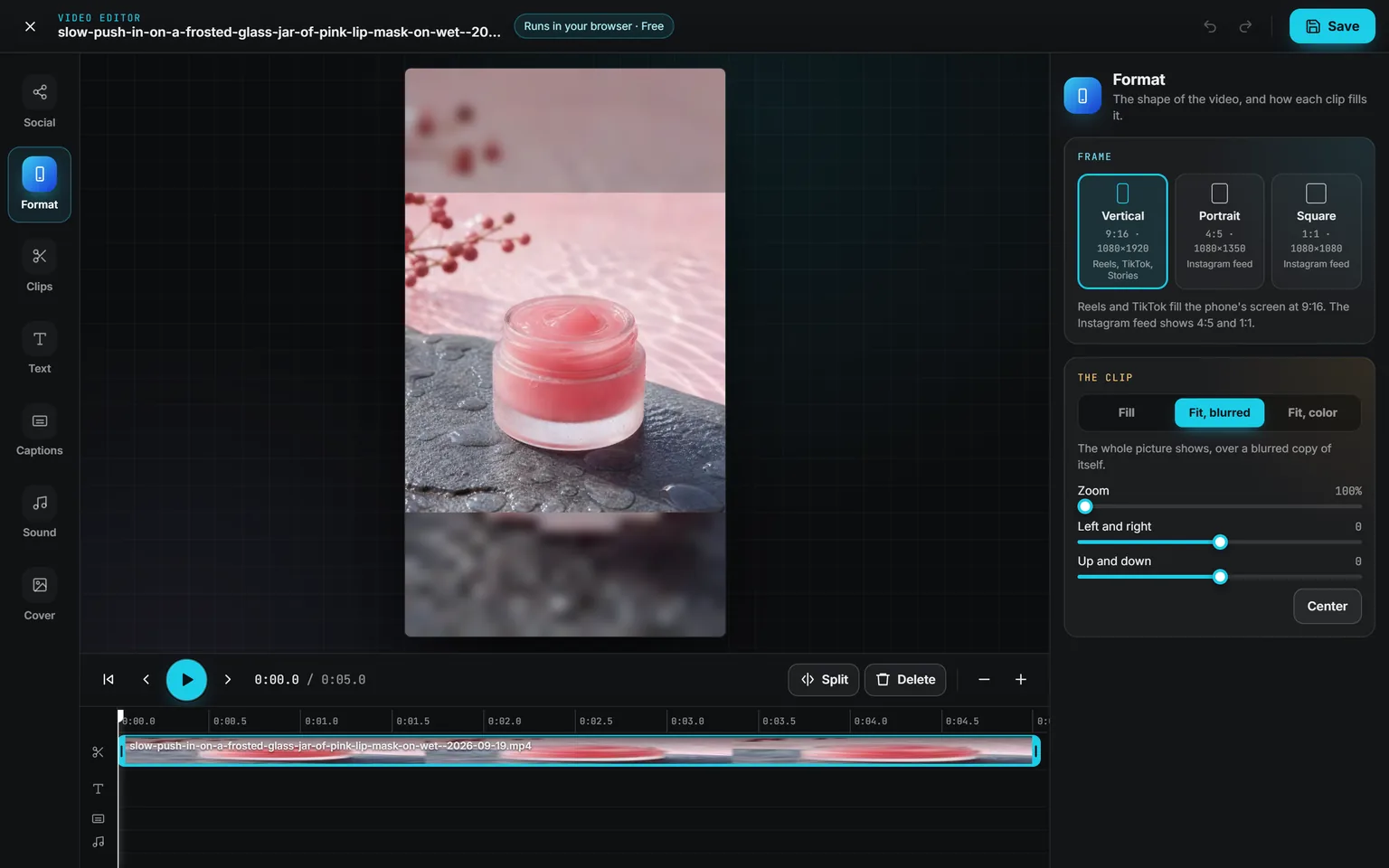
The Video editor on a lip mask product clip set to Vertical 9:16 and Fit, blurred, with zoom and position sliders, the transport bar and the clip on the timeline
FormatVertical for Reels, TikTok and Stories, portrait or square for the feed. Each clip fills the frame or fits whole over a blur of itself.
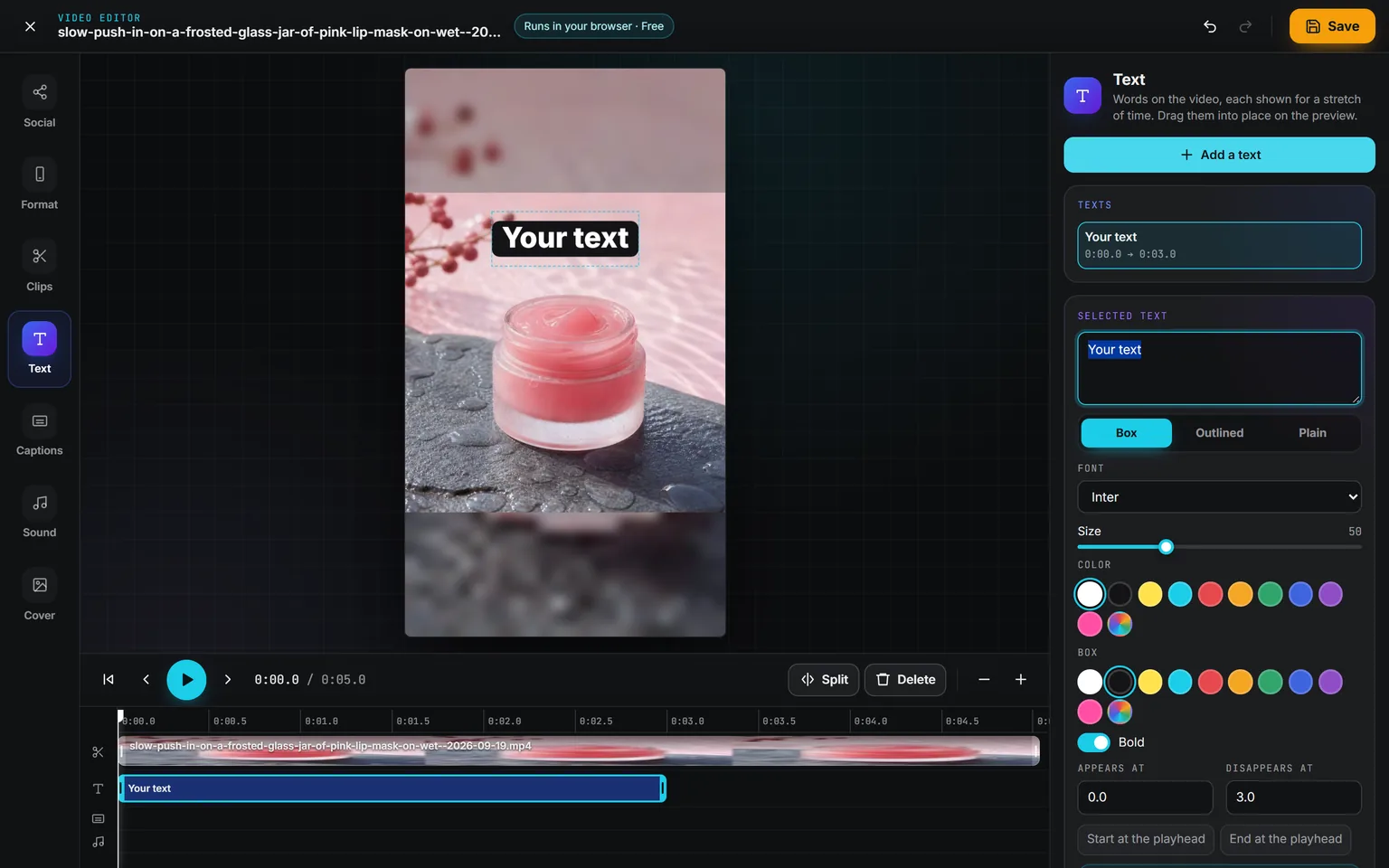
The Text panel with a text added on the clip, its style, font, size and colors, and the times it appears and disappears, its bar on the timeline
TextA text starts at the playhead and lasts as long as you stretch it on the timeline, dragged into place on the preview.
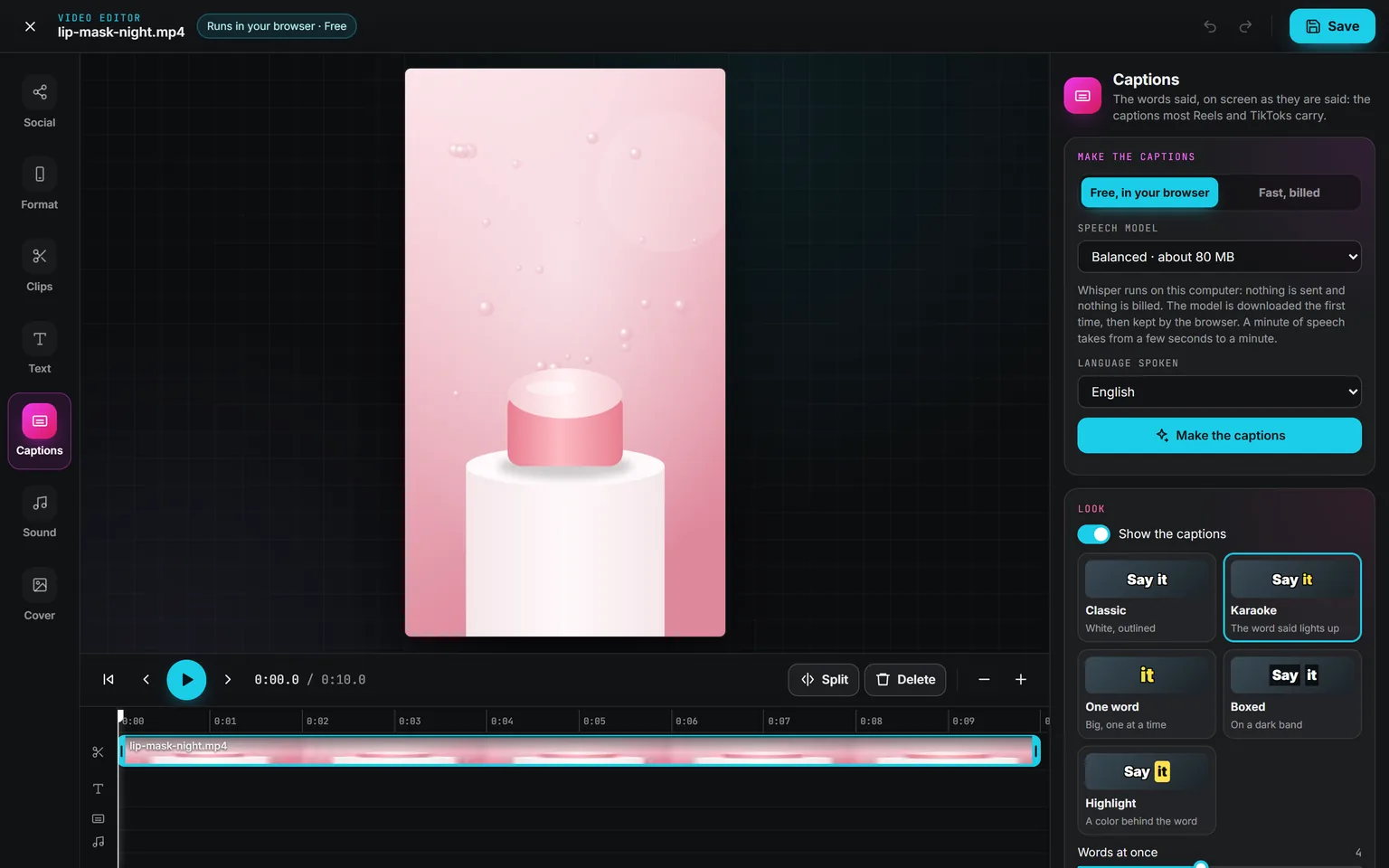
The Captions panel set to Free, in your browser, with the speech model, the language spoken and the five caption looks: Classic, Karaoke, One word, Boxed and Highlight
CaptionsFive looks, free in your browser or fast with a model billed by the second, its price shown first. Correct any line, or download them as SRT.
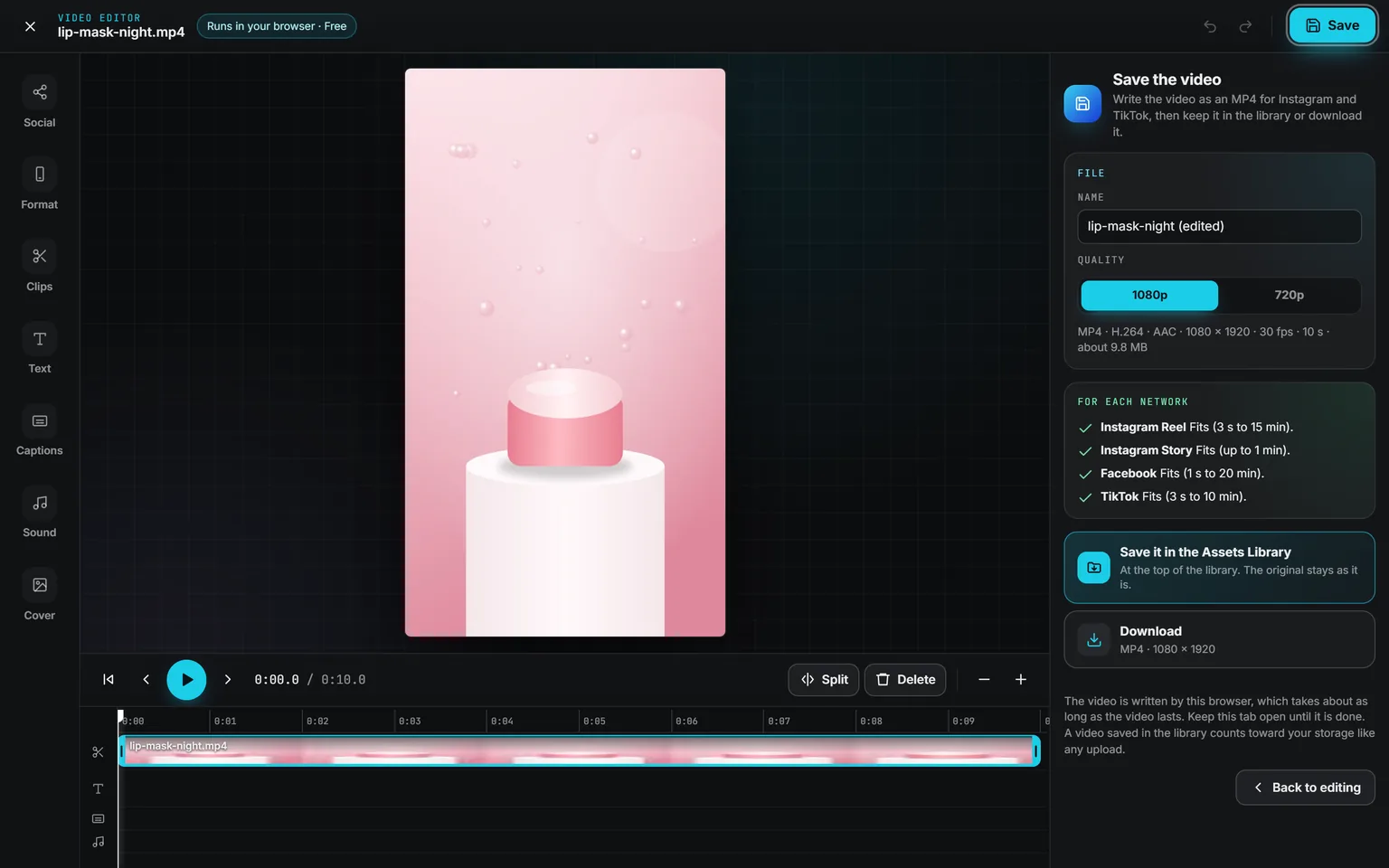
The Save the video panel: the name, 1080p or 720p, the file details, a check for Instagram Reel, Instagram Story, Facebook and TikTok, then Save it in the Assets Library and Download
SaveYour browser writes an MP4 in 1080p or 720p, with a check per network, kept next to the original or downloaded.
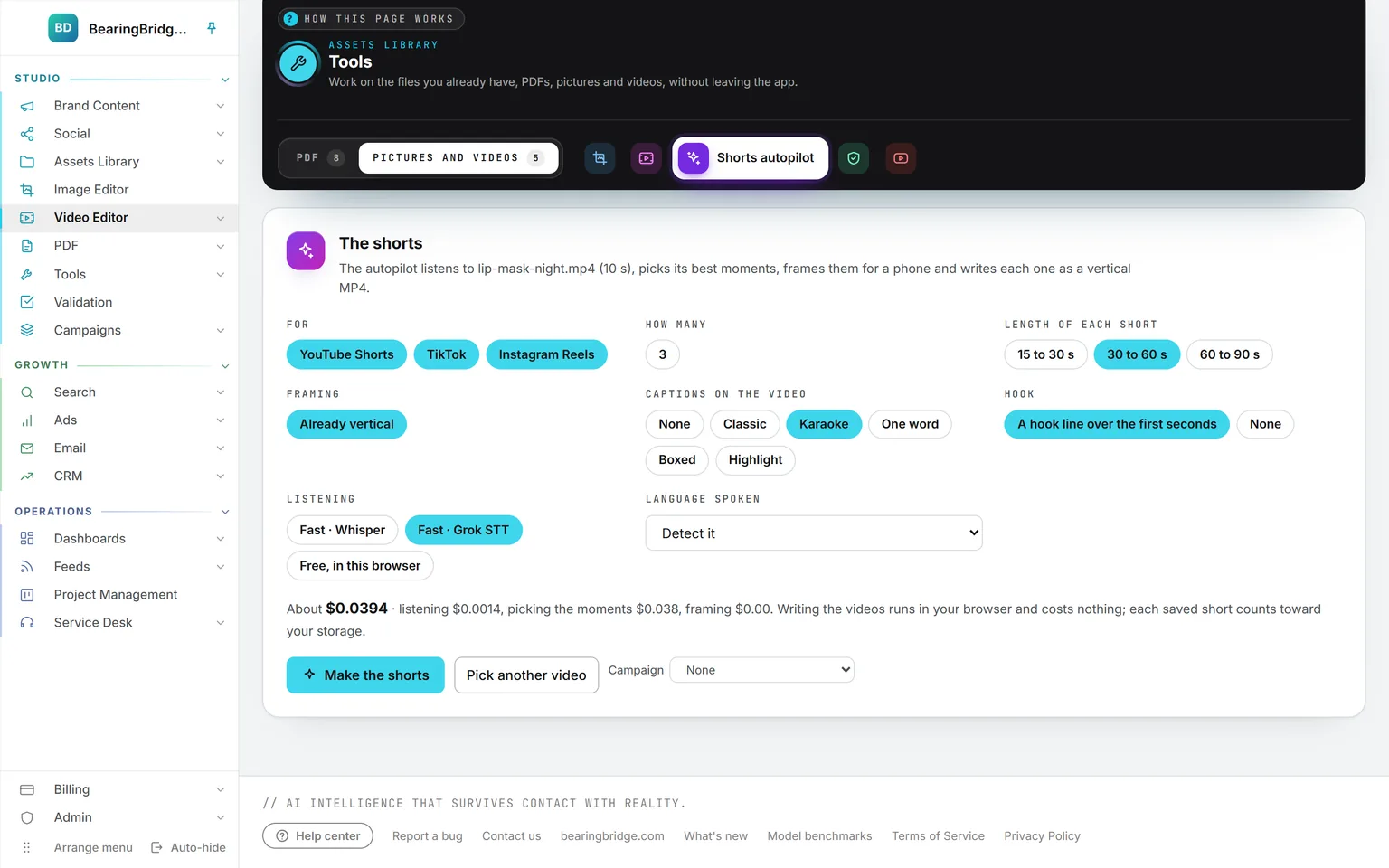
The shorts card of Shorts autopilot: YouTube Shorts, TikTok and Instagram Reels, how many shorts, their length, the framing, the caption look, the hook line, the way of listening and the language, with the price shown before Make the shorts
Shorts autopilotIt listens, picks moments that stand alone, frames them 9:16 on the speaker and captions them. The price shows before you start.
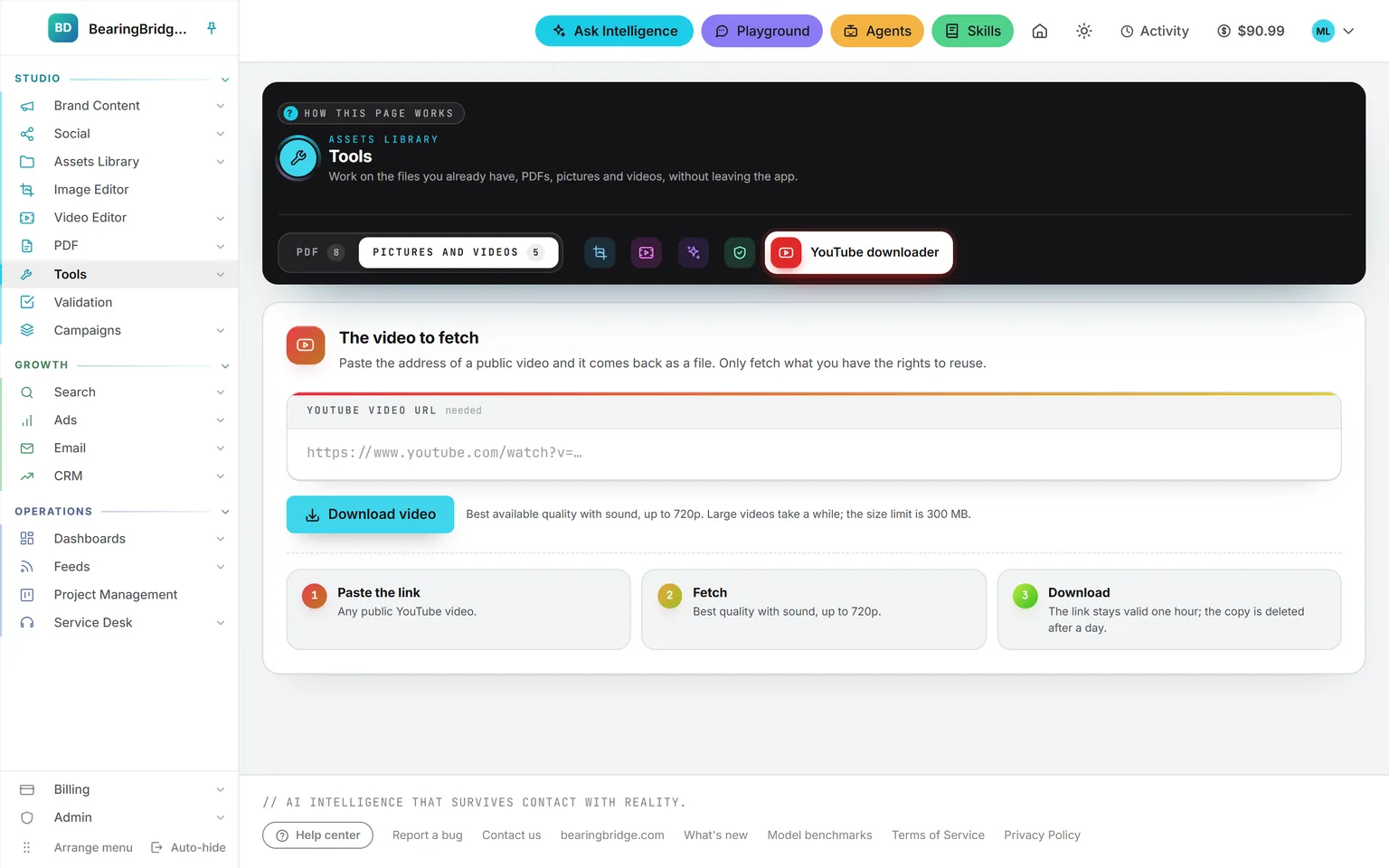
The YouTube downloader in the Pictures and videos folder of the Tools band: the address field, Download video, and the three steps it goes through
YouTube downloaderPaste the address and get it back as a file, up to 720p, to trim in the editor or use as a reference clip. No charge for a download.

Studio 6 features

PDF tools

Eight PDF tools on one page. The document never leaves your browser, and the result goes back to the library or to your computer.

Open PDF tools
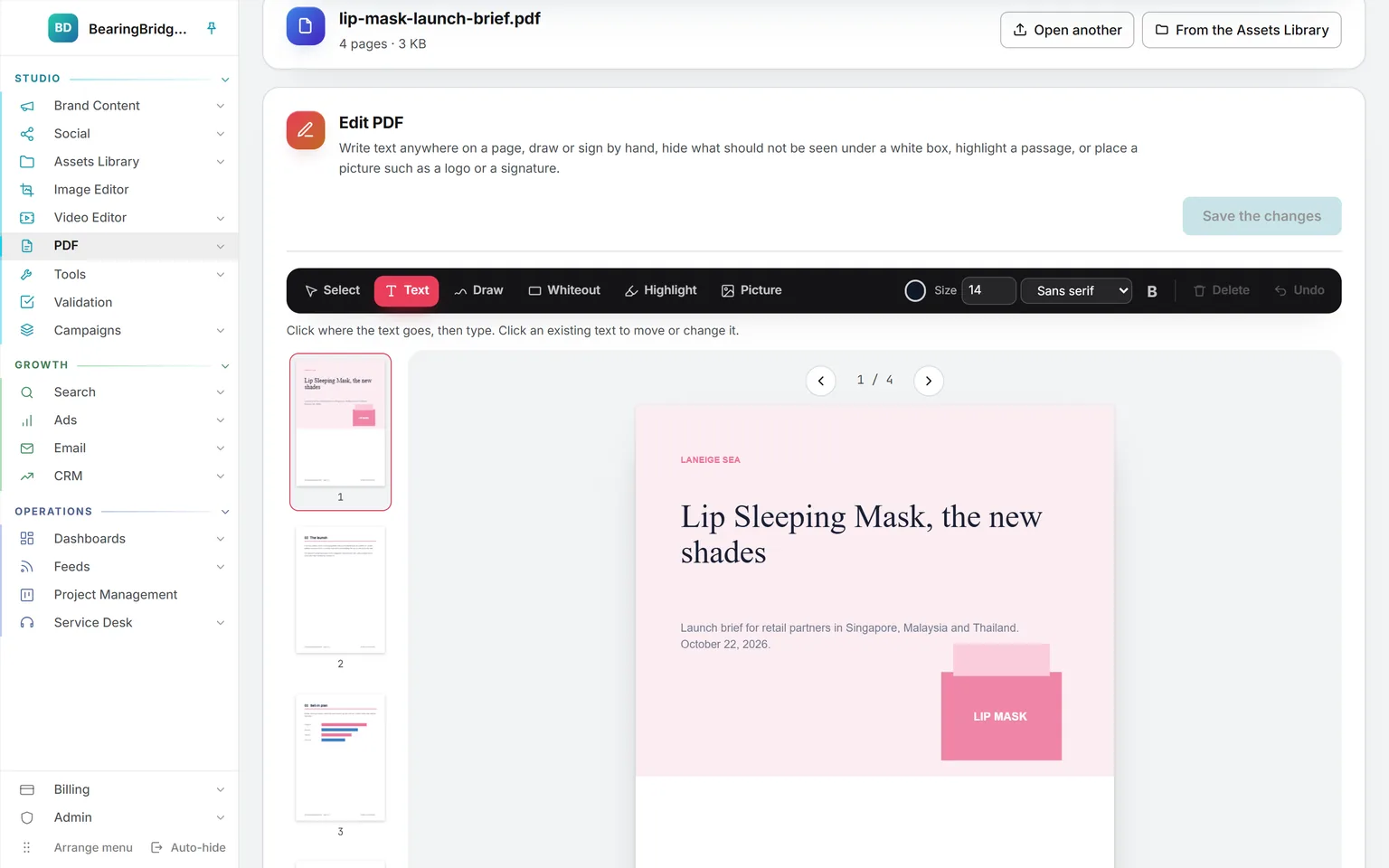
Edit PDF on a four-page launch brief: the Select, Text, Draw, Whiteout, Highlight and Picture tools above the page, the size and font, the page strip on the left and Save the changes
EditText, drawing, whiteout, highlight and pictures, straight on the page. The button counts your marks before it writes them into a new file.
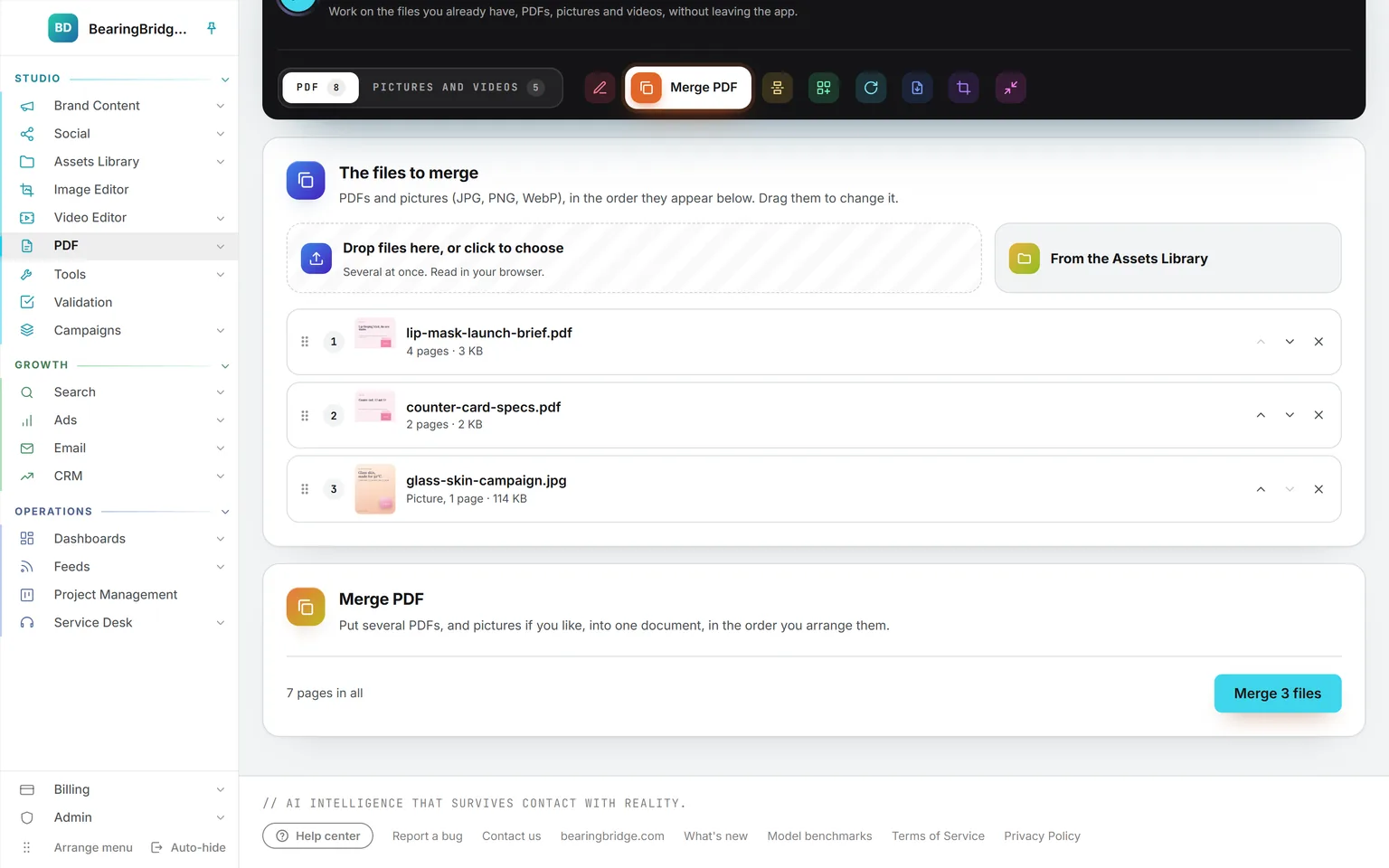
Merge PDF with three files in order, the launch brief, the counter card specs and a campaign picture, each with arrows to move it and a cross to remove it, and the button Merge 3 files
MergeDrop PDFs and pictures, or pick them from the library, and drag them into order. Each picture becomes a page.
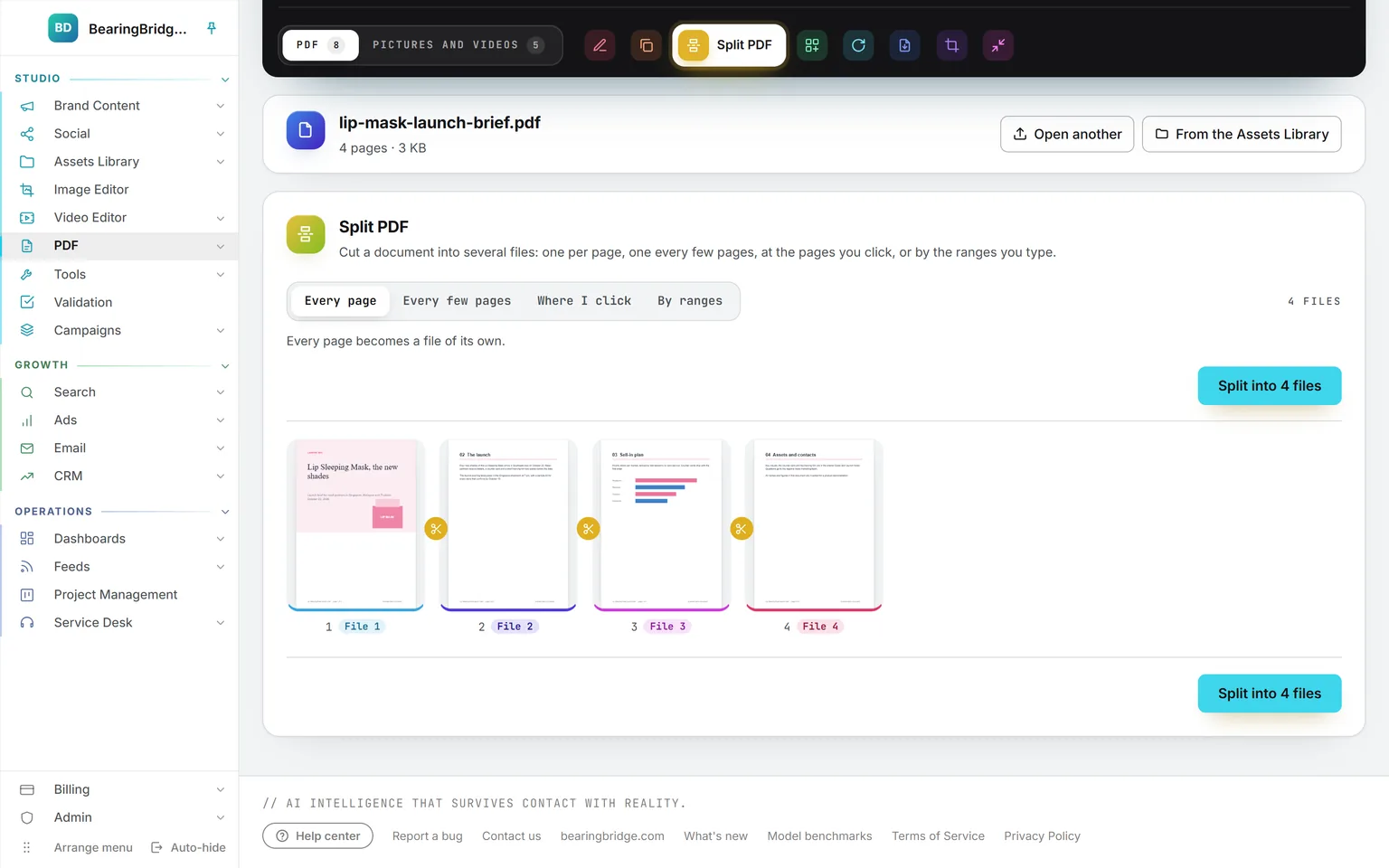
Split PDF set to Every page on the four-page brief: each page labeled with the file it goes into and a pair of scissors between the pages, and the button Split into 4 files
SplitEvery page, every few pages, where you click the scissors, or by ranges. A label under each page says which file it goes into.
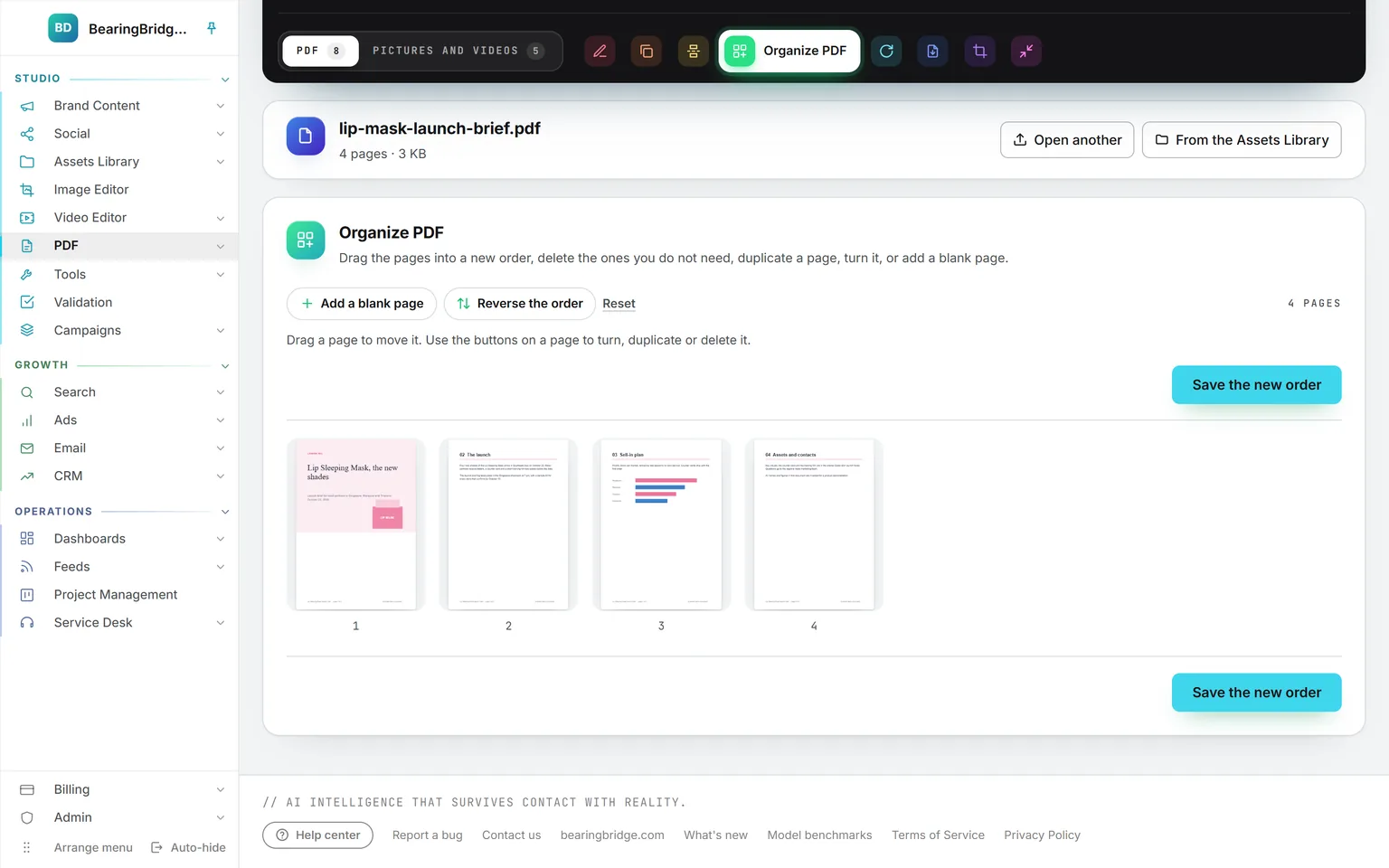
Organize PDF with the four pages as tiles, Add a blank page, Reverse the order and Reset above them, and Save the new order
OrganizePages as tiles: drag to move, turn, duplicate or delete. A moved page shows its original number beside its new one.
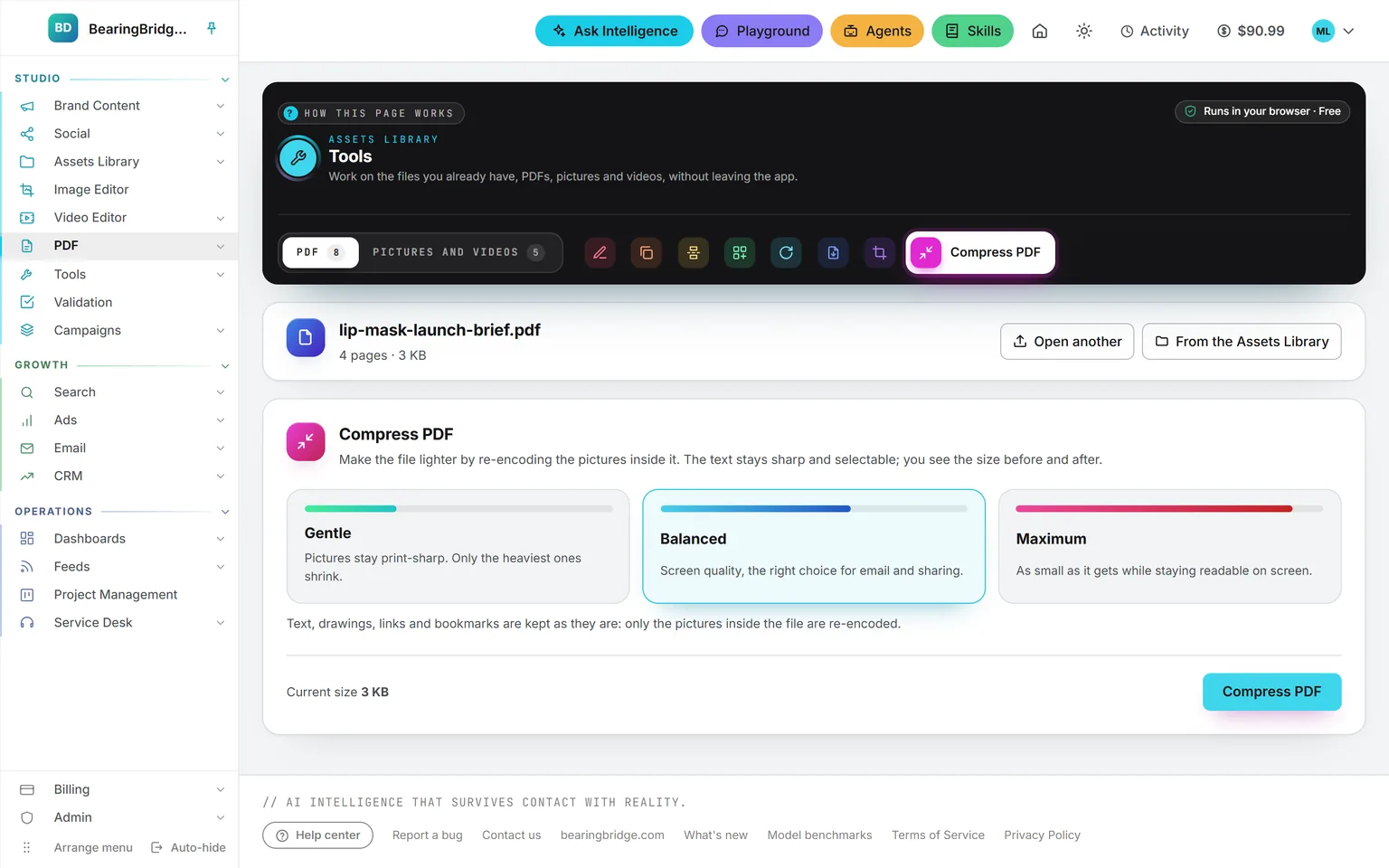
Compress PDF with its three levels, Gentle, Balanced and Maximum, Balanced picked, and the current size of the file next to the button
CompressGentle, Balanced or Maximum, and the result says the size before and after.
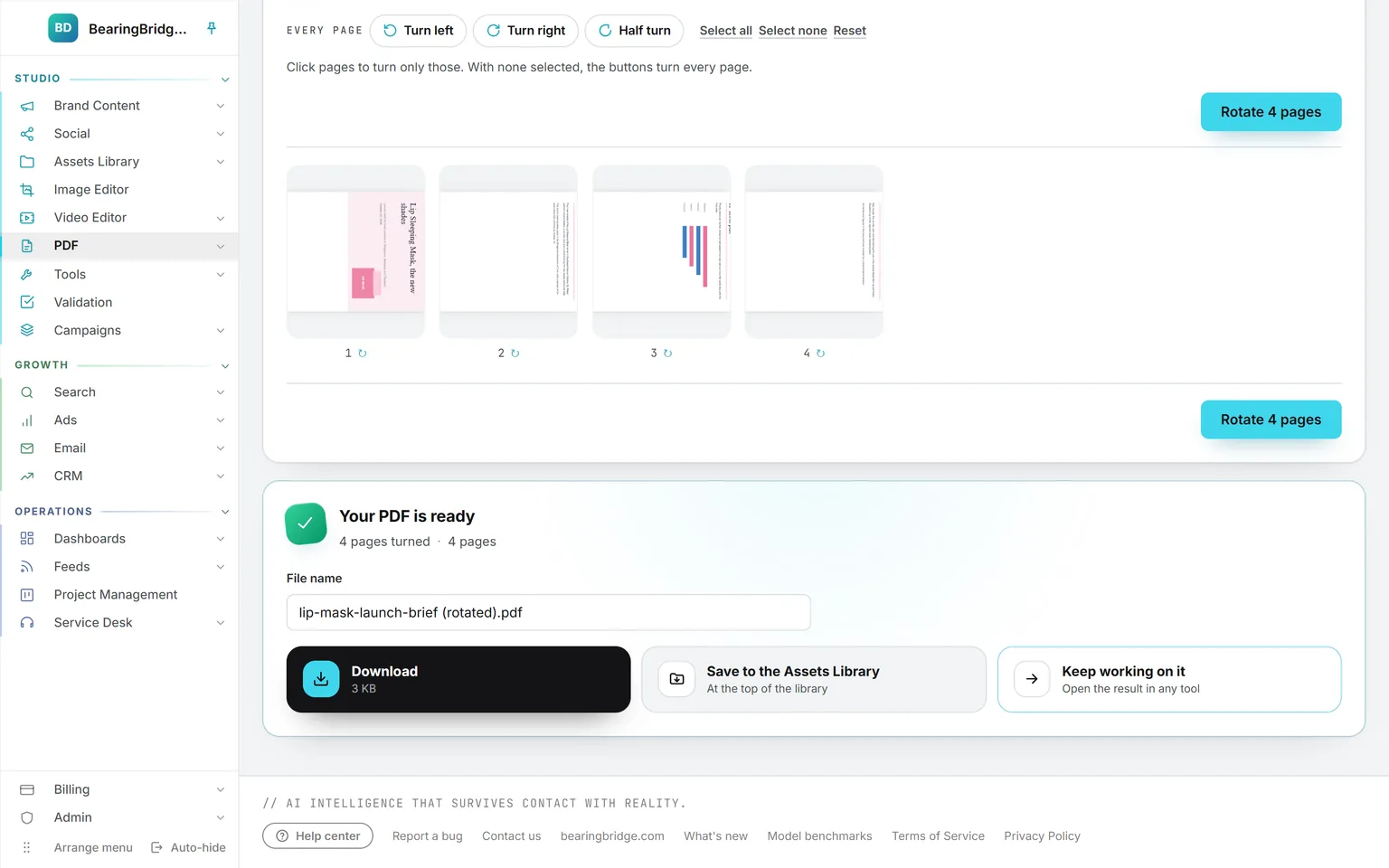
The result card of a rotated brief, Your PDF is ready with four pages turned, the file name ending in (rotated), and Download, Save to the Assets Library and Keep working on it
Keep the resultDownload it, save it next to the original in the Assets Library, or keep working on it in another tool.

Studio 4 features

Validation

Send any asset to a colleague for a decision. A card lands on their board, mail goes both ways, and no version is ever deleted.

Open Validation
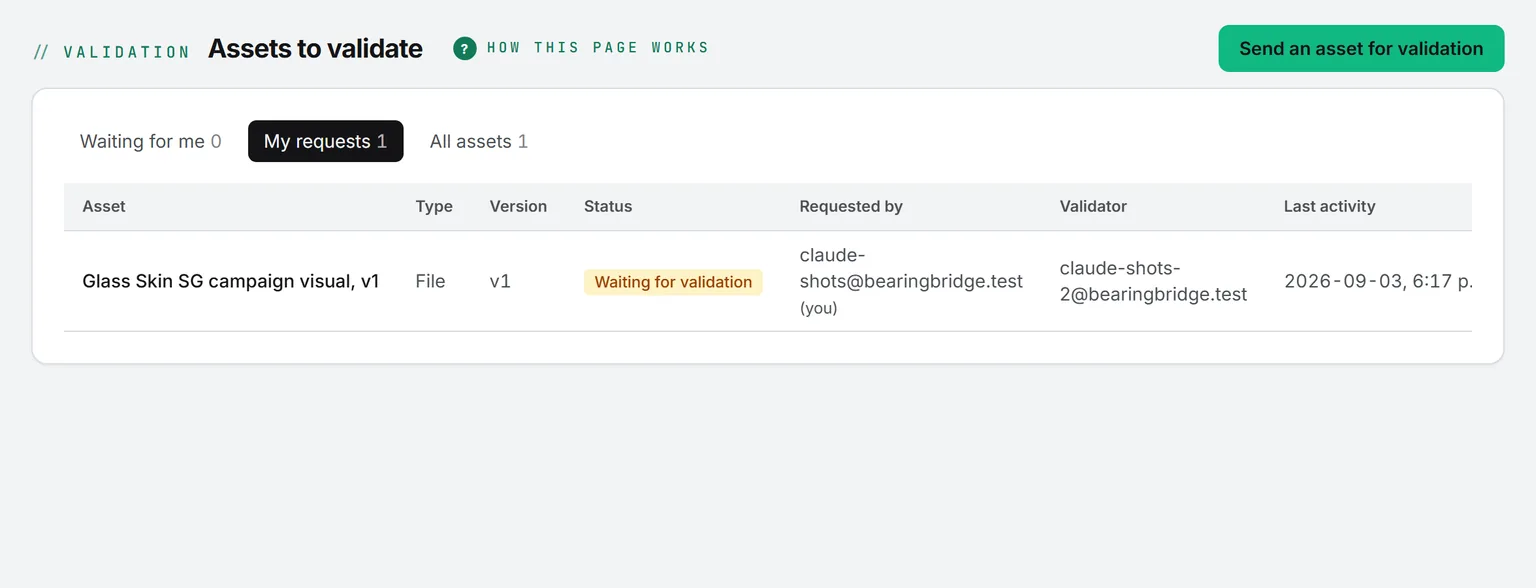
The Validation page with its three tabs, Waiting for me, My requests and All assets, and four assets with their type, version, status, requester and validator
The queueThree tabs, each asset with its type, version, status, requester and validator.
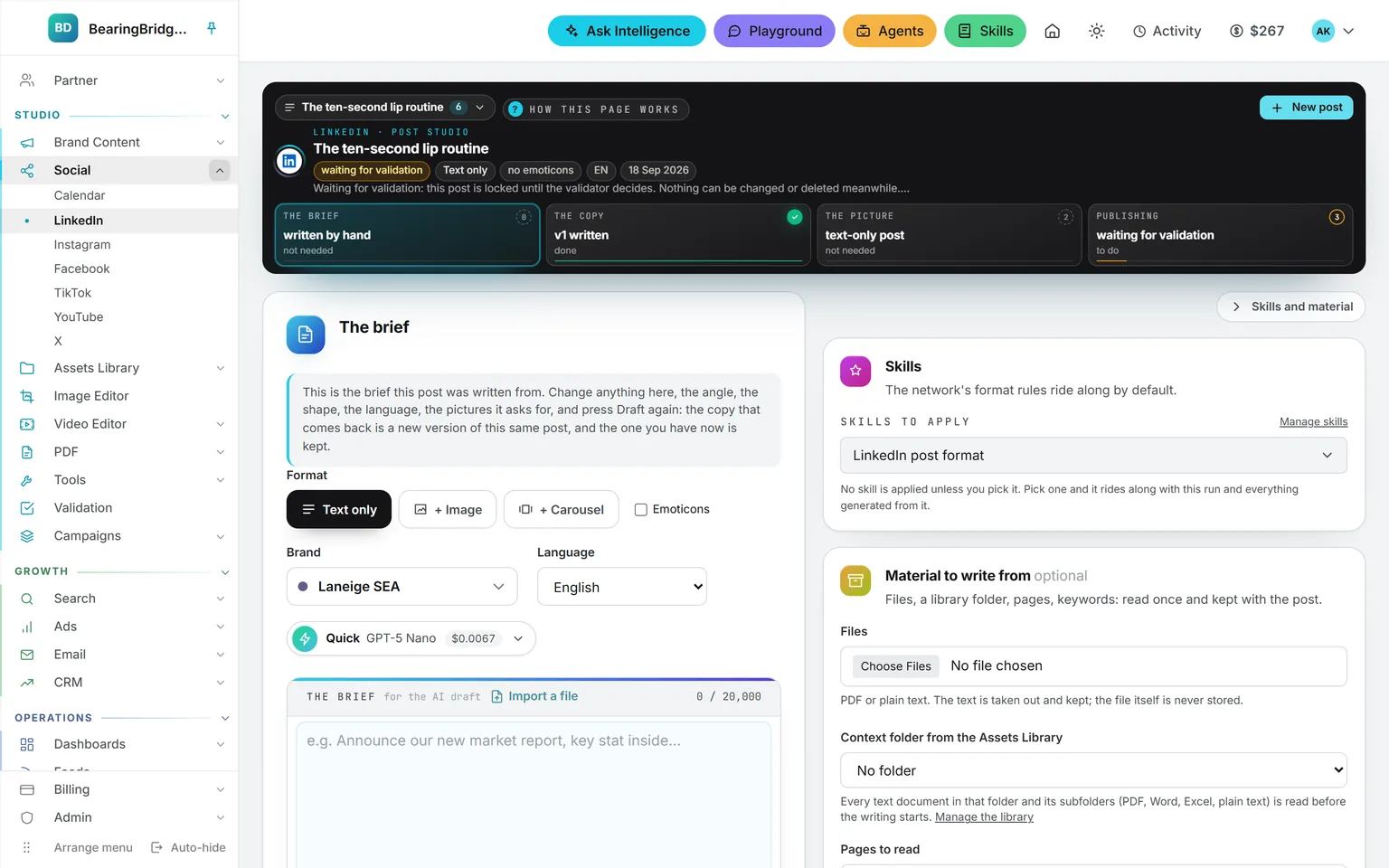
A LinkedIn post in the Social studio marked waiting for validation, with a note that the post is locked until the validator decides
Locked while it waitsA post sent for validation is locked until the validator decides, so what was validated is what gets published.
One asset seen by its requester: the current text version, the validator, the decision box, and Submit a new version open with the paste-a-text option selected
One asset, every versionThe current version, the earlier ones, the validator and the thread, with Submit a new version in place.
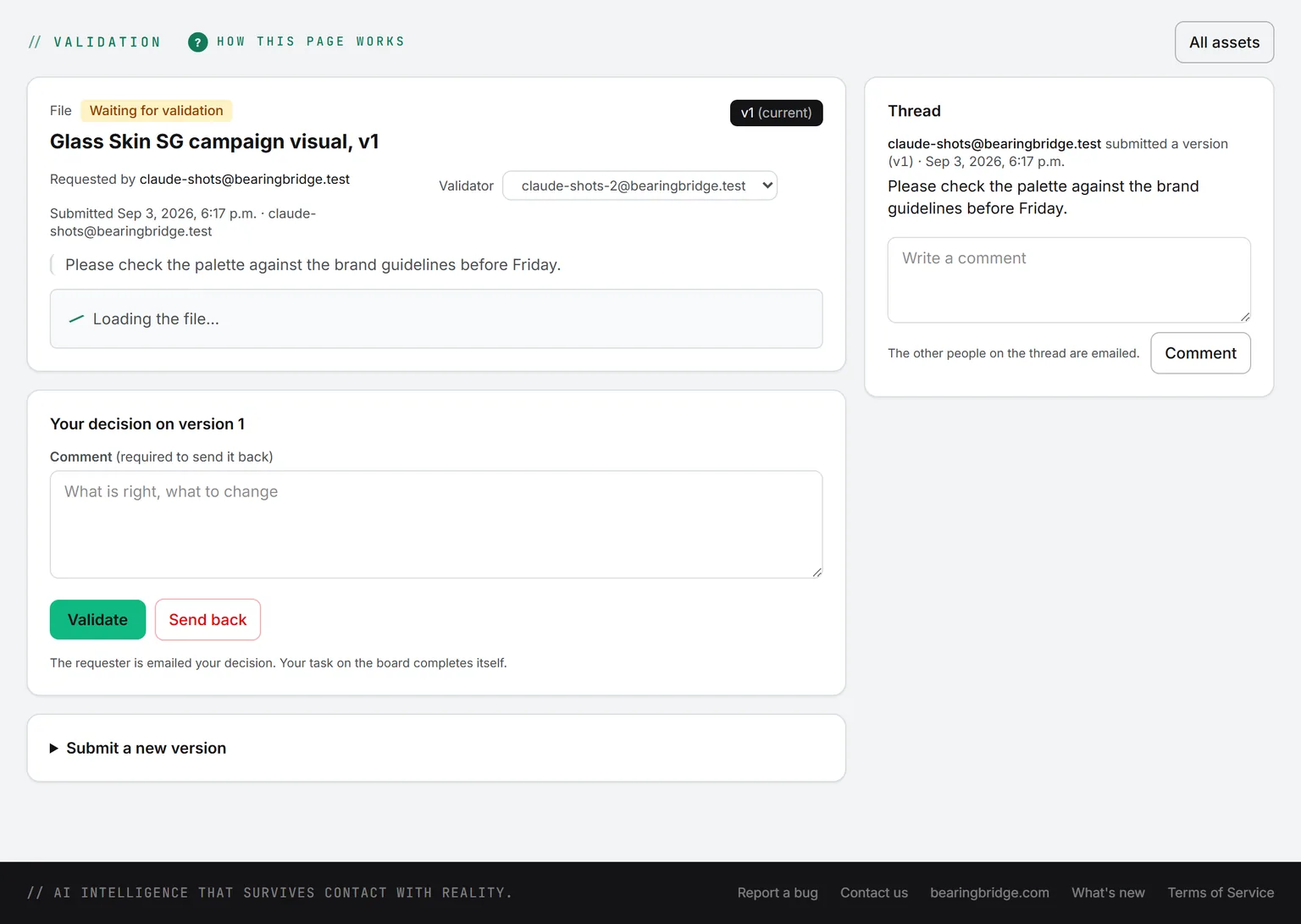
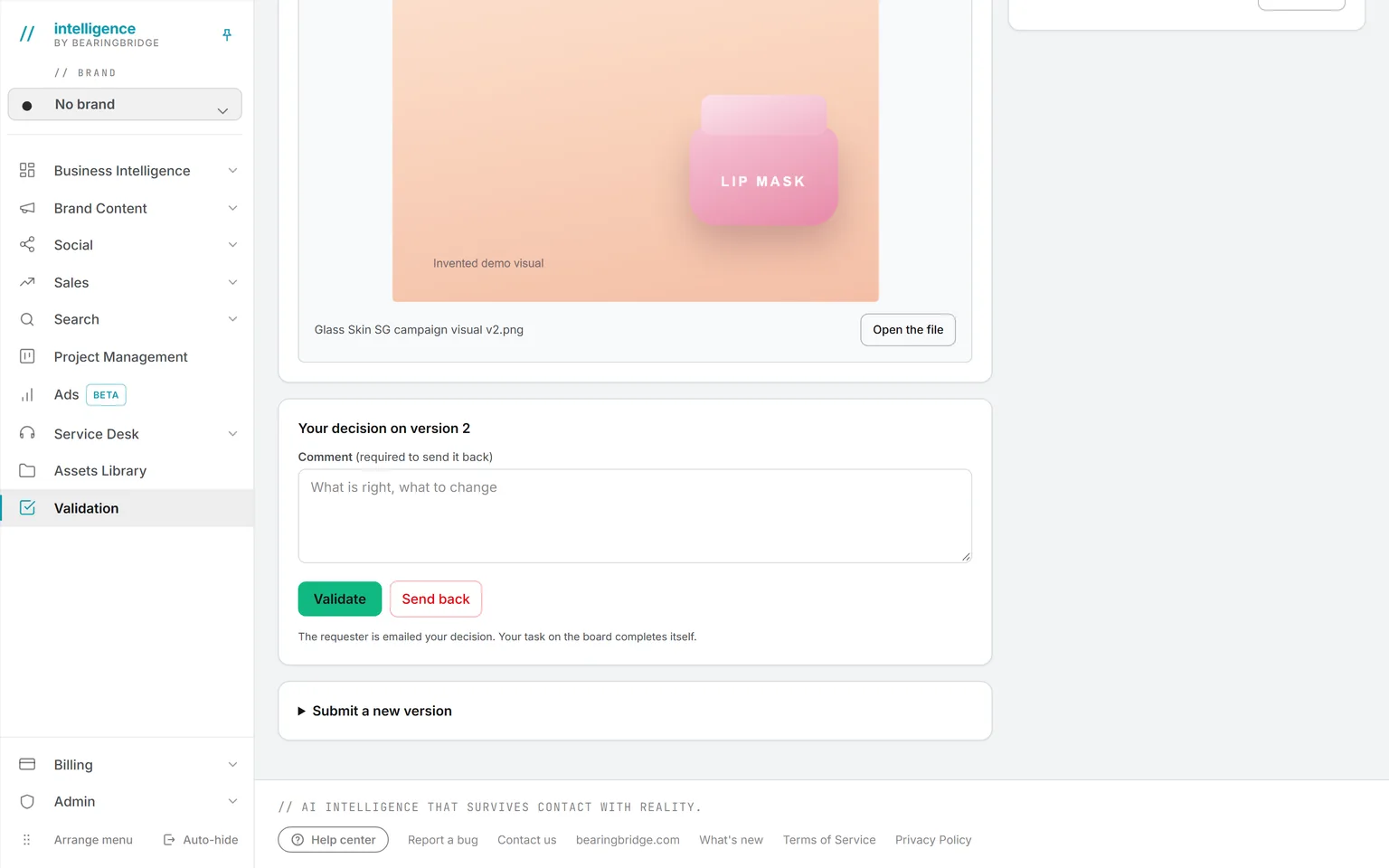
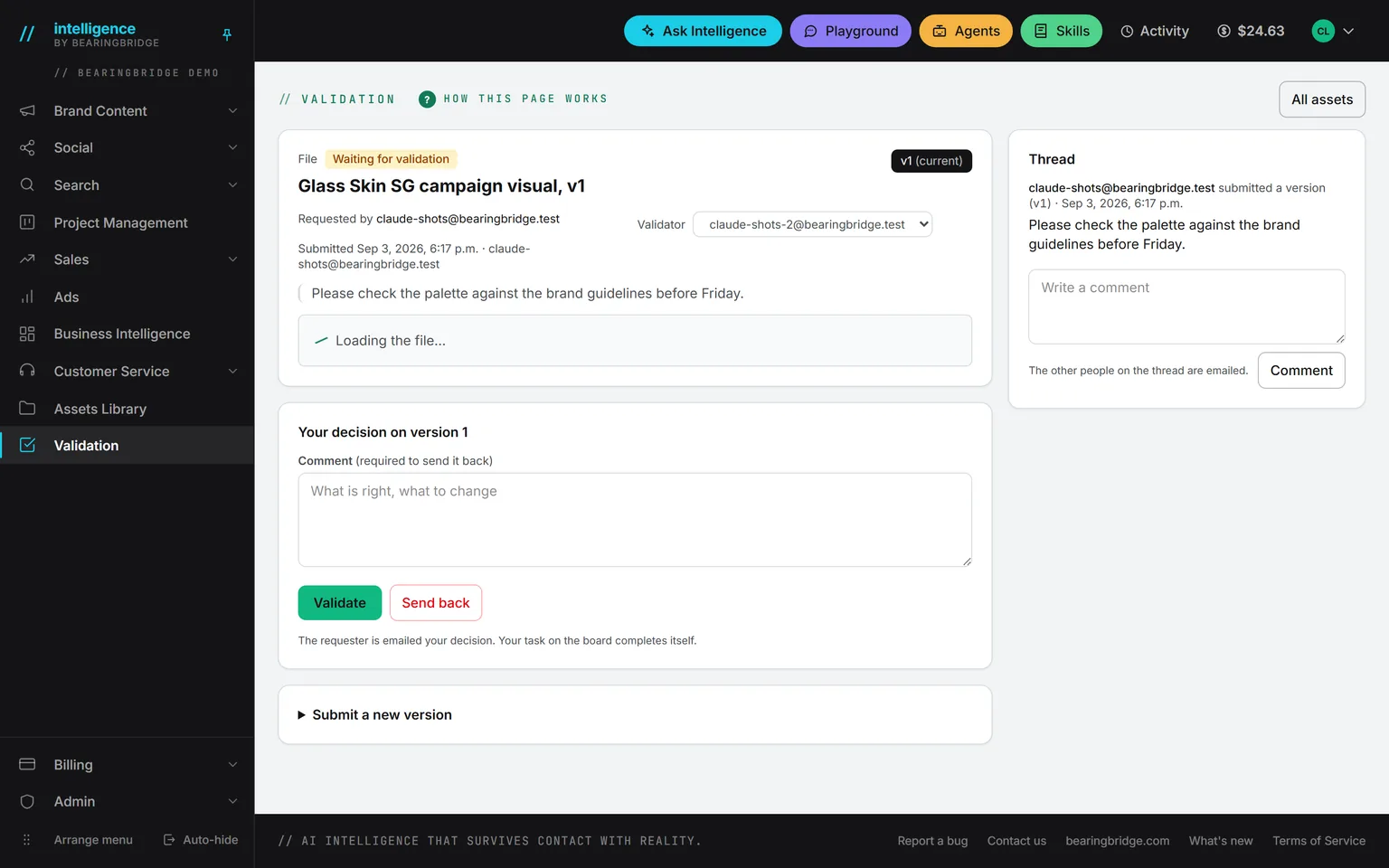
The decision box under a pending asset: a required comment field, Validate in green and Send back in red
The decisionA comment is required, then Validate or Send back. The requester hears about it by mail.

Studio 4 features

Campaigns

The texts, images, videos, posts, and documents of one launch under a name and a brief, read whole by Ask Intelligence, agents, and writing forms.

Open Campaigns
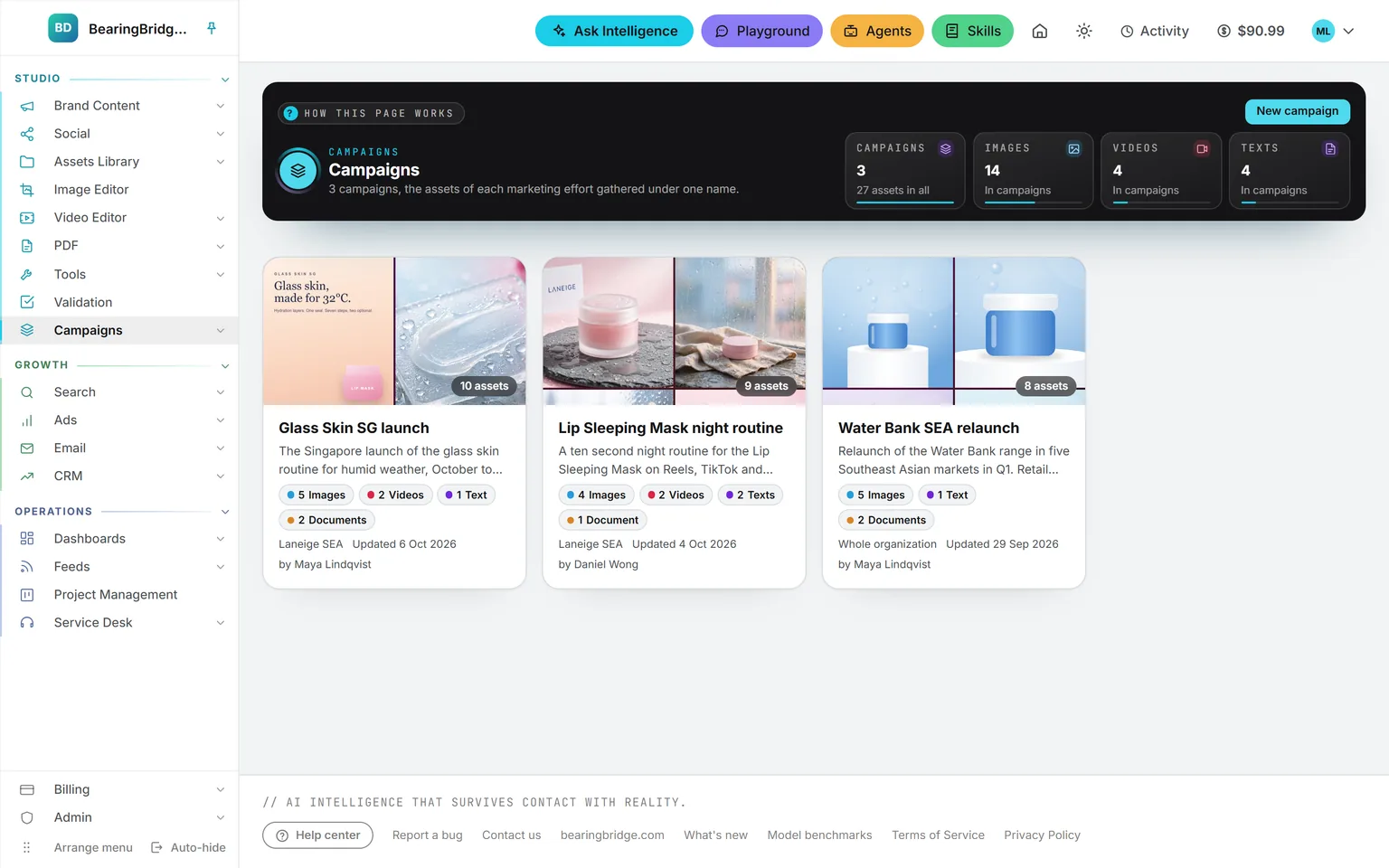
The Campaigns page: the band counting three campaigns and the images, videos, and texts inside them, and a card per campaign with its pictures, brief, count per type, brand, and author
One card per campaignEach campaign with its pictures, its brief, a count per type, its brand, and who created it.
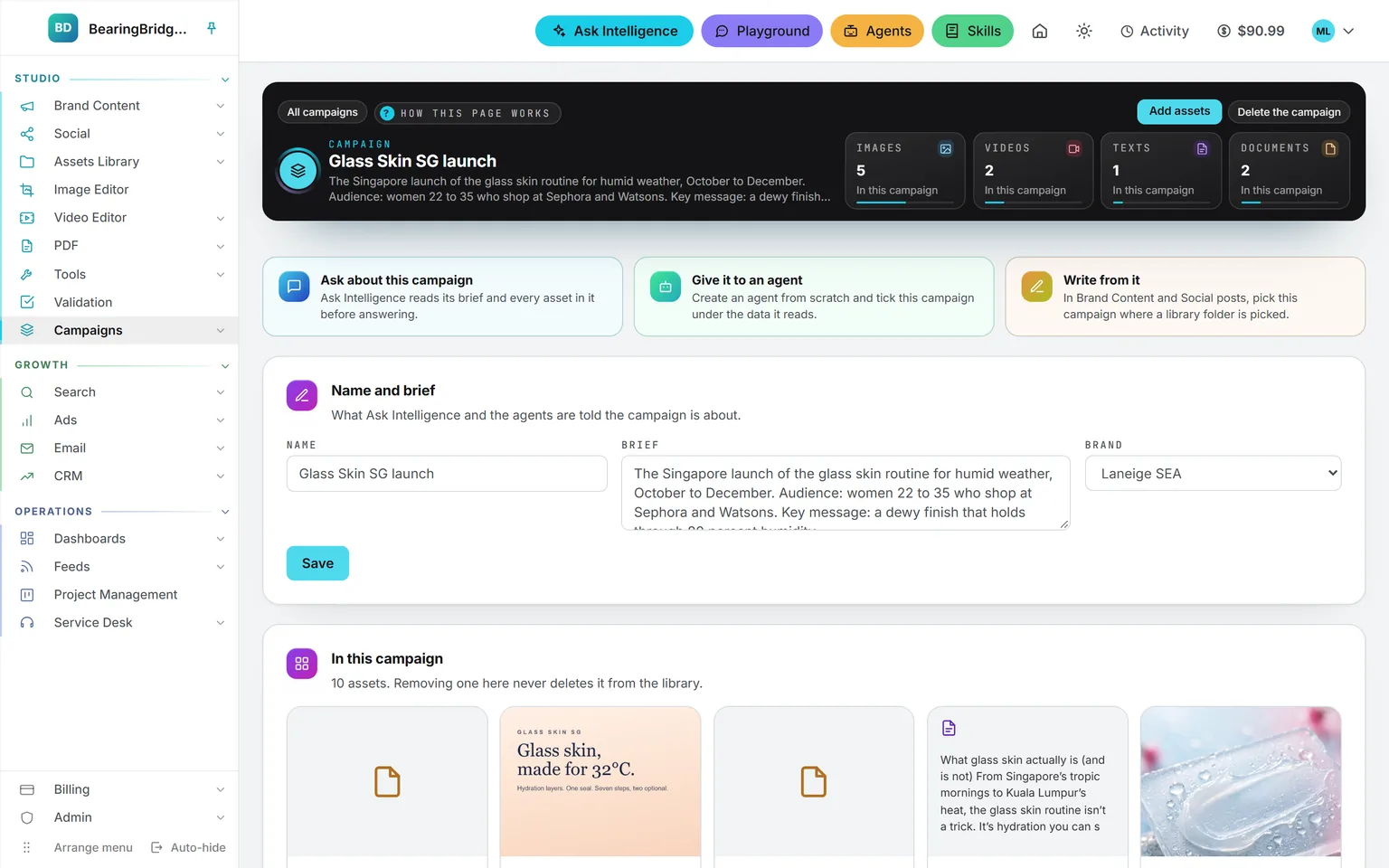
The Glass Skin SG launch campaign: its brief and a tile per type in the band, three cards to ask about it, give it to an agent, or write from it, and the Name and brief card with its brand
The campaign pageThe brief, a tile per type, and every asset with a link back to the module that made it. Removing one never deletes it from the library.
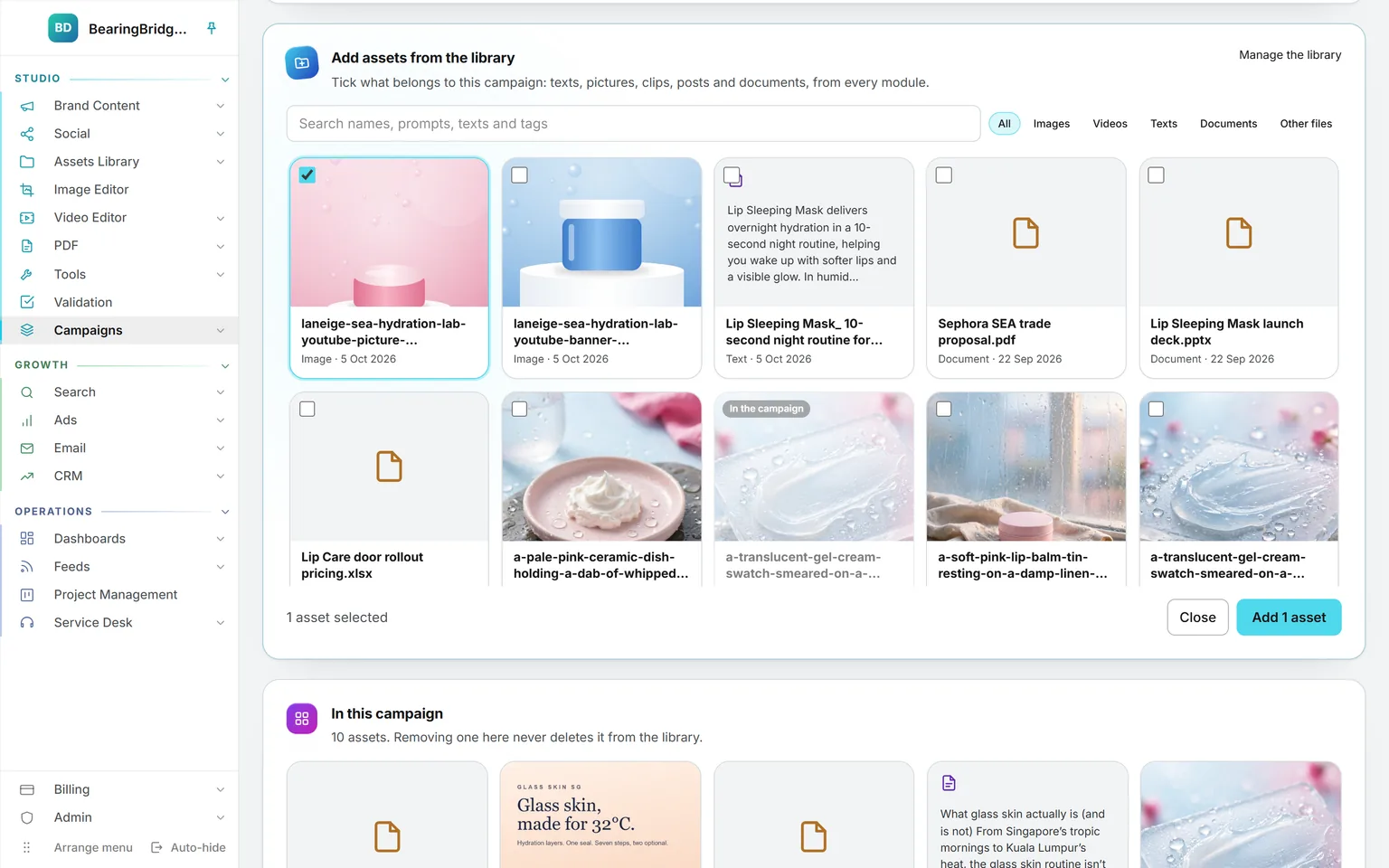
Add assets from the library open on a campaign: the search box, a filter per type, and assets of the library with one picture ticked and one already marked as in the campaign
Add assets from the librarySearch names, prompts, texts, and tags, keep one type, and tick what belongs. Nothing is copied.
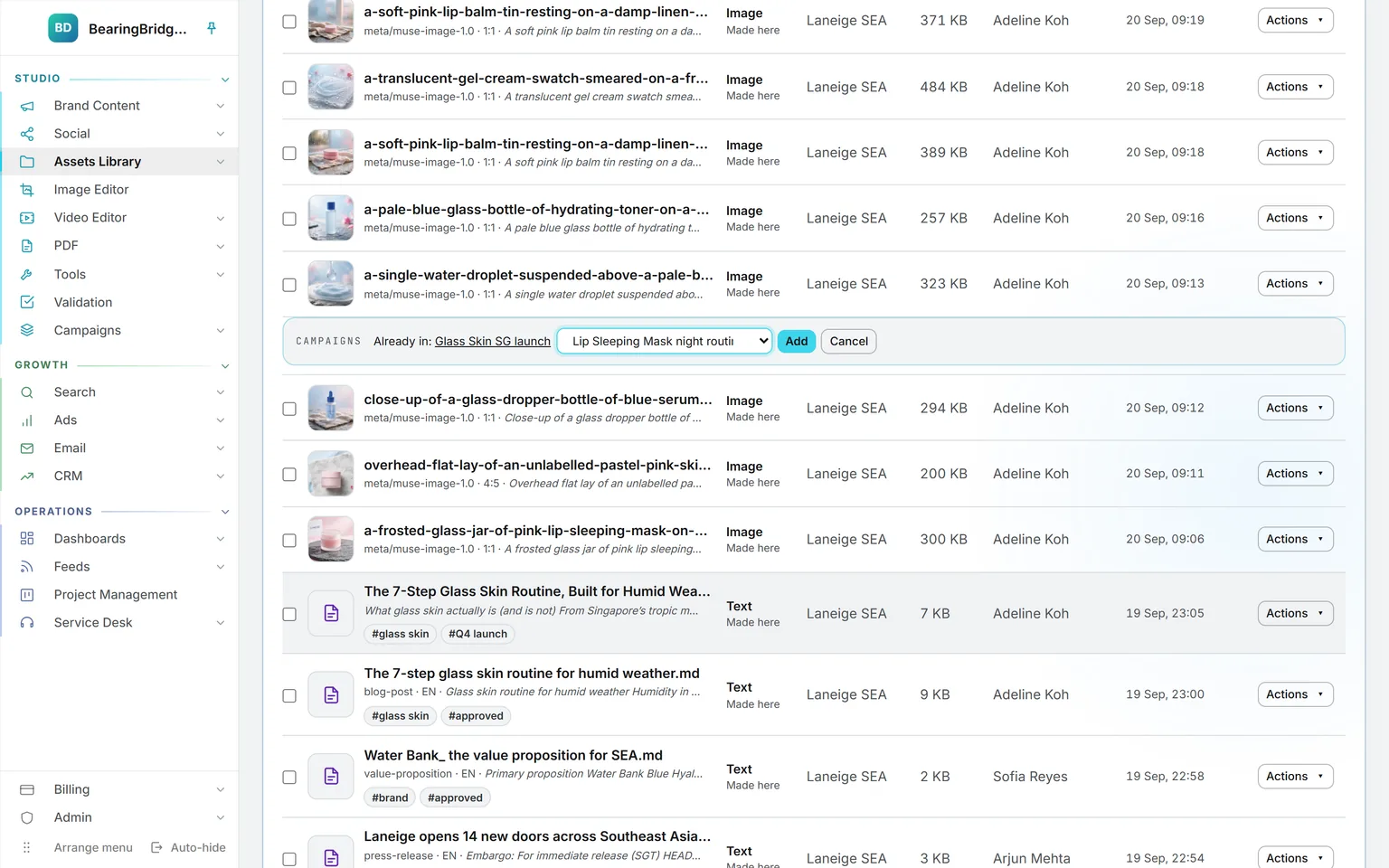
The campaign strip open under a picture in the Assets Library: already in Glass Skin SG launch, a list offering another campaign, and the Add button
From the Actions menuAdd any asset of the library to a campaign, or start a new campaign from it on the spot.

Growth 3 features

Ads

Google Ads and LinkedIn Ads read live from your own accounts, changed from here after a check, with AI keyword research and suggestions for Google Ads.

Open Ads
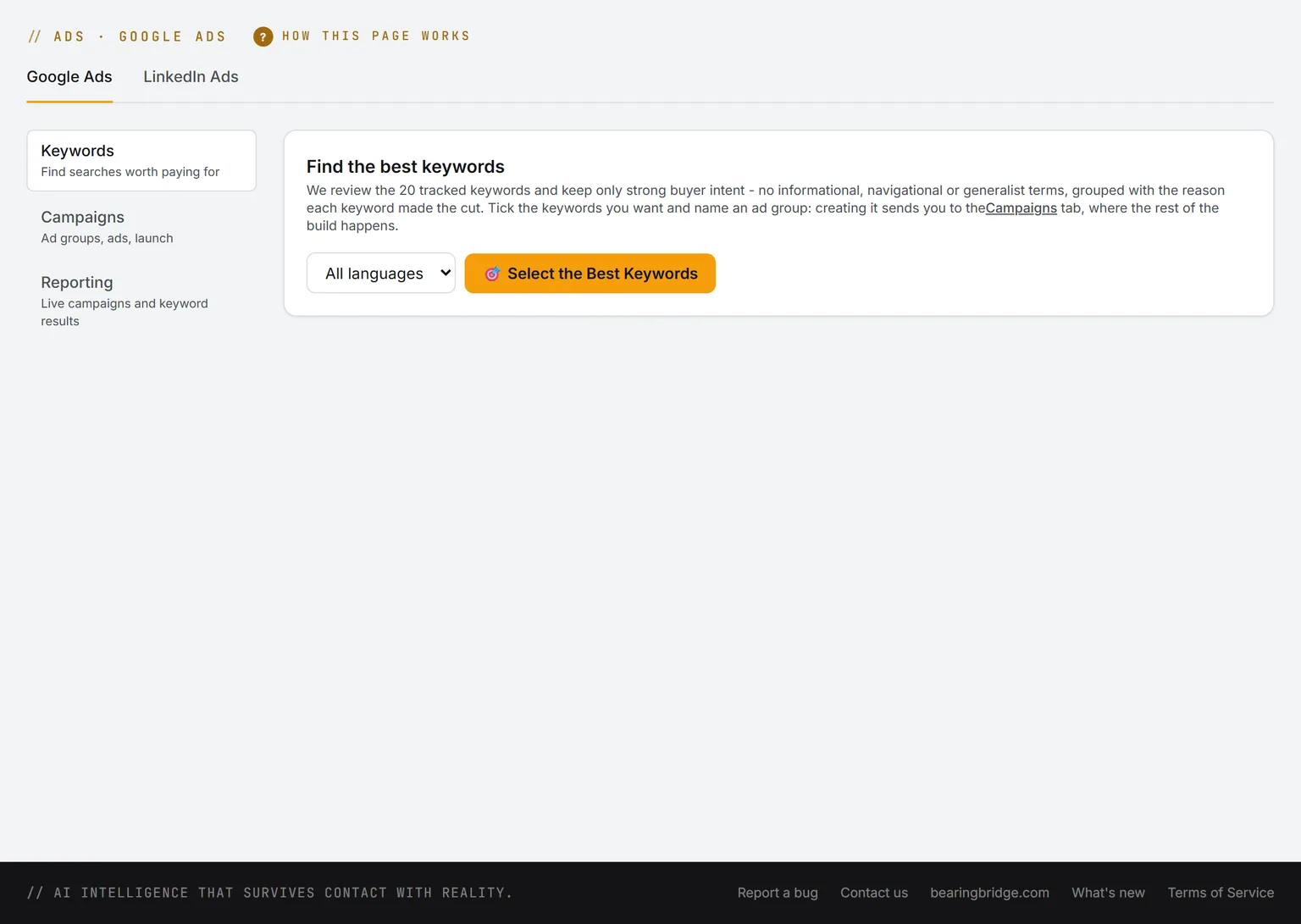
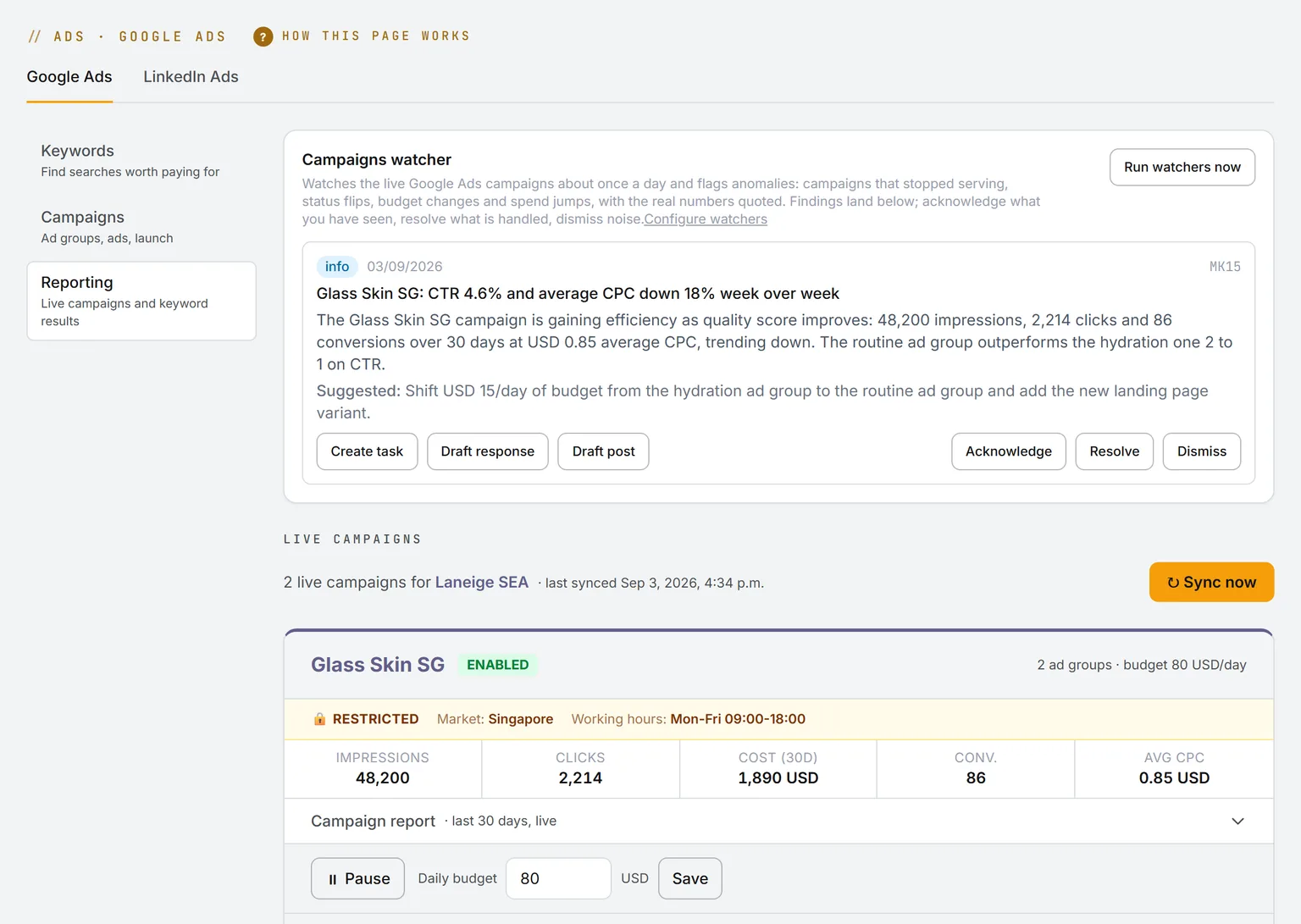
Google Ads Keywords for Laneige SEA: the keyword pool and its three sources, the SEO keywords tracked for the brand, Search Console and your own keywords, each with its switch, above the box for typing your own
Keywords and AI FindingA pool of the keywords you track in Search, your Search Console searches and your own list. AI Finding keeps the buying searches, groups them into ad groups and says what it left out.
The Campaigns tab of Google Ads before an account is connected: sign in with the Google account that reaches your Google Ads account, tick the accounts you manage, then come back, everything is read live from Google
Your own ad accountEach person signs in with the Google account that already reaches their Google Ads accounts and ticks the ones they manage. Every page then reads them live.
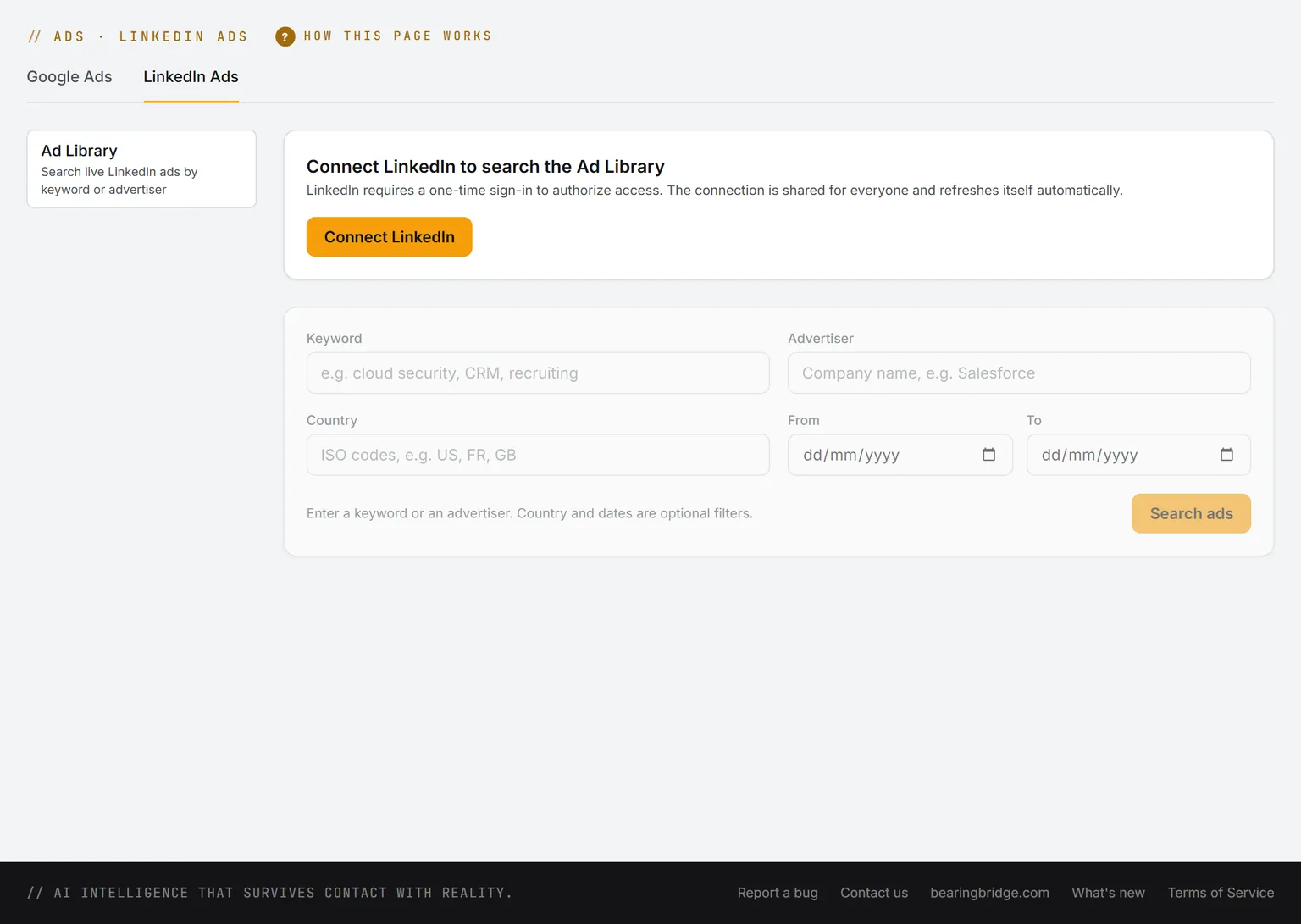
The Ad Library tab of LinkedIn Ads: the card for connecting LinkedIn, then the keyword, advertiser, country and date filters
LinkedIn Ad LibrarySearch the public library by keyword or advertiser, country and dates: who ran each ad, who paid, when, and the impressions and targeting LinkedIn discloses.

Growth 7 features

Email

Answers drafted in your own Gmail or Outlook, one email for a whole list, prospects kept in lists, and sequences that stop on a reply.

Open Email
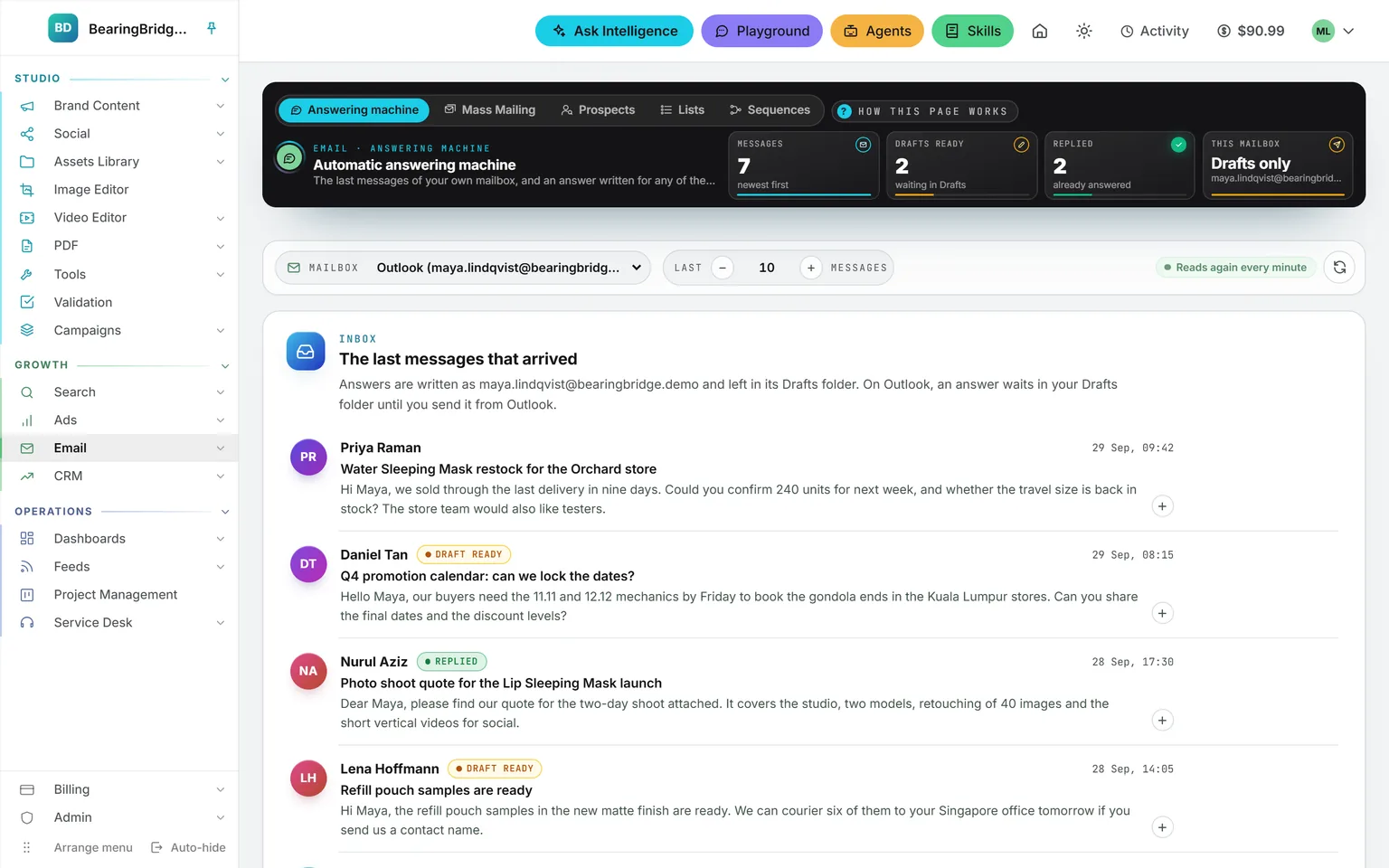
The Automatic answering machine of an Outlook mailbox: seven messages, two drafts ready and two replied in the band, and the inbox listing a restock request, a promotion calendar question, a photo shoot quote and a sample request, each with its state
Answering machineYour own Gmail or Outlook, read live, every message with where it stands. Answers are written into your Drafts, never sent behind your back.
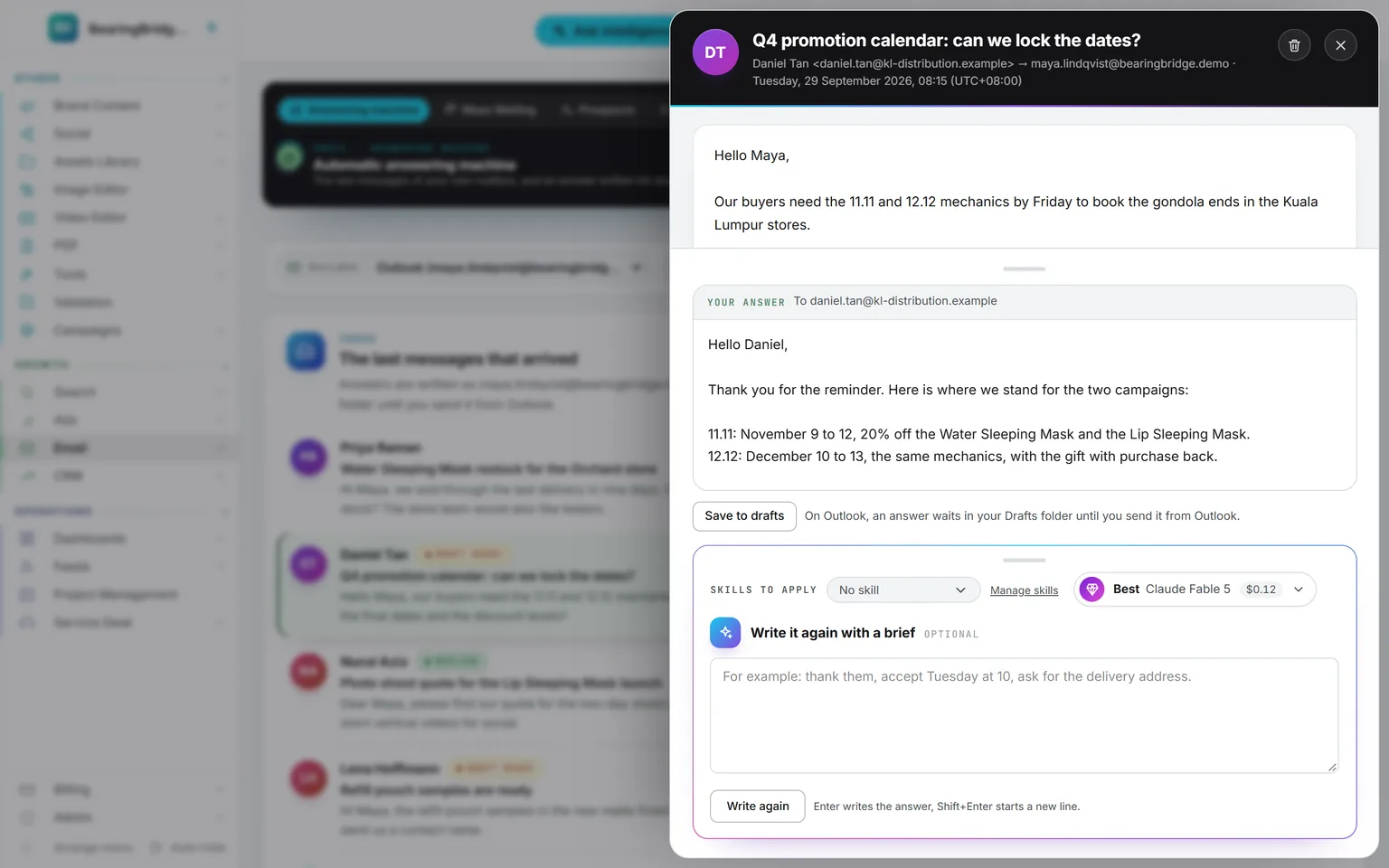
A message about the 11.11 and 12.12 mechanics open in the pane, with the answer written underneath, addressed to the sender and saved to Drafts, and the box to write it again with a brief
The answer, in DraftsOpen a message and the answer sits underneath, addressed to the sender and saved to Drafts, with a box to write it again from a brief.
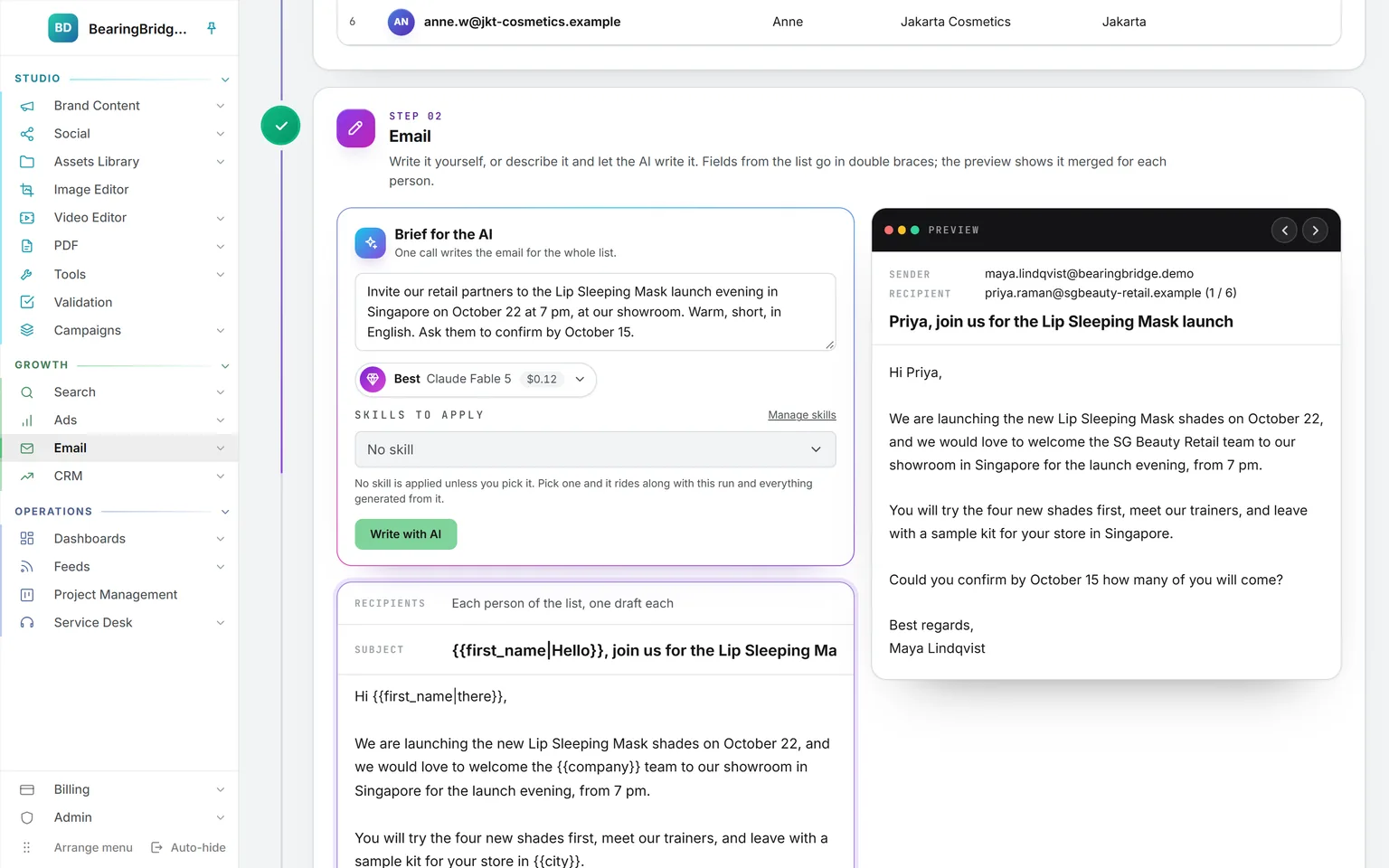
Step 02 of Mass Mailing: the brief for the AI, the model and skills, the email with its first name and company fields, and the preview merged for the first recipient
Mass MailingA brief for the AI, fields such as first name and company in the email, and a preview merged for each recipient before the drafts are made.
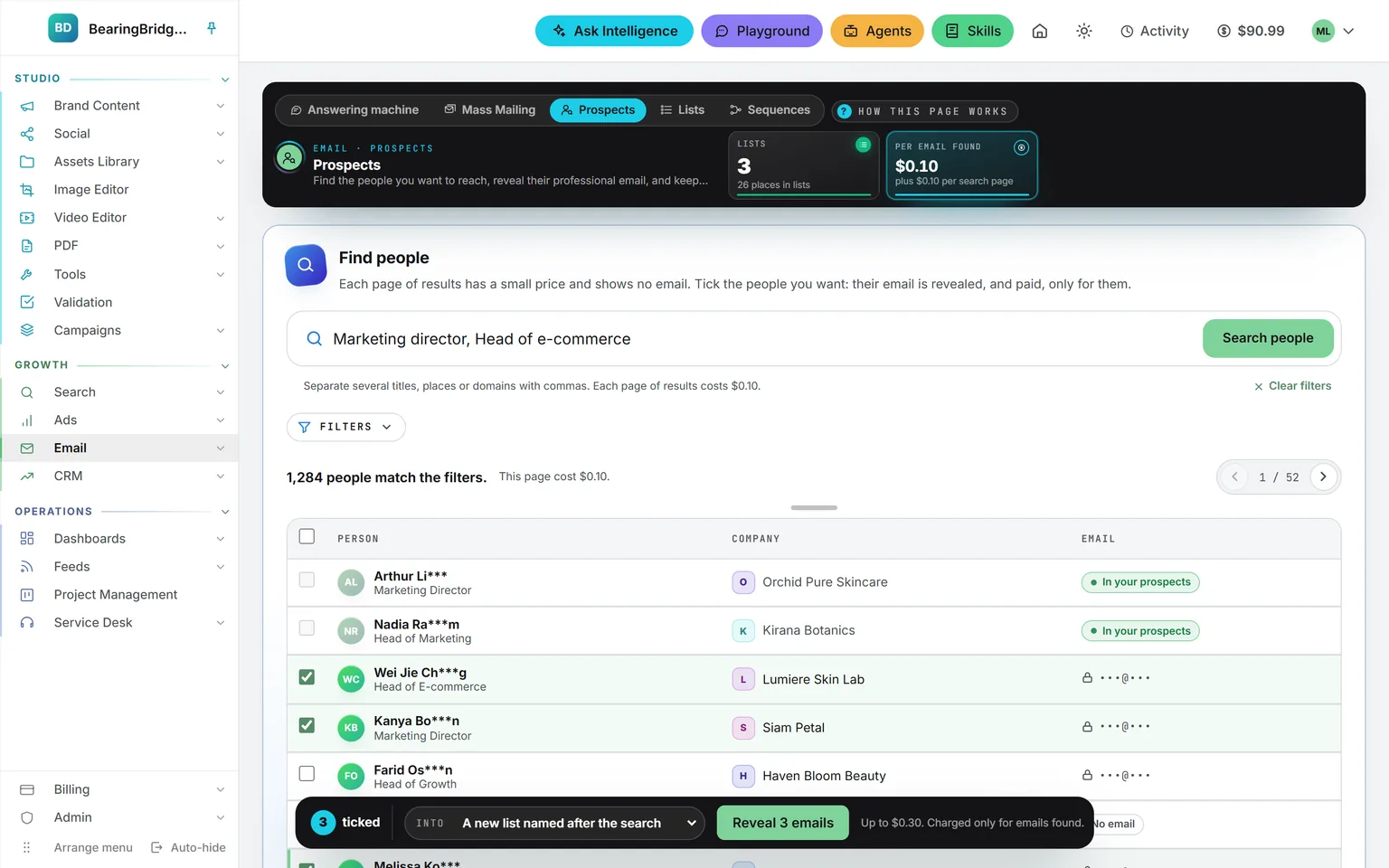
A search for marketing directors and heads of e-commerce: 1,284 people match, each with a job title and company, the email hidden behind a lock, people already held marked In your prospects, and three ticked in the bar that reveals them
ProspectsSearch over 240 million people by title, seniority, company, place and size. Emails stay hidden until you reveal the people you tick into a list.
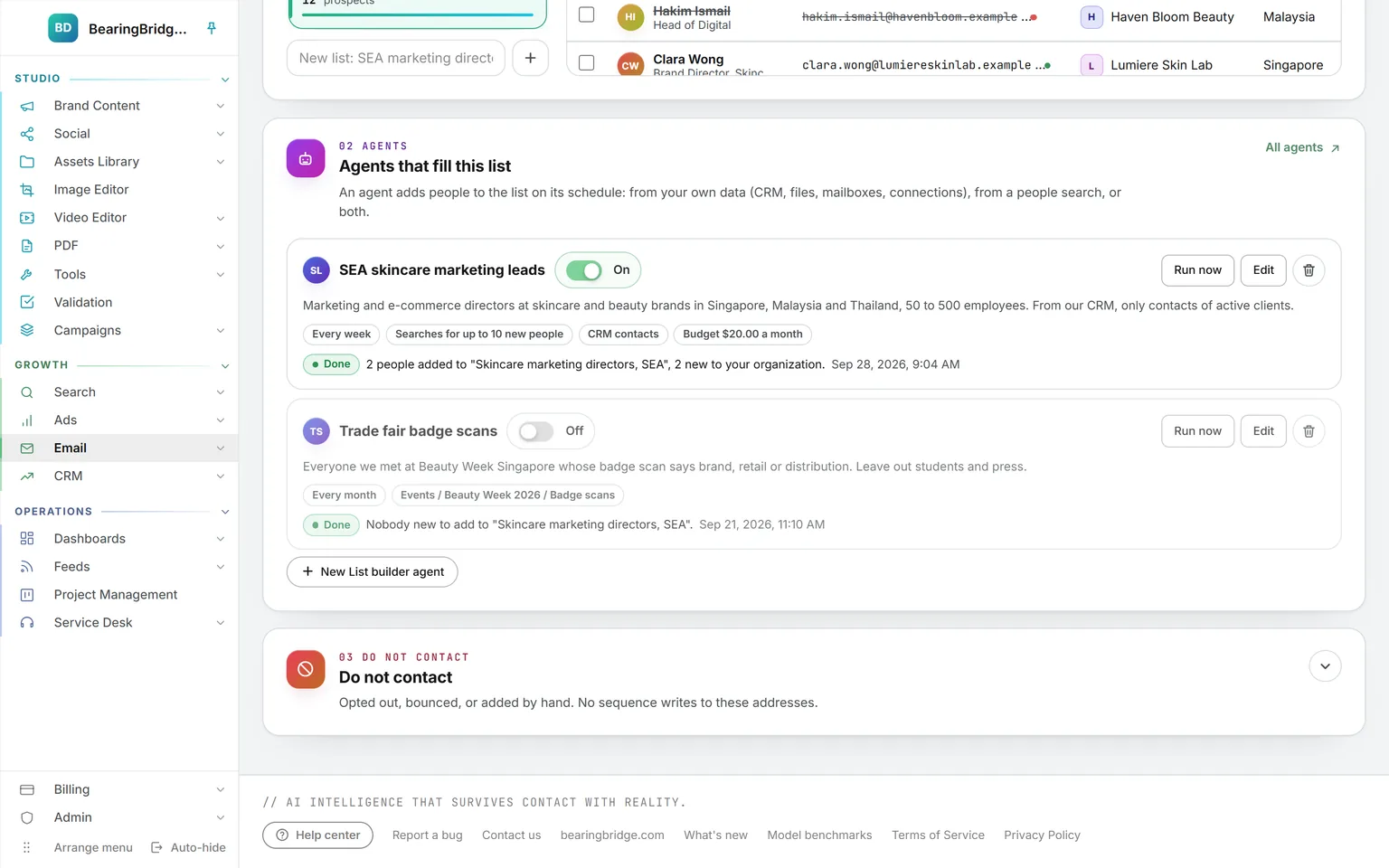
Two List builder agents on a list: one switched on, looking for marketing and e-commerce leads from the CRM and a people search, up to ten new people a week, one switched off, reading trade fair badge scans
Lists and their agentsFill a list from a file, pasted addresses, a people search or your CRM contacts, then let a List builder agent add new people within the limit you set.
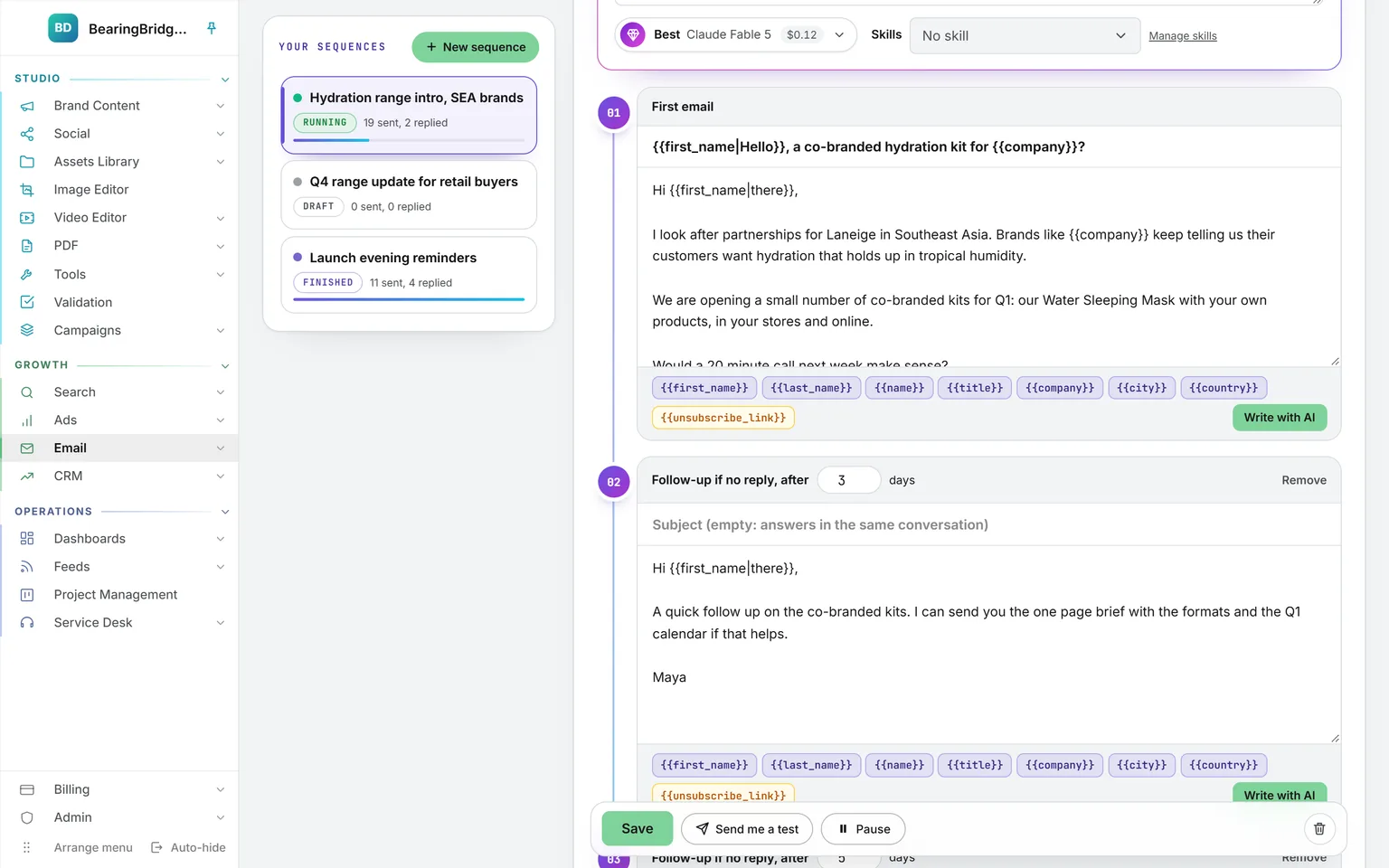
The steps of a running sequence down a timeline: a first email about a co-branded hydration kit with its fields, then a follow-up three days later in the same conversation, each with Write with AI
SequencesA first email, then follow-ups in the same conversation, sent from your own mailbox inside a daily cap and a sending window.
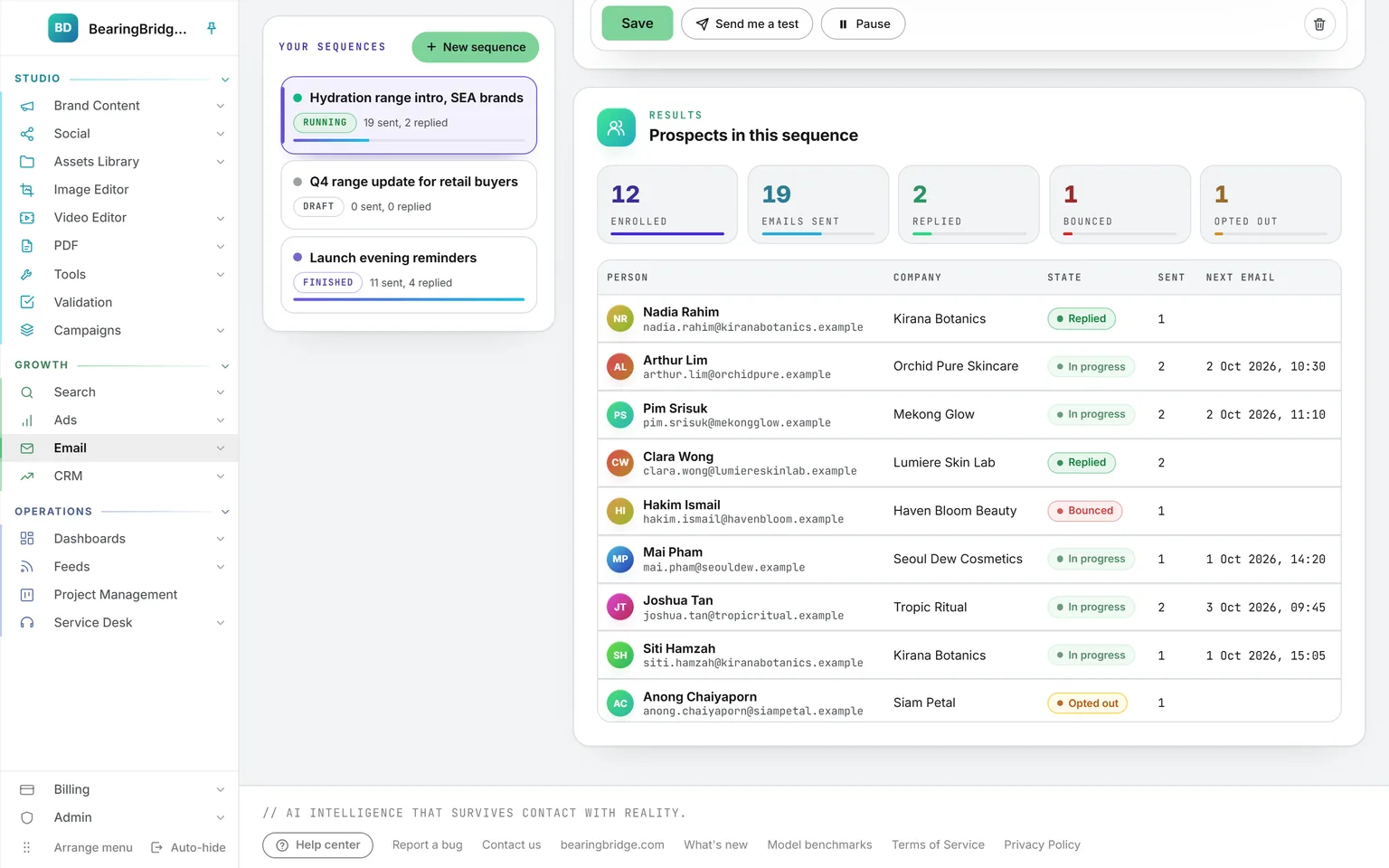
The people of a running sequence: 12 enrolled, 19 emails sent, 2 replied, 1 bounced and 1 opted out, then each person with their company, state and the steps sent
People in a sequenceEmails sent, replies, bounces and opt-outs, then each person with their company, their state and the steps they received.

Growth 5 features

CRM

A pipeline with the next step pinned on every deal, a flag on the deals that have gone quiet, and every amount in two currencies.

Open CRM
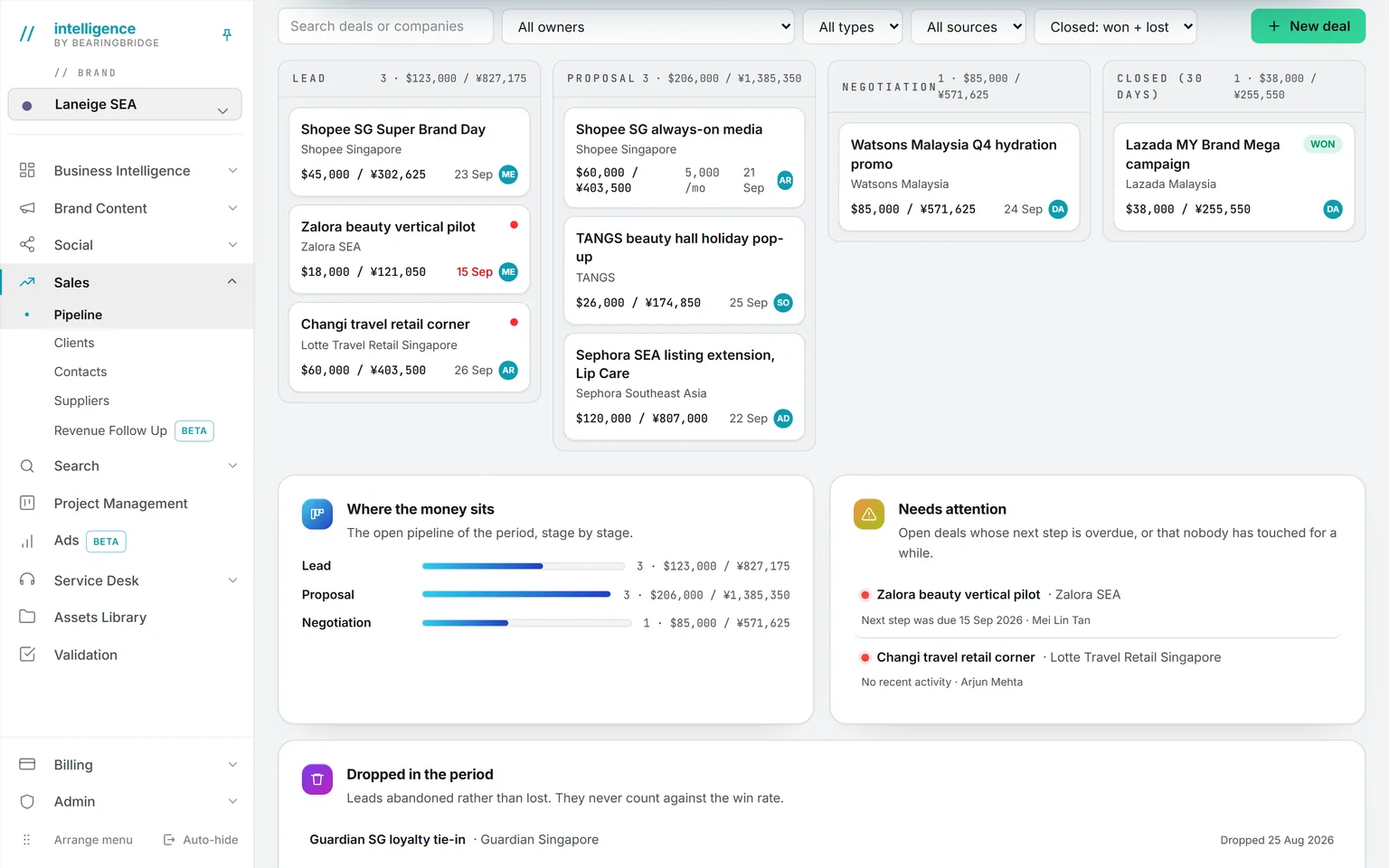
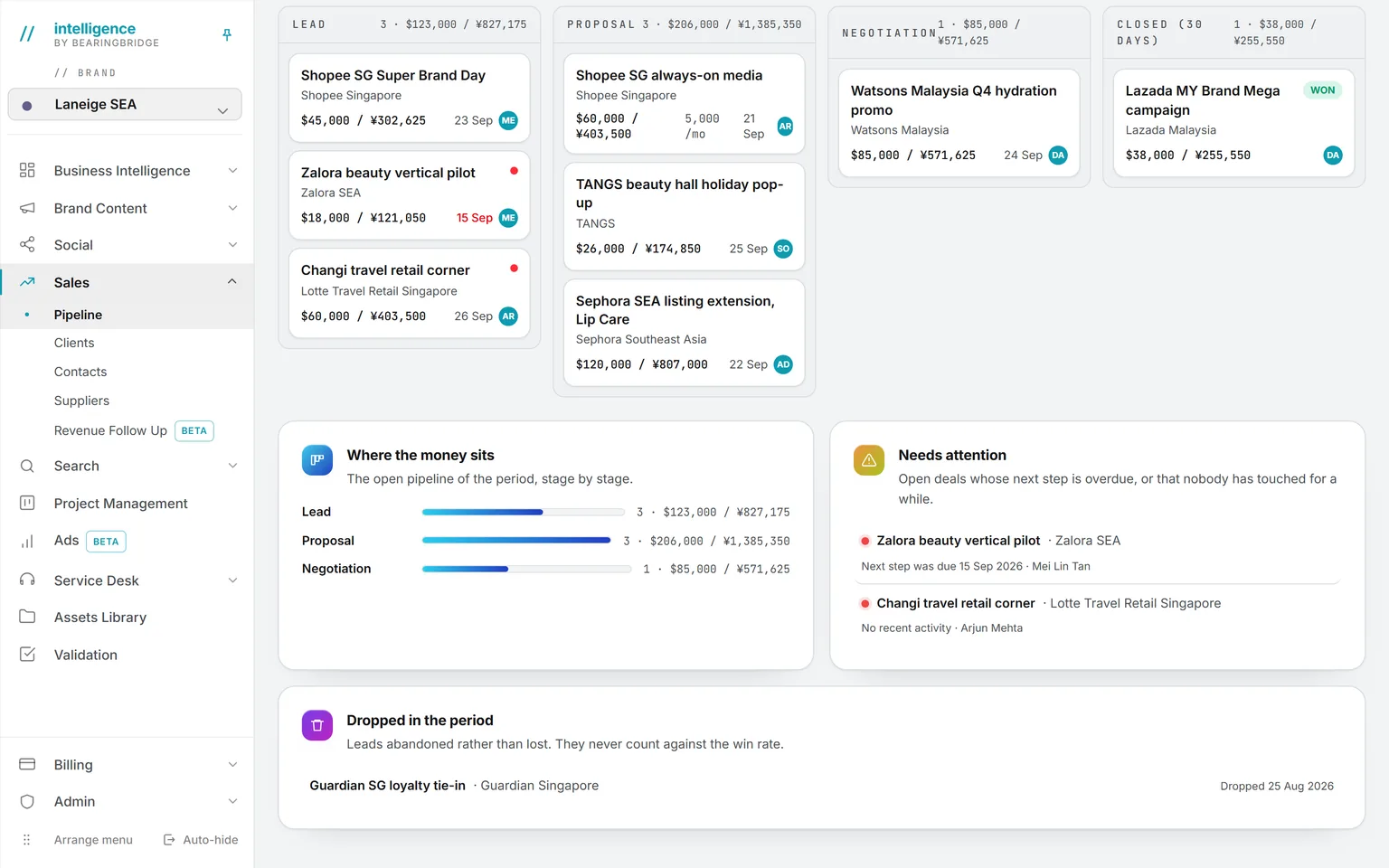
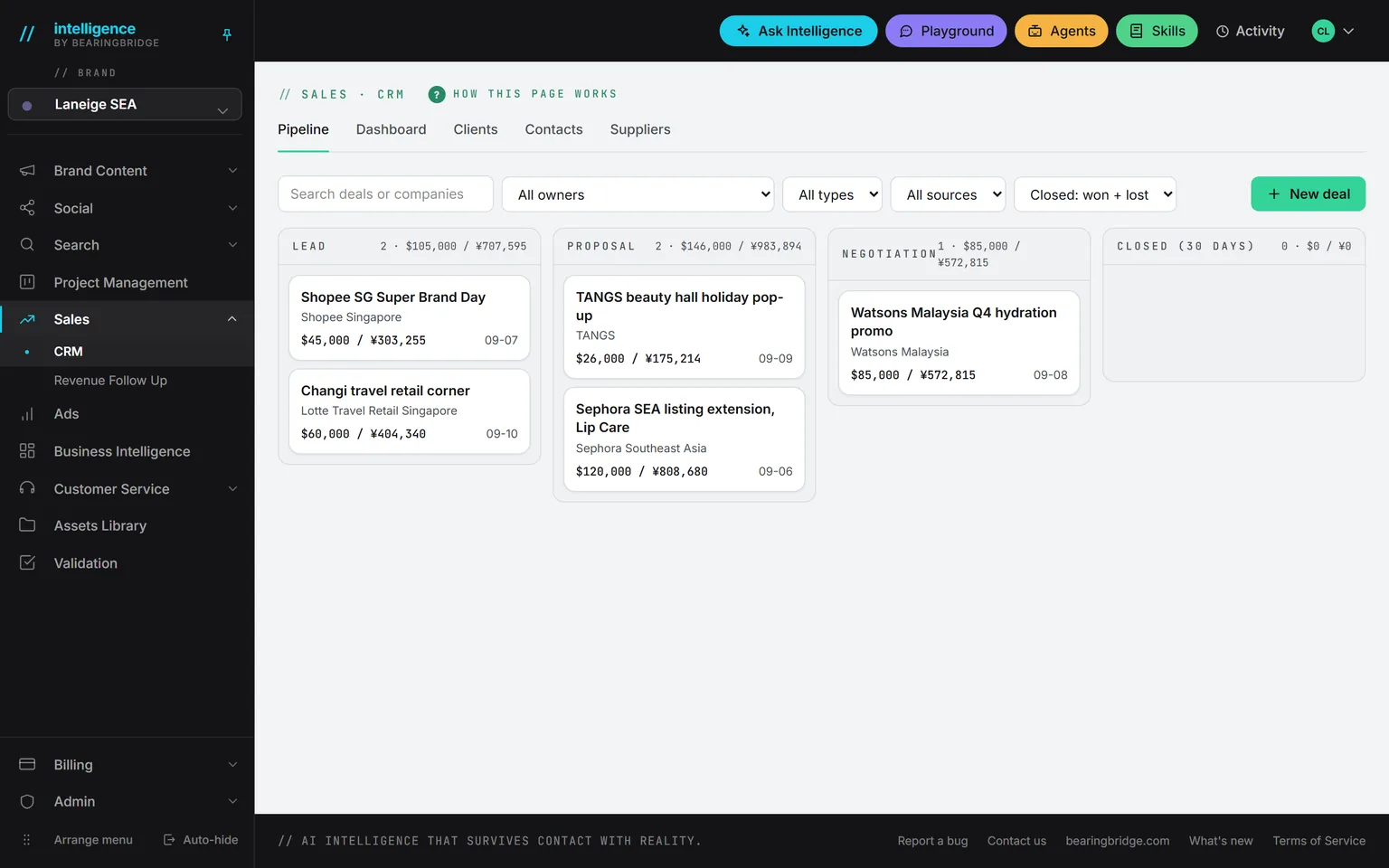
The board: deal cards in four columns, amounts in US dollars with yuan beside them, a retainer card showing its monthly amount, and a red dot on every open deal, each next step past its date
PipelineLead, proposal, negotiation, closed. Amounts in two currencies, and a red dot on the overdue deals and the quiet ones.
Under the board: open pipeline stage by stage, seven deals that need attention, each with the date its next step was due and its owner, and one lead dropped in the period
The numbers under the boardOpen pipeline stage by stage, the deals that need attention with their owners, and dropped leads in a row of their own, never counted as a loss.
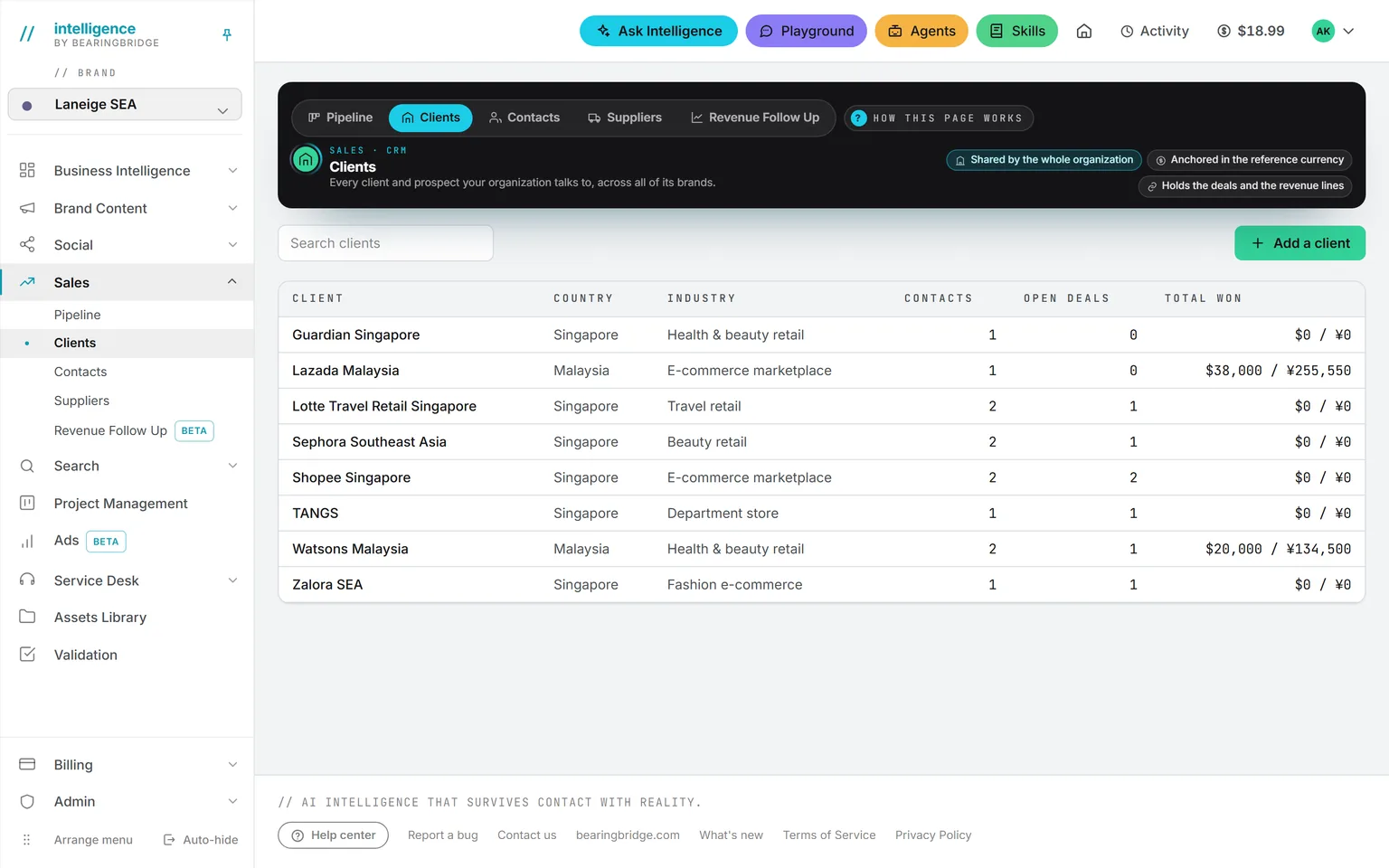
The client list: country, industry, contacts, open deals and total won per client
Clients and contactsClients, contacts and suppliers each on their own list. Every client shows its open deals and its total won.
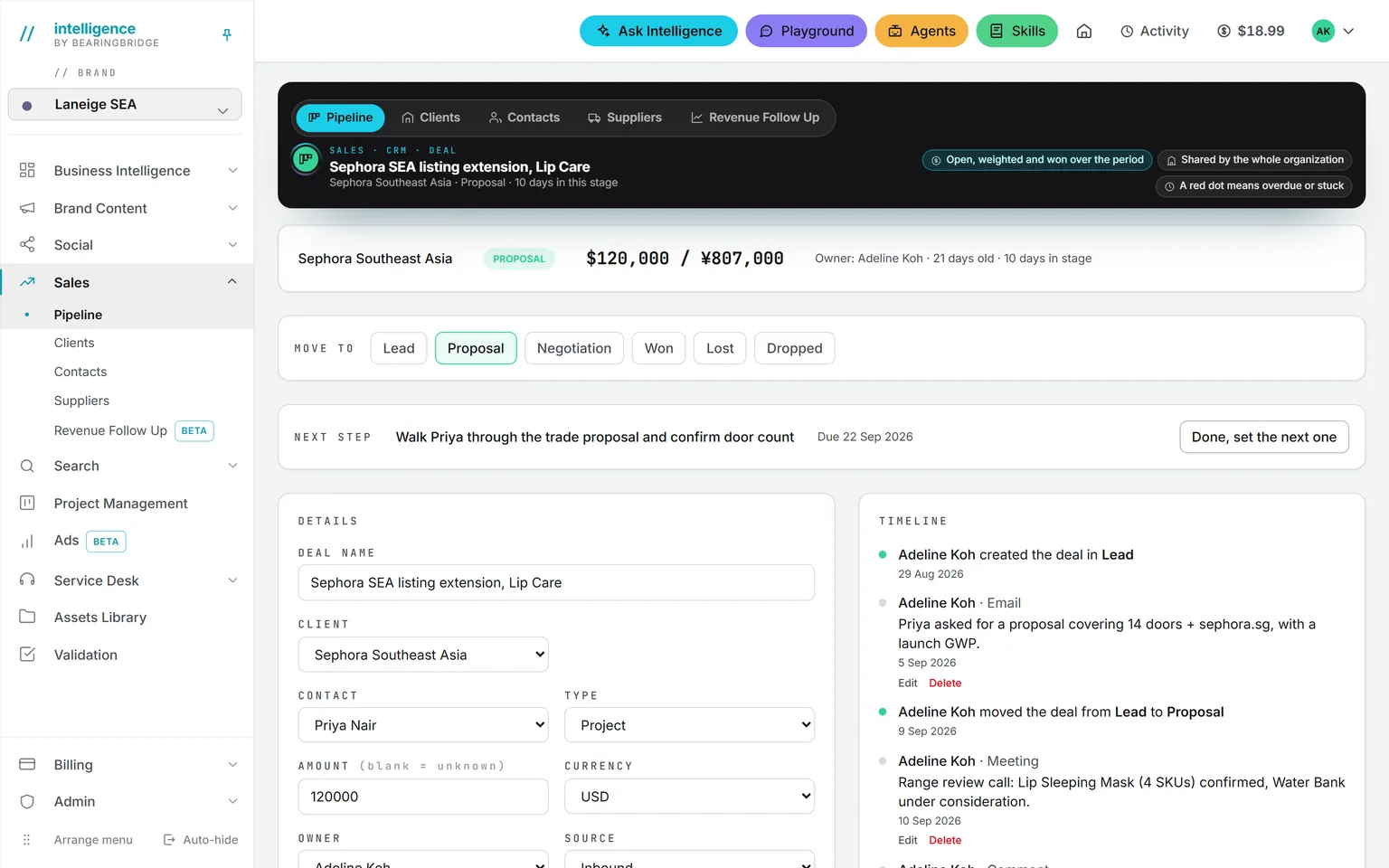
One deal, top of the page: the stage stepper at Proposal, the pinned next step with Done, set the next one, the client and contact fields, and the start of the timeline
The deal pageThe stage stepper, the pinned next step, the client and the contact, then the timeline, the notes, the suppliers and the proposal files.
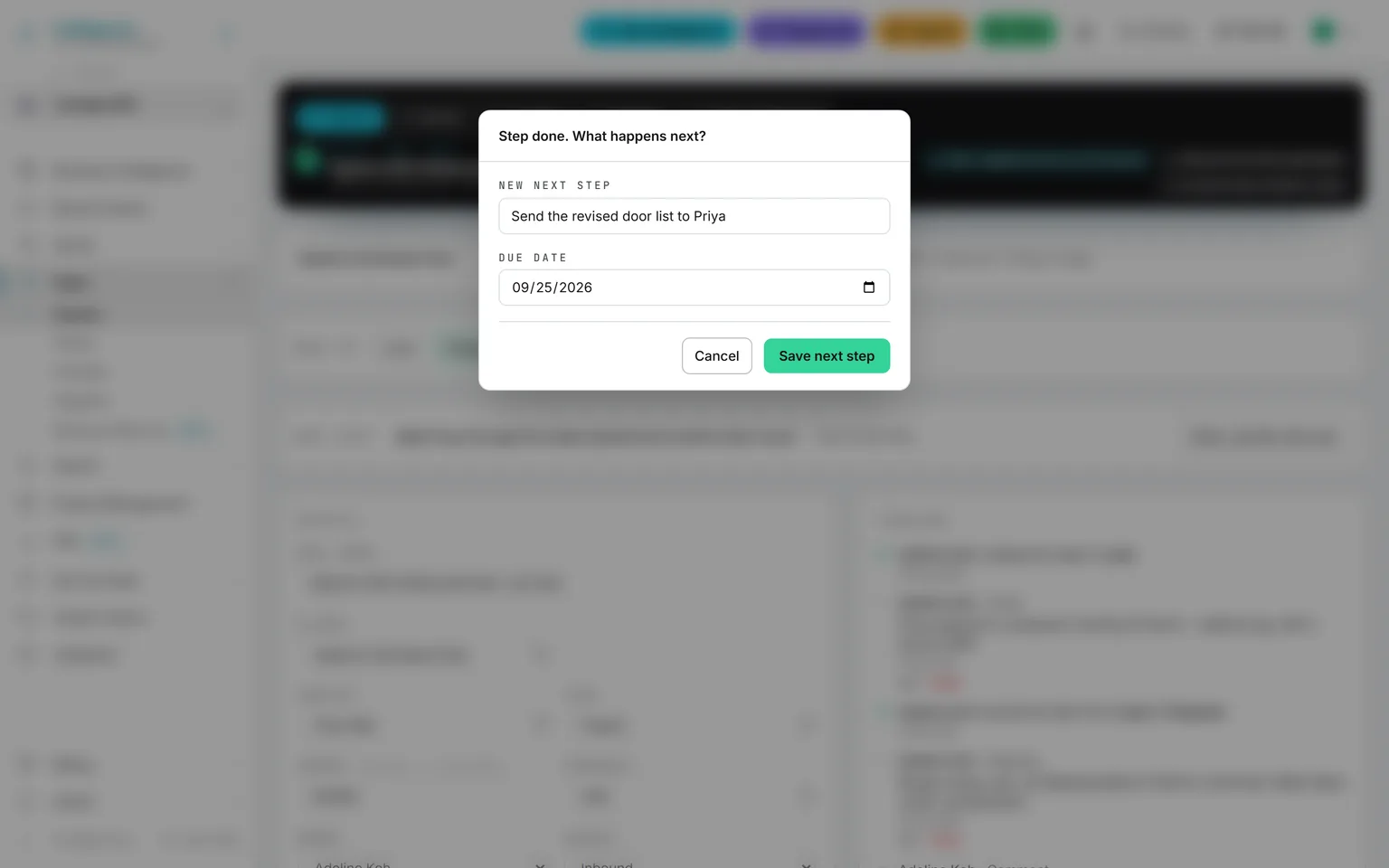
Marking a next step done: a dialog asks for the new next step and its due date before the box closes
A next step, alwaysMark a next step done and the box asks for the new one and its due date before it closes.

Operations 8 features

Dashboards

Five dashboards over what the platform already knows, any dashboard you describe in your own words, and a weekly review that says what moved and why.

Open Dashboards
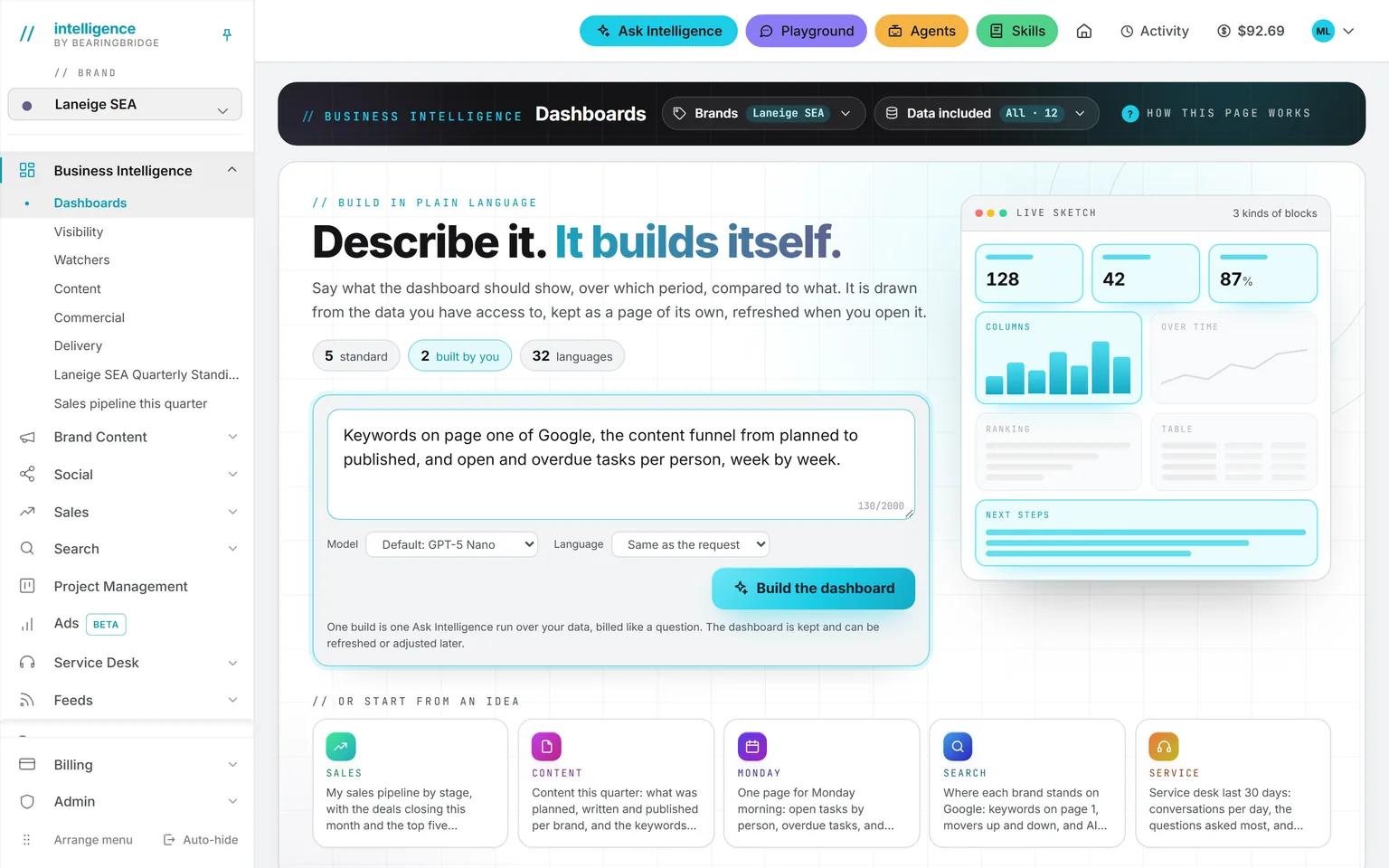
The Dashboards page: a request written in plain words, a live sketch of the blocks it will draw, and the Business Intelligence menu on the left with Dashboards first
Dashboards you describeSay what it should show and over which period, and pick the brands. It is built from your data, kept in your menu, and redrawn when you open it.
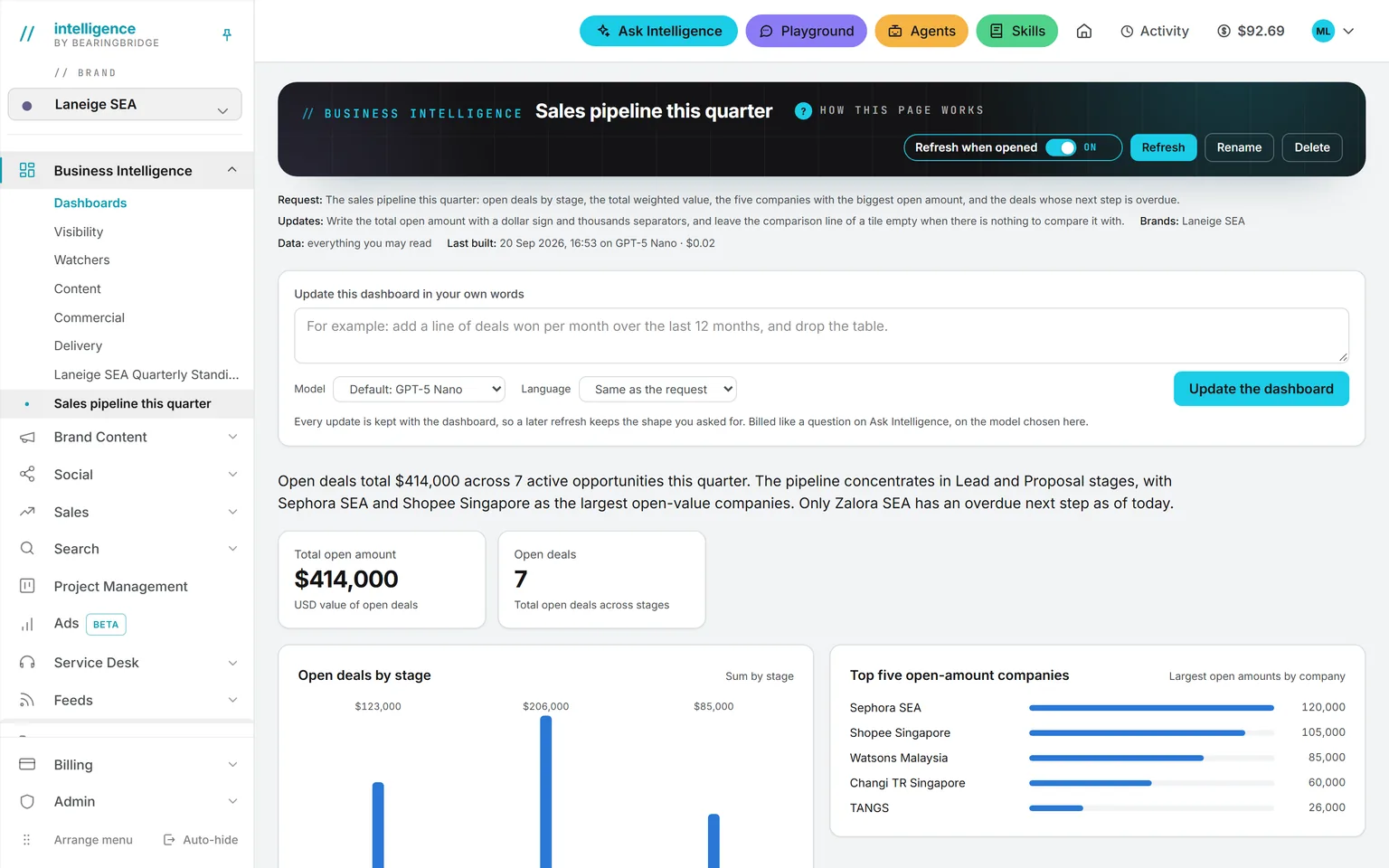
A dashboard built from a sentence: the request and the change asked for since printed under the title with the brands, the data, the model and what the last build cost, a box to update it in plain words, then the open deals, the total open amount, the pipeline by stage and the five largest companies
Your own dashboardThe request stays printed under the title with the brands, the data, the model and what the last build cost. A new sentence changes it and is kept for every build after.
The Visibility dashboard: keywords tracked, ranked on Google, on page one, AI share of voice, cited in AI answers, a rank distribution chart, the biggest moves and AI mentions month by month
VisibilityWhere the brand stands on Google and in AI answers, plus the moves that mattered this week.
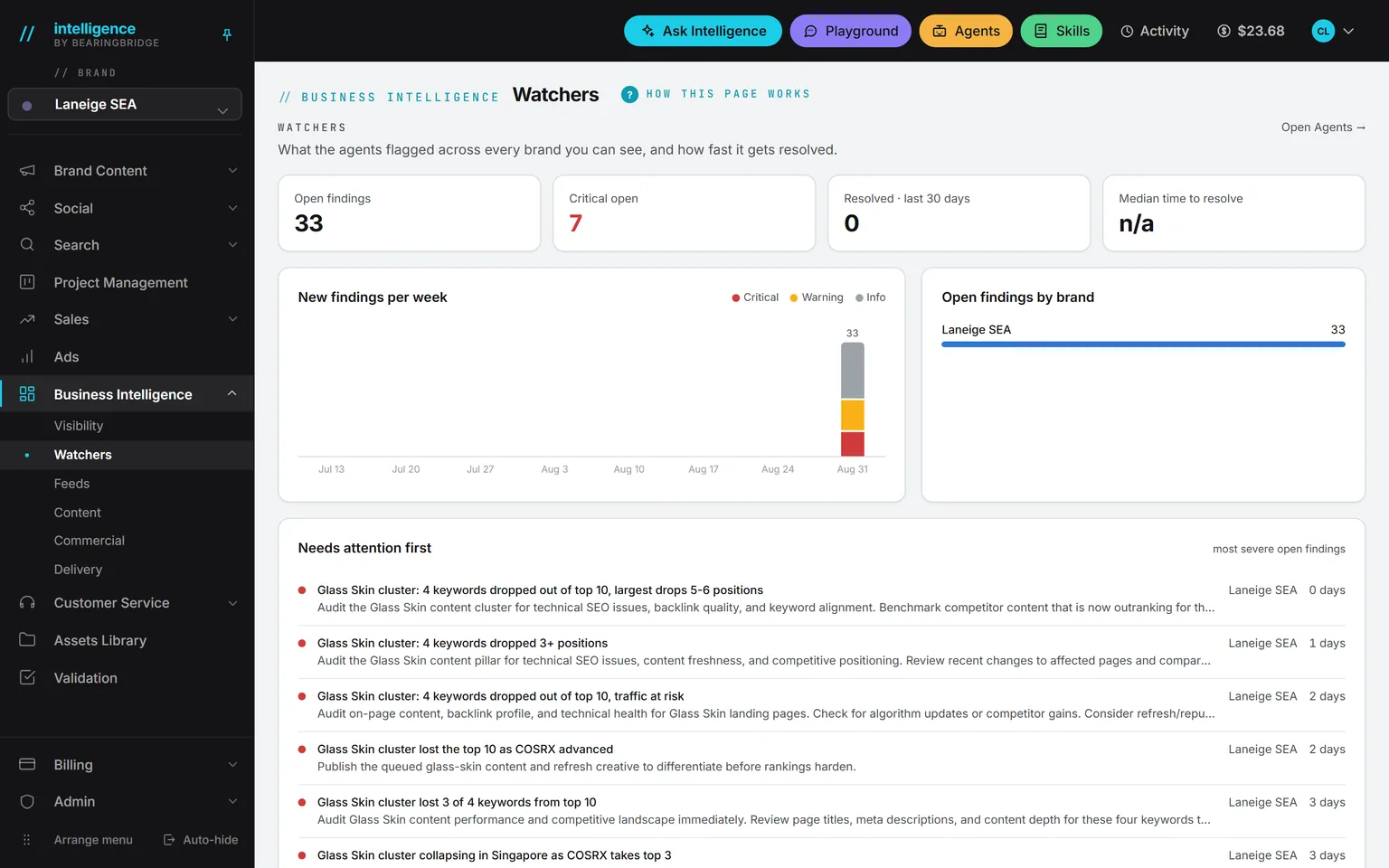
The Watchers dashboard: open findings, critical ones, resolved in the last 30 days, the median time to resolve, new findings per week and the ones that need attention first
WatchersWhat the agents flagged across every brand you can see, how severe it was, and how many days it took to close.
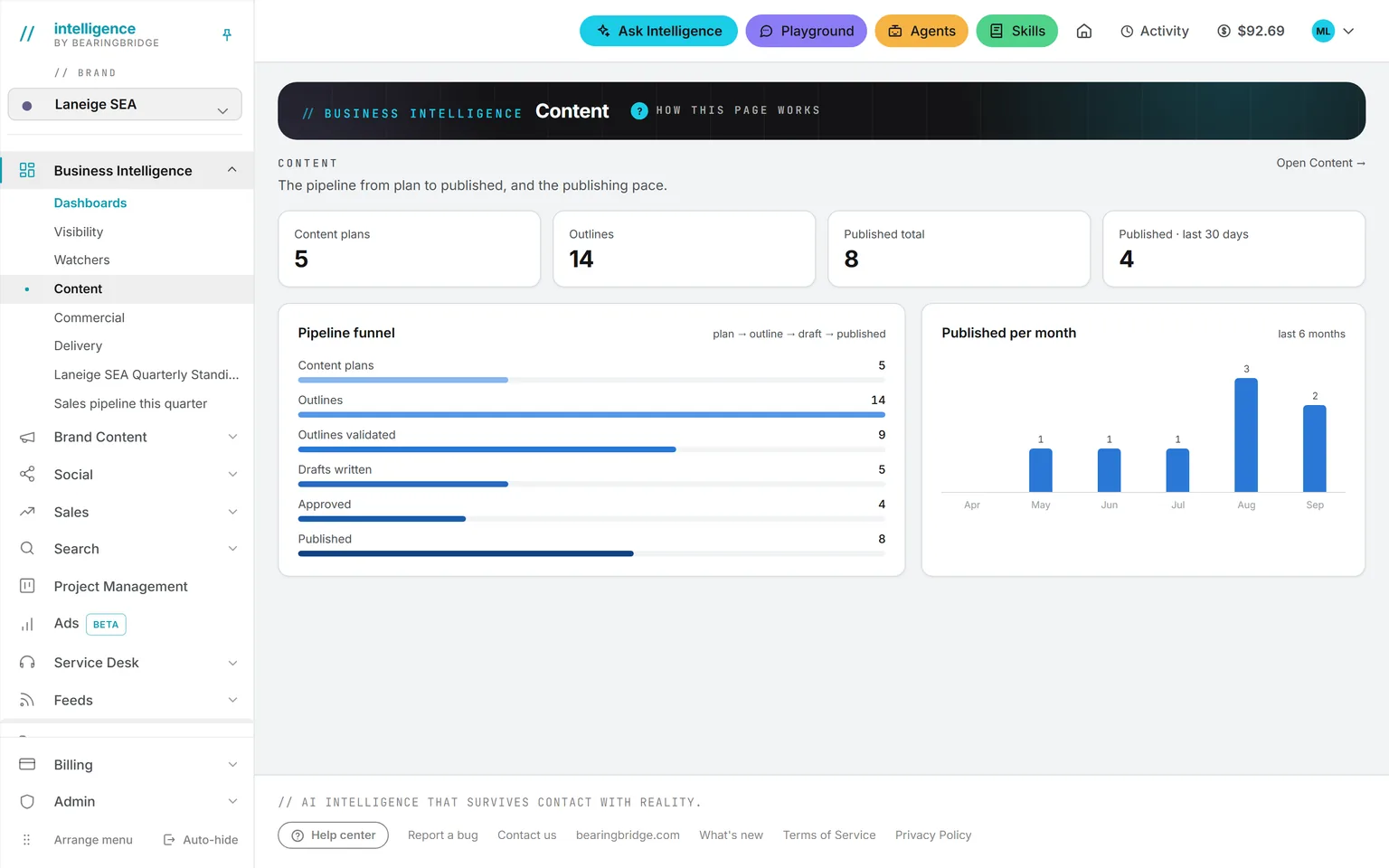
The Content dashboard with the plan to outline to draft to published funnel and the published per month chart
ContentPlan, outline, draft, published. The step where the work stalls is the widest bar.
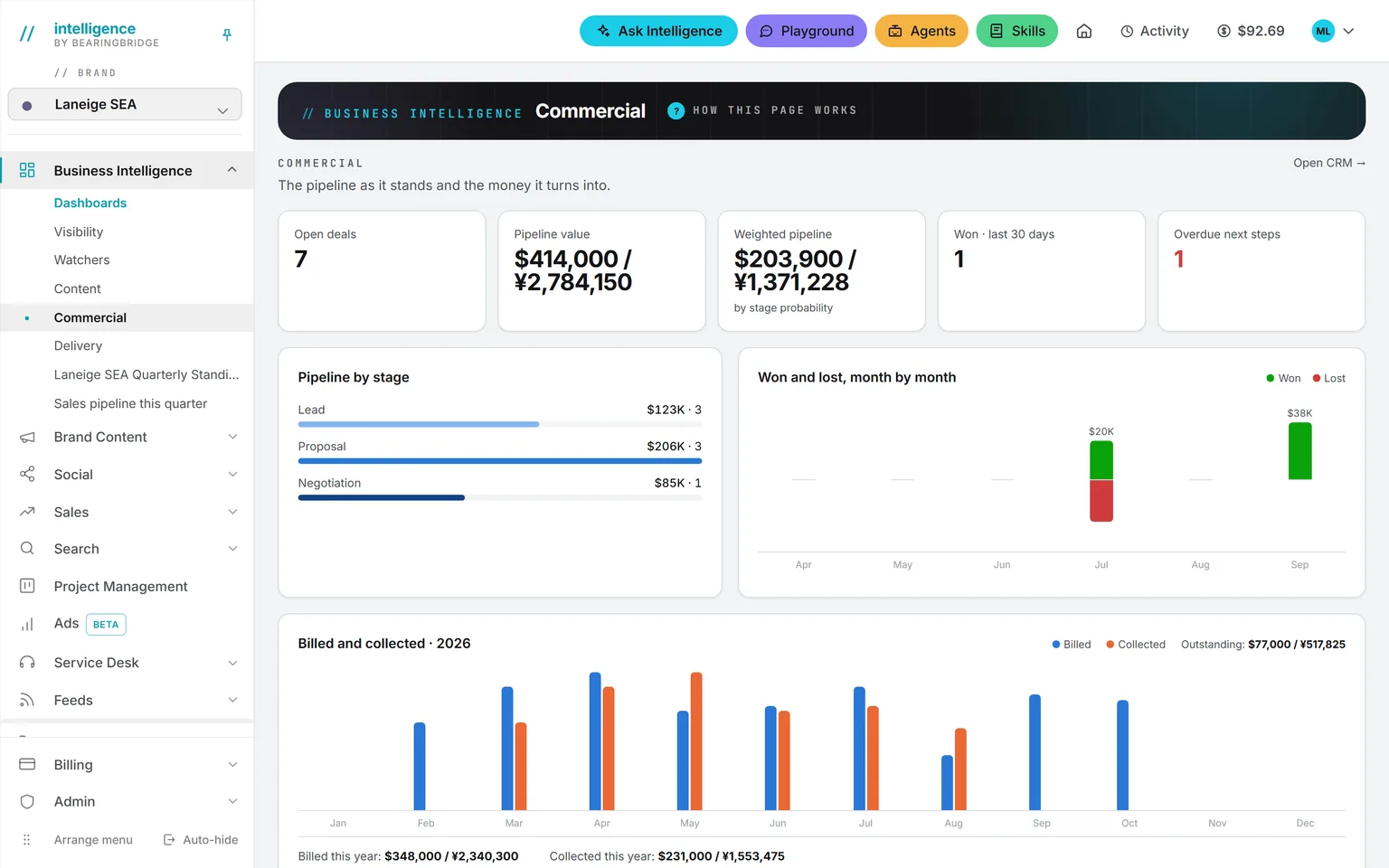
The Commercial dashboard: open deals, pipeline value, weighted pipeline, won in the last 30 days, overdue next steps, the pipeline by stage, and won and lost month by month
CommercialThe pipeline as numbers, the weighted forecast, and won and lost month by month.
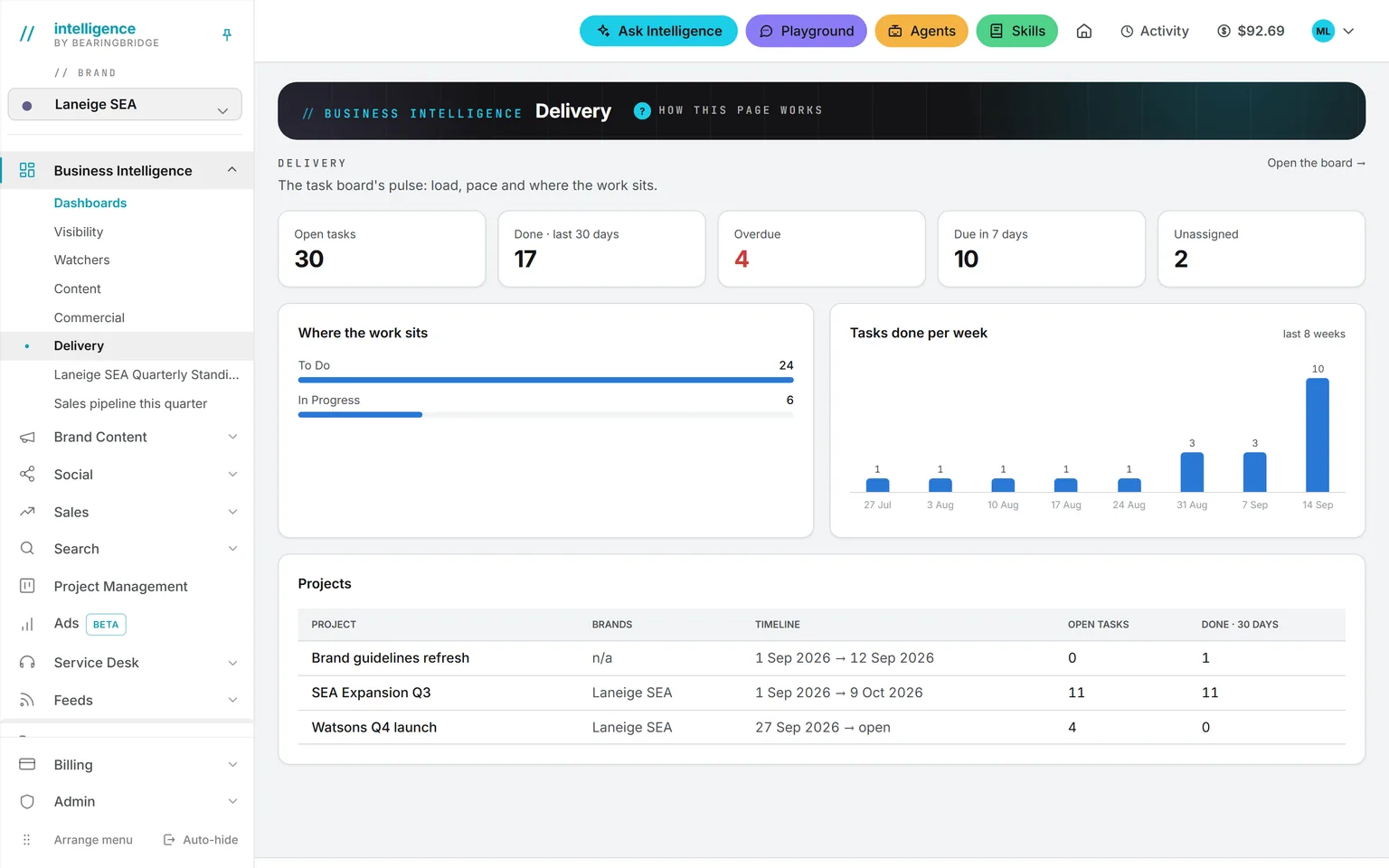
The Delivery dashboard: open tasks, done in the last 30 days, overdue, due in seven days, unassigned, where the work sits, tasks done per week and the projects table
DeliveryOpen work against finished work, overdue and unassigned tasks, counted only on the tasks you may see.
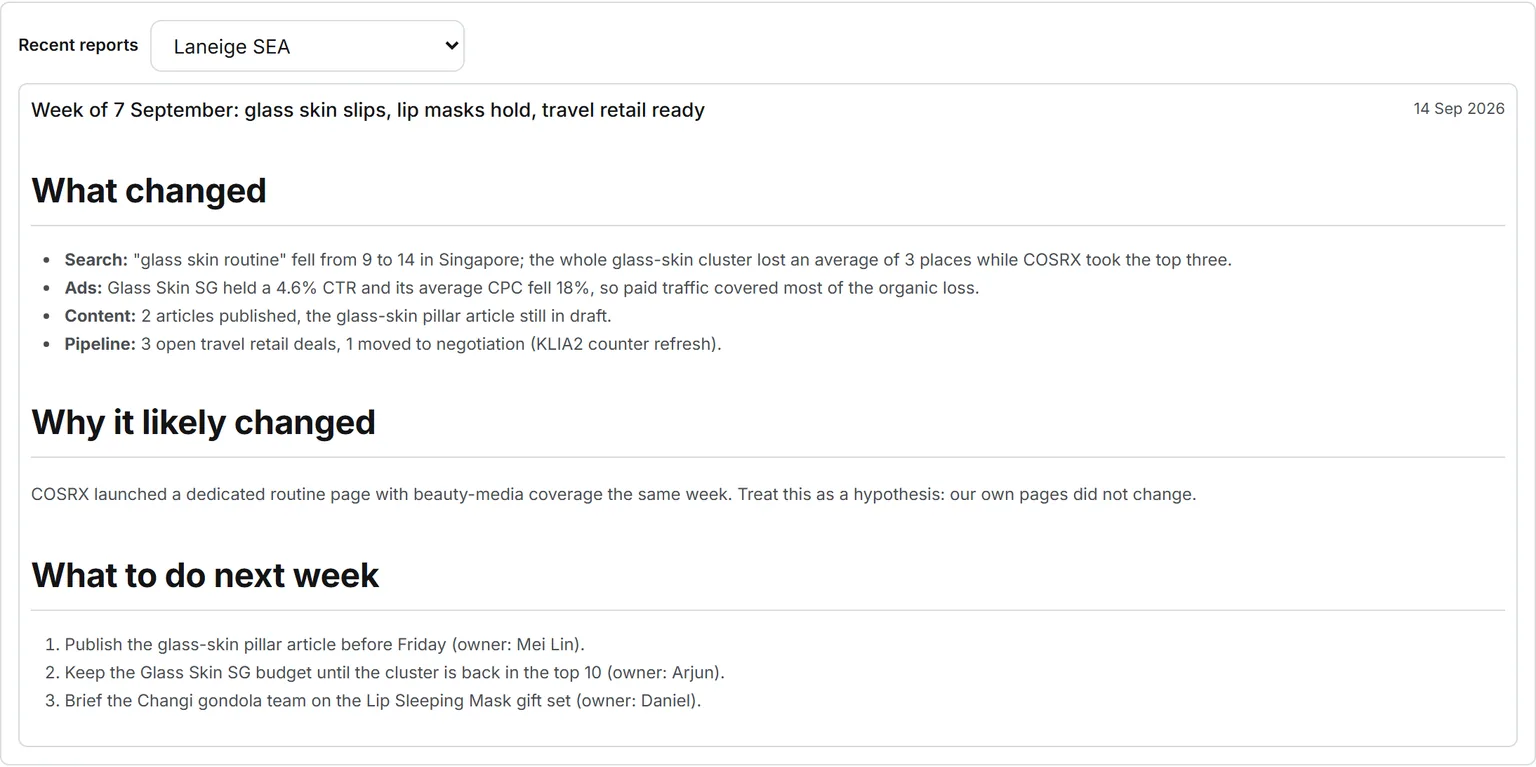
A weekly operating review on the agent’s card: what changed in search, ads, content and pipeline, why it likely changed with the hypothesis named as one, and three things to do next week, each with an owner
The weekly operating reviewRankings, ads, content, social and pipeline read in one pass: what changed, why it likely changed, and three to five things to do next week.

Operations 7 features

Project Management

The board where the findings become work, so an insight does not die inside a report. Projects carry a team and a planned cost.

Open Project Management
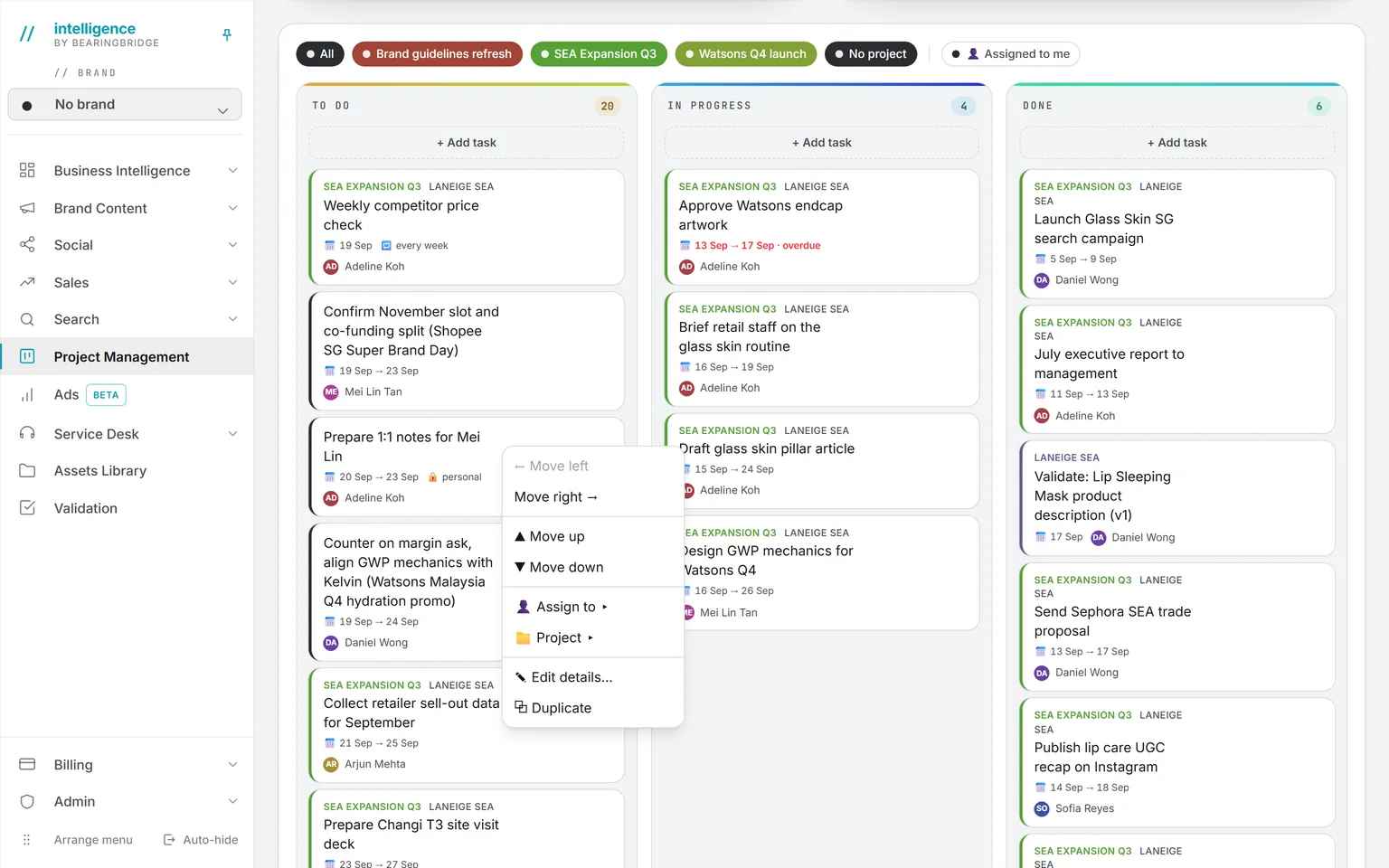
The Kanban lanes To Do, In Progress and Done, with the right-click menu of a card open: move, assign, change project, edit, duplicate
KanbanTo do, In progress, Done. Each card carries its project, brand, dates and owner. Drag to move, right-click for the rest.
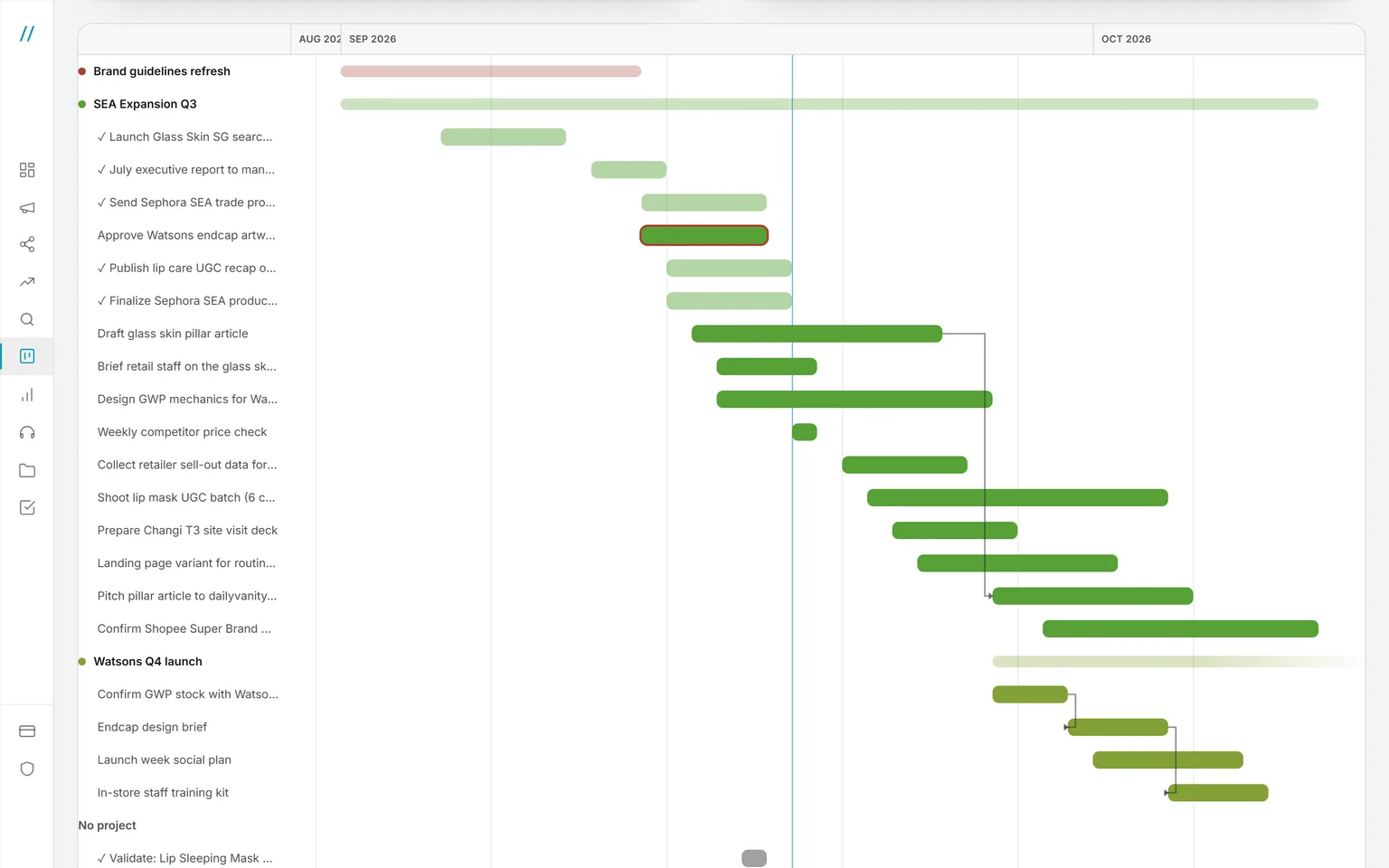
The Gantt view of the same tasks: one section per project, one bar per task, arrows from a task to the one that waits on it, and today’s line
GanttThe same cards as bars, grouped by project, with the links between a task and the one it waits on. Click a bar to edit it.
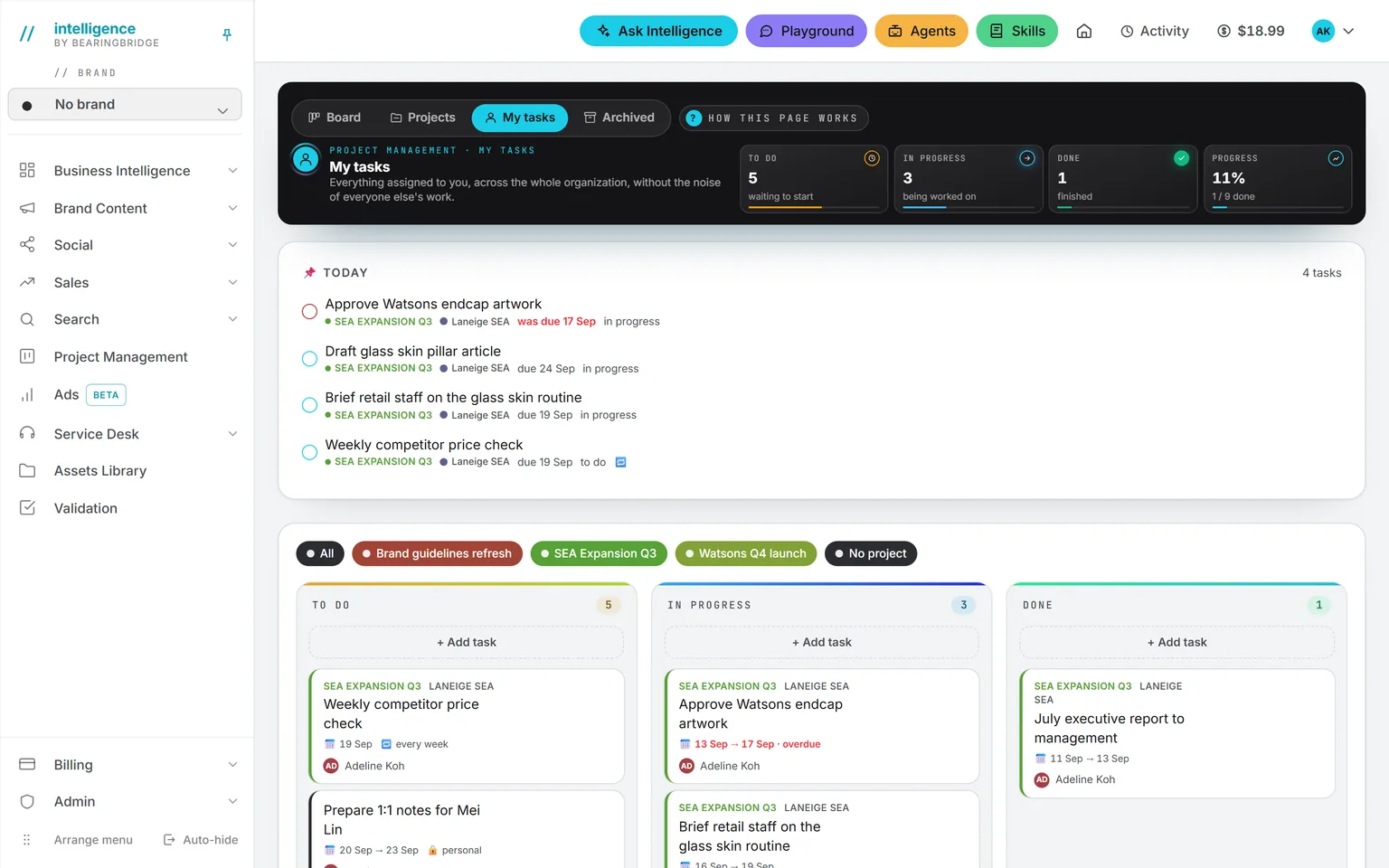
My tasks: the board locked to the tasks assigned to me, private ones with a lock, and the Today card above
My tasksEverything assigned to you across the projects you are on, your private tasks included.
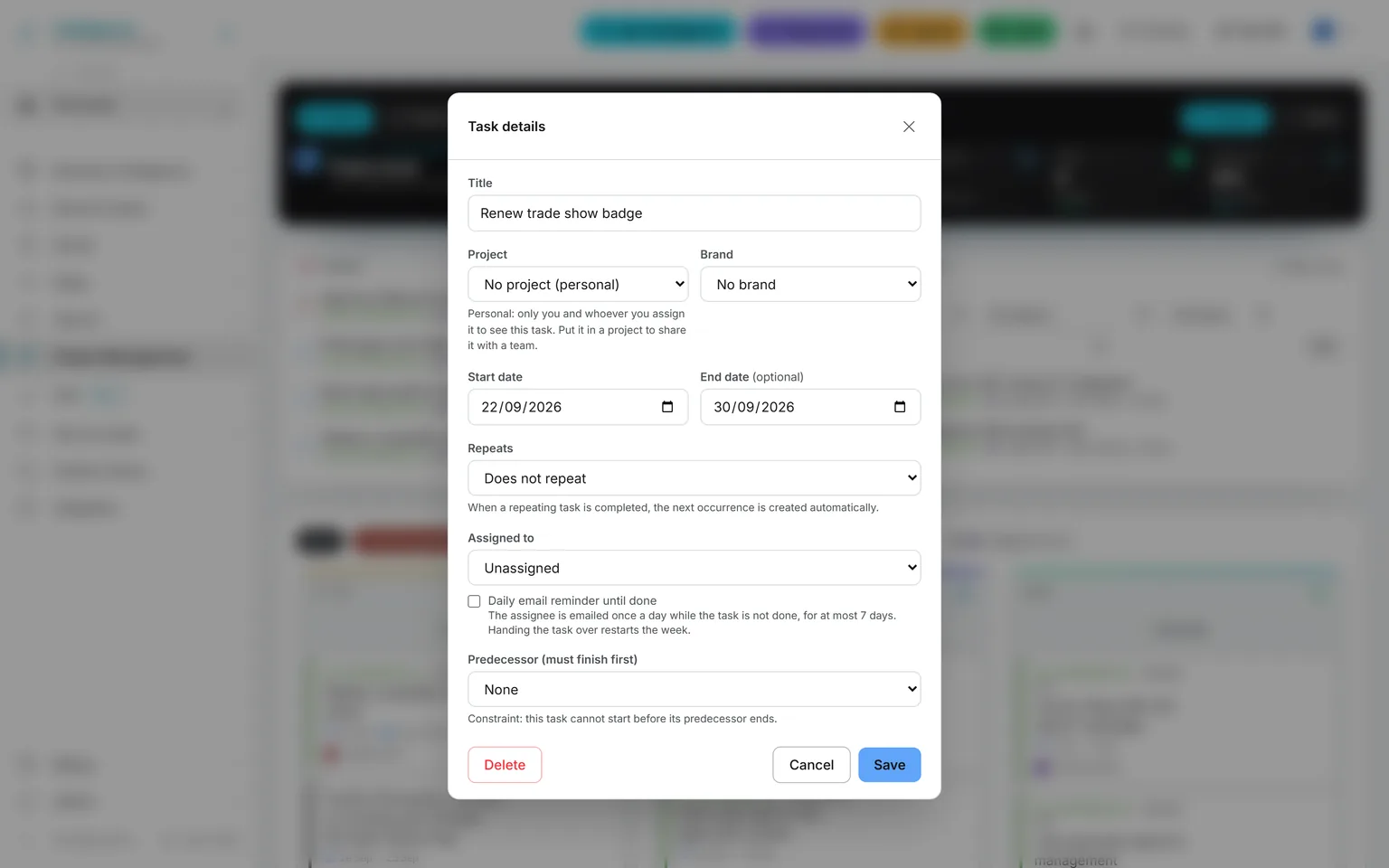
The task editor of a personal task: no project, a note that only its author and assignee see it, repeat, assignee, daily reminder and predecessor
Personal tasksA task outside any project is seen only by its author and its assignee, with repeats, reminders and a predecessor like any other.
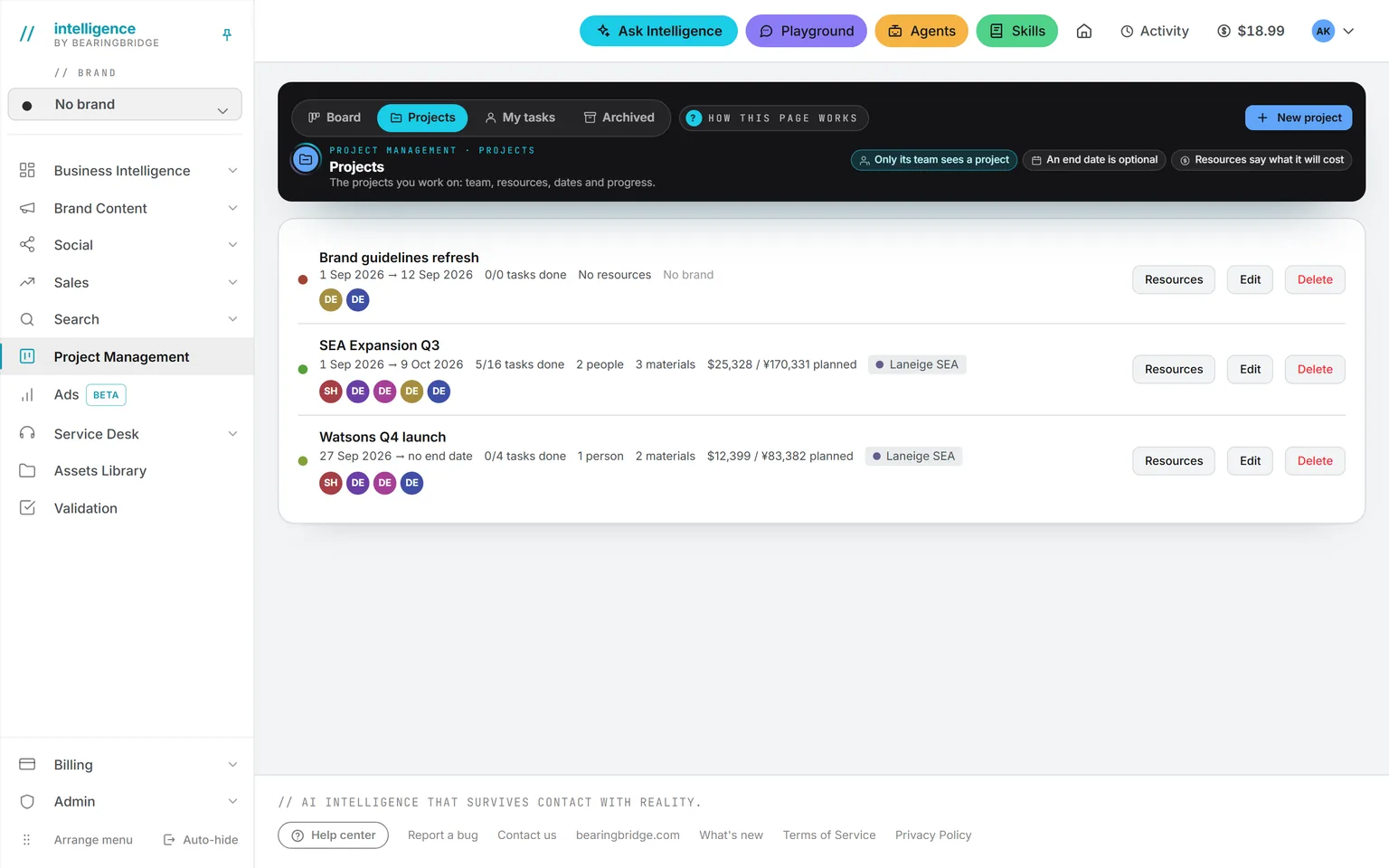
The Projects page: each project with its dates, tasks done out of total, people and material, the planned cost, its brand and its team
ProjectsEach project with its dates, its brand, its team, the tasks done so far and what it is planned to cost.
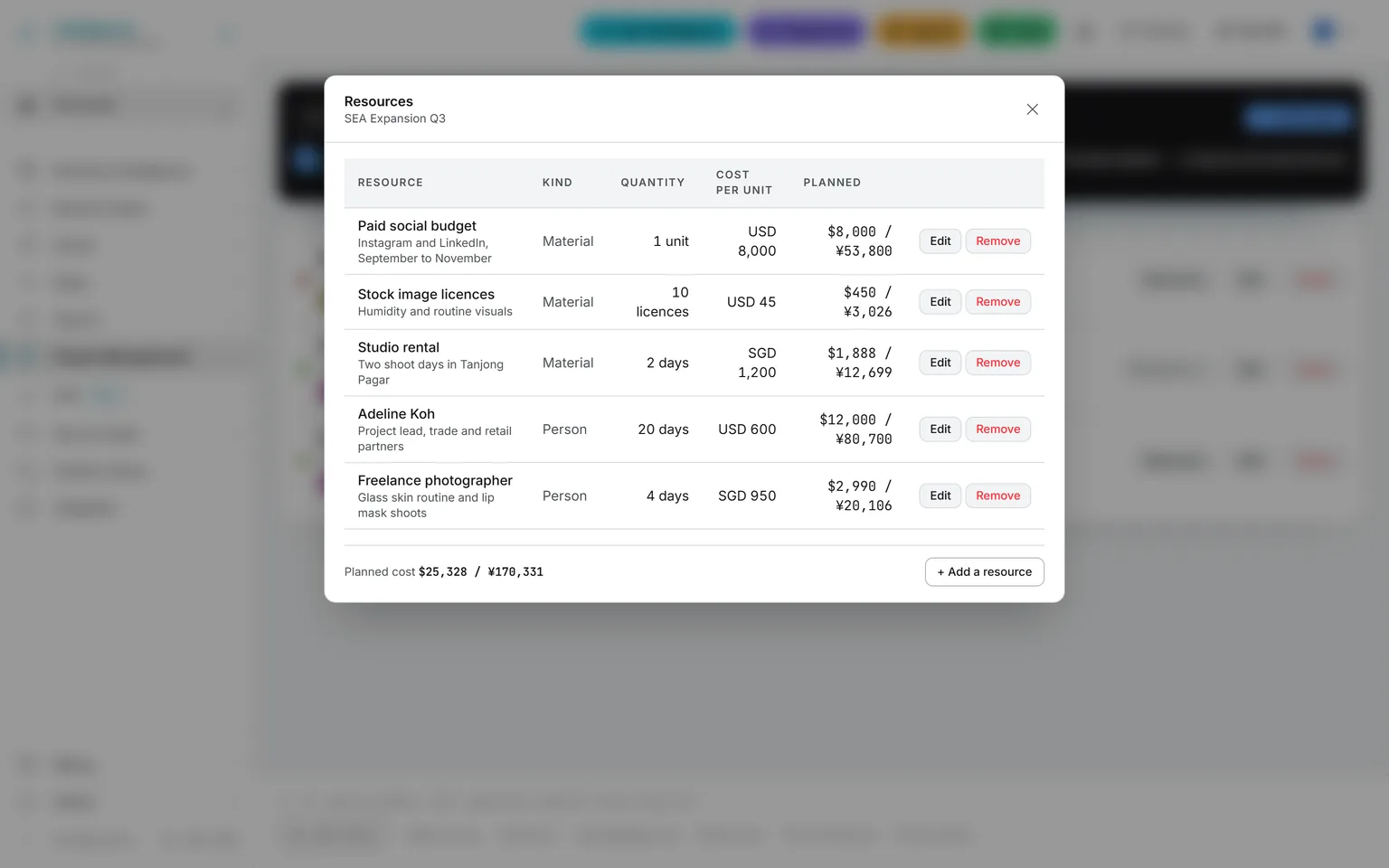
The resources of a project: a project lead, a freelance photographer, a studio rental, a paid social budget and stock image licenses, each with quantity and cost per unit, and the planned cost total in the organization’s currency
Resources and planned costPeople and material, each with a quantity and a cost per unit, totalled in your organization’s currency before the work starts.
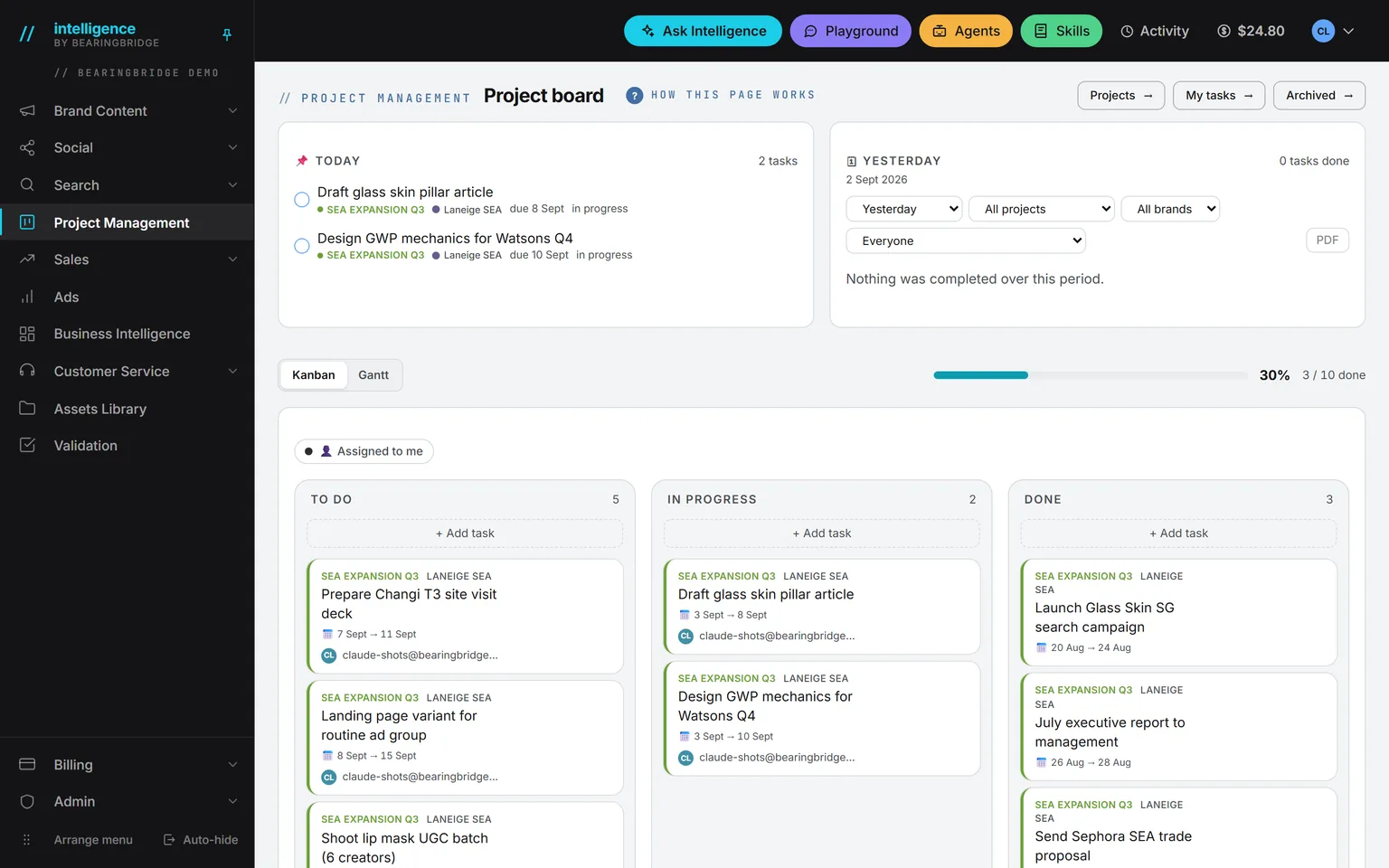
The project board in the demo workspace: the band with To do, In progress, Done and Progress tiles, the Today card and yesterday’s Done card, and the Kanban lanes below with cards tagged by project and brand, one marked personal
Today and DoneThe Today card lists what is due, late tasks first, and the Done card shows what was finished, ready to send as a PDF.

Operations 6 features

Service Desk

An assistant for your customers, on any website with one pasted line. It answers only from what you gave it, says so when it does not know, and runs under a daily budget.

Open Service Desk
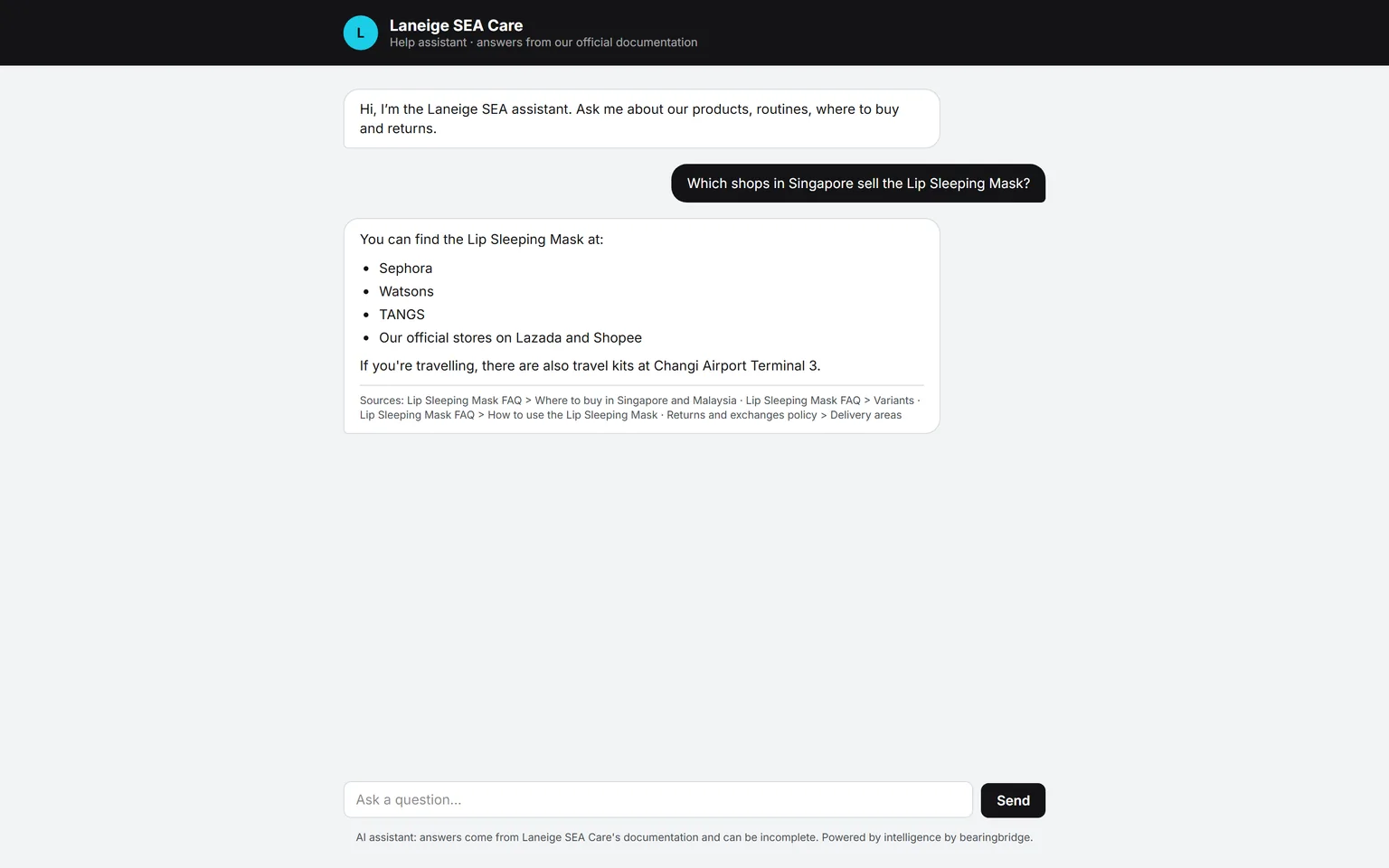
The desk answering where to buy the Lip Sleeping Mask in Singapore, as a bulleted list of stores, with its sources listed underneath
Answers with sourcesThe public page carries your brand and answers from your documents only, with its sources listed under the answer.
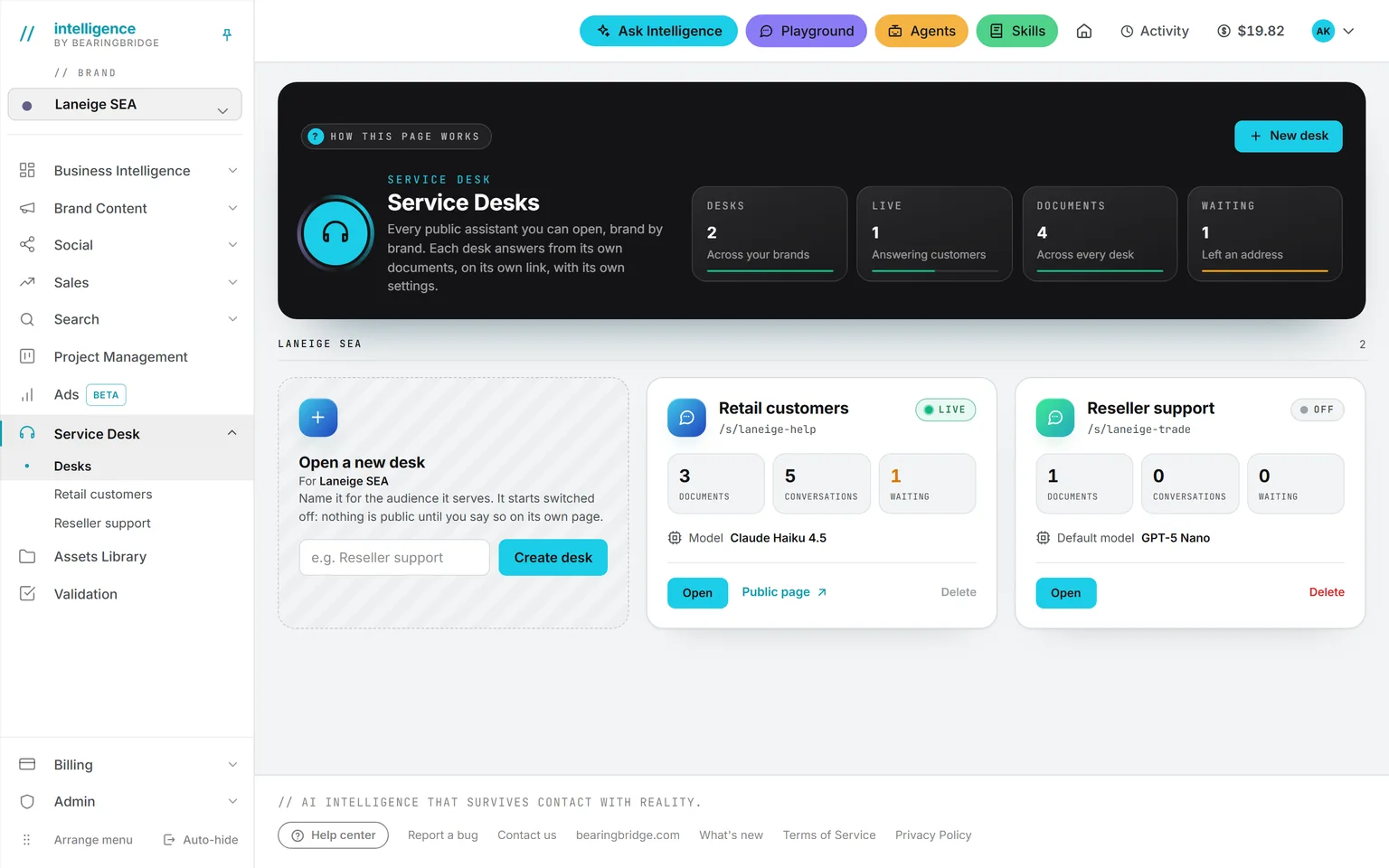
The Service Desks page of the demo brand: two desks, Retail customers live and Reseller support switched off, each with its documents, conversations, customers waiting and model
One desk per audienceOne desk per audience, product line or market, up to 20 per brand. Desks never share documents.
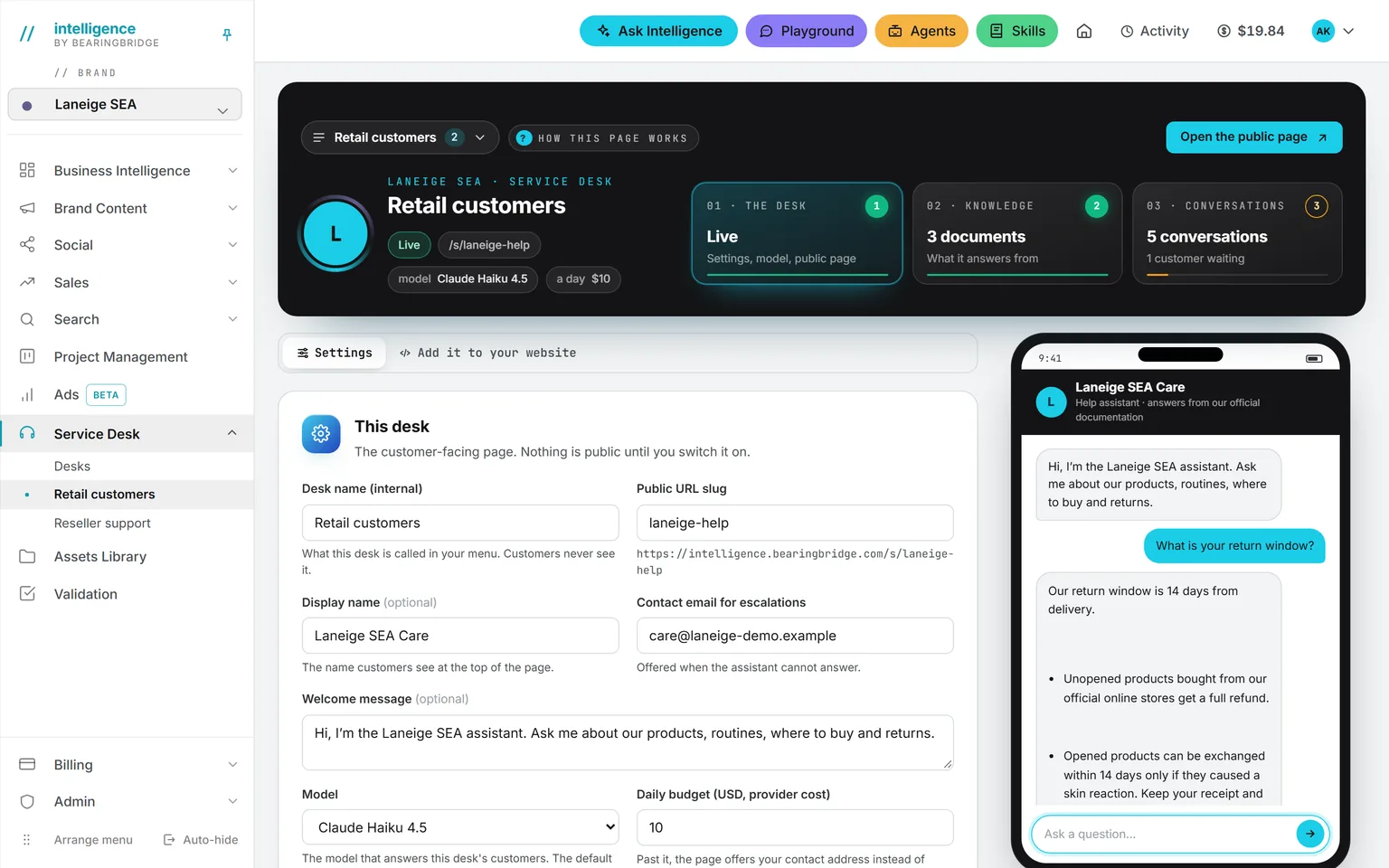
A desk’s settings: public address, display name, contact email, welcome message, model and daily budget, with the live switch, and beside them a phone that has just answered a test question about the return window
Settings and live testThe address, the welcome line, the model and the budget, with a phone beside them that answers test questions off the record.
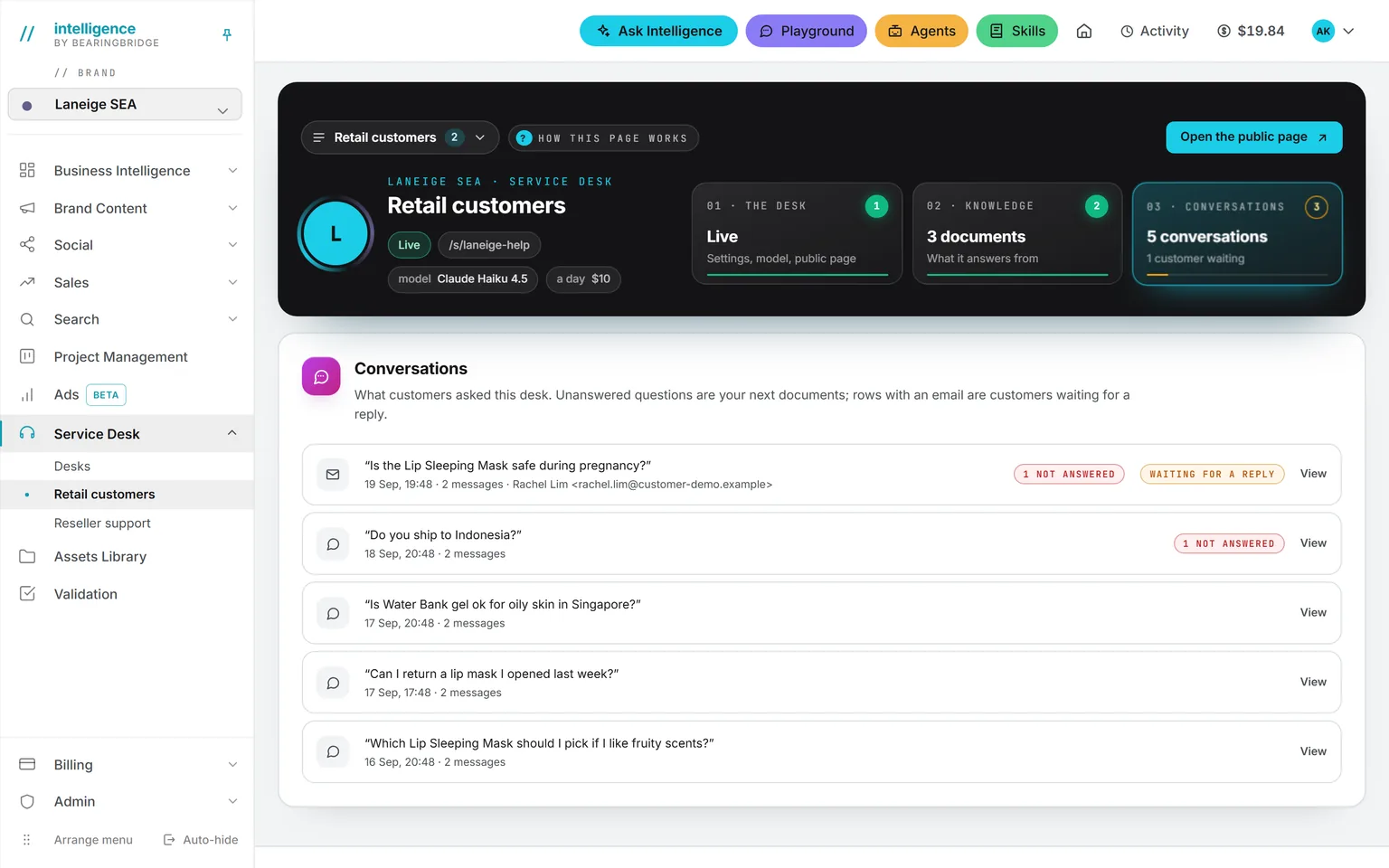
The Conversations tab of a desk: five questions customers asked, two marked not answered, and one waiting for a reply with the address the customer left
ConversationsEvery question customers asked, the unanswered ones marked, and the visitors waiting for a reply with the address they left.
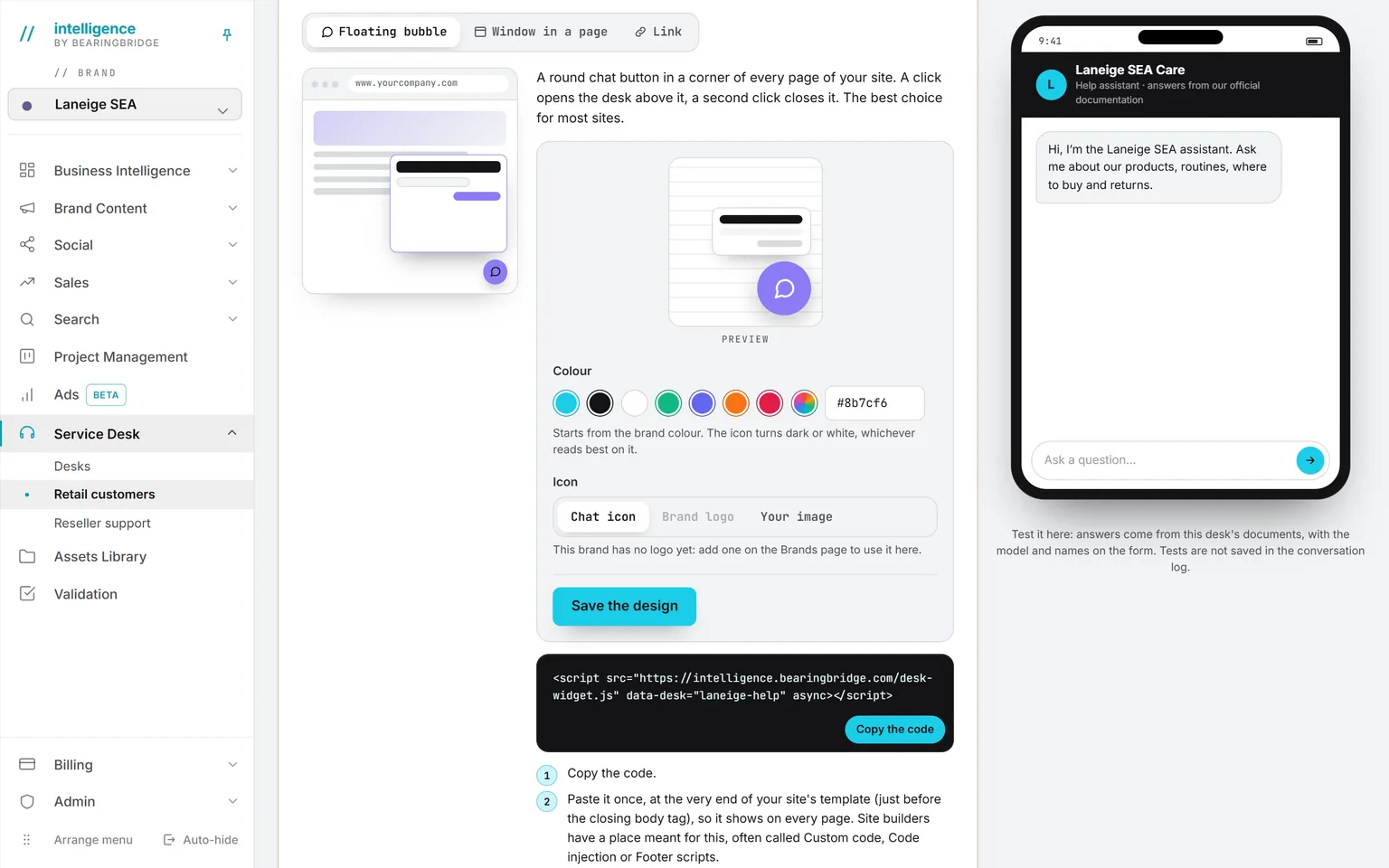
Add it to your website: a mock browser showing the floating chat button on a site, colour and icon choices with a live preview, and the one line of script to copy
On your websitePick a color and an icon, paste one line, and a chat button sits in the corner of every page. No cookie is set.
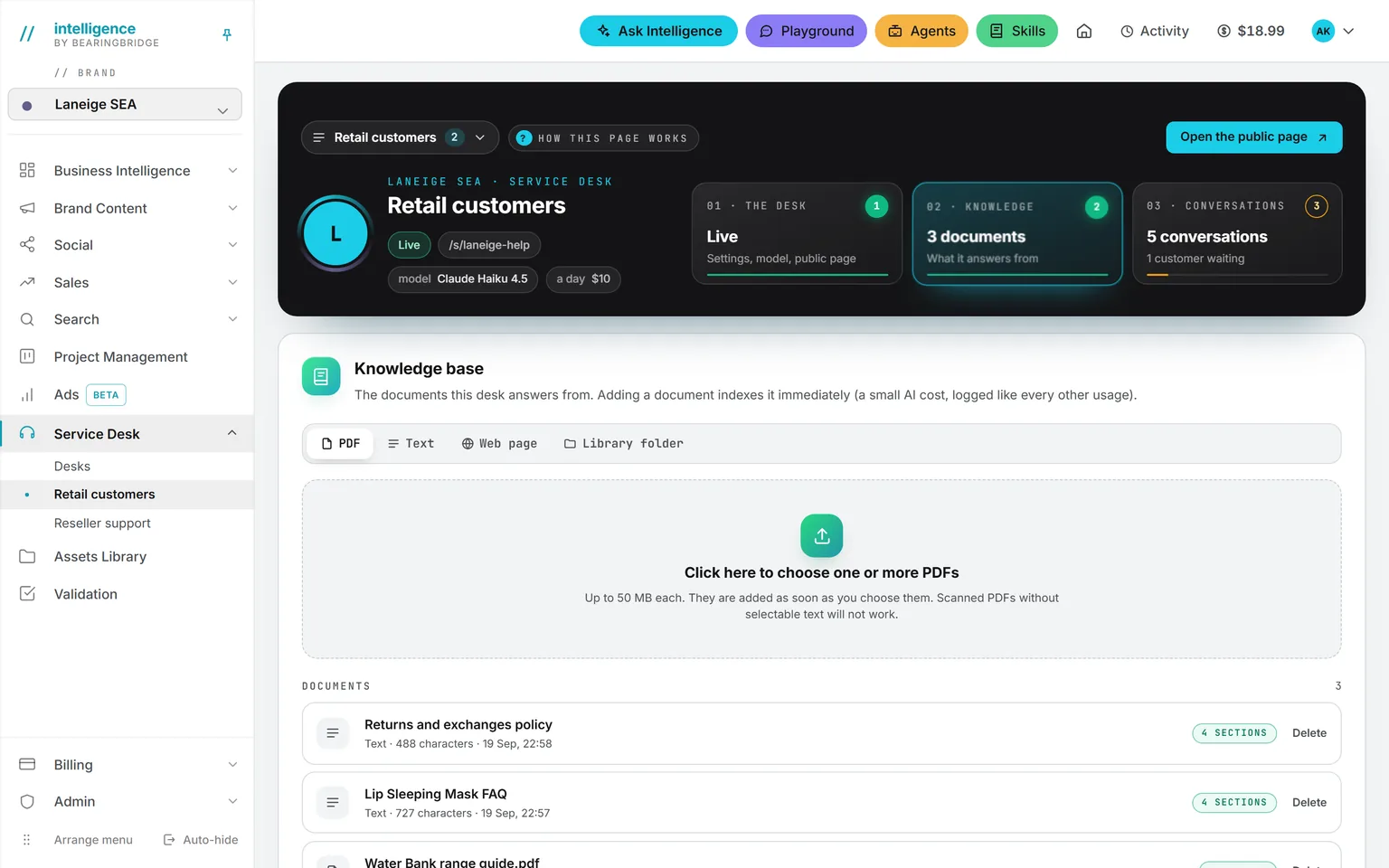
The Knowledge tab: a control for PDF, text, web page or library folder, and a list of documents with their length and section count
Knowledge basePDFs, text, web pages or a library folder, each listed with its length and its sections.

Take one. Take them all. A module you have not switched on costs nothing.

See it run

Watch a real job done in the app, start to finish.

Short films of the app at work, one task each, narrated and captioned in the language of this page.

Ask, agents and skills

Ask Intelligence a question across every module

Social media

Create a LinkedIn post

Operations

Build a dashboard in plain language

Ask, agents and skills

Put an agent to work from the catalog

Search

Track your Google positions over time

Every film, by topic →

Where your data goes, and where it does not

Your instance, your region, your rules. If you need it.

Your companies, brands, and users are kept apart in code. Every model call goes through one gateway, and the key never reaches a browser. Your prompts are never used for training.

For most companies, that is the end of the conversation.

Need your data in a specific country, or on servers nobody else shares? Dedicated hosting does that, in the region you name, with backups that stay there. Same product, your own instance.

Pick a region

A dark corridor of server racks, one door open.
In the standard productEvery account
Organization, brand, and user scope enforced in codeon
Five roles, rights set person by person, and a sign-in code sent by emailon
One gateway, one server-side key, no direct route from any module to a provideron
Your prompts are not used to train anythingon
Every run in the ledger with who, what, when, which model, and the exact coston
With dedicated hostingIf you need it
Single tenant, infrastructure nobody else sharescontract
EU or US today, other regions on request, named in the contractcontract
99.9 percent monthly uptime, with a remedy on the next invoice if we miss itcontract
Only model calls leave the instance, to the providers you approved, and you can restrict the listcontract
Provisioned in two weekscontract

The open items are published at the bottom of the security page, before the good news.

Where the standard product stops

Two things every serious evaluation asks. Here are both answers.

The most common request is a connector to a system we had never heard of.

Data integration

Your data, connected and reconciled

We plug in the systems you already run and make their numbers agree, so every answer has a source you can check. Read-only by default. One to two weeks.

See data integration
Custom agent

A job the catalog does not cover yet

A step our modules do not cover? We build the agent. Same gateway, same ledger, same approval. Two to four weeks, fixed price.

Describe the job
In their words

The people running it, one module at a time.

The kind of workplace Priya S. runs Sales from

Sales

Priya S.

Partner

Strategy consultancy

Ask IntelligenceQuotes and proposalsConnected context
Every proposal we ever wrote is in there now: the old decks, the pricing sheets, the scoping notes nobody could find. When a brief comes in I ask for a first draft against the three closest past jobs, and it comes back with the quotation attached, and the sources. What used to take a partner a weekend now takes an afternoon of editing.
A proposal in an afternoon, not a weekend
What's new

New in the product, dated and named by module.

Latest release . Fixes and the full record are on the changelog.

  1. ShippedIntelligence

    WeChat, Xiaohongshu, Douyin and Weibo studios

    Previously you could not create and prepare posts for these Chinese networks inside Intelligence. You can now create and prepare posts for WeChat, Xiaohongshu, Douyin and Weibo inside Intelligence, with drafting and validation of copy, images and video. The studios guide you step by step during publishing so the title and copy are handed to the network creator page correctly, and they include image and video placement checks to match each network’s requirements.

  2. ChangedIntelligence

    Real format briefs for each network

    Before this change briefs were generic and did not reflect each network’s accepted post formats. Each Chinese network now starts from a brief that matches the actual formats they accept, asks the right questions and shows the extra fields each format needs, such as cover lines, poll options, chapters and card text. Drafts are therefore tailored to the exact format you are publishing.

  3. ChangedIntelligence

    Posts publish in Simplified Chinese

    Previously a language selector allowed different publish languages and caused inconsistent output for these networks. Posts for WeChat, Xiaohongshu, Douyin and Weibo will now be published in Simplified Chinese, and the language picker has been removed. A short note appears in those studios to explain the change and keep publishing consistent.

  4. ShippedContent

    100 feature demo videos published

    Until now not all feature demo videos were available in one place. All 100 feature demo videos are now complete and published alongside the product. The demos provide guided walkthroughs so you can learn workflows and tools faster.

  5. ShippedCRM

    Scan business cards into Contacts

    Previously you could not capture business card images and fields directly into contacts and lists. You can now scan or upload business cards for Clients, Suppliers and Contacts, or while building Email lists. Front and back images are saved to the Assets Library and the extracted fields are editable before you save.

  6. ShippedStudio

    Redesigned studio with AI editor

    The previous studio interface lacked an integrated editor and editorial planning tools. The studio now has a refreshed design and a new AI file editor, plus a content generator selector and an editorial planner to draft, test and schedule content. The studio suggests approaches for each brief and lets you test on one brief before scaling the approach.

Full changelog →

Start

Live in a week. Tell us which job is costing you the most.

At least four hours with us set up your brands, agents, and budget caps, and train your team. Five days later you are running it yourself.

Bring your brand materials and your market scope. Do not bring a prompt library or a playbook. The agents come configured for their trade.

Pick the module closest to the job that hurts, run it on one brand, and judge the output against your own numbers for a month.

No subscription. No seat fee. Money in a wallet, and nothing spends without your approval. No card required to open an account.

The weekThen it is yours
At least four hours with usOnboarding
Your brands, markets, and budget capsConfigured
You are running it yourselfDay five
Judged against your own numbersOne month in

See onboarding →

Two people at a glass wall with a week planned out in notes.