




AI Assistance / Ask Intelligence
Ask your business a question. Get the figure, and its source.
Ask Intelligence is a page of its own, one click from the header. It reads the data you’re allowed to see, for the brands you pick, and answers with the real number. Every conversation is kept, and every answer shows what it read and what it cost.
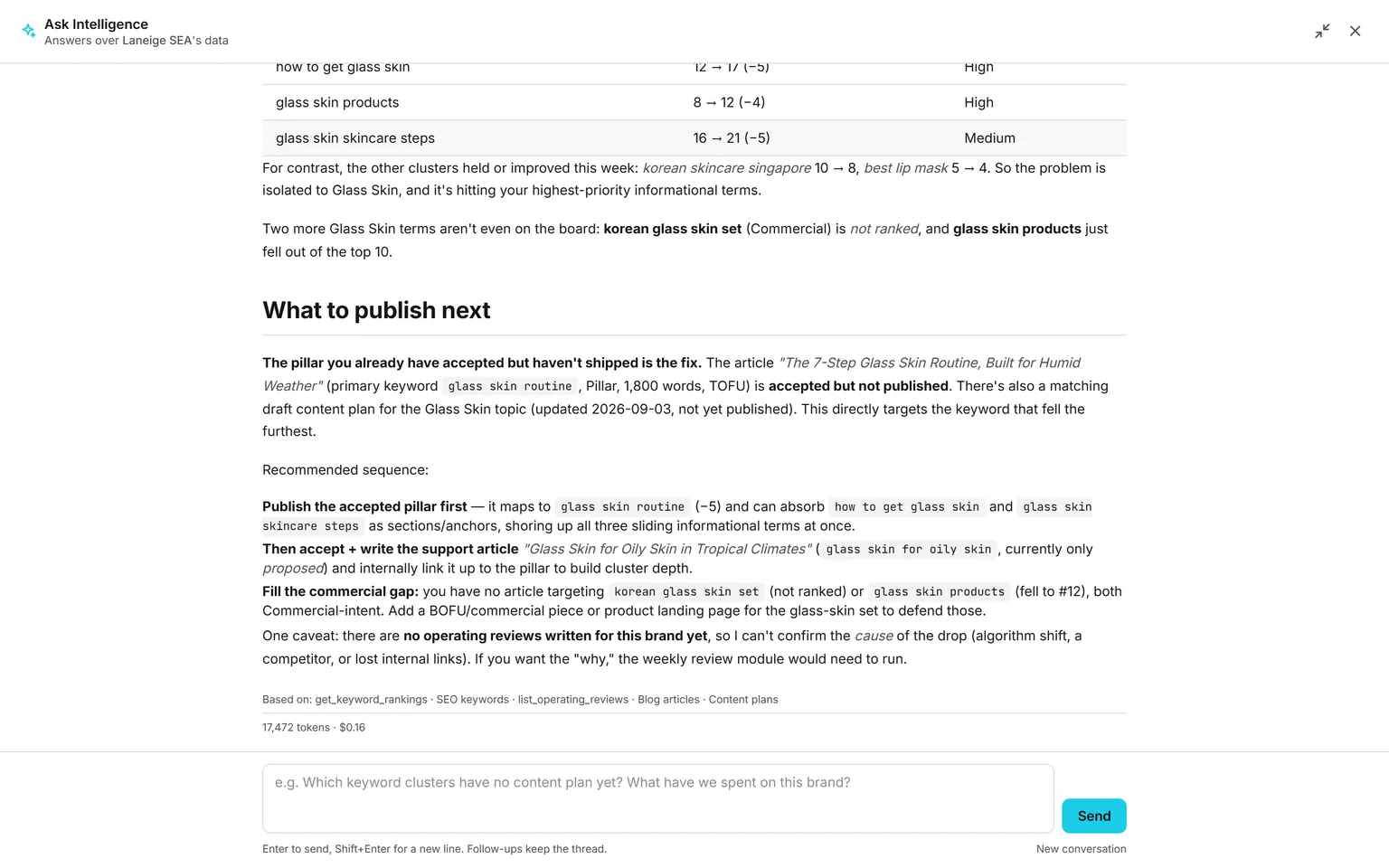
Demo workspace. Invented brand and figures.
Four steps between the question and the figure.
Its own page
One click from the header, not a pop-up
Ask Intelligence lives at its own address. Open it from the header, ask in your own words, and a follow-up refines the last answer. Come back tomorrow, and your conversations are still there, listed under Previous conversations.
It decides
It picks the tools the question needs
The analyst chooses which of its read-only tools to call, and calls them, up to eight rounds. Then it has to answer with whatever it found.
You choose
The brands and the data are yours to set
Pick none, one or several brands, and tick or untick whole groups of data. The choice can only narrow what the model reads, and it is kept with the conversation.
It answers
The figure, the source, and the price
A short answer first, a table when a table helps. Under it, which data it read, the pages it searched if web search was on, the tokens, and the billed cost.
Brands and data, picked before you ask.
Every conversation starts wide open and only you narrow it. The scope is enforced in code before a query runs, so the model can’t widen what you picked, and the route refuses a brand you may not see.
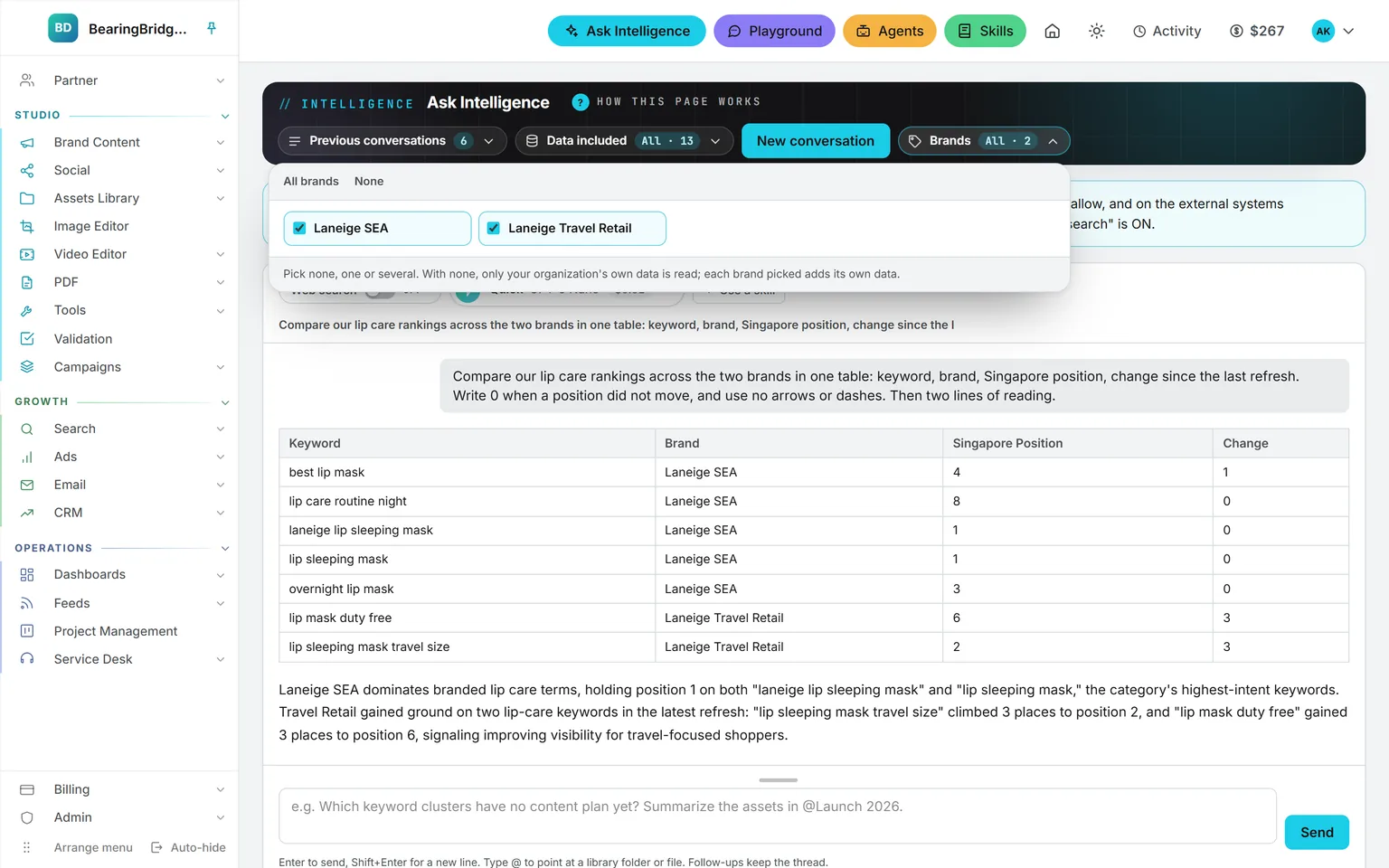
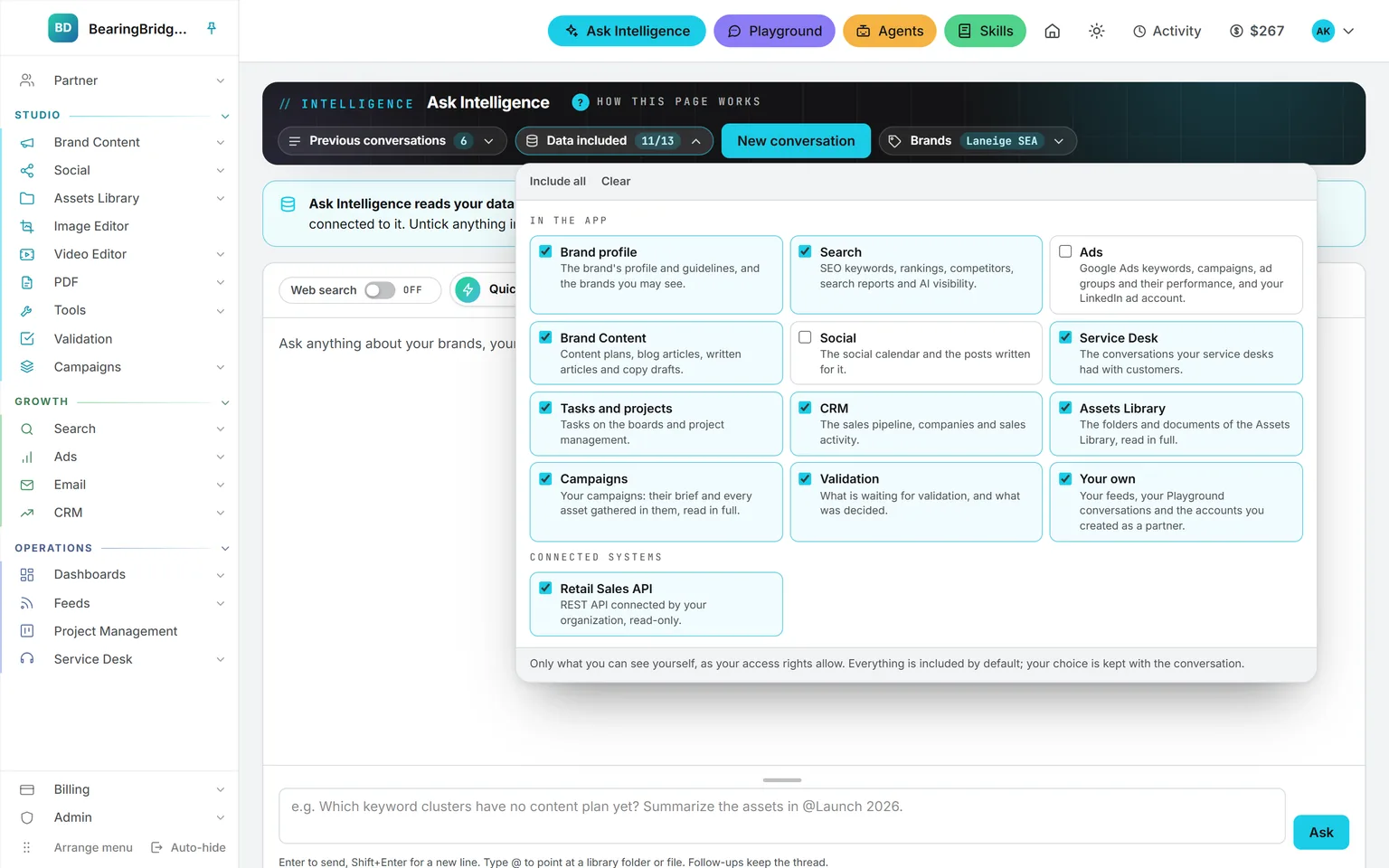
Brands. Pick none, one or several brands, from only the ones you may see. None reads the organization’s own data. Several run every brand tool once per brand and answer each under its own heading.
Data included. Eleven groups, plus every connected system you may read, all ticked by default. Untick anything to leave it out of this one conversation. It can narrow your access rights, never widen them.
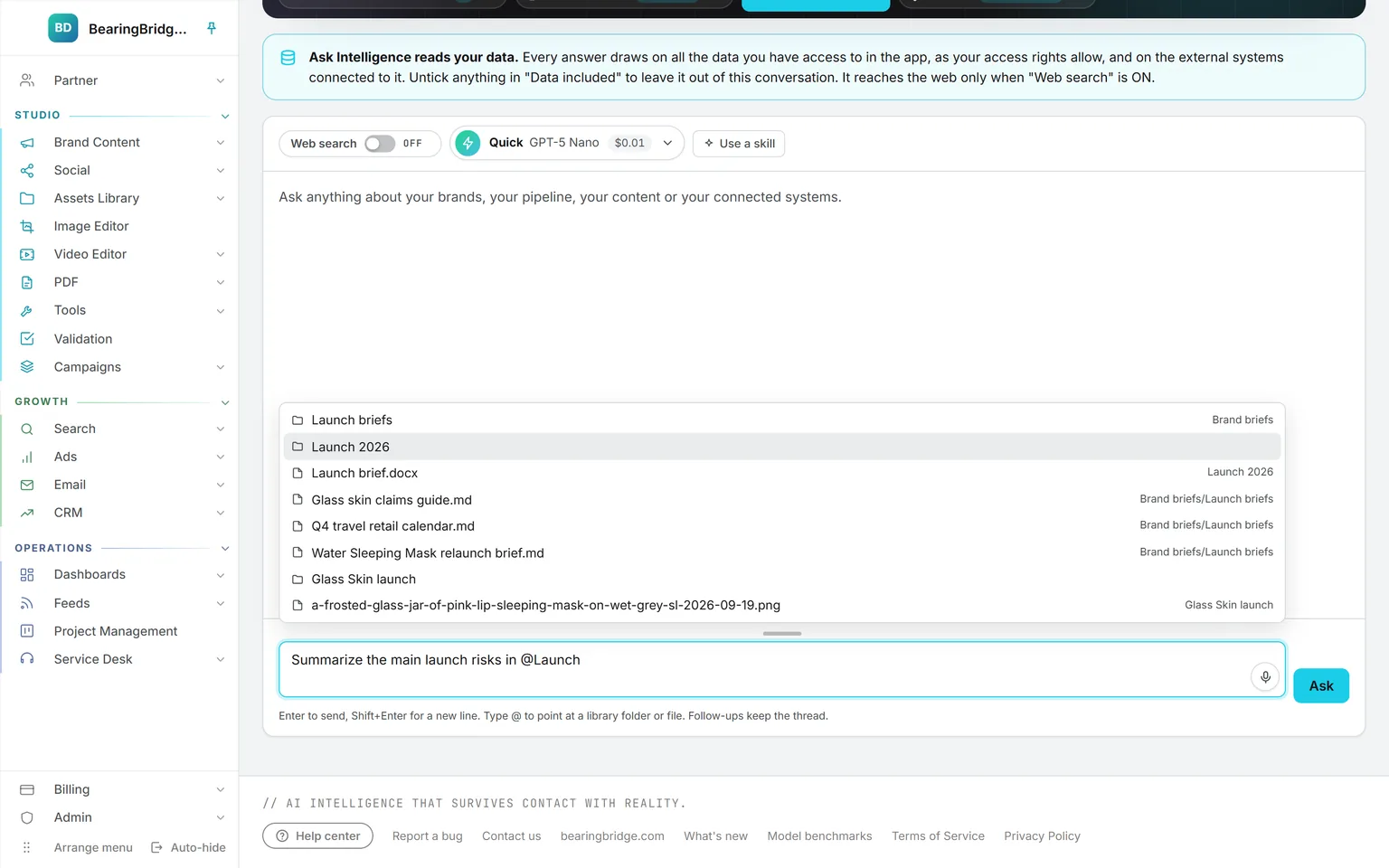
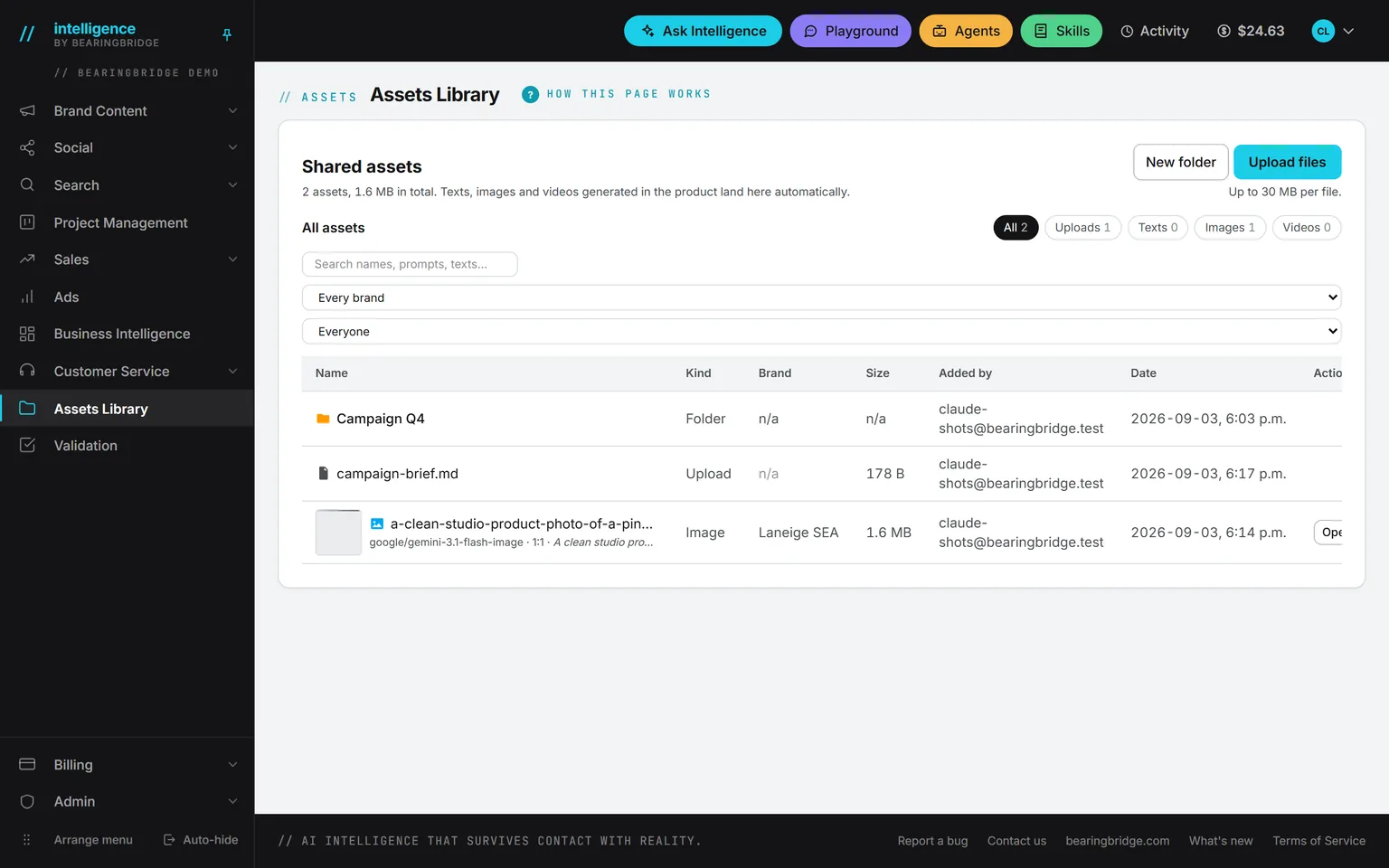
Point at a file. Type @ in the composer, and a folder, a file, or a campaign from the Assets Library shows up in the list. Point at up to ten in one message, and the answer cites them by name.
Eleven groups, each one gated by your own rights.
Each group is offered only when your access rights open that area of the product, and a tool you may not use is never shown to the model.
Brand profile
The brand’s own profile and the guidelines that keep an answer on voice.
Search and visibility
Tracked keywords, Google rankings per market, competitors, search reports, and what the AI assistants say.
Advertising
The keywords picked for search ads, the campaigns and ad groups built here, and their live performance.
Brand Content
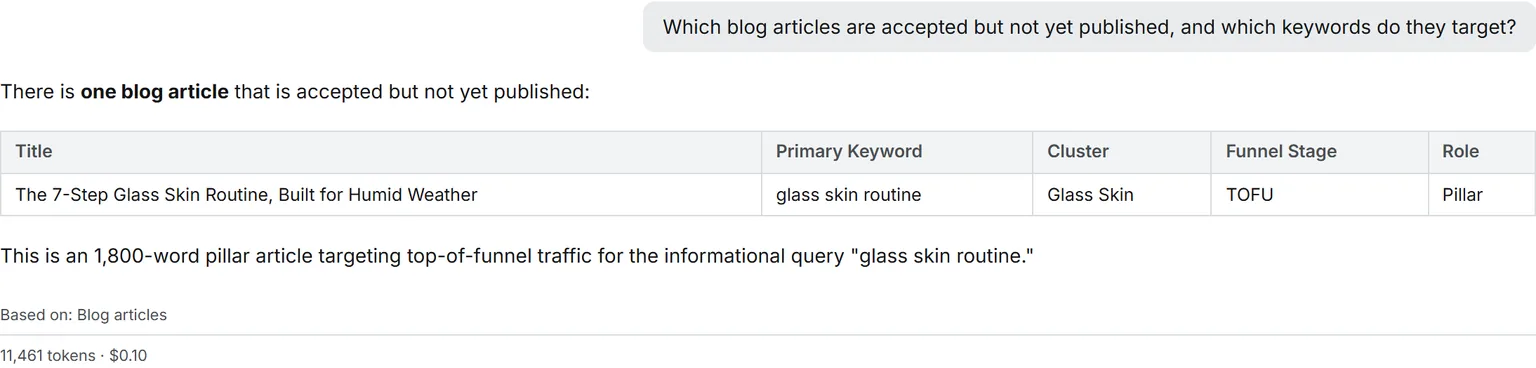
Content plans and the full text of blog articles and copy drafts, accepted or still waiting.
Social
The social calendar and the full text of the posts written for it.
Service Desk
The conversations your service desks had with customers.
Tasks and projects
Tasks on the boards and the state of each project.
CRM
The sales pipeline, companies and sales activity, offered only when your role can see them.
Assets Library
Folders, documents, and campaigns, read in full, including anything you point at with @.
Validation
What is waiting on a validator, and what was decided.
Your own
Your feeds, your Playground chats, and your partner leads.
Connected systems
The servers, REST APIs and Google Sheets your organization connected, plus your own Gmail and Sheets, each readable only by the people allowed to.
None of it is new access. It is the access your role already has, offered to the model out in the open instead of buried in a settings page.
Full list in the product help, under Ask Intelligence.
Off by default, and never mixed with your data.
Web search is allowed in every organization by default, and an administrator can turn it off. Inside a conversation it is a separate switch, off at the start. Turn it on, and the model runs its own provider’s search, on the models built for it: Claude, GPT, and the two search-capable Grok models. Other models gray the switch out and say why.
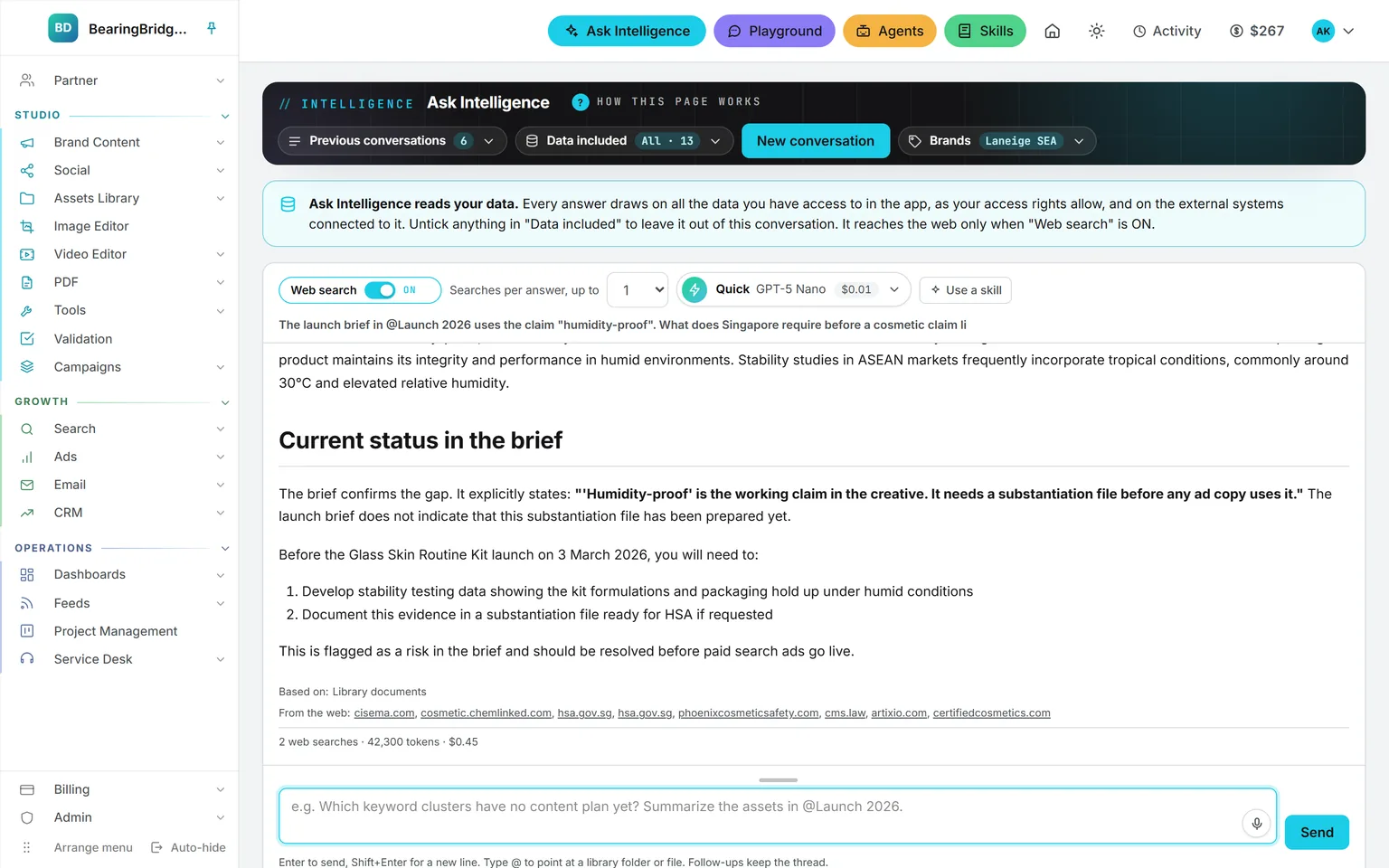
The pages it reads are listed under the answer, kept apart from what it read in your account. A figure about your business never comes from the web. Each search is billed and joins the answer’s price.
> does our guideline already cover this claim?
Not a chatbot with your logo on it.
A general assistant answers a question about your business the way it answers any question: from memory, confidently, with no source. Ask Intelligence has nothing to remember. It has tools, and each one returns rows from your account, or, only when you switch it on, pages from the web.
So the answer to “what did the Glass Skin cluster lose this month” is the figure in your rankings table. The answer to “which regulation covers this claim” can draw on the web, clearly marked as such. And when neither can answer, you get a sentence saying so, not a plausible number.
> which deals went quiet this month?
A general assistant
- Answers from memory, with no source.
- Sounds certain, cites nothing.
- Will produce a figure whether or not one exists.
- Has no idea which brand you mean.
- Cost is somebody else’s subscription line.
Ask Intelligence
- Reads your data first, the web only when you switch it on.
- Lists the data and the pages it used.
- Quotes the real figure or says the data isn’t there.
- Reads only the brands you picked, enforced in code.
- Prints its own price under every answer.
Six rules, written into the analyst.
Counts, rankings, budgets, revenue: it quotes the rows it read. It doesn’t make up a keyword, a deal or a figure.
And names the box to tick in Data included, or the module that would produce it.
One exception: your own Gmail, connected on your Settings page. Ask can write a full email into your Drafts folder. Sending it is a separate switch, off by default, and only you can turn it on.
Ask in French, get French. The rule is written into the analyst.
Eight tool rounds at most, then it has to answer. The billed cost comes back with the answer and is written to the ledger with your name, and the brand when exactly one is picked.
Your organization’s servers, REST APIs and Google Sheets, readable only by administrators and the people granted them. Write tools are stored and never run.
The price line under every answer. The same line lands in the ledger.
The same data, one door over.
Nothing here is an integration. These run on the same account, the same brand, the same ledger, so a finding on one page becomes work on the next.
Not built yet, said first
- Answers arrive whole, not streamed word by word.
- A conversation is yours alone. There’s no sharing with colleagues yet.
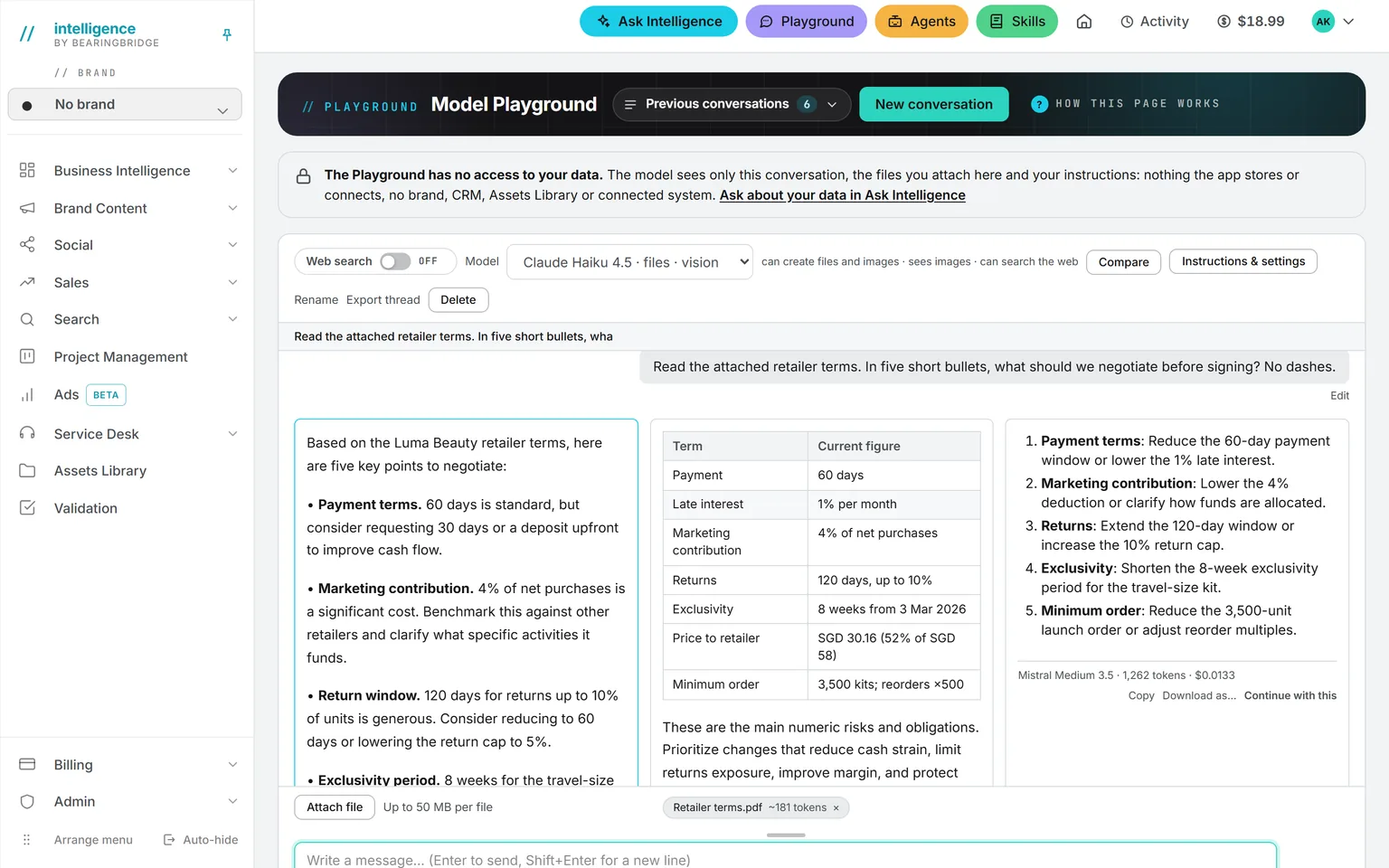
- You can’t attach a file directly. Put it in the Assets Library and point at it with @.
- Web search only runs on models built for it. The switch says why on the others.
- A focused version inside each module page exists in the API, not yet in the interface.
The catalog lists every agent as built, partial, or not built. Checked against the product on October 8, 2026.
Usage is paid from a prepaid wallet, with no seat fee. The rates are on the pricing page.
It answers from whatever data you’ve added.
Switch on one module, and ask the first question the same afternoon. Every answer says what it read, what it searched, and what it cost.
No subscription. No seat fee. No card needed to open an account.