




Modules / Sales
A pipeline that always knows what happens next.
Every open deal carries a next step and a date, or the board flags it in red. Five numbers for the period you pick sit on the band above the columns. Each deal keeps its whole story on one page: the client and the contact, the timeline, the suppliers and the proposal. Every figure shows in your reference currency, with a second one beside it.
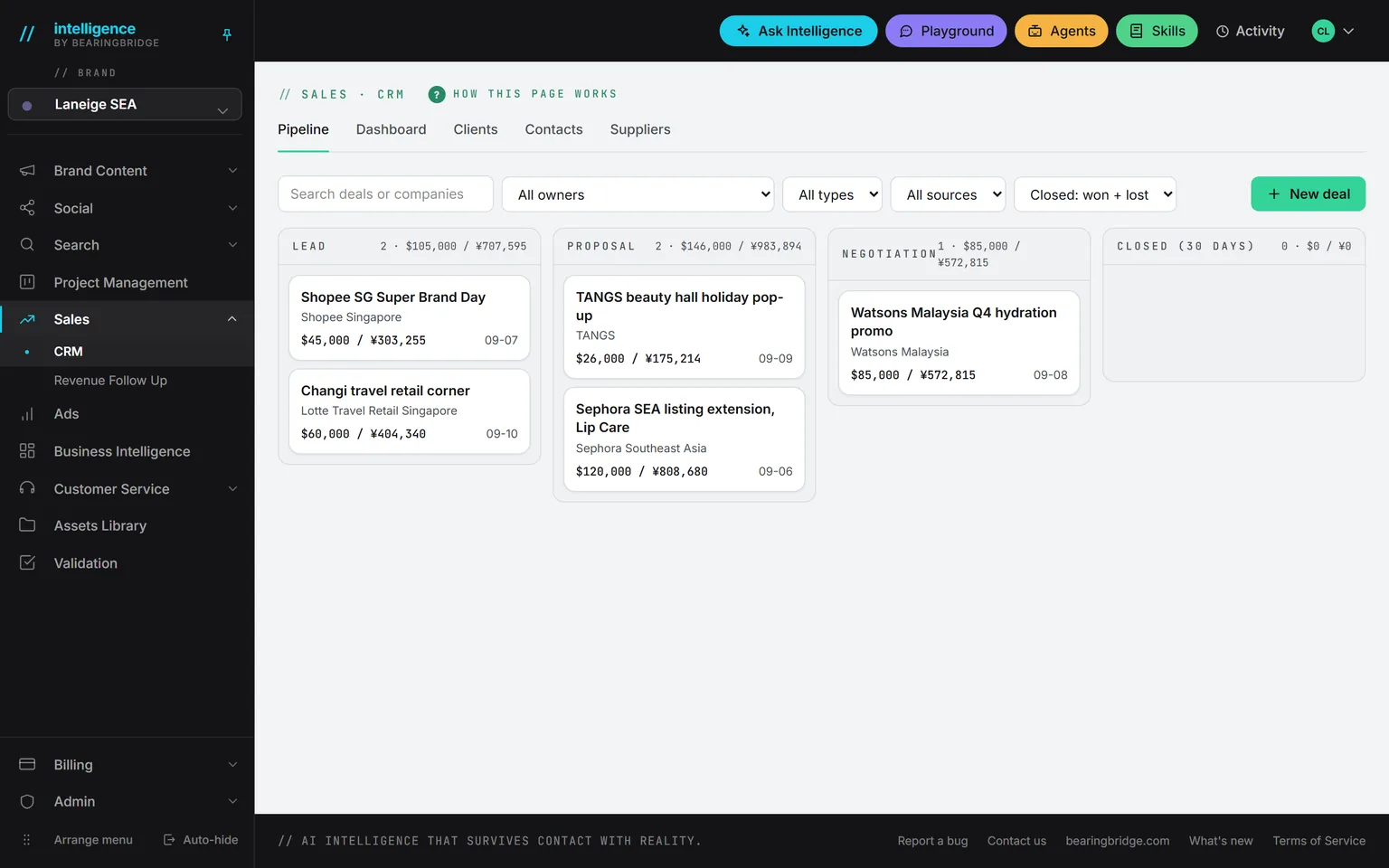
Demo workspace. Invented brand and figures.
Three views of the same deals.
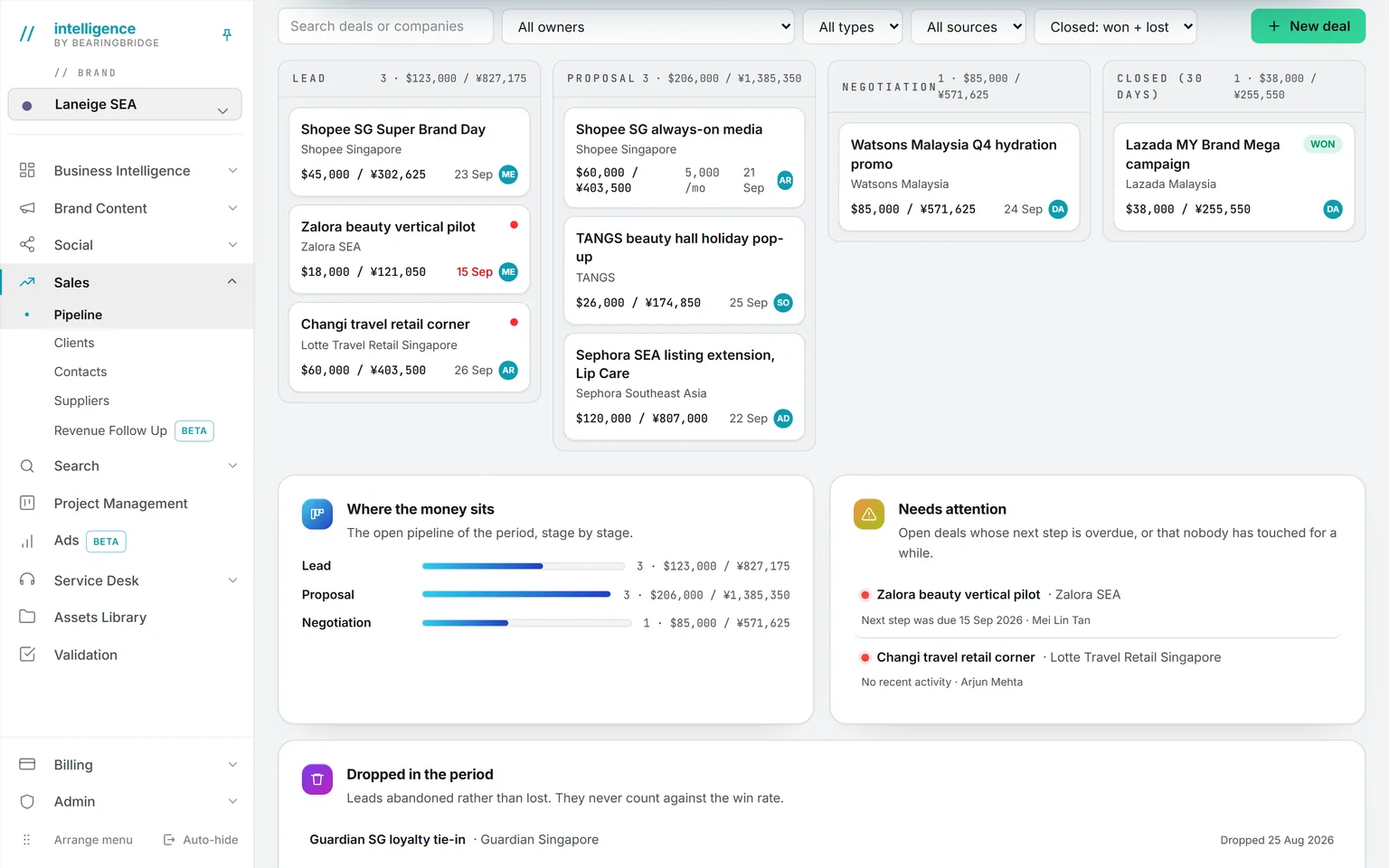
Pipeline. Lead, proposal, negotiation, closed. The numbers for the period sit on the band above. Won and lost stay on the board for 30 days, then leave it and stay in the numbers.
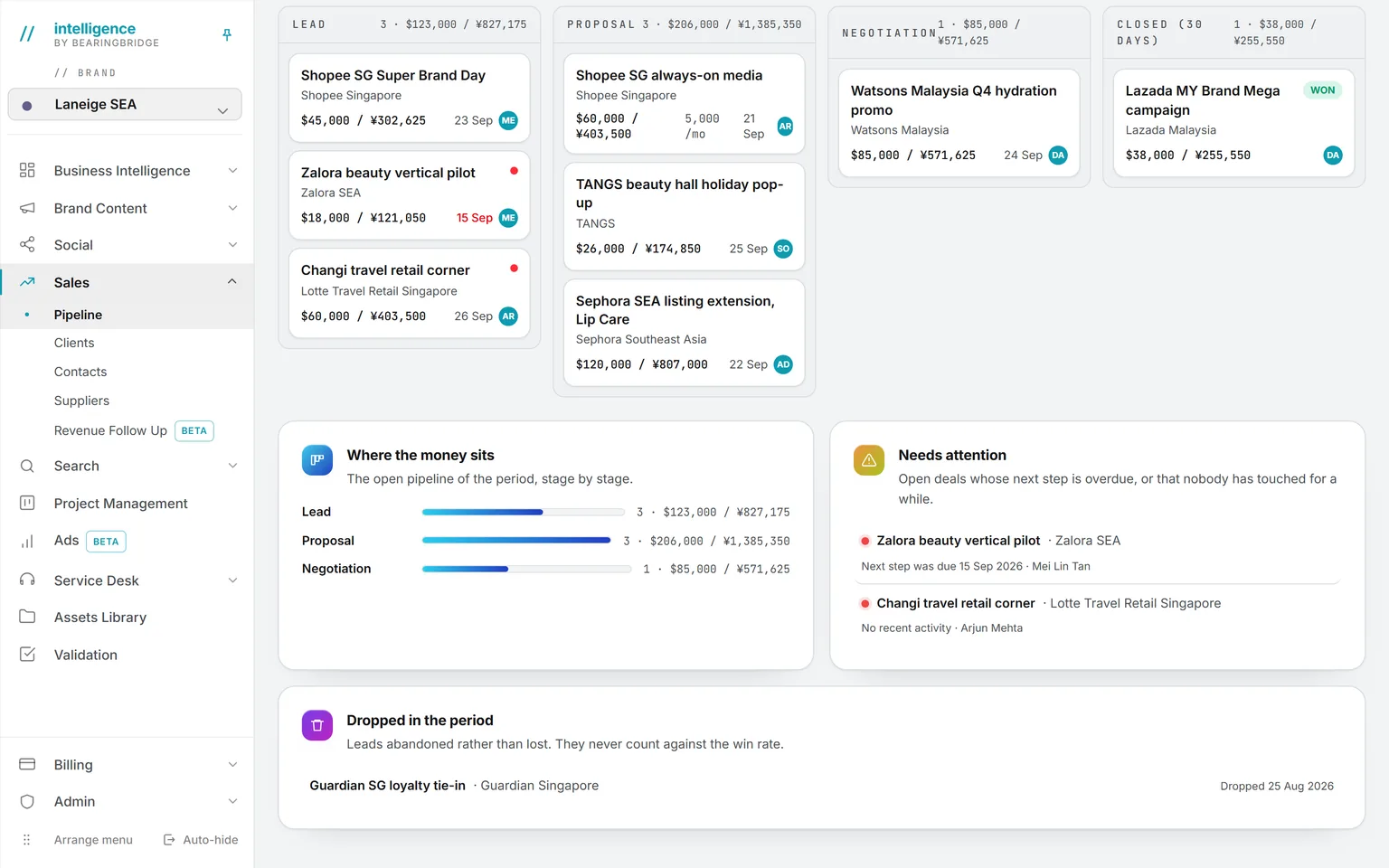
Numbers. Where the money sits, stage by stage. Which deals need attention, with the owner beside each one. Dropped leads sit in their own row, and never count as a loss.
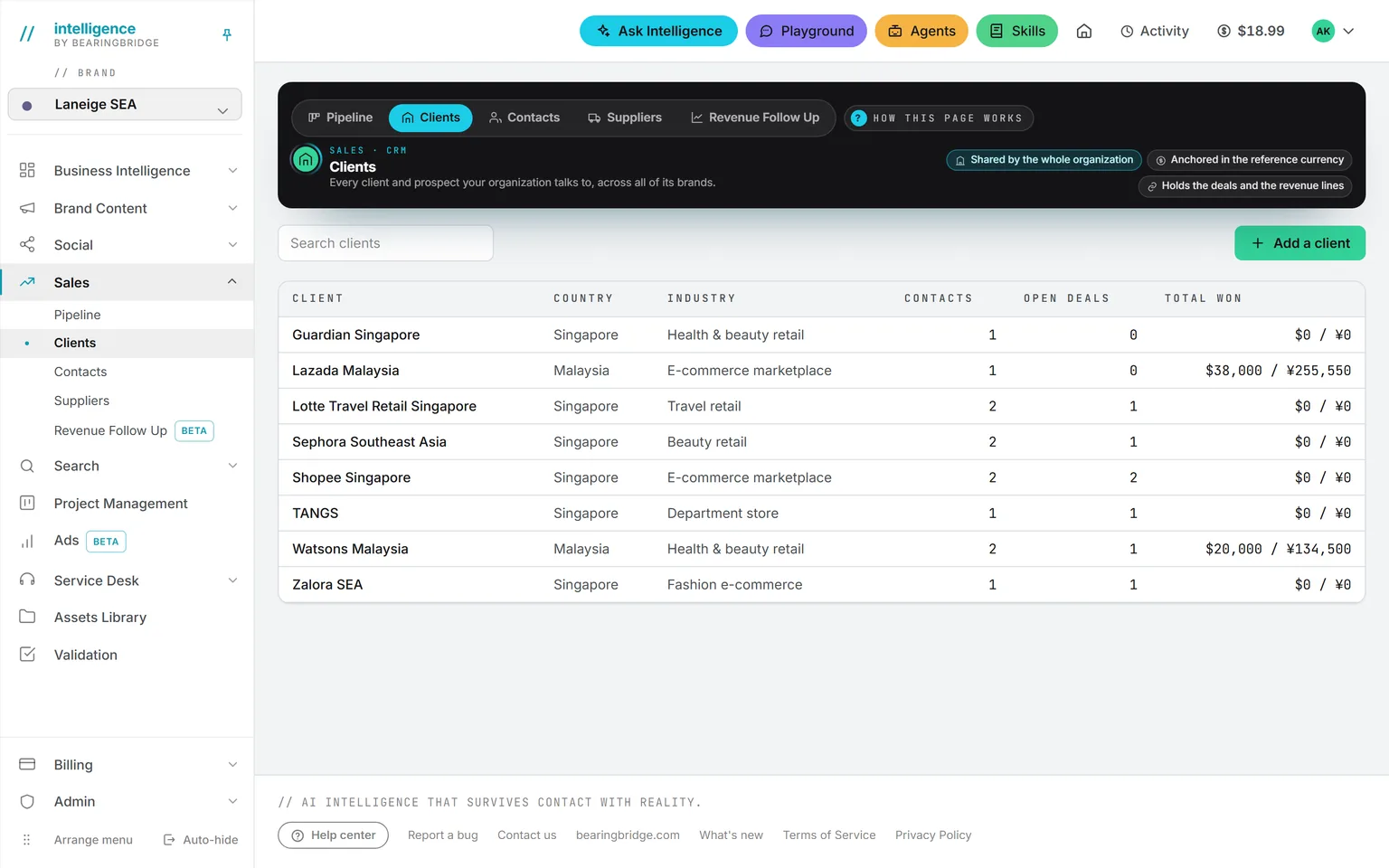
Clients. Clients, contacts and suppliers, each on its own list. Every client shows its open deals and everything won with it.
Everything about a deal on one page.
Stage
A stepper, not a dropdown
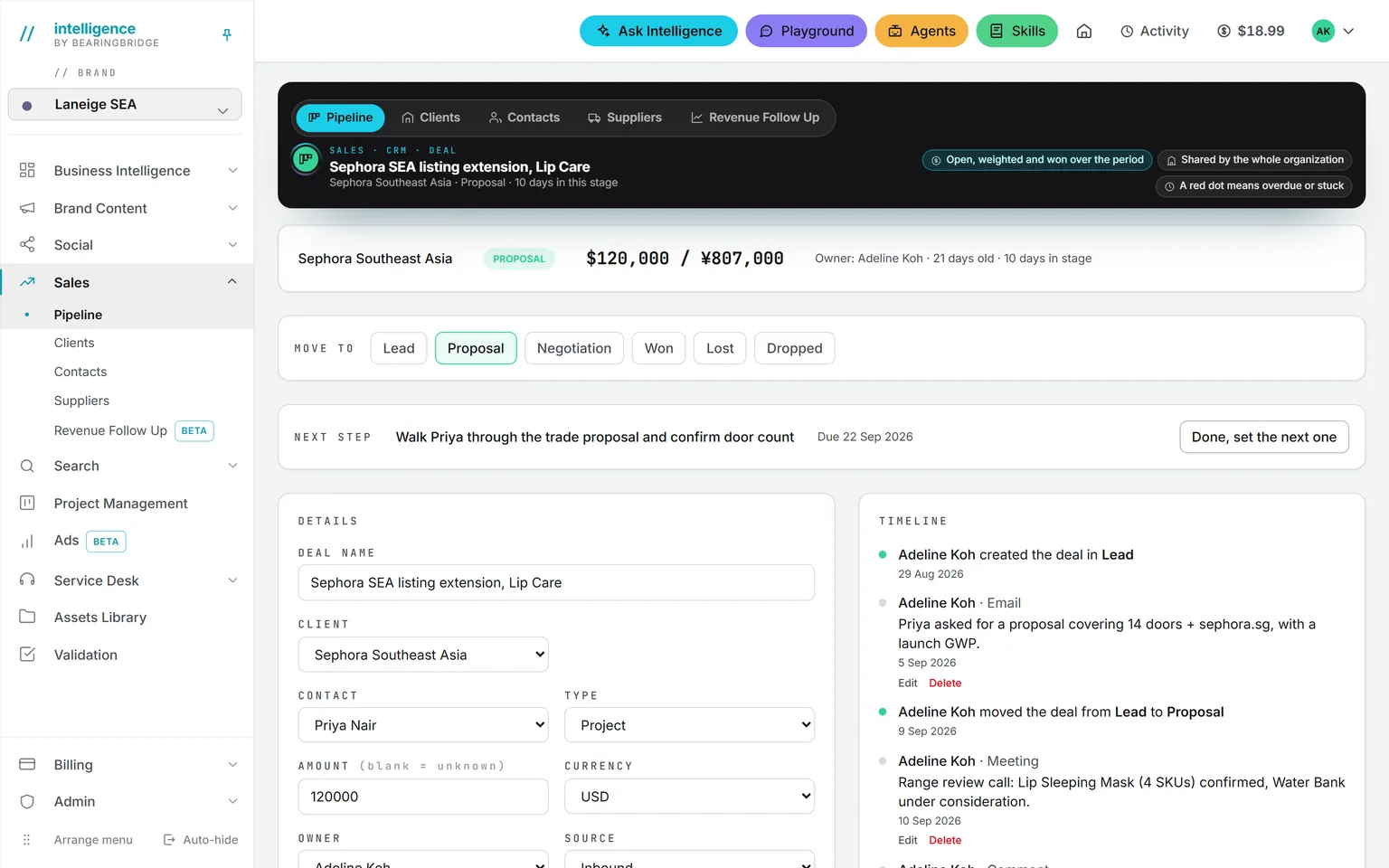
Lead, proposal, negotiation, then won, lost or dropped. Every move is a dated event on the timeline.
Next step
Pinned, with a date
Every open deal must carry a next step and a date. Mark it done and the deal asks for the next one before it lets you close the box.
Client and contact
Typed straight into the deal
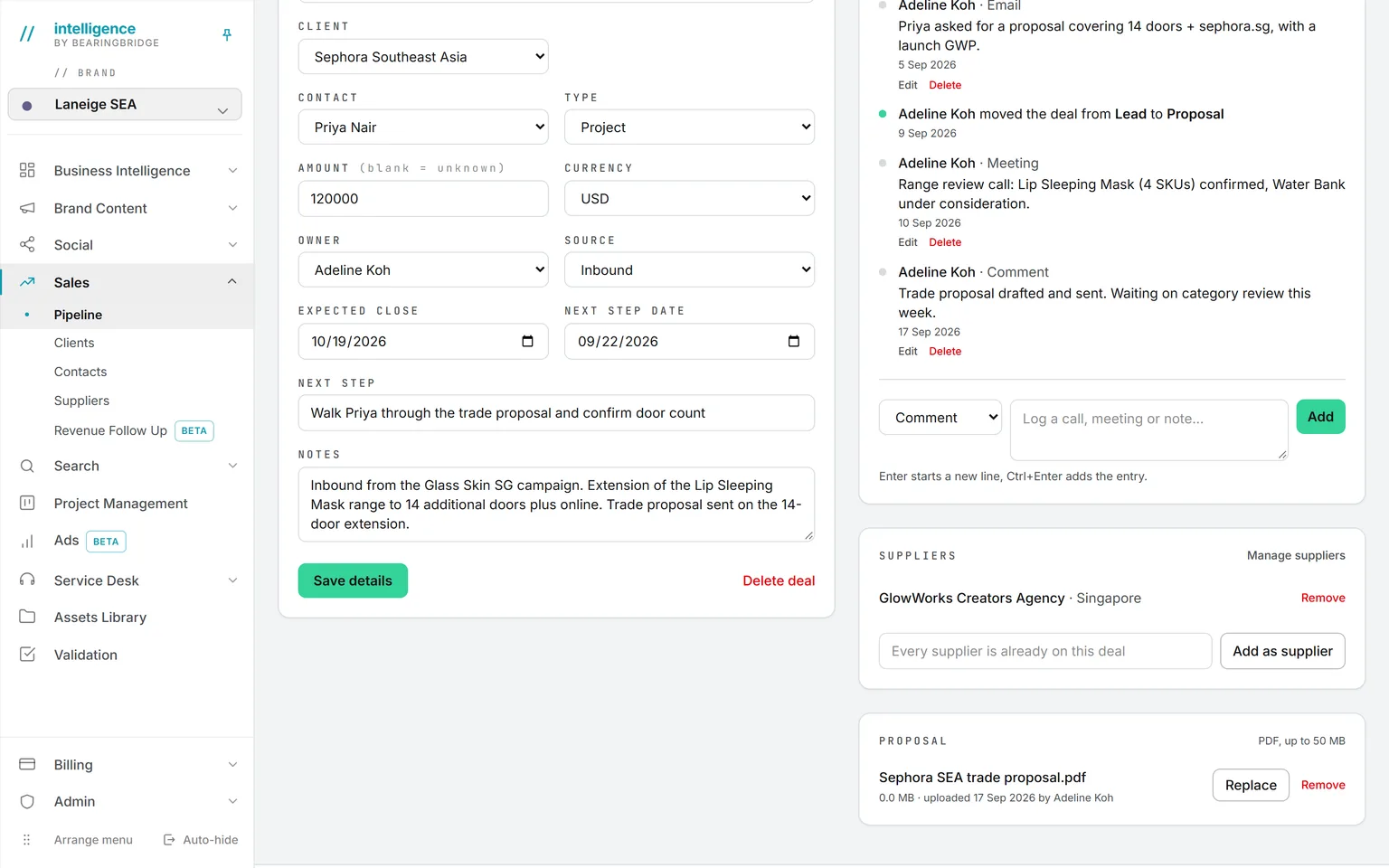
Add a new client and the person behind it without leaving the form. Move the deal to another client and a contact that belongs only there drops with it.
Timeline
Calls, mails and moves, in order
One chronological thread, quick-add from the deal page. Whoever wrote an entry can edit or remove it, and an administrator can for anyone.
Suppliers and proposal
Attached, with their own files
Suppliers sit on the deal from either side and carry a credentials PDF of their own. The proposal holds as many files as the offer needs, of any type, each with its earlier versions, all kept in the Assets Library.
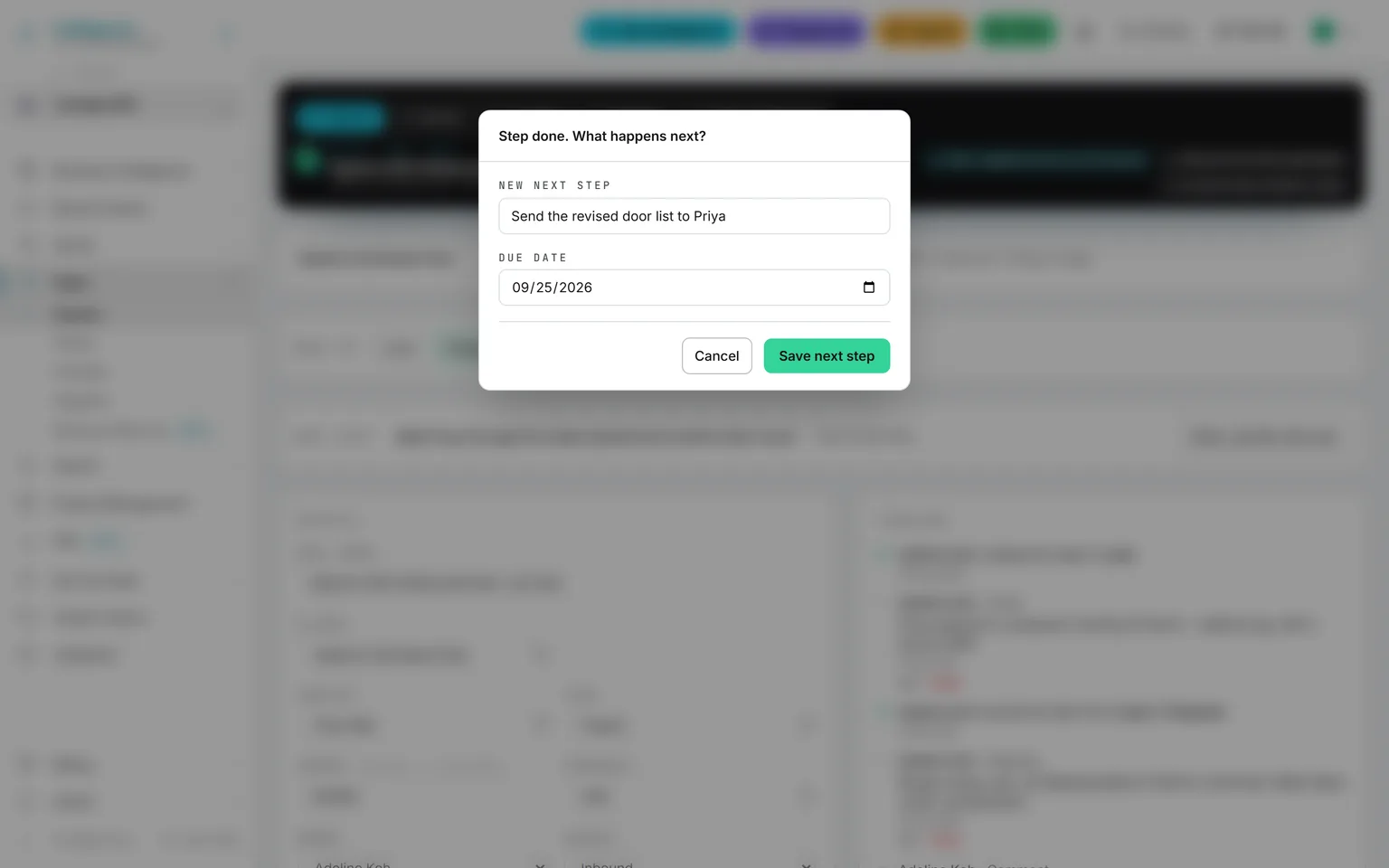
Done, set the next one. There is no way to close a step without opening the next.
Frozen when it counts, shown in two currencies always.
Each amount is stored with its own currency and its value in your reference currency. Open deals follow the rate table; closed deals never move again. Change the reference currency and everything re-anchors. An administrator sets it once, in CRM settings. Pick a second currency and it is printed next to every figure.
Five currencies
US dollar, euro, yuan, Hong Kong dollar, Australian dollar.
One rate table
Kept on the platform, not typed per deal.
Stale, in days
Set the threshold once, in Sales settings. The red dot does the rest.
Deleting is narrower than editing.
Editing a record and deleting it are not the same permission. Sales keeps the second one narrower than the first.
Clients, suppliers, contacts
Only an administrator can remove one.
A deal
Its owner, or an administrator.
A timeline entry
Its author can edit or remove it, and so can an administrator.
The same data, one door over.
Nothing here is an integration. These run on the same account, the same brand, the same ledger, so a finding on one page becomes work on the next.
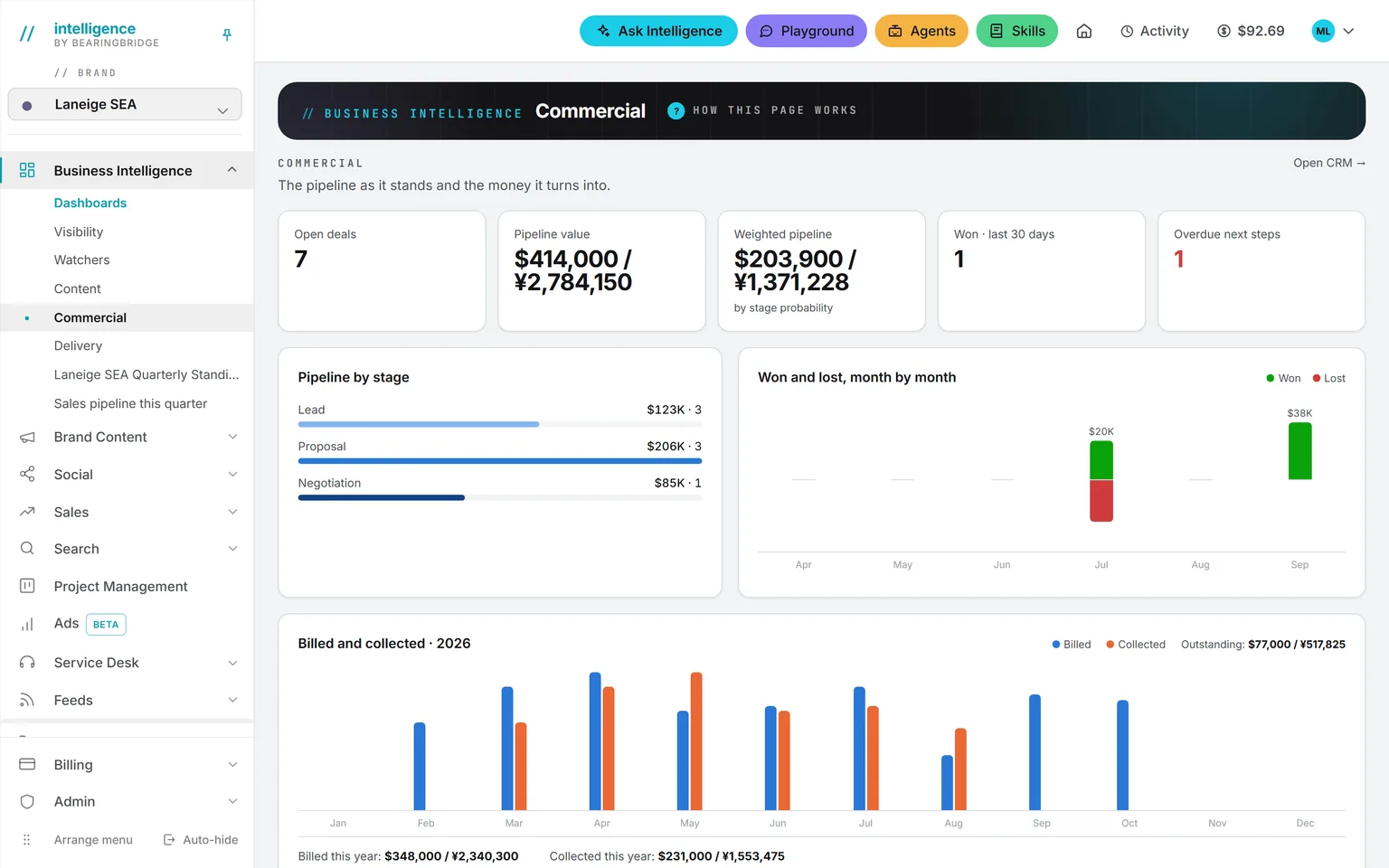
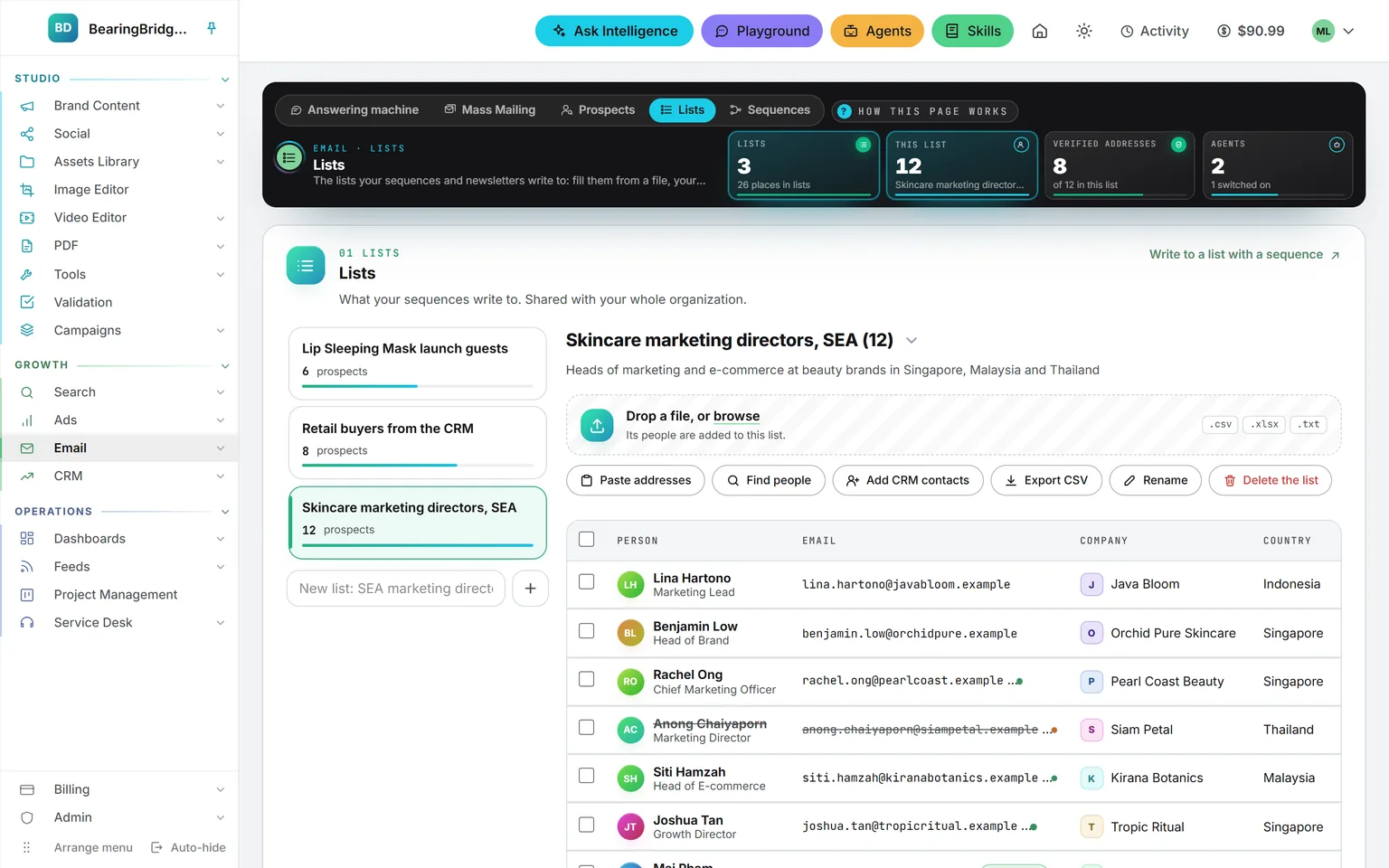 Business IntelligenceThe Commercial dashboard turns the pipeline into numbers: value by stage, the weighted pipeline, won and lost month by month.
 Ask IntelligenceAsk which deals went quiet. It reads the pipeline, the companies and the sales activity, if you have access to the CRM.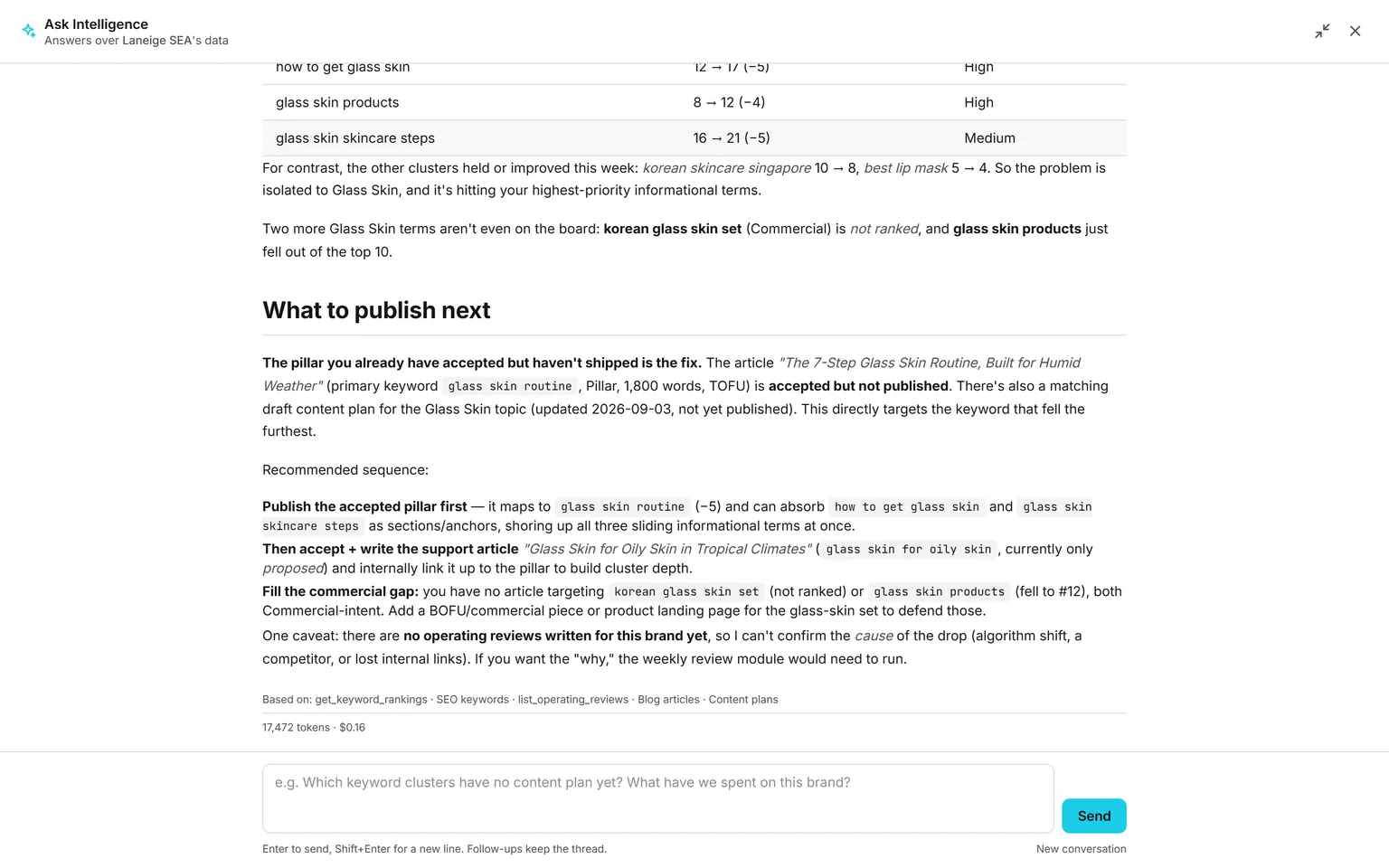
Not built yet, said first
- No quote or proposal generator on the deal page. It was retired on September 1, 2026, and is offered tailor-made on request.
- No customer invoicing, P&L or cash flow. Revenue Follow Up, which turns won deals into billing lines, a P&L and a cash forecast, is in beta and not open to customers yet.
- No import of an existing pipeline yet. Deals, clients and contacts are typed in by hand.
- No meeting capture or mailbox sync on the deal. Calls and mails are logged by hand, on the timeline.
- No lead scoring, price book, commissions, territories, or a commit and best-case forecast.
The catalog lists every agent as built, partial, or not built. Checked against the product on October 4, 2026.
Usage is paid from a prepaid wallet, with no seat fee. The rates are on the pricing page.
Give every open deal a next step. The board keeps you honest.
Switch on Sales, have an administrator set the reference currency once, and type in your open deals with their next steps. Overdue ones show up in red without you asking.
No subscription. No seat fee. No card needed to open an account.