




Modules / Social
Social posts that fit each network and go out on time.
Write the post and add a picture or a clip. Then pick the hour. When it comes, the app posts it from your own accounts, after checking the network’s limits one more time. Every post ends up on one calendar.
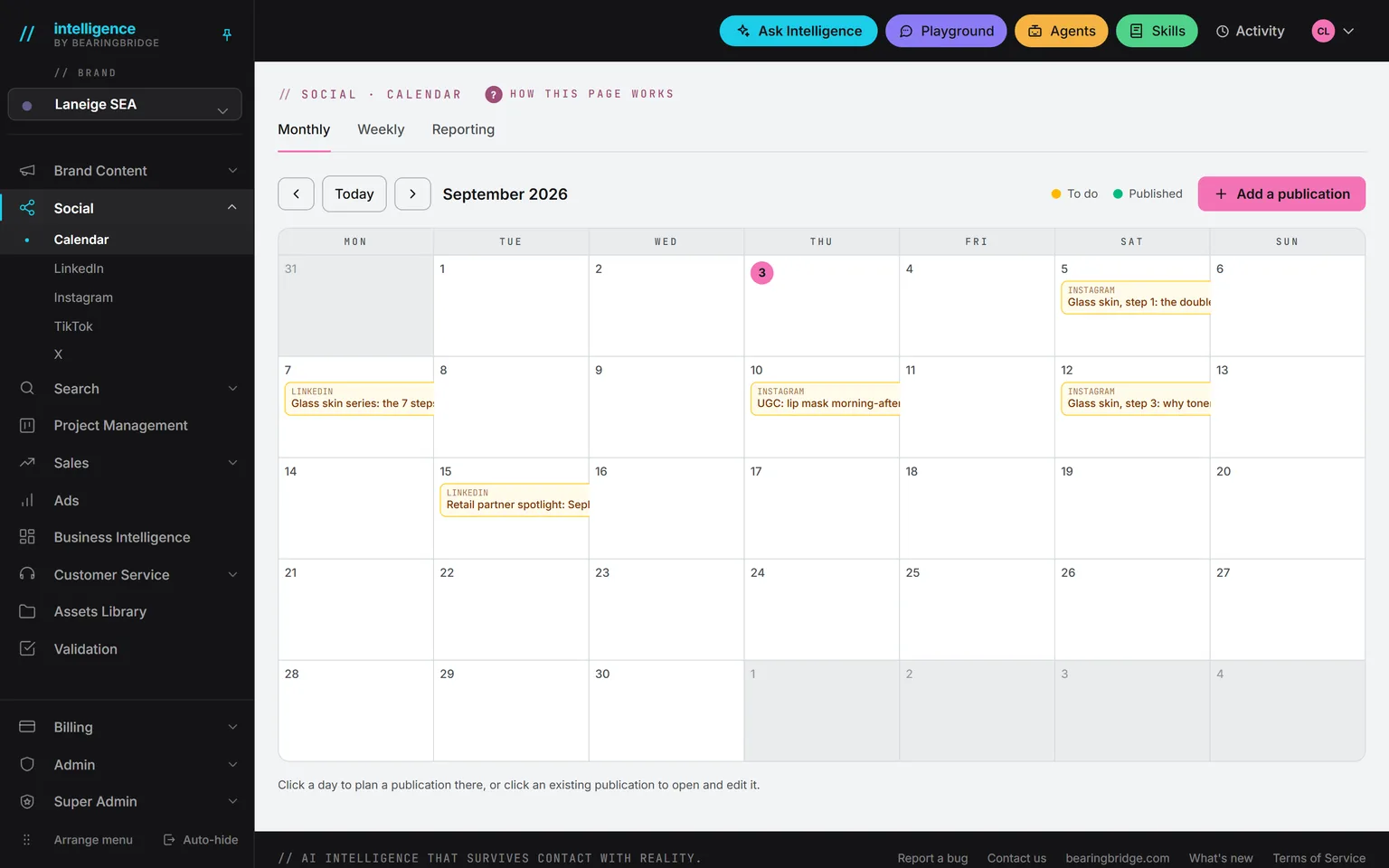
Demo workspace. Invented brand and figures.
Each post starts where its network starts.
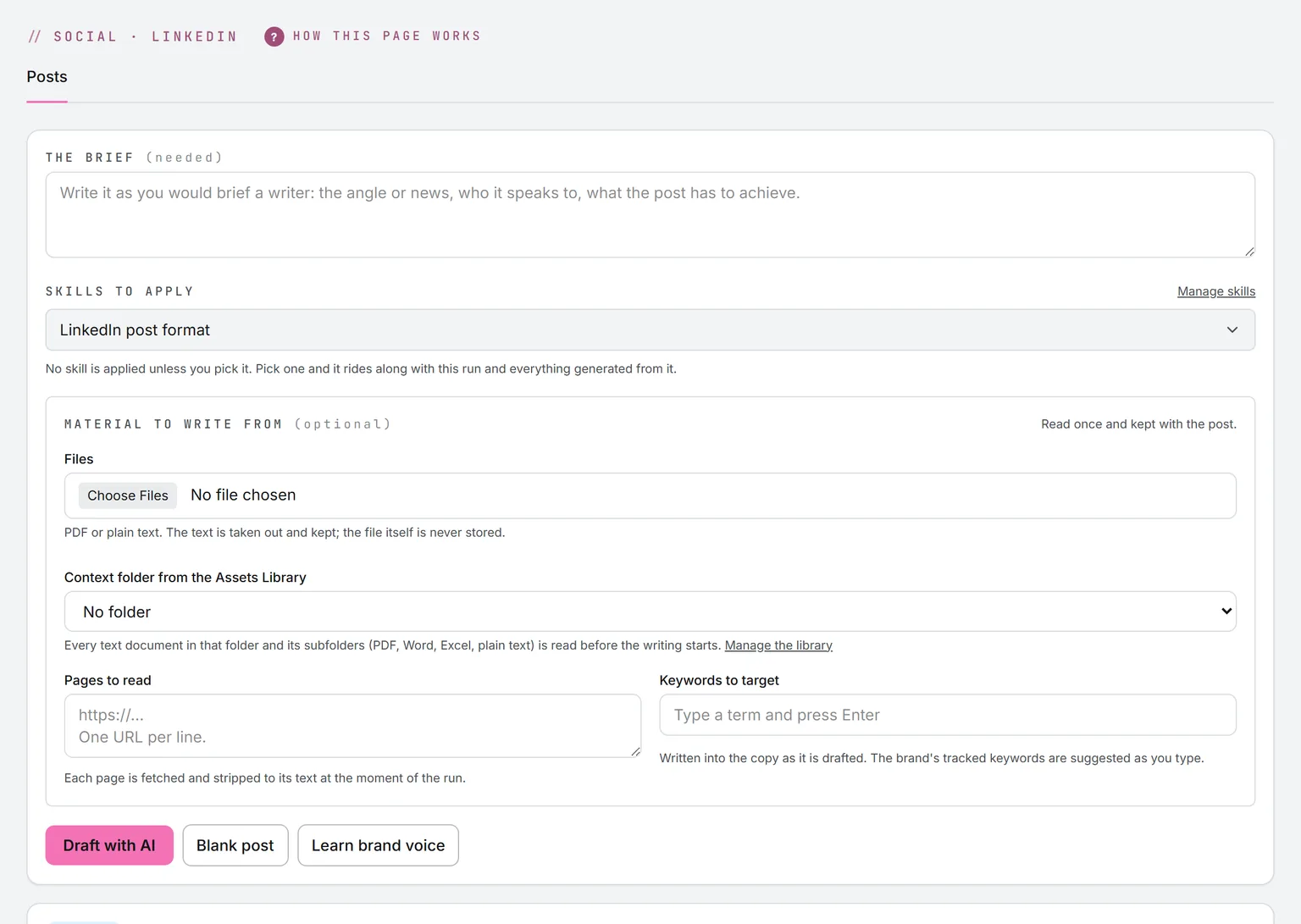
LinkedIn, X, Facebook. Shape, language, and model come first, and the model shows its price. Then the brief: type it, or import a text or Markdown file. The file is read in your browser and never stored. Add what it writes from: files, pages, a library folder or a campaign, and keywords. Draft with AI, or skip the model and write it yourself.
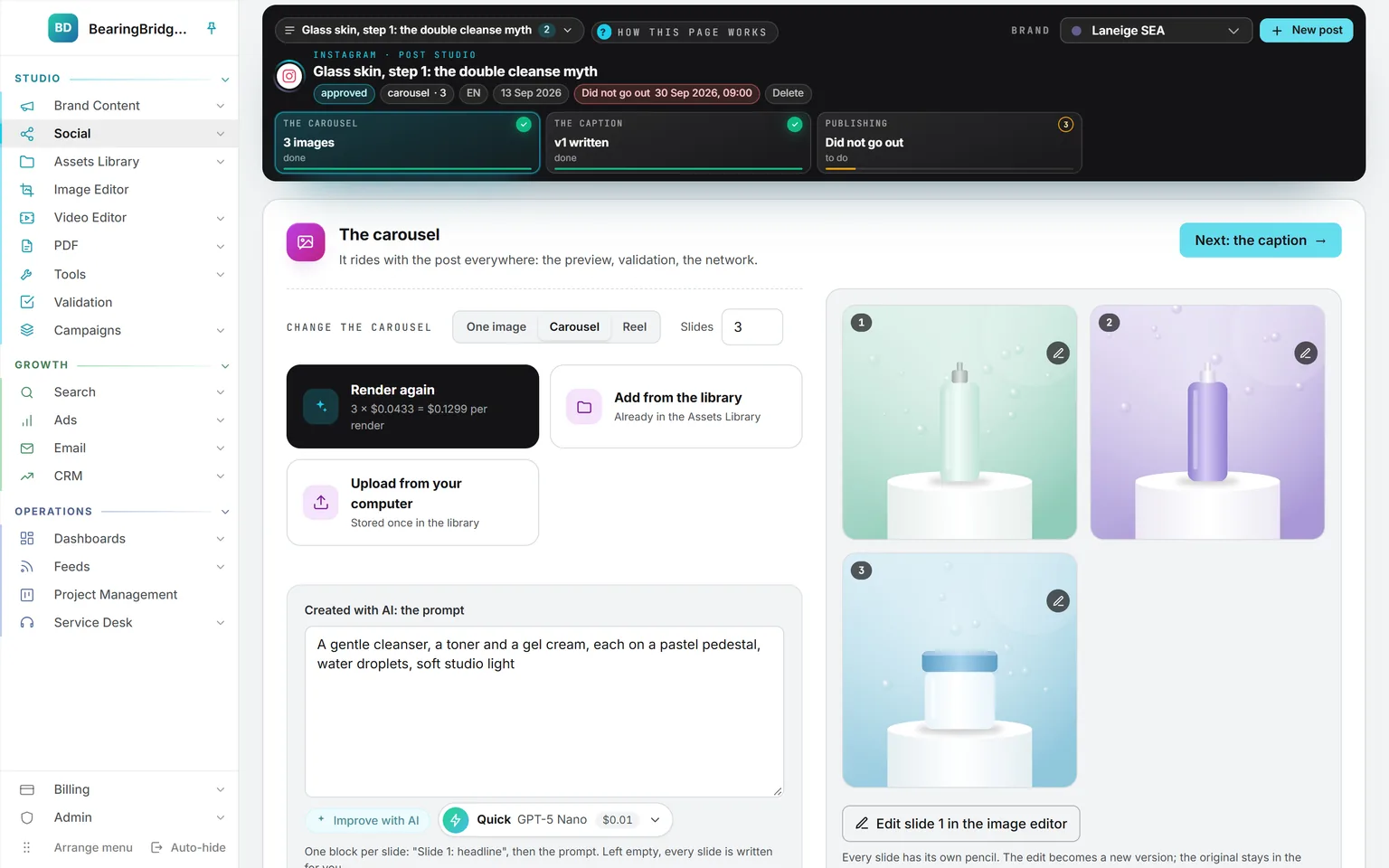
Instagram. On Instagram the picture is the post, so step 01 is the picture, the carousel, or the reel. Render it, pick it from the Assets Library, or upload your own. The caption comes second and is written from it.
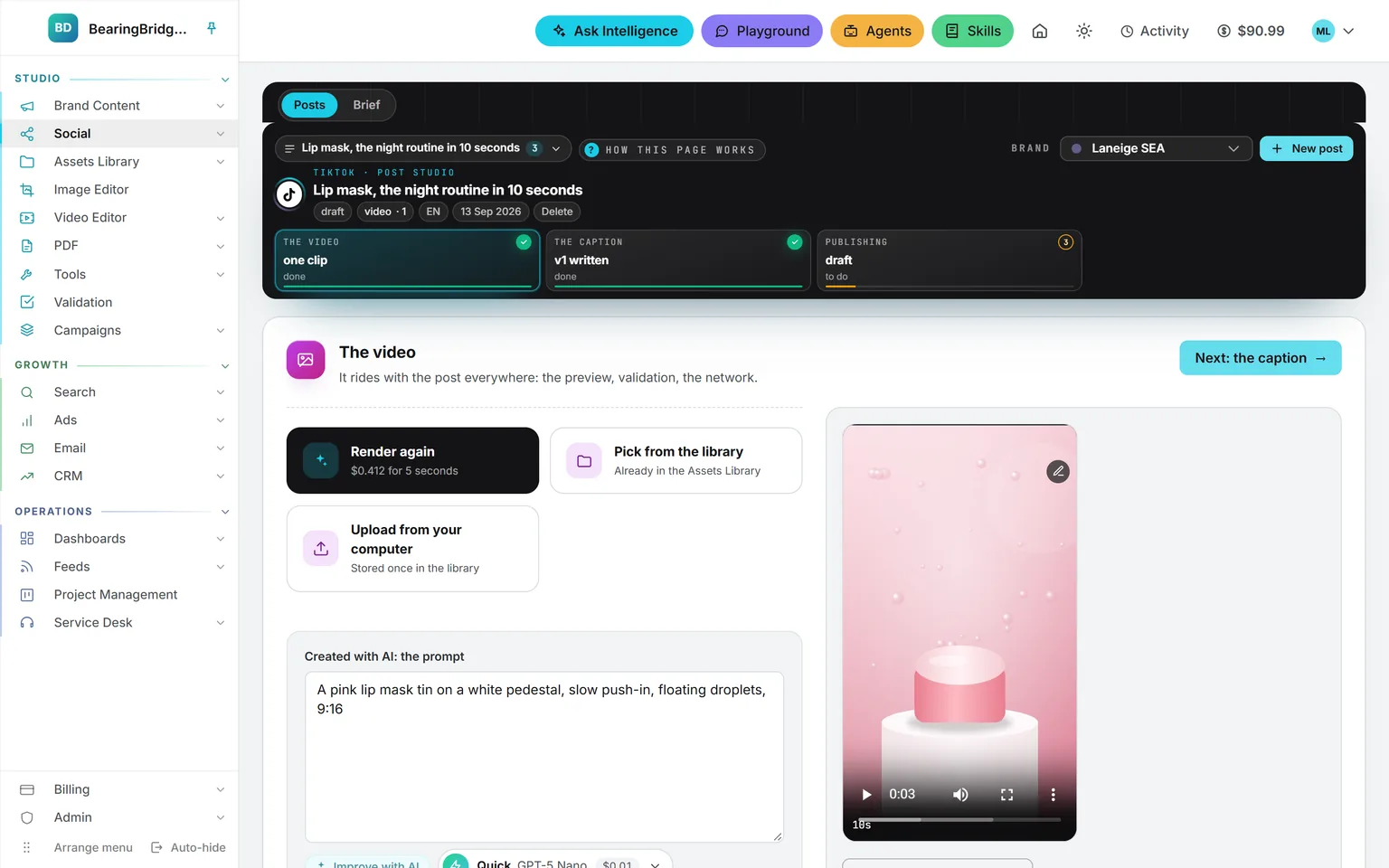
TikTok. A TikTok post is a video. Render the clip, pick it, or upload it, then write the caption that goes under it. The Brief tab still writes a full script timed to the length you pick.
Wherever a post starts, the rest works the same way. Each network offers only the shapes it can publish: text only, text and one picture, text and a carousel, or a video. A picture can be rendered with AI, picked from the Assets Library, or uploaded from your computer. The engine list opens on the cheapest engine, and the price shows before you render. An upload is stored once, under the brand.
Once the copy is there, highlight a sentence to have only that part rewritten, or ask for a whole new version in one line. Earlier versions stay in the list. Pictures keep theirs too: every set a post has carried is listed, an edit in the image or video editor adds one, and Use this version puts an earlier set back. Nothing needs saving by hand: a post saves itself a moment after you stop typing, when you leave a field, and when you close the tab.
Each post shaped to the rules of its network.
Posts to your profile or a company page you administer. Up to 3,000 characters with the hook inside the first 140, five hashtags at most, and no link in the body.
X
A single post or a thread of up to six. Counted the way X counts: an emoji is two, a link is 23, and 280 is the ceiling. Up to four pictures sit side by side.
Posts to a page, never a profile. One idea, a hook in the first line, two hashtags at most. It can carry pictures or a video, plus an optional first comment.
Needs a Business or Creator account. A picture, a carousel, or a reel, with a caption under 2,200 characters and no more than 30 hashtags.
TikTok
Video only. The clip runs from three seconds to 10 minutes, and the caption stays under 2,200 characters with the hook in the first 80.
YouTube
A video with its title, 100 characters at most, and its description, up to 5,000, both checked and repaired. You upload it yourself in YouTube Studio, which the app opens for you. A channel kit per brand prepares the channel: name, handle, description, keywords, links, a banner and a profile picture.
LinkedIn’s and X’s rules are written as code, so the draft gets measured after the model hands it back, instead of trusting a line in the prompt.
A draft that breaks a rule goes back to the model once. If it still runs over the hard limit, you get a message, not a broken post.
Caption length, picture count, file type, file weight, and clip length are checked in the form and again before the post is sent, for all five networks.
A prompt that asks nicely
- “Keep it under 280 characters.”
- Emoji counted as one, links at their full length.
- Found out on the network, after the post fails.
What ships here
- The weighted count X actually uses.
- The LinkedIn fold, the TikTok safe zone, the hashtag caps.
- Checked when drafted and again before it is sent.
Each network’s rules are a skill in the standard picker, ticked by default. Edit them once for the organization, or untick them and write free-form. Drafts are written in the brand’s voice unless you switch it off, and Check voice scores a draft from 0 to 100 with a note on what to fix.
Let the app post it, or post it yourself.
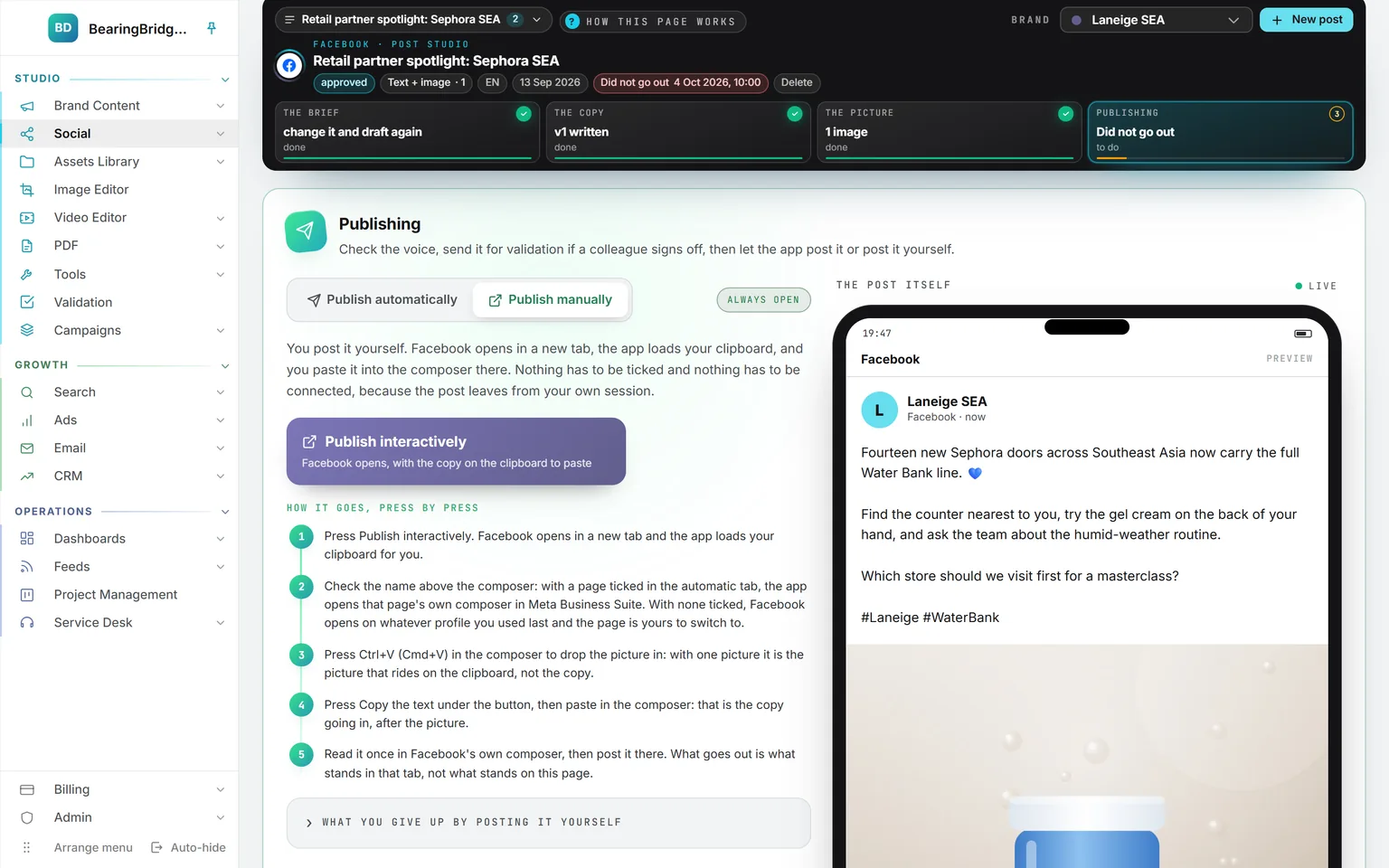
Publish manually. No connected account needed. LinkedIn and X open their composer with the copy in it. Facebook, Instagram, and TikTok get the copy on your clipboard. On YouTube it is the only way: YouTube Studio opens on its upload window, the video downloads, and the title waits on your clipboard.
The publishing step asks one question: does the app post it, or do you? Publish automatically sends it through the network itself, in the name of the accounts you tick. Nothing is ticked in advance. A post goes out under somebody’s name, so Schedule and Publish now stay locked until you tick an account.
Pick an hour from the quick choices or type your own. It’s read in the time zone set in your Settings. Each account gets its own place in the queue, so a post one network refuses still goes out on the others.
What costs money: an AI draft, a rendered picture or clip, and a post that goes out on X, which is billed per post and only when it’s sent. Each shows its price before you press anything. Publishing on LinkedIn, Facebook, Instagram, TikTok, and YouTube costs nothing. The rates are on the pricing page.
What happens between the press and the post
01
Queued
One row per account, set for the hour you picked, in your own time zone.
02
Checked
The queue is read every five minutes. Limits are checked again right before anything is sent.
03
Retried
A busy network is tried again after five minutes, 30 minutes, and two hours.
04
Sent or refused
Sent posts turn green with their live link. A refusal turns red, and you get an email with the reason.
Connected in your name and used only by you.
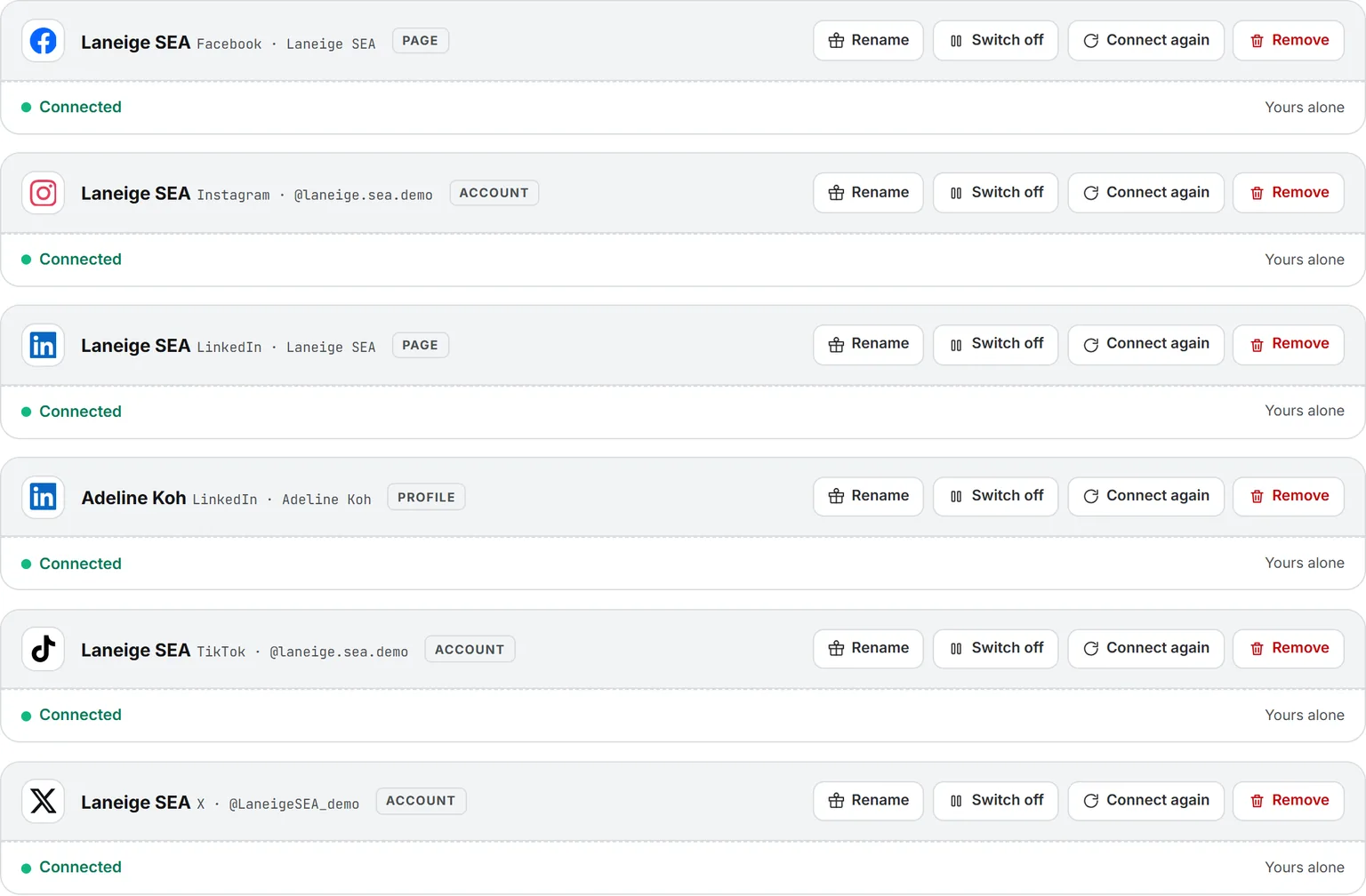
Each person connects their own accounts on My Connections: a LinkedIn profile and the company pages they administer, an X account, a Facebook page, an Instagram professional account, a TikTok creator account. You sign in on each network’s own screen, so the app never sees your password.
What you connect is yours alone. Nobody else in the workspace can post with it, administrators included. If you remove the connection, the app can’t post with it anymore. Each network card says what it needs first: Facebook publishes on a page and never on a profile, and Instagram needs a Business or Creator account. A LinkedIn connection lasts 60 days, and you get an email before it runs out.
One calendar for the plan and what went out.
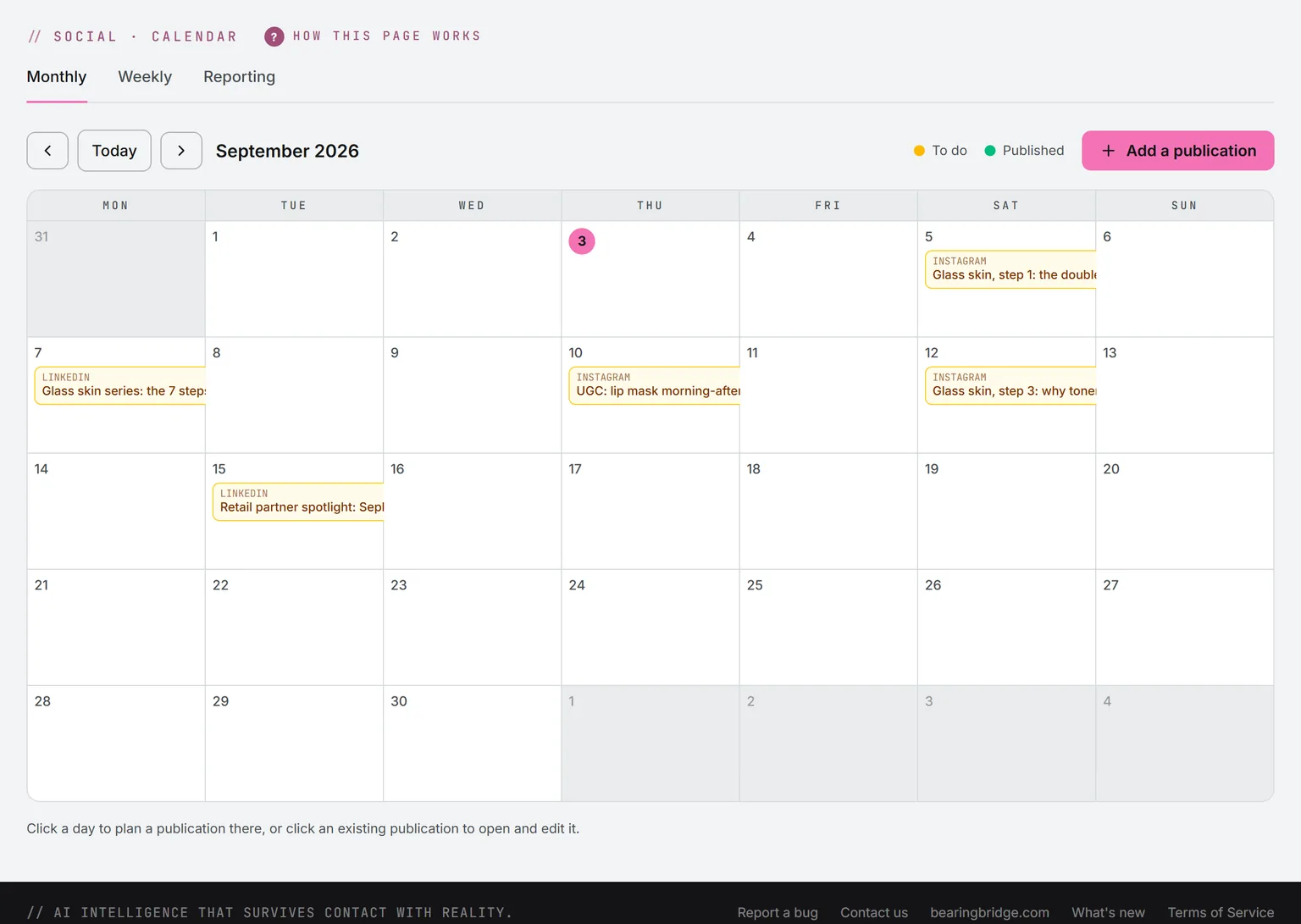
Monthly. Amber is still to write and publish. Green is live. Red means a network said no, and the card says why. A booked post shows in blue at the hour it goes out; this month none is waiting, so Planned reads 0. A busy day shows its first four posts, and +N more opens the whole day in the order the posts go out.
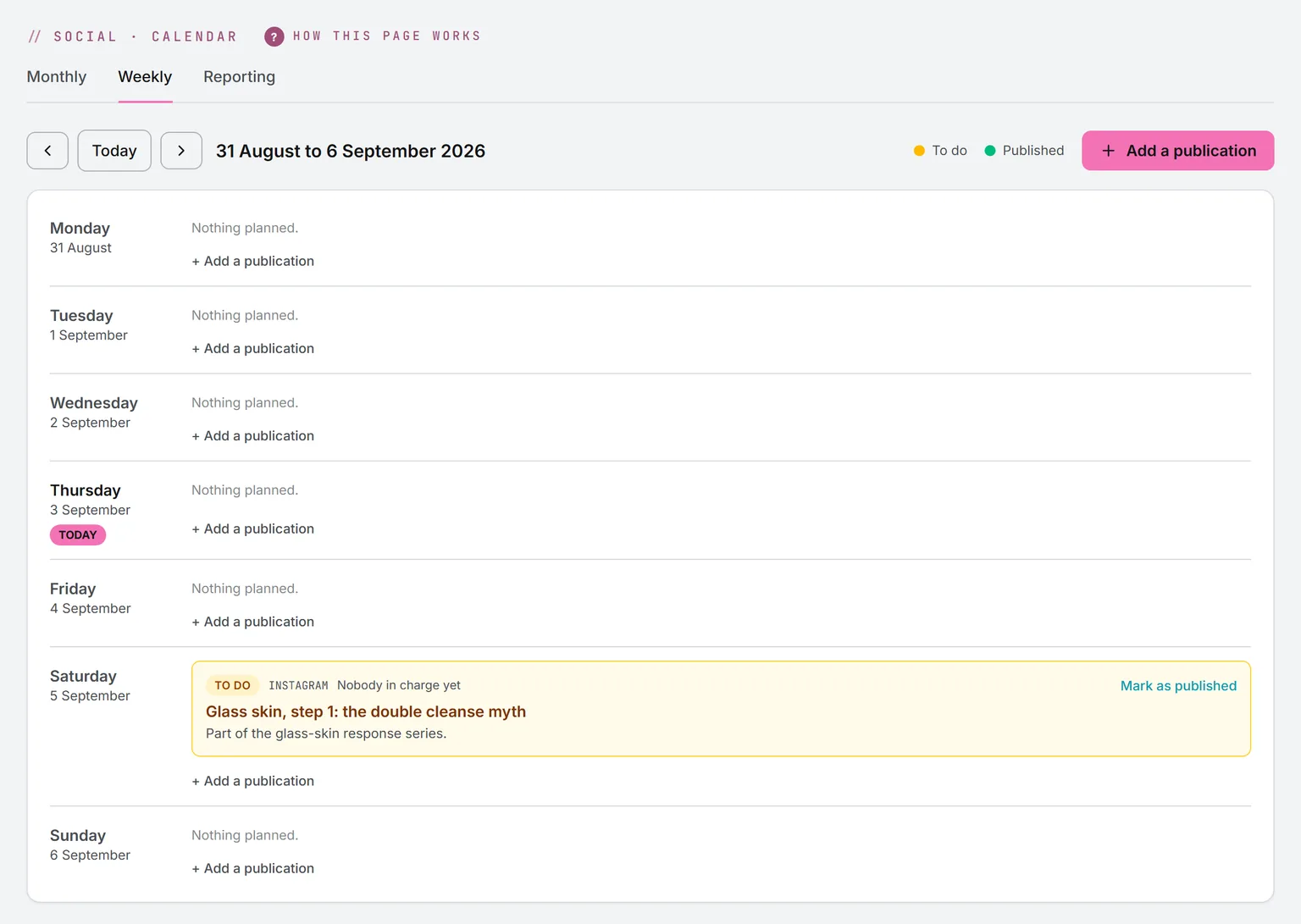
Weekly. Every post of the day is listed with its hour and the account it goes out on. A booked post dragged to another day keeps its hour.
Click a post from the studio and it opens at its last step. The plan also holds WeChat and Xiaohongshu, nine platforms in all. Those two are planned by hand and marked published with their live link, as is a YouTube video once you have uploaded it.
What went out, and what’s still waiting.
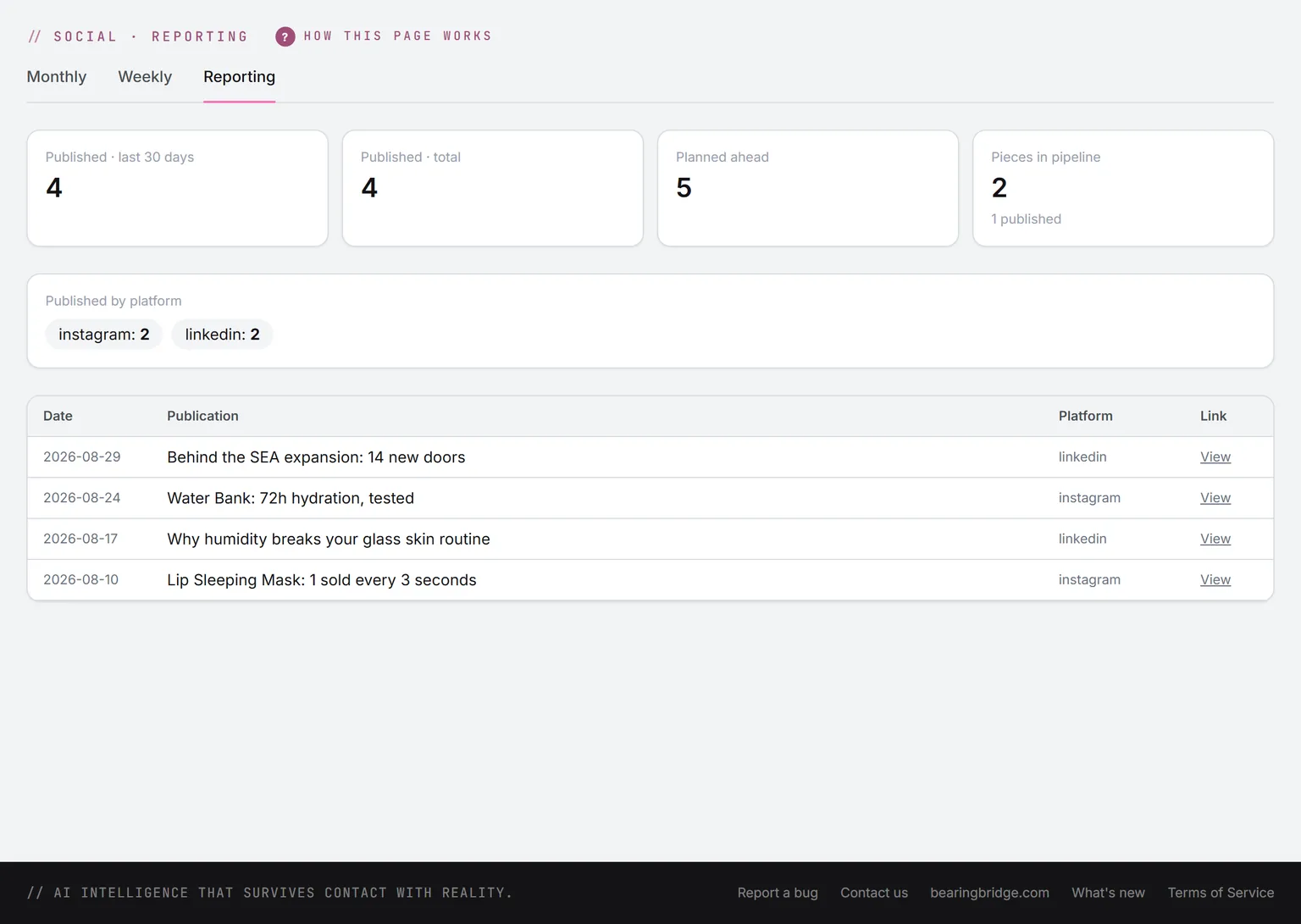
The top line counts what was published in the last 30 days and in total, what is planned ahead, and what is still in the pipeline. Under it, the queue: scheduled, sent by the app in the last 30 days, and refused.
Then the split by platform and the last 10 publications with their links. All of it is output. Reach and engagement aren’t read back from the networks yet, and the page says so.
The same data, one door over.
Nothing here is an integration. These run on the same account, the same brand, the same ledger, so a finding on one page becomes work on the next.
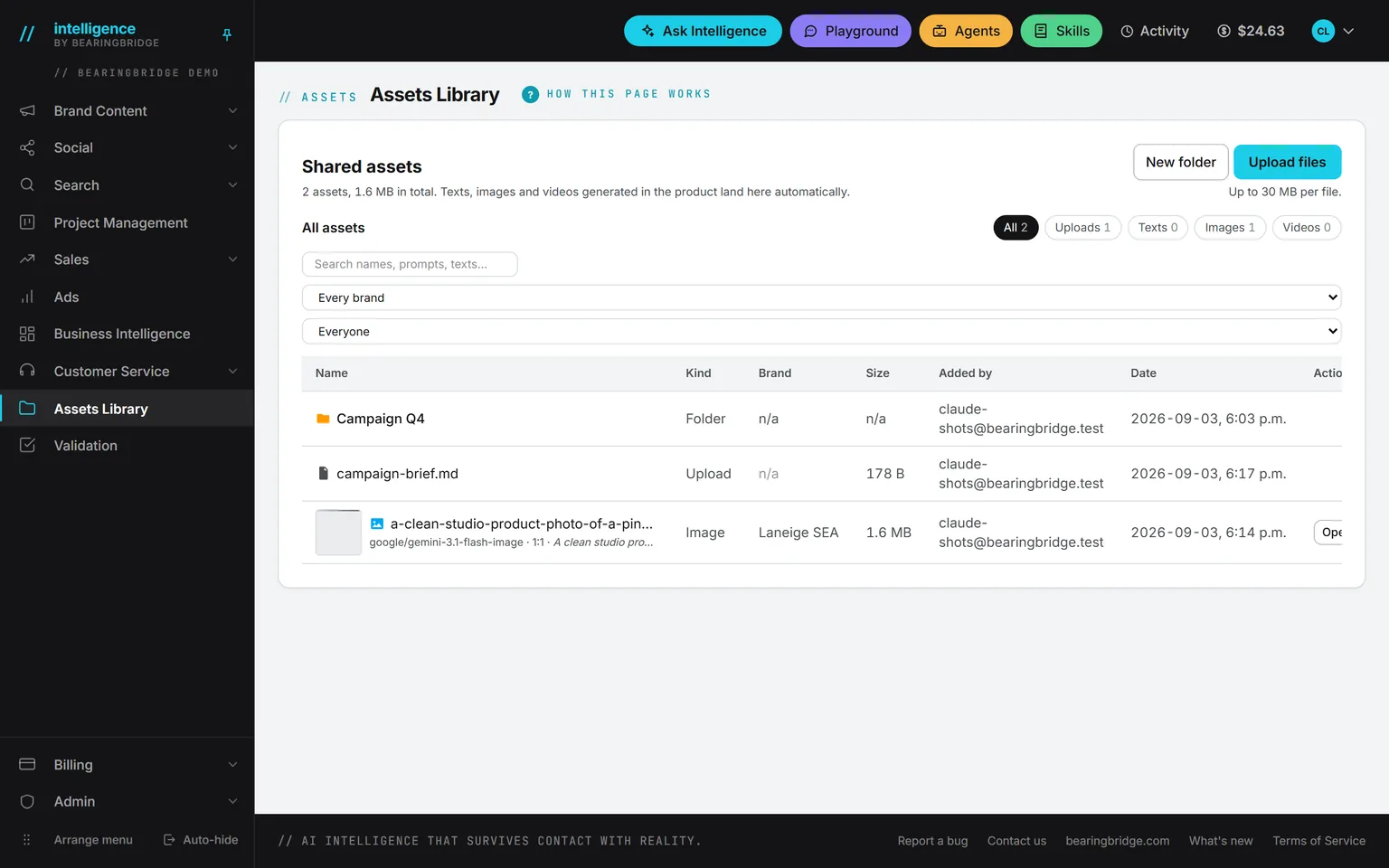 Brand ContentImages and videos made in the studios land in the Assets Library, where the picture step of a post can pick them.
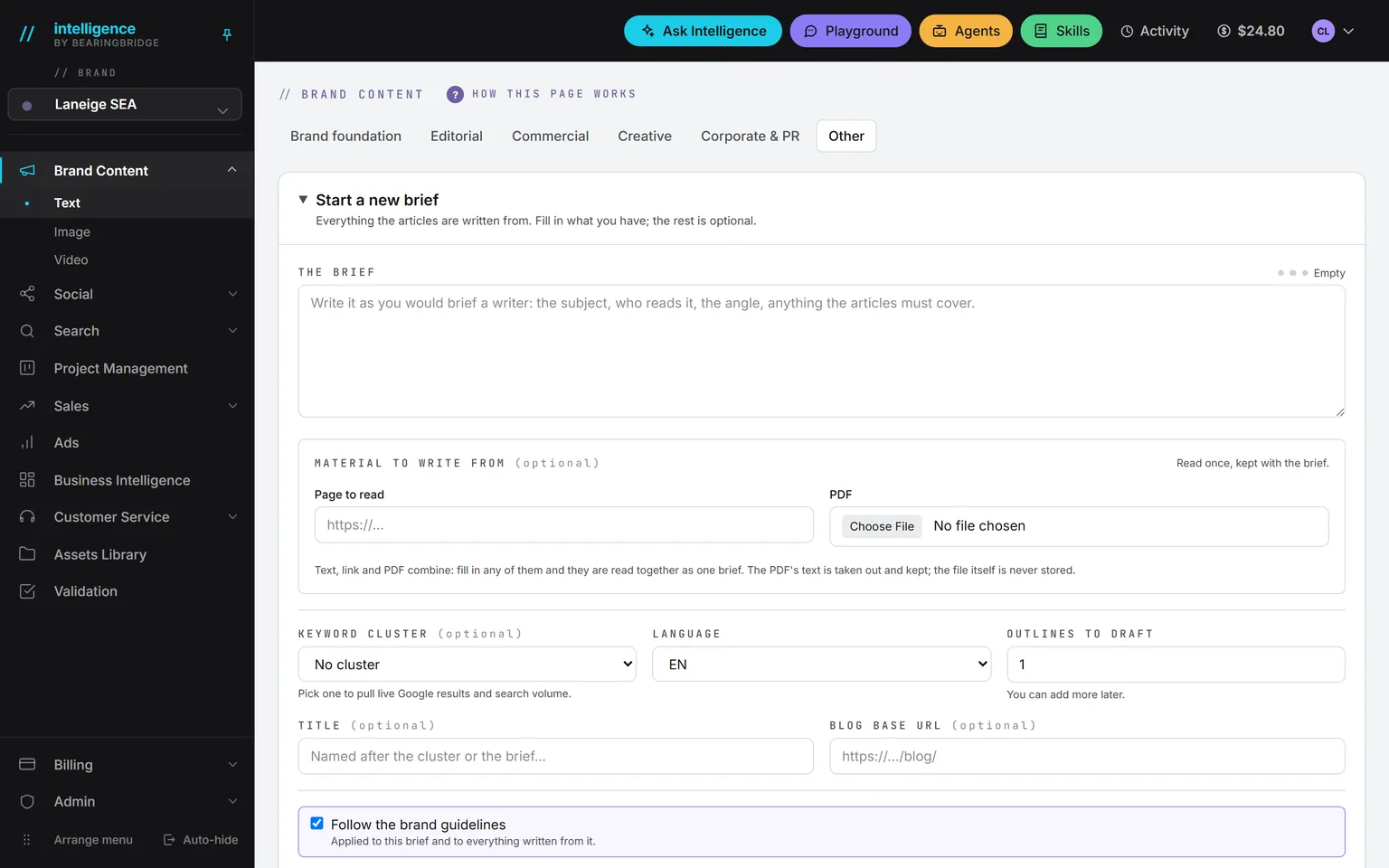 ValidationSend for validation hands the post to a colleague. It stays locked until they sign off.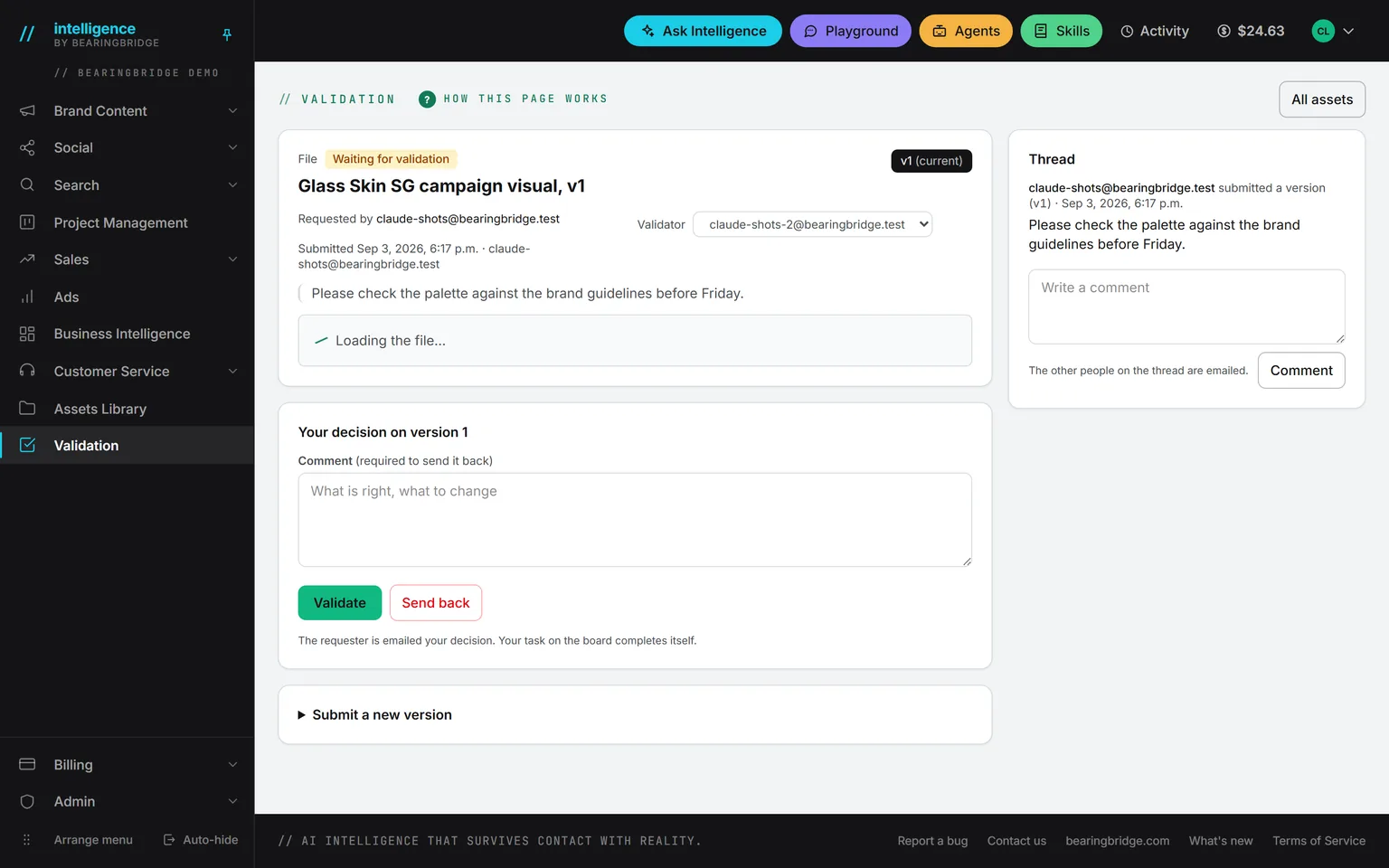
Not built yet, said first
- Reach, engagement, and follower numbers are not read back from the networks yet. Reporting counts output and the publishing queue.
- Video goes out on Instagram, Facebook pages, and TikTok. LinkedIn and X take text and pictures only.
- Once a post is live, only X lets you edit or delete it from here, and an edit needs X Premium within an hour. On the other four, change it on the network.
- YouTube is published by hand in YouTube Studio. The app prepares the video, its title, and its description, but it does not upload, schedule, or connect a YouTube account.
- WeChat and Xiaohongshu are on the calendar for planning only: no drafting workspace, no publishing.
- A first comment is offered on Facebook only.
- Instagram and Facebook drafts follow their format skill without the count-and-repair pass of LinkedIn and X. Their limits are still checked before a post is queued.
- On TikTok, the creator’s own account settings decide who sees a post, and the form offers only what TikTok allows.
The catalog lists every agent as built, partial, or not built. Checked against the product on October 16, 2026.
Usage is paid from a prepaid wallet, with no seat fee. The rates are on the pricing page.
Plan the month once and let each post go out at its hour.
Switch on Social and connect your own accounts on My Connections. After that, each post goes out in your name at the hour you set, and you’ll find it on the calendar.
No subscription. No seat fee. No card needed to open an account.