




By roleThe job: CEO / DirectorHeld by: you
How a CEO or director uses Intelligence.
You don’t run a module. You want to know what moved this week and why. After that, who is handling it. Here’s what to open and what to ask, whether you have a full management team or you’re covering three jobs alone. What it can’t do is listed further down.
With no management team, the platform can stand in for part of one. Four watcher agents do the noticing a marketing director would do. The weekly review does what an analyst would do on Friday afternoon. You still decide. See what it takes over.
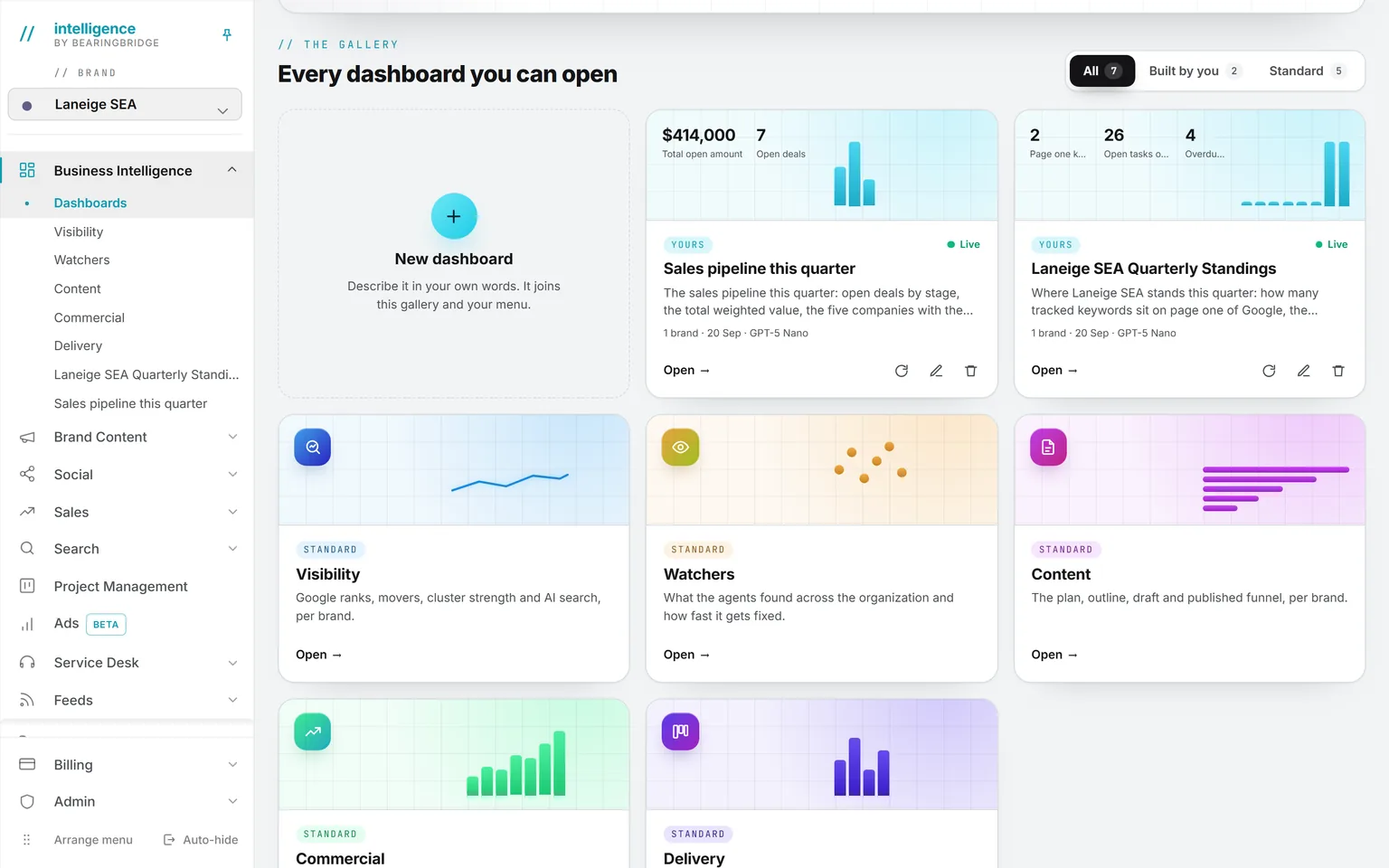
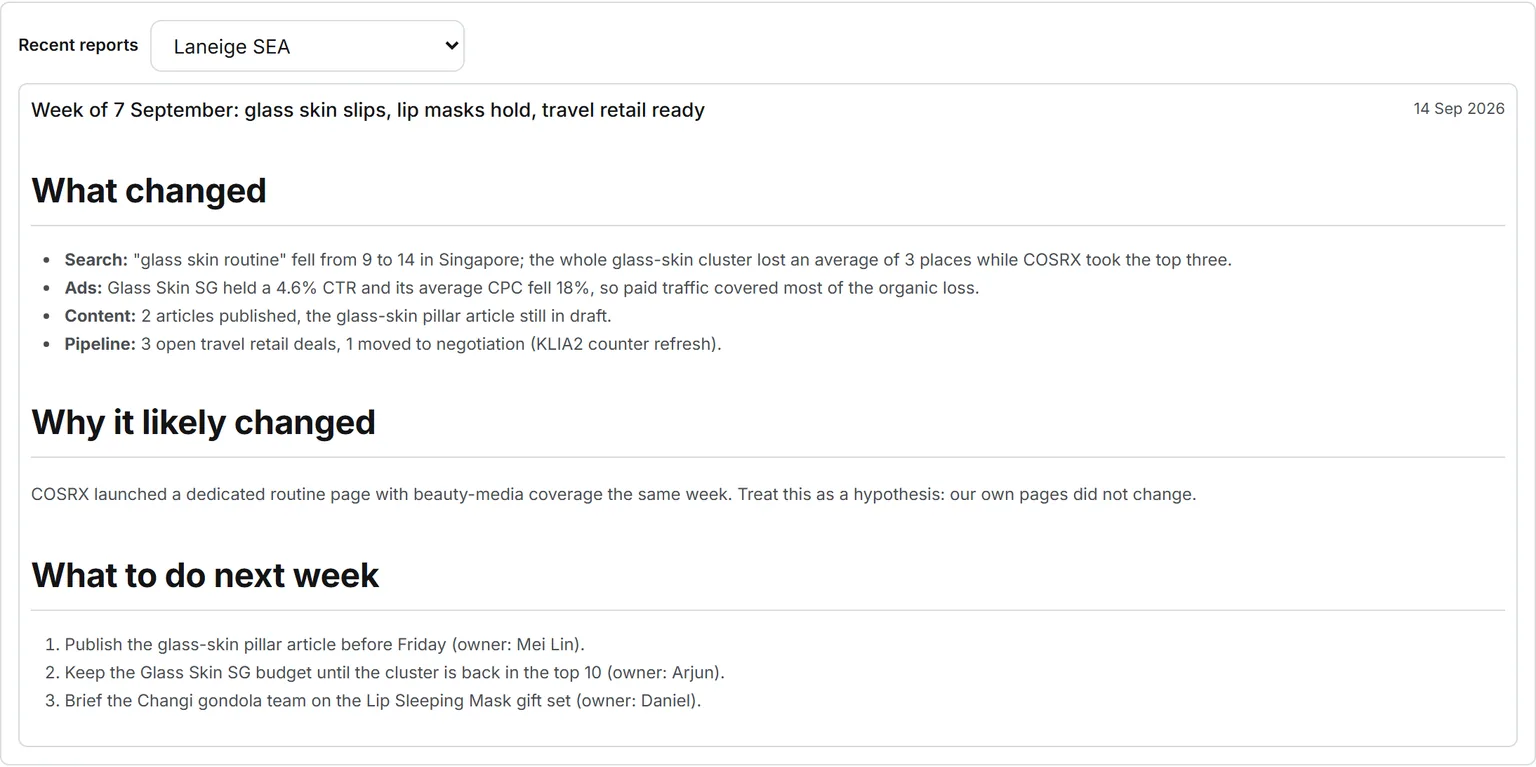
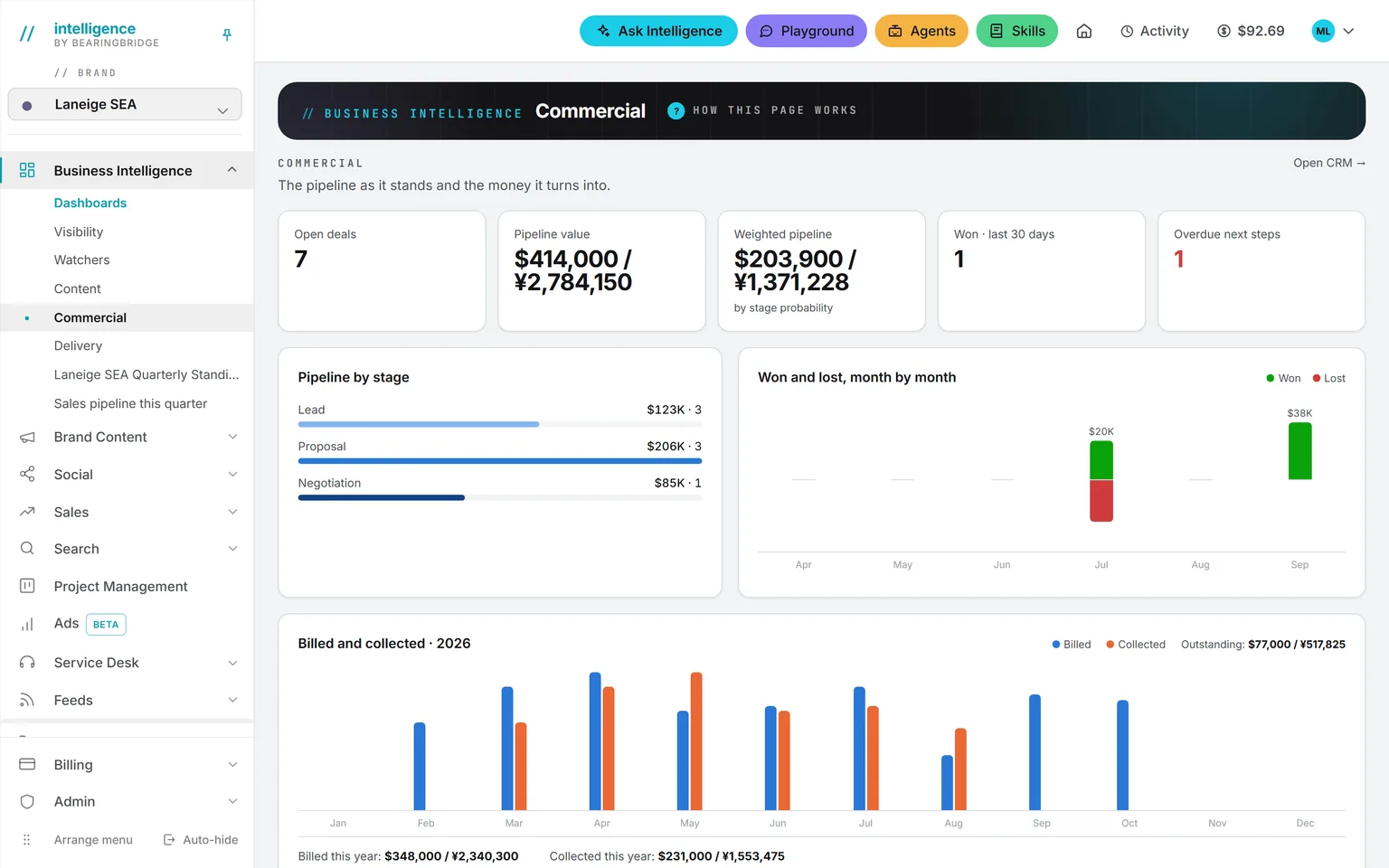
Demo workspace. Invented brand and figures.
What to open first.
The numbers are computed when you open the page, so nothing on it is out of date. There are also two written reports.
Business Intelligence opens on five standard dashboards: Visibility, Watchers, Content, Commercial, and Delivery. For your job, start with two. Commercial shows open deals and pipeline value, plus what was won in the last 30 days, which next steps are overdue, and what was billed against what was collected. Delivery shows open tasks, overdue tasks, and the ones nobody owns.
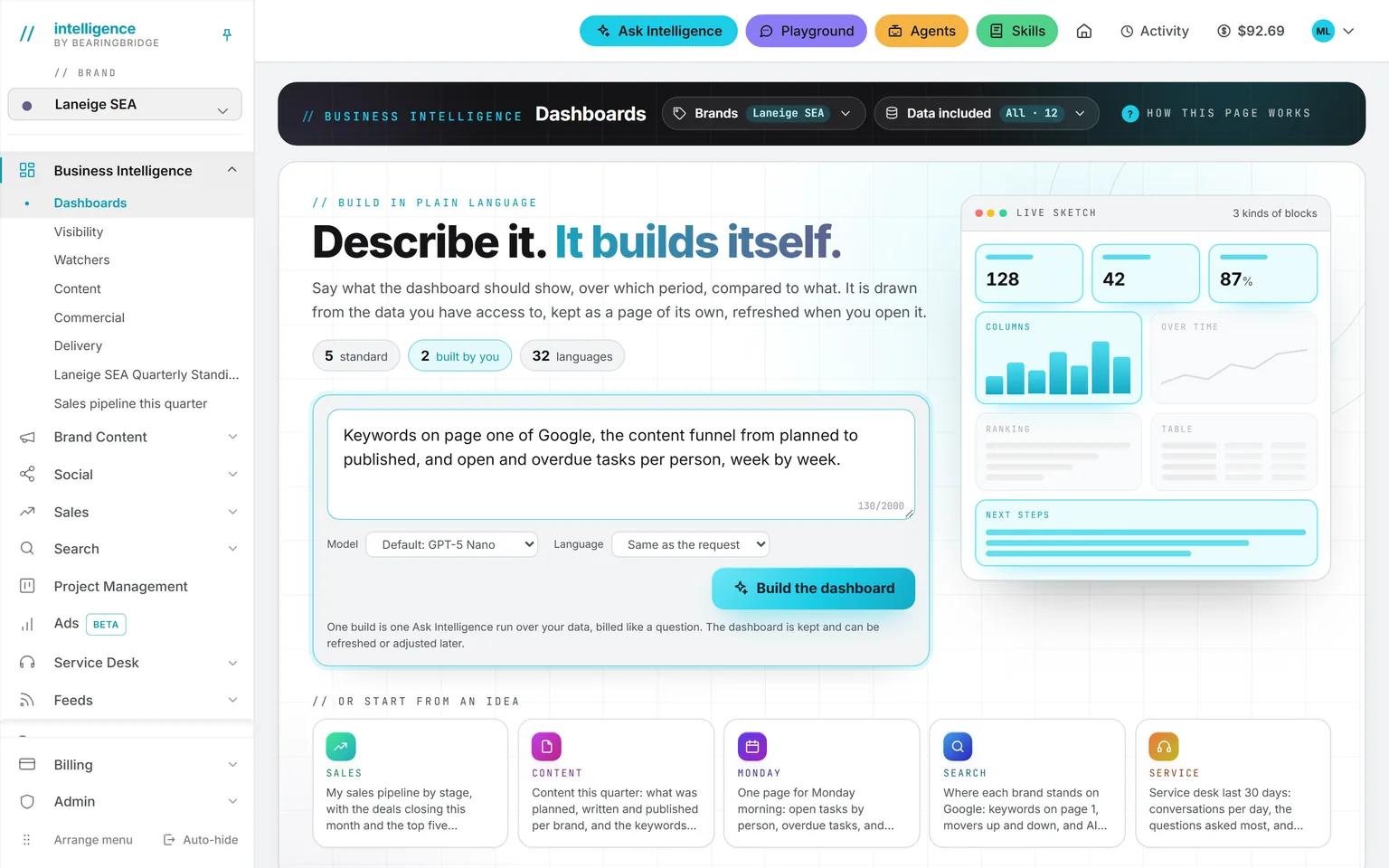
See the page →When none of the five shows what you’re after, build your own. Describe the page you want in a sentence, such as “the pipeline beside the overdue tasks, last 30 days.” The product builds it in tiles, charts, and tables, and keeps it in your menu. Each time you open it, it rebuilds on today’s numbers. You can keep 40 of them.
See the page →It’s an agent, which means it runs on a schedule. Once a week it reads rankings, ad spend, content, social, the pipeline, and platform spend. Then it writes three sections: what changed, why it likely changed, and what to do next week, with an owner on each line. It can land in your inbox. If you read only one thing a week, read this.
See the page →The same idea, once a month, written for a board.
See the page →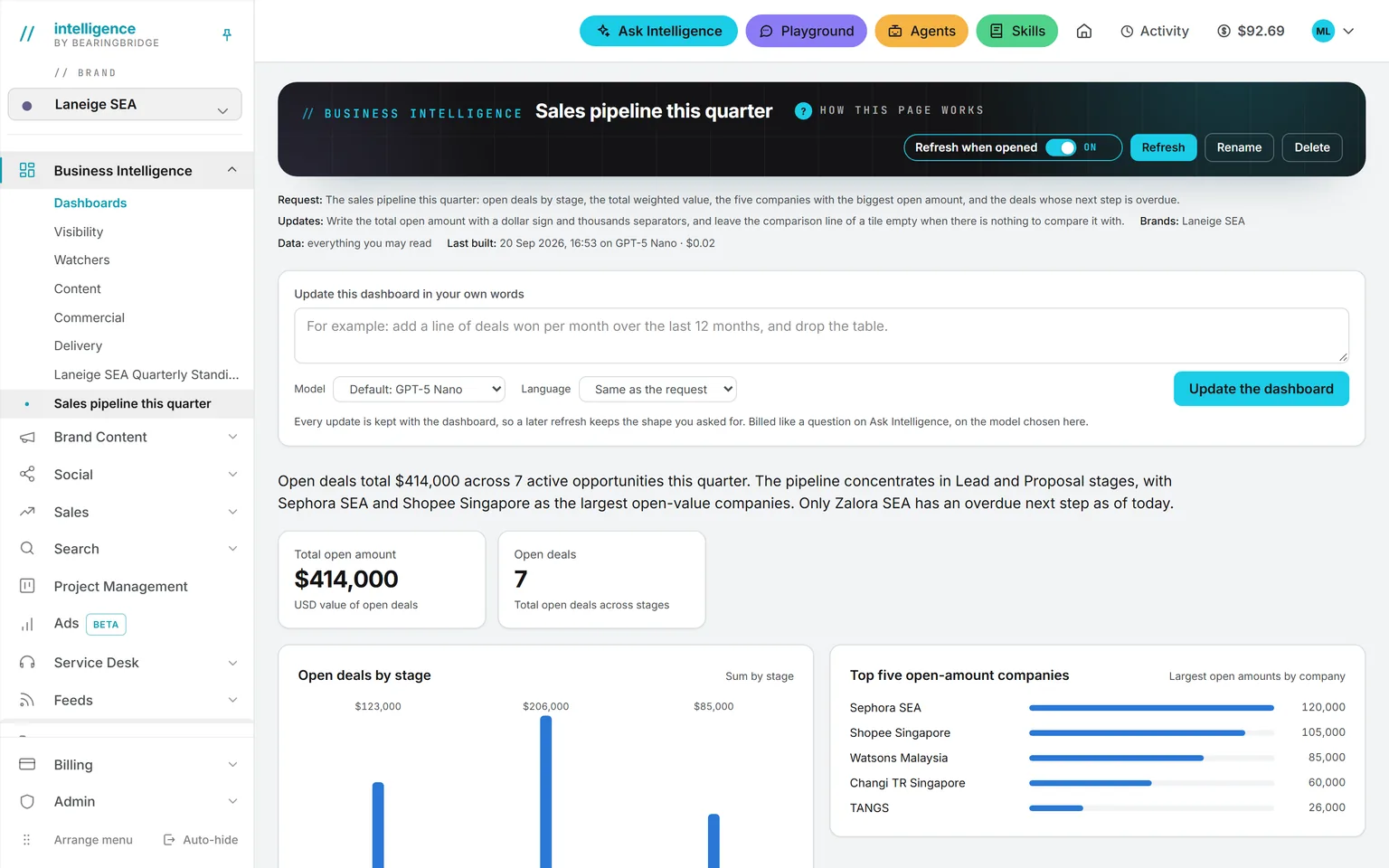
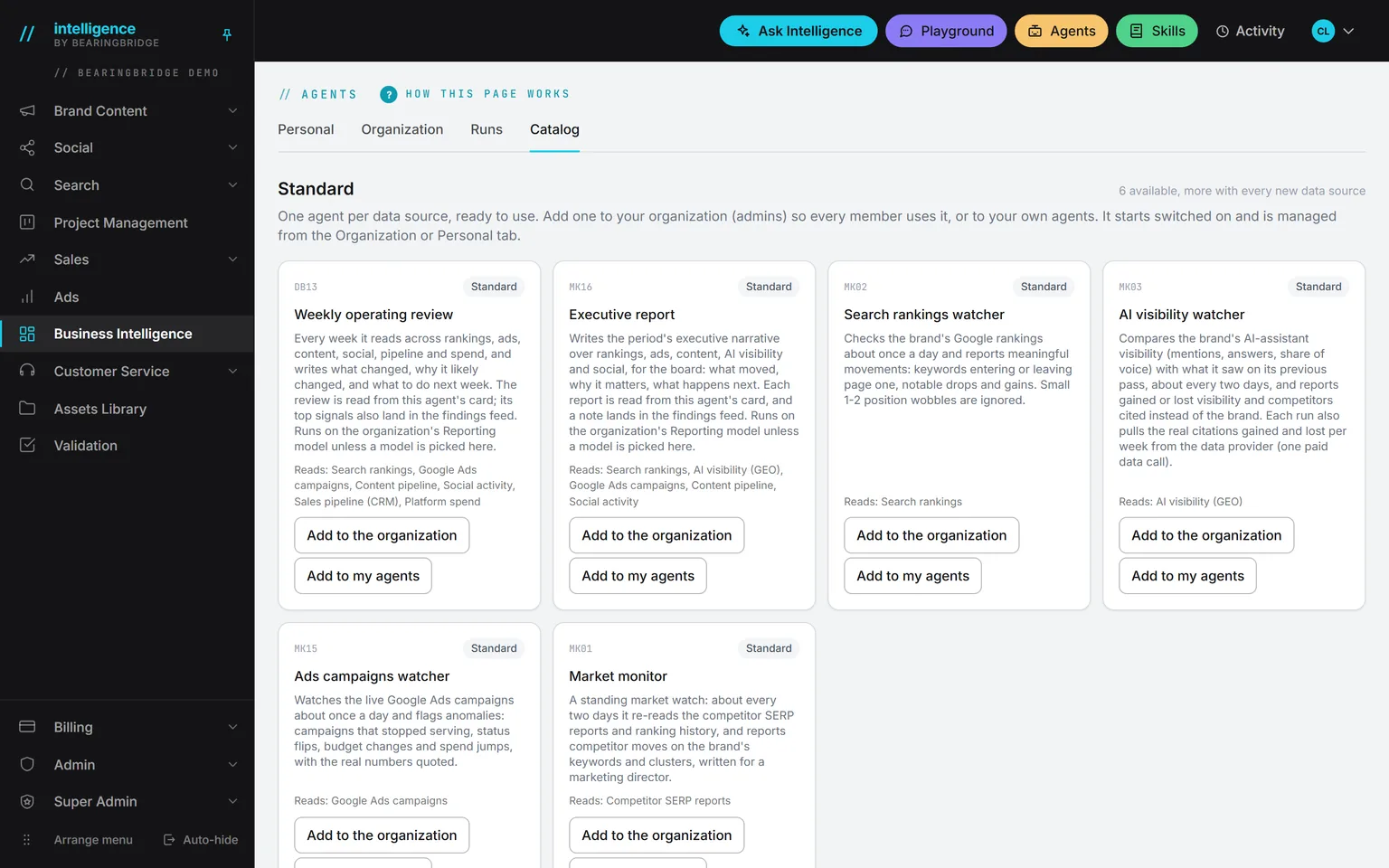
Two dashboards out of fiveHover to pause
Examples from a director’s week.
This is what using them looks like.
Now showingMonday, 10 minutes
Monday, 10 minutes
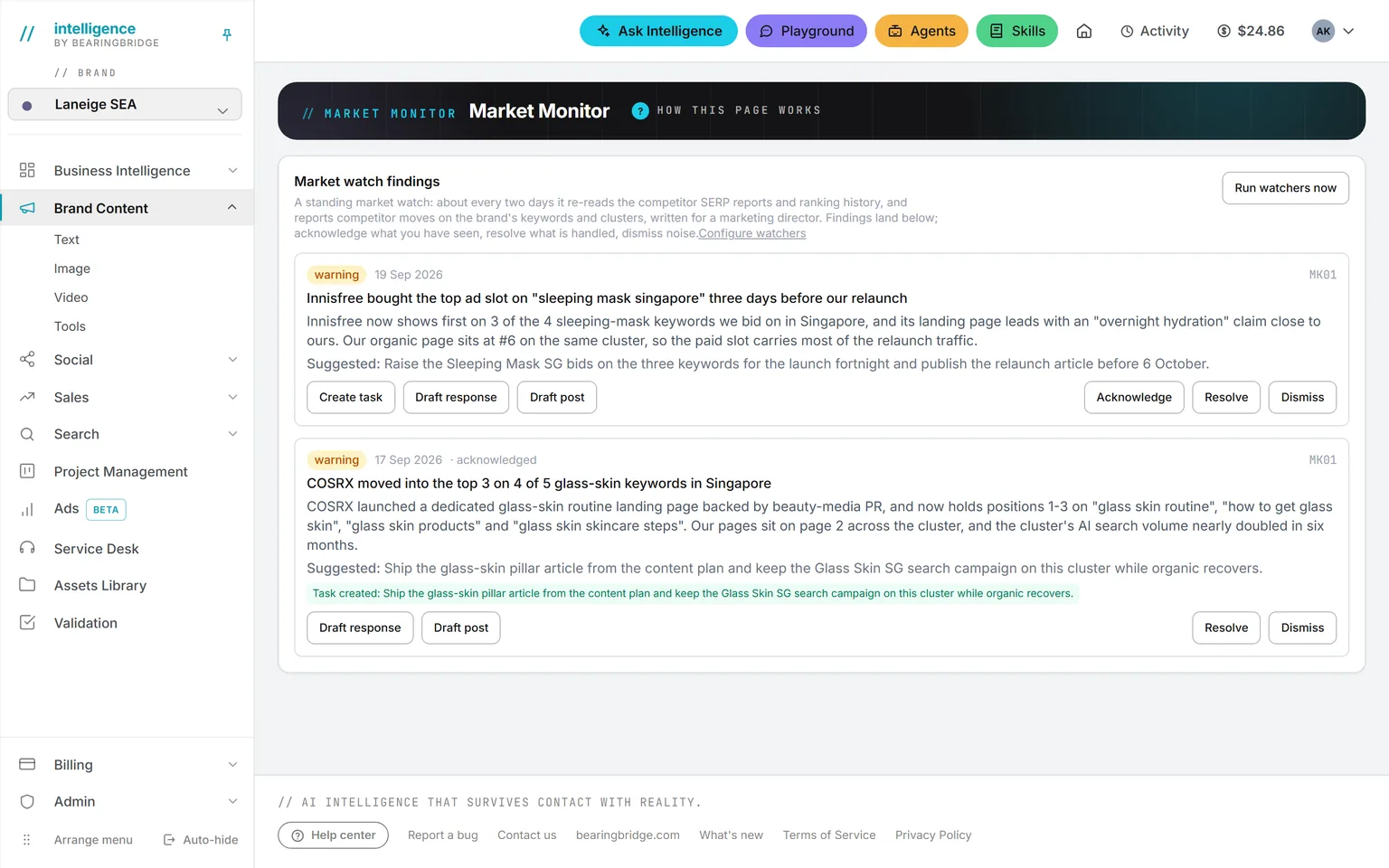
A finding becomes somebody’s task
You open the weekly review. It says a keyword group fell three places, and that a competitor published a page on the same topic that week.
You press Create task under the finding. A card appears on the project board, tagged with the brand, for somebody to pick up.
The day before the board meets
The story, then the detail
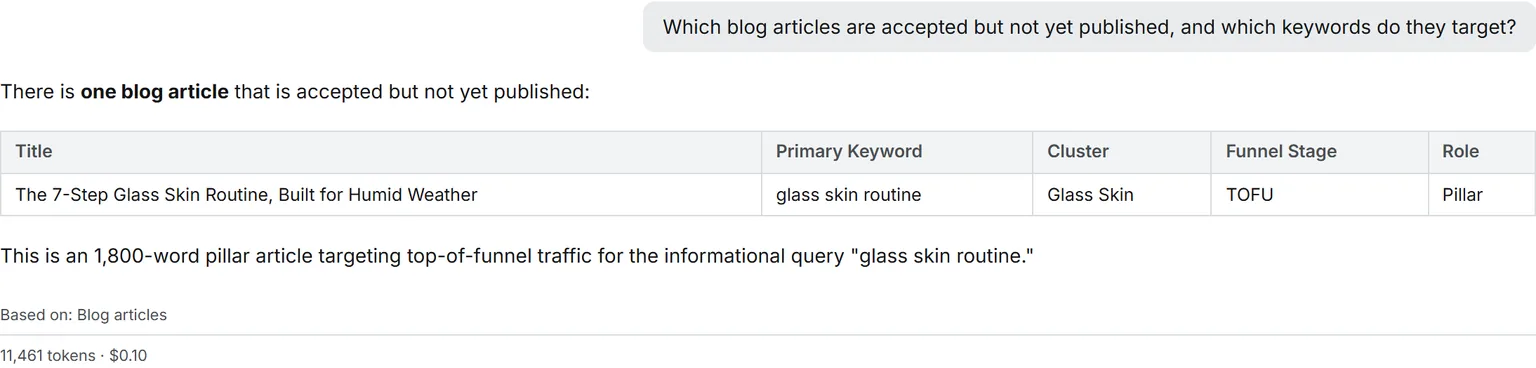
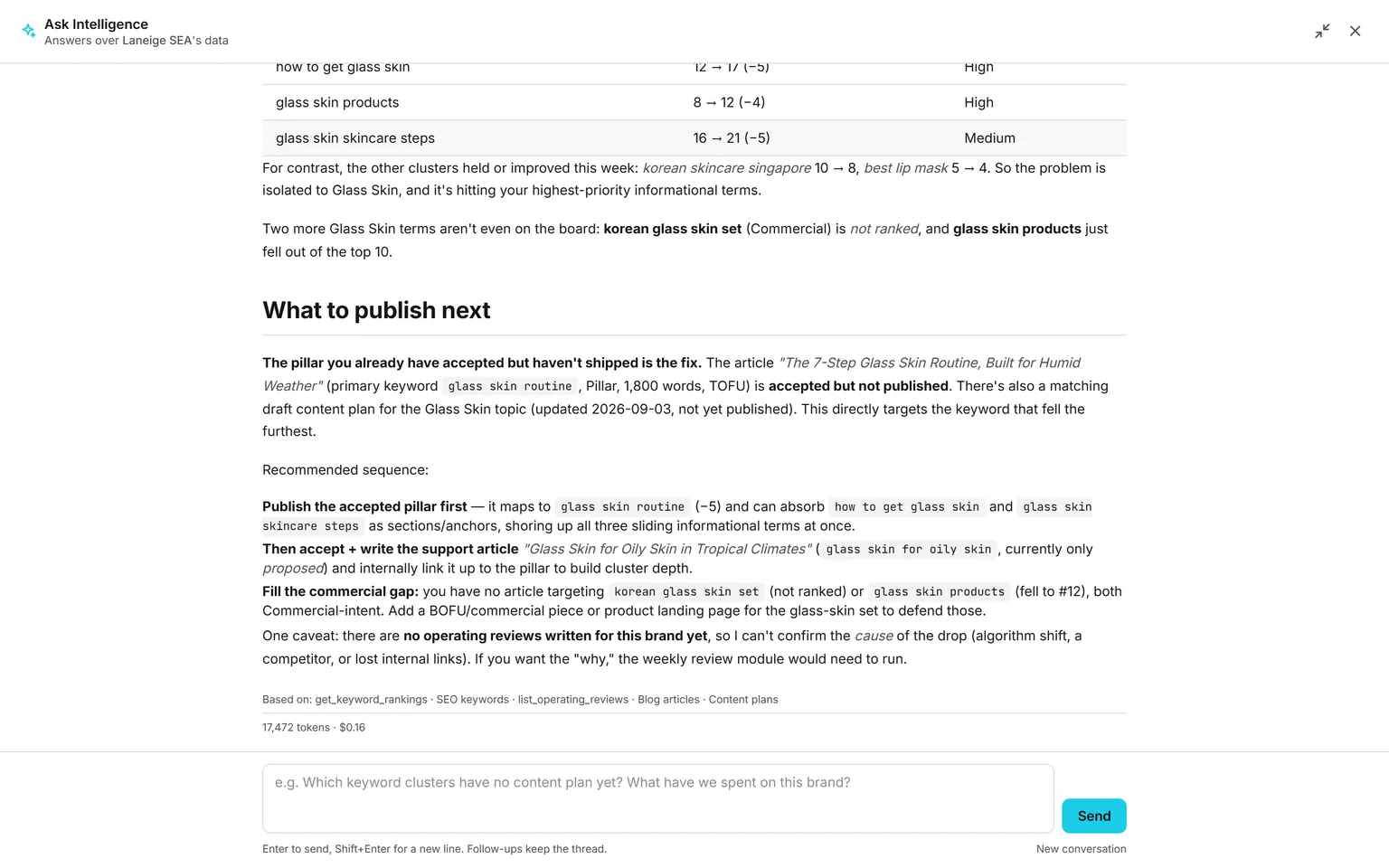
The executive report gives you the story. For the detail you go to Ask Intelligence and type, “Which deals went quiet this month?”
The answer quotes the figure and says which data it read. If the data isn’t there, it says so instead of inventing a number.
Any afternoon
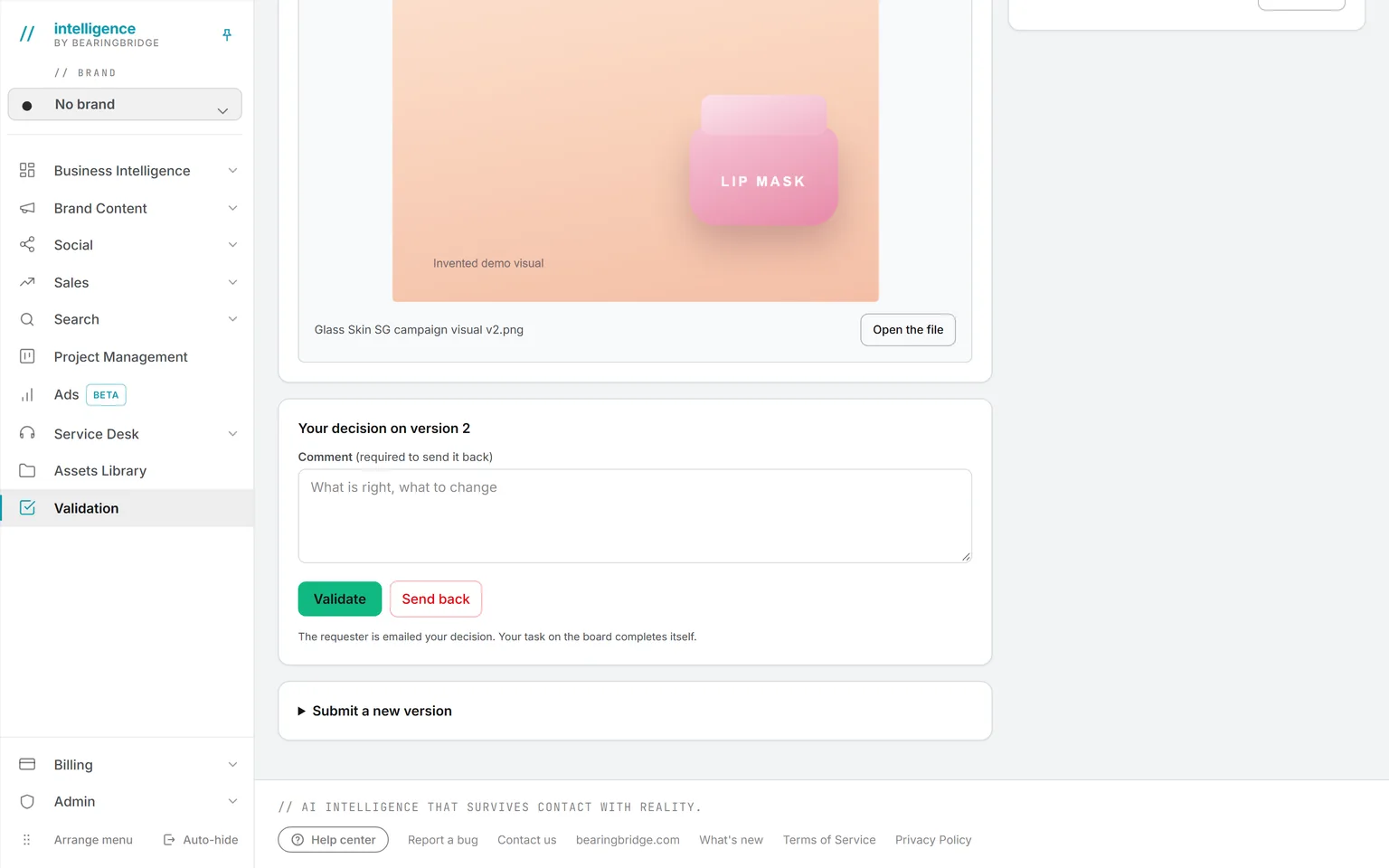
A press release needs your yes
A colleague sends it to you through Validation. You get a mail and a card on your board. The text is locked while you decide.
You validate it, or you send it back with a comment. Each version is kept, comments included.
Questions worth typing into Ask Intelligence.
Pick a question, or watch them go by
Which open deals have an overdue next step, and who owns them?
You pick the brands Ask Intelligence reads: one, several, or none. With none, it reads only the organization’s own data. And it never reads past what your access rights allow.
What you pay for, and the five caps.
Next question: what does all this cost? Seats are free, so everyone can have an account. You pay when the AI runs something. A dashboard you build costs about what a long answer on Ask costs, and the price is printed under its title. Five caps keep spending in check:
Your prepaid balance
You pay when the AI runs something, from money you put in first.
A daily allowance per person
Set with your administrator.
A monthly cap
For the whole organization.
A weekly budget
For each agent.
A monthly budget
For each agent too. It stops when its budget is spent.
The ledger lists every run with who started it, when, on which model, and the exact cost. Spending is attributed to the brand, so you can charge each brand for what it used. The rest is on pricing.
If you don’t have a management team yet.
Vacancy
- Position
- CEO / Director
- Held by
- Nobody yet
- Covered by
- Intelligence
- Reports to
- You
With no management team, the platform can stand in for part of one. Agents notice and draft. They don’t publish anything, and each one stops when its budget is spent.
The platform takes
- The noticing a marketing director would do: ranking moves, what AI assistants say about you, ad campaigns that stopped serving, and competitor moves.
- What an analyst would do on Friday afternoon: the weekly review.
- The monthly narrative for the board.
A person keeps
- Which finding becomes a task.
- Which text gets your yes.
- The daily allowances and the monthly cap.
Your first week.
0of 5 done
Tick a step when it’s done. Your ticks stay in this browser.
What it doesn’t do.
Three limits, all true on the date below.
A dashboard you build is yours alone. You can’t share it with the team or mail it yet.
There are no alert thresholds you set yourself. The review and the report can reach your inbox. A dashboard can’t.
The five standard dashboards chart the platform’s own data. A connected system, such as a sales API or a Google Sheet, answers in Ask Intelligence and in the dashboards you build, not on those five.
Checked against the product on September 20, 2026. The catalog lists every agent as built, partial, or not built. Usage is paid from a prepaid wallet, with no seat fee, and the rates are on the pricing page.
Switch on the weekly review. Read it on Monday.
Open an account, ask your administrator for the weekly operating review, and build one dashboard from a sentence.
No subscription. No seat fee. No card needed to open an account.