



Modules / Image tools
A picture framed for the network, and clean before it ships.
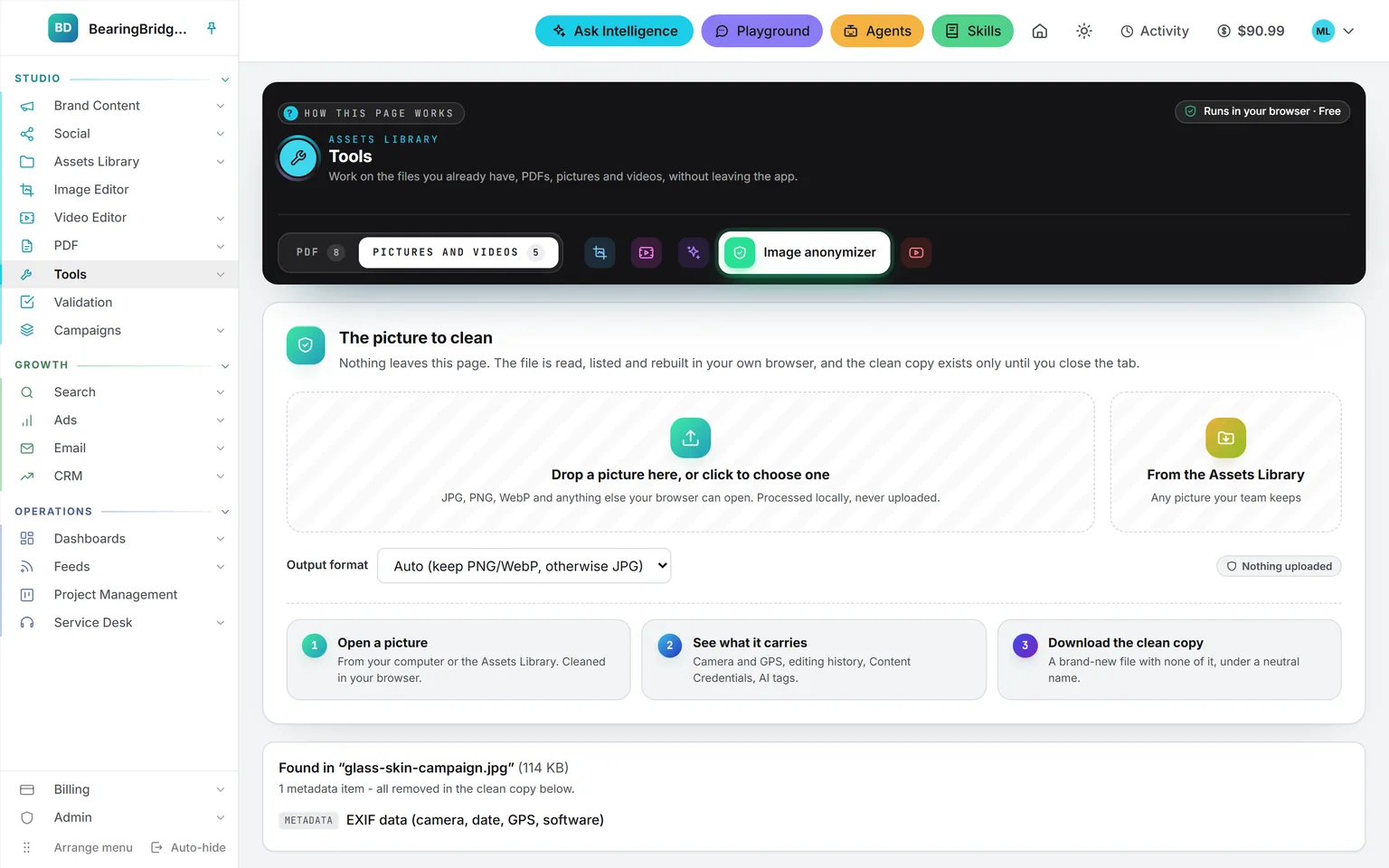
The Image editor frames a picture to the exact pixels a network wants and shows what its buttons will cover, then crops it, fixes its light, and takes captions, arrows and your logo. The Image anonymizer shows what a file carries, camera, GPS, editing records, AI tags, and hands back a copy without any of it. Both run in your browser, and both are free.
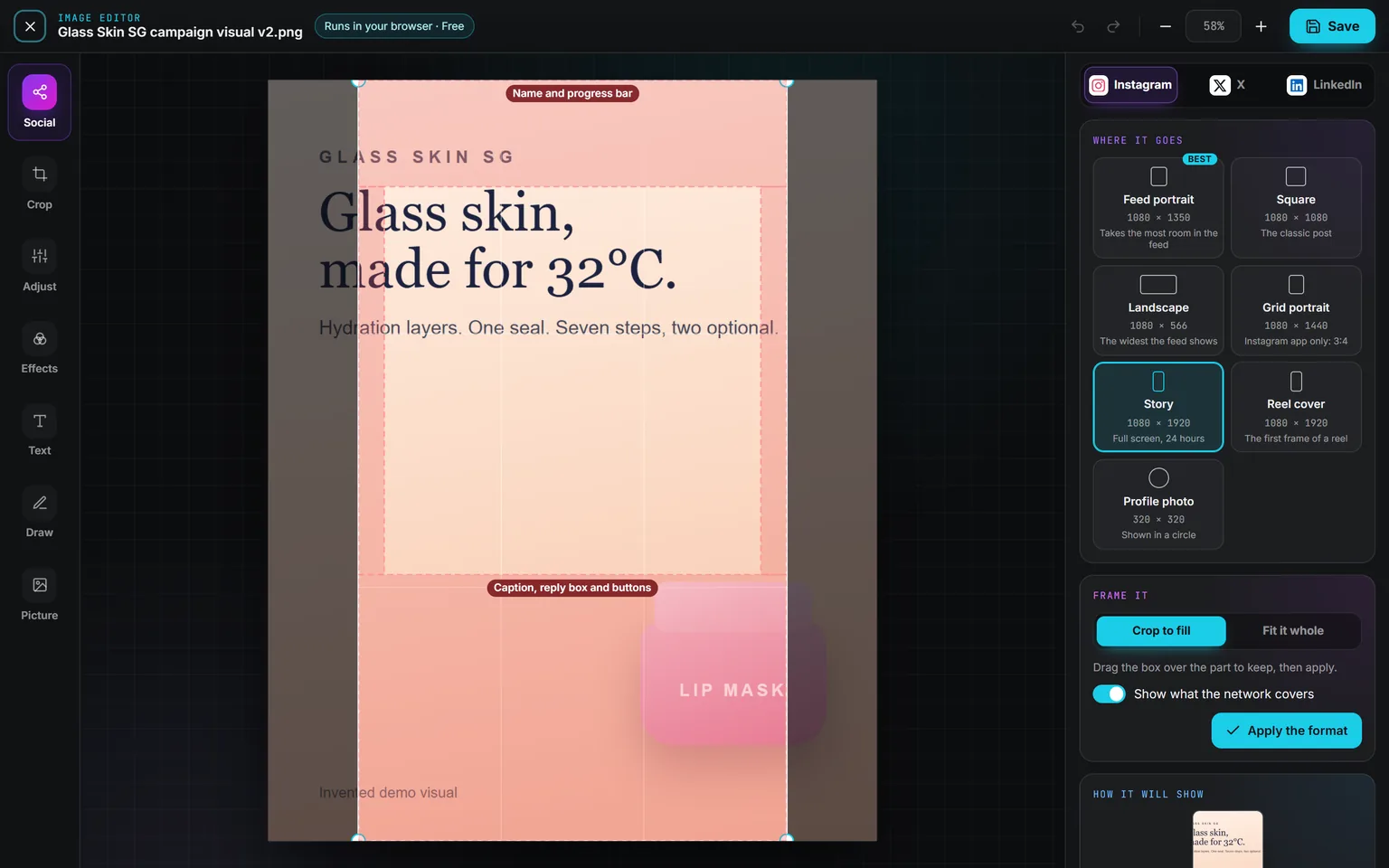
Demo workspace. Invented brand and figures.
Crop it, light it, write on it, point at it.
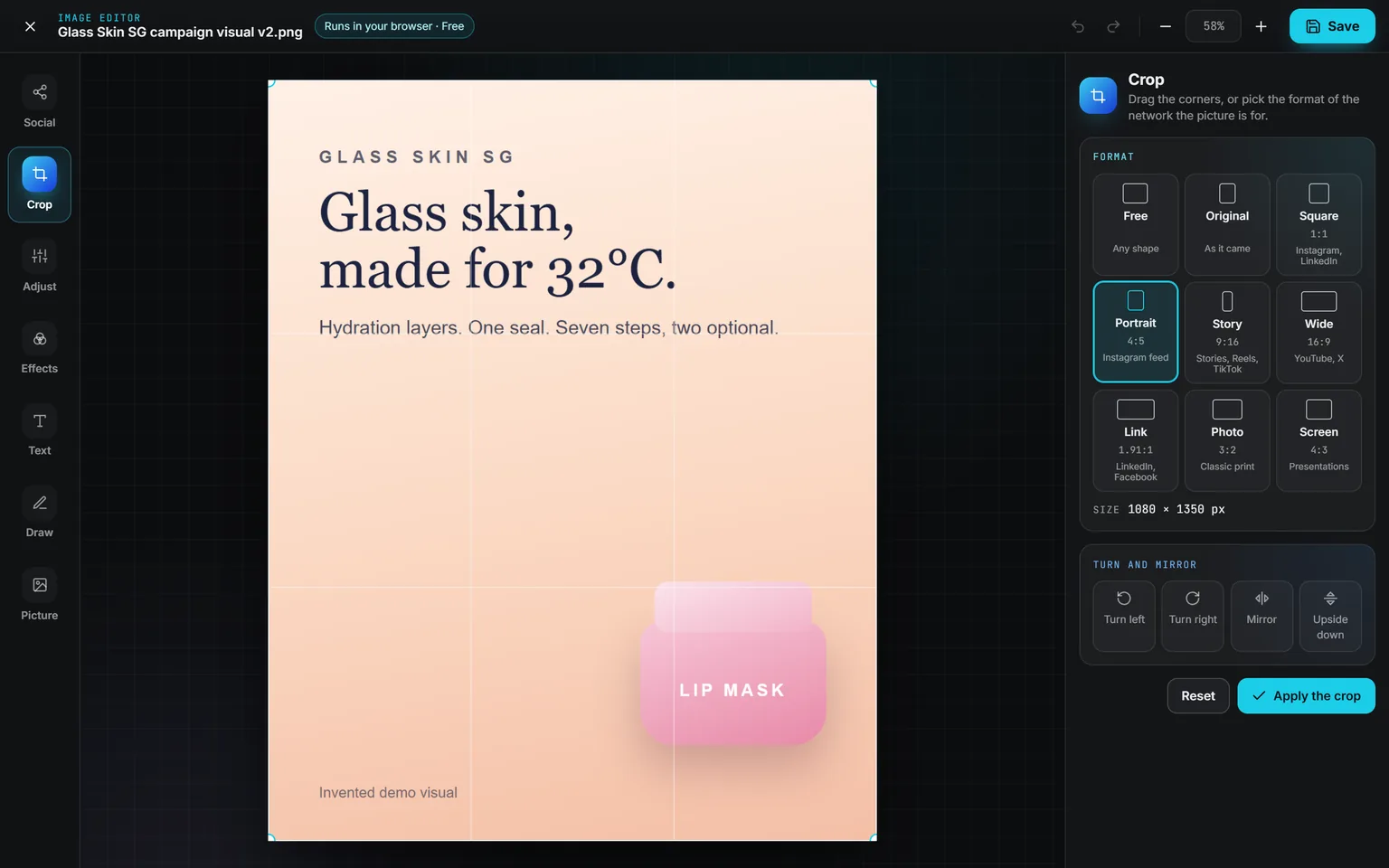
Crop. Drag the corners, or pick Free, Original, Square, Portrait, Story, Wide, Link, Photo or Screen. Each format names the networks it suits. Turn, mirror or flip the picture, then apply the crop.
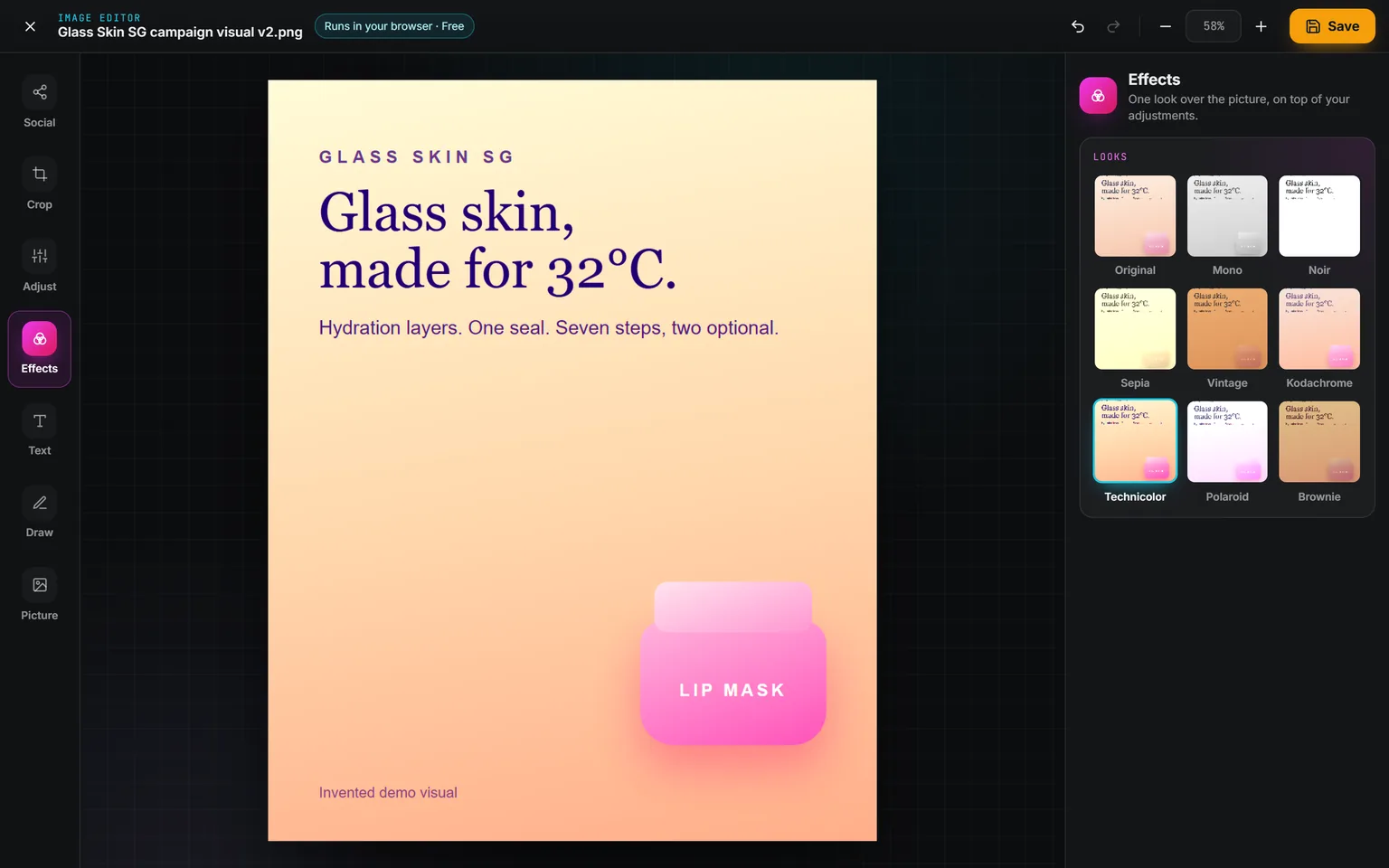
Effects. Eight sliders under Adjust set brightness, contrast, saturation, vibrance, warmth, hue, sharpness and blur. Effects lays one look over them: Mono, Noir, Sepia, Vintage, Kodachrome, Technicolor, Polaroid or Brownie.
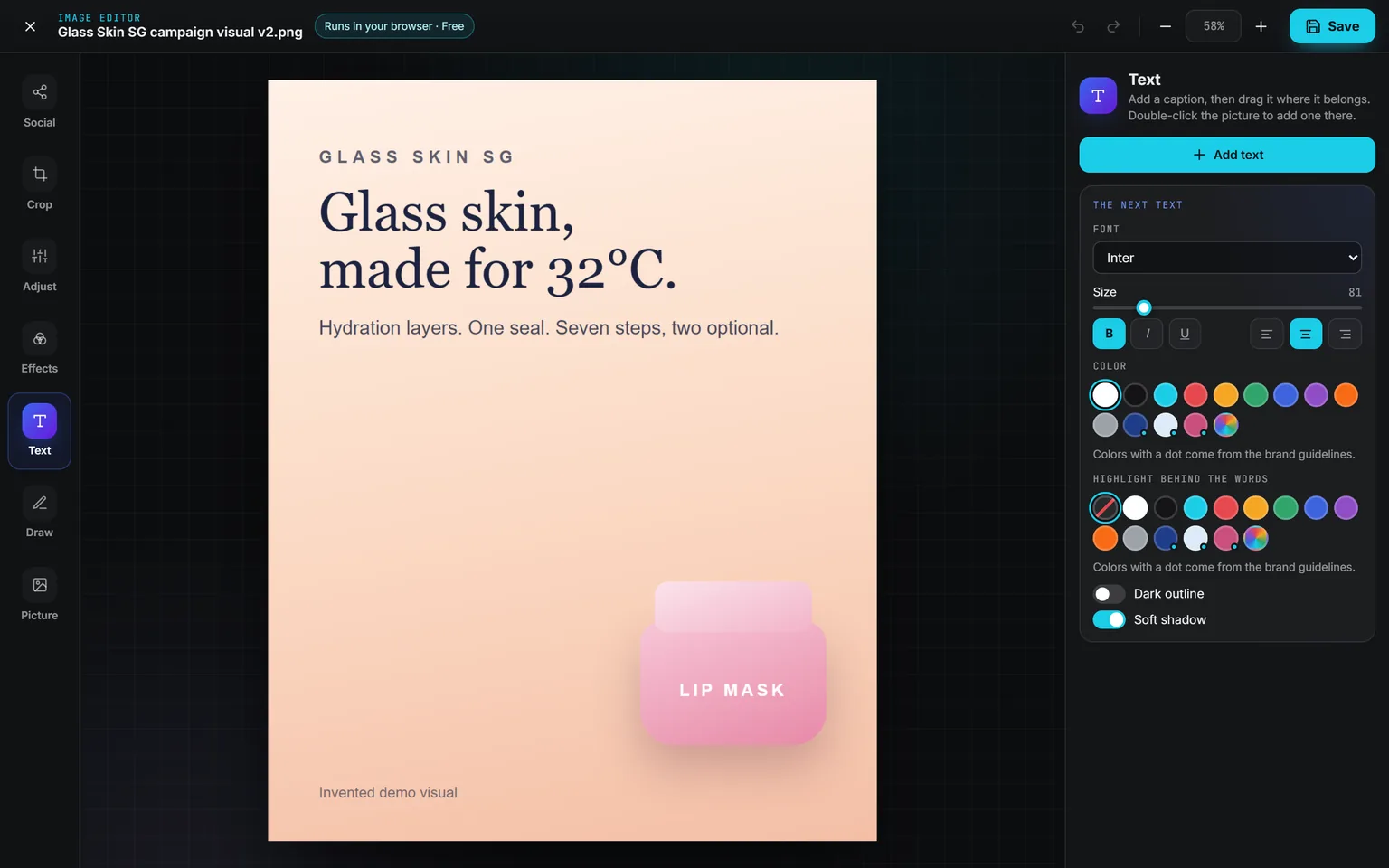
Text. Add a caption, set its font, size, color and alignment, a highlight behind the words, an outline or a shadow. The colors of your brand guidelines join the swatches, marked with a dot.
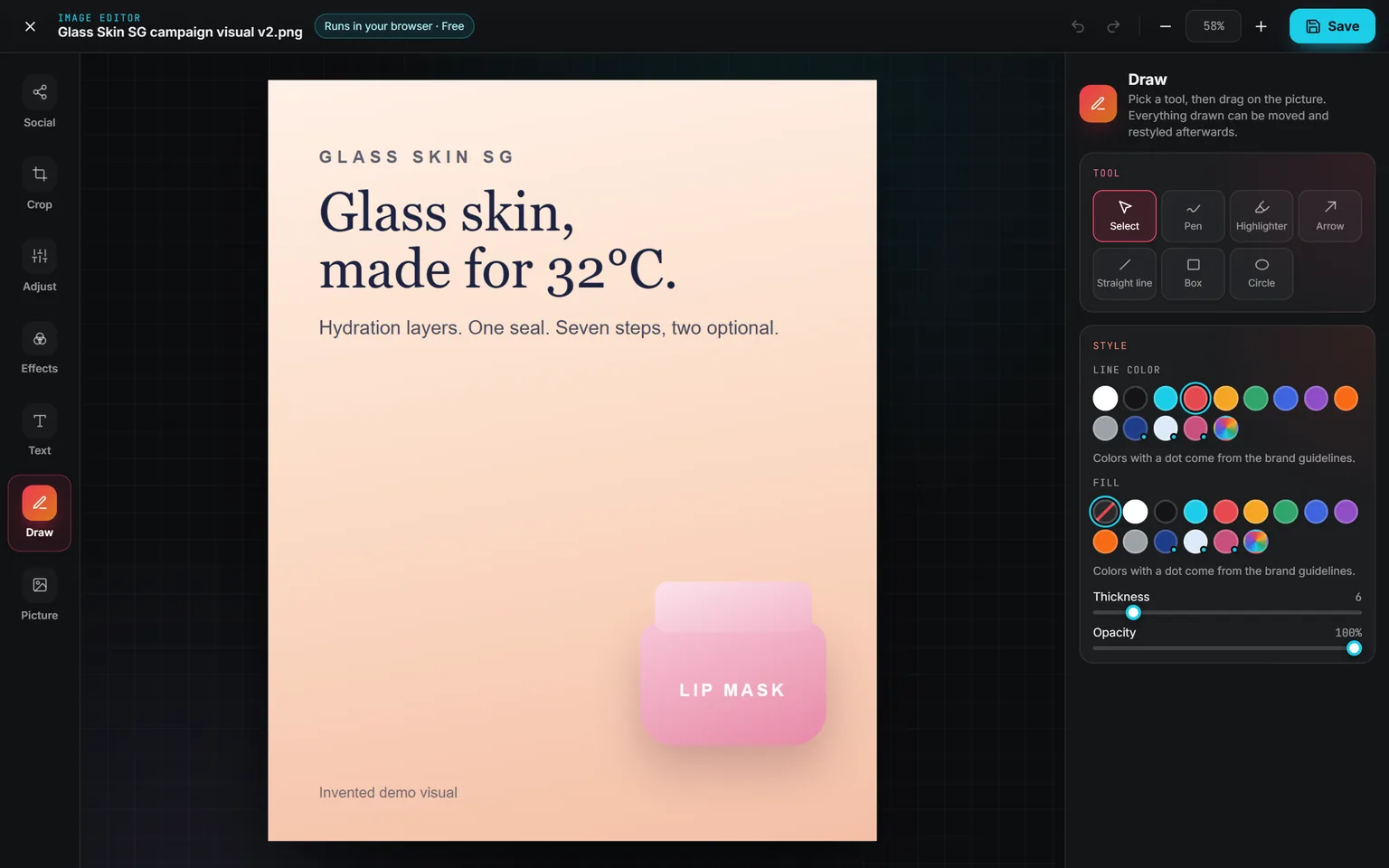
Draw. Pen, highlighter, arrow, straight line, box and circle. Everything you add stays a separate piece until you save: click it to move it, resize it or restyle it. Undo goes back 60 steps.
The seventh panel, Picture, puts your logo or any picture over the image, from your computer or the library, at one of nine spots. A light logo in a corner makes a watermark.
A copy, a new version, or a download.
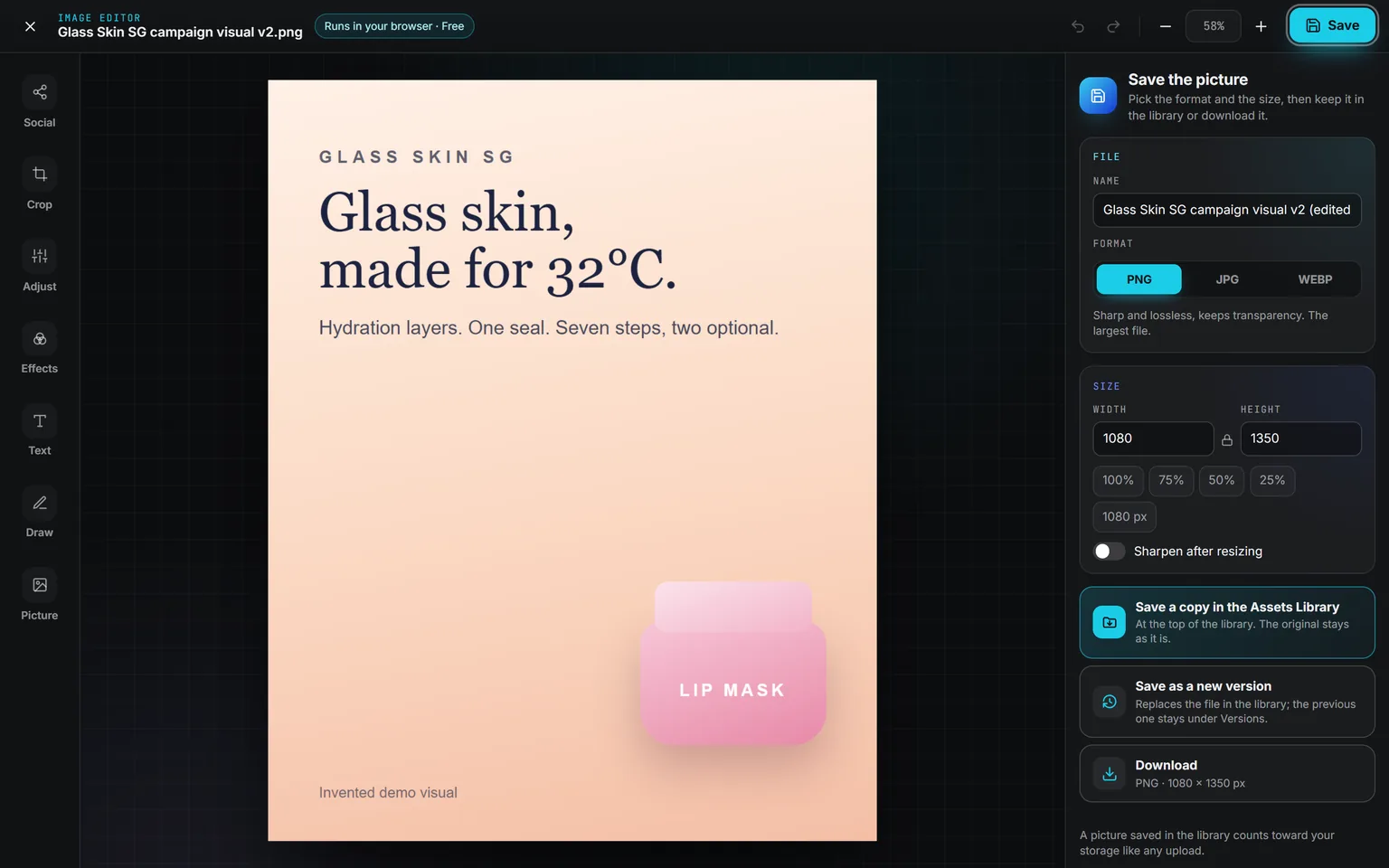
Pick PNG, JPG or WebP and the size, then keep it. A copy lands in the Assets Library next to the original, which stays as it was. An uploaded file can take the edit as its new version, with the old one kept under Versions. Or download it and nothing goes into the library. A picture framed for a network arrives here already sized, in a format that network takes.
See what a file carries before you send.
A phone photo can carry where it was taken. Many files name the camera, keep a record of their edits, hold content credentials, or carry the tags an AI engine writes into its pictures. Drop the picture in and the anonymizer lists all of it, then rebuilds the picture pixel by pixel into a new file that carries none of it, under a neutral name.
Nothing is uploaded and nothing is kept: the clean copy exists on the page until you download it. Use it only on pictures you have the rights to, and if a platform or a law asks you to label AI-made content, that labeling is still yours to do. The anonymizer is offered to the people whose role opens the image studio of Brand Content.
The same data, one door over.
Nothing here is an integration. These run on the same account, the same brand, the same ledger, so a finding on one page becomes work on the next.
Not built yet, said first
- SVG, HEIC and TIFF files can’t be opened. JPG, PNG, WebP, GIF and AVIF can.
- A picture larger than 4,096 pixels on its long side is edited at 4,096 pixels.
- The editor changes how a picture looks, not what is in it. Removing an object or a background is a new render in Brand Content.
- The anonymizer cleans what is written into the file, not the pixels, so a watermark hidden in the picture can survive.
The catalog lists every agent as built, partial, or not built. Checked against the product on October 2, 2026.
Usage is paid from a prepaid wallet, with no seat fee. The rates are on the pricing page.
Open the picture, pick the network, and the editor knows the pixels.
Everyone who opens the Assets Library has the Image editor. Nothing is uploaded until you save, and nothing is billed while you edit.
No subscription. No seat fee. No card needed to open an account.
The pixels each network wants, and what its buttons cover.
Pick Instagram, X or LinkedIn, then where the picture goes. Crop to fill and drag the box over the part to keep, or fit it whole over a blur of itself. Red zones show where the network’s name, caption, reply box and buttons sit; dashed lines show the crop it makes elsewhere, such as the profile grid. They are never part of the saved file.
Checks read the picture the way the network will: the shape, the width, the file format and weight, anything under the network’s buttons, and words too small for a phone. Edit a picture of an X, Instagram or LinkedIn post and the editor opens here, set to that network.