



Modules / Video tools
From one clip, or one long talk, to Reels.
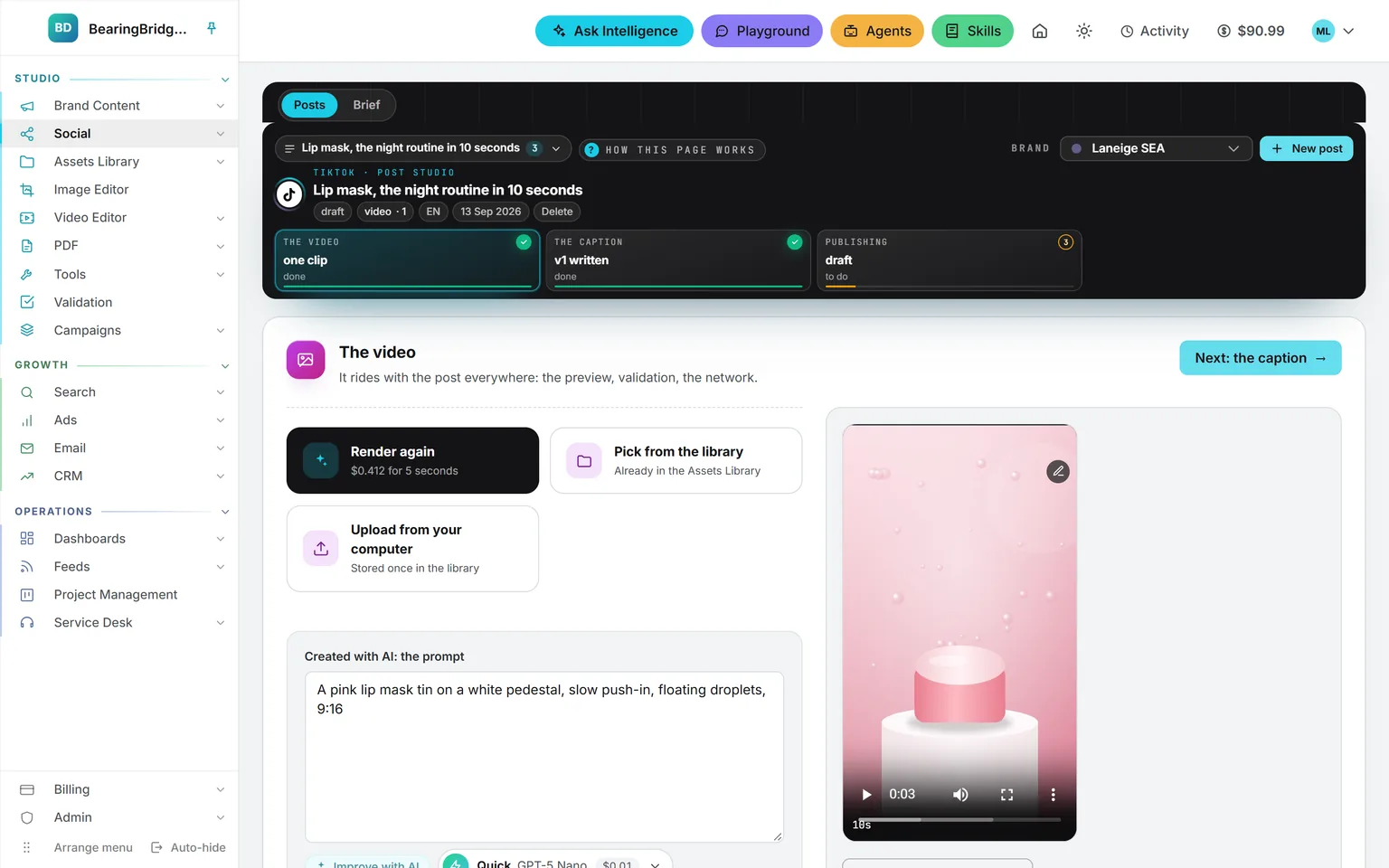
The Video editor cuts a clip for Instagram, TikTok or Facebook: the frame of the placement, trims and splits, texts, captions timed word by word, music, a cover. It runs in your browser and costs nothing. Shorts autopilot takes an interview or a talk and turns it into vertical shorts on its own, captioned and filed in the library.
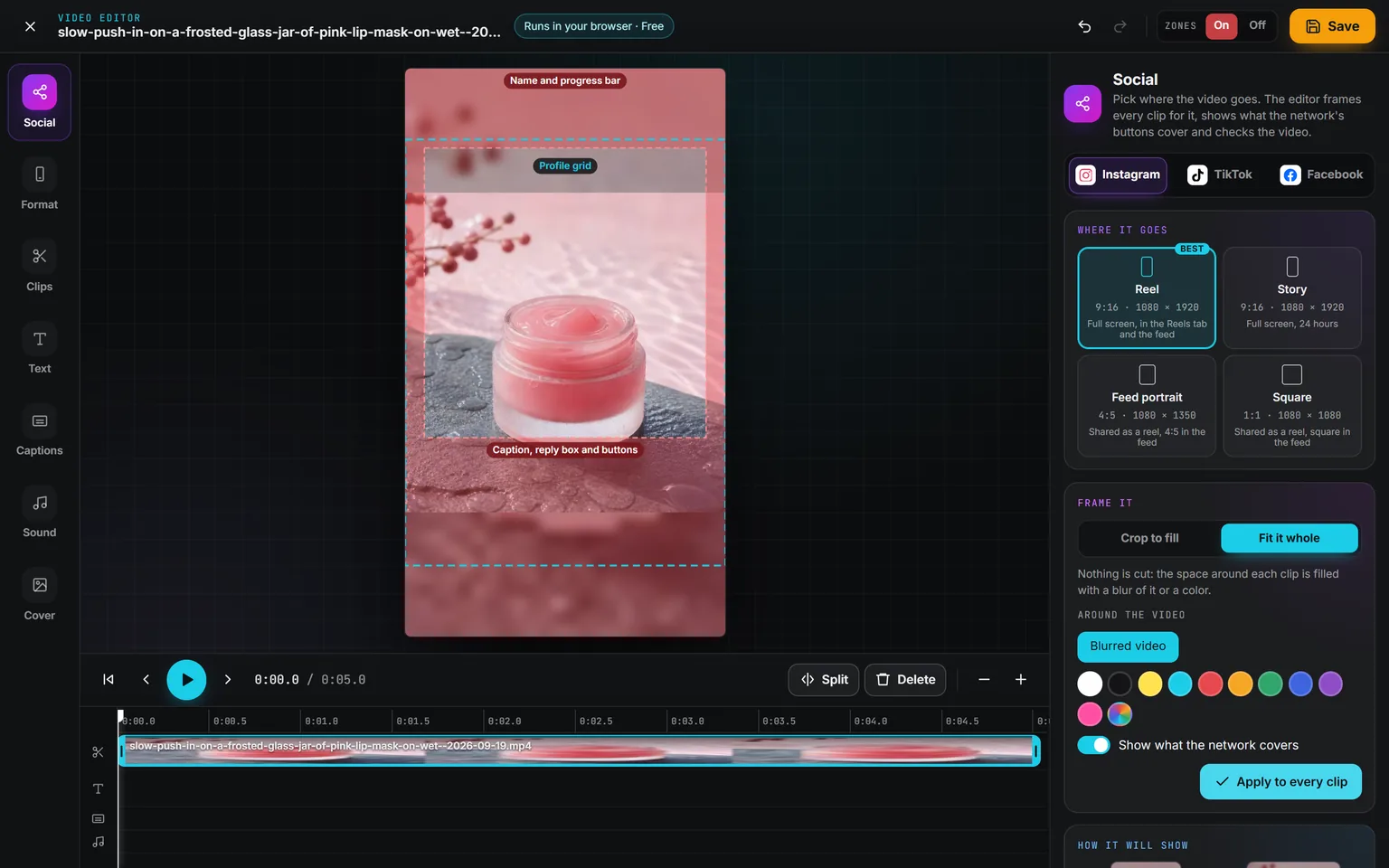
Demo workspace. Invented brand and figures.
A frame made for one place on one network.
Pick Instagram, TikTok or Facebook, then the placement: a Reel, a Story, the feed. Every clip takes that shape, cropped to fill or fitted whole, and the video is written in 1080p. Red zones over the preview show where the network’s name, caption, reply box and buttons sit, and a Zones switch keeps them on screen from any panel.
Checks then read the video as the network will: the shape, the length the placement takes, the weight of the file, captions under the buttons, words too small for a phone. Most come with the fix: cut it at the longest length taken, write it in 1080p, move the captions into the safe area, make the captions, add music.
Clips, texts, captions, sound and the cover.
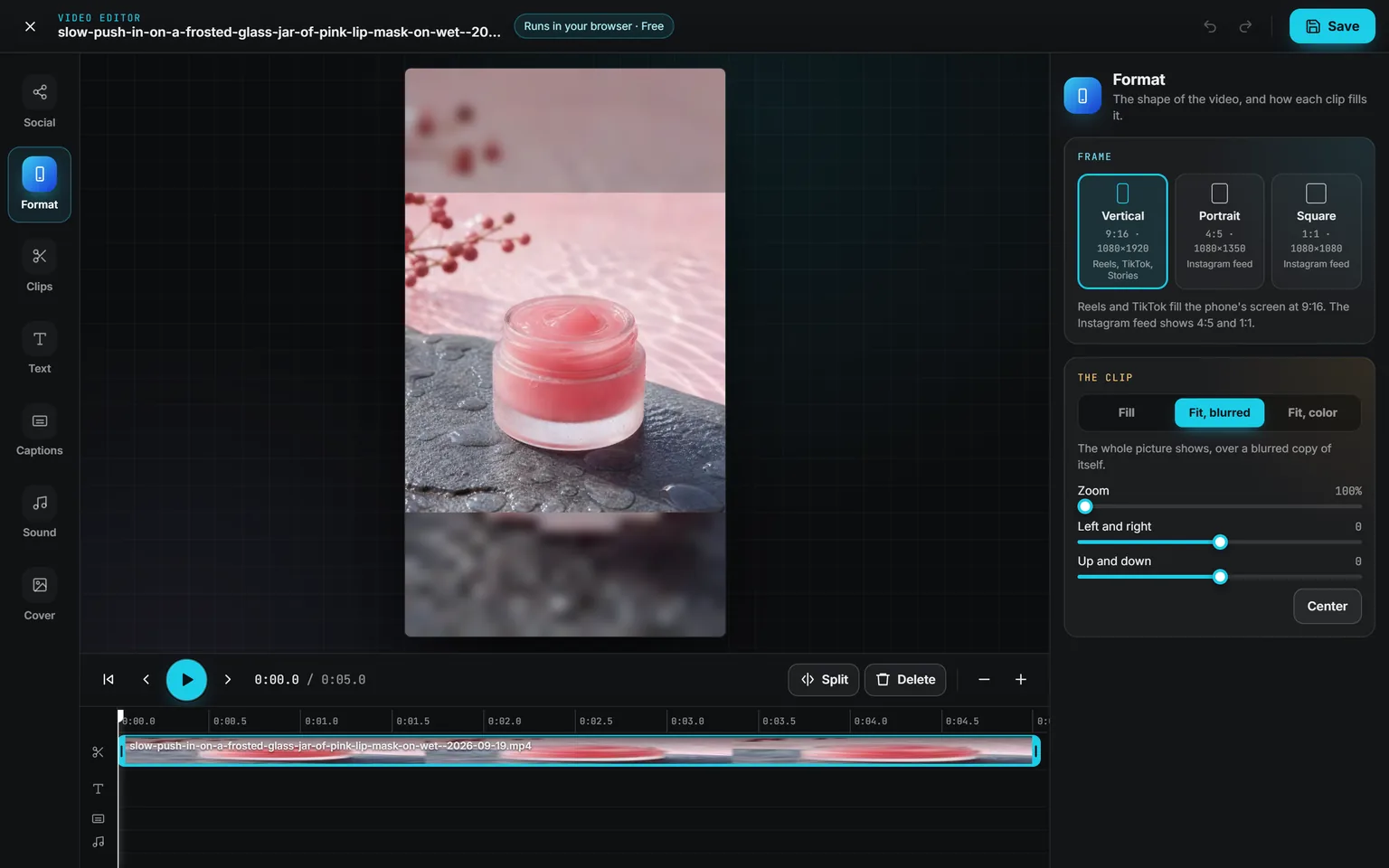
Format. Vertical for Reels, TikTok and Stories, Portrait or Square for the feed. Each clip fills the frame, or fits whole over a blur of itself or a color, and slides into place.
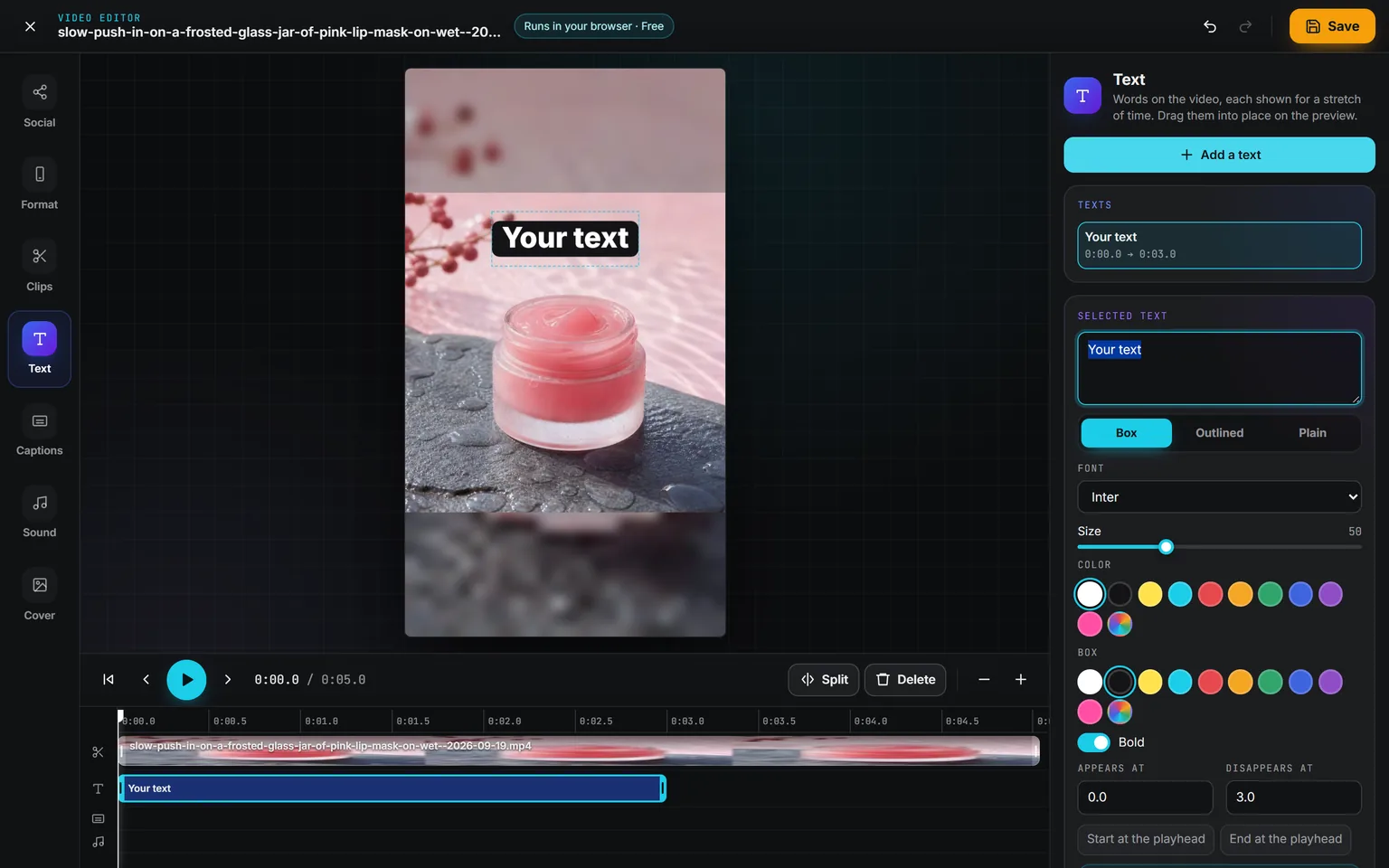
Text. A text starts at the playhead and lasts as long as you stretch it on the timeline. Box, outlined or plain, any font, size and color, dragged into place on the preview.
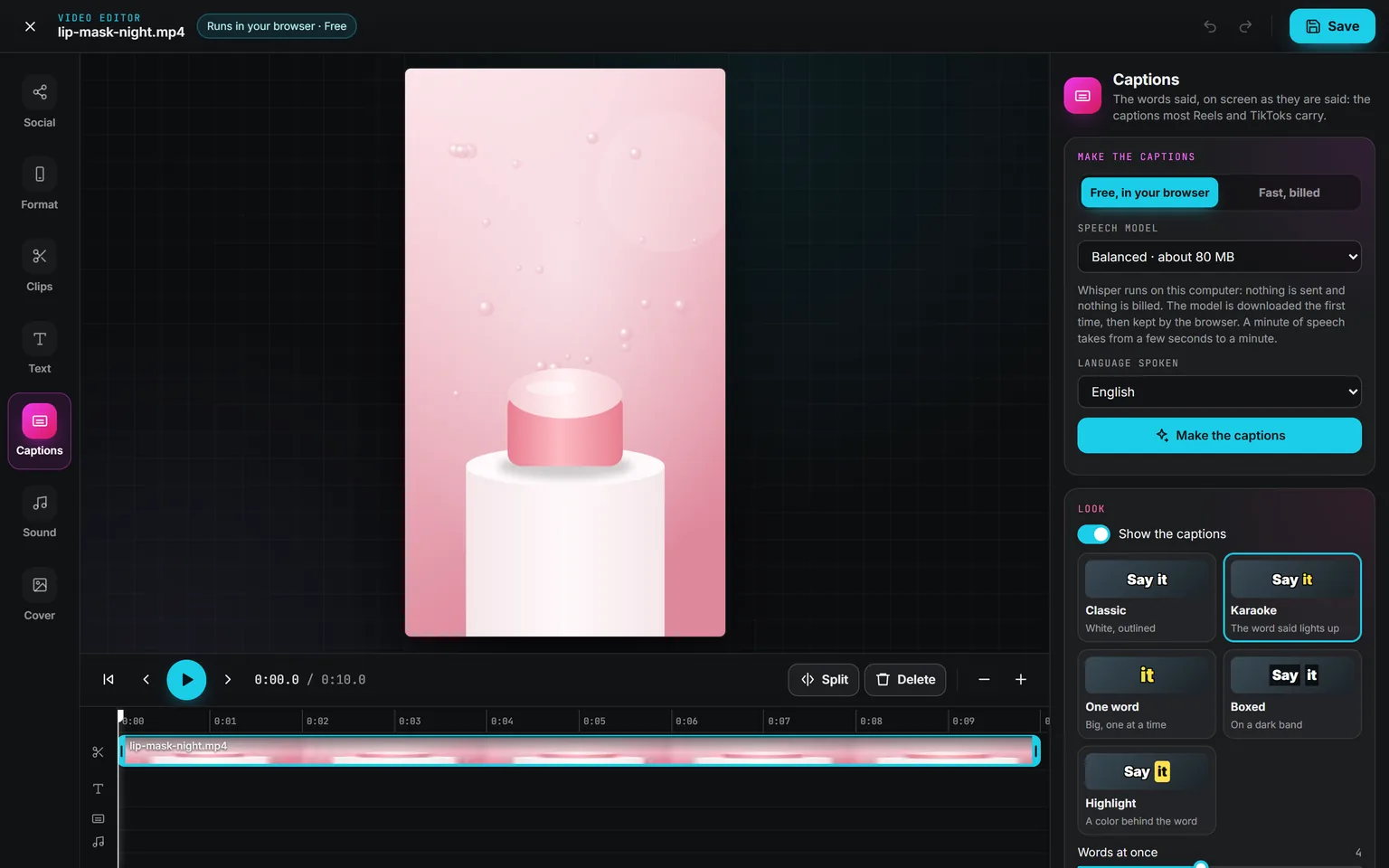
Captions. The words said, on screen as they are said. Free in your browser, or in a few seconds with a fast model billed by the second of sound. The model list opens on the cheapest, and its price shows first. Correct any line, or download them as SRT.
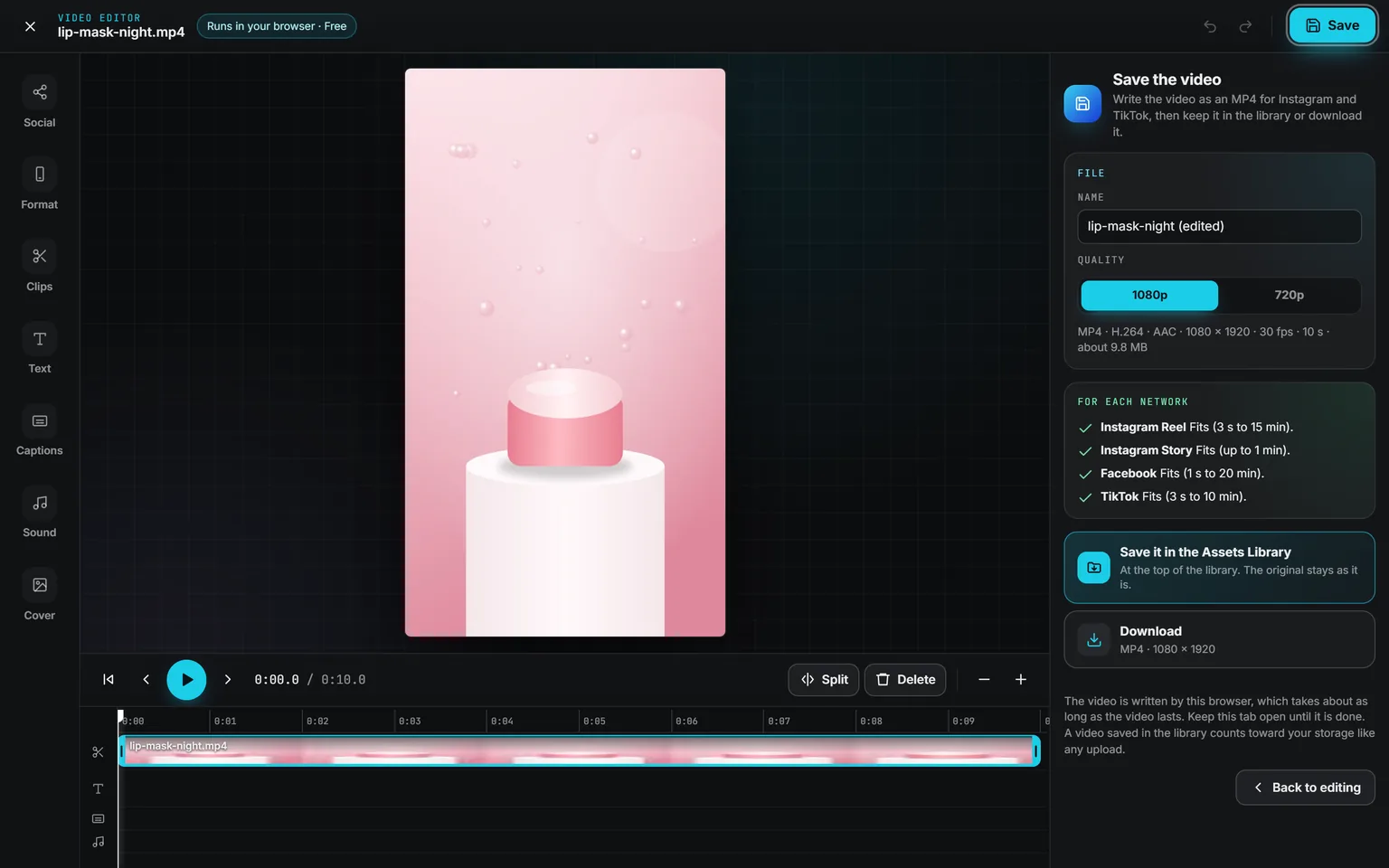
Save. Your browser writes an MP4 that Instagram, TikTok and Facebook all take, in 1080p or 720p, with a check per network. Keep it next to the original in the library, or download it.
Clips trims, splits and sets the speed from half to double, and adds more clips one after the other. Sound sets each clip’s level and lays music under it, from your computer or the library, with a fade at the end. Cover picks the frame shown on the profile grid and in the feed. Undo goes back 60 steps.
One long video in, a set of shorts out.
Listen
Every word, timed
Fast and billed by the minute, or free in your browser.
Pick
Moments that stand alone
A hook, one idea, a payoff, never cut mid-sentence.
Frame
9:16 on the speaker
Moment by moment, or centered, or whole over a blur.
Write
Captions and a hook line
Each short an MP4 at 1080 × 1920, saved next to the original.
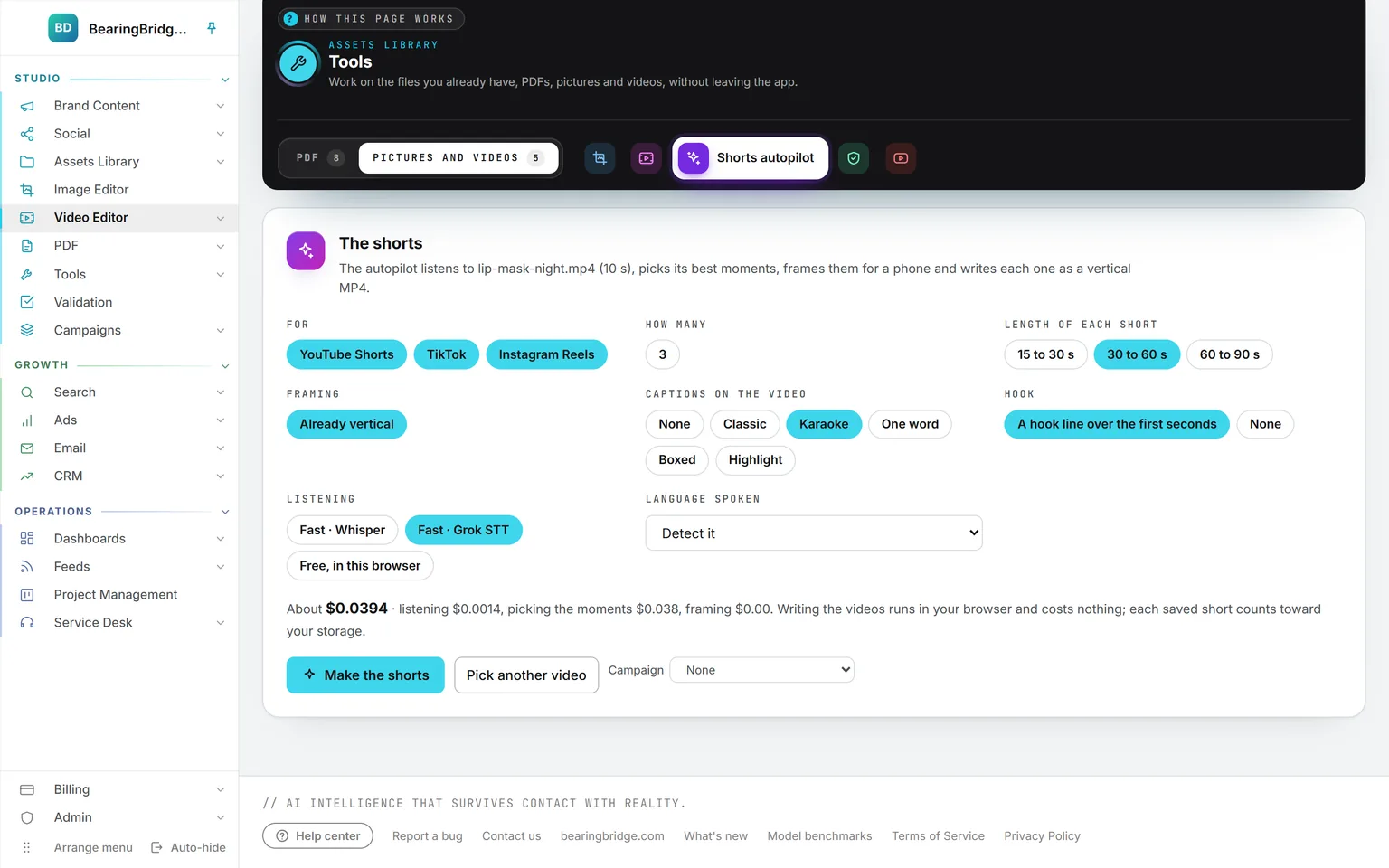
Give it an interview, a talk, a podcast, a webinar or a live. Choose the networks, three to ten shorts, 15 to 90 seconds each, the framing, the caption look and the hook. The price prints before you start: listening, picking and framing are billed, writing the videos is not.
Each short comes back with a score out of 100, where it sits in the original, a title, why it was picked, and a caption for each network, ready to copy. Edit in the Video editor opens it on the Social panel for a last touch.
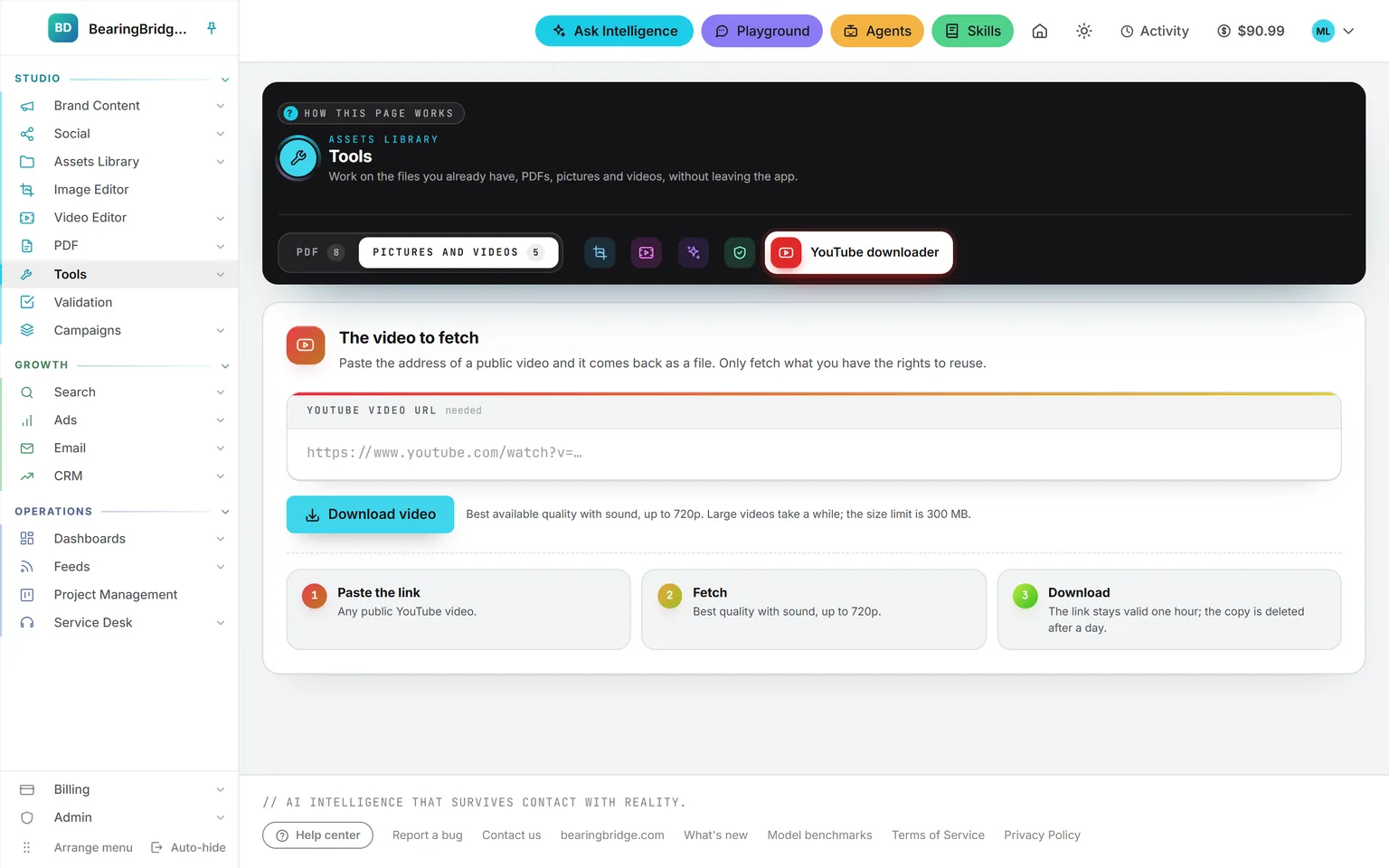
A public clip you may reuse, as a file.
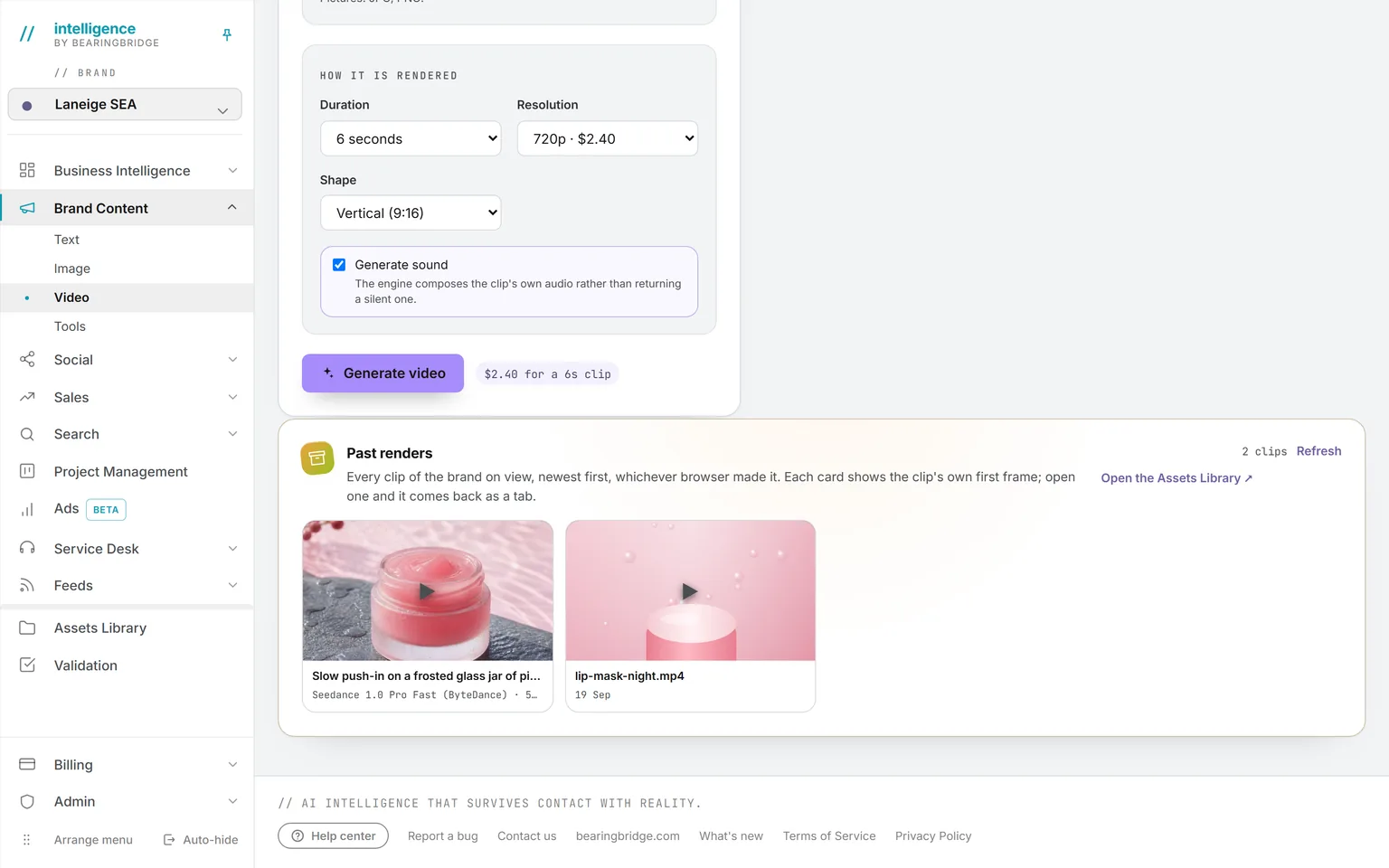
Paste the address of a public YouTube video and get it back as a file, picture and sound together, at the best quality up to 720p. Trim it in the Video editor, or use part of it as a reference clip in the video studio. There is no charge for a download. Only fetch what you have the rights to reuse.
The same data, one door over.
Nothing here is an integration. These run on the same account, the same brand, the same ledger, so a finding on one page becomes work on the next.
Not built yet, said first
- Videos open up to 2 GB, in MP4, MOV or WebM. Chrome and Edge open the most formats; a phone’s HEVC video may not open everywhere.
- Your browser writes the MP4, which takes about as long as the video lasts. The tab has to stay open until it is done.
- Shorts autopilot picks moments from what is said, so a video with no speech can’t be used. It works best on several minutes of someone speaking.
- The YouTube downloader fetches public videos up to 720p and 300 MB, without captions, and does not file them in the library.
The catalog lists every agent as built, partial, or not built. Checked against the product on October 8, 2026.
Usage is paid from a prepaid wallet, with no seat fee. The rates are on the pricing page.
Drop the clip, pick the network, and the frame is already right.
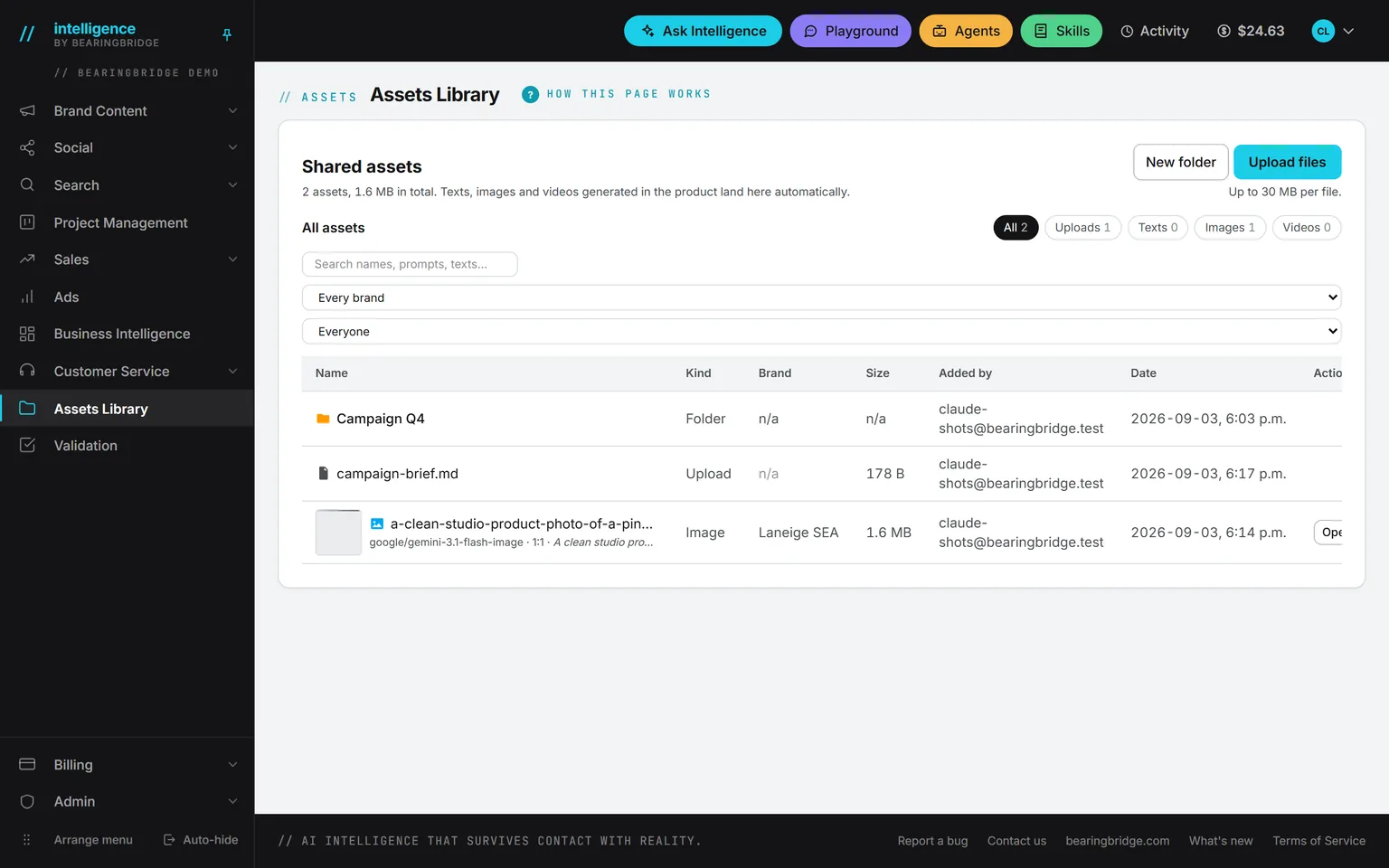
Everyone who opens the Assets Library has the Video editor and Shorts autopilot. Editing is free; what is billed shows its price before you start.
No subscription. No seat fee. No card needed to open an account.