




By roleThe job: SalesHeld by: you
How a sales team uses Intelligence.
A deal dies when nobody knows what happens next. The Sales module is built around that one idea: every open deal carries a next step and a date. This page is for salespeople and sales managers.
It’s also for the founder who sells alone because the company has no sales team. The platform won’t make calls for you, and the selling stays with you. What it covers is the part founders drop first, the discipline of following up. See what it takes over.
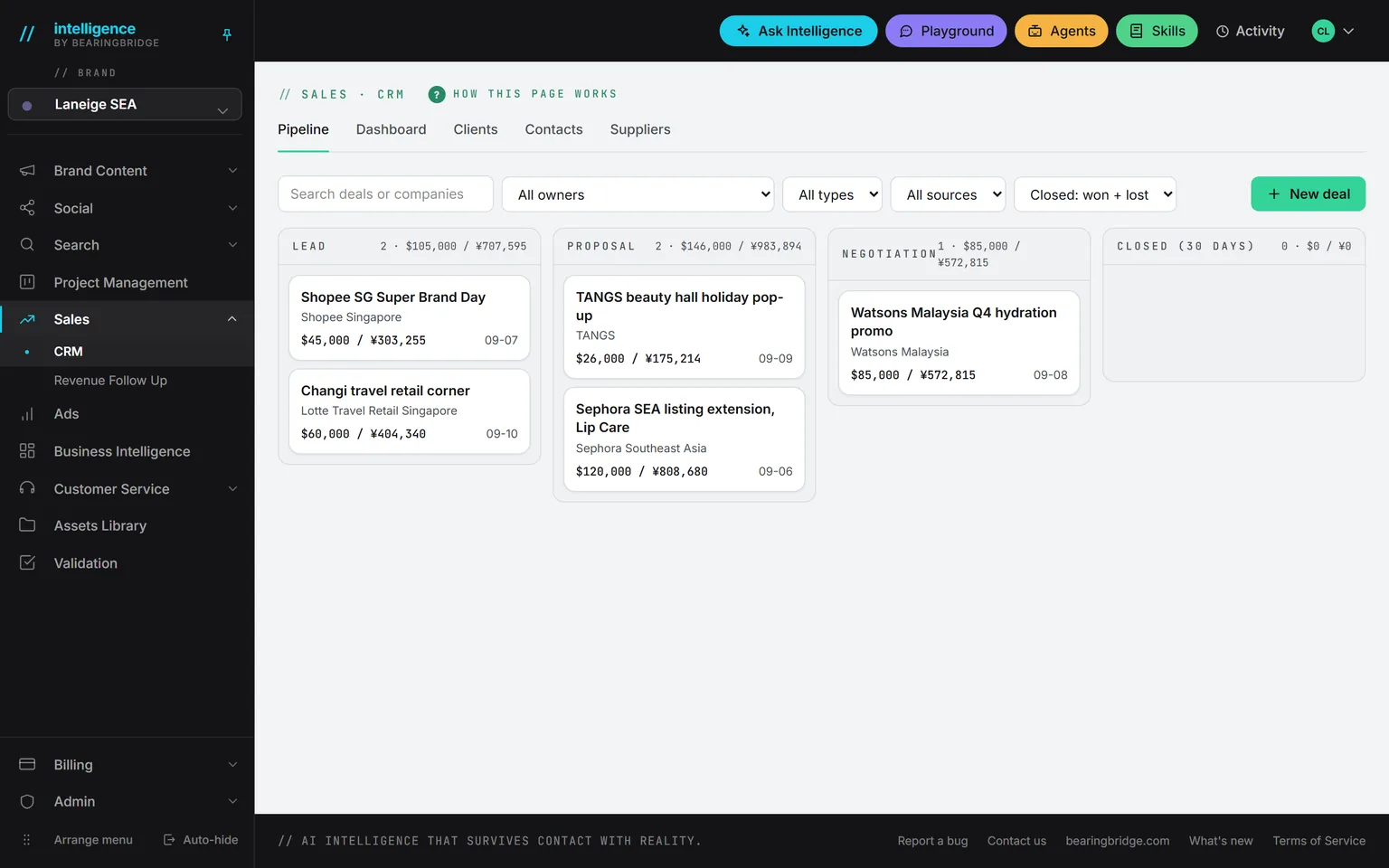
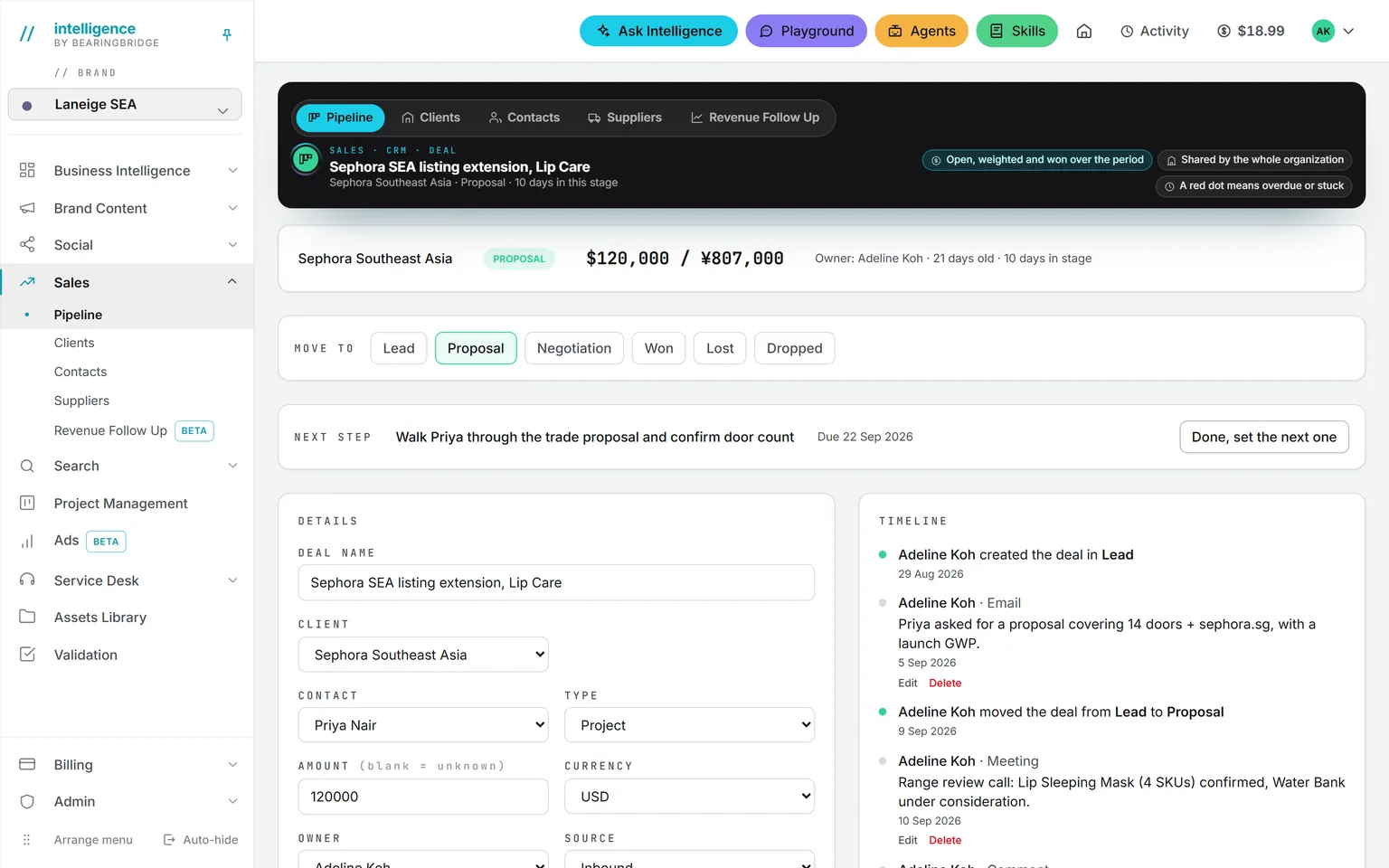
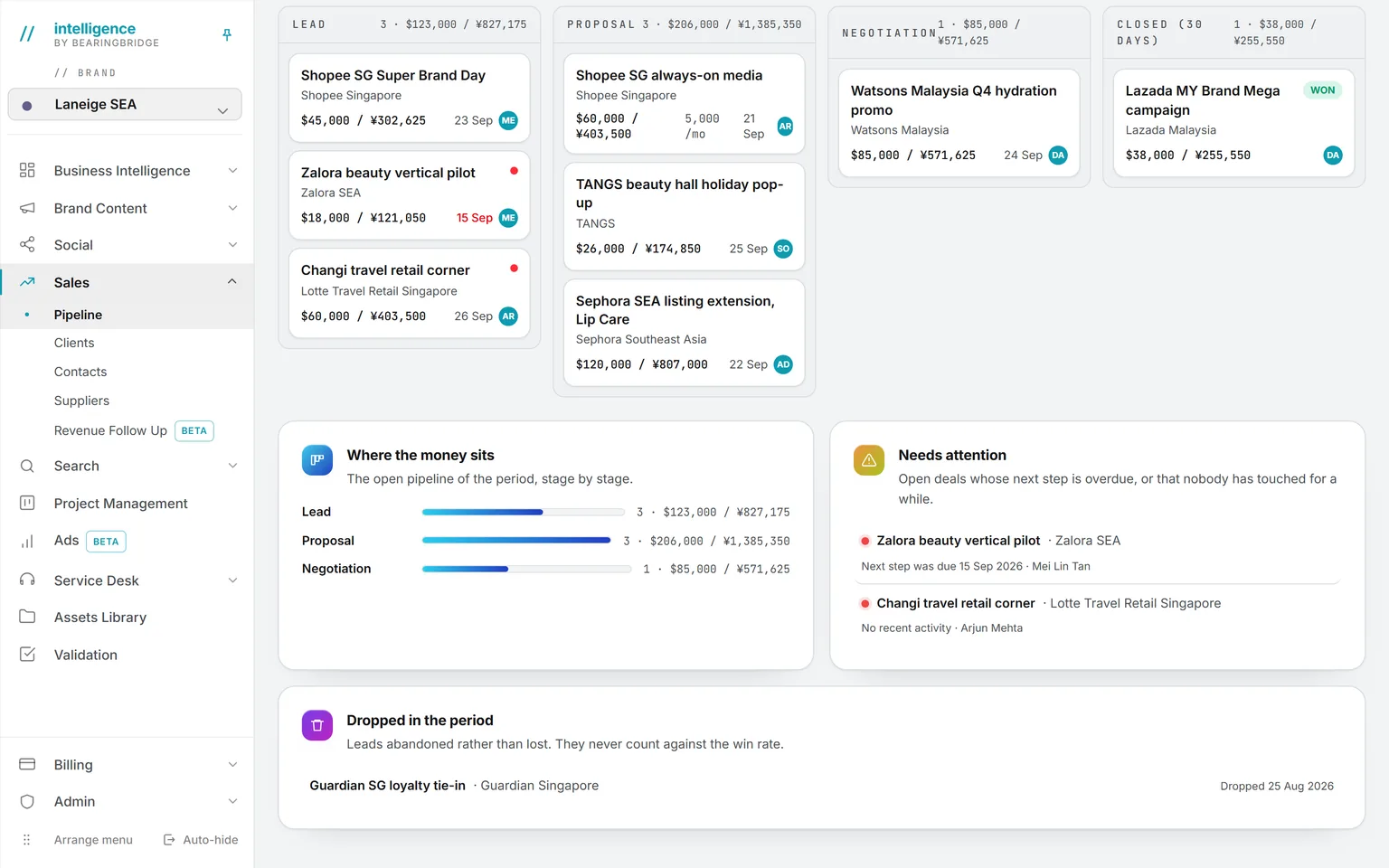
Demo workspace. Invented brand and figures.
The tools you’ll use every day.
It’s a board with four columns: lead, proposal, negotiation, and closed. Each card shows the amount and the owner, plus the date of the next step. Five number tiles sit above the board, for the period you pick.
See the page →A red dot marks a deal whose step is overdue. Another marks a deal that went quiet, after a number of days you set. The second dot matters more than it looks. An overdue step gets noticed. A deal nobody has touched usually doesn’t.
See the page →Every open deal must have a next step, and there’s no way around it. Mark a step done and the deal asks for the next one. The box won’t close until you give it.
See the page →Each deal keeps a timeline, where calls and mails go in one thread along with every stage move. Adding an entry takes a few seconds from the deal page. The proposal sits there too, as a PDF you can replace in place.
See the page →Work mostly in Project Management? Each deal’s next step is also a card on the project board, due on the step date and owned by the deal owner. Finish the card and the step is done. It works both ways.
See the page →Amounts show in your reference currency, with a second one beside it if you choose. The rates come from one table kept on the platform, not typed per deal.
See the page →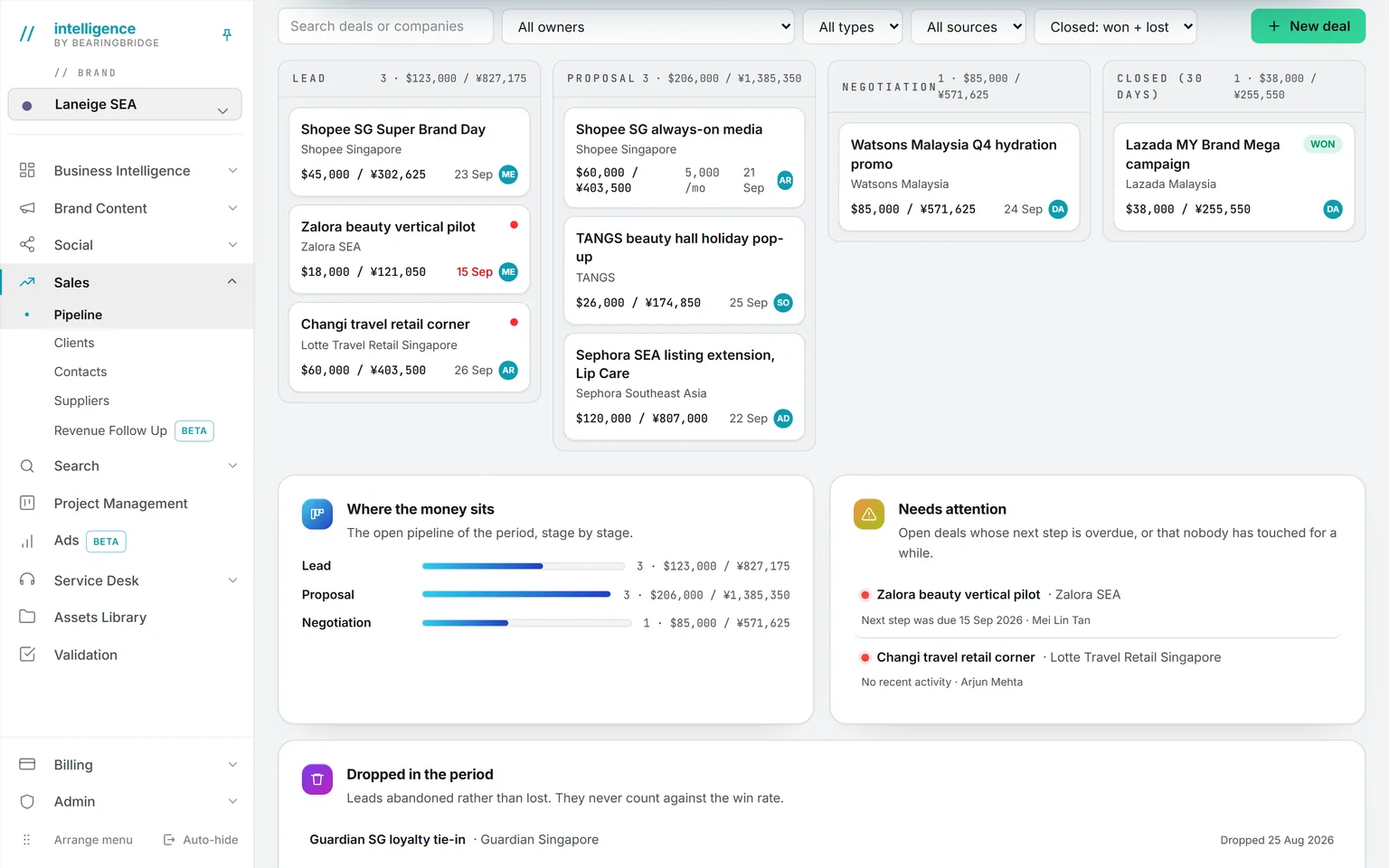
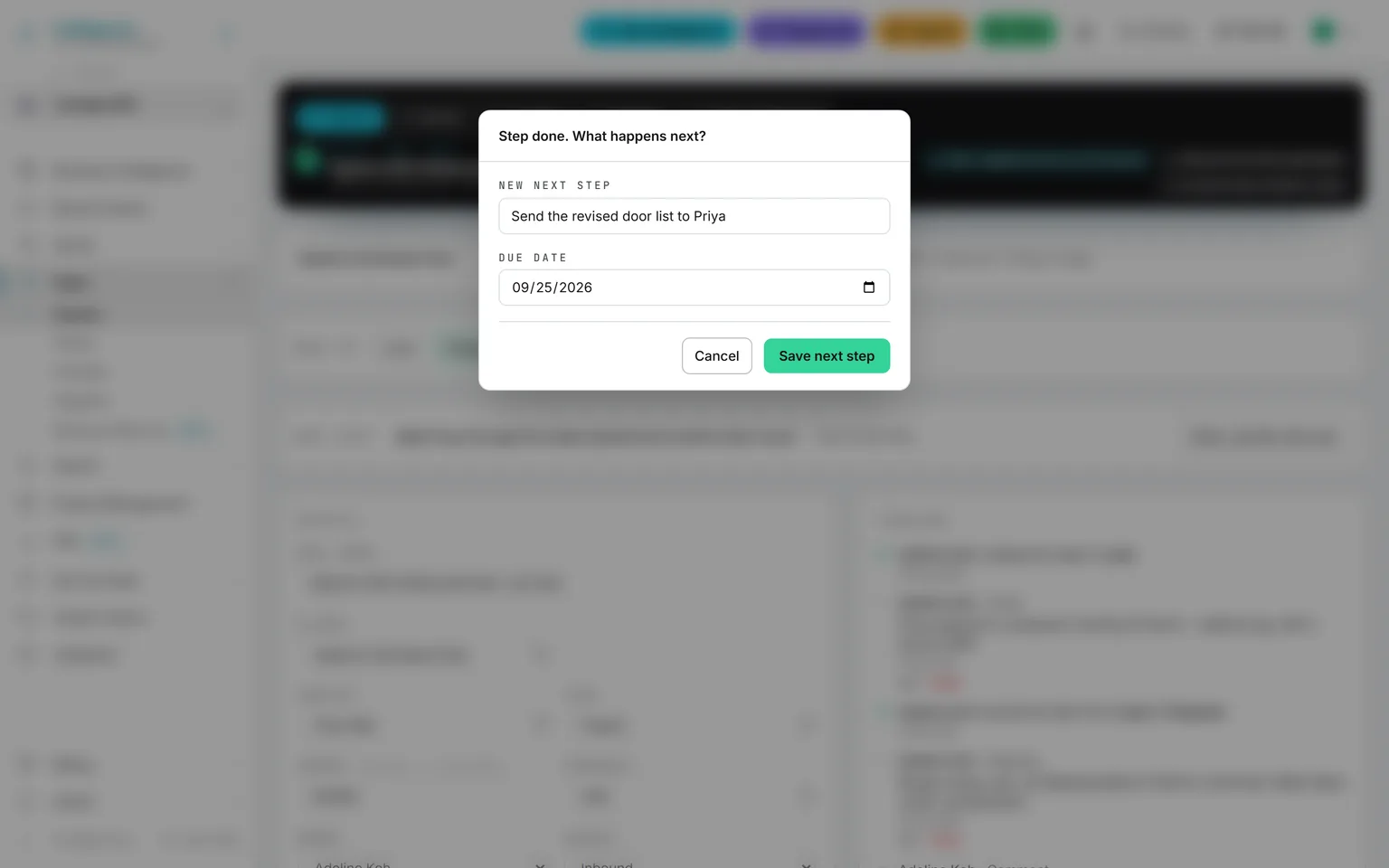
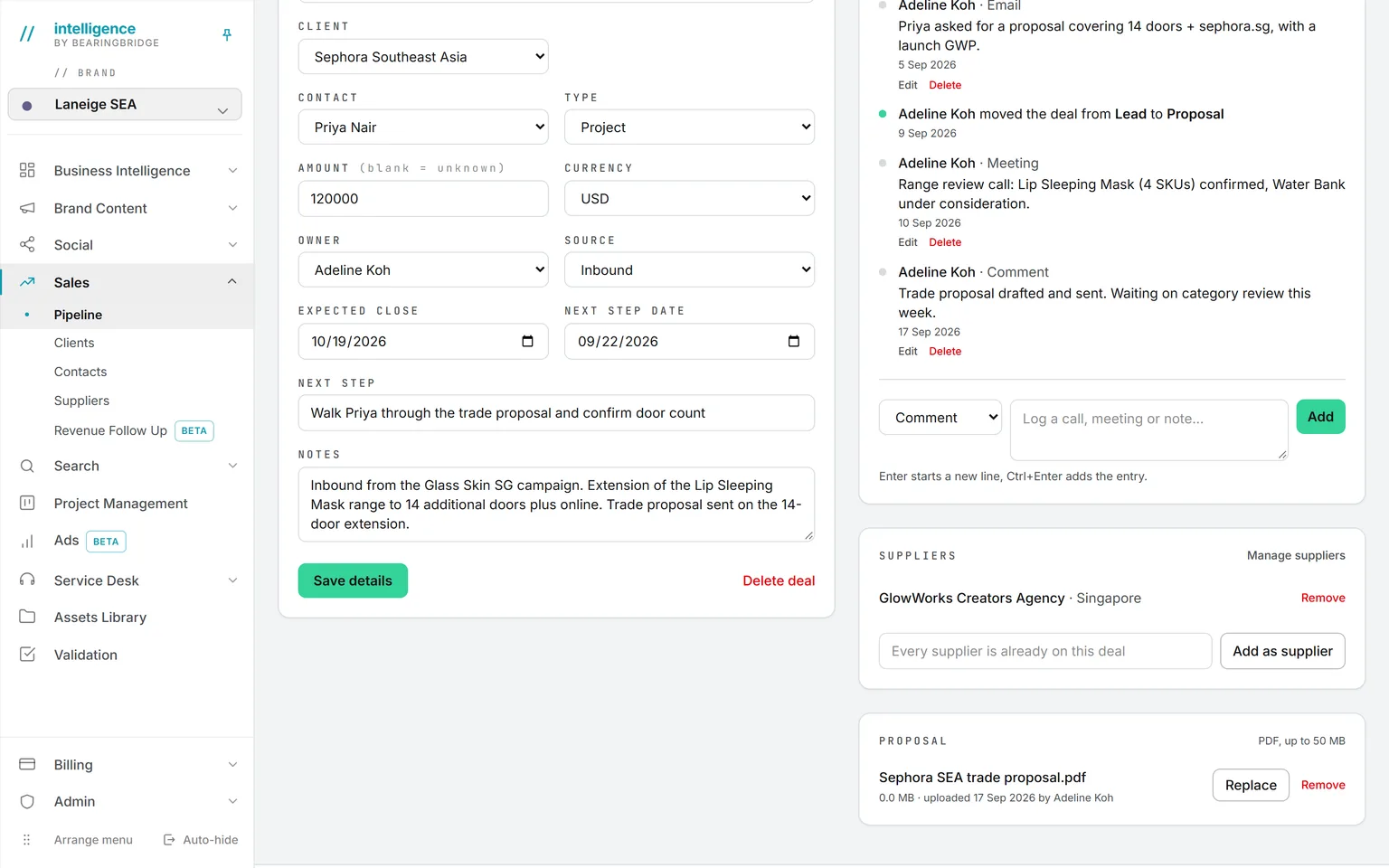
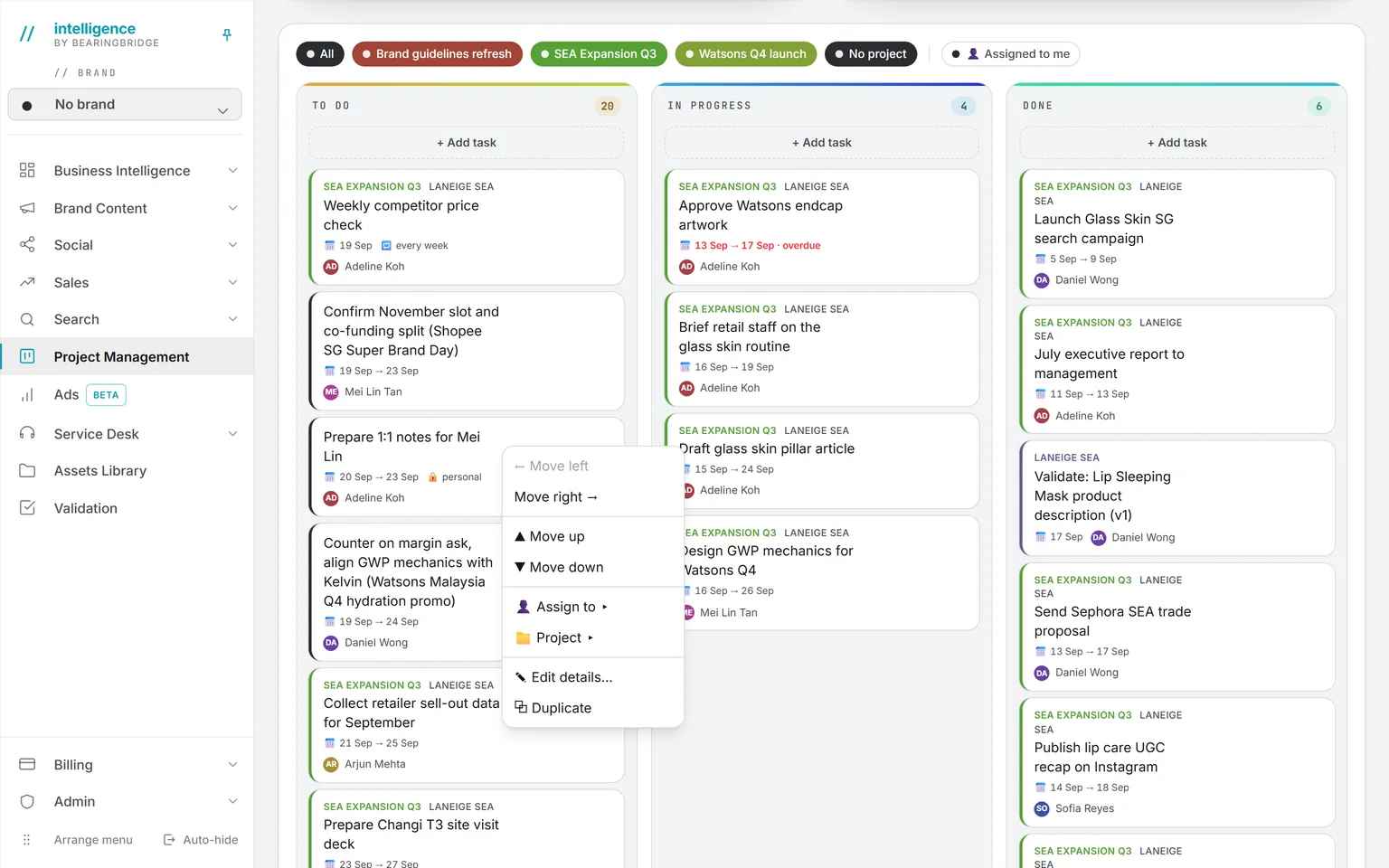
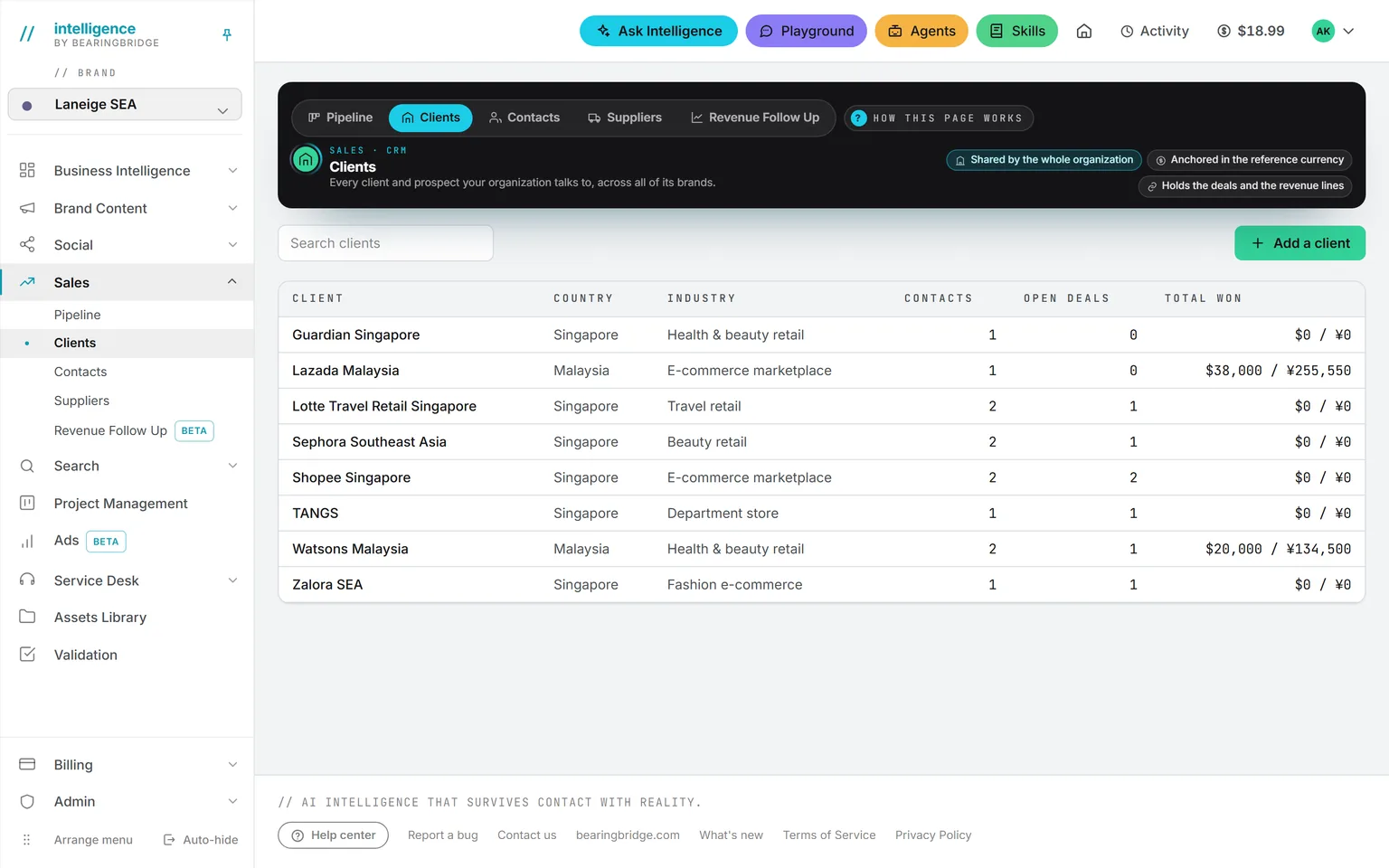
The pipelineHover to pause
Three examples from a working week.
Now showingMonday, 15 minutes
Monday, 15 minutes
The Monday pipeline review
The manager opens the pipeline and looks for red dots. Under the board, the numbers list which deals need attention, with the owner beside each.
Then the manager opens Ask Intelligence and types, “Which deals went quiet this month?” The meeting starts from facts.
Before a call
Read the prospect’s annual report
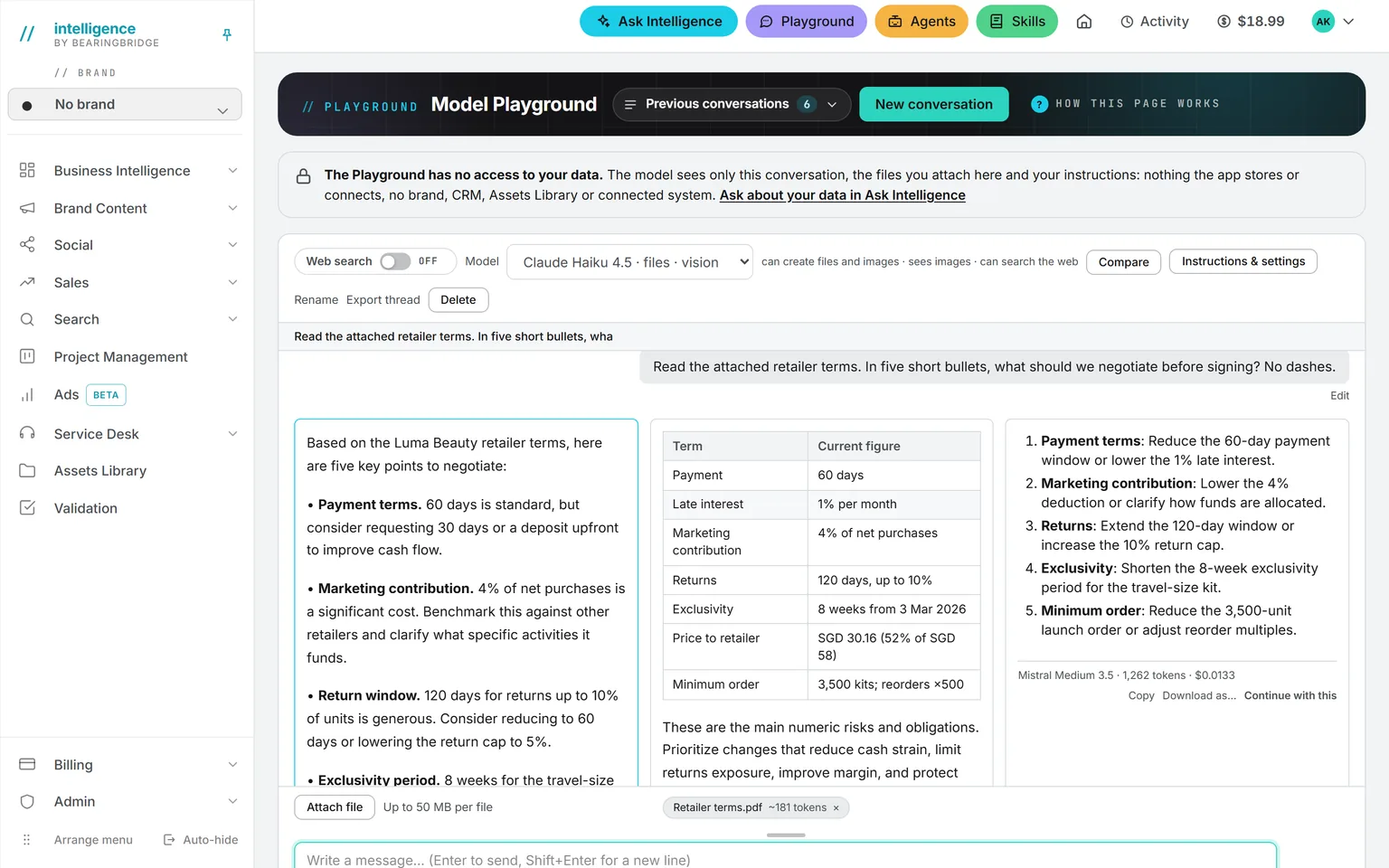
Open the Playground and attach the prospect’s annual report as a PDF. Ask for the five questions a buyer in their position would care about.
The Playground never reads your company data, so it’s a safe place for outside documents. The price is printed under each answer.
After the call
Follow-up mails, drafted for you
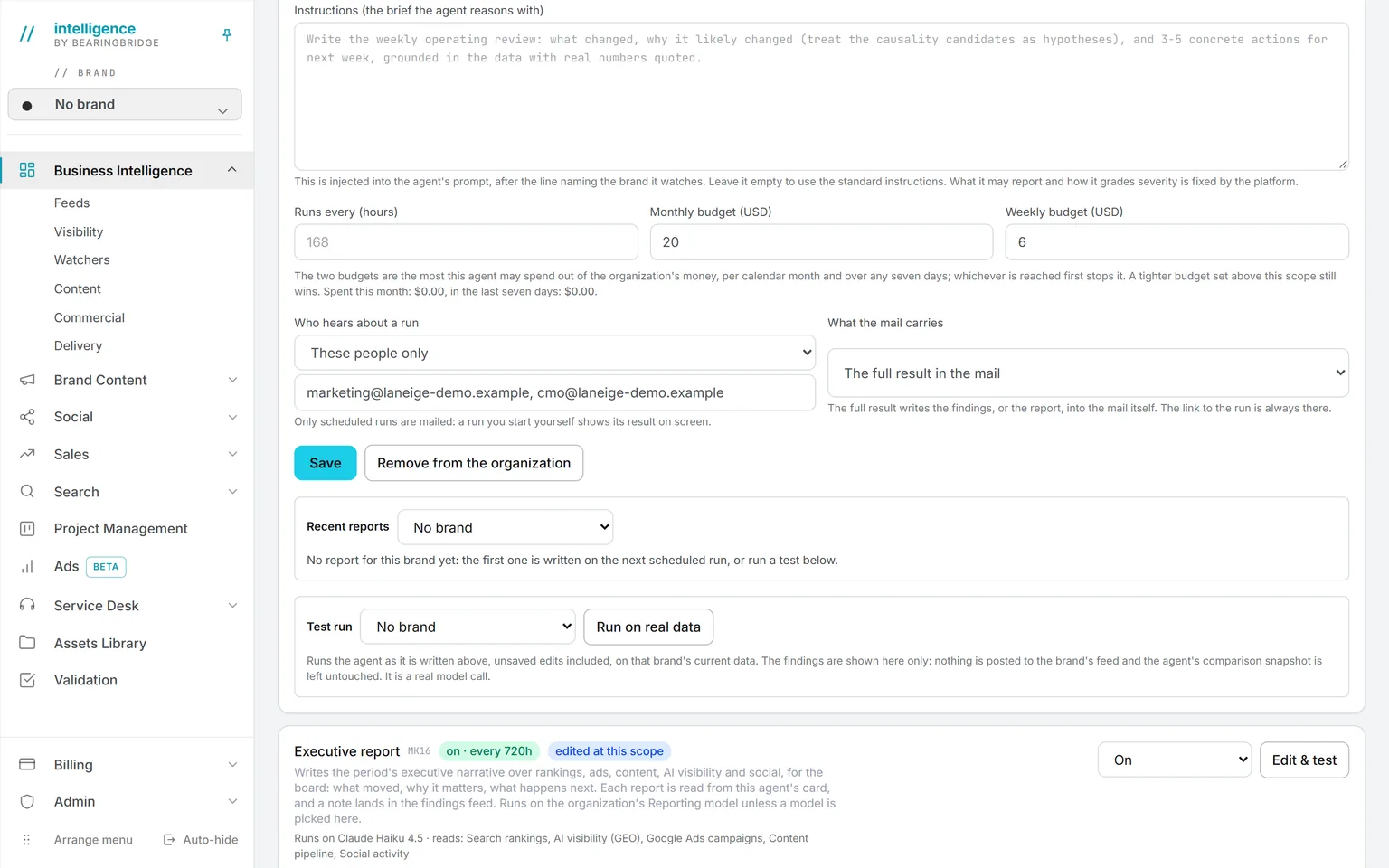
Connect your own Gmail and hand it to an agent you own. It reads the mailbox and writes a full reply into your Drafts folder.
Nothing goes out until you press Send. Your colleagues and your administrator never see that mailbox.
Questions to ask Ask Intelligence.
Type them the way you’d ask a colleague
Which open deals have no activity in the last three weeks?
Ask Intelligence answers only from deals you have the right to see. If your organization connected Zoho or another system, it can read that data too, read-only.
Documents to sell with.
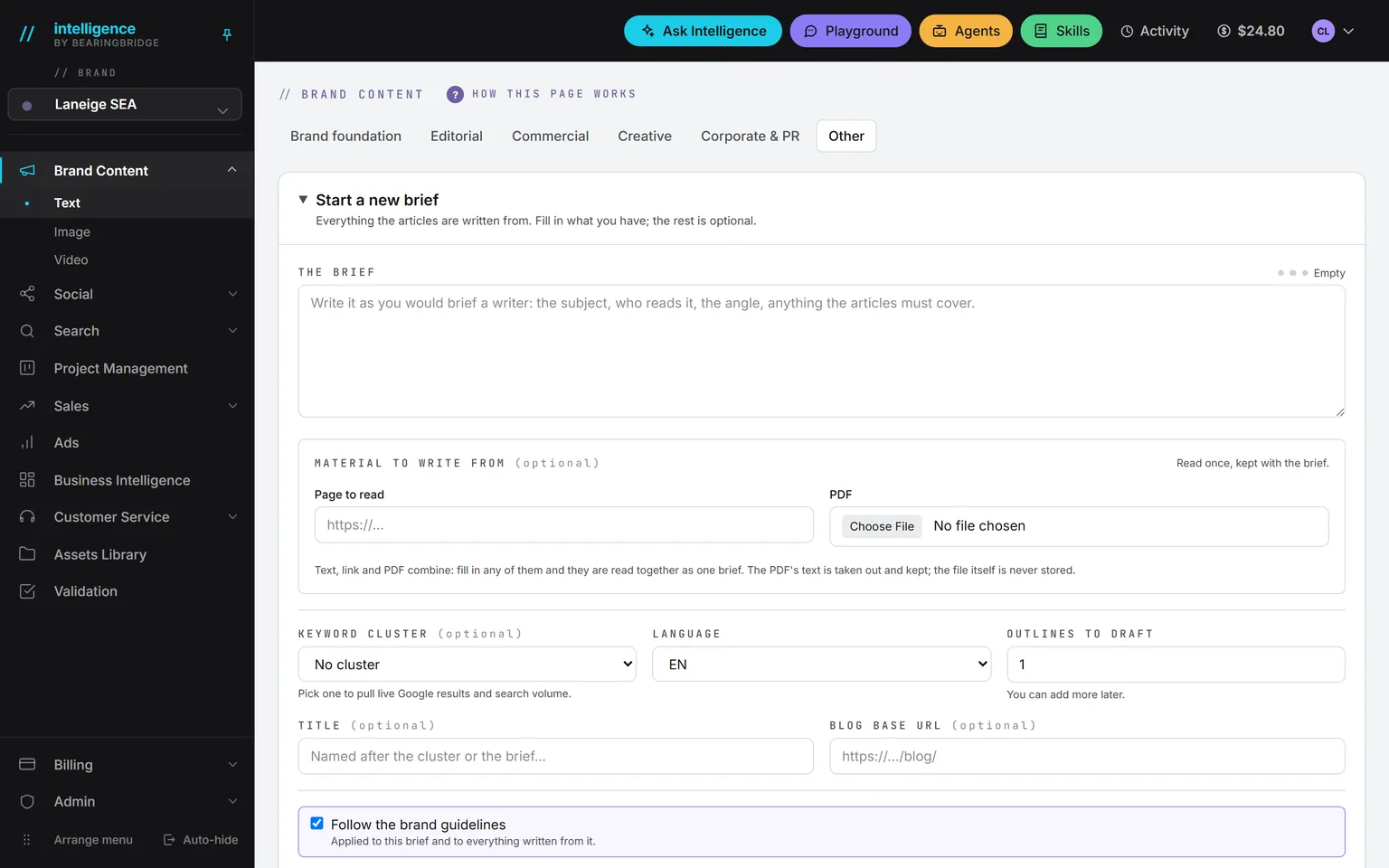
Sooner or later a buyer asks you to send something. Brand Content has eight commercial formats, including the one-pager, the comparison page, the product description, and proposal boilerplate. The case study sits in another group, the editorial family. Write each one from a library folder that holds your real figures.
For LinkedIn, go to Social. Posts you draft there publish from your own profile, which is where most business buyers will look you up.
If nobody holds the sales job.
Vacancy
- Position
- Sales
- Held by
- Nobody yet
- Covered by
- Intelligence
- Still yours
- The selling
Everything above assumes sales is somebody’s job. In a lot of small companies it isn’t. The platform won’t make calls for you. What it covers is the part founders drop first, the discipline of following up.
The platform takes
- Showing, every morning, which deal needs you today.
- Drafting the follow-up mails. You press Send.
- The one-pager a salesperson would have put together.
- Where the quarter stands: pipeline value, what was won in the last 30 days, and the overdue steps, without building a spreadsheet.
A person keeps
- The calls.
- The selling.
- Pressing Send.
Your first week.
Accounts are free for the whole team. A first week can go like this:
0of 5 done
Tick a step when it’s done. Your ticks stay in this browser.
Deleting a client or a contact takes an administrator, so nobody wipes a customer by accident.
What Intelligence doesn’t do for sales.
Here’s what’s missing. Better to know before you start.
There’s no quote or proposal generator on the deal page. That one is built to order.
There’s no import of an existing pipeline yet. Deals, clients, and contacts are typed in by hand.
Calls and mails are logged by hand too, with no mailbox sync on the deal.
There’s no lead scoring, no price book, no commissions, and no territories.
The platform doesn’t issue invoices. Billing lines track what is due and what was paid, and the invoice comes from your accounting tool.
Checked against the product on September 20, 2026. The catalog lists every agent as built, partial, or not built. Usage is paid from a prepaid wallet, with no seat fee, and the rates are on the pricing page.
Give every open deal a next step and a date.
Accounts are free for the whole team. Type in your open deals, and the red dots show up without being asked.
No subscription. No seat fee. No card needed to open an account.