




By roleThe job: Customer serviceHeld by: you
How a customer service team uses Intelligence.
The Service Desk puts an assistant on your website. It answers customers from the documents you gave it, and from nothing else. When it doesn’t know, it says so and offers your contact form. If you lead support, this page shows how to set up a desk and run it week after week.
No support team at all? Then the desk is your first line. It takes the repeat questions, at night and on weekends too, and answers in the customer’s language. It won’t replace the person who handles a real complaint. See what it takes over.
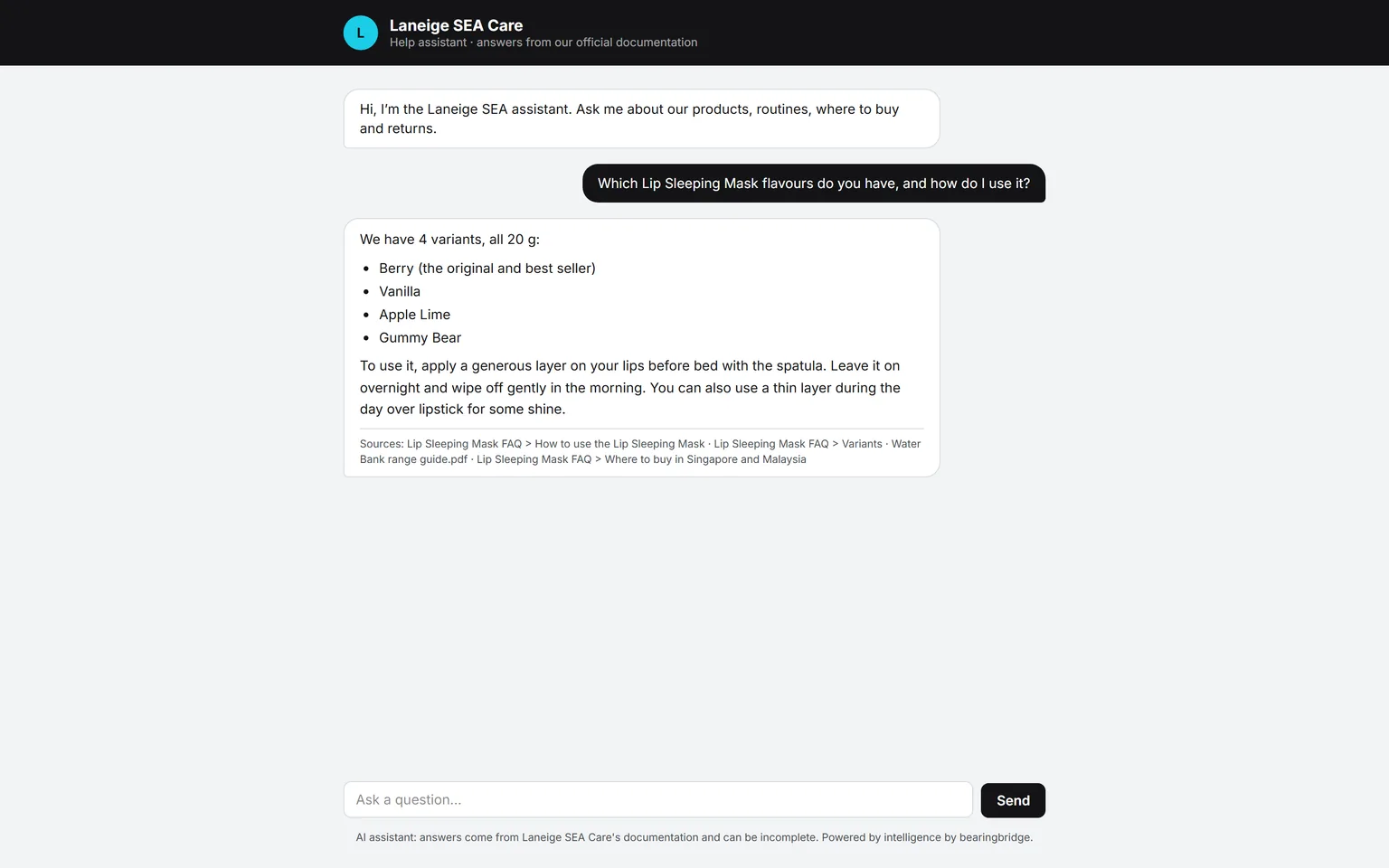
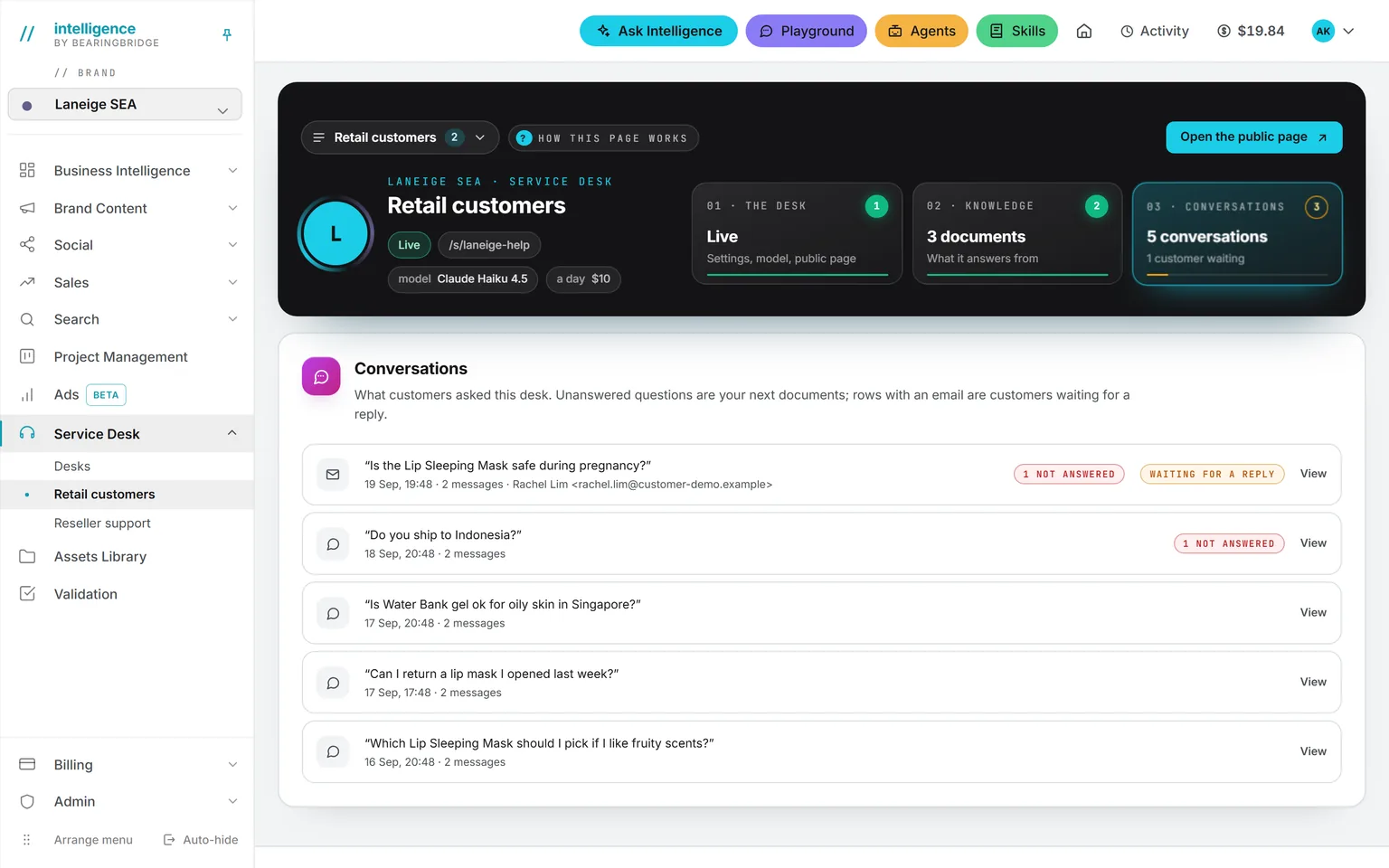
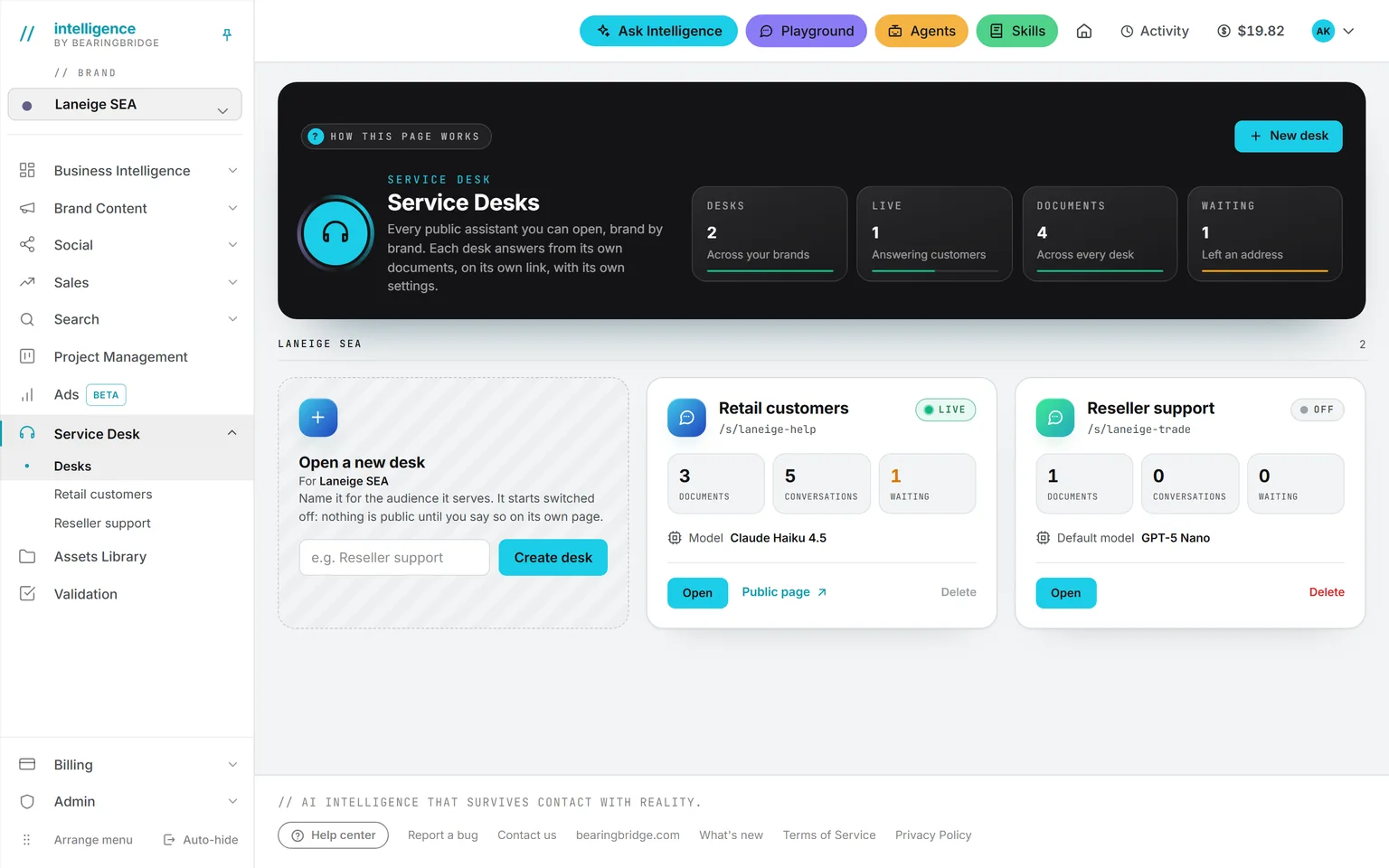
Demo workspace. Invented brand and figures.
Set up a desk in four parts.
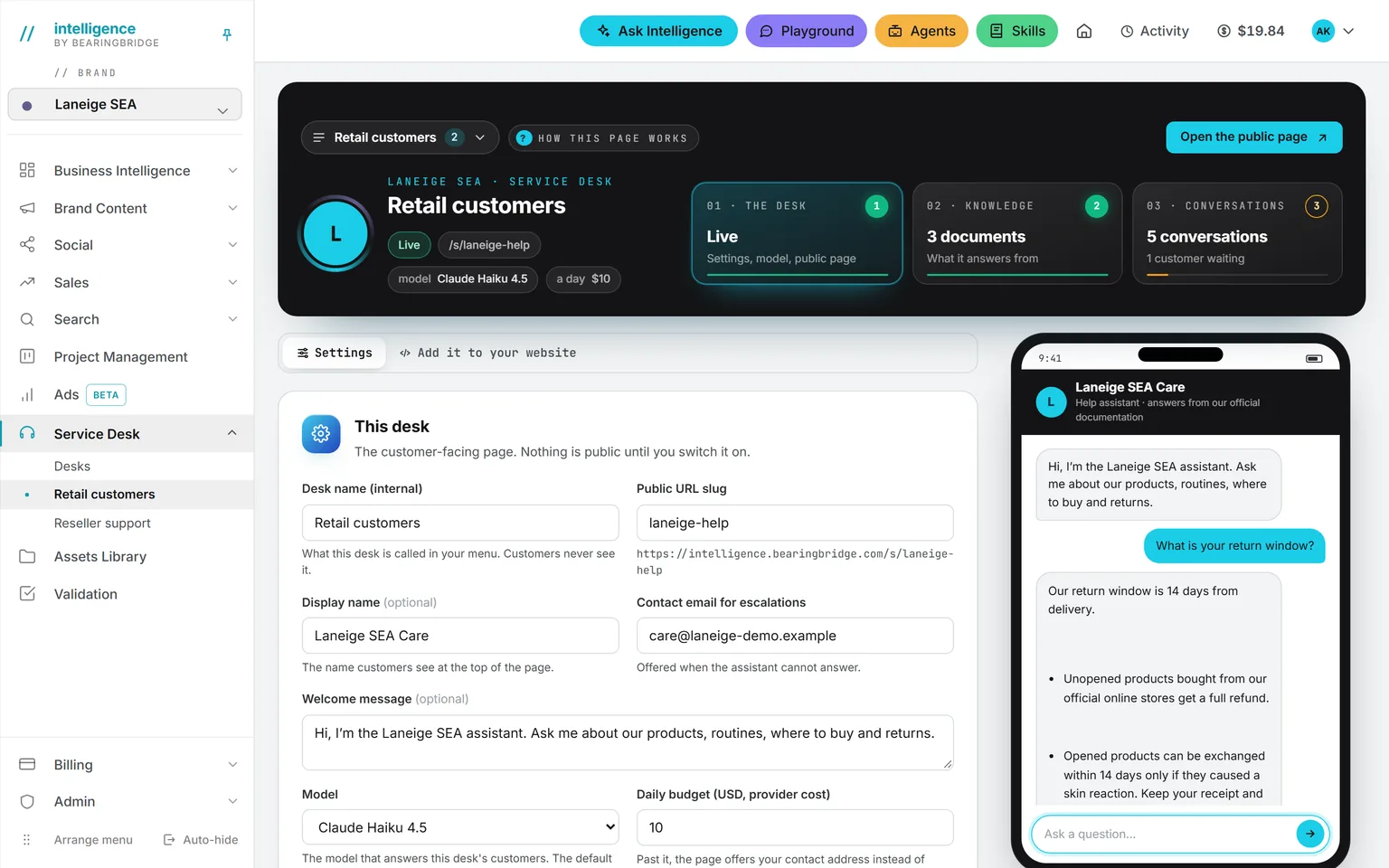
Make one per audience: retail customers, resellers, a product line, a market. Each one has its own public address, name, welcome message, contact email, model, and daily budget, and you can run up to 20 per brand. Desks never share documents, so the reseller price list can’t leak into retail answers.
See the page →It’s whatever you let the assistant read, and you can feed it four ways. Upload PDFs. Paste a text. Fetch a web page. Or link a folder from the Assets Library, and press Sync now when its content changes. If you remove a document, the assistant forgets it on the next question.
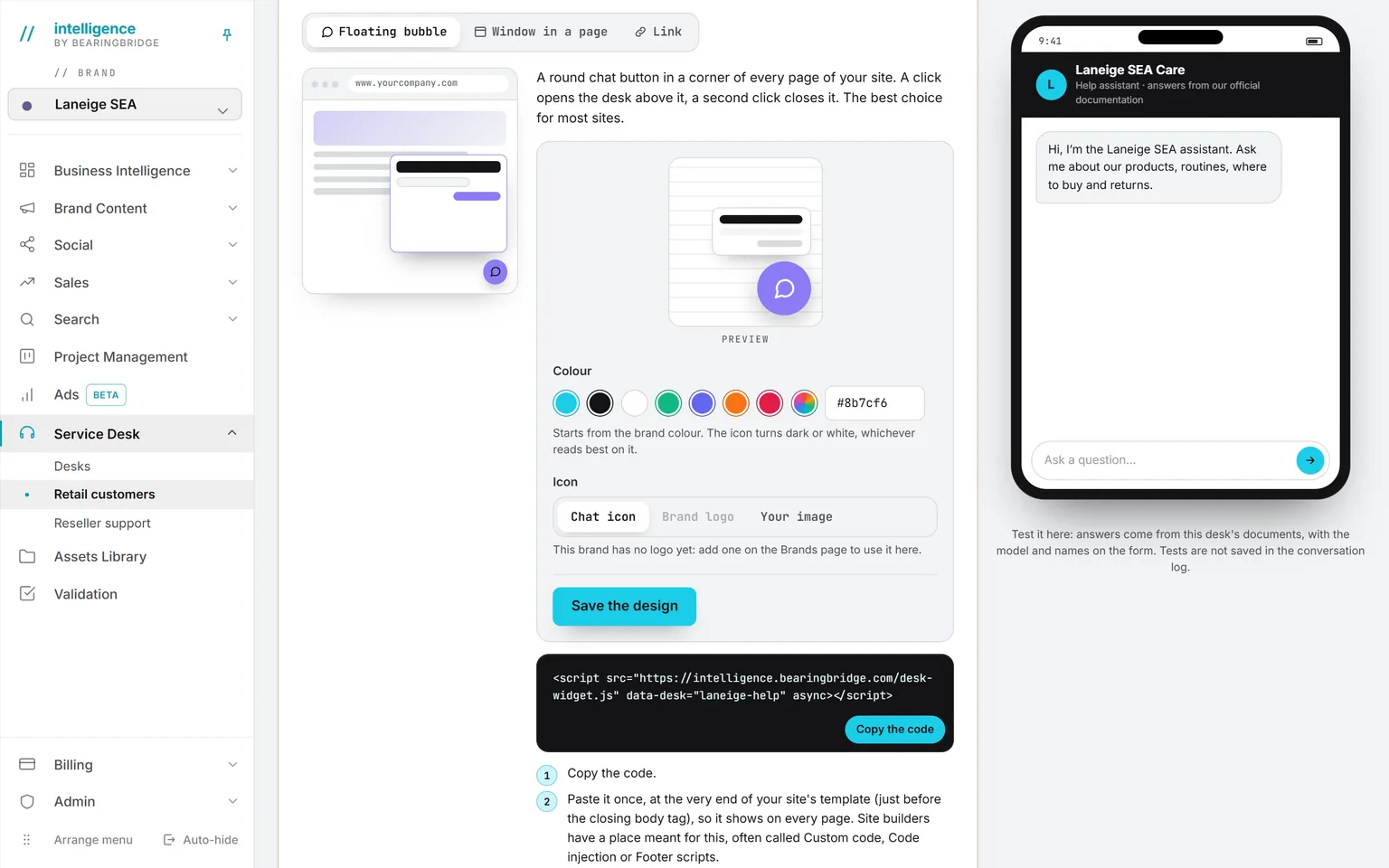
See the page →Paste it before the closing body tag. You get a floating bubble, a window inside a page, or a plain link for an email signature or a QR code. Change the button’s color later and every site picks it up within a minute.
See the page →It sits beside the settings and tests the desk live, off the record. Use it before you switch the desk on.
See the page →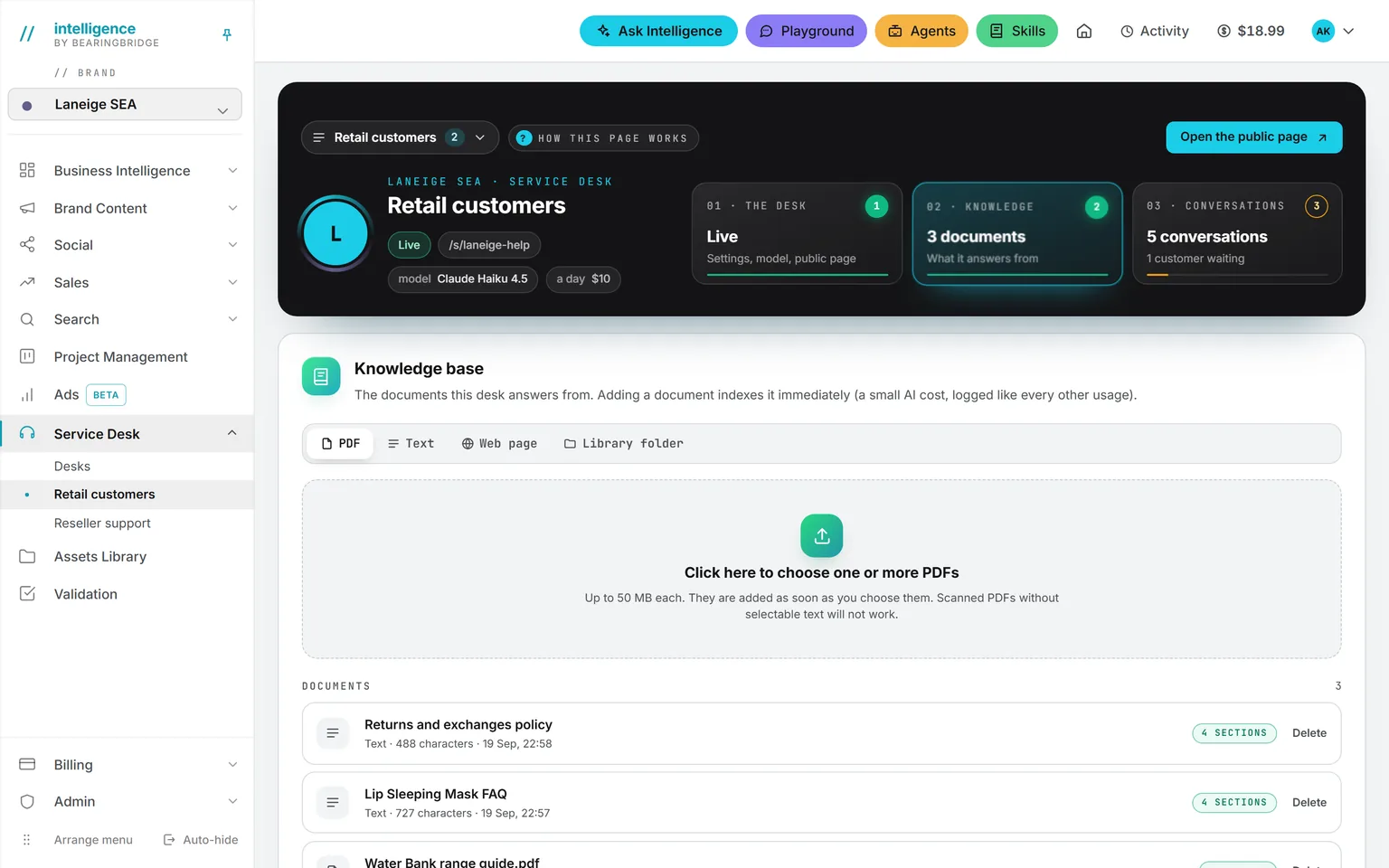
A deskHover to pause
That’s the setup. Here’s what it looks like once customers start writing.
Three examples you can copy.
Now showingAny day
Any day
The return policy
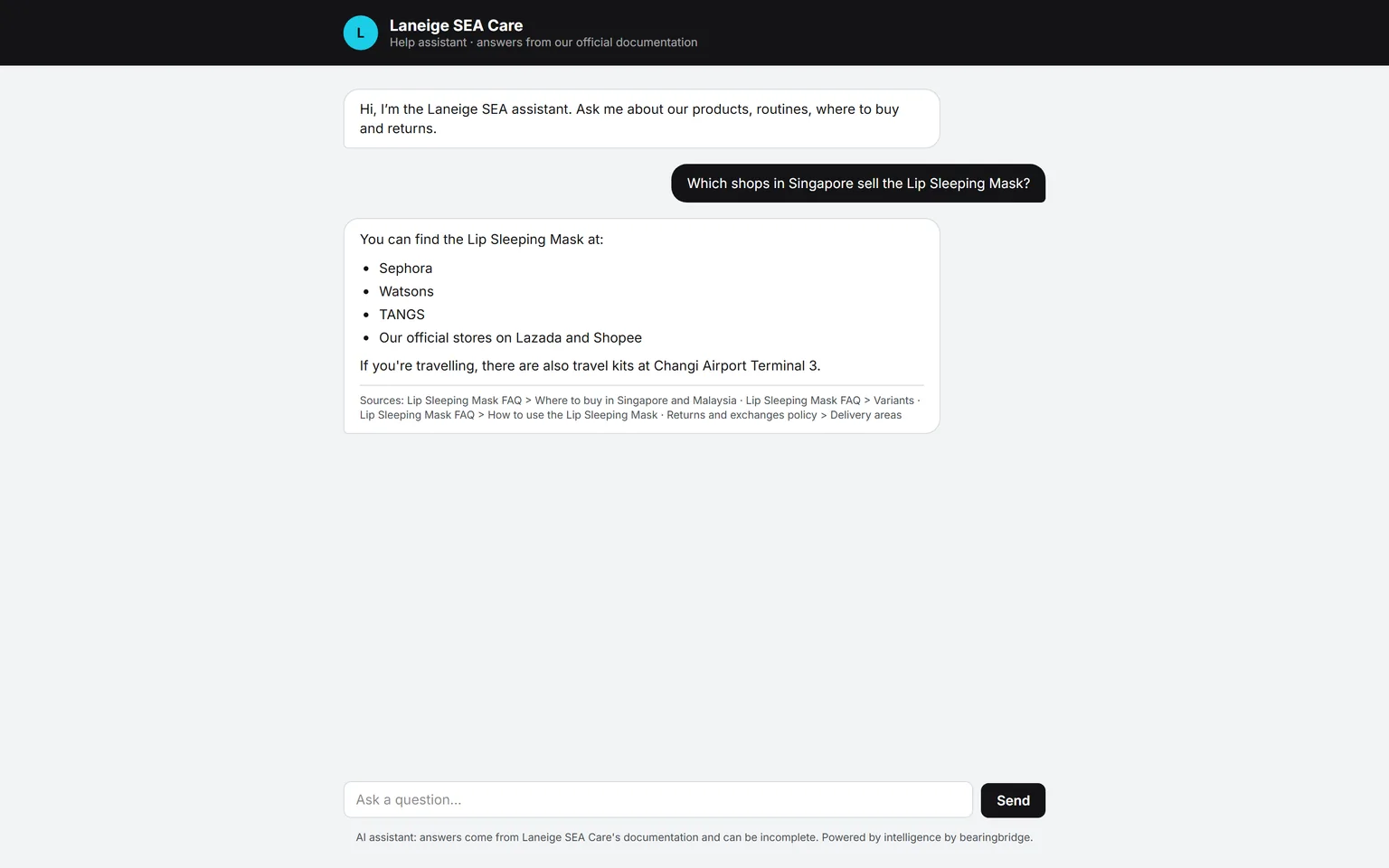
You upload the returns PDF. A customer asks, in French, how long they have to send a product back. The assistant quotes your policy, in French.
Another customer asks about a product you don’t sell. The assistant says it can’t answer and shows the contact form. It doesn’t guess. That rule can’t be switched off, even by your brand guidelines.
Every Monday
The Monday fix
Open the Conversations tab. It lists every question the desk couldn’t answer, and flags customers who left an address and are waiting. Answer those people by mail first. They’ve waited long enough.
Then write the missing answers into the knowledge base, which is how the list gets shorter.
A new market
A second desk for Malaysia
Say you start selling in Malaysia. Create a second desk, give it the Malaysian shipping and price documents, and paste its line on the local site. Give it a budget of its own. The first desk doesn’t change.
Two questions worth asking Ask Intelligence.
Pick a question, or watch them go by
What did customers ask most this month?
Ask Intelligence reads the desk conversations. Treat the answer to the second question as your writing list.
What it costs and what caps the bill.
This is the dry part, the one finance will ask about. Every answer is paid from the organization’s credits, under the desk’s daily budget. Five checks run before any answer:
A signed session
The visitor needs one before anything answers.
The desk is on
Nothing is public until you switch it on.
Under the message limits
10 a minute and 40 per conversation.
Under its daily budget
In dollars, per desk, $10 by default.
The organization has credits
Every answer is paid from them, never from a personal wallet.
Past the budget, the page offers the contact form until the next day. The customer never hears about money. Administrators get a mail when the balance drops under $5.
Two other tools worth opening.
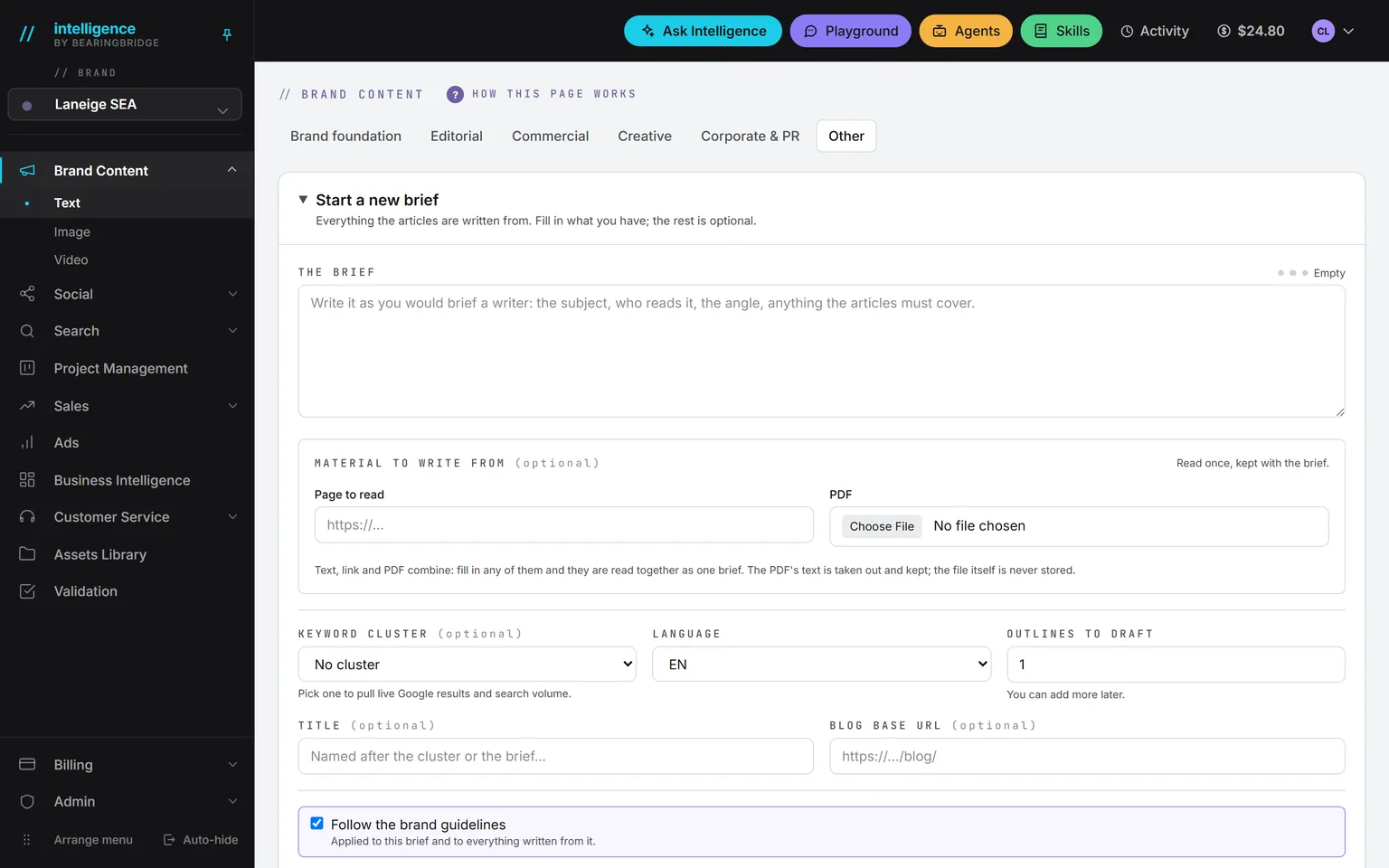
If you have no FAQ yet, write one with the FAQ format in Brand Content, from a folder of real product documents, then feed it to the desk. If your documents are thin, this comes before anything else.
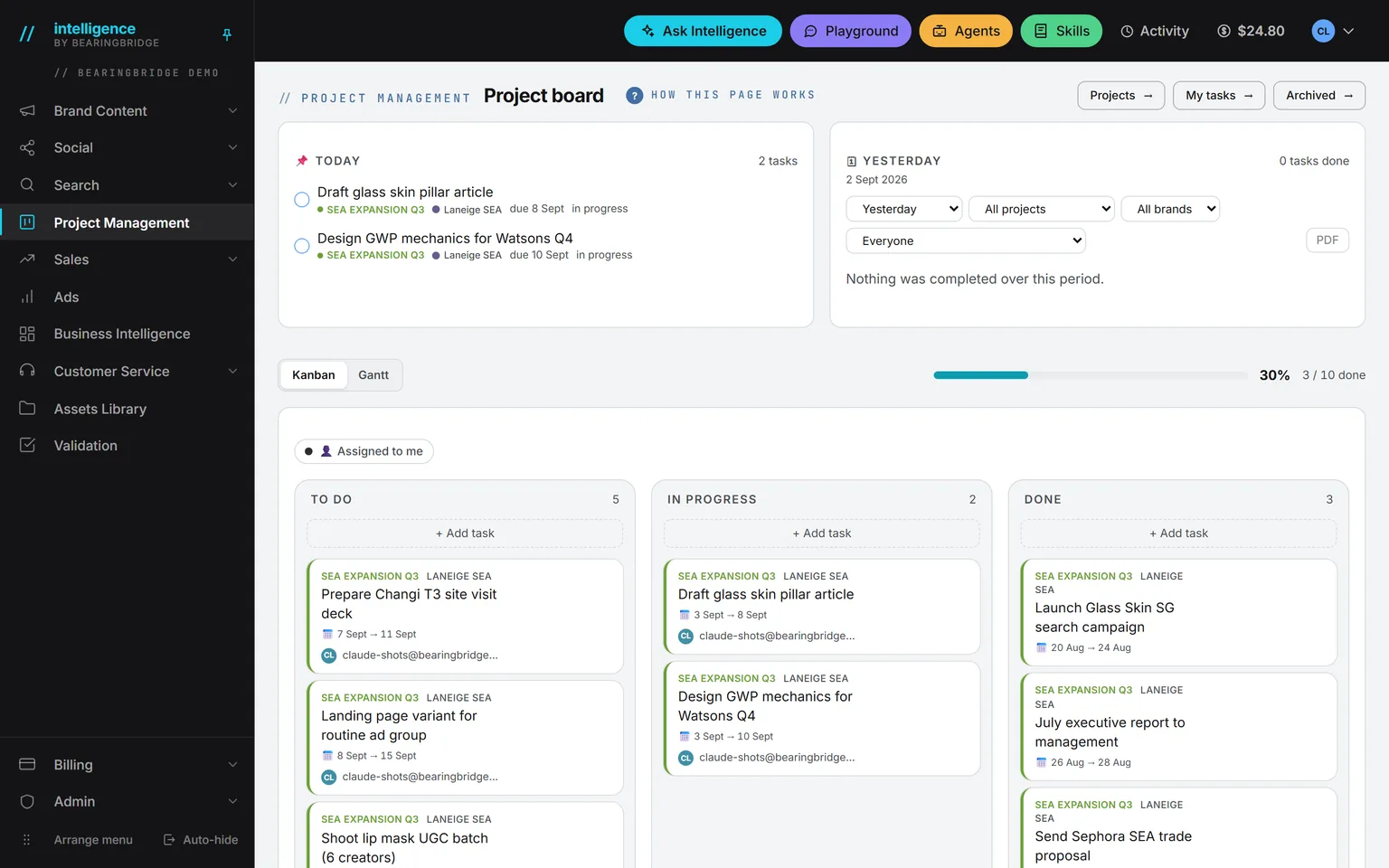
For the follow-ups, use the board in Project Management: a task per customer waiting, with an owner and a date.
If nobody holds this job.
Vacancy
- Position
- Customer service
- Held by
- Nobody yet
- Covered by
- Intelligence
- Needs
- 20 minutes a week
Then the desk is your first line. It won’t replace the person who handles a real complaint, but fewer questions will reach them.
The platform takes
- The repeat questions, at night and on weekends too.
- Answers in the customer’s language.
- A list of every question it couldn’t answer.
A person keeps
- The real complaint. Somebody still has to handle that, even if it’s the founder.
- One name on the contact email, so it’s somebody’s job.
- The Conversations tab, 20 minutes a week.
Your first week.
0of 5 done
Tick a step when it’s done. Your ticks stay in this browser.
What the Service Desk doesn’t do.
Better to know these before you start.
There’s no WhatsApp, WeChat, email, or social inbox. A desk answers on its own page and on your website, nowhere else.
There’s no live handoff. A person answers by mail, and nobody is paged.
The desk’s own buttons and labels are in English, though answers follow the customer’s language.
Scanned PDFs without selectable text are refused.
An inbox, CSAT (customer satisfaction scores), and QA scoring are built to order, not shipped.
Checked against the product on September 20, 2026. The catalog lists every agent as built, partial, or not built. Usage is paid from a prepaid wallet, with no seat fee, and the rates are on the pricing page.
Five documents and one pasted line. That’s the first week.
Open an account, create one desk, and test it on the phone beside the settings before a single customer sees it.
No subscription. No seat fee. No card needed to open an account.