




Modules / Campaigns
Everything made for one launch, filed under one name.
A launch leaves its work all over the product. The landing page sits in Brand Content, the renders came out of the image studio, the Reel lives in Social, and the agency’s deck is in an upload folder. A campaign gathers it under one name and a short brief without copying a byte, so the AI can read the whole set in one go.
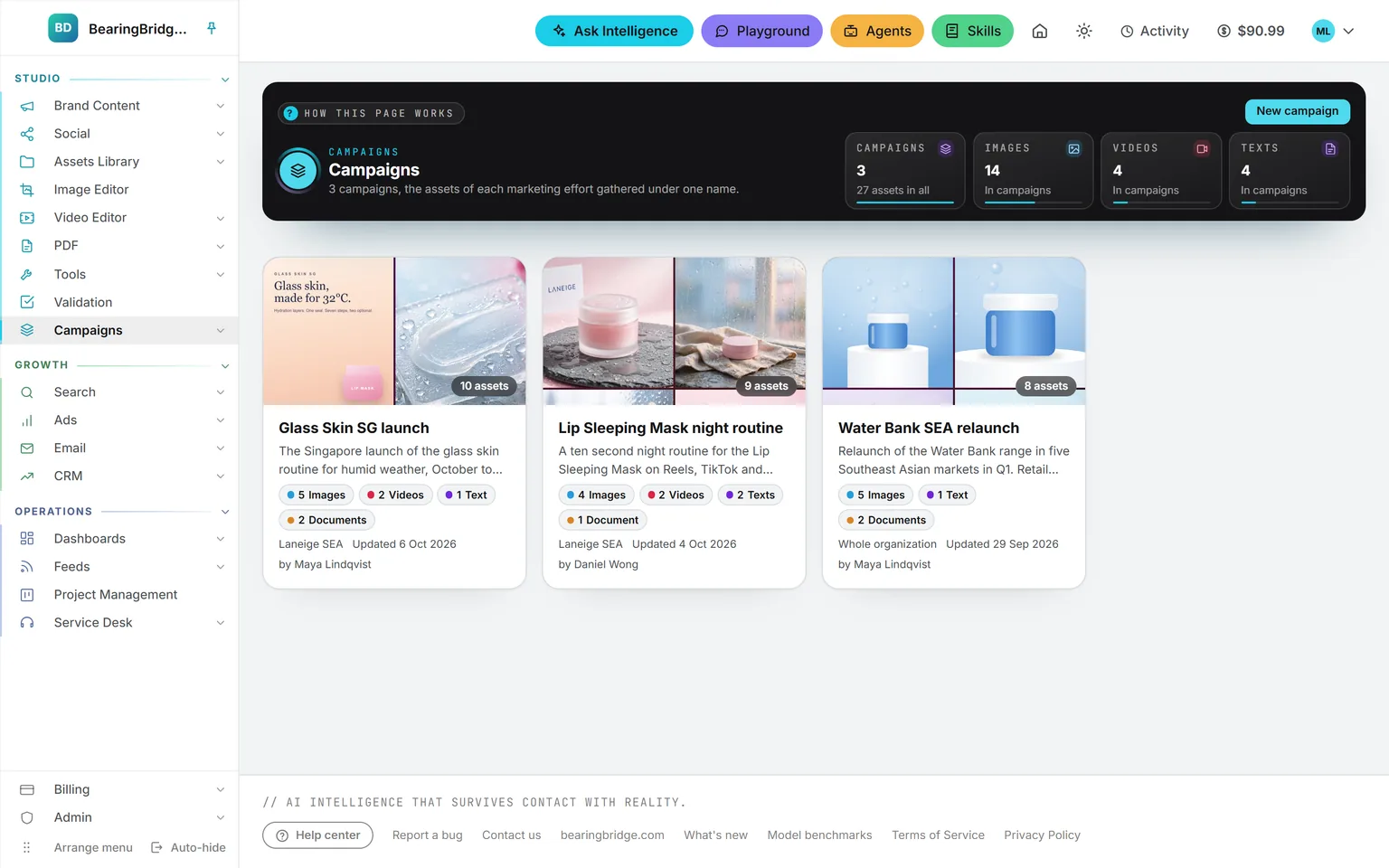
Demo workspace. Invented brand and figures.
A name, a brief, and pointers to the work.
Name
A name and a brief
Goal, audience, key message, dates. The AI reads the brief before anything else.
Fill
From any module
Texts, pictures, clips, social posts, articles, and documents, plus the files you uploaded.
Point
Nothing is copied
The campaign points at assets in the Assets Library, so one asset can sit in several campaigns at once.
Read
In one pick
Point the AI at the campaign and it takes in the whole set, brief first.
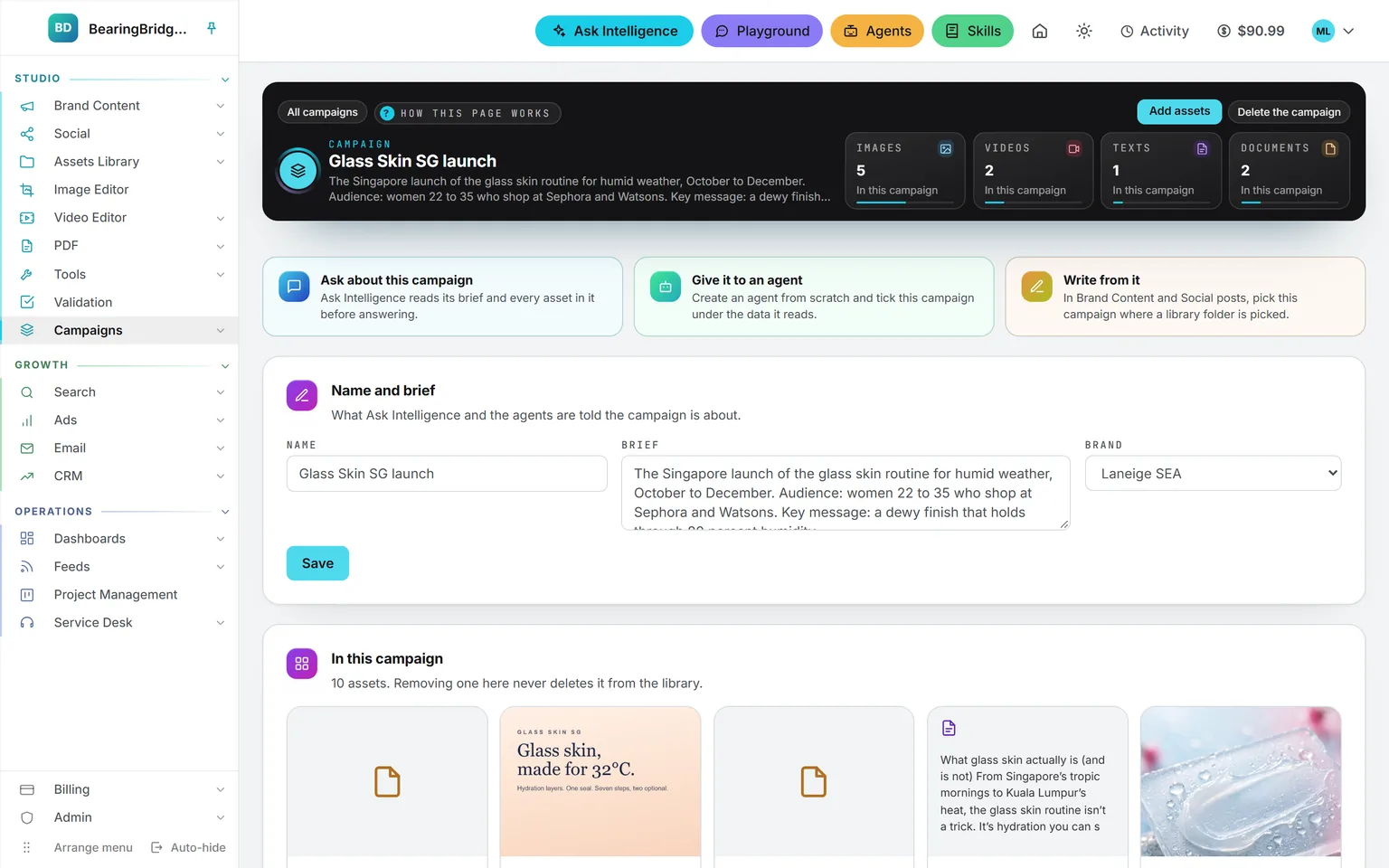
Each campaign gets its own page with the brief, a count per type, and every asset, linked back to the module that made it and to its spot in the library. Remove an asset and it stays in the library. Upload a new version of a file, and every campaign holding it shows the new one. Delete an asset from the library, though, and it drops out of every campaign by itself.
Pick the campaign on the form, and the work lands in it.
Every creation form now has a Campaign list, set to None until you change it. Choose a campaign before you generate, and whatever comes out joins it as soon as it’s saved: the image, the clip, the article, or the post.
The forms that offer the choice.
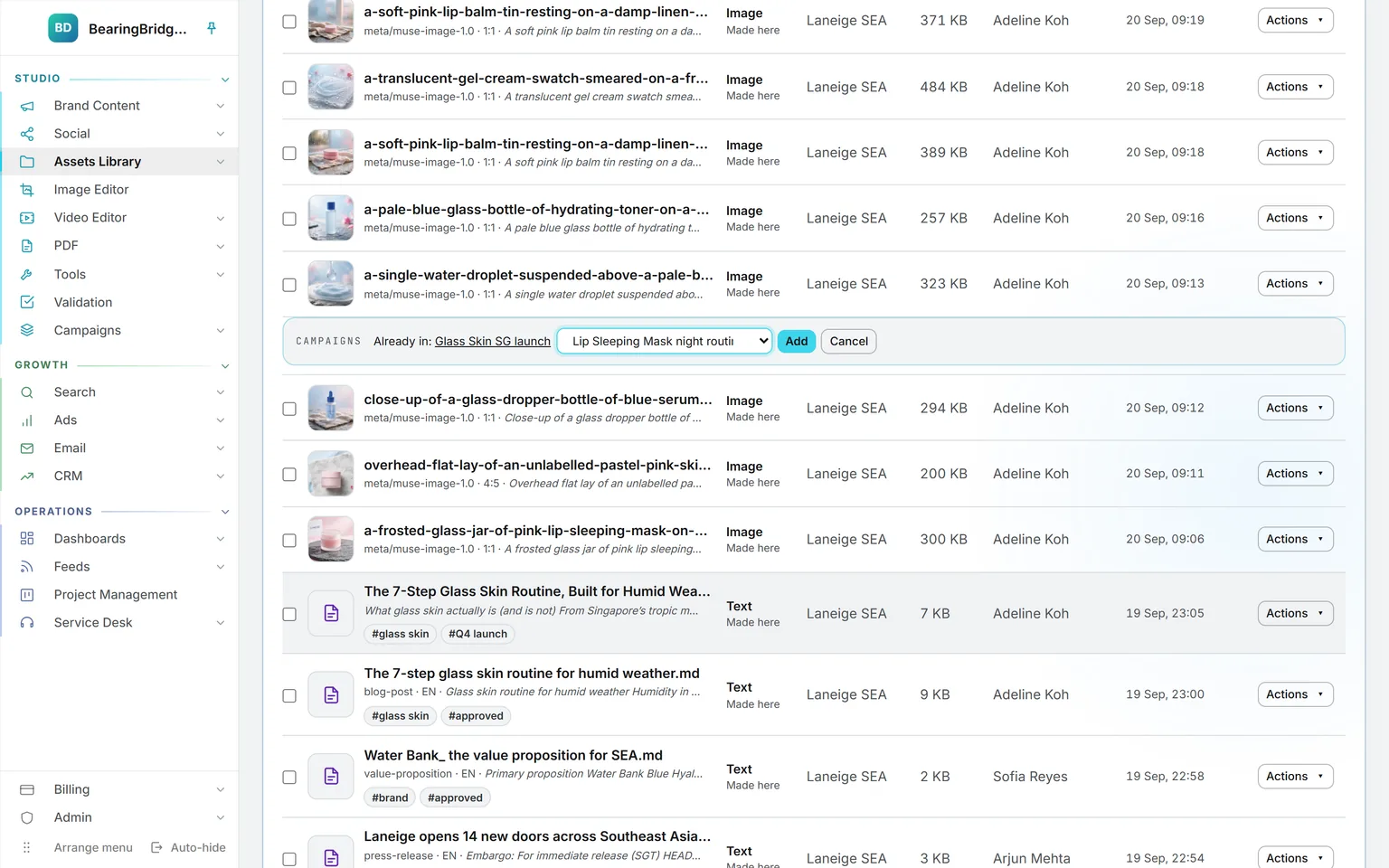
Older work goes in from the library. Open an asset’s Actions menu and add it to a campaign, or create a new campaign right there. For a batch, tick the rows first.
The side menu lists every campaign by name under Campaigns, so the one you’re working on is a click away from any page.
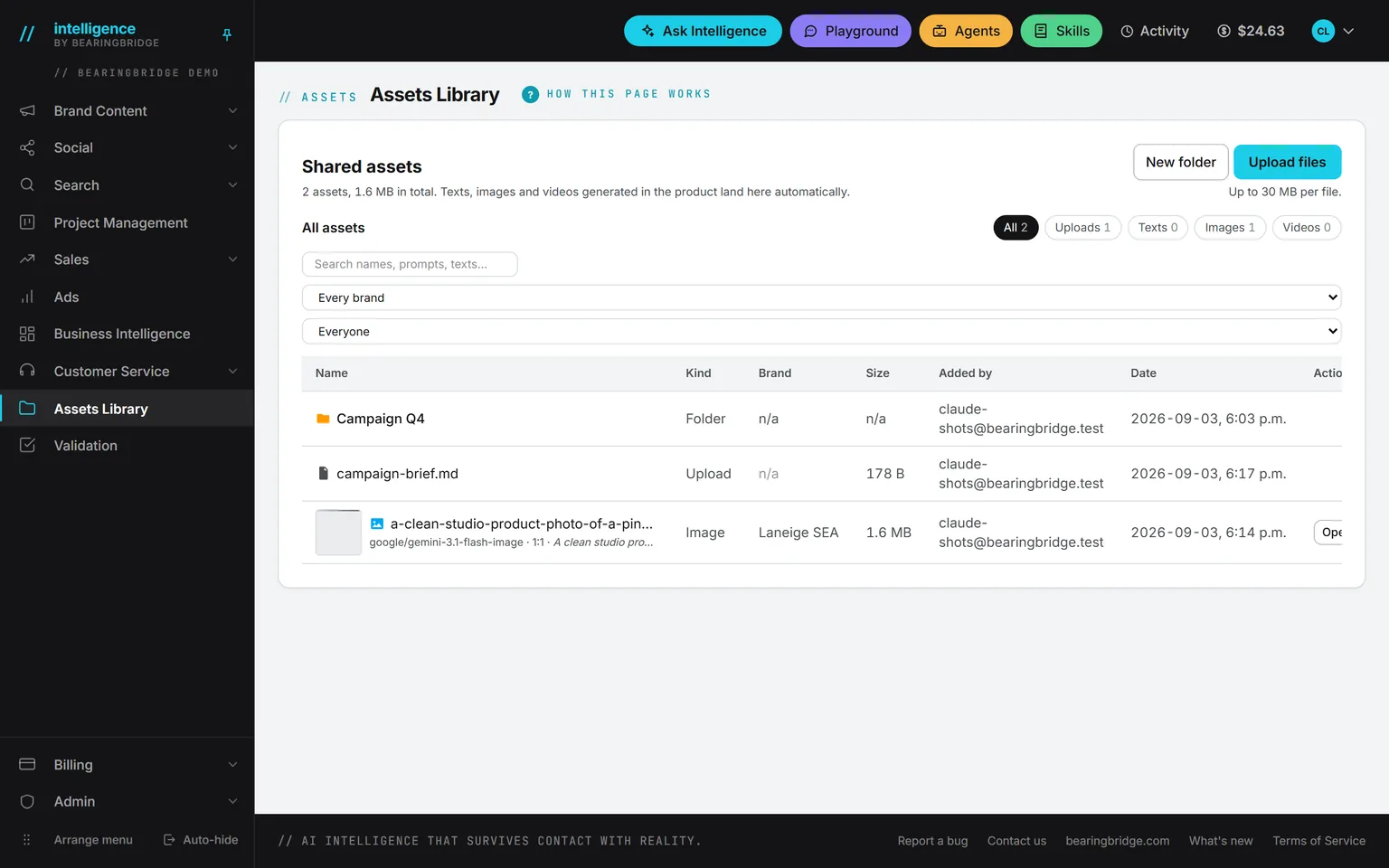
The Assets Library filters by campaign as well. Pick one to see only its assets, or pick In no campaign to find the work nobody has filed yet.
Point once, and the AI reads the whole launch.
Ask Intelligence
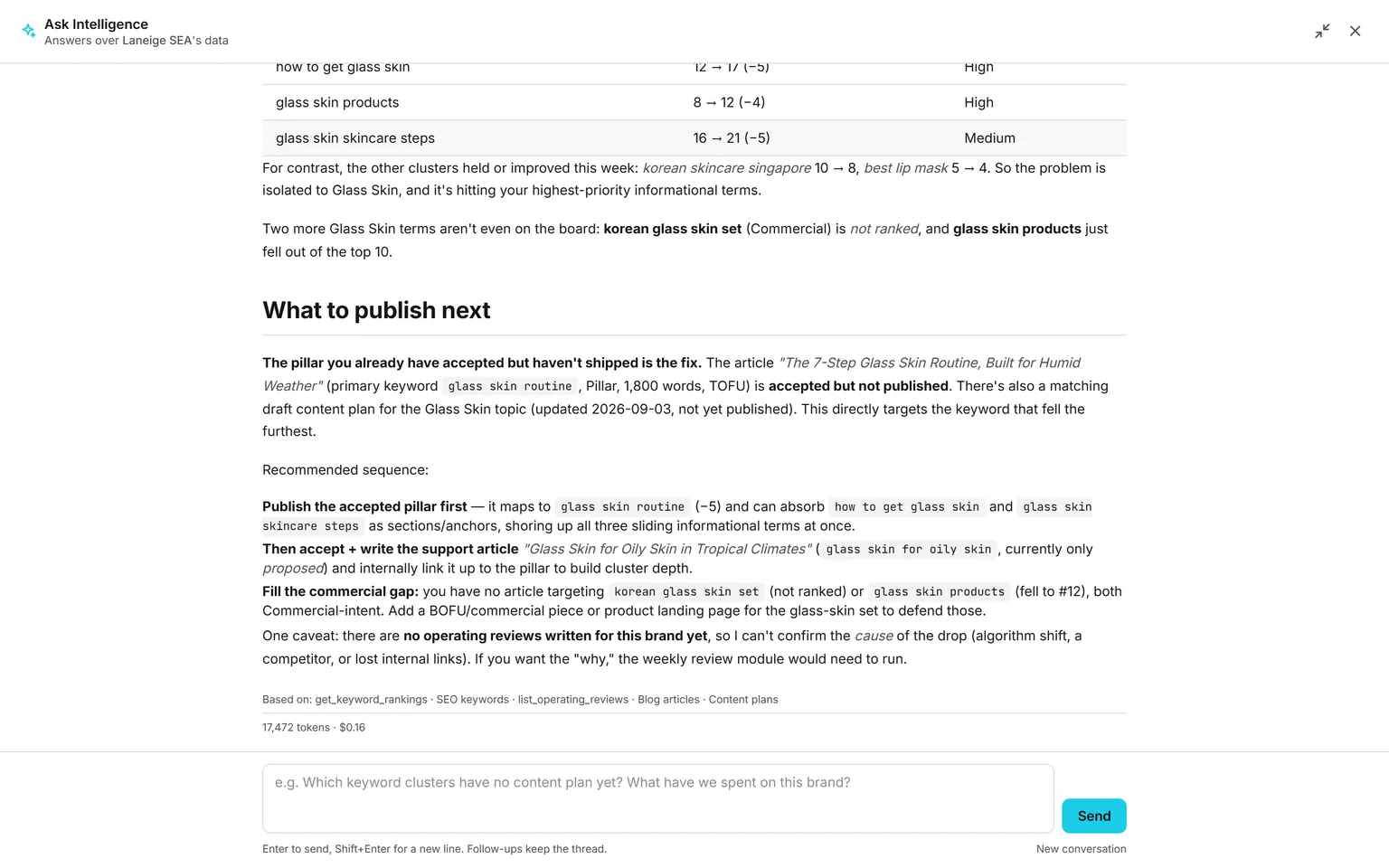
Type @ and the first letters of the campaign’s name, or simply name it in your question. Ask reads the brief, a line for every asset, and the full text of the documents and written pieces before it answers. A switch under Data included leaves campaigns out of a conversation.
Agents
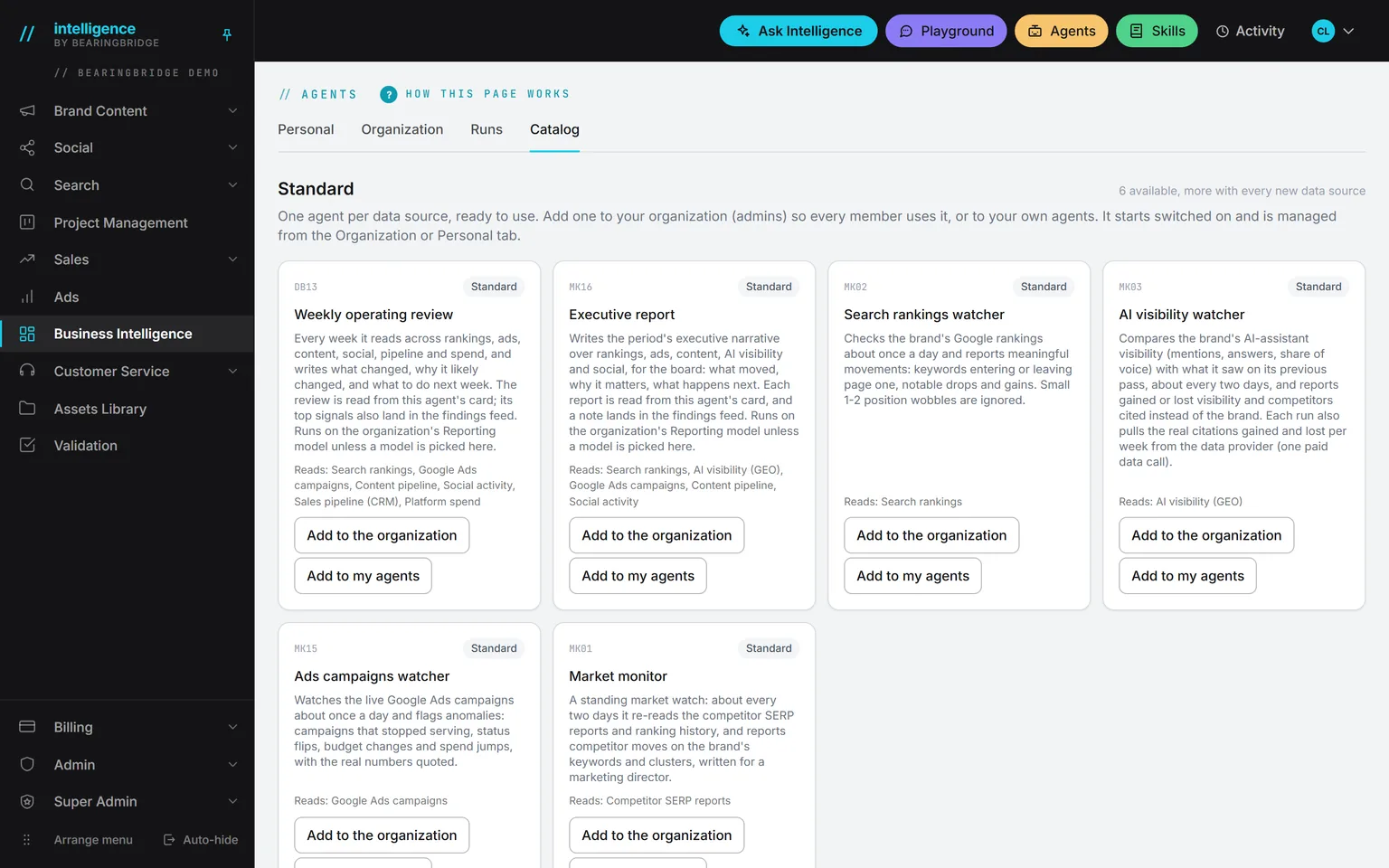
When you build a custom agent, campaigns come first among its library sources. Tick one and every run reads it again, including assets added since. An agent running for one brand never reads another brand’s.
Writing forms
The Brand Content copy studios and the Social post forms have a field called Context folder from the Assets Library. Campaigns are listed there under the folders, and the one you pick is read before the writing starts.
Whichever of the three does the reading, the AI gets the same package. First the brief. Then one line per asset with its name, type, network, format, tags, and date, plus the prompt behind each picture and clip. Last comes the full text of the documents and written pieces. Pictures and clips themselves are never opened.
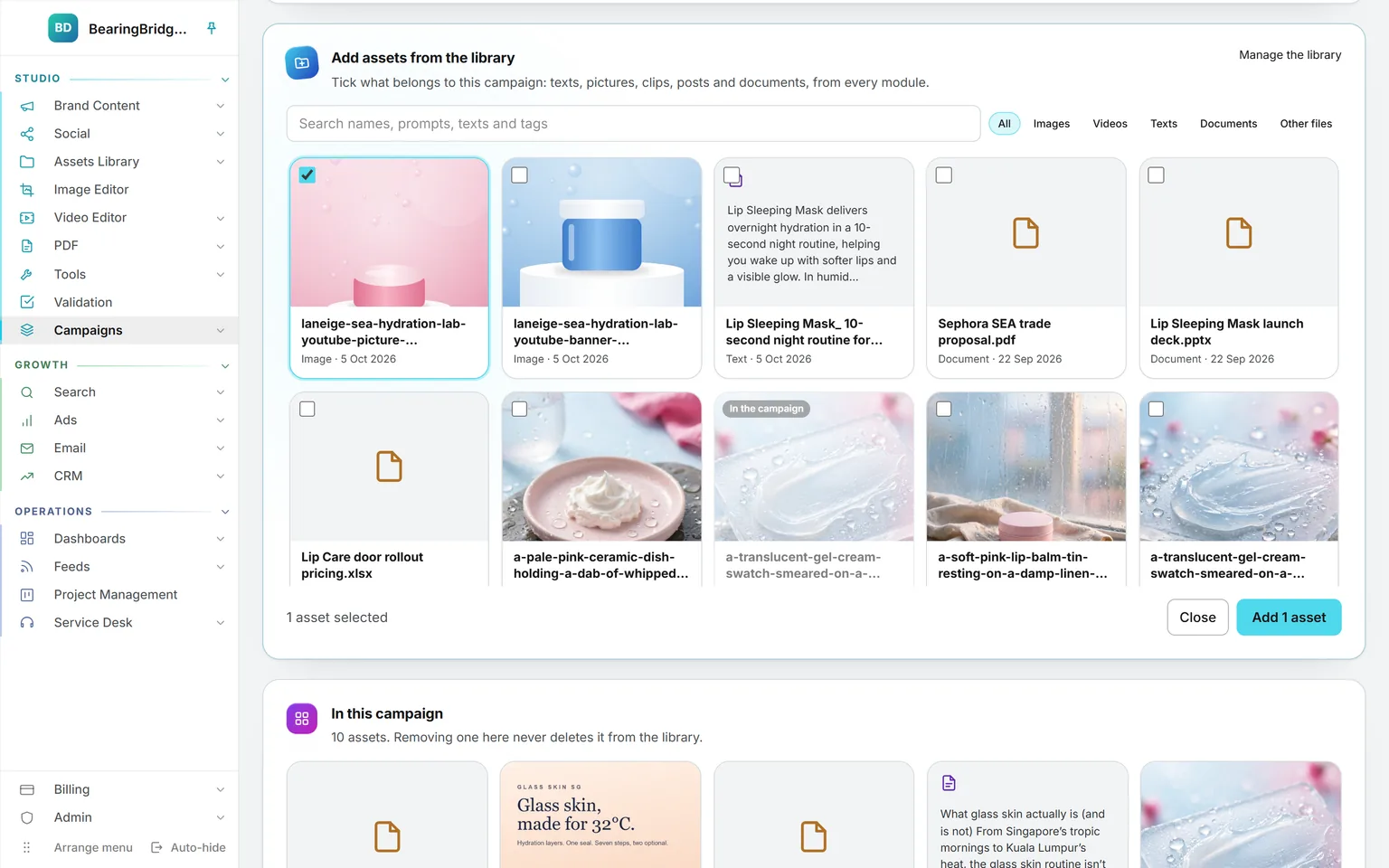
To fill a campaign by hand, open the picker on its page. Search names, prompts, texts, and tags, keep one type if you like, then tick what belongs and add it.
Who sees it, who changes it, what happens when it goes.
The campaign goes. Every asset stays in the Assets Library, and any agent that read the campaign stops reading it. Only the person who created a campaign, or an administrator, can delete it.
Everyone in the organization who can open Campaigns sees every campaign. Inside each one they see only the assets they could already open in the library, so a colleague’s private asset stays private, shared campaign or not.
You can tag a campaign with the brand it was made for, or leave it on Whole organization. The tag tells people who the work is for. It doesn’t lock anyone out.
It sits under Assets Library, with View, Create, Update, and Delete. Until an administrator changes the row, it follows each person’s role: viewers open and read campaigns, while editors and above can also create and edit them, deletion included.
Creating and filling campaigns costs nothing. Reading one costs the same as reading the library: each document the AI opens is billed as a transfer on top of the model run, and both appear on the ledger.
The same data, one door over.
Nothing here is an integration. These run on the same account, the same brand, the same ledger, so a finding on one page becomes work on the next.
Not built yet, said first
- The AI never looks inside a picture or a clip. It knows each one by its prompt and its tags.
- A single read covers up to 20 documents and 300,000 characters, the same limits as a folder.
- A Service Desk knowledge base reads folders, not campaigns.
- Ad campaigns in Google Ads, LinkedIn Ads, and Meta Ads are a different thing. The ads modules don’t create assets, so nothing from them ends up in a campaign.
- No sharing outside the organization. Only people in your organization can see a campaign.
The catalog lists every agent as built, partial, or not built. Checked against the product on October 8, 2026.
Usage is paid from a prepaid wallet, with no seat fee. The rates are on the pricing page.
Name the launch once, and everything made for it has somewhere to go.
Campaigns is switched on for every organization, and creating or filling one is free. Start from the Campaigns page, or from the Actions menu of any asset in the library.
No subscription. No seat fee. No card needed to open an account.