




AI Assistance / Agents
Agents that work on a schedule, read only your data, and answer to a person.
An agent is a standing job. A watcher notices what moved, a report agent writes the weekly review, and a custom agent reads whatever you point it at, from your modules to your documents and connected systems. Each one runs on a schedule and under a budget, and every run shows its cost.
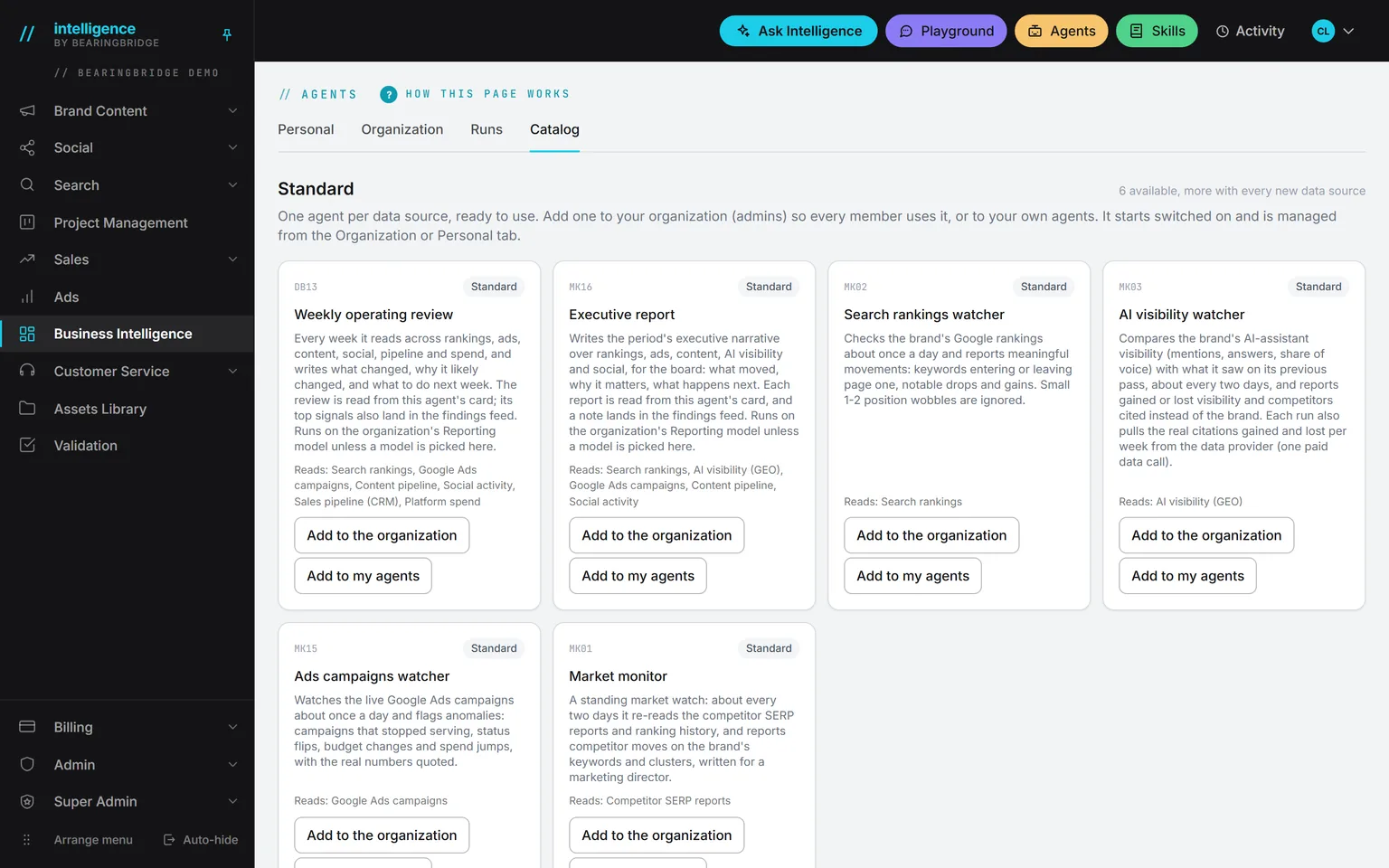
Demo workspace. Invented brand and figures.
Seven that notice, four that do the work.
Search rankings watcher
about once a day
It checks the Google ranks of your tracked keywords and flags entries and exits on page one, drops of three places or more, and keywords gained or lost. One-place wobbles are ignored.
AI visibility watcher
about every two days
It compares what AI assistants say about you with the last pass: mentions, answers, share of voice, and the citations you gained or lost.
Ads campaigns watcher
about once a day
It watches your live Google Ads campaigns for ones that stopped serving, status and budget changes, and spend jumps, and it quotes the real numbers.
Market monitor
about every two days
It reads your search-results reports and ranking history and reports competitor moves on your keywords, written for a marketing director.
Social publishing watcher
about once a day
It reads what went out on every social network in the last 30 days and what is scheduled for the next 14, network by network, and flags a network gone quiet, an empty schedule, every failed post, and drafts stuck waiting for validation.
LinkedIn publishing watcher
about once a day
It reads what went out on LinkedIn in the last 30 days and what is scheduled for the next 14, and flags a quiet week, an empty schedule, every failed post, and drafts stuck waiting for validation, with the real dates.
LinkedIn Ads watcher
about once a day, yours only
It reads your own LinkedIn ad account live, compares the last 7 days with the 7 before, and flags spend jumps, moves in cost per click or per result, and campaigns that stopped delivering.
Web editor
about once a day, a web page
It takes the next brief in each website’s queue, then researches, drafts, edits, translates, and illustrates the page, and publishes it once the site’s own checks pass.
Verification codes
about once a day, yours only
It keeps the code emails services send at sign-up, sign-in checks, and password resets out of your inboxes. In Outlook it files the expired ones into a folder, in Gmail it lists them, and it never shows a code or opens a link.
Weekly operating review
every week, a document
It reads rankings, ads, content, social, pipeline, and spend, then writes what changed, why it likely changed, and what to do next week.
Executive report
every month, a document
Once a month it writes the narrative for the board over rankings, ads, content, AI visibility, and social, with numbers from your own data and a short list of next steps.
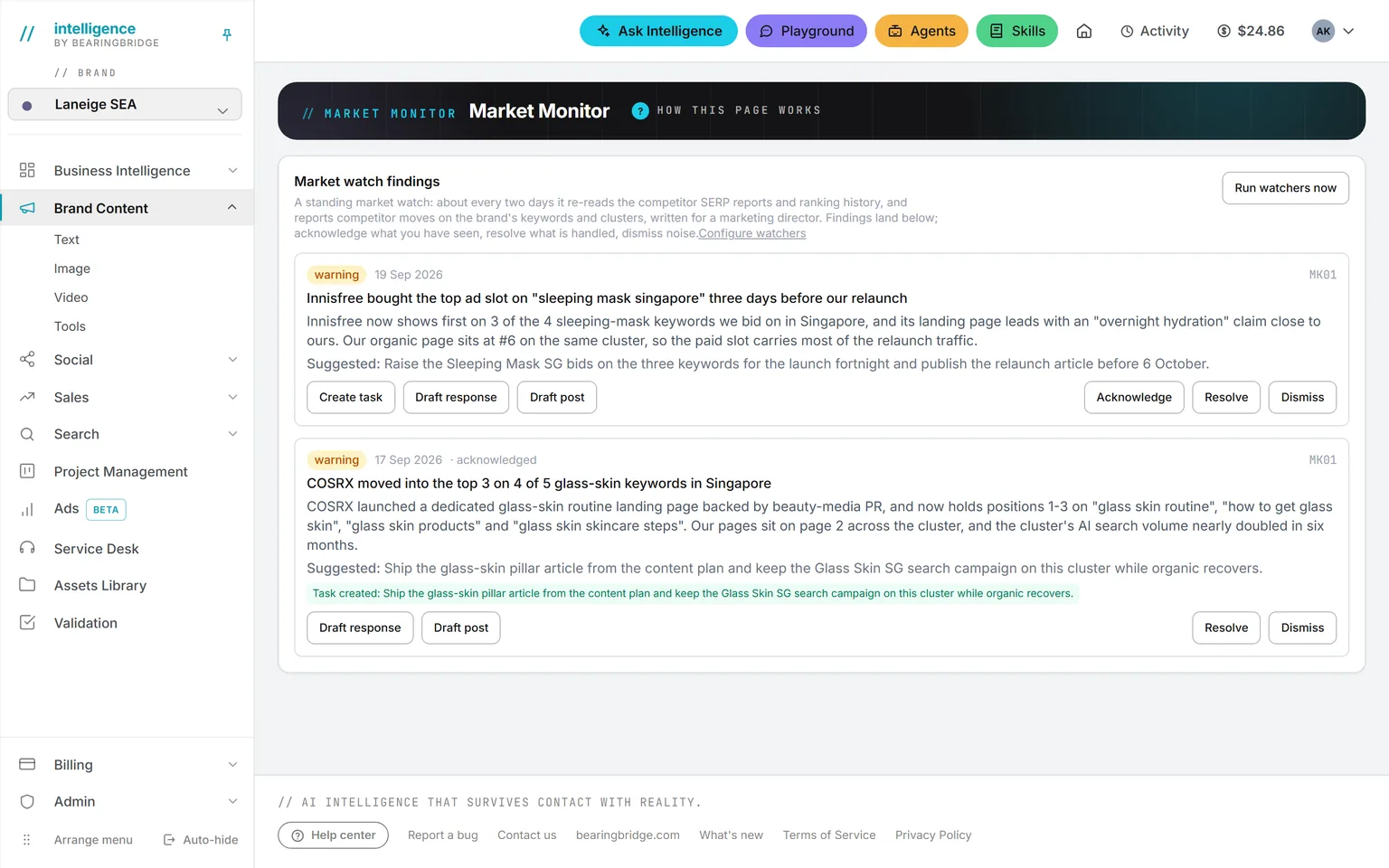
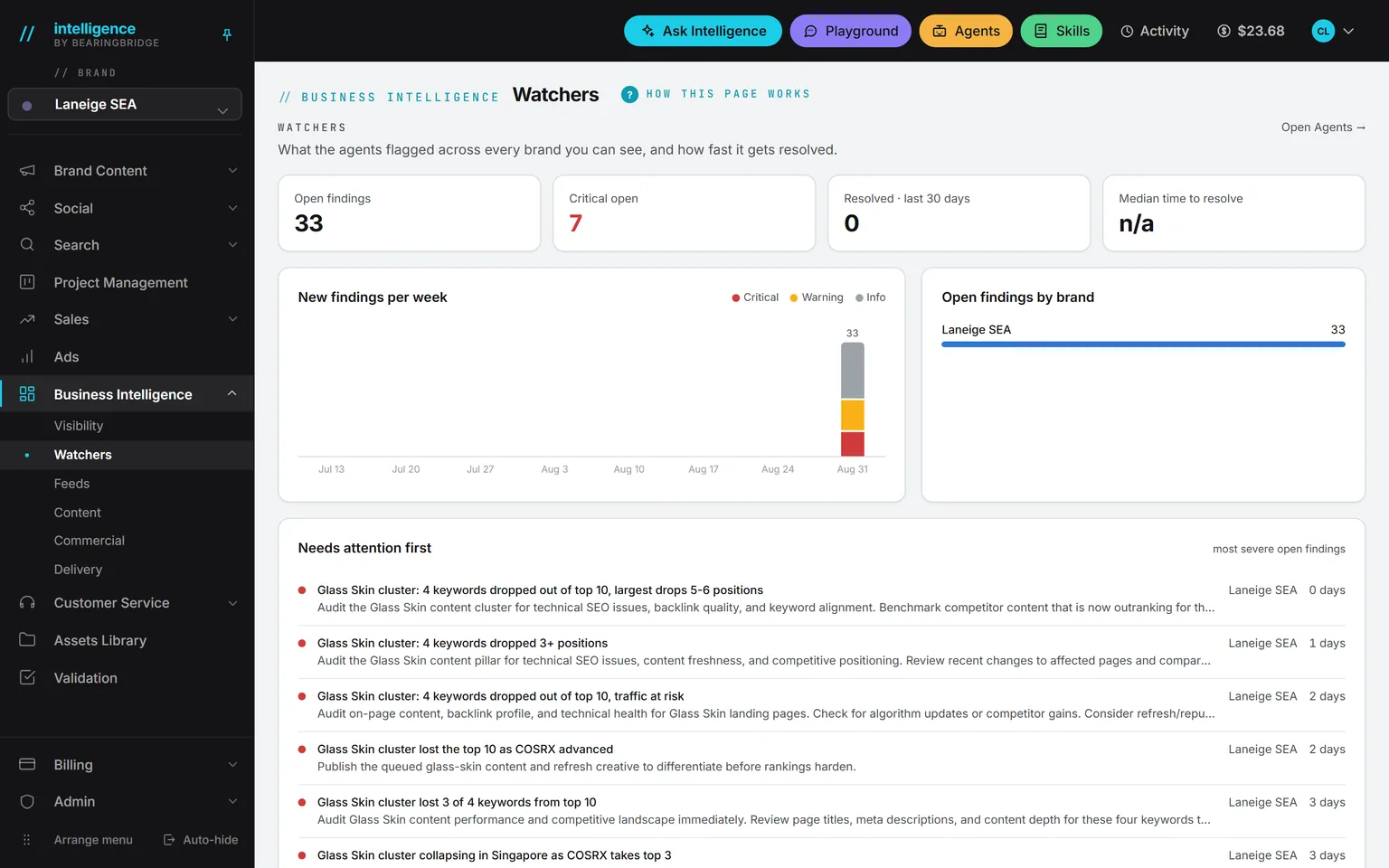
A finding is a short paragraph with a suggested next step, and the buttons under it act on that step. Create a task on the board, draft the response, or draft a LinkedIn post that lands in Social. When it’s handled, resolve it. When it’s noise, dismiss it.
The agent sets the severity and you decide what happens. Once a task or a post exists, the finding says so, and the next person to open it won’t make a second one.
What happens when an agent wakes.
Schedule
Due, or on demand
The scheduler wakes at six in the morning, universal time, and queues every agent whose interval has passed. You can also start one by hand.
Gather
It reads its sources
Only what its scope allows. One brand per run, several brands in one run, or only the organization’s own data.
Skip
Nothing moved, no AI call
If your rankings didn’t move overnight, the search watcher says so and stops. No model is called, and the run is marked unchanged.
Write
Findings, or a document
Watchers post findings with a severity and a suggested action. Report agents write a document you open from their card.
Tell
Mail and ledger
The people you chose get a summary or the full result. The cost of the run goes on the ledger.
On the record
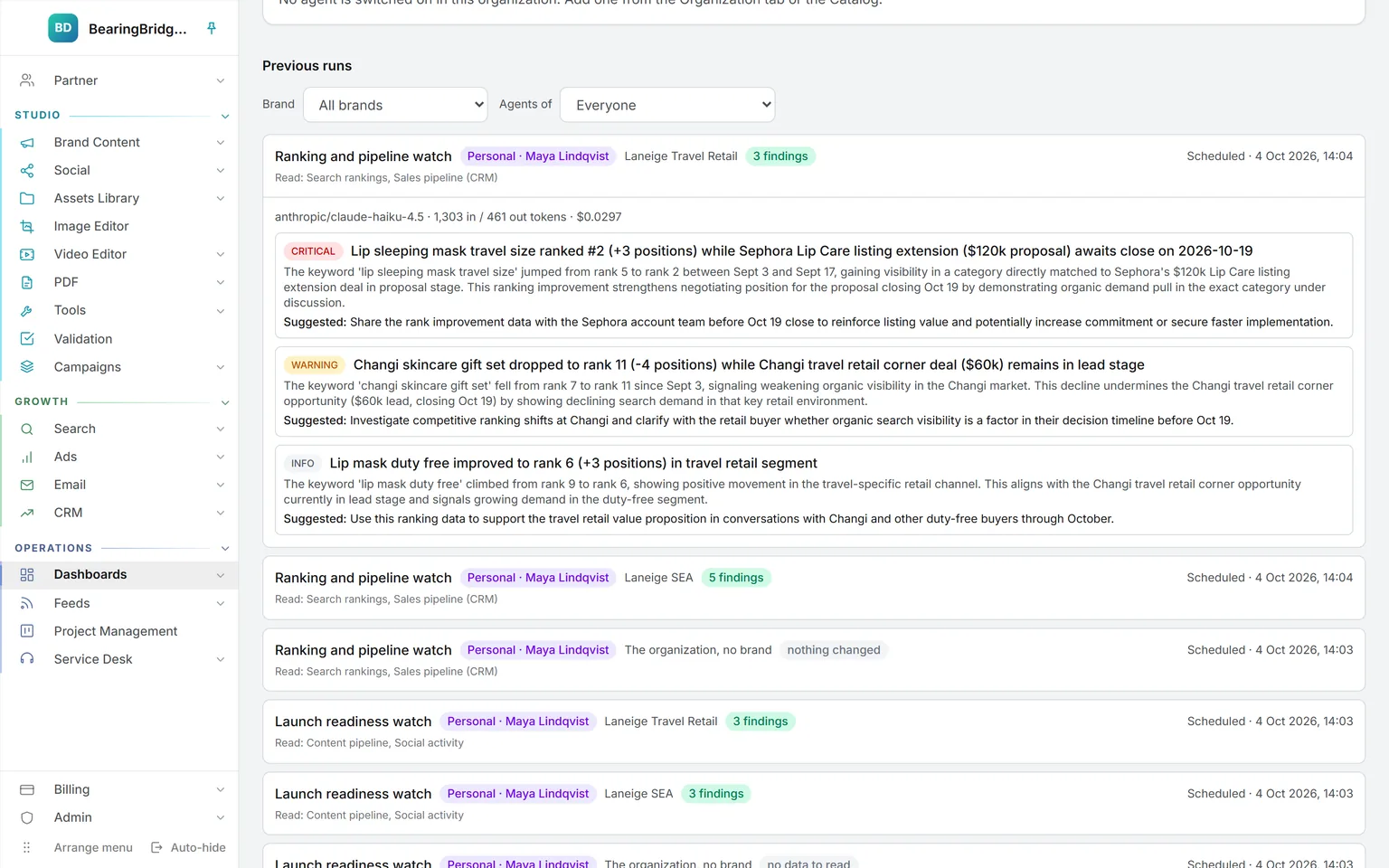
The Agents Command Room shows what is running now, the agents switched on with their next run, and the 50 most recent runs, scheduled or started by hand. An administrator sees every agent of the organization and every member’s personal agents; everyone else sees their own. Each run says what it read and what came out: findings, a report, nothing changed, or no data to read. Open one to read the findings, the model it used, its tokens, and its cost.
When nothing moved, the AI call is skipped. A few sources still cost a little on every run: the AI visibility watcher checks citations each time, and a connected system is read before anything is compared. The rates are on the pricing page.
Build your own from modules, files, and systems.
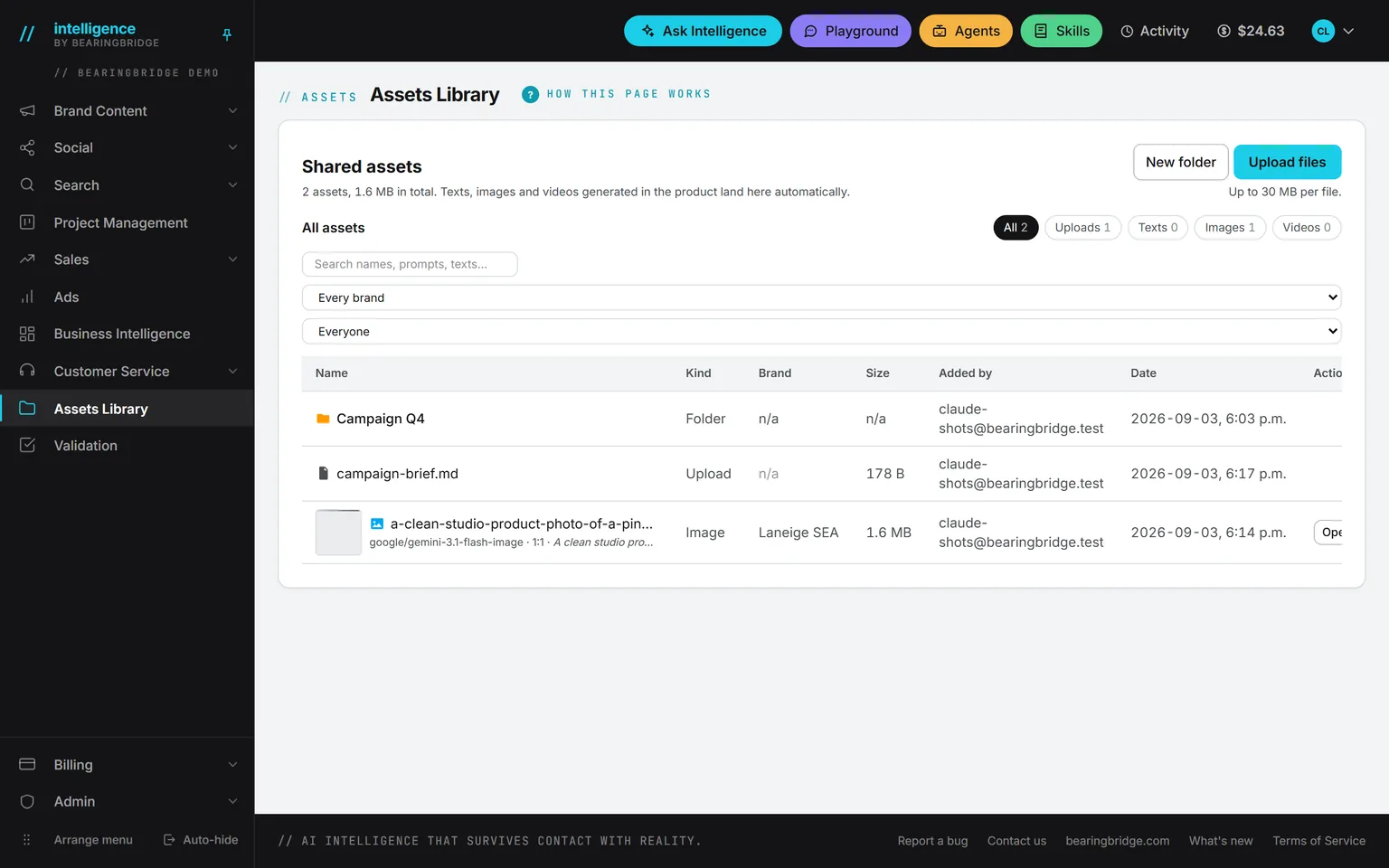
A custom agent is a brief plus the data it may read. Pick from the app’s modules, from folders, documents, and campaigns in the Assets Library, and from the systems your organization connected. You’re offered only what you can see yourself, and an agent never reads across organizations.
Then choose the brands. One run per brand, one run over several brands compared side by side, or only the organization’s own data. A result about several brands is shown only to people who can see each of them.
In the demo workspace, a launch readiness agent reads the launch briefs folder, the content pipeline, the open deals, and a retail sales API. Every three days it flags what is late before a launch date.
Since September: library folders, connected systems, and several brands in one run.
In the app
From the Assets Library
Connected systems
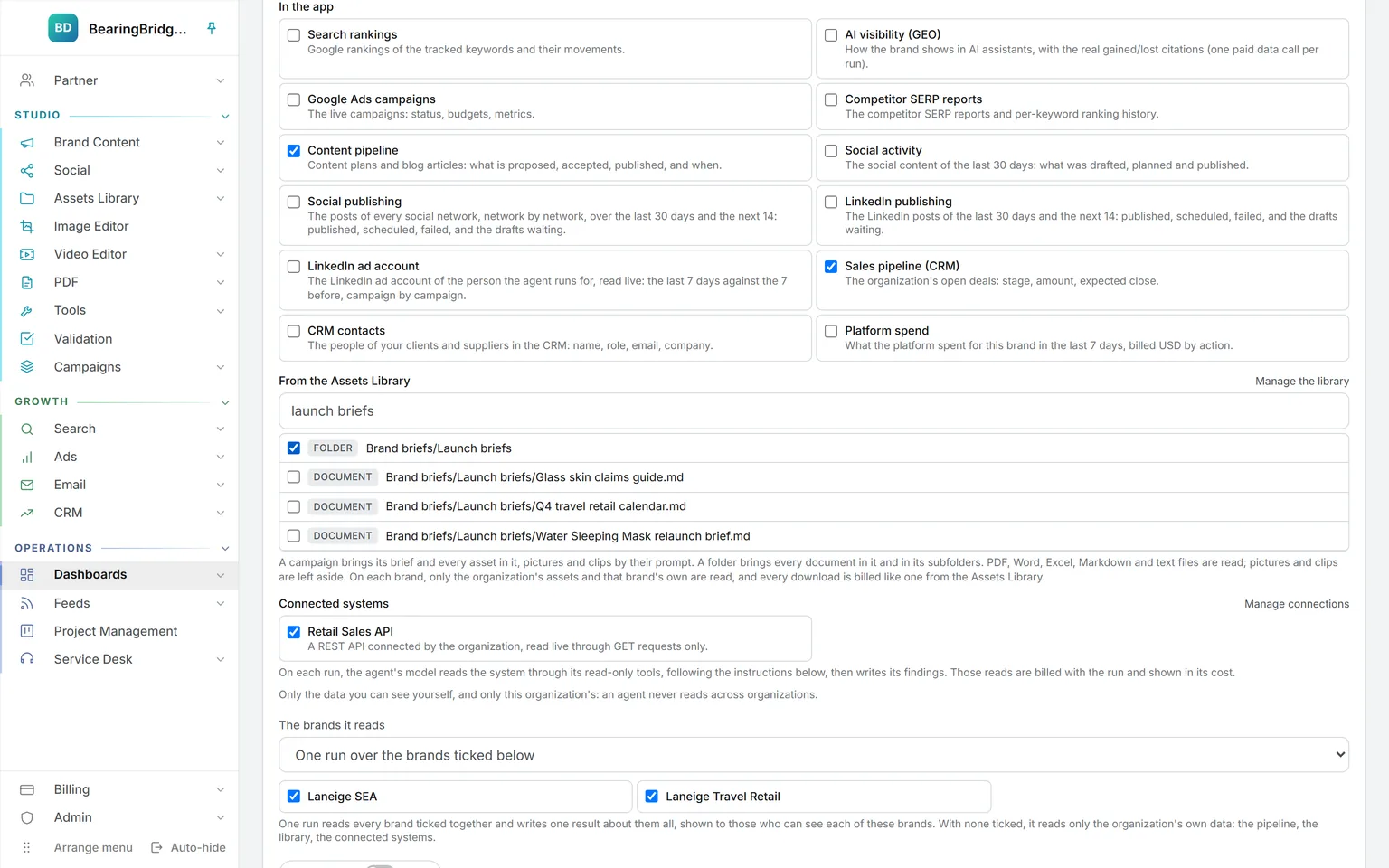
The form. The same fields whether the agent comes from the catalog or from nothing.
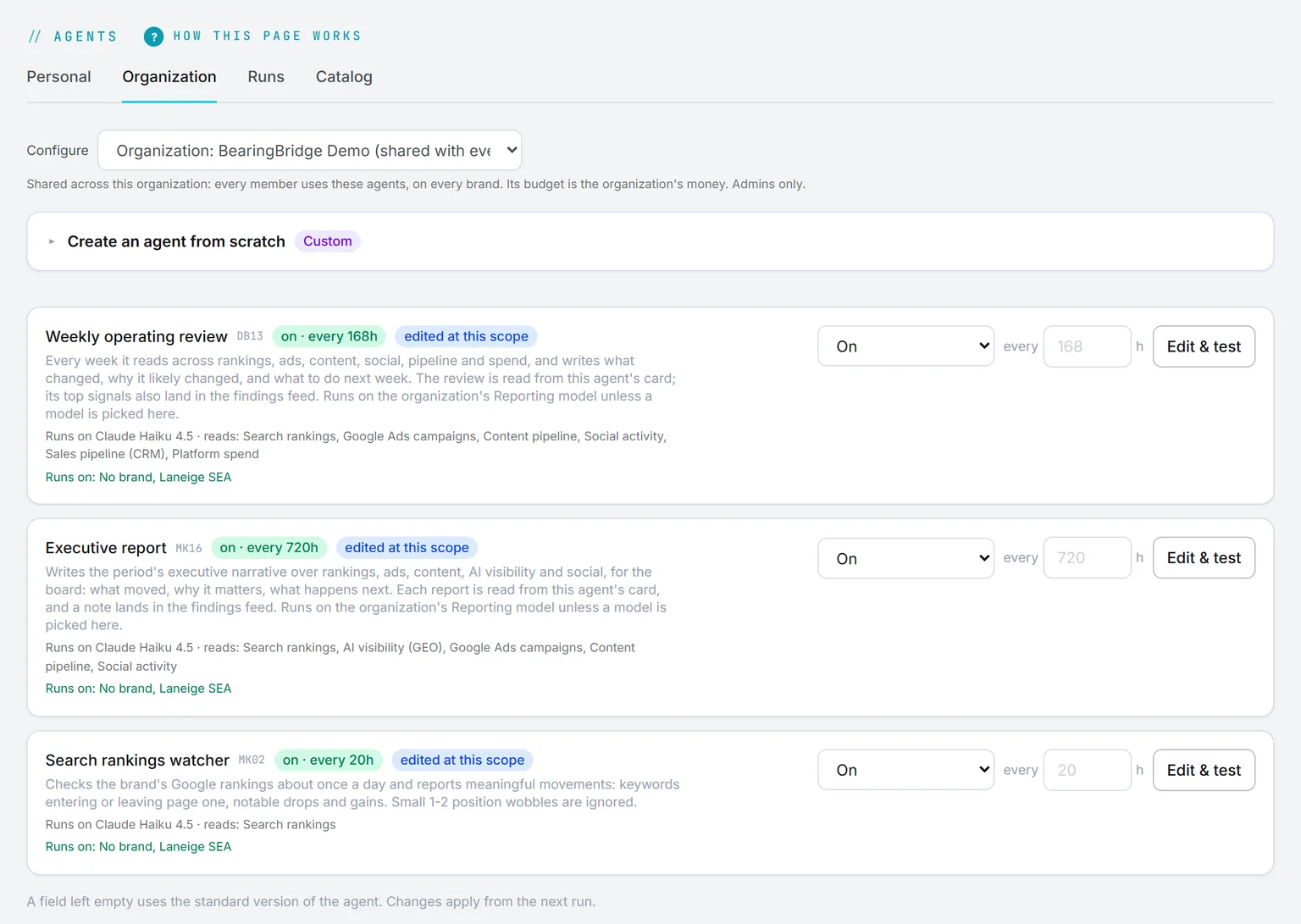
Side by side. Custom and standard agents on one list, each with its model, what it reads, and a setting that switches it on or off.
Drafts in your own mailbox, sent only if you say so.
A lot of follow-up work ends in an email. Connect your own Gmail or Outlook and you can give it to an agent you own. The agent reads the mailbox, and where its brief asks for it, it writes a full email and leaves it in your Drafts folder.
Only you can hand your mailbox to an agent. Colleagues and administrators never see it in their lists, and because the choice carries your account, no agent can be pointed at someone else’s mail.
What the agent may do
- Read the mailbox before it writes, and write once per subject.
- Leave a draft that waits until you read it and press Send.
- Send on its own only if you switched sending on, which starts off.
What you always see
Your Settings page lists every draft and every send made in your name, with the subject, the recipients, the time, and the agent that wrote it. An agent that can’t send never claims a mail went out.
Seven dials on every agent.
Everything the agent works on, on a tab of its own, changed at any time: its brands, its connections, read only or also written to, each module and feature switched off, read, or read and changed, the data it reads, and its AI model and web search. You can give it only what you can use yourself, and a run never reads or changes anything outside it.
Each setting can be changed for the organization, one brand, or one person. The closest level wins, field by field, so you can rewrite the brief for yourself and keep the organization’s model.
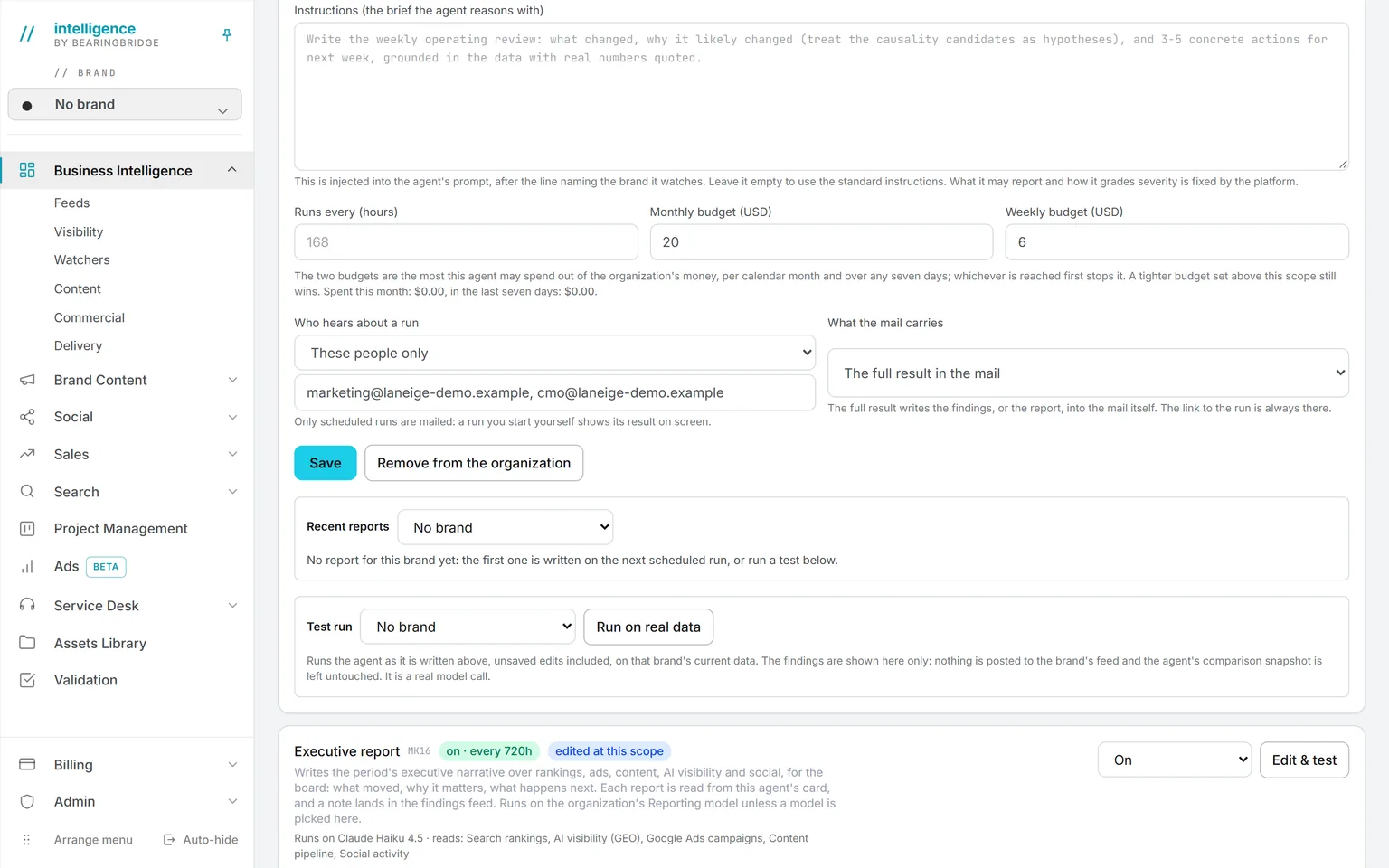
Two per agent, in dollars: one for the calendar month and one for any seven days. Whichever is reached first stops the agent. Both sit under your daily allowance and the organization’s monthly cap, and the tightest limit wins. Runs are paid from the prepaid wallet like any AI action, and the form shows what the agent has spent so far.
Hours between runs. Each standard agent ships with a sensible default, and you can change it for the organization, one brand, or yourself.
Each brand in a run of its own, or one run over the brands you tick. With none ticked, the agent reads only the organization’s own data, such as the sales pipeline or a connected system.
Rewrite what the agent looks for and pick the model it runs on. Watchers start on Claude Haiku 4.5, and the two report agents use your organization’s reporting model. Leave a field empty and the standard version applies.
The administrators, a list of people you name, or nobody. The mail carries a summary with a link, or the full findings and report. Runs you start yourself show their result on screen.
Before an agent goes live, test it on one brand’s current data and read what it would report. Nothing reaches the feed. Nothing runs until someone adds it, either: the organization’s list and your own start empty, and the whole catalog is open to every member, with no request to an administrator first.
Standard, or built to order
Eleven standard agents ship with the product. Another 42, from IT support to service desk work, are built for one organization at a time. The catalog lists both, with the status of every agent we name.
The same data, one door over.
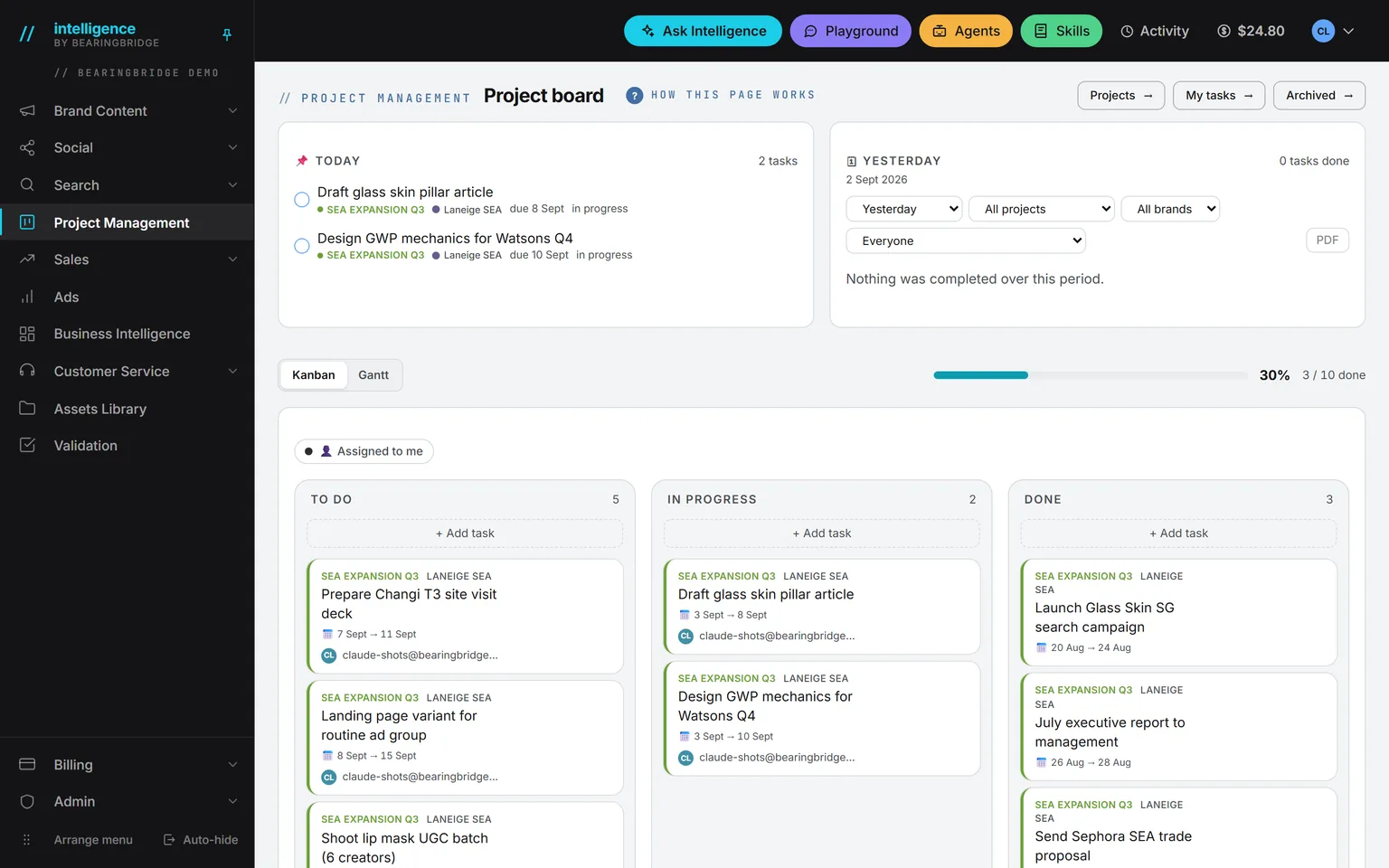
Nothing here is an integration. These run on the same account, the same brand, the same ledger, so a finding on one page becomes work on the next.
Not built yet, said first
- Findings show in context on two module pages, Ads and Market Monitor. Elsewhere, read them in the Agents Command Room or on the Watchers dashboard. Ask Intelligence doesn’t read them.
- No alert thresholds you set yourself. The agent grades severity by its brief.
- The LinkedIn Ads watcher reads one person’s own ad account, so it runs only as a personal agent.
- Systems your organization connected are read-only. An agent writes only in what you hand it yourself, such as your own mailbox, where it leaves drafts and sends only if you allowed sending.
- A library source reads up to 20 documents per run and leaves pictures and clips aside.
- The other 42 agents in the catalog are built to order. They aren’t product features.
The catalog lists every agent as built, partial, or not built. Checked against the product on October 16, 2026.
Usage is paid from a prepaid wallet, with no seat fee. The rates are on the pricing page.
Switch one on. Read what it found on Monday.
Start with one agent and a small budget. After its first scheduled run, you’ll see what it found and what it cost, side by side.
No subscription. No seat fee. No card needed to open an account.