



Modules / Brand Content
The content team you could not staff.
There are 37 text formats, each one a writing skill that works on day one. An article workspace carries a brief from a first draft to a branded PDF. There are 14 image engines and 12 video engines, and the form opens on the cheapest one that can do the job. Everything you make lands in the Assets Library with what it cost.
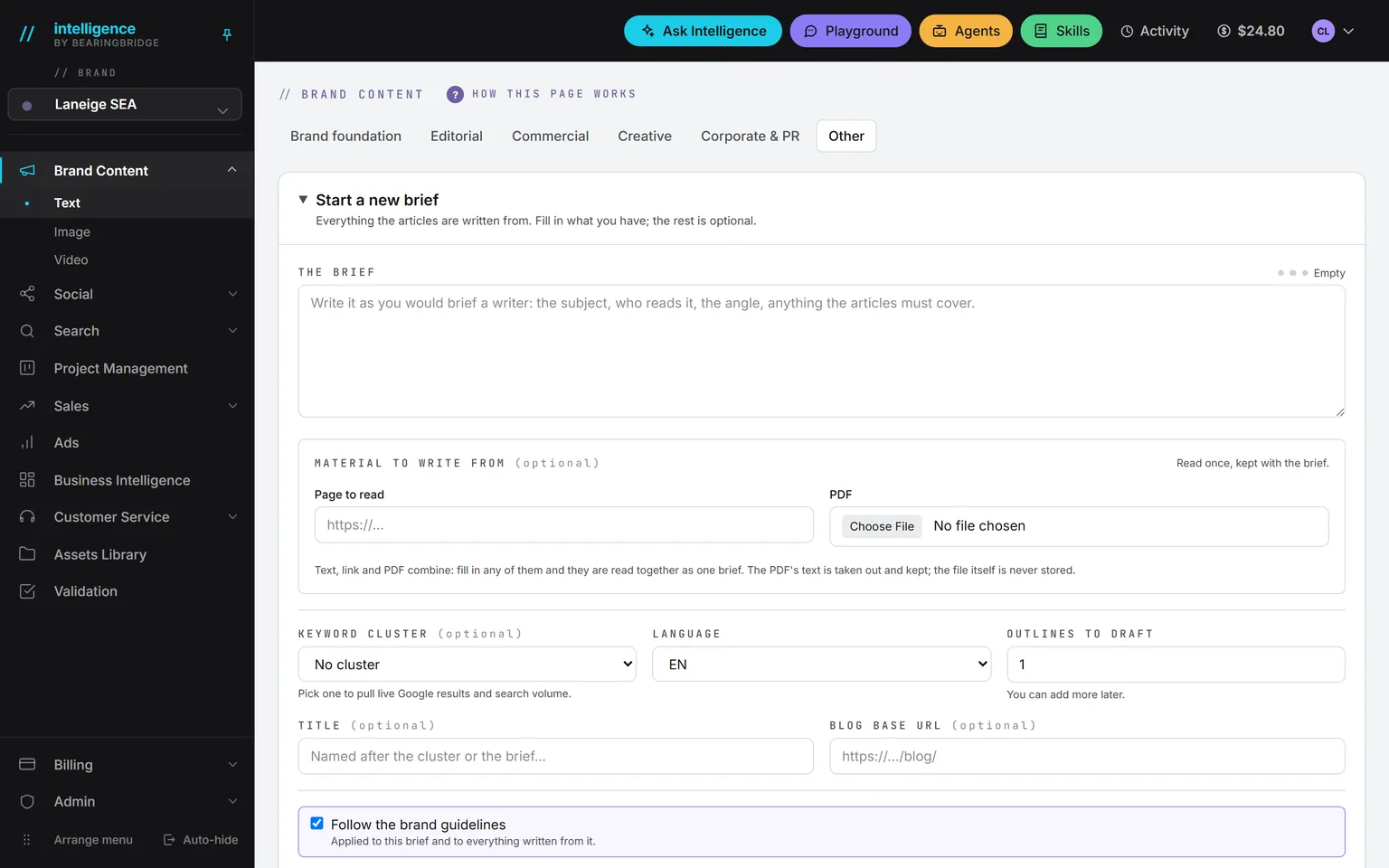
Demo workspace. Invented brand and figures.
The 37 formats, and each one is a method.
A format is not a template with blanks. It is a written method: what a decent manifesto does, how a case study is built, what a press release must say in its first line. Each ships working. Fill in what you have, and the rest is optional.
Every piece keeps its versions, and you can borrow another format’s method for a single run when it suits the piece better.
Brand foundation
Manifesto, brand story, about page, value proposition, messaging house, tagline, tone of voice.
Editorial
Blog post, thought leadership, whitepaper, research report, case study, ebook, newsletter, interview.
Commercial
Landing page, service page, product description, pricing page, one-pager, brochure, proposal boilerplate, comparison page.
Creative
Instagram post, video script, short-form script, audio spot, podcast episode, keynote, campaign platform, customer story.
Corporate and PR
Press release, op-ed, executive statement, FAQ, holding statement, corporate narrative.
Where it will run
Name the page or the site a piece is going on. That page is read for its shape before the writing starts. Nothing is quoted from it.
What it writes from
A file, a page, an Assets Library folder or campaign, or the keywords a brief must target. Fill in what you have.
Change one passage
Highlight a line and ask for shorter, plainer, or something specific. Only that line moves. The cost of the edit is printed in the menu.
Versions, never lost
v1, v2, and on, never overwritten. A status runs from Draft to Published, and a PDF or Markdown export sits one click away at any point.
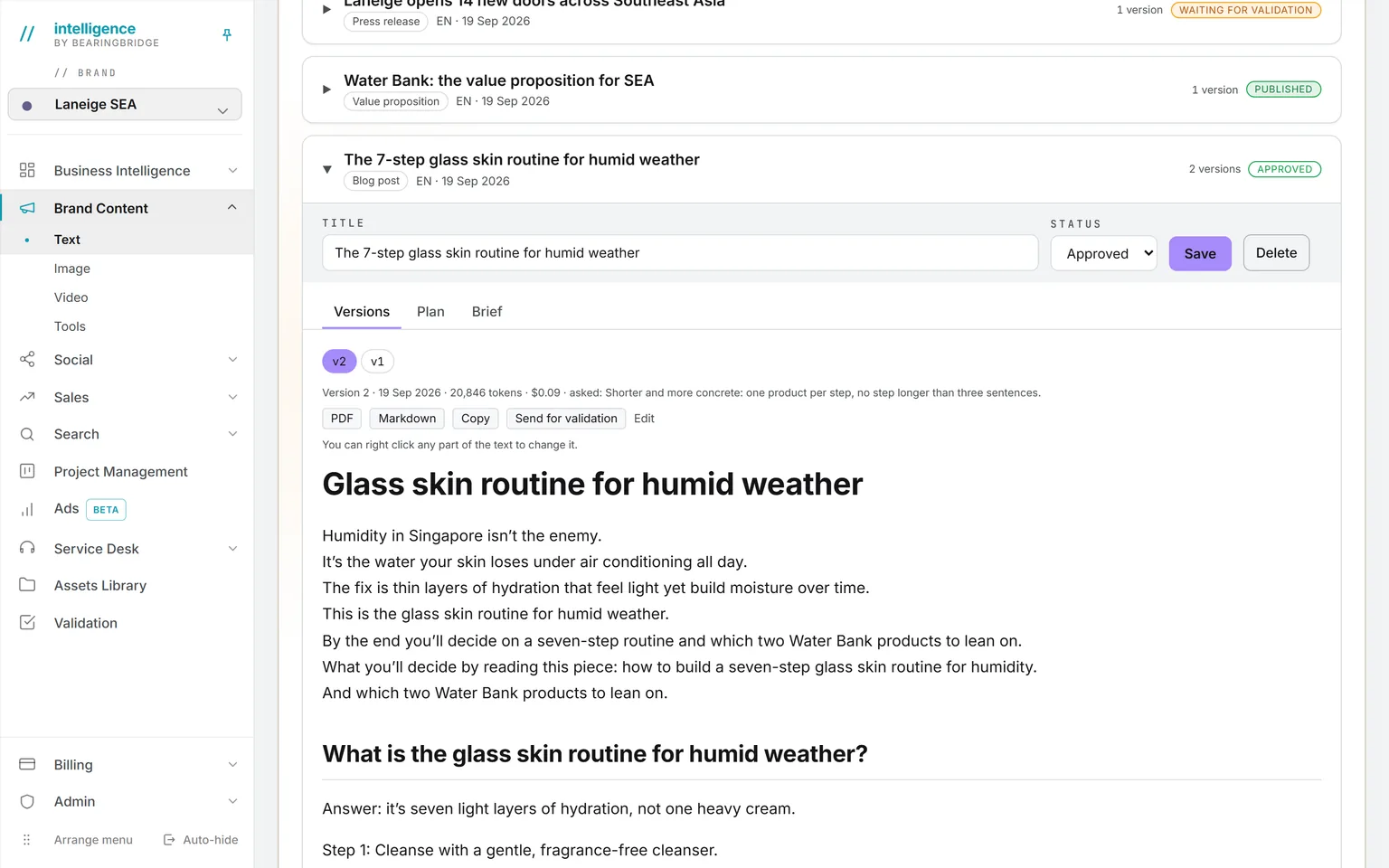
The model picker on a text run carries no price. What it cost prints on the piece the moment it is written.
Brief, outlines, versions, PDF. One workspace.
This is where a search-driven pillar piece is built, start to finish, without leaving the tab: one brief becomes several outlines, an outline becomes an article, and the article is checked against the brand before it goes anywhere.
Brief
Paste, link, upload, or pick a cluster
Text, a page, a PDF, a keyword cluster with live search volume, or any mix. Read once, kept with the brief.
Outlines
As many as you ask for
Queued on the server, so you can close the tab. Regenerate one without touching the others.
Articles
Drafted from a validated outline
Several per outline if you want to compare. Each version is appended, never overwritten.
Versions
A guideline check, then a PDF
A score, a list of what is wrong, and one button to fix all of it. Then a branded PDF or Markdown, then send it for validation.
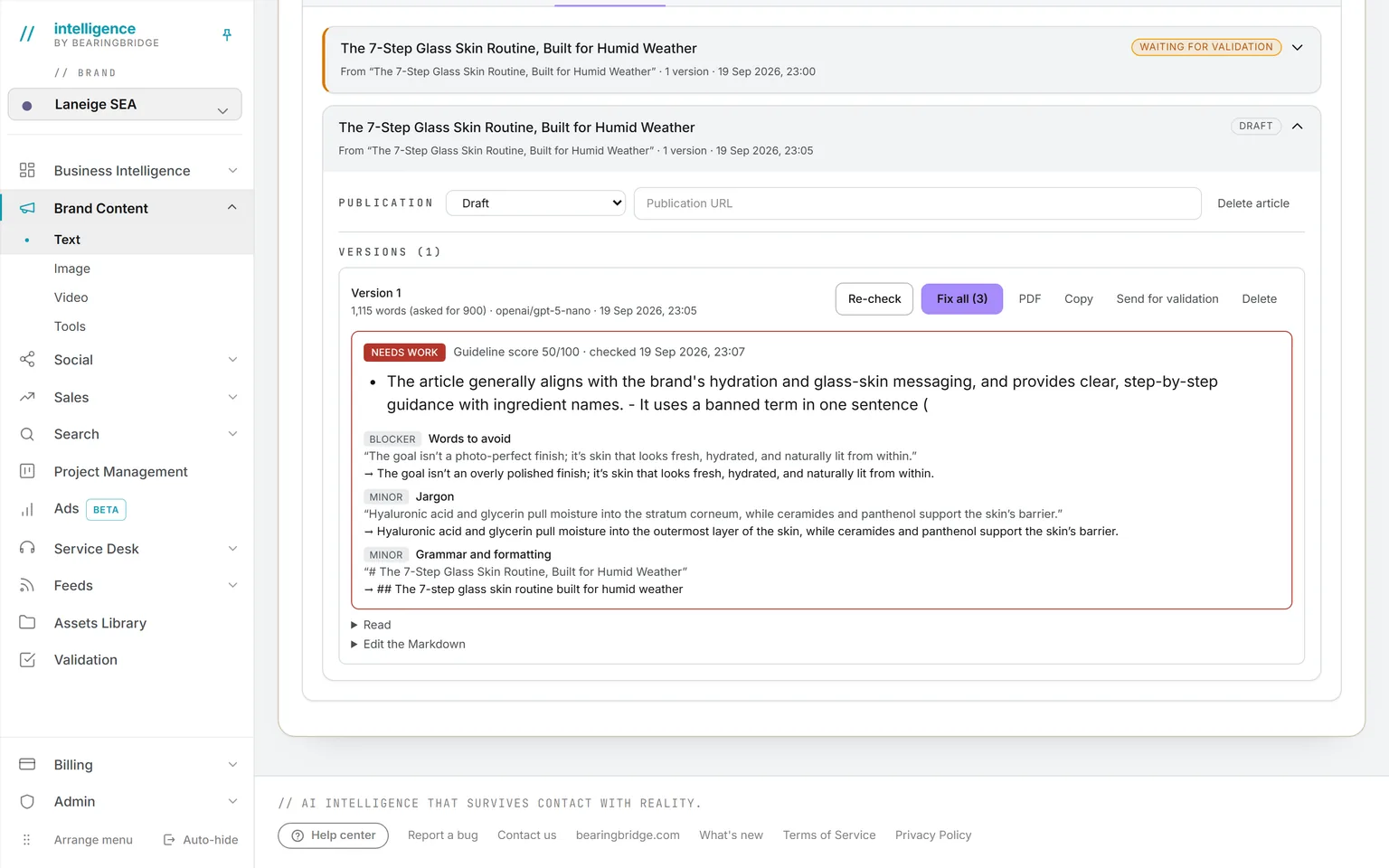
If you use one thing on this page, it will be this workspace.
Images and video, priced before you run.
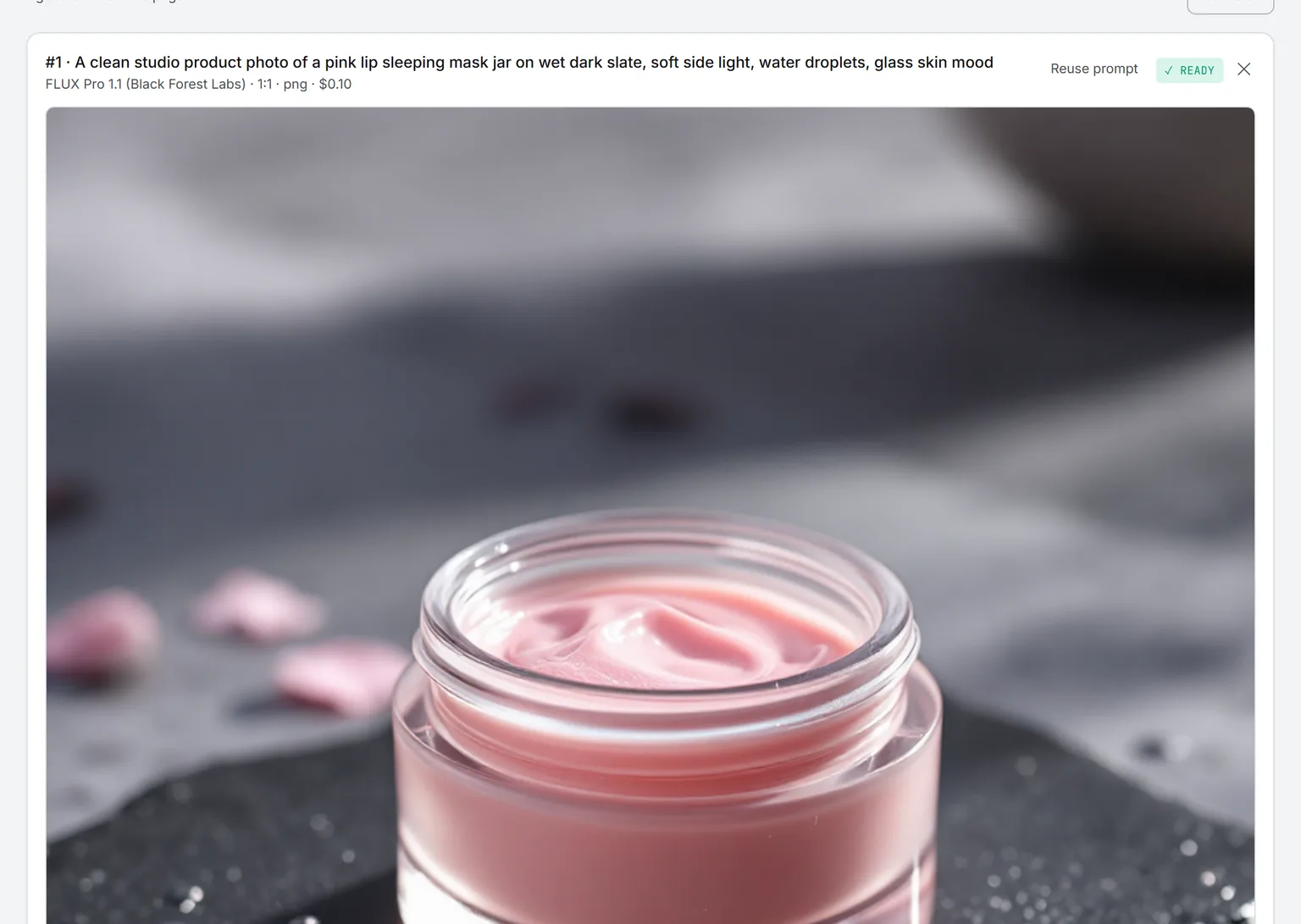
Image. Render from words, edit a picture you already have, or upscale one. Nothing here defaults to the priciest engine: the form opens on whichever one is cheapest for the job, and up to ten pictures can come from a single run. Each render opens its own tab, so the next one can start while one is still going.
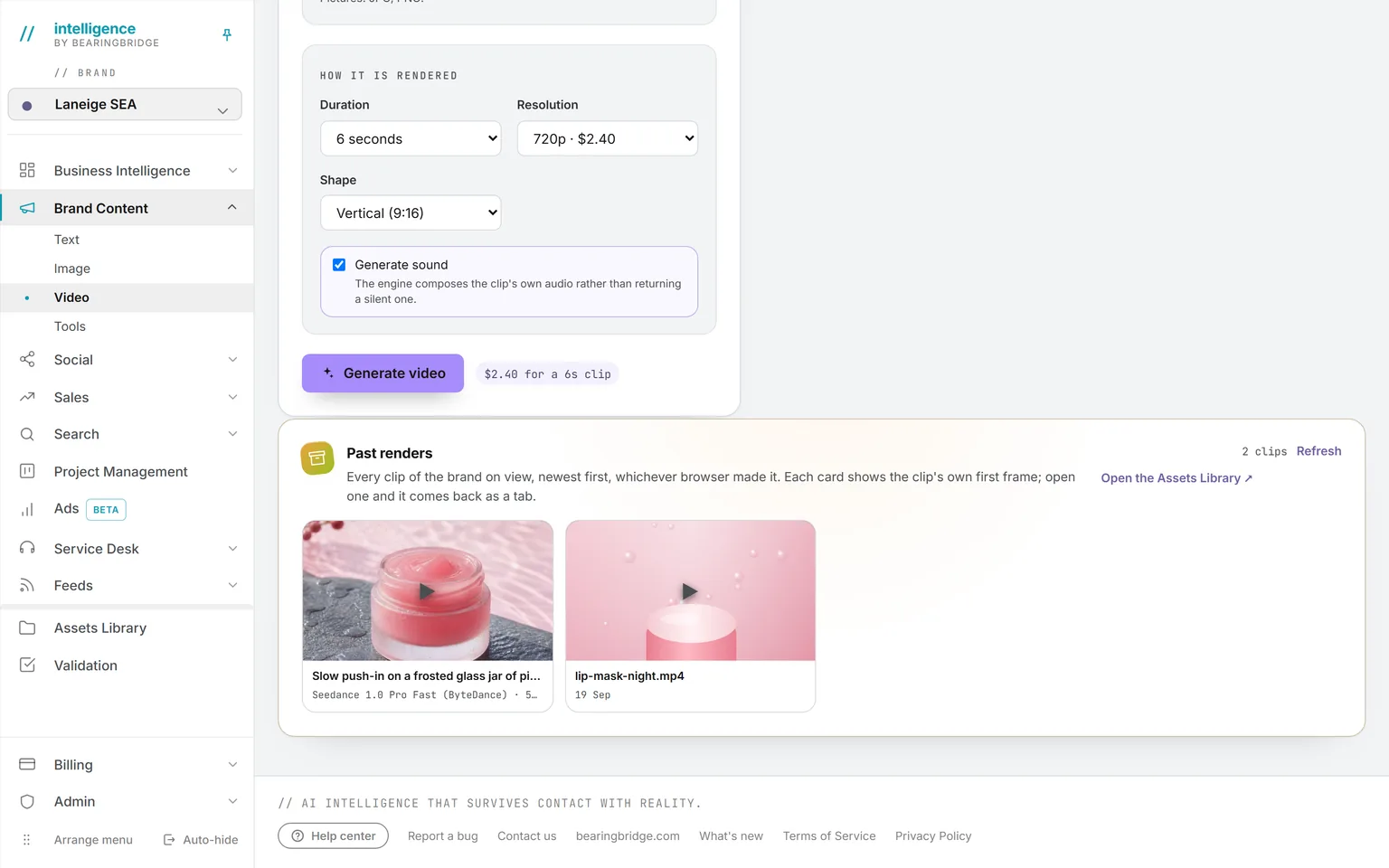
Video. Open a clip on a picture of yours and end on another, or hand it references to imitate instead: pictures, clips, a voice. The price for that setup prints before you press render, on every engine but one. That one runs on a meter instead: you find out what it cost once the clip is back.
Engine families plugged in today. The picker shows the exact list and price, and the roster can grow overnight with no update on your side.
What you make here is finished with the tools of the Assets Library: the Image editor and the anonymizer on Image tools, the Video editor and Shorts autopilot on Video tools, and eight free tools for documents on PDF tools.
The same data, one door over.
Nothing here is an integration. These run on the same account, the same brand, the same ledger, so a finding on one page becomes work on the next.
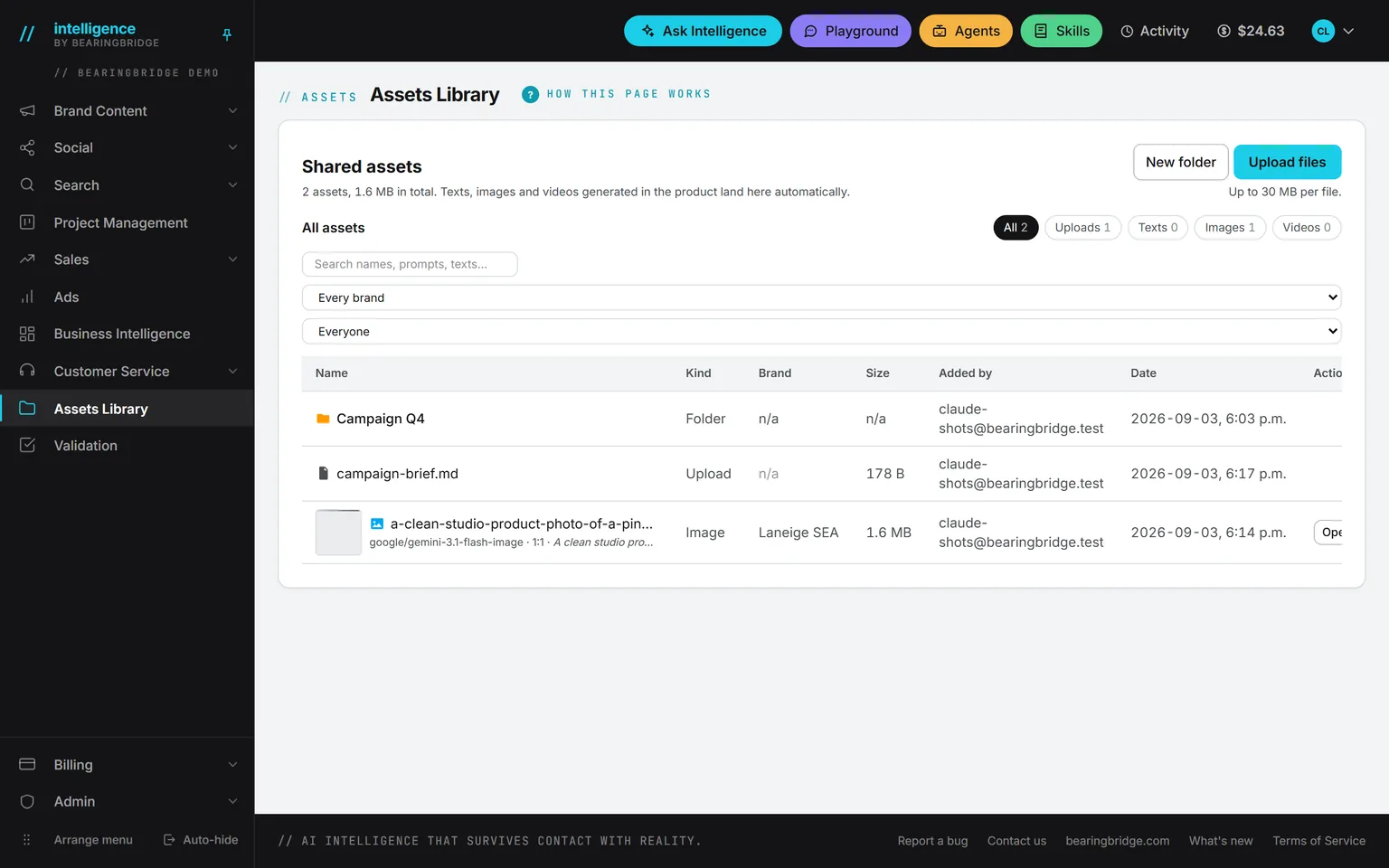
 Assets LibraryEvery piece, picture, and clip lands there on its own, with what made it and what it cost.
 AgentsThe Market Monitor reads competitor moves on your keywords about every two days and turns a finding into a task or a draft.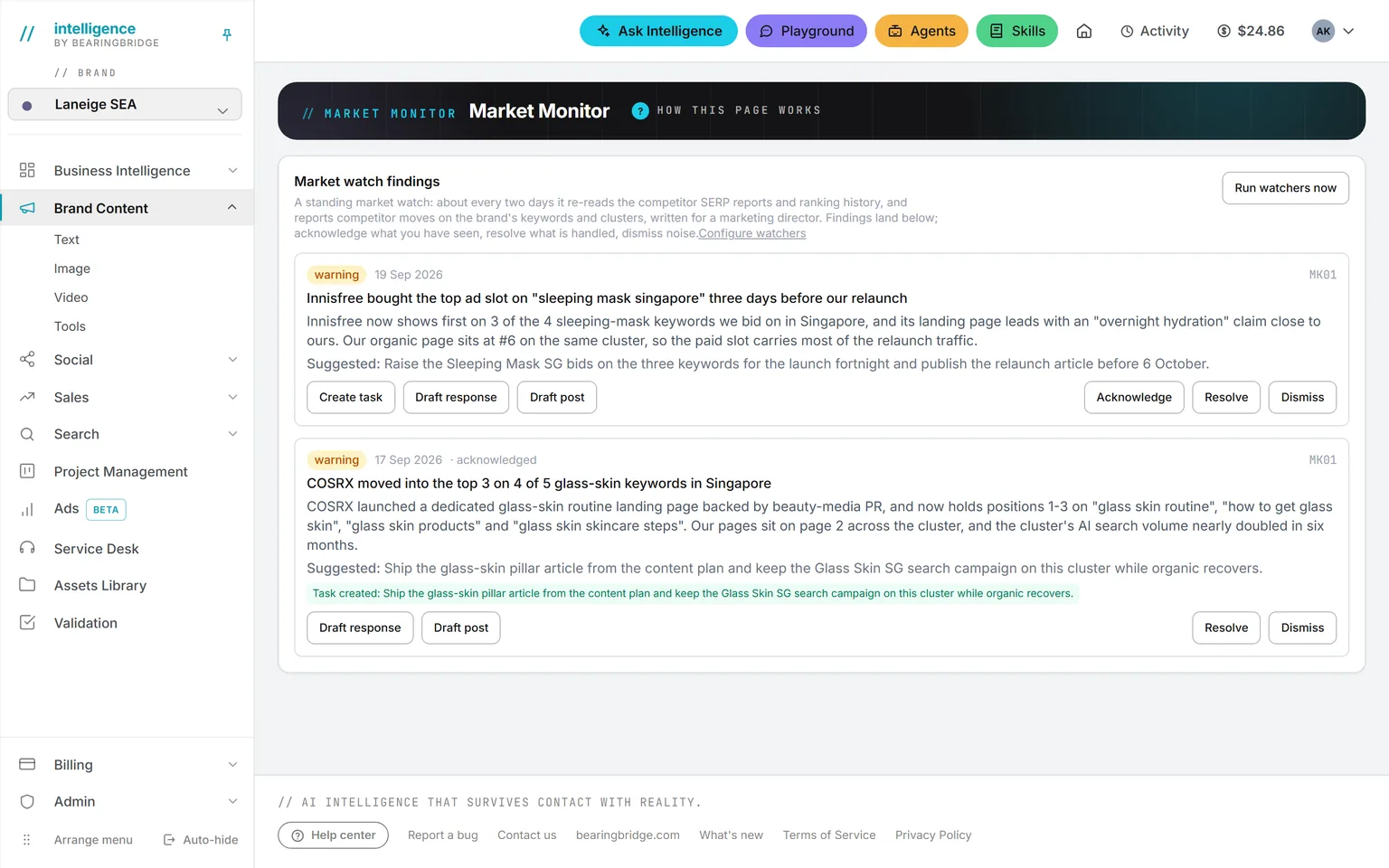
Not built yet, said first
- Nothing publishes itself from Brand Content. A piece or an article is marked published by hand, with its address; there is no push to your CMS.
- One video engine, Gemini Omni Flash, is billed by usage rather than a flat per-second rate, so its price shows when the clip comes back, not before.
- A video render takes a start and a last frame, or references, not both in the same run.
- The article workspace does not take an Assets Library folder as material yet. The text formats do.
The catalog lists every agent as built, partial, or not built. Checked against the product on October 8, 2026.
Usage is paid from a prepaid wallet, with no seat fee. The rates are on the pricing page.
Write the brief on Monday. Read a finished draft by lunch.
Switch on Brand Content, load the brand guidelines once, and every format writes in that voice. The model or the engine is picked for you at the lowest price that can do the job. You see the cost before the run, or right after it.
No subscription. No seat fee. No card needed to open an account.