




By roleThe job: Project managerHeld by: you
How a project manager uses Intelligence.
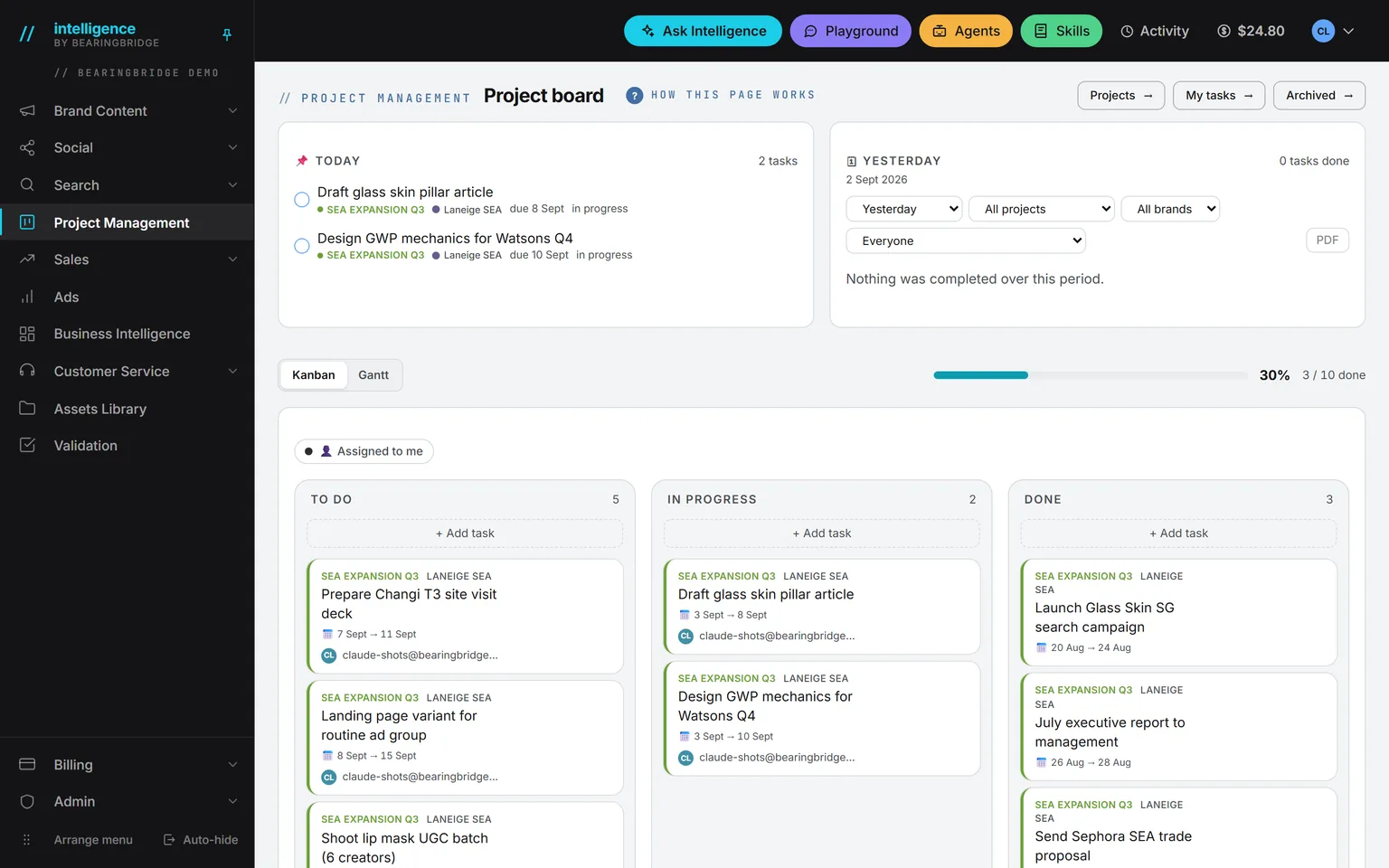
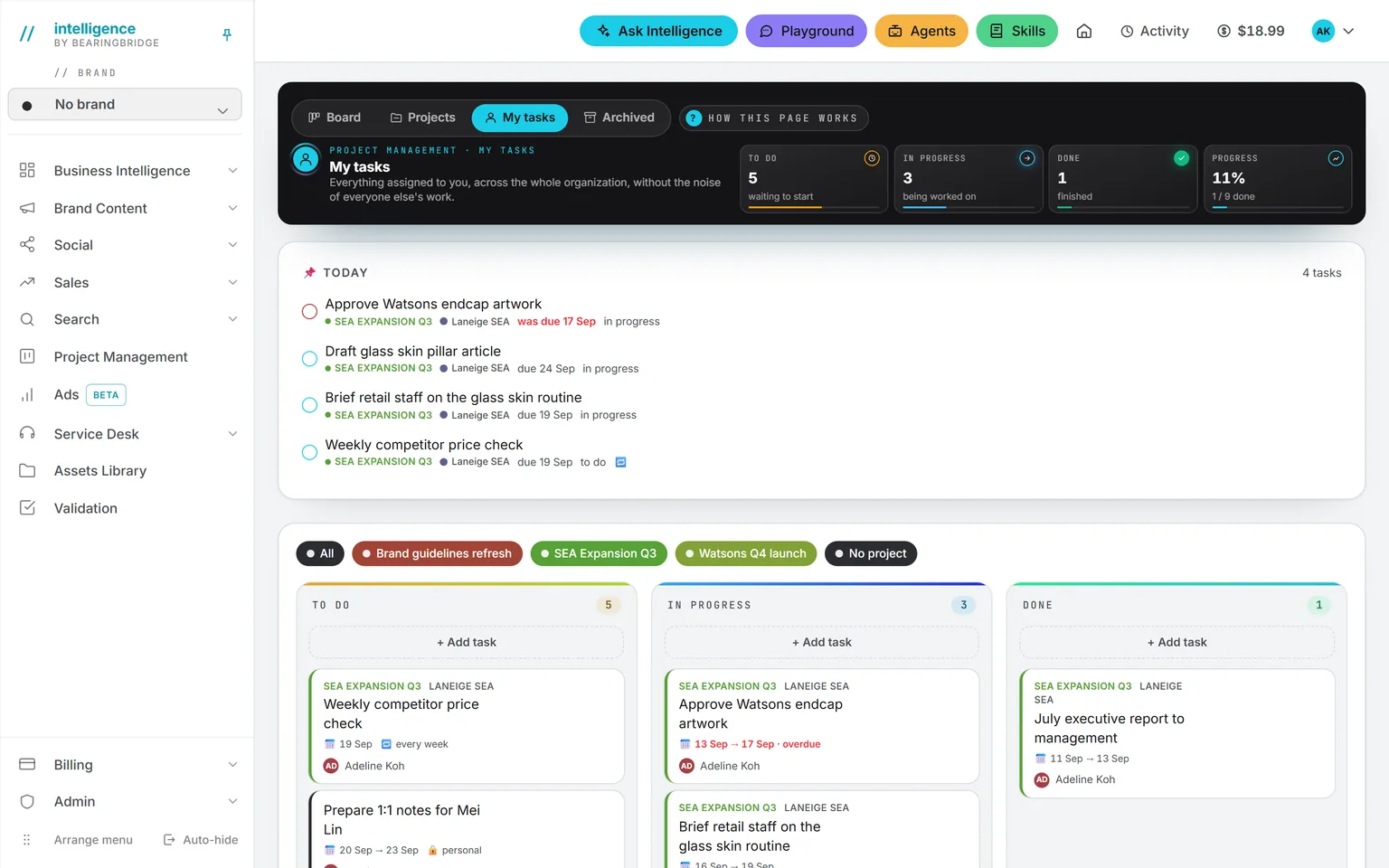
Most project tools start empty and wait for you to type. Intelligence fills part of the board by itself. A finding from an agent lands there as a card. So does a deal’s next step, a post to publish, or a colleague asking for a decision. A card is one task, and your job is to give each one an owner and a date.
No project manager at your company? Then the board stands in for one. Cards arrive without anyone typing them, and the TODAY card tells each person what to do this morning. What’s left for a human is 15 minutes a week. See what it takes over.
Demo workspace. Invented brand and figures.
The tools you’ll use every day.
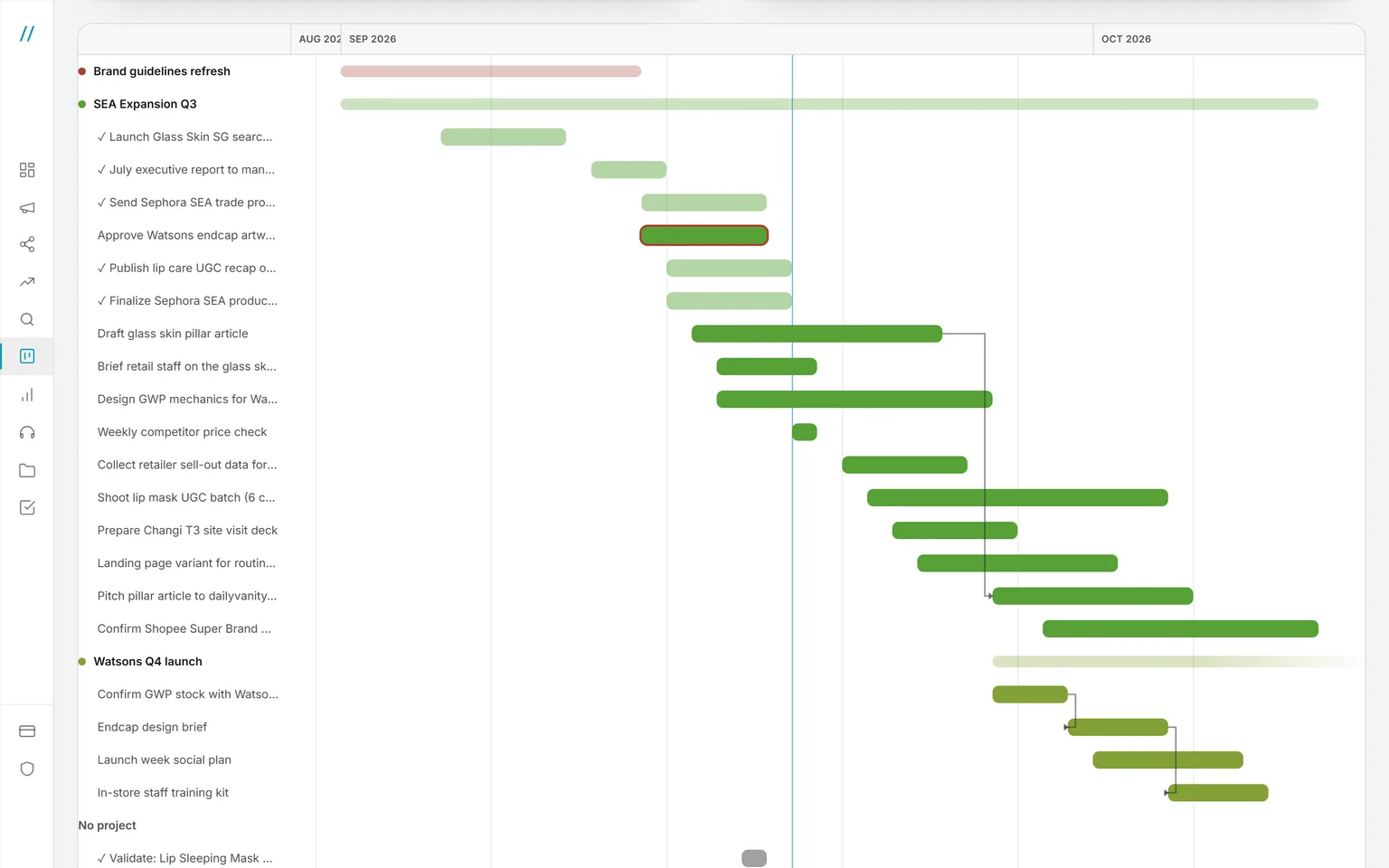
One set of cards, two views. The board, a Kanban, has three lanes: To Do, In Progress, and Done. The timeline, a Gantt, shows the same cards as bars, grouped by project, with an arrow between a task and the one it waits on. Drag a card to move it, and right-click for the rest. Day to day you’ll live on the board. The Gantt is for questions about dates.
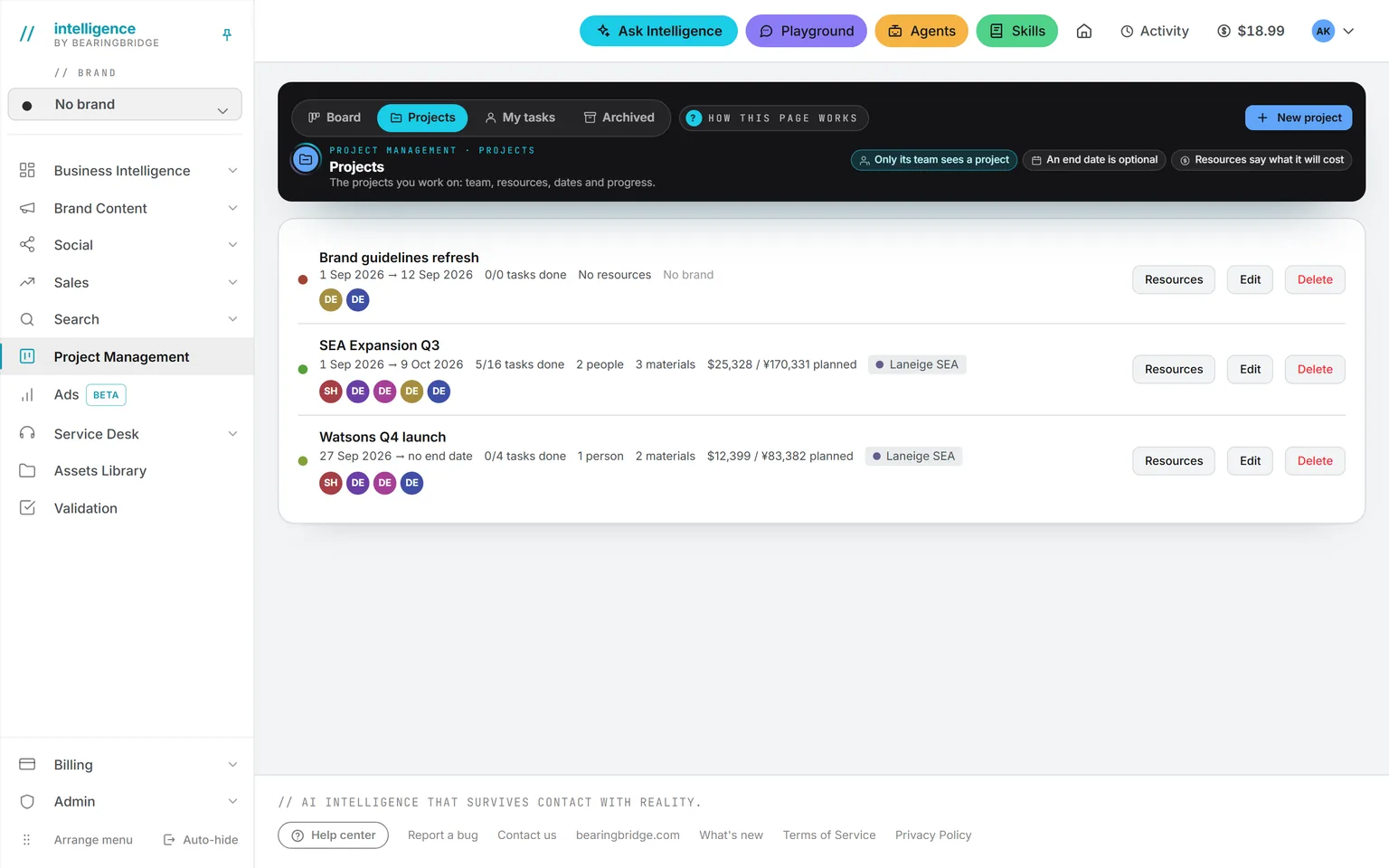
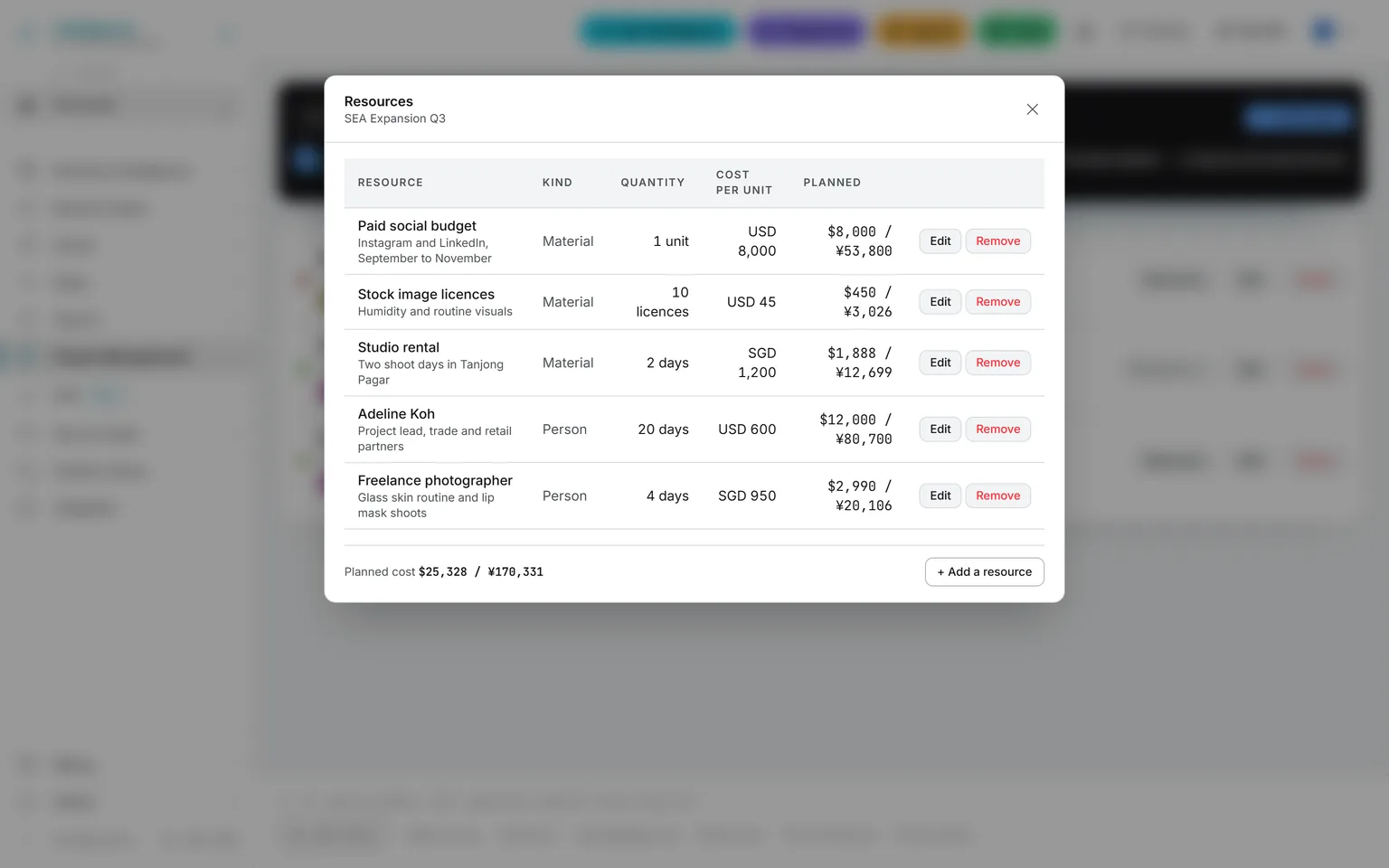
See the page →A project has dates, a brand, and a team. Only the team sees its tasks. A freelancer on one launch never sees a card from another. An administrator creates the project and lists what it needs: people and material, each with a unit, a quantity, and a cost. The total is the planned cost, in your organization’s currency.
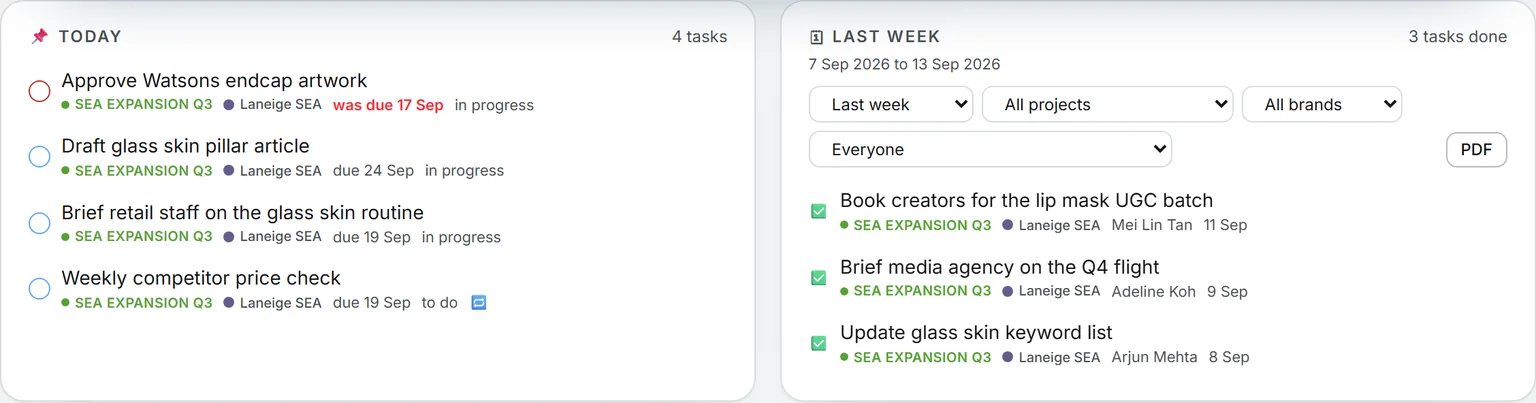
See the page →My tasks and the TODAY card together show everything assigned to you, across projects, with what’s due today on top. Late work turns red the moment the date slips. The DONE card looks back at what was finished yesterday, last week, or over the last four weeks. Filter it by project, by brand, or by person. Exported as a PDF, it’s your status report.
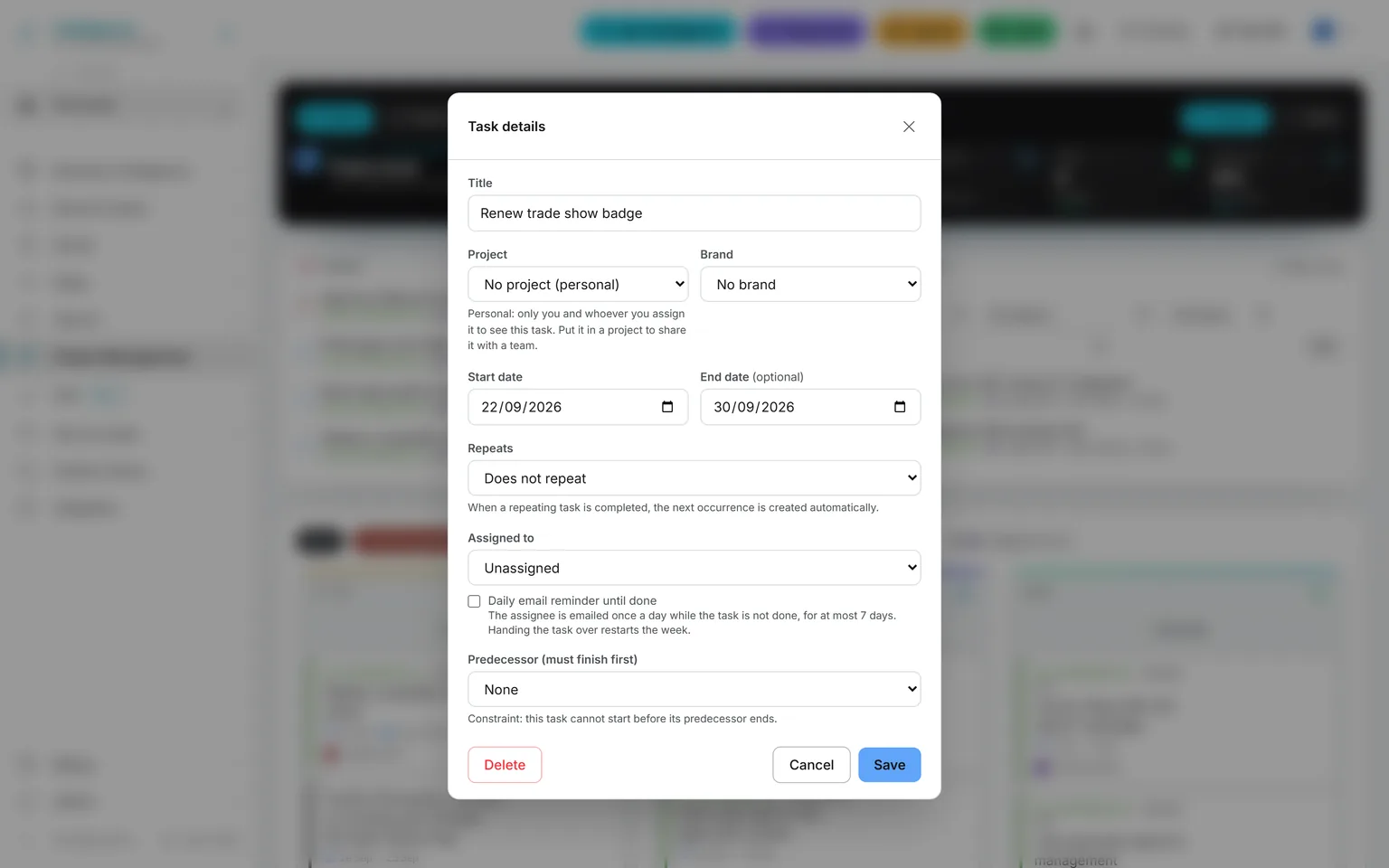
See the page →A task outside any project is private. It belongs to you and the person you hand it to. Nobody else sees it, administrators included.
See the page →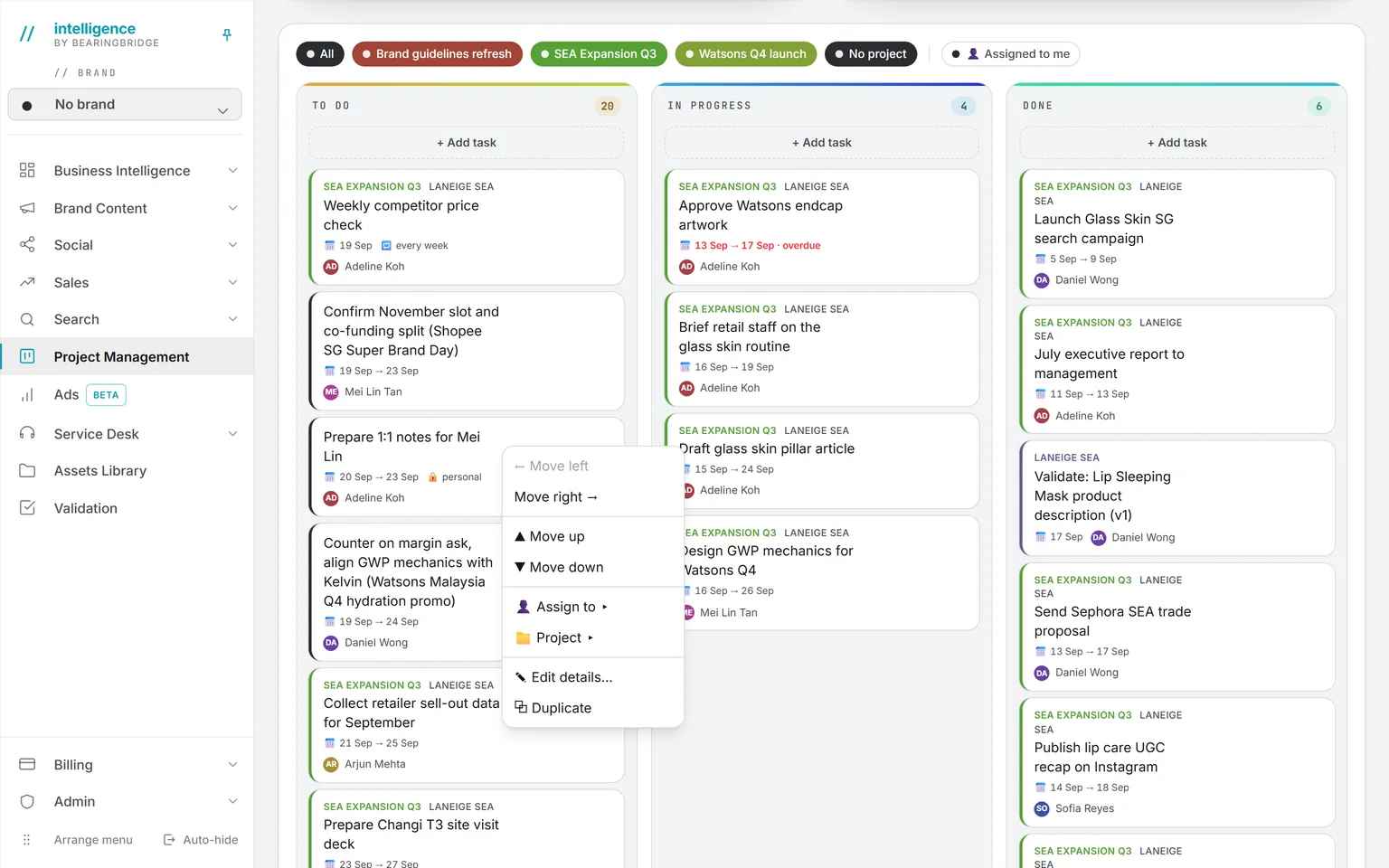
The board and the timelineHover to pause
Three examples from a working week.
That’s the kit. Here it is in use.
Now showingA launch
A launch
A launch with outside help
An administrator creates the project “Q4 launch” and puts four colleagues and a freelance photographer on the team. The resource lines hold a studio day, the photographer’s fee, and a paid social budget.
Then you add the tasks, link the ones that depend on each other, and open the Gantt. You see the bars with the arrows between them, and where today’s line falls.
Any morning
A finding becomes work
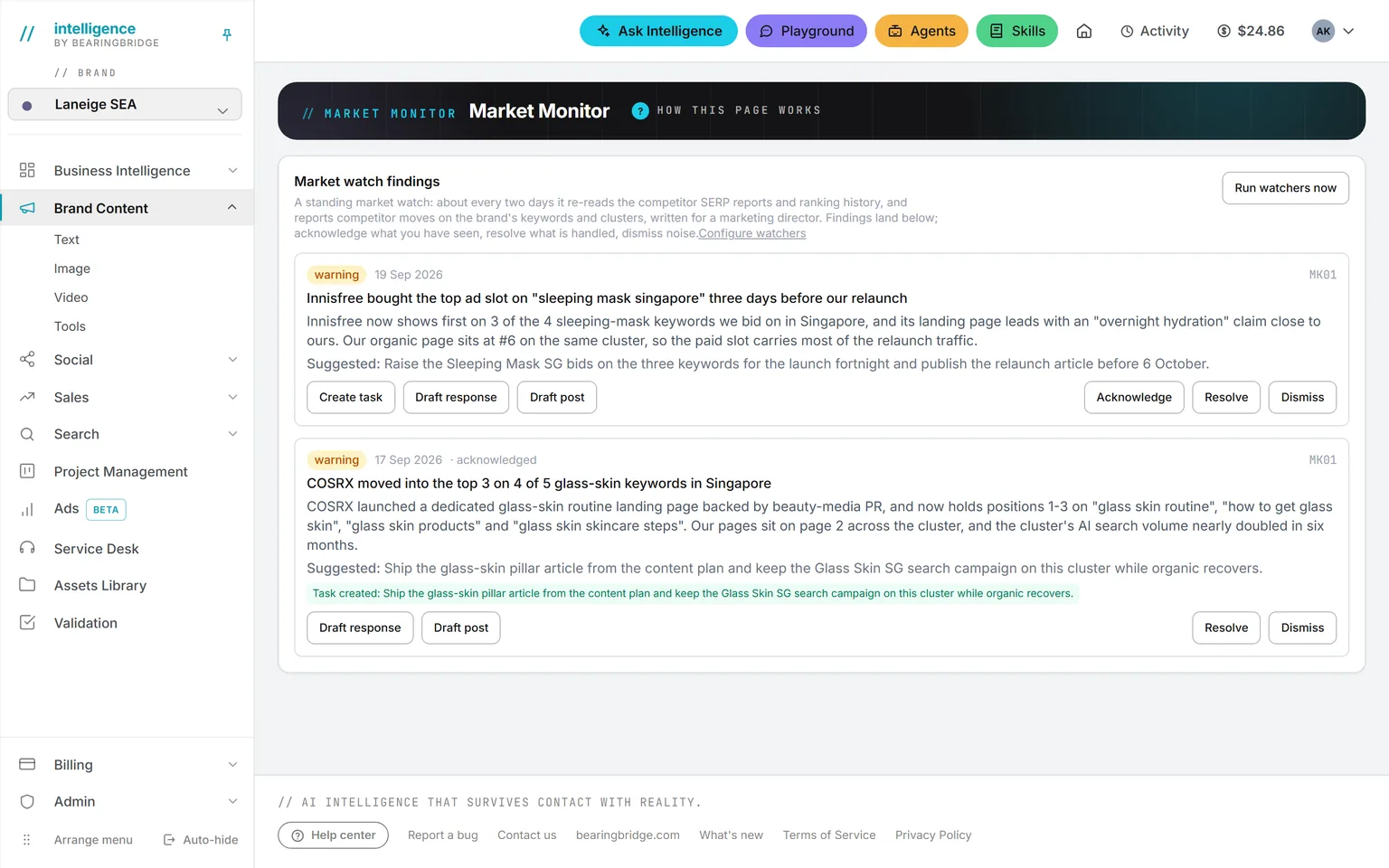
One of the agents, the rankings watcher, reports that a keyword group dropped. A marketer presses Create task under the finding. The card arrives in To Do, tagged with the brand but with no owner.
You assign it and date it. The finding now says a task exists, so nobody creates a second one.
Friday
The Friday report
Open the DONE card, pick “last week,” filter on the project, and export the PDF. It counts complete weeks, Monday to Sunday, so the number doesn’t change after you send it.
Questions to type into Ask Intelligence.
Don’t count cards by hand. Type the question
Which tasks are overdue, by project?
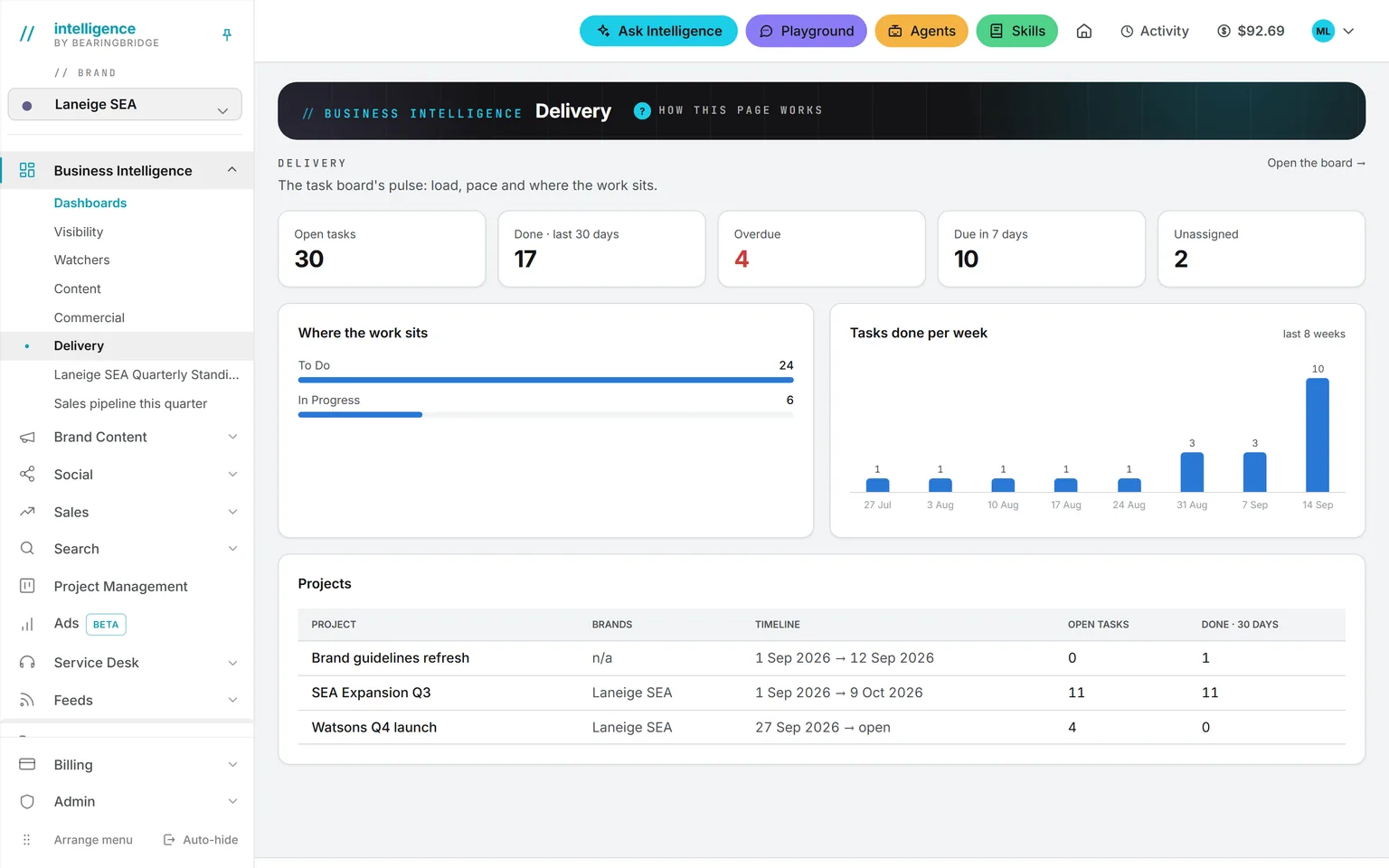
Ask Intelligence counts only the tasks you’re allowed to see. If you’d rather look at a chart, the Delivery dashboard shows the same numbers: open tasks, overdue, due in seven days, unassigned, and tasks done per week.
Recurring tasks and reminders.
A recurring task can repeat daily, weekly, every two weeks, or monthly. Finish a late one and the next lands after today, not in the past.
When you assign a card, the owner gets a mail. Turn on the daily reminder and they get one a day. After seven it stops, and it stops sooner if the work is done.
If nobody holds this job.
Vacancy
- Position
- Project manager
- Held by
- Nobody yet
- Covered by
- Intelligence
- Needs
- 15 minutes a week
Then the board stands in for the project manager. Somebody still has to hand out the work, since a card made from a finding arrives with no owner.
The platform takes
- Cards that arrive from agents, from deals, from the Social calendar, and from Validation without anyone typing them.
- The TODAY card, which tells each person what to do this morning.
- The DONE card, as the status report.
A person keeps
- Opening the board and giving every card in To Do an owner and a date.
- Reading the DONE card while you’re there.
- That quarter hour, given to one person, on a fixed day.
Your first week.
The same steps work if you’re covering for a project manager.
0of 5 done
Tick a step when it’s done. Your ticks stay in this browser.
One word on cost: accounts are free, so every freelancer and every stakeholder can have one.
The limits, stated plainly.
Read this part before you move a big project over.
The Gantt is a timeline with one predecessor per task: a task can wait on one other task and no more. There are no baselines and no critical path, and nothing predicts a slip.
Cost means planned cost only. You won’t find timesheets, capacity planning, or actual spend set against the plan.
The three statuses are fixed, with no custom columns.
A card holds a title, dates, an owner, and its links. It has no comments, attachments, or checklists yet.
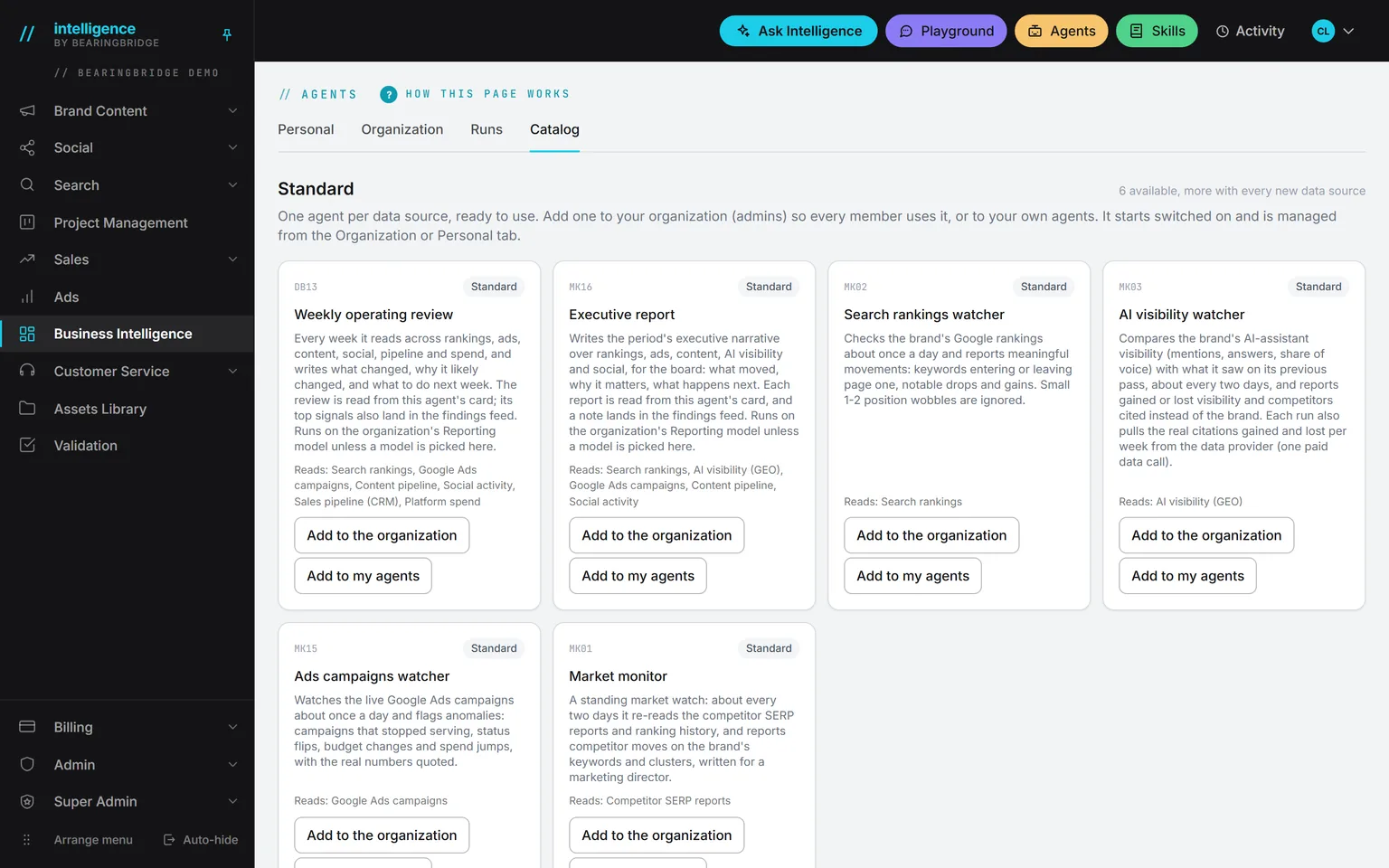
Checked against the product on September 20, 2026. The catalog lists every agent as built, partial, or not built. Usage is paid from a prepaid wallet, with no seat fee, and the rates are on the pricing page.
Open the board on Monday. Part of the week is already there.
Accounts are free, so every freelancer and every stakeholder can have one. Create the first project and put the team on it.
No subscription. No seat fee. No card needed to open an account.