




Modules / Email
Every email you owe, drafted in your own inbox.
Email works inside the Gmail or Outlook you connect for yourself. It drafts the answer to any message, writes one email for a whole list as a draft per person, finds the people you want to reach among more than 240 million professionals and keeps them in lists, and sends sequences from your own mailbox that stop the moment someone replies.
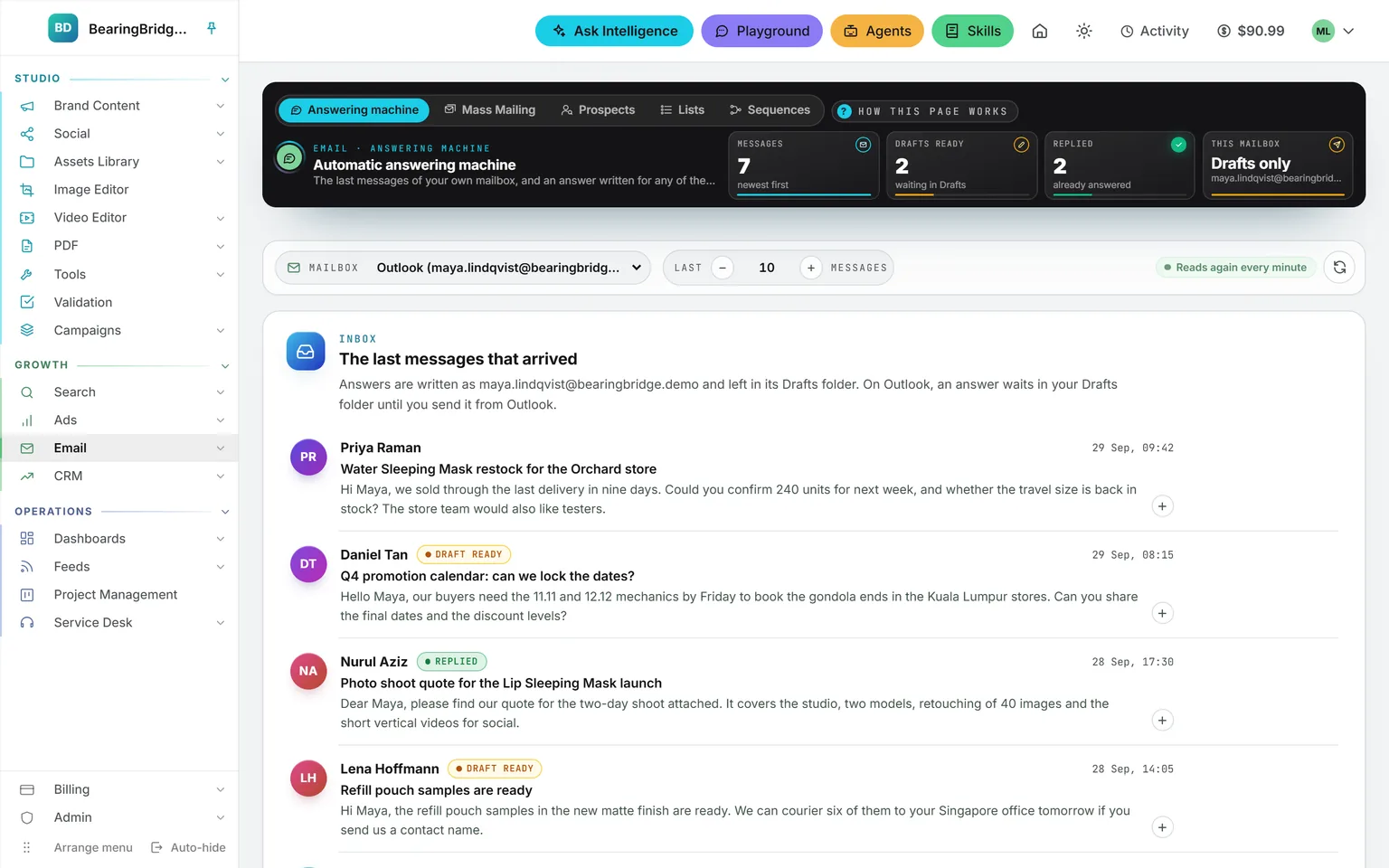
Demo workspace. Invented brand and figures.
Read it, brief it, find the answer in Drafts.
Read
Your inbox, read live
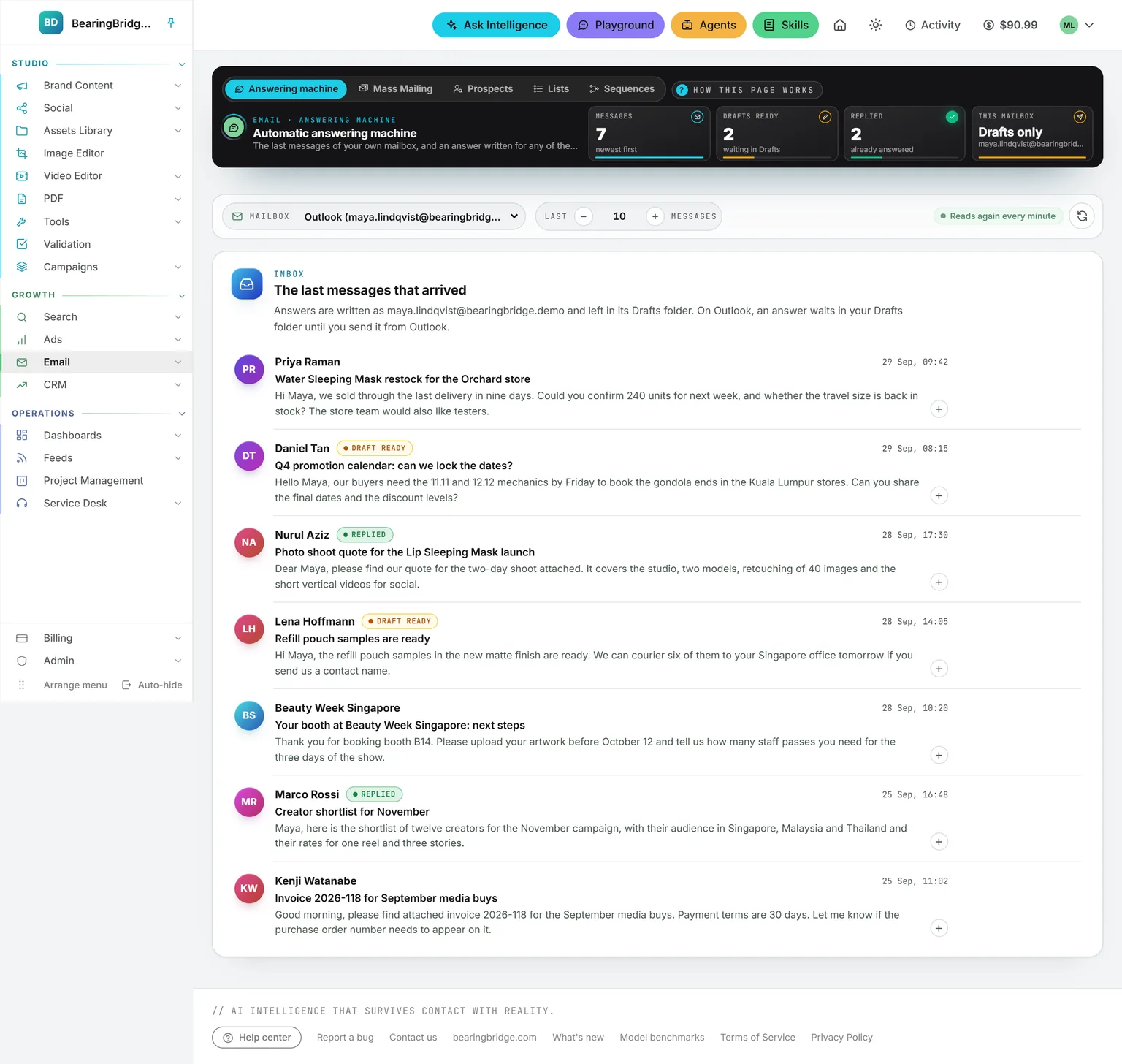
The last messages of your own Gmail or Outlook, newest first, with their first two lines and where each one stands: Draft ready, Replied, or Writing the answer. The list reads the mailbox again every minute. Nothing is copied into the product.
Brief
A few words, then the answer
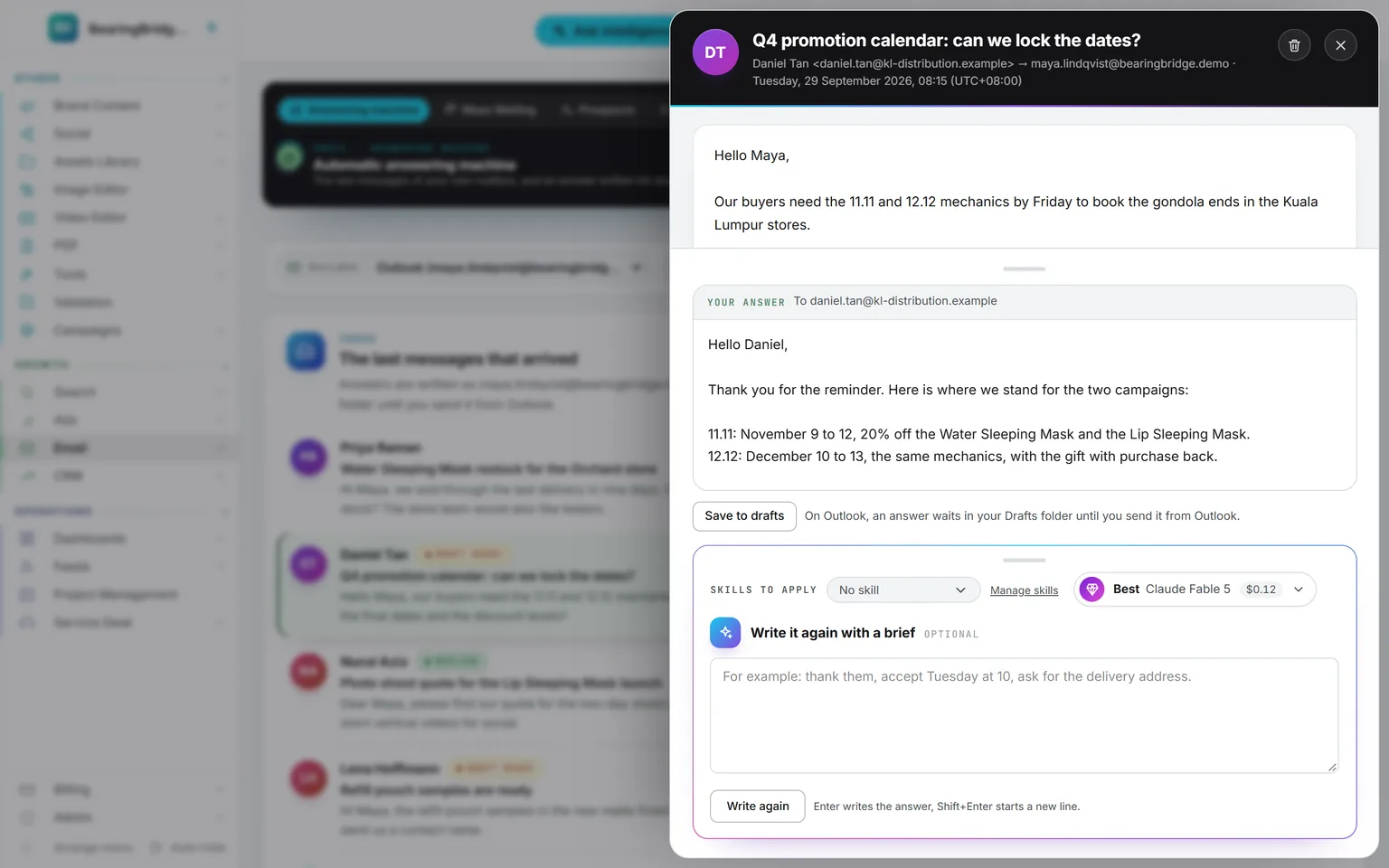
Open a message, type “accept, propose Tuesday at 10” or nothing at all, and press Enter. The answer is written in your name, in the sender’s language, and lands in your Drafts folder inside the same conversation. It invents no price, date or commitment you did not give.
Decide
You send it, or you don’t
Change the text and it saves itself over the draft. Write it again with another brief. Send appears only on a Gmail you allowed to send. An Outlook mailbox is never asked for that permission, so its answers wait in Drafts until you press Send in Outlook.
Attach a skill to a mailbox and every answer drafted from it follows it: your sign-off, the questions you always ask, the tone you keep for clients. Each draft is one AI call, priced in the answer’s header. Reading the mailbox costs nothing.
One email for a whole list, one draft per person.
A list in any shape
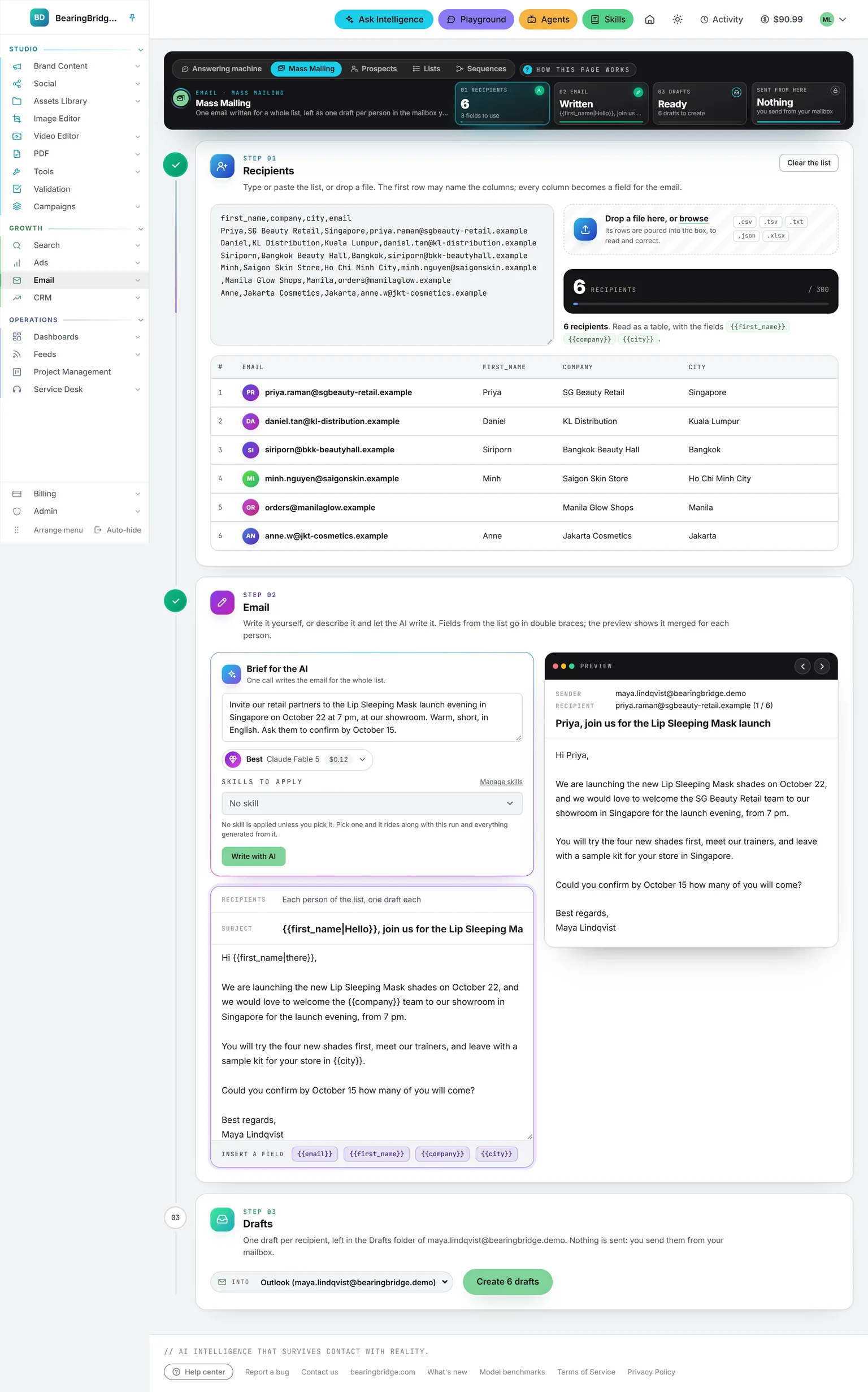
Paste addresses, a table, JSON, or drop a CSV or Excel file. Up to 300 people a run, every column a field.
One email, merged
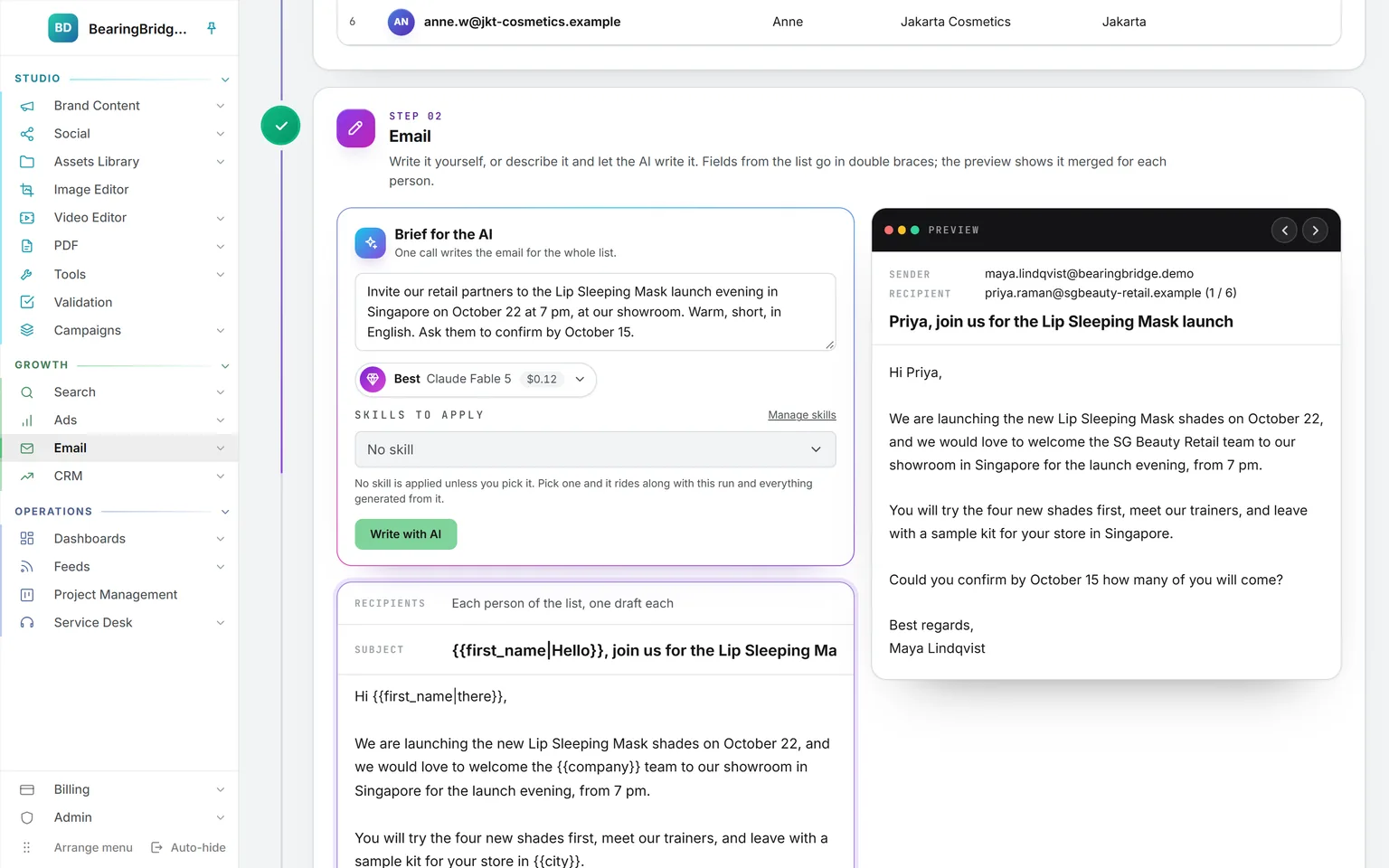
Write it, or brief the AI once for the whole list. Fields such as {{first_name|there}} fall back when a value is missing.
A preview per person
Step through the list and read the email as each recipient will. Missing fields are flagged before the drafts exist.
One draft each
Each person gets a separate draft in your mailbox, addressed to them alone. Nothing is sent from the page.
The AI writes in your name and never says software wrote it. It invents no price, date, offer or link your brief did not give: what it lacks, it leaves in brackets and lists under the button. Writing it is one AI call for the whole list, however long. The list itself is never stored.
Find the people, keep them in lists.
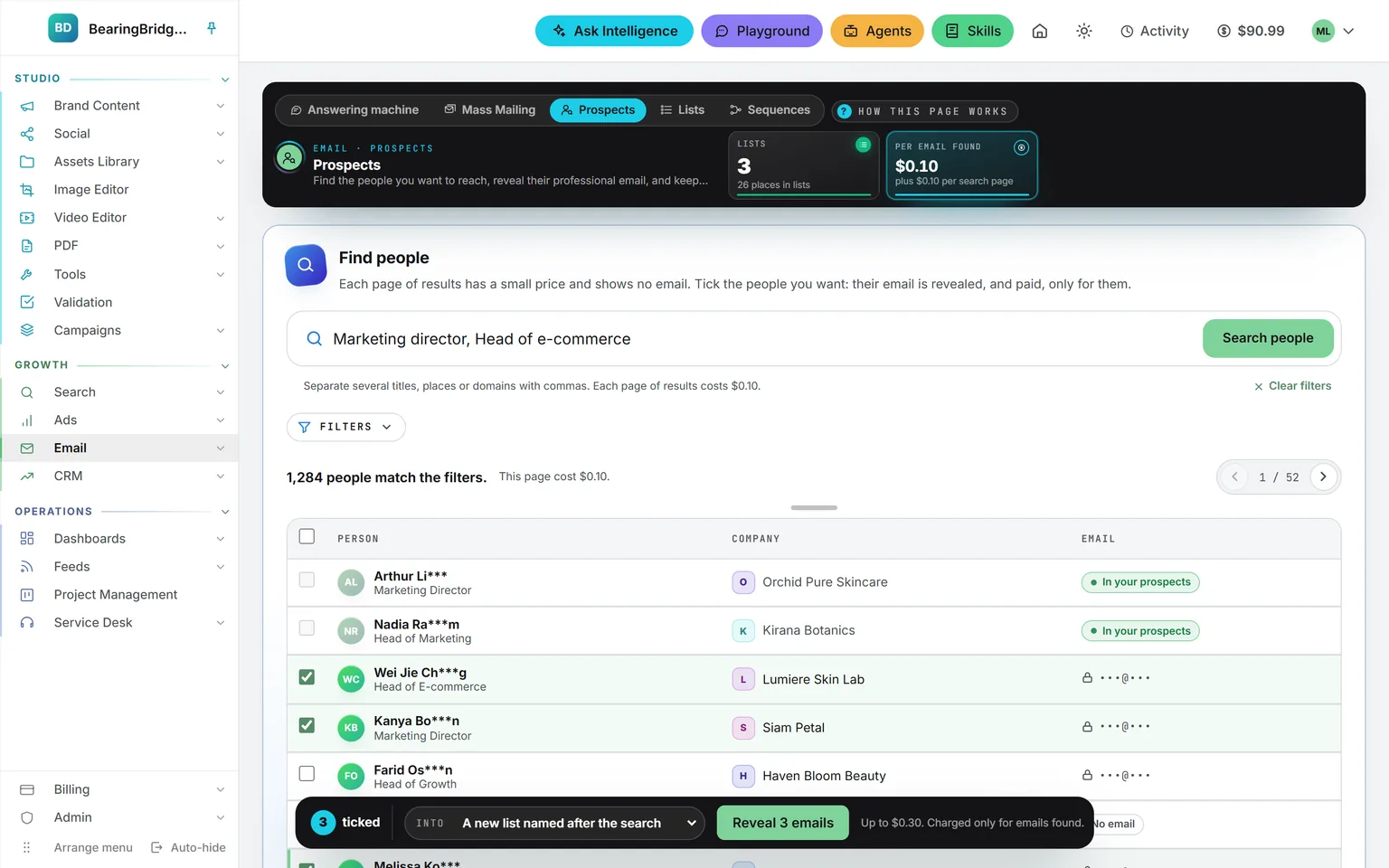
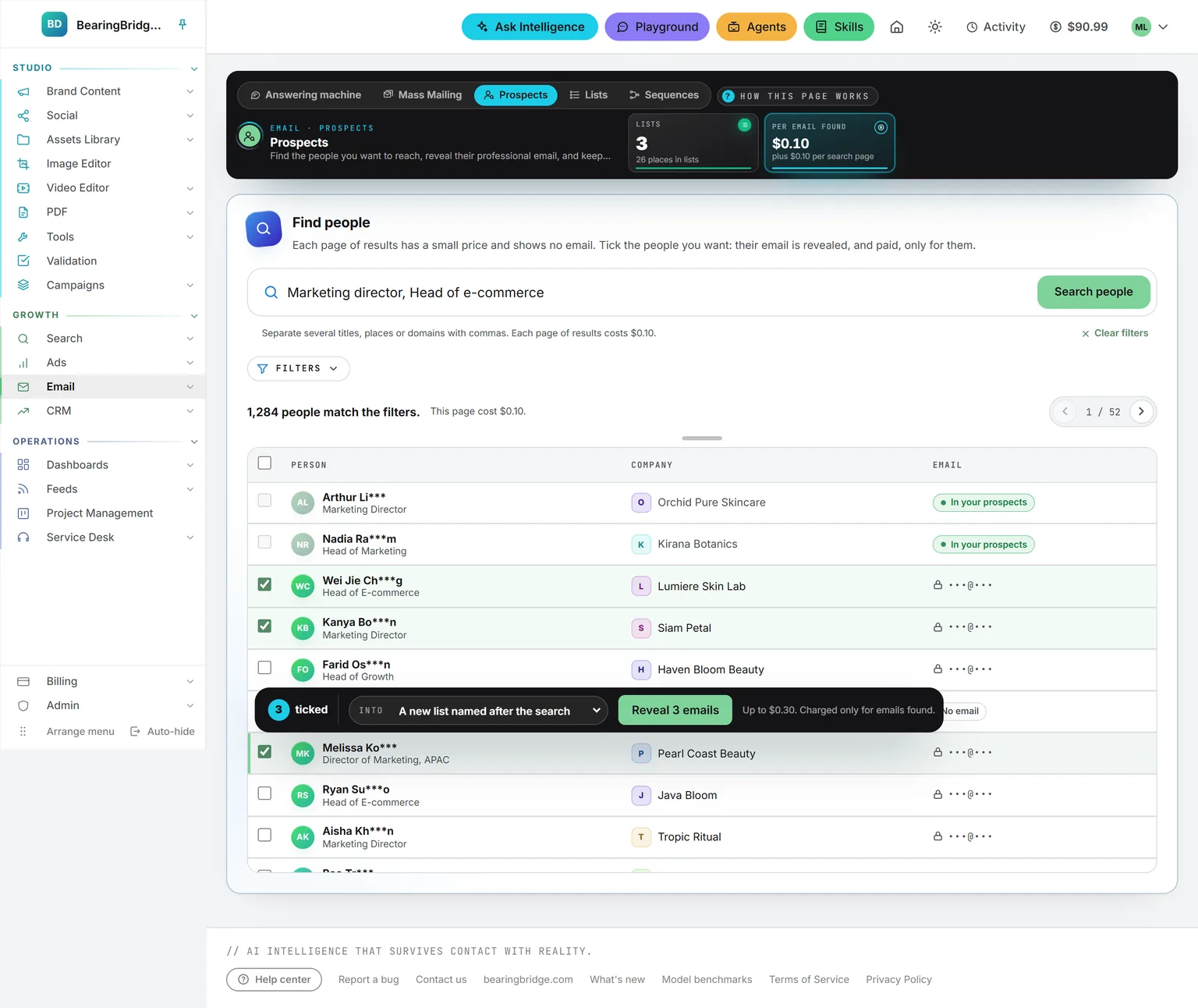
Prospects. Search more than 240 million people in 30 million companies by job title. The results show titles and companies in full, names partly masked, and never an address. Tick the people you want and only their email is revealed, into the list you pick. Each page of results and each address found has a price, shown before you click.
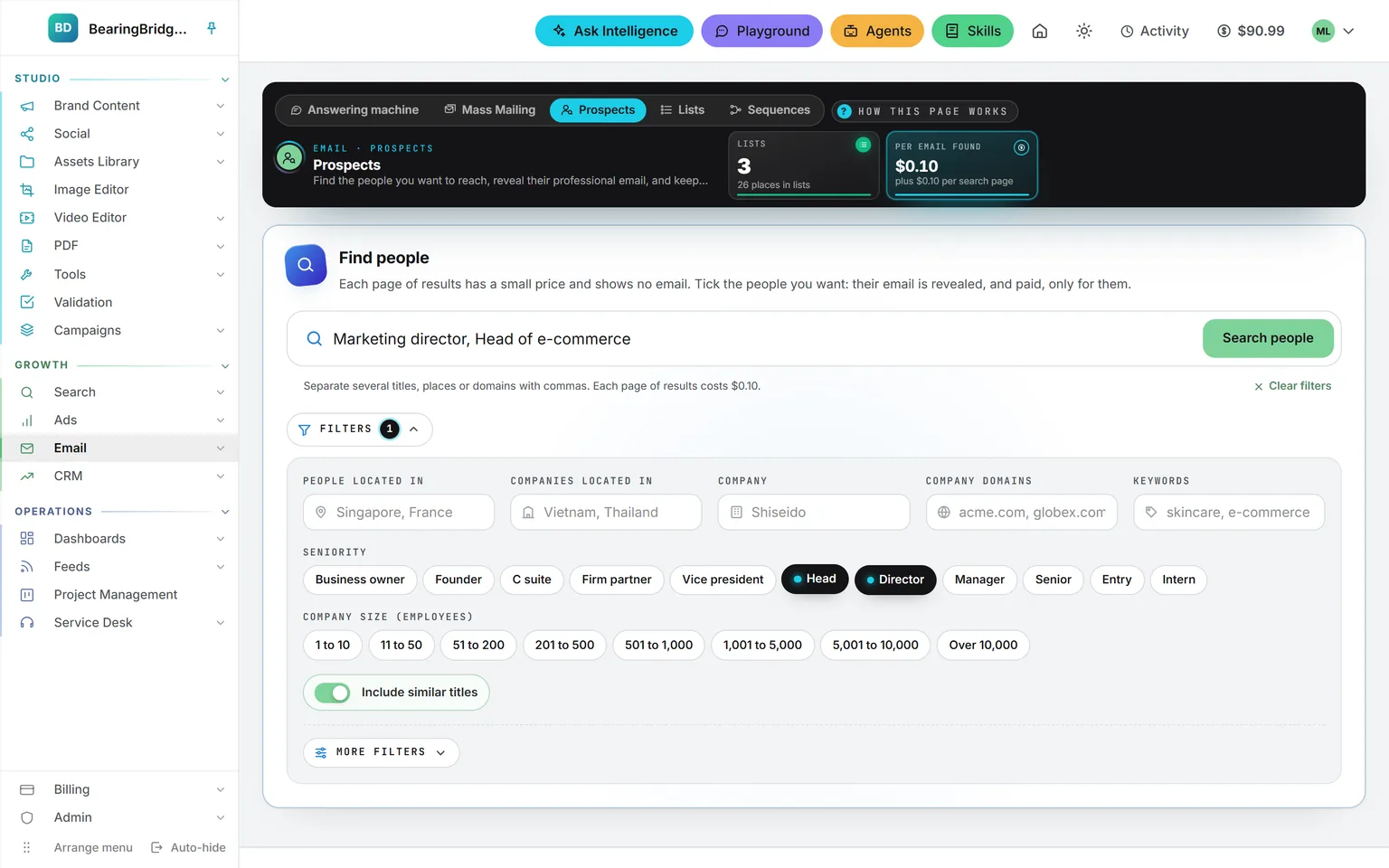
Filters. Where the person works and where the company sits, a company or its domain, keywords about it, eleven seniorities and eight sizes. More filters sit below: revenue, headcount growth, the technologies a company uses, and whether it is hiring.
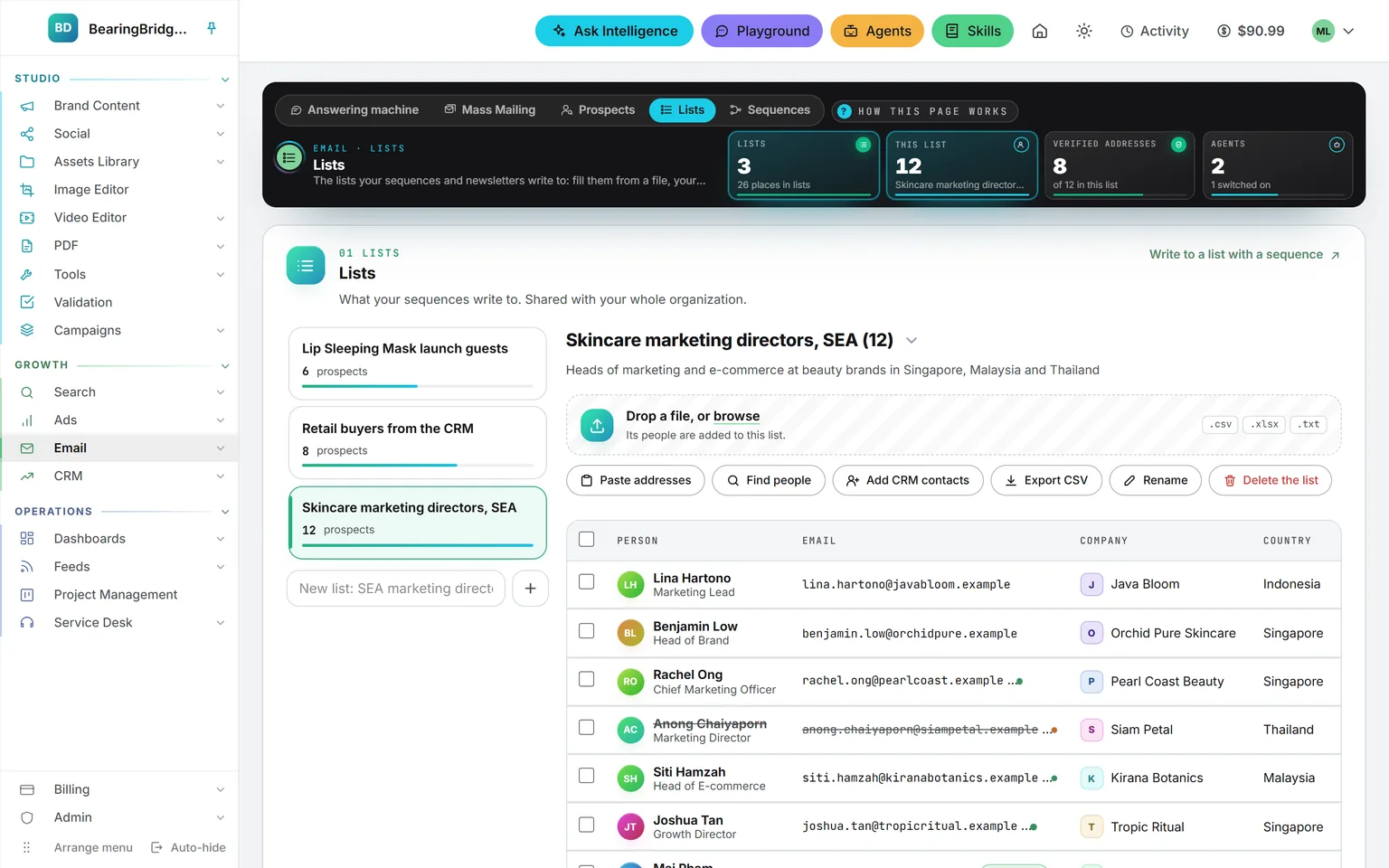
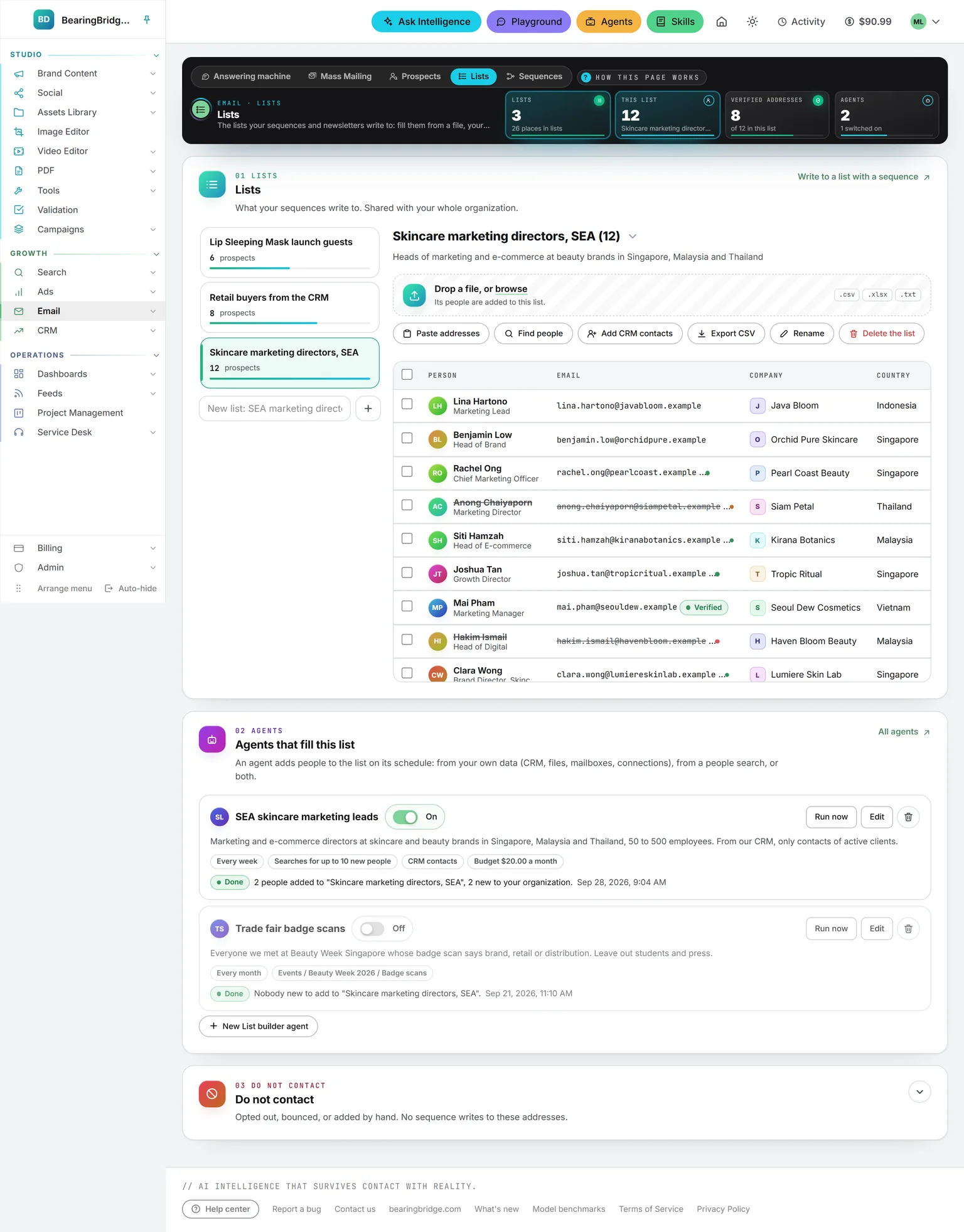
Lists. Shared with the whole organization. Fill one from a CSV or Excel file of up to 2,000 people, pasted addresses, your CRM contacts or a people search. Everyone is held once: adding someone you already have fills in what was missing, never a second copy.
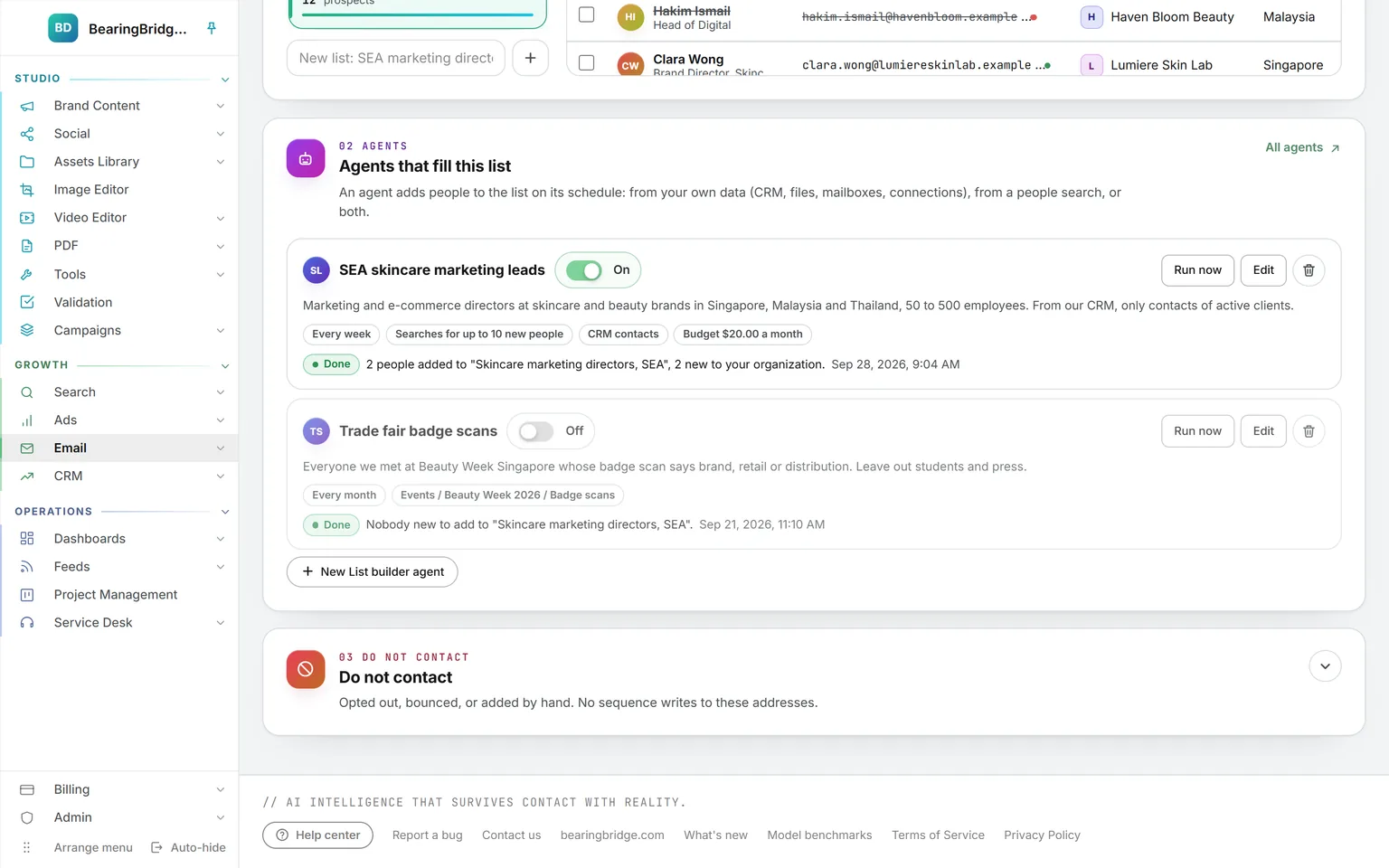
Agents. Describe the people you want in a sentence. On its schedule, a List builder agent reads your CRM, mailboxes, connected systems or library folders, searches for new people if you let it, and adds them to the list. It keeps an address only when it is written in your data word for word.
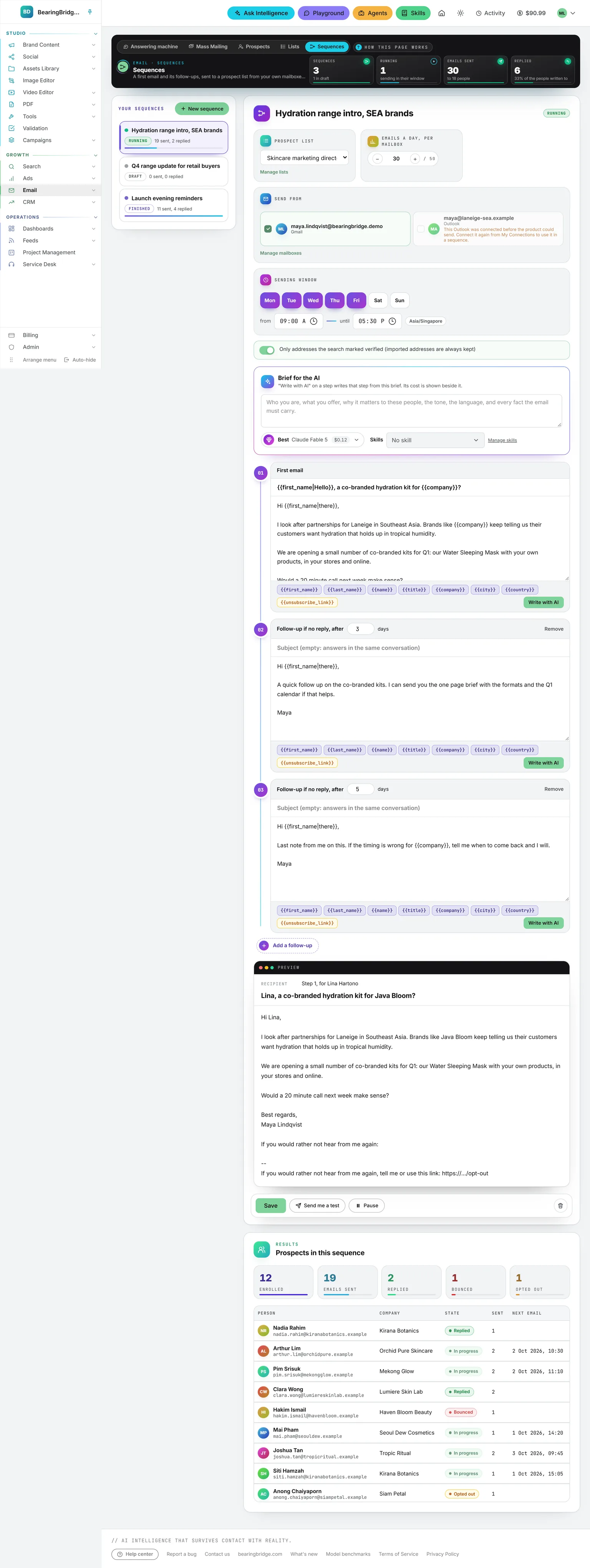
A first email, then follow-ups that stop on a reply.
List
Who it writes to
A list from Lists. People added later are taken on too.
Mailboxes
Sent from your own
One or several of your Gmail and Outlook mailboxes, sharing the list in turn.
Window
Days, hours, a daily cap
Monday to Friday, 08:00 to 18:00 by default. At most 50 a day per mailbox.
Steps
A first email, five follow-ups
Each follow-up waits 1 to 60 days and goes only to people who have not answered.
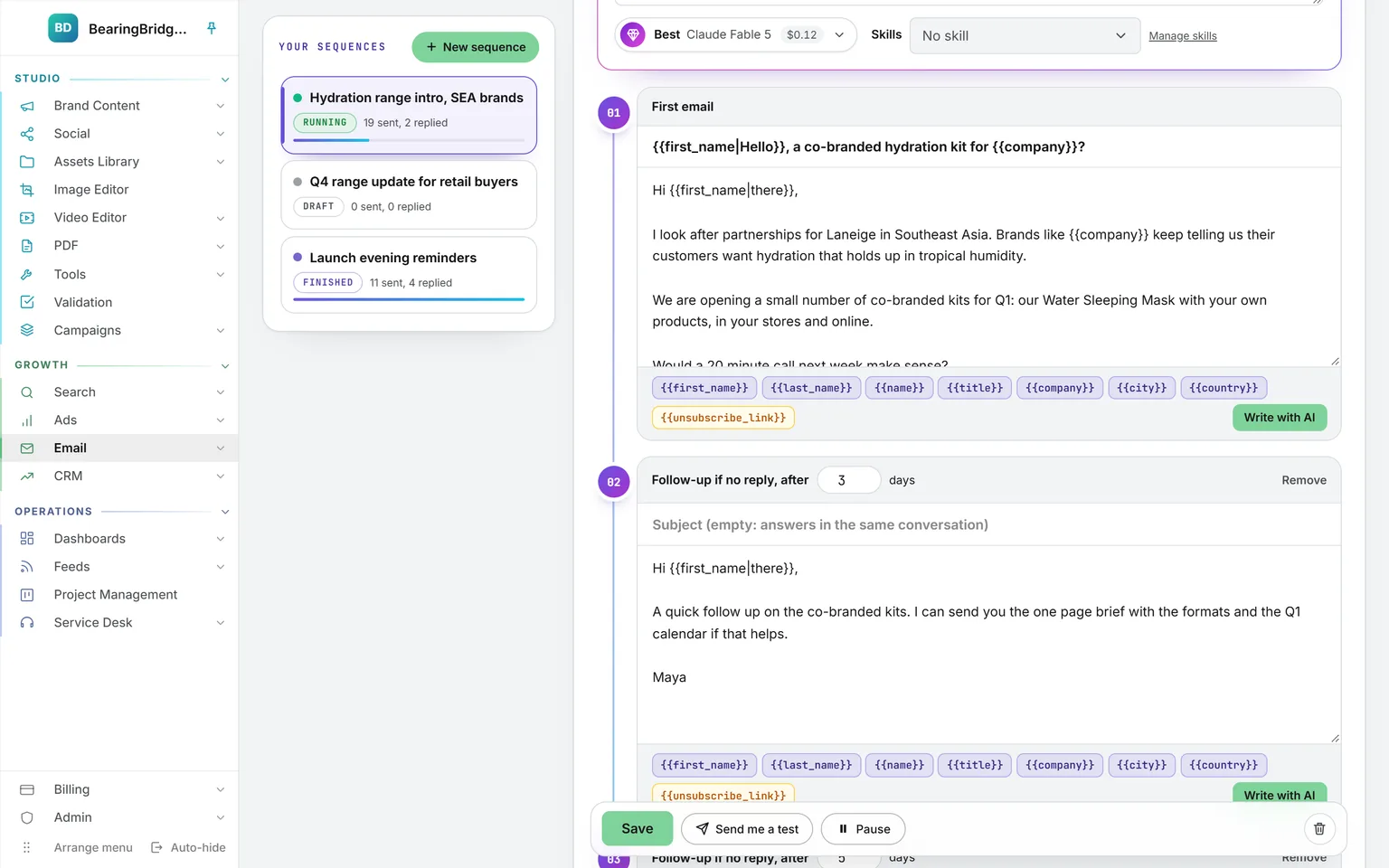
Brief the AI once, then write each step from it, knowing the steps before. A follow-up with no subject answers in the same thread. Send yourself a test, then Start: emails leave a few at a time inside your window, from your own Sent folder, and every one carries an opt-out link.
To compare two approaches, turn on the A/B test: choose the share, 40% version A and 60% version B for instance, then write version B of any step. Each person keeps one version for every follow-up, and the results show the reply rate of each version and say when the gap is more than chance.
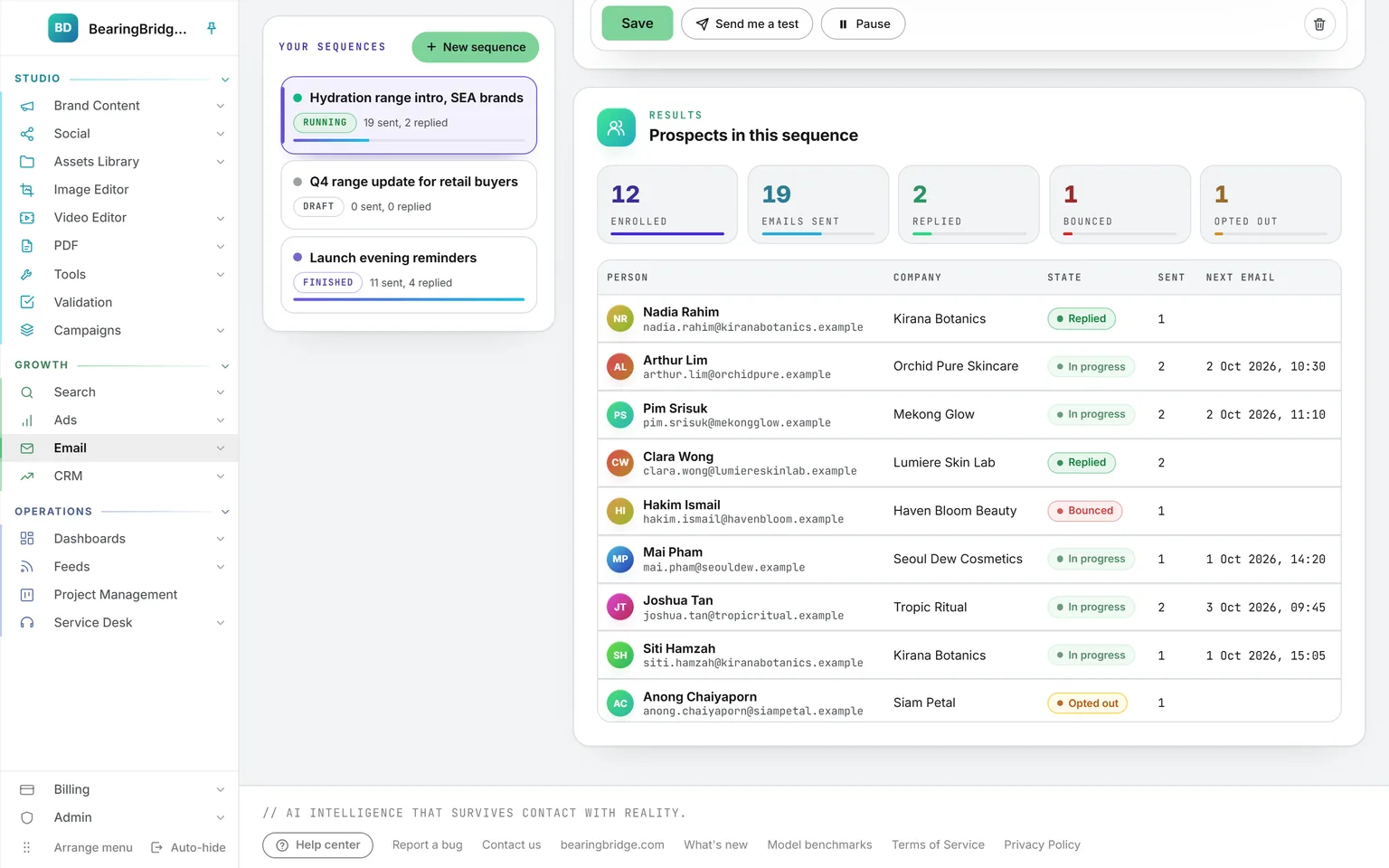
The five pages, top to bottom.
Each capture is the whole page, as it stands in the demo workspace. Scroll inside the frame to read it to the end.
Five rules about your mailbox.
A mailbox is connected by one person, for that person. Nobody else in the organization reaches it, administrators included, and there is no company mailbox anywhere in the product. Up to five Gmail and five Outlook mailboxes each.
The answering machine and Mass Mailing write drafts. A sequence sends only after you press Start, and Pause stops it at once. Every draft written, mail sent or message deleted is listed on My Connections, with what wrote it.
Before every follow-up the conversation is read again. A reply, a bounce or an opt-out stops it for that person, and a bounce or an opt-out puts the address on Do not contact for every sequence of the organization. More than 1 bounce in 20 pauses the whole sequence.
Place {{unsubscribe_link}} where it reads best. Without it, a short line with the link is added at the end of each email.
A person your organization already holds can’t be revealed again in a search, and an agent or an import adds them to a list without a second copy.
The answering machine and Mass Mailing are open to everyone. Prospects, Lists and Sequences follow one right of the role grid, so an administrator decides who can search, reveal and send.
The same data, one door over.
Nothing here is an integration. These run on the same account, the same brand, the same ledger, so a finding on one page becomes work on the next.
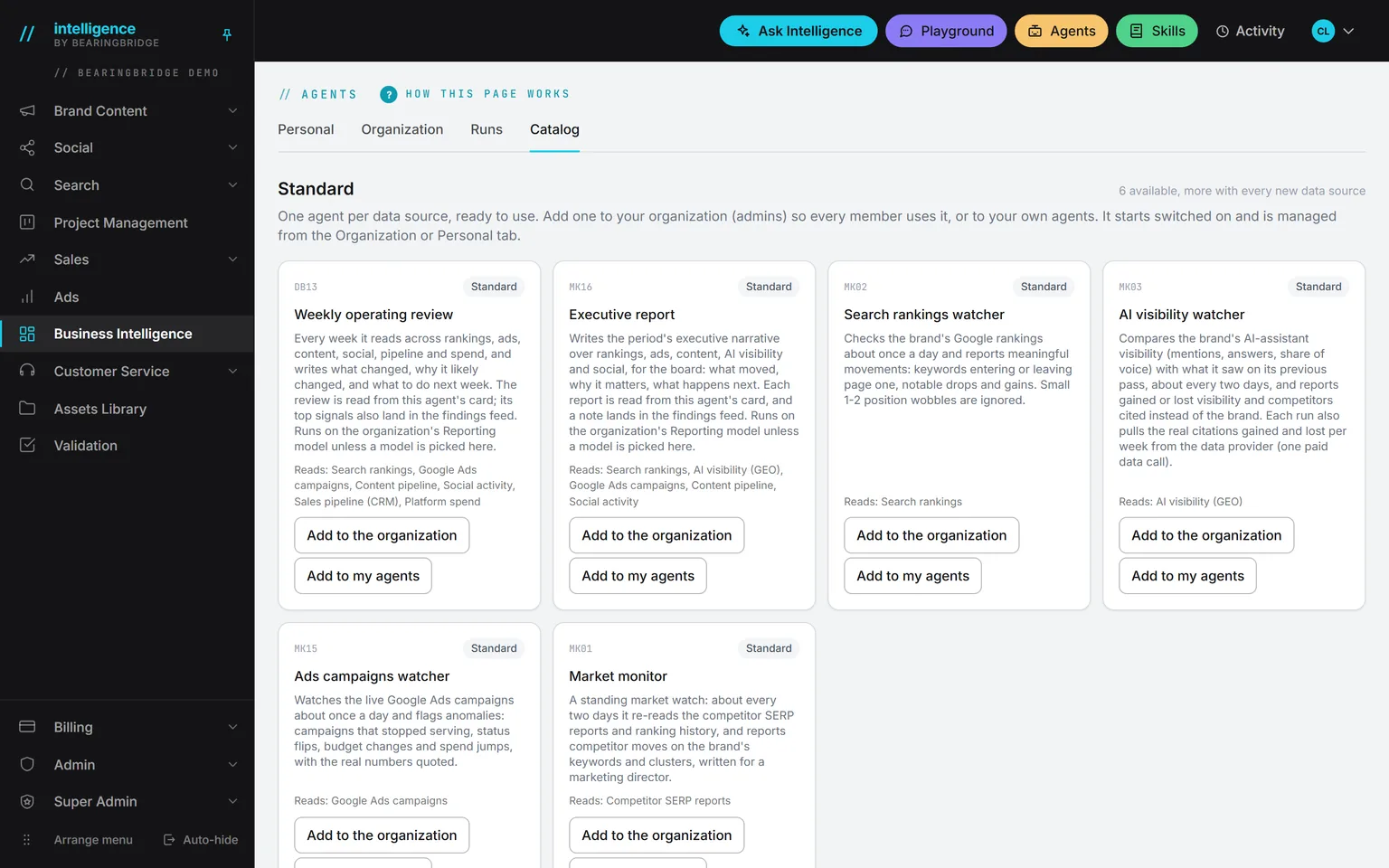
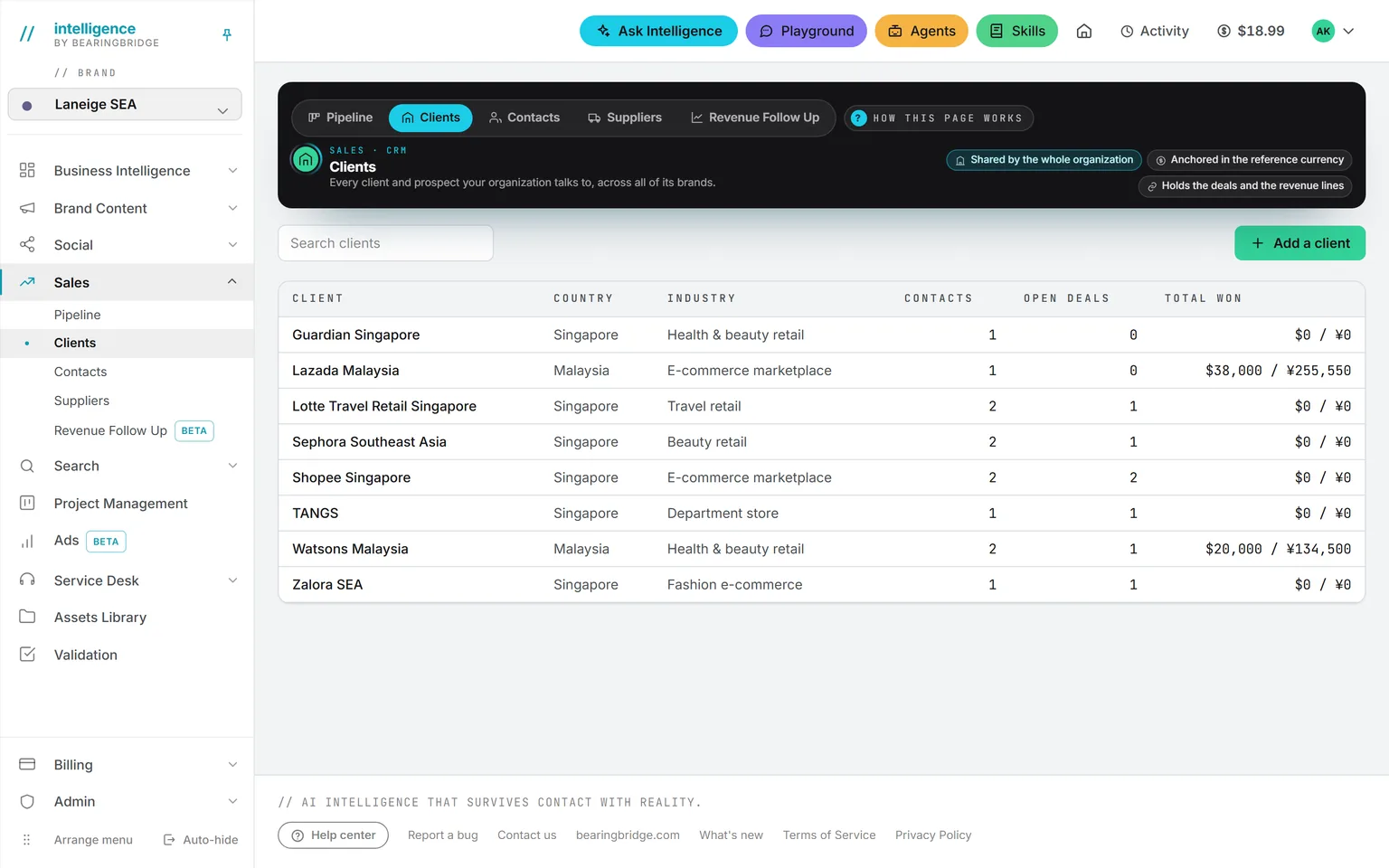 AgentsA List builder agent fills a list on its schedule, from your own data or a people search, under a monthly budget.
 SkillsAttach your sign-off and your tone to a mailbox, and every answer drafted from it follows them.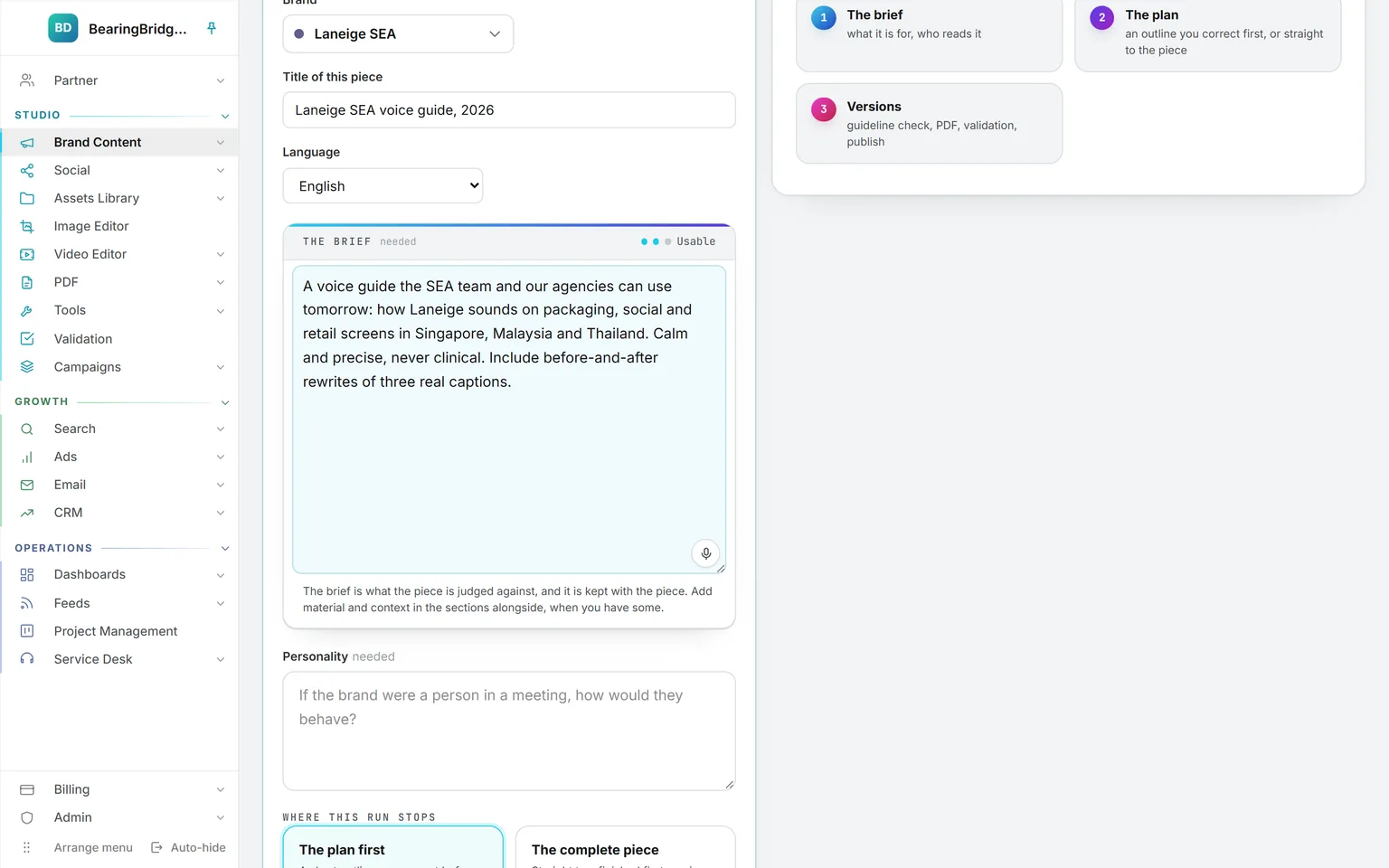
Not built yet, said first
- An Outlook mailbox never sends from the answering machine. Its answers wait in Drafts until you send them from Outlook.
- Mass Mailing sends nothing. It leaves one draft per person, and you send them yourself.
- A sequence counts sends, replies, bounces and opt-outs. It does not track opens or clicks.
- No shared or company mailbox. Every mailbox belongs to the person who connected it.
- Newsletters are not built. Lists today feed sequences.
The catalog lists every agent as built, partial, or not built. Checked against the product on October 18, 2026.
Usage is paid from a prepaid wallet, with no seat fee. The rates are on the pricing page.
Connect your mailbox, and the first answer is a brief away.
Connect a Gmail or an Outlook on My Connections, open Email, and click Draft answer on the message you have been putting off. It waits in your Drafts folder, written in your name, until you decide.
No subscription. No seat fee. No card needed to open an account.