
What shipped in Project Management on October 31 and November 1, 2026, as the changelog and the BearingBridge help center describe it on November 2, 2026.
Where to start this morning
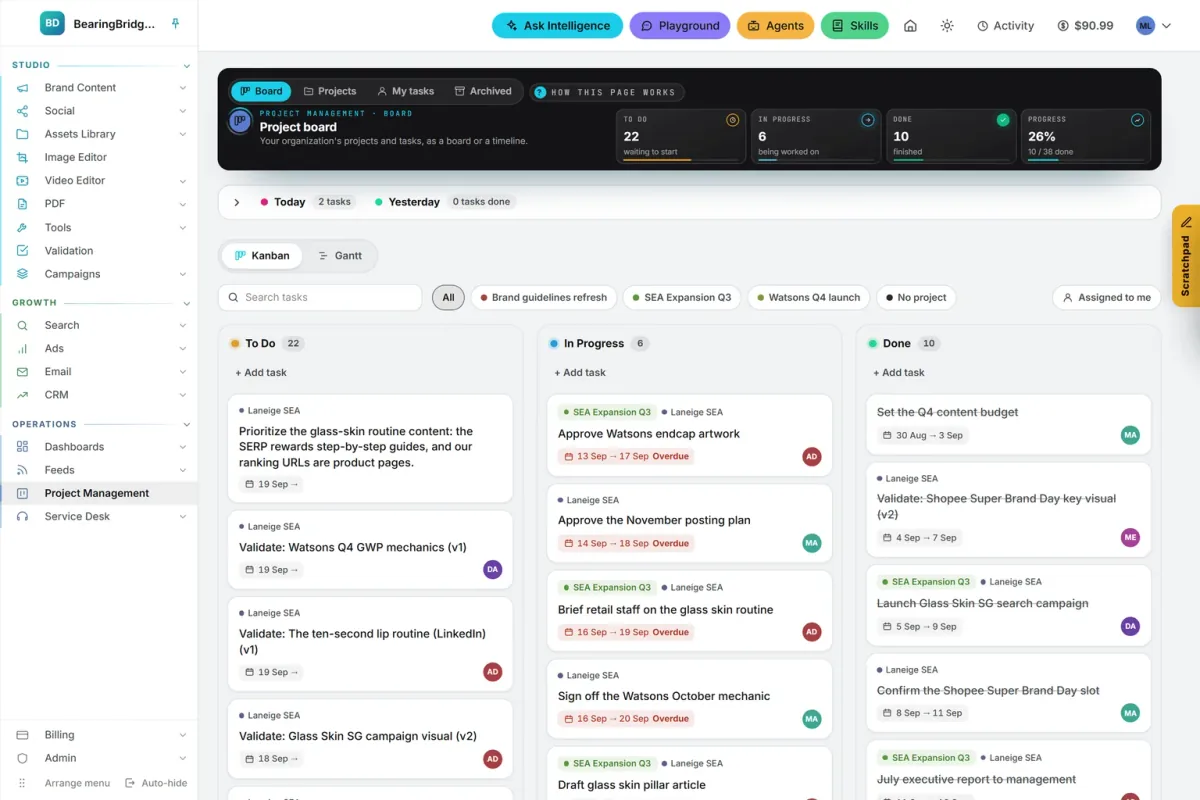
The new Today card lists your open tasks due today, and nothing else. A task with no end date, one due later or one already late stays off it. Late work still shows on the board, where its card carries a red Overdue date.
On My tasks, the card sits open above the lanes. On the board, it’s tucked into the bar under the band, beside yesterday’s finished work, with a count for each. Click the bar to open both cards. It starts folded every time you open the page.
Click a title on the card to open the task, or tick its circle when you’re done. A recurring task then brings back its next occurrence, as the My tasks help page explains. One small change rides along: a task’s end date now clears in one click, with the ✕ beside the field.
Projects only you can see
Before October 31, only admins could create a project, and every project had a team. Now anyone can create a personal project from New project on the Projects tab.
| Question | Personal project | Organization project |
|---|---|---|
| Who creates it | Anyone | An admin |
| Who sees it and its tasks | Only you, not even admins | Its team and the admins |
| Who can be assigned its tasks | You | Its team |
A personal project shows a Personal tag in the list. Admins who want one pick Only me under Who sees it, and that choice can’t be changed later. If you delete a personal project, its tasks stay private: each one is seen only by the person who created it and the person it’s assigned to.
That makes it a good home for work you’re not ready to show, like a draft plan or the follow-ups from a sales call. The Projects help page covers the rest.
A priority order the whole team sees
Since November 1, To Do and In Progress keep the order you give them. Move a card with its up and down arrows, or drag it anywhere in the lane. The higher it sits, the sooner it should get done. Everyone on the board sees the same order, and a new task lands at the top.
Finished work is dated right, too. The Done card, its PDF report and the Delivery dashboard now date each task by the moment it entered Done. Reordering or archiving an old task no longer makes it look like it was finished yesterday.
What it costs
Nothing extra. Project Management takes nothing from your wallet.
The video below walks through My tasks, the Today card, reminders and recurring tasks in the app.